• Thread Author
Microsoft’s move to bring the official Xbox app to Arm-based Windows 11 machines is the clearest sign yet that the company intends to make Windows on Arm a first-class gaming platform — not merely a power-efficient curiosity — but the reality for players will be shaped as much by emulator limits, driver maturity, and publisher buy-in as by Microsoft’s engineering push. According to the Tbreak report provided to us, the Xbox app update now lets Arm Windows 11 devices access a substantial portion of the PC Game Pass library — the article claims “more than 85%” of titles are now compatible — while Prism’s expanded emulation and newly supported anti-cheat stacks remove several long-standing blockers for local play. osoft’s investment in Windows on Arm gaming has accelerated across multiple fronts: emulator improvements in Prism to widen x64 compatibility, driver and GPU tooling updates from Qualcomm, a retooled Xbox PC app that supports Arm64 downloads, and coordination with anti-cheat vendors to restore multiplayer parity. These changes are the product of cross-team work — Windows platform engineers, Xbox team members, silicon partners, and third-party middleware vendors — and they’re being rolled out incrementally through Insider channels and cumulative Windows updates. Microsoft’s platform blog frames the work as an explicit Prism upgrade that expands emulation to additional x86 instruction-set extensions, enabling more apps and games to run on Arm devices. This is a structural shift in the Windows-on-Arm story. Historically, Arm devices were limited to cloud streaming for many modern PC games or were restricted to titles with native Arm64 builds. That changed as Microsoft and partners attacked the three core roadblocks: instruction-set incompatibility (particularly AVX/AVX2), GPU driver agility, and kernel-mode anti‑cheat compatibility. The net result is a platform that can run more games locally, stream the rest via Xbox Cloud Gaming, and — importantly — offer multiplayer in cases where anti-cheat vendors provide Arm support. Independent reporting and platform posts have documented these coordinated changes.

A gaming laptop displays AVX/AVX2, Windows 11, Xbox Game Pass, with Qualcomm UI controls and gear icons.What changed — the technical essentials​

Prism: AVX and AVX2 emulation​

  • Microsoft updated Prism — the x86/x64→Arm64 translation layer — to advertise and translate a larger set of x86-64 instructions, including AVX, AVX2, and related extensions (BMI, FMA, F16C).
  • This lets many 64‑bit Windows games that previously aborted on startup because of CPU feature checks now proceed under emulation. Prism’s change is available on Windows 11 builds (24H2 and later) and is enabled by default for x64 apps; 32‑bit legacy launchers remain an edge case.
Why this matters: modern AAA engines and middleware often use wide SIMD instructions for physics, audio, and math routines. If a binary probes for AVX/AVX2 and decides the CPU is incompatible, the game can refuse to run. Prism’s emulation turns that hard “won’t run” failure into a solvable compatibility problem — you get launchability first, then performance tuning second. Independent coverage emphasizes this as a compatibility leap rather than a raw performance parity win.

Xbox app: local downloads and Game Pass integration​

  • The Xbox PC app on Arm now supports local installation for many supported Game Pass titles, moving Arm devices beyond cloud-only play where publishers provide compatible builds or where improved emulation suffices. The change initially landed for Insiders and is expanding outward.
  • For titles that still aren’t running natively, the Xbox app still embeds Xbox Cloud Gaming as a fallback so players can stream unsupported games on demand (Game Pass Ultimate required for cloud streaming).
Practical effect: local installs reduce input latency, enable offline play, and let games use local shader caches and Advanced Shader Delivery pipelines — features that are harder to leverage in a streaming-only flow. The Xbox app change closes the loop between emulation improvements and storefront behavior: emulation lets more games launch, the Xbox app lets you install them, and updated drivers make them run better.

Anti-cheat: Epic / EAC and other stacks​

  • Anti-cheat systems were the thorniest problem for multiplayer titles on Arm because many anti-cheat vendors supply kernel‑mode components that were historically x64-only.
  • Epic (Easy Anti‑Cheat) and other anti-cheat vendors have worked with Microsoft and Qualcomm to produce Arm-friendly components. That coordination has allowed marquee multiplayer titles, most notably Fortnite in early proofs, to return to Windows-on-Arm multiplayer.
This wasn’t trivial: kernel-mode security and anti-cheat require alignment with Windows security primitives (VBS, Secure Boot, TPM expectations), and vendors needed to ship validated Arm builds. The outcome is pragmatic: some large online titles are unblocked, but coverage remains incremental and title-dependent.

GPU drivers, Qualcomm Control Panel, and delivery cadence​

  • Qualcomm introduced a Snapdragon (Adreno) Control Panel and an updatable driver model for Snapdragon X-series Windows devices, allowing per-game profiles and faster driver delivery outside sluggish OEM update channels. This mirrors the driver distribution model on x86 systems and reduces time-to-fix for rendering bugs.
  • Qualcomm claims targeted fixes and optimizations for large numbers of titles and has signaled a more frequent driver cadence — a necessary piece of the puzzle for consistent game performance on integrated Adreno GPUs.

The headlines and what’s verifiable​

  • Microsoft’s official platform posts and vendor briefings confirm Prism’s expanded emulation, including AVX/Aons, and note that the updates are rolling out on Windows 11 24H2+ devices. This is a confirmed engineering change.
  • Reputable outlets (The Verge, Windows Central, Tom’s Hardware) corroborate that the Xbox app can now permit local downloads on Arm devices (initially via Insiders) and that anti-cheat support (including Easy Anti‑Cheat) has been extended to some Arm platforms, enabling titles like Fortnite to run multiplayer.
  • The claim that “more than 85% of the PC Game Pass catalogue is now compatible with these devices” appears in the Tbreak summary provided, but that specific percentage is not published in Microsoft’s public Prism or Xbox blogs and is not corroborated by an official Microsoft statement we can find at this time. Treat the 85% figure as a reporter-sourced claim pending confirmation from Microsoft or publisher-level compatibility lists.
Where the evidence is strongest: Prism’s AVX/AVX2 emulation, the Xbox app’s Arm64 download functionality (Insider-first), and the publicized cooperation with anti-cheat vendors. Where the evidence is weaker or absent: a company-wide, verifiable percentage of Game Pass compatibility (the “85%” stat), and broad, immediate parity in performance versus x86 hardware. Independent tests and reviews show meaningful compatibility improvements but also highlight per-title variance in performance and thermal behavior.

What this means for players — practical takeaways​

  • If you own an Arm-based Windows 11 laptop or handheld (Snapdragon X series or similar), you should see improved compatibility for 64‑bit PC games. Many titles that previously refused to launch due to AVX checks can now start under Prism emulation. Update Windows 11 to the latest 24H2/25H2 cumulative updates to pick up the Prism improvements.
  • The Xbox app rollout increases the odds you can download and play a Game Pass title locally. For unsupported titles, Xbox Cloud Gaming remains a practical fallback — useful when you have a reliable high-speed connection. Note: cloud streaming requires Game Pass Ultimate; local installs require the PC Game Pass or Game Pass Ultimate subscription for access to the Game Pass library.
  • Expect variance by title. GPU‑bound games (where the workload depends more on the GPU than CPU SIMD) will generally fare better on Arm devices than CPU-bound sims that stress AVX emulation. Emulation buys you compatibility first; full parity with native x86 performance should not be assumed.
  • Anti‑cheat compatibility is a moving target. Titles that rely on anti‑cheat stacks that have been ported to Arm (or validated for Arm) will work in multiplayer; others will remain blocked until vendors ship compatible drivers. Verify anti‑cheat status for the specific games you care about before assuming online play is available.

Strengths: why this is a legitimate platform advance​

  • Coordination across the stack. This isn’t a single fix; Microsoft, Qualcomm, and anti-cheat vendors coordinated OS-level emulation, driver updates, and middleware support. That cross-stack approach dramatically increases the chance of durable improvements, because fixes at only one layer historically produced brittle results.
  • Real usability improvements. Local installs reduce latency vs. cloud-only gaming and allow modern PC features — shader pre-caching, local mod support (where permitted), save synchronization — to function normally.
  • Faster driver cadence. Qualcomm’s Control Panel and updatable Adreno drivers mean issues can be patched quickly instead of waiting for OEM firmware cycles. That reduces friction and shortens the time between a game patch and a platform fix.
  • Anti-cheat unblock is strategic and necessary. Multiplayer titles are often the most visible gap ing EAC and similar stacks working on Arm removes a critical barrier to mainstream adoption by social and competitive players.

Risks, limitations, and unanswered questions​

  • Emulation overhead and performance delta. Prism’s AVX/AVX2 support is translation/emulation, not native execution. Emulated SIMD introduces CPU overhead; CPU-bound workloads will remain slower than on equivalent x86 silicon. This is compatibility-first engineering, not a magic performance equalizer.
  • Publisher participation matters. Local download support is necessary but not sufficient: publishers must ship Arm64 builds to deliver truly native performance. Many studios will treat Arm builds as lower priority until the install base and quality of experience justify the work.
  • Incomplete anti-cheat coverage. While Easy Anti‑Cheat porting is a major milestone, other stacks (BattlEye, Riot Vanguard, proprietary systems) will arrive on staggered timetables. For competitive players, this means validating each title’s anti-cheat support separately.
  • Thermals and battery life trade-offs. Emulation consumes CPU cycles and can spike power draw. Thin Arm laptops and handhelds prioritize efficiency; sustained performance under heavy emulation may be thermally limited, affecting long sessions and battery life.
  • Fragmentation and QA burden. Per-title driver fixes are powerful, but they increase the potential for regressions elsewhere. A faster driver cadence demands robust QA across configurations. Users who chase bleeding-edge fixes (Insider builds, experimental drivers) should expect occasional instability.
  • Unverified numeric claims. The “85% of the PC Game Pass catalog” figure reported in the Tbreak summary is a meaningful headline but lacks direct confirmation from Microsoft at the time of writing. Treat it with caution until Microsoft or Xbox publishes a validated compatibility matrix or an official percentage.

How to try this today (step-by-step)​

  • Update Windows 11 to the latest cumulative updates (24H2/25H2 channel recommended). Prism improvements are distributed via Windows servicing lines.
  • Update the Xbox PC app through the Microsoft Store — the Arm-capable app and Arm64 download behavior are being rolled out there (Insiders may see features earlier).
  • If you own a Snapdragon X-series device, install the Snapdragon (Adreno) Control Panel and check for driver updates; these can deliver per‑title fixes faster than OEM channels.
  • For titles that fail to start, try the Arm emulation compatibility toggles in the app’s Compatibility settings (Windows on Arm provides per-executable emulation controls including an option to hide newer emulated CPU features). This can help troubleshoot regressions.
  • For multiplayer games, check anti-cheat vendor pages or publisher compatibility notes before assuming online play is supported; Epic/EAC progress is promising but not universal.

Verdict: measured optimism, not instant parity​

The arrival of the Xbox app on Arm Windows 11 with broader local-install support, Prism’s expanded AVX/AVX2 emulation, and increasing anti-cheat coverage are collectively the most consequential steps yet toward making Windows on Arm a practical gaming tier. For casual players, mobile-focused gamers, or those who prize battery life and portability, the platform is now much more viable than it was a year ago. For competitive gamers and those who demand absolute maximum frame rates and thermal headroom, x86 with discrete GPUs will remain the superior choice.
The engineering fixes are real and material, but so are the caveats: emulation incurs overhead, driver maturity varies, publishers must ship native builds for the best results, and anti-cheat coverage is still mid-rollout. The Tbreak report’s 85% compatibility claim captures the spirit of large-scale progress but should be treated as a reporter claim pending official verification.

What to watch next​

  • Official Microsoft or Xbox compatibility dashboards that quantify Game Pass titles confirmed compatible on Arm hardware (this would settle percentage claims).
  • Broader anti-cheat rollouts from BattlEye, Riot, and other vendors.
  • Qualcomm’s driver cadence and any day‑0 UGD (updatable graphics driver) guarantees for new Snapdragon X2-class devices.
  • Publisher adoption of Arm64 builds for major engines (Unreal, Unity, bespoke engines) and distribution of precompiled shader databases via Advanced Shader Delivery.
These next steps will determine whether Windows on Arm is a niche that plays some PC games very well, or a mainstream platform that developers treat as a first-class target.

In sum, Microsoft and its partners have delivered an important set of engineering changes that transform the Windows-on-Arm gaming narrative: the Xbox app’s new Arm-friendly behavior, Prism’s broader emulation, and improved anti‑cheat support together remove several of the most visible barriers to play. The result is not immediate parity with high-end x86 gaming rigs, but it is a clear, verifiable pivot toward a useful, playable, and increasingly mainstream Arm gaming experience.
Source: Tbreak Media Xbox App on Arm Windows 11 unlocks Game Pass | tbreak
 

Microsoft’s January Xbox update quietly turns a long‑rurunning Windows‑on‑Arm experiment into a practical gaming option for many users by bringing the Xbox PC app to Arm‑based Windows 11 devices and adding a real‑time Game Save Sync Indicator — changes enabled by deep, platform‑level work in Prism emulation, anti‑cheat support, and more agile GPU driver delivery across OEMs.

Laptop displays Game Save Sync UI with neon cloud, ARM chip, and GPU update icons.Background​

Windows on Arm has promised thin, efficient laptops and handhelds for years, but gaming remained the glaring exception: the vast majority of PC games were built for x86/x64, many relied on CPU instruction sets not present on Arm silicon, and kernel‑level anti‑cheat or driver dependencies blocked whole classes of titles. Over the last 18 months Microsoft and industry partners have worked to close those gaps by improving Windows’ translation layer (Prism), encouraging middleware vendors to ship Arm‑aware anti‑cheat stacks, and creating more updatable GPU driver workflows for Arm SoCs. The January update bundles these advances into a visible consumer milestone: a fully functioning Xbox PC app on Arm‑based Windows 11 capable of presenting, downloading, and nning Game Pass and Xbox PC catalog titles locally. This is not a single magic patch. It’s a coordinated, multi‑layer engineering effort that addresses three practical blockers:
  • Instruction‑set and binary compatibility via Prism translation improvements.
  • Anti‑cheat and middleware readiness through Arm‑aware vendor components.
  • Faster, per‑title GPU driver updates from silicon and OEM partners.
Those foundational fixes allow the Xbox PC app to transition from a streaming‑first front end on Arm devices to a hybrid model where local installs are available for many titles while cloud streaming remains the fallback for incompatible games. Independent reporting confirms Microsoft’s public claims and provides technical context for the limits and tradeoffs.

What Microsoft announced (high‑level)​

  • The Xbox PC app is now available on Arm‑based Windows 11 PCs, enabling users to discover, download, and install supported titles from the Xbox catalog, including Game Pass games. Microsoft states that more than 85% of the Game Pass catalog is compatible with Arm devices today (this figure combines native Arm builds and titles judged compatible via the updated Prism emulation).
  • A Game Save Sync Indicator is rolling out across PC and handheld devices to show real‑time cloud‑save status (synced, pending, out of sync) and metadata such as timestamps and the originating device, reducing confusion about which save is authoritative.
  • Xbox Cloud Gaming support will expand to select Hisense and V (homeOS) smart TVs in 2026, bringing more streaming endpoints to living rooms without requiring a console.
  • Microsoft has updated handheld compatibility badges and the Handheld Compatibility Program with more titles marked as “Handheld Optimized” or “Mostly Compatible,” helping players set expectations for handheld and Arm laptop experiences.

The technical core: Prism, AVX/AVX2, and why it matters​

What changed in Prism​

At the center of this shift is Prism, Windows’ runtime binary translator that runs x86/x64 code on Arm64 devices. Microsoft broadened Prism’s emulation to advertise and translate additional x86 instruction‑set extensions — notably AVX and AVX2 along with related families (BMI, FMA, F16C) — which were common startup checks for modern engines and middleware. When a game probes for these CPU features and doesn’t find them, many binaries previously aborted or entered crippled paths; Prism’s update lets those checks succeed and converts hard launch failures into runnable processes under emulation.

The real limits: compatibility vs performance​

Translating AVX/AVX2 is a major compatibility win, but translation is not execution parity. Emulated wide‑vector SIMD runs in software on Arm cores and carries overhead. That means:
  • GPU‑bound titles (where the GPU is the bottleneck) tend to benefit most and are frequently playable on higher‑end Arm devices.
  • CPU‑bound workloads that depend heavily on SIMD throughput (large‑scale physics, complex AI, or compression) will typically lag behind equivalent x86 machines.
  • Users should expect significant per‑title variance; some games will reach near‑native performance, many will be playable with settings reduced, and some will remain impractical locally.
This distinction is crucial for realistic expectations: Prism opens the door to many titles, but it does not replace the raw throughput advantages of contemporary x86 desktop CPUs.

Anti‑cheat and multiplayer: the gating factor​

Anti‑cheat middleware — especially kernel‑mode components — was one of the thorniest barriers to local multiplayer on Arm. Microsoft’s push included working with middleware vendors to deliver Arm‑compatible components and SDK paths. Epic’s Easy Anti‑Cheat (EAC) is a frequently cited example of an anti‑cheat vendor shipping Arm‑aware stacks, which has unlocked a number of titles that previously refused to run under emulation. However, this progress is incremental and title‑by‑title: publishers must ship or validate Arm‑compatible builds or hybrid configurations. Key implications:
  • Some high‑profile multiplayer titles can now run locally on Arm when both the anti‑cheat vendor and the publisher validate the support.
  • Not all anti‑cheat vendors are fully aligned yet; gaps remain for particular stacks (e.g., Riot Vanguard or proprietary solutions) and those gaps can keep certain multiplayer titles cloud‑only for the time being.
  • Expect ongoing, incremental certification work rather than an instantaneous, catalogue‑wide unlock.

GPU drivers: new delivery models and per‑title tuning​

Historically, GPU driver updates for Arm laptops were tied to slow OEM firmware cycles, which made rapid per‑title fixes difficult. In response, silicon partners (notably Qualcomm for Adreno GPUs) and OEMs have moved towards more updatable driver models and per‑title optimization workflows. This change narrows the performance gap for GPU‑bound titles by allowing urgent fixes and optimizations to ship outside full firmware updates. Faster driver cadence combined with Prism’s compatibility improvements materially improves the odds that a given title will run acceptably on an Arm handheld or ultraportable.

The Game Save Sync Indicator: small UI, big user benefit​

The Game Save Sync Indicator is deceptively simple: a visible indicator that shows whether your progress has been uploaded to the cloud, is pending, or is out of sync, and — when relevant — shows a timestamp and originating device. For players who frequently switch between console, PC, and handheld, that transparency reduces the risk of accidental overwrites and the classic “which save is the truth?” panic. Benefits:
  • Clear, real‑time visibility into save status at session end or on quick device switches.
  • Metadata (timestamps and origin device) provides the context necessary to decide whether to wait for upload or proceed with a local save.
  • Reduced support friction: fewer lost‑progress reports and less user confusion across devices.
Limits and caveats:
  • The indicator informs rather than resolves conflicts; in cases of corrupted saves, flaky networks, or publisher‑side save systems, manual user choices or publisher tools are still necessary.
  • Games that rely on third‑party launchers or proprietary save systems may not surface status through the Xbox save layer, so behavior will vary by title and publisher integrationn.

Xbox Cloud Gaming on Smart TVs: expanding endpoints​

Microsoft is also expanding Xbox Cloud Gaming to select Hisense and V homeOS‑powered smart TVs in 2026. That partnership brings the Xbox app and cloud streaming to more living rooms without the need for a console or PC, continuing a trend of OEM integrations that began with earlier Smart TV partnerships. The TV experience is subject to SoC capabilities and home network latency; certified model lists and region availability will determine the initial reach.

Practical advice for gamers and buyers​

  • Check the Xbox app compatibility pages and handheld badges before assuming local playability; Microsoft’s “85%” figure aggregates native Arm titles and emulated‑compatible titles and should be read as an estimate, not a guarantee for every device.
  • Keep Windows, the Xbox PC app, and OEM GPU drivers up to date — many compatibility gains come from incremental updates to Prism or the GPU stack.
  • If you’re a multiplayer gamer, verify anti‑cheat support for the titles you care about before assuming local installs will be allowed; publisher notes and community reports are the fastest way to confirm.
  • Use the Game Save Sync Indicator to confirm uploads before switching devices or powering down; if a save is out of sync, consult the indicator metadata and wait for a confirmed upload when feasible.

Strengths: why this matters​

  • Practical compatibility gains: The combination of Prism enhancements and middleware support converts many “won’t launch” cases into playable experiences, immediately increasing the usable Game Pass library on Arm devices.
  • Better UX for cross‑device play: The Game Save Sync Indicator addresses one of the most common cross‑device headaches, reducing accidental progress loss and making multi‑device play less stressful.
  • Ecosystem momentum: More updatable GPU drivers and clearer handheld compatibility badges reduce friction for OEMs and publishers, encouraging more Arm‑targeted tuning and possibly native builds over time.
  • Broader reach for Game Pass: TV integrations and cloud streaming keep the platform flexible: where local installs aren’t possible, cloud remains a seamless fallback.

Risks and open questions​

  • Performance expectations vs. marketing numbers: The “more than 85%” compatibility figure is a useful headline but conflates native Arm builds, emulated but playable titles, and technically runnable titles that may still have heavy caveats. Users should validate per‑title behavior. Microsoft’s estimate is official but should not be treated as a guarantee of performance parity.
  • Anti‑cheat fragmentation: Until all major anti‑cheat vendors ship robust Arm stacks and publishers validate their builds, certain competitive multiplayer titles may remain restricted or exhibit edge‑case bugs. This is a per‑title, per‑vendor problem that will take months to fully resolve.
  • Thermals and sustained performance: Arm handhelds and ultraportables prioritize efficiency; sustained heavy loads may trigger throttling and yield widely varied real‑world experiences compared with similarly priced x86 laptops. Expect device‑dependent outcomes.
  • Driver and OEM fragmentation: Arm PCs come from different OEMs and SoC vendors; driver maturity and update cadence will materially affect whether a title runs well on a given model. The platform improvements make fixes possible, but the deployment model remains fragmented.

Developer and industry implications​

For developers and middleware vendors, Microsoft’s approach signals a pragmatic future: emulation fills immediate compatibility gaps while native Arm builds or Arm64EC variants remain the long‑term path to performance parity. Developers should:
  • Prioritize Arm‑aware CI builds and testing.
  • Coordinate with anti‑cheat and DRM vendors for Arm compatibility.
  • Use handheld compatibility guidance and performance fit tools to set clear expectations for players.
For OEMs and silicon partners, the update raises expectations for driver cadence and per‑title tuning. A strong post‑purchase update story will be central to Arm devices’ ability to compete in the gaming segmains unverifiable or evolving
  • The precise methodology behind Microsoft’s “85% compatible” figure (how many titles are native vs. emulated with caveats) has not been fully enumerated; treat the number as a high‑level indicator rather than a per‑title audit.
  • Broader anti‑cheat parity across the industry is a work in progress; vendor roadmaps and publisher timelines will determine when competitive multiplayer parity is truly achieved.
When vendor telemetry or detailed compatibility lists are published, they will provide the concrete per‑title clarity players and enterprises need.

Conclusion​

Microsoft’s Xbox January update is the culmination of practical, cross‑company engineering that turns Windows‑on‑Arm from a niche curiosity into a credible platform for many Game Pass and Xbox PC titles. By expanding Prism’s emulation, working with anti‑cheat vendors, enabling more agile GPU driver workflows, and adding helpful UX touches like the Game Save Sync Indicator, Microsoft has reduced several historic blockers to local play on Arm devices. The result is more choice for players: download and play locally where possible, stream where necessary, and rely on clearer save‑state signals when you switch devices. This is a milestone, not an endpoint. Per‑title performance, anti‑cheat coverage, and driver maturity will determine how quickly Arm devices approach parity for the games that matter most to you. For the broad Windows audience, however, the update represents a meaningful shift: Arm hardware can now be considered a practical option for many gamers — especially those who value battery life and portability — while cloud gaming and improved UX keep the ecosystem flexible and resilient.

Source: TechPowerUp Xbox Details Expansion onto Arm-based PCs & New Game Save Sync Indicator Feature | TechPowerUp}
 

Microsoft has quietly completed a major milestone for Windows on Arm: the Xbox PC app is now available on Arm-based Windows 11 machines, enabling discovery, download, and local installation of a large portion of the Xbox Game Pass and Xbox PC catalog on ARM64 devices while keeping Xbox Cloud Gaming as a seamless fallback.

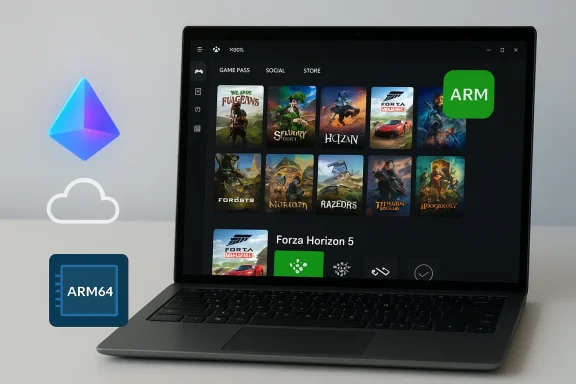
Laptop displays a game library UI with an ARM64 chip icon and ARM logo nearby.Background​

Arm-based Windows PCs have long promised compelling battery life, thin-and-light designs, and always‑connected form factors, but gaming was the most visible gap in the platform’s capabilities. Historically, three core issues limited gaming on Arm: architecture mismatch (most PC titles target x86/x64), missing wide-vector CPU instructions (AVX/AVX2 and friends), and kernel-level anti‑cheat and DRM stacks that were not available for Arm or could not be translated safely. Over the past 18 months Microsoft, silicon partners, and middleware vendors have worked in parallel to remove those blocks; the Xbox PC app rollout is the first conspicuous user-facing result of that coordinated effort.

What Microsoft announced and when​

Microsoft announced the rollout in a January platform update: the Xbox PC app now runs on Arm-based Windows 11 devices and can install and run supported titles locally, while Xbox Cloud Gaming remains tightly integrated for titles that aren’t yet compatible locally. The company described this change as the product of multiple platform investments made through late 2025. Microsoft has also framed the change with a compatibility estimate: “more than 85% of the Game Pass catalog is compatible” with Arm-based Windows 11 devices today — a company-supplied figure that should be treated as a progress indicator rather than an independent audit.

Technical foundations: why this is possible now​

The change did not come from a single update. It rests on several technical pillars that together transform the Xbox app from a streaming-first frontend to a hybrid storefront that can serve local installs where feasible.

Prism: the runtime translator​

At the heart of Microsoft’s compatibility work is Prism, Windows 11’s runtime translation layer that converts x86/x64 binaries to Arm64 at runtime. Recent updates to Prism expanded its emulation coverage to include additional x86 instruction-set extensions — most notably AVX and AVX2, plus related families (BMI, FMA, F16C). These SIMD and math instructions were commonly used by modern engines and middleware; when a game probes for AVX and fails, many binaries simply refuse to launch. By advertising and emulating those features, Prism converts many “hard fail” launch cases into runnable processes under emulation.
It is critical to understand that emulation is compatibility, not parity. Emulated AVX/AVX2 sequences run in software on Arm cores and therefore carry performance overhead compared with native x86 silicon. For many GPU-bound titles this overhead is survivable; for CPU‑bound workloads that rely heavily on wide-SIMD throughput, parity is unlikely. Independent testing will determine which titles offer acceptable performance under Prism.

Anti‑cheat and kernel-mode stacks​

One of the thorniest obstacles to local play has been kernel-mode anti‑cheat (AC) systems. Many modern multiplayer titles depend on AC that historically targeted x86/x64 kernels, and those drivers cannot always be trivially translated or emulated. Over the past year middleware vendors — most notably Epic with Easy Anti‑Cheat (EAC) — have developed Arm-aware solutions in collaboration with Microsoft and publishers. Where these vendors have shipped Arm-compatible stacks and publishers have validated them, previously blocked multiplayer titles can now run locally on Arm devices. This work remains per-title and vendor-dependent; not every game will be unblocked immediately.

GPU drivers and per‑title optimization​

GPU driver delivery and per‑title optimization workflows also evolved. Silicon partners moved toward more updatable GPU driver models (rather than strictly OEM firmware updates), enabling faster fixes and per‑title tuning similar to the x86 PC ecosystem. This is especially important for Snapdragon/Adreno hardware used in many Arm laptops and handhelds; faster driver cadence means quicker performance tuning and bug fixes for individual games.

What this means for users and OEMs​

The user-facing change is straightforward but meaningful: the Xbox PC app can now present, download, and manage installs on eligible Arm devices. For players this brings several practical benefits:
  • Lower input latency for locally installed games versus streaming.
  • Offline play in scenarios where cloud connectivity is poor or expensive.
  • Local shader caching and per‑title driver tuning that can improve stability and visuals.
  • Familiar PC workflows (save files, installs, updates) without detouring through the browser or remote streaming portal.
For OEMs and device makers, the shift expands the addressable use cases for Arm designs: thin-and-light laptops and handheld gaming devices can now be marketed as legitimately playable machines for many titles rather than as cloud-only companions. That said, OEMs must continue to invest in driver pipelines and thermal/firmware tuning to translate compatibility into a good user experience.

Compatibility headline: the "85%" claim​

Microsoft’s repeated headline — that “more than 85% of the Game Pass catalog is compatible with Arm devices” — is a useful shorthand for momentum, but it requires careful reading. The figure combines native Arm builds, titles judged compatible via Prism’s expanded emulation, and games that remain playable through cloud fallback. It is a company-supplied estimate intended to show progress; the compatibility profile will continue to evolve as more anti‑cheat stacks, driver fixes, and native ports arrive. Treat the 85% figure as an indicator that “most” Game Pass titles are reachable on Arm devices in one form or another, not as a guarantee of native, high‑performance local play for every title.

Practical limitations and performance tradeoffs​

The excitement around local installs on Arm comes with necessary caution. Several technical and practical caveats remain:

Emulation overhead and real-world performance​

  • Emulation converts many “won’t run” situations into playable launches, but the translated code will rarely match native x86 performance.
  • GPU-bound games often fare better than CPU-bound simulations; games heavy on physics, large AI workloads, or CPU-side post-processing may need lower settings.
  • Battery and thermal envelopes on thin Arm devices can further limit sustained performance versus bulkier x86 gaming laptops.

Per‑title variability​

  • Compatibility and performance are title-specific. Publishers and middleware vendors must validate and (where needed) provide Arm-aware binaries or compatibility adjustments.
  • Anti‑cheat readiness is a binary gate for multiplayer titles: where AC vendors have not shipped Arm-friendly stacks, those games will remain cloud-only or blocked.

Driver and firmware cadence​

  • Faster driver delivery models are in place, but OEM firmware and thermal profiles still matter. The experience will vary across devices and SoC generations.
  • Some fixes will ship in Windows updates or driver packages; others may arrive as per‑title patches from developers or silicon partners.

Remaining ecosystem gaps​

  • Certain third‑party peripherals, kernel-mode plugins, and legacy drivers may not have Arm equivalents.
  • DRM kernels and specialized anti‑tamper tools may lag behind, keeping a subset of games cloud‑bound for longer.

What to test now: a checklist for early adopters​

For enthusiasts and IT pilots who want to evaluate the new Xbox app on Arm devices, here are practical steps to validate compatibility and measure experience.
  • Update Windows 11 to the latest public build (check for the January platform updates and Prism-related fixes).
  • Install the latest Xbox PC app from the Microsoft Store and verify it reports Arm support on your device.
  • Confirm GPU drivers are current (use OEM or silicon partner driver portals where available) and enable any per‑title tuning options.
  • Use the Xbox app’s compatibility badges and Windows Performance Fit guidance to set expectations before downloading large titles. These UI signals can show whether a title is “Handheld Optimized,” “Mostly Compatible,” or best run via Cloud Gaming.
  • Test a mix of GPU-bound and CPU-bound titles to observe where emulation impacts are most visible. Monitor frame rates, input latency, and battery draw.
  • For multiplayer games, confirm whether the anti‑cheat stack is present and validated for Arm; if not, rely on Cloud Gaming or wait for vendor updates.

Strategic implications: publishers, developers, and Microsoft​

This rollout shifts incentives across the PC gaming ecosystem.
  • Publishers gain a wider install base for PC titles if local play on Arm becomes reliable. That may accelerate native Arm ports where performance matters.
  • Middleware and anti‑cheat vendors now have stronger pressure and clearer pathways to deliver Arm‑compatible stacks, because a major platform (Xbox/Windows) is presenting Arm devices to consumers as viable gaming hardware.
  • Microsoft benefits strategically: enabling Game Pass local installs on Arm increases the value proposition of both Game Pass and Windows on Arm hardware, helping the platform compete with x86 in mobility and energy efficiency niches.
However, the path forward is not automatic. Publishers must decide whether to invest in native Arm builds, and middleware vendors must finish per‑title validations. The slipperiness of per‑title certification means that marketing claims should be hedged with clarity on which titles are validated for which devices.

Strengths and opportunities​

  • Broader accessibility: Arm devices (thin laptops, handhelds) become a more realistic option for gamers who value portability and battery life.
  • Hybrid UX: The integrated hybrid model — local installs when possible, cloud streaming otherwise — offers the best of both worlds and reduces friction for users.
  • Developer path: For developers, Prism reduces the immediate need for full native ports, enabling staged deployment strategies that mix emulation, cloud, and targeted native builds.
  • Market momentum: The move encourages silicon partners to invest in faster driver delivery and OEMs to optimize thermal and firmware stacks for gaming scenarios.

Risks and open questions​

  • Expectation mismatch: Marketing that focuses solely on “Xbox on Arm” without clarifying per‑title performance and anti‑cheat readiness risks disappointed users. The 85% compatibility number should not be read as a promise of native or high‑FPS play across the board.
  • Performance variance: Emulation introduces variability across device classes and SoC generations; thin handhelds and ultra‑mobile laptops will not match heavier x86 gaming rigs.
  • Security posture: Kernel‑mode anti‑cheat adaptation must be handled carefully to avoid introducing new attack surfaces or compromising system integrity during translation or driver substitution. The industry must balance compatibility with robust security.
  • Fragmentation: If OEMs and publishers diverge in driver and compatibility support, consumers may see a fragmented experience where some Arm devices run a title well and others do not.

What to watch next​

  • Publisher and platform validation lists: watch for formal lists of Arm‑validated games and per‑title certification updates that remove ambiguity for consumers.
  • Independent benchmarks and hands‑on reviews: early retail review units and independent testing will reveal real-world performance, battery impacts, and emulation limits.
  • Anti‑cheat rollouts: track EAC and other middleware vendor announcements to see which high-profile multiplayer titles move from cloud-only to local play.
  • Driver cadence and OEM updates: monitor how quickly silicon partners and OEMs deliver per‑title fixes and driver updates outside monthly firmware cycles.

Conclusion​

The arrival of the Xbox PC app on Arm-based Windows 11 PCs is a pragmatic, technically grounded milestone that moves Windows on Arm from a streaming-forward experiment to a hybrid gaming platform. The combination of Prism’s expanded emulation (notably AVX/AVX2), anti‑cheat vendor work, and improved GPU driver workflows means hundreds of Game Pass titles are now accessible to Arm devices in some form — local installs where validated and cloud streaming where necessary.
This is an important step, not an endpoint. Emulation will never fully erase the performance gap with native x86 silicon, and per‑title validation will continue to determine the quality of players’ experiences. For gamers, device makers, and publishers, the right approach is measured: evaluate titles on a case‑by‑case basis, follow compatibility badges and Windows Performance Fit signals, and expect continued iteration from Microsoft, middleware vendors, and silicon partners. If those parties follow through, the Xbox app on Arm could meaningfully broaden where and how Windows gamers play — especially for users who prize mobility and battery life.

Source: TechloMedia Xbox App Arrives on ARM-Based Windows 11 PCs
 

Microsoft has begun rolling out the Xbox PC app to Arm-based Windows 11 machines, enabling local downloads and play of a large portion of the Xbox Game Pass library on Copilot+ and other Arm-powered PCs while keeping cloud streaming as a fallback for titles that still require it.

Background / Overview​

Windows on Arm has been an ongoing initiative to bring the broad Windows application ecosystem to power-efficient Arm processors. For years that effort relied heavily on cloud and emulatencyion to bridge the architecture gap; the latest milestone is the retail rollout of the Xbox PC app for Arm-based Windows 11 devices, backed by improvements to Windows’ x86/x64 translation layer, Prism. This change is not just a storefront port. It represents a stack-level push—spanning the OS emulator, middleware (anti-cheat), drivers, and Xbox client—to make local PC gameplay viable on Arm hardware. Microsoft says more than 85% of the Game Pass catalog is currently compatible with Arm-based Windows 11 PCs, a figure that combines native Arm builds and titles that run under the improved emulation environment. For the remaining titles, Xbox Cloud Gaming stays integrated so players can stream games until local compatibility arrives.

Why this matters: the practical change for players​

Most Arm Windows devices have previously been able to access Game Pass via cloud streaming, but local installs were limited by missing drivers, anti-cheat stacks, and CPU instruction gaps. The new rollout changes the player experience in three concrete ways:
  • Local installations of eligible Game Pass/Xbox PC titles become available through the Xbox app on Arm Windows 11. This removes the requirement to stream in many cases and gives players lower latency, offline play, and local shader caches.
  • The Xbox app still surfaces Xbox Cloud Gaming as a fallback for unsupported titles, preserving access to the rest of the catalog while compatibility work continues.
  • Microsoft rolled out a Game Save Sync Indicator across PC and handheld devices to show real‑time cloud save status, helping players avoid accidental lost progress when switching devices.
These are customer-facing improvements designed to make Arm laptops, tablets, and handhelds feel more like conventional Windows gaming PCs in everyday use.

The technical linchpin: Prism emulator and AVX/AVX2​

What changed in Prism​

Prism is Microsoft’s x86/x64-to-Arm64 translation engine included with Windows 11 (24H2 and later). A recent series of updates expanded Prism’s supported x86 instruction set extensions—most notably AVX and AVX2, plus related families such as BMI, FMA, and F16C. That expansion resolves a common category of “hard failure” where games check for CPU features and refuse to start if they aren’t present.

Why AVX/AVX2 matters​

Many modern game engines and middleware use AVX instructions for performance-sensitive math and SIMD workloads. Without AVX support, some titles fail early or deliver unusable performance. By translating those instructions on Arm devices, Prism increases the number of games that can run acceptably under emulation. That’s one of the primary technical reasons Microsoft and partners can now claim high Game Pass compatibility percentages on Arm.

Caveats and limitations​

  • Prism’s expanded feature set is not a magic bullet. Some 32‑bit x86 apps and certain helper code paths do not detect the newer emulated CPU features by default; Microsoft documents compatibility options that can revert Prism to earlier behavior for apps that need it.
  • Emulated performance still depends on the host CPU microarchitecture, thermal design power (TDP), and GPU driver maturity. Expect a spectrum from well‑optimized native ports to playable emulated titles with constraints.

Anti‑cheat, middleware, and multiplayer unblock​

A key reason many multiplayer games were previously blocked on Arm was anti‑cheat middleware, especially stacks that relied on kernel‑mode drivers compiled only for x64. In 2025 and into 2026, middleware vendors and studios collaborated with Microsoft and silicon partners to produce Arm-compatible anti‑cheat builds.
  • Epic’s Easy Anti‑Cheat (EAC) has been a notable example: Epic added Arm support and provided tooling so EAC‑protected multiplayer titles can work on Arm devices. That cooperation unblocked titles such as Fortnite and a number of Epic‑engine games.
  • Other anti‑cheat stacks (for instance, those used by some competitive titles) may still lag, meaning not all multiplayer experiences are immediately available on every Arm device. Support is title‑by‑title and vendor‑by‑vendor.
This is a pragmatic, incremental fix: middleware vendors must validate and ship Arm builds, and studios must opt into them. The result is meaningful progress for multiplayer game availability, but it is not universal parity yet.

What players should expect from compatibility claims​

Microsoft’s headline number that "more than 85% of the Game Pass catalog is compatible" is a platform‑reported metric that combines:
  • Native Arm64 builds,
  • Titles that run under Prism emulation with acceptable behavior,
  • Titles accessible via Xbox Cloud Gaming (where local play isn’t available).
That means the figure should be read as a measure of access rather than a guarantee of identical performance across devices. Differences in GPU performance, cooling, and driver maturity will affect the real‑world experience. Independent outlets corroborated Microsoft’s announcement, but they also stress that user experience will vary considerably by device and by title.

New features outside local installs​

Microsoft used the same update window to roll out additional, practical features:
  • Game Save Sync Indicator: A UI signal in the Xbox ecosystem that shows whether cloud saves are uploaded, pending, or out of sync. This addresses a long‑standing UX pain point when switching between devices or moving from a handheld to a desktop.
  • Cloud gaming on select smart TVs: Xbox Cloud Gaming is expanding to more living‑room devices; Microsoft confirmed partnerships with Hisense and V (homeOS / VIDAA derivatives) to bring the Xbox app and streaming capabilities to select smart TV models in 2026. This extends cloud play beyond consoles, PCs, and mobile devices.
  • Handheld Compatibility Program & Play Anywhere expansions: Microsoft continued to add titles to handheld‑optimized lists and the Xbox Play Anywhere program to simplify cross‑device ownership and save portability.

How to get started (practical checklist)​

  1. Update Windows: Ensure your Arm-based device is running Windows 11, version 24H2 or later—Prism’s enhanced features are delivered via those Windows updates.
  2. Update the Xbox app: Install the latest Xbox PC app from Microsoft/Windows Update or the Microsoft Store; the Arm rollout is controlled via Xbox client updates.
  3. Confirm Game Pass / account: Sign in with your Xbox account and verify your Game Pass subscription if you want cloud or catalog access.
  4. Check Windows Performance Fit / handheld badges: Use the Xbox app and product pages to see handheld and performance guidance; Microsoft surfaces Handheld Optimized or Mostly Compatible badges and Windows Performance Fit information to help decide which titles to download.
  5. If a title fails to launch: consult compatibility settings in Windows on Arm—there are emulation options that can hide newer emulated CPU features or opt apps into earlier behaviors. Those compatibility toggles can be useful troubleshooting steps.

Strengths and immediate benefits​

  • Access parity is improving: For many players the combination of Prism improvements, middleware ports, and Xbox client support means Arm laptops and handhelds are now practical gaming devices for a wide swath of the PC catalog.
  • Offline and lower-latency play: Local installs reduce input latency versus streaming, make offline play possible, and allow local shader and driver optimizations that cloud streaming cannot.
  • Seamless fallbacks: The hybrid model—local installs where possible, cloud streaming otherwise—keeps access broad without forcing developers to publish immediate Arm ports.
  • Ecosystem coordination: The rollout demonstrates coordinated engineering between Microsoft, silicon vendors, middleware authors (anti‑cheat), and OEMs—an ecosystem-level success that’s essential for platform viability.

Risks, constraints, and outstanding questions​

  • Performance is device-dependent: Arm SoC families (for example, Qualcomm Snapdragon X‑series) and OEM cooling/thermal design will determine frame rates and sustained performance. Expect substantial variance between high‑end Copilot+ laptops and lighter Arm notebooks.
  • Driver and peripheral gaps: Some hardware vendors and peripheral makers still lack Arm64 drivers. Specialized peripherals, external GPUs (eGPU) solutions, or proprietary camera/VR stacks may not work or may require vendor updates.
  • Anti‑cheat and multiplayer fragmentation: Although major middleware vendors have shipped Arm support in some cases, not all anti‑cheat systems have comprehensive Arm builds. Competitive multiplayer titles that rely on other anti‑cheat solutions may remain unavailable locally until vendors act.
  • Compatibility claims vs. user experience: The 85% compatibility figure is a platform metric from Microsoft; real‑world playability and fidelity can vary per title and per device, and users should treat the number as an indicator of access rather than a performance guarantee.
  • Security and kernel drivers: Kernel‑mode anti‑cheat drivers and any kernel‑level components pose a larger validation surface on new architectures; users and shops should pay attention to signed drivers and OEM guidance.

OEMs, silicon vendors, and the broader market​

This Xbox app rollout aligns with an industry push to expand Arm performance footprints on Windows. OEMs shipping Copilot+ and Snapdragon X‑series systems stand to benefit from improved gaming credibility, and Arm’s energy‑efficiency advantages make it attractive for handhelds and always‑on laptops. Independent reporting notes the arrival of Arm‑focused GPU drivers and emerging discrete Arm-compatible GPUs in niche markets, which would further strengthen the platform’s prospects if matured. From a market perspective, broader consumer confidence in Arm Windows for gaming could increase competition with Intel/AMD x86 systems—especially in thin-and-light segments and the nascent handheld PC market. That competition, however, depends on continued driver work, developer investment, and middleware alignment.

Developer and studio implications​

Studios and middleware vendors face a strategic choice: invest engineering time to produce native Arm64 builds and test anti‑cheat and driver interactions, or rely on Prism emulation to reach Arm players for the short to medium term. Both paths are viable but carry tradeoffs:
  • Native Arm64 builds can deliver better performance and lower power usage on Arm hardware—but they require QA, distribution adjustments, and sometimes engine-level work.
  • Relying on Prism reduces immediate developer effort but places variability in the hands of OS-level emulation and GPU drivers; some edge cases (kernel-mode drivers, low-level SDKs) will still need studio or middleware vendor intervention.
Microsoft’s approach—providing better emulation while encouraging native builds—attempts to balance short-term access with long-term optimization incentives.

Smart TVs and cloud gaming: living room rollout​

Xbox Cloud Gaming’s expansion to selected Hisense and V homeOS smart TVs is part of the same accessibility narrative: bring Game Pass play to more screens without a console. Streaming via smart TV can lower the barrier to entry, but the experience is tightly bound to local network quality, controller pairing, and TV hardware performance. For many users this will be an excellent way to play casual titles; for competitive or latency‑sensitive games, local installs on a capable PC (Arm or x86) will remain preferable.

Final analysis and outlook​

Microsoft’s rollout of the Xbox PC app to Arm-based Windows 11 devices is a meaningful platform milestone: it converts a cloud-and‑emulation story into a hybrid model that brings local installs, improved compatibility through Prism (including AVX/AVX2), and practical UX improvements like the Game Save Sync Indicator. The change is the result of coordinated work across Microsoft, silicon vendors, middleware providers, and studios—an ecosystem-level push that makes Arm Windows a far more compelling option for gaming than it was a year ago. At the same time, the rollout is a staged evolution rather than an instantaneous parity shift. The 85% compatibility figure is encouraging but should be contextualized: real‑world performance, multiplayer availability, and peripheral support will vary by title and device. Players who value performance parity and predictability for competitive gaming should still test titles on their specific hardware before assuming identical results to x86 machines. The next 12–18 months will be telling: continued driver maturity, more native Arm builds, and broader middleware support will determine whether Arm Windows becomes a mainstream gaming platform or remains a capable but uneven alternative. For now, the hybrid model—local where possible, cloud where needed—gives gamers more choice, and that alone is a win for the Windows ecosystem.

Source: LIVE Today Latest Technology Fresh News IT Tech Business Varindia Microsoft rolls out Xbox app for Arm-based
 

Microsoft has begun rolling out the Xbox PC app to Arm-based Windows 11 machines, enabling local downloads and play of a large portion of the Xbox Game Pass library on Copilot+ and other Arm-powered PCs while keeping cloud streaming as a fallback for titles that still require it.

Background / Overview​

Windows on Arm has been an ongoing initiative to bring the broad Windows application ecosystem to power-efficient Arm processors. For years that effort relied heavily on cloud and emulatencyion to bridge the architecture gap; the latest milestone is the retail rollout of the Xbox PC app for Arm-based Windows 11 devices, backed by improvements to Windows’ x86/x64 translation layer, Prism. This change is not just a storefront port. It represents a stack-level push—spanning the OS emulator, middleware (anti-cheat), drivers, and Xbox client—to make local PC gameplay viable on Arm hardware. Microsoft says more than 85% of the Game Pass catalog is currently compatible with Arm-based Windows 11 PCs, a figure that combines native Arm builds and titles that run under the improved emulation environment. For the remaining titles, Xbox Cloud Gaming stays integrated so players can stream games until local compatibility arrives.

Why this matters: the practical change for players​

Most Arm Windows devices have previously been able to access Game Pass via cloud streaming, but local installs were limited by missing drivers, anti-cheat stacks, and CPU instruction gaps. The new rollout changes the player experience in three concrete ways:
  • Local installations of eligible Game Pass/Xbox PC titles become available through the Xbox app on Arm Windows 11. This removes the requirement to stream in many cases and gives players lower latency, offline play, and local shader caches.
  • The Xbox app still surfaces Xbox Cloud Gaming as a fallback for unsupported titles, preserving access to the rest of the catalog while compatibility work continues.
  • Microsoft rolled out a Game Save Sync Indicator across PC and handheld devices to show real‑time cloud save status, helping players avoid accidental lost progress when switching devices.
These are customer-facing improvements designed to make Arm laptops, tablets, and handhelds feel more like conventional Windows gaming PCs in everyday use.

The technical linchpin: Prism emulator and AVX/AVX2​

What changed in Prism​

Prism is Microsoft’s x86/x64-to-Arm64 translation engine included with Windows 11 (24H2 and later). A recent series of updates expanded Prism’s supported x86 instruction set extensions—most notably AVX and AVX2, plus related families such as BMI, FMA, and F16C. That expansion resolves a common category of “hard failure” where games check for CPU features and refuse to start if they aren’t present.

Why AVX/AVX2 matters​

Many modern game engines and middleware use AVX instructions for performance-sensitive math and SIMD workloads. Without AVX support, some titles fail early or deliver unusable performance. By translating those instructions on Arm devices, Prism increases the number of games that can run acceptably under emulation. That’s one of the primary technical reasons Microsoft and partners can now claim high Game Pass compatibility percentages on Arm.

Caveats and limitations​

  • Prism’s expanded feature set is not a magic bullet. Some 32‑bit x86 apps and certain helper code paths do not detect the newer emulated CPU features by default; Microsoft documents compatibility options that can revert Prism to earlier behavior for apps that need it.
  • Emulated performance still depends on the host CPU microarchitecture, thermal design power (TDP), and GPU driver maturity. Expect a spectrum from well‑optimized native ports to playable emulated titles with constraints.

Anti‑cheat, middleware, and multiplayer unblock​

A key reason many multiplayer games were previously blocked on Arm was anti‑cheat middleware, especially stacks that relied on kernel‑mode drivers compiled only for x64. In 2025 and into 2026, middleware vendors and studios collaborated with Microsoft and silicon partners to produce Arm-compatible anti‑cheat builds.
  • Epic’s Easy Anti‑Cheat (EAC) has been a notable example: Epic added Arm support and provided tooling so EAC‑protected multiplayer titles can work on Arm devices. That cooperation unblocked titles such as Fortnite and a number of Epic‑engine games.
  • Other anti‑cheat stacks (for instance, those used by some competitive titles) may still lag, meaning not all multiplayer experiences are immediately available on every Arm device. Support is title‑by‑title and vendor‑by‑vendor.
This is a pragmatic, incremental fix: middleware vendors must validate and ship Arm builds, and studios must opt into them. The result is meaningful progress for multiplayer game availability, but it is not universal parity yet.

What players should expect from compatibility claims​

Microsoft’s headline number that "more than 85% of the Game Pass catalog is compatible" is a platform‑reported metric that combines:
  • Native Arm64 builds,
  • Titles that run under Prism emulation with acceptable behavior,
  • Titles accessible via Xbox Cloud Gaming (where local play isn’t available).
That means the figure should be read as a measure of access rather than a guarantee of identical performance across devices. Differences in GPU performance, cooling, and driver maturity will affect the real‑world experience. Independent outlets corroborated Microsoft’s announcement, but they also stress that user experience will vary considerably by device and by title.

New features outside local installs​

Microsoft used the same update window to roll out additional, practical features:
  • Game Save Sync Indicator: A UI signal in the Xbox ecosystem that shows whether cloud saves are uploaded, pending, or out of sync. This addresses a long‑standing UX pain point when switching between devices or moving from a handheld to a desktop.
  • Cloud gaming on select smart TVs: Xbox Cloud Gaming is expanding to more living‑room devices; Microsoft confirmed partnerships with Hisense and V (homeOS / VIDAA derivatives) to bring the Xbox app and streaming capabilities to select smart TV models in 2026. This extends cloud play beyond consoles, PCs, and mobile devices.
  • Handheld Compatibility Program & Play Anywhere expansions: Microsoft continued to add titles to handheld‑optimized lists and the Xbox Play Anywhere program to simplify cross‑device ownership and save portability.

How to get started (practical checklist)​

  1. Update Windows: Ensure your Arm-based device is running Windows 11, version 24H2 or later—Prism’s enhanced features are delivered via those Windows updates.
  2. Update the Xbox app: Install the latest Xbox PC app from Microsoft/Windows Update or the Microsoft Store; the Arm rollout is controlled via Xbox client updates.
  3. Confirm Game Pass / account: Sign in with your Xbox account and verify your Game Pass subscription if you want cloud or catalog access.
  4. Check Windows Performance Fit / handheld badges: Use the Xbox app and product pages to see handheld and performance guidance; Microsoft surfaces Handheld Optimized or Mostly Compatible badges and Windows Performance Fit information to help decide which titles to download.
  5. If a title fails to launch: consult compatibility settings in Windows on Arm—there are emulation options that can hide newer emulated CPU features or opt apps into earlier behaviors. Those compatibility toggles can be useful troubleshooting steps.

Strengths and immediate benefits​

  • Access parity is improving: For many players the combination of Prism improvements, middleware ports, and Xbox client support means Arm laptops and handhelds are now practical gaming devices for a wide swath of the PC catalog.
  • Offline and lower-latency play: Local installs reduce input latency versus streaming, make offline play possible, and allow local shader and driver optimizations that cloud streaming cannot.
  • Seamless fallbacks: The hybrid model—local installs where possible, cloud streaming otherwise—keeps access broad without forcing developers to publish immediate Arm ports.
  • Ecosystem coordination: The rollout demonstrates coordinated engineering between Microsoft, silicon vendors, middleware authors (anti‑cheat), and OEMs—an ecosystem-level success that’s essential for platform viability.

Risks, constraints, and outstanding questions​

  • Performance is device-dependent: Arm SoC families (for example, Qualcomm Snapdragon X‑series) and OEM cooling/thermal design will determine frame rates and sustained performance. Expect substantial variance between high‑end Copilot+ laptops and lighter Arm notebooks.
  • Driver and peripheral gaps: Some hardware vendors and peripheral makers still lack Arm64 drivers. Specialized peripherals, external GPUs (eGPU) solutions, or proprietary camera/VR stacks may not work or may require vendor updates.
  • Anti‑cheat and multiplayer fragmentation: Although major middleware vendors have shipped Arm support in some cases, not all anti‑cheat systems have comprehensive Arm builds. Competitive multiplayer titles that rely on other anti‑cheat solutions may remain unavailable locally until vendors act.
  • Compatibility claims vs. user experience: The 85% compatibility figure is a platform metric from Microsoft; real‑world playability and fidelity can vary per title and per device, and users should treat the number as an indicator of access rather than a performance guarantee.
  • Security and kernel drivers: Kernel‑mode anti‑cheat drivers and any kernel‑level components pose a larger validation surface on new architectures; users and shops should pay attention to signed drivers and OEM guidance.

OEMs, silicon vendors, and the broader market​

This Xbox app rollout aligns with an industry push to expand Arm performance footprints on Windows. OEMs shipping Copilot+ and Snapdragon X‑series systems stand to benefit from improved gaming credibility, and Arm’s energy‑efficiency advantages make it attractive for handhelds and always‑on laptops. Independent reporting notes the arrival of Arm‑focused GPU drivers and emerging discrete Arm-compatible GPUs in niche markets, which would further strengthen the platform’s prospects if matured. From a market perspective, broader consumer confidence in Arm Windows for gaming could increase competition with Intel/AMD x86 systems—especially in thin-and-light segments and the nascent handheld PC market. That competition, however, depends on continued driver work, developer investment, and middleware alignment.

Developer and studio implications​

Studios and middleware vendors face a strategic choice: invest engineering time to produce native Arm64 builds and test anti‑cheat and driver interactions, or rely on Prism emulation to reach Arm players for the short to medium term. Both paths are viable but carry tradeoffs:
  • Native Arm64 builds can deliver better performance and lower power usage on Arm hardware—but they require QA, distribution adjustments, and sometimes engine-level work.
  • Relying on Prism reduces immediate developer effort but places variability in the hands of OS-level emulation and GPU drivers; some edge cases (kernel-mode drivers, low-level SDKs) will still need studio or middleware vendor intervention.
Microsoft’s approach—providing better emulation while encouraging native builds—attempts to balance short-term access with long-term optimization incentives.

Smart TVs and cloud gaming: living room rollout​

Xbox Cloud Gaming’s expansion to selected Hisense and V homeOS smart TVs is part of the same accessibility narrative: bring Game Pass play to more screens without a console. Streaming via smart TV can lower the barrier to entry, but the experience is tightly bound to local network quality, controller pairing, and TV hardware performance. For many users this will be an excellent way to play casual titles; for competitive or latency‑sensitive games, local installs on a capable PC (Arm or x86) will remain preferable.

Final analysis and outlook​

Microsoft’s rollout of the Xbox PC app to Arm-based Windows 11 devices is a meaningful platform milestone: it converts a cloud-and‑emulation story into a hybrid model that brings local installs, improved compatibility through Prism (including AVX/AVX2), and practical UX improvements like the Game Save Sync Indicator. The change is the result of coordinated work across Microsoft, silicon vendors, middleware providers, and studios—an ecosystem-level push that makes Arm Windows a far more compelling option for gaming than it was a year ago. At the same time, the rollout is a staged evolution rather than an instantaneous parity shift. The 85% compatibility figure is encouraging but should be contextualized: real‑world performance, multiplayer availability, and peripheral support will vary by title and device. Players who value performance parity and predictability for competitive gaming should still test titles on their specific hardware before assuming identical results to x86 machines. The next 12–18 months will be telling: continued driver maturity, more native Arm builds, and broader middleware support will determine whether Arm Windows becomes a mainstream gaming platform or remains a capable but uneven alternative. For now, the hybrid model—local where possible, cloud where needed—gives gamers more choice, and that alone is a win for the Windows ecosystem.

Source: LIVE Today Latest Technology Fresh News IT Tech Business Varindia Microsoft rolls out Xbox app for Arm-based
 

Microsoft has begun rolling out the Xbox PC app to Arm-based Windows 11 machines, enabling local downloads and play of a large portion of the Xbox Game Pass library on Copilot+ and other Arm-powered PCs while keeping cloud streaming as a fallback for titles that still require it.

Background / Overview​

Windows on Arm has been an ongoing initiative to bring the broad Windows application ecosystem to power-efficient Arm processors. For years that effort relied heavily on cloud and emulatencyion to bridge the architecture gap; the latest milestone is the retail rollout of the Xbox PC app for Arm-based Windows 11 devices, backed by improvements to Windows’ x86/x64 translation layer, Prism. This change is not just a storefront port. It represents a stack-level push—spanning the OS emulator, middleware (anti-cheat), drivers, and Xbox client—to make local PC gameplay viable on Arm hardware. Microsoft says more than 85% of the Game Pass catalog is currently compatible with Arm-based Windows 11 PCs, a figure that combines native Arm builds and titles that run under the improved emulation environment. For the remaining titles, Xbox Cloud Gaming stays integrated so players can stream games until local compatibility arrives.

Why this matters: the practical change for players​

Most Arm Windows devices have previously been able to access Game Pass via cloud streaming, but local installs were limited by missing drivers, anti-cheat stacks, and CPU instruction gaps. The new rollout changes the player experience in three concrete ways:
  • Local installations of eligible Game Pass/Xbox PC titles become available through the Xbox app on Arm Windows 11. This removes the requirement to stream in many cases and gives players lower latency, offline play, and local shader caches.
  • The Xbox app still surfaces Xbox Cloud Gaming as a fallback for unsupported titles, preserving access to the rest of the catalog while compatibility work continues.
  • Microsoft rolled out a Game Save Sync Indicator across PC and handheld devices to show real‑time cloud save status, helping players avoid accidental lost progress when switching devices.
These are customer-facing improvements designed to make Arm laptops, tablets, and handhelds feel more like conventional Windows gaming PCs in everyday use.

The technical linchpin: Prism emulator and AVX/AVX2​

What changed in Prism​

Prism is Microsoft’s x86/x64-to-Arm64 translation engine included with Windows 11 (24H2 and later). A recent series of updates expanded Prism’s supported x86 instruction set extensions—most notably AVX and AVX2, plus related families such as BMI, FMA, and F16C. That expansion resolves a common category of “hard failure” where games check for CPU features and refuse to start if they aren’t present.

Why AVX/AVX2 matters​

Many modern game engines and middleware use AVX instructions for performance-sensitive math and SIMD workloads. Without AVX support, some titles fail early or deliver unusable performance. By translating those instructions on Arm devices, Prism increases the number of games that can run acceptably under emulation. That’s one of the primary technical reasons Microsoft and partners can now claim high Game Pass compatibility percentages on Arm.

Caveats and limitations​

  • Prism’s expanded feature set is not a magic bullet. Some 32‑bit x86 apps and certain helper code paths do not detect the newer emulated CPU features by default; Microsoft documents compatibility options that can revert Prism to earlier behavior for apps that need it.
  • Emulated performance still depends on the host CPU microarchitecture, thermal design power (TDP), and GPU driver maturity. Expect a spectrum from well‑optimized native ports to playable emulated titles with constraints.

Anti‑cheat, middleware, and multiplayer unblock​

A key reason many multiplayer games were previously blocked on Arm was anti‑cheat middleware, especially stacks that relied on kernel‑mode drivers compiled only for x64. In 2025 and into 2026, middleware vendors and studios collaborated with Microsoft and silicon partners to produce Arm-compatible anti‑cheat builds.
  • Epic’s Easy Anti‑Cheat (EAC) has been a notable example: Epic added Arm support and provided tooling so EAC‑protected multiplayer titles can work on Arm devices. That cooperation unblocked titles such as Fortnite and a number of Epic‑engine games.
  • Other anti‑cheat stacks (for instance, those used by some competitive titles) may still lag, meaning not all multiplayer experiences are immediately available on every Arm device. Support is title‑by‑title and vendor‑by‑vendor.
This is a pragmatic, incremental fix: middleware vendors must validate and ship Arm builds, and studios must opt into them. The result is meaningful progress for multiplayer game availability, but it is not universal parity yet.

What players should expect from compatibility claims​

Microsoft’s headline number that "more than 85% of the Game Pass catalog is compatible" is a platform‑reported metric that combines:
  • Native Arm64 builds,
  • Titles that run under Prism emulation with acceptable behavior,
  • Titles accessible via Xbox Cloud Gaming (where local play isn’t available).
That means the figure should be read as a measure of access rather than a guarantee of identical performance across devices. Differences in GPU performance, cooling, and driver maturity will affect the real‑world experience. Independent outlets corroborated Microsoft’s announcement, but they also stress that user experience will vary considerably by device and by title.

New features outside local installs​

Microsoft used the same update window to roll out additional, practical features:
  • Game Save Sync Indicator: A UI signal in the Xbox ecosystem that shows whether cloud saves are uploaded, pending, or out of sync. This addresses a long‑standing UX pain point when switching between devices or moving from a handheld to a desktop.
  • Cloud gaming on select smart TVs: Xbox Cloud Gaming is expanding to more living‑room devices; Microsoft confirmed partnerships with Hisense and V (homeOS / VIDAA derivatives) to bring the Xbox app and streaming capabilities to select smart TV models in 2026. This extends cloud play beyond consoles, PCs, and mobile devices.
  • Handheld Compatibility Program & Play Anywhere expansions: Microsoft continued to add titles to handheld‑optimized lists and the Xbox Play Anywhere program to simplify cross‑device ownership and save portability.

How to get started (practical checklist)​

  1. Update Windows: Ensure your Arm-based device is running Windows 11, version 24H2 or later—Prism’s enhanced features are delivered via those Windows updates.
  2. Update the Xbox app: Install the latest Xbox PC app from Microsoft/Windows Update or the Microsoft Store; the Arm rollout is controlled via Xbox client updates.
  3. Confirm Game Pass / account: Sign in with your Xbox account and verify your Game Pass subscription if you want cloud or catalog access.
  4. Check Windows Performance Fit / handheld badges: Use the Xbox app and product pages to see handheld and performance guidance; Microsoft surfaces Handheld Optimized or Mostly Compatible badges and Windows Performance Fit information to help decide which titles to download.
  5. If a title fails to launch: consult compatibility settings in Windows on Arm—there are emulation options that can hide newer emulated CPU features or opt apps into earlier behaviors. Those compatibility toggles can be useful troubleshooting steps.

Strengths and immediate benefits​

  • Access parity is improving: For many players the combination of Prism improvements, middleware ports, and Xbox client support means Arm laptops and handhelds are now practical gaming devices for a wide swath of the PC catalog.
  • Offline and lower-latency play: Local installs reduce input latency versus streaming, make offline play possible, and allow local shader and driver optimizations that cloud streaming cannot.
  • Seamless fallbacks: The hybrid model—local installs where possible, cloud streaming otherwise—keeps access broad without forcing developers to publish immediate Arm ports.
  • Ecosystem coordination: The rollout demonstrates coordinated engineering between Microsoft, silicon vendors, middleware authors (anti‑cheat), and OEMs—an ecosystem-level success that’s essential for platform viability.

Risks, constraints, and outstanding questions​

  • Performance is device-dependent: Arm SoC families (for example, Qualcomm Snapdragon X‑series) and OEM cooling/thermal design will determine frame rates and sustained performance. Expect substantial variance between high‑end Copilot+ laptops and lighter Arm notebooks.
  • Driver and peripheral gaps: Some hardware vendors and peripheral makers still lack Arm64 drivers. Specialized peripherals, external GPUs (eGPU) solutions, or proprietary camera/VR stacks may not work or may require vendor updates.
  • Anti‑cheat and multiplayer fragmentation: Although major middleware vendors have shipped Arm support in some cases, not all anti‑cheat systems have comprehensive Arm builds. Competitive multiplayer titles that rely on other anti‑cheat solutions may remain unavailable locally until vendors act.
  • Compatibility claims vs. user experience: The 85% compatibility figure is a platform metric from Microsoft; real‑world playability and fidelity can vary per title and per device, and users should treat the number as an indicator of access rather than a performance guarantee.
  • Security and kernel drivers: Kernel‑mode anti‑cheat drivers and any kernel‑level components pose a larger validation surface on new architectures; users and shops should pay attention to signed drivers and OEM guidance.

OEMs, silicon vendors, and the broader market​

This Xbox app rollout aligns with an industry push to expand Arm performance footprints on Windows. OEMs shipping Copilot+ and Snapdragon X‑series systems stand to benefit from improved gaming credibility, and Arm’s energy‑efficiency advantages make it attractive for handhelds and always‑on laptops. Independent reporting notes the arrival of Arm‑focused GPU drivers and emerging discrete Arm-compatible GPUs in niche markets, which would further strengthen the platform’s prospects if matured. From a market perspective, broader consumer confidence in Arm Windows for gaming could increase competition with Intel/AMD x86 systems—especially in thin-and-light segments and the nascent handheld PC market. That competition, however, depends on continued driver work, developer investment, and middleware alignment.

Developer and studio implications​

Studios and middleware vendors face a strategic choice: invest engineering time to produce native Arm64 builds and test anti‑cheat and driver interactions, or rely on Prism emulation to reach Arm players for the short to medium term. Both paths are viable but carry tradeoffs:
  • Native Arm64 builds can deliver better performance and lower power usage on Arm hardware—but they require QA, distribution adjustments, and sometimes engine-level work.
  • Relying on Prism reduces immediate developer effort but places variability in the hands of OS-level emulation and GPU drivers; some edge cases (kernel-mode drivers, low-level SDKs) will still need studio or middleware vendor intervention.
Microsoft’s approach—providing better emulation while encouraging native builds—attempts to balance short-term access with long-term optimization incentives.

Smart TVs and cloud gaming: living room rollout​

Xbox Cloud Gaming’s expansion to selected Hisense and V homeOS smart TVs is part of the same accessibility narrative: bring Game Pass play to more screens without a console. Streaming via smart TV can lower the barrier to entry, but the experience is tightly bound to local network quality, controller pairing, and TV hardware performance. For many users this will be an excellent way to play casual titles; for competitive or latency‑sensitive games, local installs on a capable PC (Arm or x86) will remain preferable.

Final analysis and outlook​

Microsoft’s rollout of the Xbox PC app to Arm-based Windows 11 devices is a meaningful platform milestone: it converts a cloud-and‑emulation story into a hybrid model that brings local installs, improved compatibility through Prism (including AVX/AVX2), and practical UX improvements like the Game Save Sync Indicator. The change is the result of coordinated work across Microsoft, silicon vendors, middleware providers, and studios—an ecosystem-level push that makes Arm Windows a far more compelling option for gaming than it was a year ago. At the same time, the rollout is a staged evolution rather than an instantaneous parity shift. The 85% compatibility figure is encouraging but should be contextualized: real‑world performance, multiplayer availability, and peripheral support will vary by title and device. Players who value performance parity and predictability for competitive gaming should still test titles on their specific hardware before assuming identical results to x86 machines. The next 12–18 months will be telling: continued driver maturity, more native Arm builds, and broader middleware support will determine whether Arm Windows becomes a mainstream gaming platform or remains a capable but uneven alternative. For now, the hybrid model—local where possible, cloud where needed—gives gamers more choice, and that alone is a win for the Windows ecosystem.

Source: LIVE Today Latest Technology Fresh News IT Tech Business Varindia Microsoft rolls out Xbox app for Arm-based
 

Microsoft has quietly turned a long‑running compatibility project into a tangible consumer milestone: the Xbox PC app is now available on Arm‑based Windows 11 PCs, letting users discover, download, and play a large portion of the Xbox Game Pass library locally on Arm machines while keeping Xbox Cloud Gaming as a seamless fallback.

Background​

Arm‑powered Windows devices have promised a mix of excellent battery life, thin-and-light designs, and always‑connected options, but gaming has been one of the platform’s most visible weak points. Historically, most PC games target x86/x64 processors and often rely on CPU instruction sets (like AVX) or kernel‑level middleware that simply weren’t present on Arm devices. The pragmatic workaround for many players was Xbox Cloud Gaming — stream the game from Microsoft’s servers while the device functions as a lightweight client.
Over the past 18 months Microsoft and partners have taken a multi‑pronged approach to closing those gaps. Key pieces included:
  • Enhancements to Prism, Windows’ runtime translation (emulation) layer.
  • Engagement with anti‑cheat vendors to produce Arm‑aware solutions.
  • New storefront and client behavior in the Xbox PC app to present and install compatible builds.
  • Expanded cloud‑streaming endpoints (smart TVs) and pfor compatibility and save status.
This January update crystallizes those engineering investments into a user‑facing experience: local installs for many Game Pass titles on Arm‑based Windows 11 machines, a Game Save Sync Indicator, and Xbox Cloud Gaming arriving on select Hisense and V homeOS smart TVs.

What Microsoft shipped (the essentials)​

Microsoft’s January platform update contains that change how gamers will use Arm‑based devices:
  • Xbox PC app on Arm: The Xbox PC app is now supported on Arm‑based Windows 11 PCs, enabling downloads and local play for supported titles from the Xbox PC catalog and Xbox Game Pass.
  • Compatibility estimate: Microsoft reports that more than 85% of the Game Pass catalog is compatible with Arm‑based Windows 11 PCs today — via native Arm builds, validated emulation, or cloud fallback. This is presented as a compliance as validation and partner work continues.
  • Prism improvement calculator now advertises and translates additional x86 instruction‑set extensions — notably AVX and AVX2** — resolving many hard launch failures wherere games previously refused to start on Arm devices.
  • Anti‑cheat and multiplayer: Middleware vendors (notably Epic with Easy Anti‑Cheat) have shipped Arm‑aware solutions that unlock multiplayer for titles that previously depended on x86 kernel‑mode drivers.
  • Game Save Sync Indicator: A new player‑facing indicator shows cloud save status in real time on PC and handheld devices, reducing the risk of lost progress and improving confidence for players who switch devices.
  • Cloud gaming on TVs: The Xbox app (and Xbox Cloud Gaming) will be available on select Hisense and V homeOS‑powered smart TVs in 2026 endpoints beyond consoles, PCs, and mobile devices.
Together, these pieces convert the Xbox client on Arm from a streaming‑first front end into a hybrid storefront that can install and run compatible games locally, while keeping the cloud for titles that remain unsupported locally.

Technical deep dive: Prism, AVX/AVX2, and what translation really means​

What Prism does​

Prism is Microsoft’s runtime translation layer that converts x86/x64 binaries into Arm64 instructions at runtime. It lets existing Windows applications — including many games — run on Arm hardware without requiring per‑title recompiles. Prism’s job goes beyond simple opcode translation: it must correctly emulate CPU features, expectations, and runtime checks that many modern titles perform at startup.

AVX/AVX2 support — compatibility vs parity​

The major technical step that makes many titles run at all on Arm is Prism’s emulation of AVX and AVX2. These instruction sets provide wide‑vector SIMD operations that modern engines and middleware use for physics, audio, compression, and math routines. Many game binaries probe for AVX and abort or switch to a nonfunctional code path when it's absent; translating AVX/AVX2 eliminates those hard failures. It is crucial to understand two separate outcomes:
  • Compatibility: A game that previously refused to start can now launch under emulation. That is a major win for accessibility and discoverability on Arm hardware.
  • Performance parity: Emulated AVX sequences do not magically equal native x86 performance. Translating wide‑vector operations into Arm instructions is inherently more expensive than executing them on native x86 SIMD units. For many GPU‑bound games, the overhead is acceptable; for CPU‑heavy workloads that rely on raw SIMD throughput, expect reduced performance or the need to lower settings.

Practical implications for players and reviewers​

  • GPU‑bound titles (where the GPU is the bottleneck) are the immediate winners. These games often maintain reasonable frame rates when run locally on sufficiently capable Arm GPUs.
  • CPU‑heavy scenes, large open‑world simulation, or compute‑intensive middleware routines may run slower under emulation; frame rates and responsiveness will depend on device thermals, GPU drivers, and power profiles.
  • Shaders, shader caches, and local asset handling and loading times versus cloud streaming — another real benefit of local installs.

Anti‑cheat, multiplayer, and security tradeoffs​

Multiplayer titles often fail on Arm because anti‑cheat systems inject kernel‑mode drivers or perform low‑level checks incompatible with emulation. Microsoft and middleware vendors have worked to create Arm‑friendly anti‑cheat stacks; Epic’s Easy Anti‑Cheat is one public example that has been adapted to the Arm story, enabling high‑profile titles to function. That said, anti‑cheat coverage is still title‑by‑title. Developers and publishers must decide to support Arm scenarios or rely on middleware updates. For competitive and fast‑reaction multiplayer games, firms will continue to scrutinize Arm implementations for parity, potential attack surface differences, and latency profiles. Administrators and players should verify multiplayer support per title before committing to Arm hardware for competitive play.

UX improvements: Game Save Sync Indicator and handheld signals​

One of the most tangible, low‑friction wins for players is the Game Save Sync Indicator, now rolling out to PC and handheld experiences. This feature provides real‑time visibility into whether cloud saves are synchronized, helping prevent lost progress when switching devices or when connection quality fluctuates. It’s a practical example of Microsoft polishing the experience rather than only chasing raw compatibility. Microsoft also expanded the Handheld Compatibility Program and added compatibility signals on product pages and within the Xbox app. These indicators — including handheld‑optimized badges and Windows Performance Fit guidance — help users decide which titles are likely to play well on a specific device, an essential discovery aid given per‑title variability under emulation.

Xbox Cloud Gaming on smart TVs: expanding the streaming footprint​

Separately but related, scheduled to arrive on select Hisense and V homeOS smart TVs. This partnership expands the streaming surface to consumer televisions, letting Game Pass subscribers stream hundreds of titles without a console or PC. It’s the flip r titles that remain incompatible locally, improved streaming endpoints preserve coverage and convenience. Broadening streaming availability to TVs has practical benefits for living‑room play and casual users, but it doesn’t remove the value of local installs: local play reduces latency (important for action titles), enables offline play, and provides more predictable performance in low‑bandwidth contexts. The hybrid model — local when possible, cloud when necessary — gives players the best of both worlds.

Strengths and immediate wins​

  • Massive library access: Opening the Xbox PC app on Arm immediately makes thousands of Game Pass titles discoverable and installable on a new class of devices, dramaticactical utility of Arm laptops and handhelds.
  • Reduced latency and offline capability: Local installs remove the streaming latency and connection dependence inherent to cloud play, enabling offline sessions and lower input lag for supported titles.
  • Friction reduction for users and developers: Emulation lowers the bar for playing existing PC titles on Arm, while distribution improvements (Xbox app, driver delivery) lptimize per title more easily.
  • Ecosystem momentum: Collaboration between Microsoft, silicon vendors, anti‑cheat middleware, and studios demonstrates a coordinated ecosystem approach that’s necessary to make Arm a serious gaming platform.

Ri still needs work​

  • Performance is not parity: Emulation brings compatibility, not guaranteed parity with native x86 performance. CPU‑bound workloads and titles built around heavy SIMD operations may still underperform on Arm. Users should temper expectations, especially for competitive or high‑frame‑rate targets.
  • Title‑by‑title variability: Anti‑cheat support and publisher validation remain incremental. Someavy titles may continue to require cloud streaming or publisher updates to run locally. Verify multiplayer suppos.
  • Measurement and transparency: Microsoft’s “more than 85%” compatibility figure is a company estimate; independent benchmarks and publisher lists will be necessary to quantify reacross different Arm SKUs. Treat the number as a progress indicator, not an audit.
  • Driver and thermal maturity: Real performance depends heavily on GPU drign, and SoC capability. Arm devices vary widely in GPU power and thermal envelopes; high‑performance outcomes will likely be limited to well‑cooled, higher‑end designs.
  • Security and anti‑cheat complexity: Adapting kernel‑mode components to run securely across architectures is nontrivial. Middleware vendors and publishers will continue to manage risk and may be conservative in adopting Arm paths for certain titles.

Recommendations velopers, and IT managers​

For gamers​

  1. Use the Xbox app on Arm devices to test your most‑played titles, but check the handheld/compatibility badge and the Game Save Sync Indicator before heavy sessions.
  2. For latency‑sensitive or competitive multiplayer, verify that the title’s anti‑cheat stack is Arm‑supported and run local performance checks.
  3. Keep drivers and Windotes and driver improvements can materially affect playability.

For OEMs and platform managers​

  1. Emphasize thermal headroom and GPU capability in product briefs for gaming on Arm. Buyers should not assume thinness equals good gaming performance.
  2. Publish validated device profiles and collaborate with Microsoft to get devices listed as Copilot+/handheld‑optimized where appropriate. Clear compatibility signaling helps consumer confidence.

For developers and publishers​

  1. Prioritize validating builds on Arm devices and test anti‑cheat interactions; adding Arm native builds remains the gold standard for parity.
  2. Use telemetry and Windows Performance Fit guidance to optimize critical code paths, and consider conditional code paths for SIMD heavy routines where possible.

For enterprise/IT teams​

  1. Pilot Arm devices for developers and content creators with a clear compatibility checklist rather than broad rollouts. Test key titles and middleware stacks before approving Arm hardware for desks or field workers needing gaming or

What to watch next​

  • Independent benchmark suites comparing Arm local installs (under Prism) against native x86 builds across a representative set of Game Pass titles.
  • Publisher lists of Arm‑validated titles and per‑game certification updates.
  • Broader availability of Arm‑optimized drivers and the arrival of higher‑performance Arm silicon (new Snapdragon X-series successors and potential third‑party Arm SoCs).
  • Ongoing anti‑cheat vendor rollouts and publisher adoption for competitive online titles.

Conclusion​

Microsoft’s rollout of the Xbox PC app to Arm‑based Windows 11 devices is a practical, ecosystem‑level milestone that turns software engineering work into real user value: discoverability, local installs, and reduced reliance on streaming for a large portion of the Game Pass catalog. The move pairs a revised Xbox client with a sturdier compatibility stack (Prism’s expanded AVX/AVX2 emulation and improved anti‑cheat support) and user‑facing polish (Game Save Sync Indicator, handheld badges), creating a credible hybrid model for gaming on Arm. That progress does not erase all tradeoffs. Emulation brings compatibility, not guaranteed performance parity, and the experience will vary by title, device thermal design, GPU drivers, and publisher support. For many players and scenarios, though, Arm devices have crossed from novelty to practical: portable, efficient machines that can now host a surprising breadth of PC gaming experiences — locally when feasible and via cloud streaming when necessary.
The real story now shifts from capability announcements to measurable outcomes: hands‑on benchmarks, per‑title validations, and the slow work of publishers and middleware vendors to mainstream Arm support. Until then, the Xbox app rollout is the clearest indication yet that Windows on Arm is a seriously playable choice — with caveats worth testing before making any purchase decision.
Source: LIVE Today Latest Technology Fresh News IT Tech Business Varindia Microsoft rolls out Xbox app for Arm-based
 

Microsoft has quietly turned a long‑running compatibility project into a tangible consumer milestone: the Xbox PC app is now available on Arm‑based Windows 11 PCs, letting users discover, download, and play a large portion of the Xbox Game Pass library locally on Arm machines while keeping Xbox Cloud Gaming as a seamless fallback.

Background​

Arm‑powered Windows devices have promised a mix of excellent battery life, thin-and-light designs, and always‑connected options, but gaming has been one of the platform’s most visible weak points. Historically, most PC games target x86/x64 processors and often rely on CPU instruction sets (like AVX) or kernel‑level middleware that simply weren’t present on Arm devices. The pragmatic workaround for many players was Xbox Cloud Gaming — stream the game from Microsoft’s servers while the device functions as a lightweight client.
Over the past 18 months Microsoft and partners have taken a multi‑pronged approach to closing those gaps. Key pieces included:
  • Enhancements to Prism, Windows’ runtime translation (emulation) layer.
  • Engagement with anti‑cheat vendors to produce Arm‑aware solutions.
  • New storefront and client behavior in the Xbox PC app to present and install compatible builds.
  • Expanded cloud‑streaming endpoints (smart TVs) and pfor compatibility and save status.
This January update crystallizes those engineering investments into a user‑facing experience: local installs for many Game Pass titles on Arm‑based Windows 11 machines, a Game Save Sync Indicator, and Xbox Cloud Gaming arriving on select Hisense and V homeOS smart TVs.

What Microsoft shipped (the essentials)​

Microsoft’s January platform update contains that change how gamers will use Arm‑based devices:
  • Xbox PC app on Arm: The Xbox PC app is now supported on Arm‑based Windows 11 PCs, enabling downloads and local play for supported titles from the Xbox PC catalog and Xbox Game Pass.
  • Compatibility estimate: Microsoft reports that more than 85% of the Game Pass catalog is compatible with Arm‑based Windows 11 PCs today — via native Arm builds, validated emulation, or cloud fallback. This is presented as a compliance as validation and partner work continues.
  • Prism improvement calculator now advertises and translates additional x86 instruction‑set extensions — notably AVX and AVX2** — resolving many hard launch failures where games previously refused to start on Arm devices.
  • Anti‑cheat and multiplayer: Middleware vendors (notably Epic with Easy Anti‑Cheat) have shipped Arm‑aware solutions that unlock multiplayer fofor titles that previously depended on x86 kernel‑mode drivers.
  • Game Save Sync Indicator: A new player‑facing indicator shows cloud save status in real time on PC and handheld devices, reducing the risk of lost progress and improving confidence for players who switch devices.
  • Cloud gaming on TVs: The Xbox app (and Xbox Cloud Gaming) will be available on select Hisense and V homeOS‑powered smart TVs in 2026 endpoints beyond consoles, PCs, and mobile devices.
Together, these pieces convert the Xbox client on Arm from a streaming‑first front end into a hybrid storefront that can install and run compatible games locally, while keeping the cloud for titles that remain unsupported locally.

Technical deep dive: Prism, AVX/AVX2, and what translation really means​

What Prism does​

Prism is Microsoft’s runtime translation layer that converts x86/x64 binaries into Arm64 instructions at runtime. It lets existing Windows applications — including many games — run on Arm hardware without requiring per‑title recompiles. Prism’s job goes beyond simple opcode translation: it must correctly emulate CPU features, expectations, and runtime checks that many modern titles perform at startup.

AVX/AVX2 support — compatibility vs parity​

The major technical step that makes many titles run at all on Arm is Prism’s emulation of AVX and AVX2. These instruction sets provide wide‑vector SIMD operations that modern engines and middleware use for physics, audio, compression, and math routines. Many game binaries probe for AVX and abort or switch to a nonfunctional code path when it's absent; translating AVX/AVX2 eliminates those hard failures. It is crucial to understand two separate outcomes:
  • Compatibility: A game that previously refused to start can now launch under emulation. That is a major win for accessibility and discoverability on Arm hardware.
  • Performance parity: Emulated AVX sequences do not magically equal native x86 performance. Translating wide‑vector operations into Arm instructions is inherently more expensive than executing them on native x86 SIMD units. For many GPU‑bound games, the overhead is acceptable; for CPU‑heavy workloads that rely on raw SIMD throughput, expect reduced performance or the need to lower settings.

Practical implications for players and reviewers​

  • GPU‑bound titles (where the GPU is the bottleneck) are the immediate winners. These games often maintain reasonable frame rates when run locally on sufficiently capable Arm GPUs.
  • CPU‑heavy scenes, large open‑world simulation, or compute‑intensive middleware routines may run slower under emulation; frame rates and responsiveness will depend on device thermals, GPU drivers, and power profiles.
  • Shaders, shader caches, and local asset handling and loading times versus cloud streaming — another real benefit of local installs.

Anti‑cheat, multiplayer, and security tradeoffs​

Multiplayer titles often fail on Arm because anti‑cheat systems inject kernel‑mode drivers or perform low‑level checks incompatible with emulation. Microsoft and middleware vendors have worked to create Arm‑friendly anti‑cheat stacks; Epic’s Easy Anti‑Cheat is one public example that has been adapted to the Arm story, enabling high‑profile titles to function. That said, anti‑cheat coverage is still title‑by‑title. Developers and publishers must decide to support Arm scenarios or rely on middleware updates. For competitive and fast‑reaction multiplayer games, firms will continue to scrutinize Arm implementations for parity, potential attack surface differences, and latency profiles. Administrators and players should verify multiplayer support per title before committing to Arm hardware for competitive play.

UX improvements: Game Save Sync Indicator and handheld signals​

One of the most tangible, low‑friction wins for players is the Game Save Sync Indicator, now rolling out to PC and handheld experiences. This feature provides real‑time visibility into whether cloud saves are synchronized, helping prevent lost progress when switching devices or when connection quality fluctuates. It’s a practical example of Microsoft polishing the experience rather than only chasing raw compatibility. Microsoft also expanded the Handheld Compatibility Program and added compatibility signals on product pages and within the Xbox app. These indicators — including handheld‑optimized badges and Windows Performance Fit guidance — help users decide which titles are likely to play well on a specific device, an essential discovery aid given per‑title variability under emulation.

Xbox Cloud Gaming on smart TVs: expanding the streaming footprint​

Separately but related, scheduled to arrive on select Hisense and V homeOS smart TVs. This partnership expands the streaming surface to consumer televisions, letting Game Pass subscribers stream hundreds of titles without a console or PC. It’s the flip r titles that remain incompatible locally, improved streaming endpoints preserve coverage and convenience. Broadening streaming availability to TVs has practical benefits for living‑room play and casual users, but it doesn’t remove the value of local installs: local play reduces latency (important for action titles), enables offline play, and provides more predictable performance in low‑bandwidth contexts. The hybrid model — local when possible, cloud when necessary — gives players the best of both worlds.

Strengths and immediate wins​

  • Massive library access: Opening the Xbox PC app on Arm immediately makes thousands of Game Pass titles discoverable and installable on a new class of devices, dramaticactical utility of Arm laptops and handhelds.
  • Reduced latency and offline capability: Local installs remove the streaming latency and connection dependence inherent to cloud play, enabling offline sessions and lower input lag for supported titles.
  • Friction reduction for users and developers: Emulation lowers the bar for playing existing PC titles on Arm, while distribution improvements (Xbox app, driver delivery) lptimize per title more easily.
  • Ecosystem momentum: Collaboration between Microsoft, silicon vendors, anti‑cheat middleware, and studios demonstrates a coordinated ecosystem approach that’s necessary to make Arm a serious gaming platform.

Ri still needs work​

  • Performance is not parity: Emulation brings compatibility, not guaranteed parity with native x86 performance. CPU‑bound workloads and titles built around heavy SIMD operations may still underperform on Arm. Users should temper expectations, especially for competitive or high‑frame‑rate targets.
  • Title‑by‑title variability: Anti‑cheat support and publisher validation remain incremental. Someavy titles may continue to require cloud streaming or publisher updates to run locally. Verify multiplayer suppos.
  • Measurement and transparency: Microsoft’s “more than 85%” compatibility figure is a company estimate; independent benchmarks and publisher lists will be necessary to quantify reacross different Arm SKUs. Treat the number as a progress indicator, not an audit.
  • Driver and thermal maturity: Real performance depends heavily on GPU drign, and SoC capability. Arm devices vary widely in GPU power and thermal envelopes; high‑performance outcomes will likely be limited to well‑cooled, higher‑end designs.
  • Security and anti‑cheat complexity: Adapting kernel‑mode components to run securely across architectures is nontrivial. Middleware vendors and publishers will continue to manage risk and may be conservative in adopting Arm paths for certain titles.

Recommendations velopers, and IT managers​

For gamers​

  1. Use the Xbox app on Arm devices to test your most‑played titles, but check the handheld/compatibility badge and the Game Save Sync Indicator before heavy sessions.
  2. For latency‑sensitive or competitive multiplayer, verify that the title’s anti‑cheat stack is Arm‑supported and run local performance checks.
  3. Keep drivers and Windotes and driver improvements can materially affect playability.

For OEMs and platform managers​

  1. Emphasize thermal headroom and GPU capability in product briefs for gaming on Arm. Buyers should not assume thinness equals good gaming performance.
  2. Publish validated device profiles and collaborate with Microsoft to get devices listed as Copilot+/handheld‑optimized where appropriate. Clear compatibility signaling helps consumer confidence.

For developers and publishers​

  1. Prioritize validating builds on Arm devices and test anti‑cheat interactions; adding Arm native builds remains the gold standard for parity.
  2. Use telemetry and Windows Performance Fit guidance to optimize critical code paths, and consider conditional code paths for SIMD heavy routines where possible.

For enterprise/IT teams​

  1. Pilot Arm devices for developers and content creators with a clear compatibility checklist rather than broad rollouts. Test key titles and middleware stacks before approving Arm hardware for desks or field workers needing gaming or

What to watch next​

  • Independent benchmark suites comparing Arm local installs (under Prism) against native x86 builds across a representative set of Game Pass titles.
  • Publisher lists of Arm‑validated titles and per‑game certification updates.
  • Broader availability of Arm‑optimized drivers and the arrival of higher‑performance Arm silicon (new Snapdragon X-series successors and potential third‑party Arm SoCs).
  • Ongoing anti‑cheat vendor rollouts and publisher adoption for competitive online titles.

Conclusion​

Microsoft’s rollout of the Xbox PC app to Arm‑based Windows 11 devices is a practical, ecosystem‑level milestone that turns software engineering work into real user value: discoverability, local installs, and reduced reliance on streaming for a large portion of the Game Pass catalog. The move pairs a revised Xbox client with a sturdier compatibility stack (Prism’s expanded AVX/AVX2 emulation and improved anti‑cheat support) and user‑facing polish (Game Save Sync Indicator, handheld badges), creating a credible hybrid model for gaming on Arm. That progress does not erase all tradeoffs. Emulation brings compatibility, not guaranteed performance parity, and the experience will vary by title, device thermal design, GPU drivers, and publisher support. For many players and scenarios, though, Arm devices have crossed from novelty to practical: portable, efficient machines that can now host a surprising breadth of PC gaming experiences — locally when feasible and via cloud streaming when necessary.
The real story now shifts from capability announcements to measurable outcomes: hands‑on benchmarks, per‑title validations, and the slow work of publishers and middleware vendors to mainstream Arm support. Until then, the Xbox app rollout is the clearest indication yet that Windows on Arm is a seriously playable choice — with caveats worth testing before making any purchase decision.
Source: LIVE Today Latest Technology Fresh News IT Tech Business Varindia Microsoft rolls out Xbox app for Arm-based
 

Microsoft has quietly turned a long‑running compatibility project into a tangible consumer milestone: the Xbox PC app is now available on Arm‑based Windows 11 PCs, letting users discover, download, and play a large portion of the Xbox Game Pass library locally on Arm machines while keeping Xbox Cloud Gaming as a seamless fallback.

Background​

Arm‑powered Windows devices have promised a mix of excellent battery life, thin-and-light designs, and always‑connected options, but gaming has been one of the platform’s most visible weak points. Historically, most PC games target x86/x64 processors and often rely on CPU instruction sets (like AVX) or kernel‑level middleware that simply weren’t present on Arm devices. The pragmatic workaround for many players was Xbox Cloud Gaming — stream the game from Microsoft’s servers while the device functions as a lightweight client.
Over the past 18 months Microsoft and partners have taken a multi‑pronged approach to closing those gaps. Key pieces included:
  • Enhancements to Prism, Windows’ runtime translation (emulation) layer.
  • Engagement with anti‑cheat vendors to produce Arm‑aware solutions.
  • New storefront and client behavior in the Xbox PC app to present and install compatible builds.
  • Expanded cloud‑streaming endpoints (smart TVs) and pfor compatibility and save status.
This January update crystallizes those engineering investments into a user‑facing experience: local installs for many Game Pass titles on Arm‑based Windows 11 machines, a Game Save Sync Indicator, and Xbox Cloud Gaming arriving on select Hisense and V homeOS smart TVs.

What Microsoft shipped (the essentials)​

Microsoft’s January platform update contains that change how gamers will use Arm‑based devices:
  • Xbox PC app on Arm: The Xbox PC app is now supported on Arm‑based Windows 11 PCs, enabling downloads and local play for supported titles from the Xbox PC catalog and Xbox Game Pass.
  • Compatibility estimate: Microsoft reports that more than 85% of the Game Pass catalog is compatible with Arm‑based Windows 11 PCs today — via native Arm builds, validated emulation, or cloud fallback. This is presented as a compliance as validation and partner work continues.
  • Prism improvement calculator now advertises and translates additional x86 instruction‑set extensions — notably AVX and AVX2** — resolving many hard launch failures where games previously refused to start on Arm devices.
  • Anti‑cheat and multiplayer: Middleware vendors (notably Epic with Easy Anti‑Cheat) have shipped Arm‑aware solutions that unlock multiplayer fothe titles that previously depended on x86 kernel‑mode drivers.
  • Game Save Sync Indicator: A new player‑facing indicator shows cloud save status in real time on PC and handheld devices, reducing the risk of lost progress and improving confidence for players who switch devices.
  • Cloud gaming on TVs: The Xbox app (and Xbox Cloud Gaming) will be available on select Hisense and V homeOS‑powered smart TVs in 2026 endpoints beyond consoles, PCs, and mobile devices.
Together, these pieces convert the Xbox client on Arm from a streaming‑first front end into a hybrid storefront that can install and run compatible games locally, while keeping the cloud for titles that remain unsupported locally.

Technical deep dive: Prism, AVX/AVX2, and what translation really means​

What Prism does​

Prism is Microsoft’s runtime translation layer that converts x86/x64 binaries into Arm64 instructions at runtime. It lets existing Windows applications — including many games — run on Arm hardware without requiring per‑title recompiles. Prism’s job goes beyond simple opcode translation: it must correctly emulate CPU features, expectations, and runtime checks that many modern titles perform at startup.

AVX/AVX2 support — compatibility vs parity​

The major technical step that makes many titles run at all on Arm is Prism’s emulation of AVX and AVX2. These instruction sets provide wide‑vector SIMD operations that modern engines and middleware use for physics, audio, compression, and math routines. Many game binaries probe for AVX and abort or switch to a nonfunctional code path when it's absent; translating AVX/AVX2 eliminates those hard failures. It is crucial to understand two separate outcomes:
  • Compatibility: A game that previously refused to start can now launch under emulation. That is a major win for accessibility and discoverability on Arm hardware.
  • Performance parity: Emulated AVX sequences do not magically equal native x86 performance. Translating wide‑vector operations into Arm instructions is inherently more expensive than executing them on native x86 SIMD units. For many GPU‑bound games, the overhead is acceptable; for CPU‑heavy workloads that rely on raw SIMD throughput, expect reduced performance or the need to lower settings.

Practical implications for players and reviewers​

  • GPU‑bound titles (where the GPU is the bottleneck) are the immediate winners. These games often maintain reasonable frame rates when run locally on sufficiently capable Arm GPUs.
  • CPU‑heavy scenes, large open‑world simulation, or compute‑intensive middleware routines may run slower under emulation; frame rates and responsiveness will depend on device thermals, GPU drivers, and power profiles.
  • Shaders, shader caches, and local asset handling and loading times versus cloud streaming — another real benefit of local installs.

Anti‑cheat, multiplayer, and security tradeoffs​

Multiplayer titles often fail on Arm because anti‑cheat systems inject kernel‑mode drivers or perform low‑level checks incompatible with emulation. Microsoft and middleware vendors have worked to create Arm‑friendly anti‑cheat stacks; Epic’s Easy Anti‑Cheat is one public example that has been adapted to the Arm story, enabling high‑profile titles to function. That said, anti‑cheat coverage is still title‑by‑title. Developers and publishers must decide to support Arm scenarios or rely on middleware updates. For competitive and fast‑reaction multiplayer games, firms will continue to scrutinize Arm implementations for parity, potential attack surface differences, and latency profiles. Administrators and players should verify multiplayer support per title before committing to Arm hardware for competitive play.

UX improvements: Game Save Sync Indicator and handheld signals​

One of the most tangible, low‑friction wins for players is the Game Save Sync Indicator, now rolling out to PC and handheld experiences. This feature provides real‑time visibility into whether cloud saves are synchronized, helping prevent lost progress when switching devices or when connection quality fluctuates. It’s a practical example of Microsoft polishing the experience rather than only chasing raw compatibility. Microsoft also expanded the Handheld Compatibility Program and added compatibility signals on product pages and within the Xbox app. These indicators — including handheld‑optimized badges and Windows Performance Fit guidance — help users decide which titles are likely to play well on a specific device, an essential discovery aid given per‑title variability under emulation.

Xbox Cloud Gaming on smart TVs: expanding the streaming footprint​

Separately but related, scheduled to arrive on select Hisense and V homeOS smart TVs. This partnership expands the streaming surface to consumer televisions, letting Game Pass subscribers stream hundreds of titles without a console or PC. It’s the flip r titles that remain incompatible locally, improved streaming endpoints preserve coverage and convenience. Broadening streaming availability to TVs has practical benefits for living‑room play and casual users, but it doesn’t remove the value of local installs: local play reduces latency (important for action titles), enables offline play, and provides more predictable performance in low‑bandwidth contexts. The hybrid model — local when possible, cloud when necessary — gives players the best of both worlds.

Strengths and immediate wins​

  • Massive library access: Opening the Xbox PC app on Arm immediately makes thousands of Game Pass titles discoverable and installable on a new class of devices, dramaticactical utility of Arm laptops and handhelds.
  • Reduced latency and offline capability: Local installs remove the streaming latency and connection dependence inherent to cloud play, enabling offline sessions and lower input lag for supported titles.
  • Friction reduction for users and developers: Emulation lowers the bar for playing existing PC titles on Arm, while distribution improvements (Xbox app, driver delivery) lptimize per title more easily.
  • Ecosystem momentum: Collaboration between Microsoft, silicon vendors, anti‑cheat middleware, and studios demonstrates a coordinated ecosystem approach that’s necessary to make Arm a serious gaming platform.

Ri still needs work​

  • Performance is not parity: Emulation brings compatibility, not guaranteed parity with native x86 performance. CPU‑bound workloads and titles built around heavy SIMD operations may still underperform on Arm. Users should temper expectations, especially for competitive or high‑frame‑rate targets.
  • Title‑by‑title variability: Anti‑cheat support and publisher validation remain incremental. Someavy titles may continue to require cloud streaming or publisher updates to run locally. Verify multiplayer suppos.
  • Measurement and transparency: Microsoft’s “more than 85%” compatibility figure is a company estimate; independent benchmarks and publisher lists will be necessary to quantify reacross different Arm SKUs. Treat the number as a progress indicator, not an audit.
  • Driver and thermal maturity: Real performance depends heavily on GPU drign, and SoC capability. Arm devices vary widely in GPU power and thermal envelopes; high‑performance outcomes will likely be limited to well‑cooled, higher‑end designs.
  • Security and anti‑cheat complexity: Adapting kernel‑mode components to run securely across architectures is nontrivial. Middleware vendors and publishers will continue to manage risk and may be conservative in adopting Arm paths for certain titles.

Recommendations velopers, and IT managers​

For gamers​

  1. Use the Xbox app on Arm devices to test your most‑played titles, but check the handheld/compatibility badge and the Game Save Sync Indicator before heavy sessions.
  2. For latency‑sensitive or competitive multiplayer, verify that the title’s anti‑cheat stack is Arm‑supported and run local performance checks.
  3. Keep drivers and Windotes and driver improvements can materially affect playability.

For OEMs and platform managers​

  1. Emphasize thermal headroom and GPU capability in product briefs for gaming on Arm. Buyers should not assume thinness equals good gaming performance.
  2. Publish validated device profiles and collaborate with Microsoft to get devices listed as Copilot+/handheld‑optimized where appropriate. Clear compatibility signaling helps consumer confidence.

For developers and publishers​

  1. Prioritize validating builds on Arm devices and test anti‑cheat interactions; adding Arm native builds remains the gold standard for parity.
  2. Use telemetry and Windows Performance Fit guidance to optimize critical code paths, and consider conditional code paths for SIMD heavy routines where possible.

For enterprise/IT teams​

  1. Pilot Arm devices for developers and content creators with a clear compatibility checklist rather than broad rollouts. Test key titles and middleware stacks before approving Arm hardware for desks or field workers needing gaming or

What to watch next​

  • Independent benchmark suites comparing Arm local installs (under Prism) against native x86 builds across a representative set of Game Pass titles.
  • Publisher lists of Arm‑validated titles and per‑game certification updates.
  • Broader availability of Arm‑optimized drivers and the arrival of higher‑performance Arm silicon (new Snapdragon X-series successors and potential third‑party Arm SoCs).
  • Ongoing anti‑cheat vendor rollouts and publisher adoption for competitive online titles.

Conclusion​

Microsoft’s rollout of the Xbox PC app to Arm‑based Windows 11 devices is a practical, ecosystem‑level milestone that turns software engineering work into real user value: discoverability, local installs, and reduced reliance on streaming for a large portion of the Game Pass catalog. The move pairs a revised Xbox client with a sturdier compatibility stack (Prism’s expanded AVX/AVX2 emulation and improved anti‑cheat support) and user‑facing polish (Game Save Sync Indicator, handheld badges), creating a credible hybrid model for gaming on Arm. That progress does not erase all tradeoffs. Emulation brings compatibility, not guaranteed performance parity, and the experience will vary by title, device thermal design, GPU drivers, and publisher support. For many players and scenarios, though, Arm devices have crossed from novelty to practical: portable, efficient machines that can now host a surprising breadth of PC gaming experiences — locally when feasible and via cloud streaming when necessary.
The real story now shifts from capability announcements to measurable outcomes: hands‑on benchmarks, per‑title validations, and the slow work of publishers and middleware vendors to mainstream Arm support. Until then, the Xbox app rollout is the clearest indication yet that Windows on Arm is a seriously playable choice — with caveats worth testing before making any purchase decision.
Source: LIVE Today Latest Technology Fresh News IT Tech Business Varindia Microsoft rolls out Xbox app for Arm-based
 

Microsoft’s latest Xbox update widens the bridge between the Arm and x86 gaming worlds: the Xbox PC app now runs on Arm-based Windows 11 PCs, enabling many Game Pass titles to be downloaded and played locally on Copilot+ and other Arm-powered devices while keeping Xbox Cloud Gaming as a seamless fallback.

Background / Overview​

Windows on Arm has been a slow-but-steady engineering push for Microsoft, aimed at delivering long battery life and thin mobile designs without forcing users to sacrifice app compatibility. For gaming, the central challenge has been that most AAA PC titles and middleware target x86/x64 CPUs and frequently assume advanced instruction sets and kernel-level drivers that historically weren’t available on Arm devices. Microsoft’s January platform update combines three major threads — a broader Xbox PC app on Arm, an improved Prism emulation layer, and growing anti‑cheat and driver support — to make local PC gaming on Arm a substantial portion of the catalog. This is not a single-component fix; it’s a cross-stack effort:
  • Xbox PC app now installs and manages games on Arm-based Windows 11 PCs.
  • Prism (the x86/x64 → Arm64 translator) has been updated to emulate additional instruction set extensions, notably AVX and AVX2.
  • Anti-cheat and driver ecosystems (including Epic’s Easy Anti‑Cheat and more updatable GPU drivers from silicon partners) have been extended or adapted to reduce multiplayer and driver blockers.

What Microsoft announced (the essentials)​

Microsoft’s public Xbox January update highlights the following consumer-facing changes:
  • The Xbox PC app experience expands to Arm-based Windows 11 PCs, allowing users to download and run eligible titles locally from the Xbox Game Pass and Xbox PC catalog.
  • Microsoft states that more than 85% of the Game Pass catalog is currently compatible with Arm-based Windows 11 devices (via native Arm builds or validated emulation), and the company is working to expand that percentage further. This figure is presented as Microsoft’s estimate.
  • A Game Save Sync Indicator is rolling out to PC and handhelds, providing real‑time visibility of cloud-save status to minimize lost progress across devices.
  • Xbox Cloud Gaming support is expanding to select Smart TVs (notably Hisense and V homeOS-powered sets), increasing the number of places you can stream titles from Game Pass.
These headline items create a hybrid model: local installs where feasible, cloud streaming where necessary.

Technical foundation: Prism, AVX/AVX2 and why it matters​

What Prism does​

Prism is Windows’ runtime translation layer for Arm systems — it converts x86/x64 instruction streams into Arm64 operations at runtime so existing Windows binaries can run on Arm hardware without developers having to recompile. Historically Prism handled many basic translation tasks, but modern games increasingly rely on advanced CPU features that cause hard-launch failures or degraded code paths when absent.

AVX and AVX2 emulation: compatibility vs. parity​

With the recent Prism updates, Windows on Arm now advertises and translates a broader set of x86 extensions — AVX, AVX2, and related families (BMI, FMA, F16C). That expansion converts many previously “won’t run” games into launchable processes under emulation. Practically, this removes a large class of compatibility blockers and increases the run-rate of modern titles on Arm devices. However, it is crucial to draw a precise distinction:
  • Compatibility: Emulated AVX/AVX2 means a game will more often launch and behave correctly, which is the core win here.
  • Performance parity: Emulation cannot magically turn an Arm SoC into a native x86 CPU. Emulated vector math still executes as translated code on Arm cores, and wide-SIMD workloads that are CPU‑bound will often run slower than on a native x86 machine. GPU‑bound games tend to be less impacted, but CPU-heavy sections (complex physics, large AI sims, or certain compute shaders) will show larger deltas. Independent reporting and Microsoft documentation reaffirm both the improvement and the persistent performance trade-offs.

What this means for players and OEMs​

Immediate player benefits​

  • Lower latency and offline play where the game runs locally, compared to the inherent input latency and streaming dependency of cloud gaming.
  • Access to broader Game Pass library on Arm devices: the Xbox app now behaves like the storefront on x86 PCs for compatible titles.
  • Real‑time save visibility via the Game Save Sync Indicator, reducing the risk of overwritten or missing progress across devices.

What still requires caution​

  • Per‑title variability: Compatibility is largely title-by-title. Some games will run great, many will be playable with settings tweaks, and a subset—especially CPU-heavy or DRM/anti‑cheat‑sensitive titles—may remain problematic. Microsoft’s “85%” is an overall compatibility estimate and should not be read as guaranteed parity for all titles.
  • Anti‑cheat and multiplayer: Kernel-level anti‑cheat drivers have been a major blocker. Work with vendors (for example Epic’s Easy Anti‑Cheat) has progressed to allow more multiplayer titles to function on Arm, but this remains an incremental, publisher‑by‑publisher effort.
  • Driver cadence and per‑title tuning: Historically GPU driver updates for Arm devices were tied to firmware/OEM cycles. Silicon partners and OEMs are moving toward more updatable driver models and per‑title tuning, but these systems are still maturing. Users should expect driver and optimization gaps to persist on some hardware.

Ecosystem pieces: anti‑cheat, drivers, and developer signals​

Anti‑cheat​

Anti‑cheat vendors are critical because many online titles refuse to run without compatible kernel components. Microsoft’s coordination with vendors (notably the work that enabled Epic’s Easy Anti‑Cheat on Arm scenarios) is a central enabler of the Xbox app rollout. The result is that more multiplayer titles can be launched locally on supported Arm devices, although publishers must still enable and validate those paths for each game.

Drivers and silicon partners​

Qualcomm and other silicon vendors are shifting toward driver models that allow more frequent fixes outside OEM firmware cycles, including per‑title driver optimizations and user control panels resembling desktop GPU ecosystems. That change is important because GPU maturity and per‑title profiling materially affect perceived performance for many games.

Store signals and discovery​

Microsoft is adding UI signals (such as handheld-optimized or compatibility badges and Windows Performance Fit guidance) so users can quickly see whether a game is expected to run well on their hardware. These badges help manage expectations and reduce trial-and-error for players on Arm devices.

Practical checklist: how to evaluate whether a game will run on your Arm PC​

  1. Open the Xbox PC app on your Arm-based Windows 11 PC and search for the title.
  2. Look for compatibility badges such as Handheld Optimized, Mostly Compatible, or Windows Performance Fit guidance.
  3. Review product notes for anti‑cheat/DRM caveats that may block local installs.
  4. If unsure, try the cloud play option in the Xbox app as a quick fallback while compatibility improves.
  5. Monitor GPU driver updates from your OEM and silicon partner and apply the latest Windows cumulative updates (Prism changes were rolled into Windows 11 builds 24H2 and later).

Measured expectations: performance, thermals and battery life​

The Arm advantage has always been about power efficiency and mobility. For many users, the ability to play a large portion of the Game Pass catalog on a thin, long‑battery device is the real win — even if peak FPS or ultra‑high fidelity settings remain the domain of high‑end x86 rigs.
Key practical points to keep in mind:
  • GPU-bound titles (those limited by the discrete or integrated GPU) often translate best to Arm devices when drivers and thermals are well-tuned.
  • CPU-bound sequences or games that rely heavily on AVX/AVX2 for heavy math will still show a gap compared with native x86 performance because emulation cannot fully match dedicated wide-SIMD hardware throughput.
  • Thermal design and power limits of thin laptops and handhelds will influence sustained performance; some Arm systems trade peak throughput for better sustained clocks and battery life.
  • Settings tuning (lowering CPU-costly effects, dynamic resolution scaling, or frame-cap changes) will meaningfully improve playability for more demanding titles.

Strengths and strategic implications​

  • Broader hardware choice for gamers: Arm-based laptops, tablets and handhelds can now be marketed and used as legitimate gaming devices for many players instead of being treated as streaming-only endpoints. This widens consumer choice and pressure on competitors to innovate in efficiency and integration.
  • Faster parity of experience across devices: Local installs remove the friction of cloud-only play (latency sensitivity, bandwidth dependence, and offline access), making the Xbox experience more consistent across device types.
  • Stronger ecosystem incentives: The combination of Prism improvements, anti‑cheat support and more updatable GPU drivers creates a credible path for publishers to invest in Arm validation or native ports, lowering long-term friction and increasing game availability.

Risks, limits and open questions​

  • “85% compatible” is a headline metric, not a guarantee: Microsoft’s 85% figure is an aggregate estimate; real-world experience will vary by title, publisher, region, and device SKU. Users should interpret this as a progress metric rather than a universal promise of parity.
  • Performance variability: Emulation reduces hard‑launch failures but cannot deliver native x86 vector throughput. Competitive players and high‑frame‑rate enthusiasts may still prefer x86 hardware for latency‑sensitive or CPU‑heavy titles.
  • Anti‑cheat and DRM remain per‑title obstacles: Not all anti‑cheat vendors have identical timelines or coverage; multiplayer and competitive titles remain the most likely to encounter lingering barriers.
  • Publisher opt‑in: Some publishers may still choose not to enable local installs on Arm devices until they verify anti‑cheat, DRM and performance behavior, meaning catalog breadth will continue to expand incrementally rather than overnight.
  • Device fragmentation: Arm PCs span a wide range of SoCs and thermal designs; a feature or optimization that helps one Snapdragon X2 SKU may not directly translate to another ARM SoC or a future N1X-class chip. OEM validation and per‑model testing remain necessary.

Actionable advice for readers and IT teams​

  • Update Windows and the Xbox PC app to the latest releases and ensure your Arm device is running Windows 11 version 24H2 or later to get the Prism improvements.
  • Use the Game Save Sync Indicator to verify saves before switching devices or powering down a handheld.
  • Check the Xbox PC app for compatibility badges and the cloud-play fallback when a title isn’t yet validated locally.
  • Follow OEM and silicon partner driver feeds for updated GPU drivers and per‑title optimizations; apply those updates to improve compatibility and stability.
  • For IT procurement: pilot selected titles on target Arm SKUs before broad deployment, and maintain a fallback policy (cloud gaming or alternate devices) for competitive or mission‑critical gaming scenarios.

Conclusion​

The arrival of the Xbox PC app on Arm-based Windows 11 devices — underpinned by Prism’s expanded emulation (including AVX/AVX2), growing anti‑cheat support and improved driver distribution — is a defining milestone for Windows on Arm. It turns many Arm machines from streaming-first curiosities into hybrid-capable gaming devices that can host local Game Pass installs with lower latency and offline play where compatibility permits. That said, this is progress rather than perfection. Emulation closes the functional gap for many titles but cannot erase architectural differences overnight. The result is a meaningful expansion of choice for gamers — more ways to play, more devices that can play — while the industry continues to close the remaining gaps in performance, anti‑cheat coverage and per‑title validation. For owners of Copilot+ laptops and other Arm-based PCs, the Xbox app rollout is the practical beginning of a much broader era in which mobility, battery life and real PC gaming increasingly coexist.
Source: LIVE Today Latest Technology Fresh News IT Tech Business Varindia Microsoft rolls out Xbox app for Arm-based
 

Microsoft’s latest Xbox update widens the bridge between the Arm and x86 gaming worlds: the Xbox PC app now runs on Arm-based Windows 11 PCs, enabling many Game Pass titles to be downloaded and played locally on Copilot+ and other Arm-powered devices while keeping Xbox Cloud Gaming as a seamless fallback.

Background / Overview​

Windows on Arm has been a slow-but-steady engineering push for Microsoft, aimed at delivering long battery life and thin mobile designs without forcing users to sacrifice app compatibility. For gaming, the central challenge has been that most AAA PC titles and middleware target x86/x64 CPUs and frequently assume advanced instruction sets and kernel-level drivers that historically weren’t available on Arm devices. Microsoft’s January platform update combines three major threads — a broader Xbox PC app on Arm, an improved Prism emulation layer, and growing anti‑cheat and driver support — to make local PC gaming on Arm a substantial portion of the catalog. This is not a single-component fix; it’s a cross-stack effort:
  • Xbox PC app now installs and manages games on Arm-based Windows 11 PCs.
  • Prism (the x86/x64 to Arm64 translator) has been updated to emulate additional instruction set extensions, notably AVX and AVX2.
  • Anti-cheat and driver ecosystems (including Epic’s Easy Anti‑Cheat and more updatable GPU drivers from silicon partners) have been extended or adapted to reduce multiplayer and driver blockers.

What Microsoft announced (the essentials)​

Microsoft’s public Xbox January update highlights the following consumer-facing changes:
  • The Xbox PC app experience expands to Arm-based Windows 11 PCs, allowing users to download and run eligible titles locally from the Xbox Game Pass and Xbox PC catalog.
  • Microsoft states that more than 85% of the Game Pass catalog is currently compatible with Arm-based Windows 11 devices (via native Arm builds or validated emulation), and the company is working to expand that percentage further. This figure is presented as Microsoft’s estimate.
  • A Game Save Sync Indicator is rolling out to PC and handhelds, providing real‑time visibility of cloud-save status to minimize lost progress across devices.
  • Xbox Cloud Gaming support is expanding to select Smart TVs (notably Hisense and V homeOS-powered sets), increasing the number of places you can stream titles from Game Pass.
These headline items create a hybrid model: local installs where feasible, cloud streaming where necessary.

Technical foundation: Prism, AVX/AVX2 and why it matters​

What Prism does​

Prism is Windows’ runtime translation layer for Arm systems — it converts x86/x64 instruction streams into Arm64 operations at runtime so existing Windows binaries can run on Arm hardware without developers having to recompile. Historically Prism handled many basic translation tasks, but modern games increasingly rely on advanced CPU features that cause hard-launch failures or degraded code paths when absent.

AVX and AVX2 emulation: compatibility vs. parity​

With the recent Prism updates, Windows on Arm now advertises and translates a broader set of x86 extensions — AVX, AVX2, and related families (BMI, FMA, F16C). That expansion converts many previously “won’t run” games into launchable processes under emulation. Practically, this removes a large class of compatibility blockers and increases the run-rate of modern titles on Arm devices. However, it is crucial to draw a precise distinction:
  • Compatibility: Emulated AVX/AVX2 means a game will more often launch and behave correctly, which is the core win here.
  • Performance parity: Emulation cannot magically turn an Arm SoC into a native x86 CPU. Emulated vector math still executes as translated code on Arm cores, and wide-SIMD workloads that are CPU‑bound will often run slower than on a native x86 machine. GPU‑bound games tend to be less impacted, but CPU-heavy sections (complex physics, large AI sims, or certain compute shaders) will show larger deltas. Independent reporting and Microsoft documentation reaffirm both the improvement and the persistent performance trade-offs.

What this means for players and OEMs​

Immediate player benefits​

  • Lower latency and offline play where the game runs locally, compared to the inherent input latency and streaming dependency of cloud gaming.
  • Access to broader Game Pass library on Arm devices: the Xbox app now behaves like the storefront on x86 PCs for compatible titles.
  • Real‑time save visibility via the Game Save Sync Indicator, reducing the risk of overwritten or missing progress across devices.

What still requires caution​

  • Per‑title variability: Compatibility is largely title-by-title. Some games will run great, many will be playable with settings tweaks, and a subset—especially CPU-heavy or DRM/anti‑cheat‑sensitive titles—may remain problematic. Microsoft’s “85%” is an overall compatibility estimate and should not be read as guaranteed parity for all titles.
  • Anti‑cheat and multiplayer: Kernel-level anti‑cheat drivers have been a major blocker. Work with vendors (for example Epic’s Easy Anti‑Cheat) has progressed to allow more multiplayer titles to function on Arm, but this remains an incremental, publisher‑by‑publisher effort.
  • Driver cadence and per‑title tuning: Historically GPU driver updates for Arm devices were tied to firmware/OEM cycles. Silicon partners and OEMs are moving toward more updatable driver models and per‑title tuning, but these systems are still maturing. Users should expect driver and optimization gaps to persist on some hardware.

Ecosystem pieces: anti‑cheat, drivers, and developer signals​

Anti‑cheat​

Anti‑cheat vendors are critical because many online titles refuse to run without compatible kernel components. Microsoft’s coordination with vendors (notably the work that enabled Epic’s Easy Anti‑Cheat on Arm scenarios) is a central enabler of the Xbox app rollout. The result is that more multiplayer titles can be launched locally on supported Arm devices, although publishers must still enable and validate those paths for each game.

Drivers and silicon partners​

Qualcomm and other silicon vendors are shifting toward driver models that allow more frequent fixes outside OEM firmware cycles, including per‑title driver optimizations and user control panels resembling desktop GPU ecosystems. That change is important because GPU maturity and per‑title profiling materially affect perceived performance for many games.

Store signals and discovery​

Microsoft is adding UI signals (such as handheld-optimized or compatibility badges and Windows Performance Fit guidance) so users can quickly see whether a game is expected to run well on their hardware. These badges help manage expectations and reduce trial-and-error for players on Arm devices.

Practical checklist: how to evaluate whether a game will run on your Arm PC​

  1. Open the Xbox PC app on your Arm-based Windows 11 PC and search for the title.
  2. Look for compatibility badges such as Handheld Optimized, Mostly Compatible, or Windows Performance Fit guidance.
  3. Review product notes for anti‑cheat/DRM caveats that may block local installs.
  4. If unsure, try the cloud play option in the Xbox app as a quick fallback while compatibility improves.
  5. Monitor GPU driver updates from your OEM and silicon partner and apply the latest Windows cumulative updates (Prism changes were rolled into Windows 11 builds 24H2 and later).

Measured expectations: performance, thermals and battery life​

The Arm advantage has always been about power efficiency and mobility. For many users, the ability to play a large portion of the Game Pass catalog on a thin, long‑battery device is the real win — even if peak FPS or ultra‑high fidelity settings remain the domain of high‑end x86 rigs.
Key practical points to keep in mind:
  • GPU-bound titles (those limited by the discrete or integrated GPU) often translate best to Arm devices when drivers and thermals are well-tuned.
  • CPU-bound sequences or games that rely heavily on AVX/AVX2 for heavy math will still show a gap compared with native x86 performance because emulation cannot fully match dedicated wide-SIMD hardware throughput.
  • Thermal design and power limits of thin laptops and handhelds will influence sustained performance; some Arm systems trade peak throughput for better sustained clocks and battery life.
  • Settings tuning (lowering CPU-costly effects, dynamic resolution scaling, or frame-cap changes) will meaningfully improve playability for more demanding titles.

Strengths and strategic implications​

  • Broader hardware choice for gamers: Arm-based laptops, tablets and handhelds can now be marketed and used as legitimate gaming devices for many players instead of being treated as streaming-only endpoints. This widens consumer choice and pressure on competitors to innovate in efficiency and integration.
  • Faster parity of experience across devices: Local installs remove the friction of cloud-only play (latency sensitivity, bandwidth dependence, and offline access), making the Xbox experience more consistent across device types.
  • Stronger ecosystem incentives: The combination of Prism improvements, anti‑cheat support and more updatable GPU drivers creates a credible path for publishers to invest in Arm validation or native ports, lowering long-term friction and increasing game availability.

Risks, limits and open questions​

  • “85% compatible” is a headline metric, not a guarantee: Microsoft’s 85% figure is an aggregate estimate; real-world experience will vary by title, publisher, region, and device SKU. Users should interpret this as a progress metric rather than a universal promise of parity.
  • Performance variability: Emulation reduces hard‑launch failures but cannot deliver native x86 vector throughput. Competitive players and high‑frame‑rate enthusiasts may still prefer x86 hardware for latency‑sensitive or CPU‑heavy titles.
  • Anti‑cheat and DRM remain per‑title obstacles: Not all anti‑cheat vendors have identical timelines or coverage; multiplayer and competitive titles remain the most likely to encounter lingering barriers.
  • Publisher opt‑in: Some publishers may still choose not to enable local installs on Arm devices until they verify anti‑cheat, DRM and performance behavior, meaning catalog breadth will continue to expand incrementally rather than overnight.
  • Device fragmentation: Arm PCs span a wide range of SoCs and thermal designs; a feature or optimization that helps one Snapdragon X2 SKU may not directly translate to another ARM SoC or a future N1X-class chip. OEM validation and per‑model testing remain necessary.

Actionable advice for readers and IT teams​

  • Update Windows and the Xbox PC app to the latest releases and ensure your Arm device is running Windows 11 version 24H2 or later to get the Prism improvements.
  • Use the Game Save Sync Indicator to verify saves before switching devices or powering down a handheld.
  • Check the Xbox PC app for compatibility badges and the cloud-play fallback when a title isn’t yet validated locally.
  • Follow OEM and silicon partner driver feeds for updated GPU drivers and per‑title optimizations; apply those updates to improve compatibility and stability.
  • For IT procurement: pilot selected titles on target Arm SKUs before broad deployment, and maintain a fallback policy (cloud gaming or alternate devices) for competitive or mission‑critical gaming scenarios.

Conclusion​

The arrival of the Xbox PC app on Arm-based Windows 11 devices — underpinned by Prism’s expanded emulation (including AVX/AVX2), growing anti‑cheat support and improved driver distribution — is a defining milestone for Windows on Arm. It turns many Arm machines from streaming-first curiosities into hybrid-capable gaming devices that can host local Game Pass installs with lower latency and offline play where compatibility permits. That said, this is progress rather than perfection. Emulation closes the functional gap for many titles but cannot erase architectural differences overnight. The result is a meaningful expansion of choice for gamers — more ways to play, more devices that can play — while the industry continues to close the remaining gaps in performance, anti‑cheat coverage and per‑title validation. For owners of Copilot+ laptops and other Arm-based PCs, the Xbox app rollout is the practical beginning of a much broader era in which mobility, battery life and real PC gaming increasingly coexist.
Source: LIVE Today Latest Technology Fresh News IT Tech Business Varindia Microsoft rolls out Xbox app for Arm-based
 

Microsoft’s latest Xbox update widens the bridge between the Arm and x86 gaming worlds: the Xbox PC app now runs on Arm-based Windows 11 PCs, enabling many Game Pass titles to be downloaded and played locally on Copilot+ and other Arm-powered devices while keeping Xbox Cloud Gaming as a seamless fallback.

Background / Overview​

Windows on Arm has been a slow-but-steady engineering push for Microsoft, aimed at delivering long battery life and thin mobile designs without forcing users to sacrifice app compatibility. For gaming, the central challenge has been that most AAA PC titles and middleware target x86/x64 CPUs and frequently assume advanced instruction sets and kernel-level drivers that historically weren’t available on Arm devices. Microsoft’s January platform update combines three major threads — a broader Xbox PC app on Arm, an improved Prism emulation layer, and growing anti‑cheat and driver support — to make local PC gaming on Arm a substantial portion of the catalog. This is not a single-component fix; it’s a cross-stack effort:
  • Xbox PC app now installs and manages games on Arm-based Windows 11 PCs.
  • Prism (the x86/x64 → Arm64 translator) has been updated to emulate additional instruction set extensions, notably AVX and AVX2.
  • Anti-cheat and driver ecosystems (including Epic’s Easy Anti‑Cheat and more updatable GPU drivers from silicon partners) have been extended or adapted to reduce multiplayer and driver blockers.

What Microsoft announced (the essentials)​

Microsoft’s public Xbox January update highlights the following consumer-facing changes:
  • The Xbox PC app experience expands to Arm-based Windows 11 PCs, allowing users to download and run eligible titles locally from the Xbox Game Pass and Xbox PC catalog.
  • Microsoft states that more than 85% of the Game Pass catalog is currently compatible with Arm-based Windows 11 devices (via native Arm builds or validated emulation), and the company is working to expand that percentage further. This figure is presented as Microsoft’s estimate.
  • A Game Save Sync Indicator is rolling out to PC and handhelds, providing real‑time visibility of cloud-save status to minimize lost progress across devices.
  • Xbox Cloud Gaming support is expanding to select Smart TVs (notably Hisense and V homeOS-powered sets), increasing the number of places you can stream titles from Game Pass.
These headline items create a hybrid model: local installs where feasible, cloud streaming where necessary.

Technical foundation: Prism, AVX/AVX2 and why it matters​

What Prism does​

Prism is Windows’ runtime translation layer for Arm systems — it converts x86/x64 instruction streams into Arm64 operations at runtime so existing Windows binaries can run on Arm hardware without developers having to recompile. Historically Prism handled many basic translation tasks, but modern games increasingly rely on advanced CPU features that cause hard-launch failures or degraded code paths when absent.

AVX and AVX2 emulation: compatibility vs. parity​

With the recent Prism updates, Windows on Arm now advertises and translates a broader set of x86 extensions — AVX, AVX2, and related families (BMI, FMA, F16C). That expansion converts many previously “won’t run” games into launchable processes under emulation. Practically, this removes a large class of compatibility blockers and increases the run-rate of modern titles on Arm devices. However, it is crucial to draw a precise distinction:
  • Compatibility: Emulated AVX/AVX2 means a game will more often launch and behave correctly, which is the core win here.
  • Performance parity: Emulation cannot magically turn an Arm SoC into a native x86 CPU. Emulated vector math still executes as translated code on Arm cores, and wide-SIMD workloads that are CPU‑bound will often run slower than on a native x86 machine. GPU‑bound games tend to be less impacted, but CPU-heavy sections (complex physics, large AI sims, or certain compute shaders) will show larger deltas. Independent reporting and Microsoft documentation reaffirm both the improvement and the persistent performance trade-offs.

What this means for players and OEMs​

Immediate player benefits​

  • Lower latency and offline play where the game runs locally, compared to the inherent input latency and streaming dependency of cloud gaming.
  • Access to broader Game Pass library on Arm devices: the Xbox app now behaves like the storefront on x86 PCs for compatible titles.
  • Real‑time save visibility via the Game Save Sync Indicator, reducing the risk of overwritten or missing progress across devices.

What still requires caution​

  • Per‑title variability: Compatibility is largely title-by-title. Some games will run great, many will be playable with settings tweaks, and a subset—especially CPU-heavy or DRM/anti‑cheat‑sensitive titles—may remain problematic. Microsoft’s “85%” is an overall compatibility estimate and should not be read as guaranteed parity for all titles.
  • Anti‑cheat and multiplayer: Kernel-level anti‑cheat drivers have been a major blocker. Work with vendors (for example Epic’s Easy Anti‑Cheat) has progressed to allow more multiplayer titles to function on Arm, but this remains an incremental, publisher‑by‑publisher effort.
  • Driver cadence and per‑title tuning: Historically GPU driver updates for Arm devices were tied to firmware/OEM cycles. Silicon partners and OEMs are moving toward more updatable driver models and per‑title tuning, but these systems are still maturing. Users should expect driver and optimization gaps to persist on some hardware.

Ecosystem pieces: anti‑cheat, drivers, and developer signals​

Anti‑cheat​

Anti‑cheat vendors are critical because many online titles refuse to run without compatible kernel components. Microsoft’s coordination with vendors (notably the work that enabled Epic’s Easy Anti‑Cheat on Arm scenarios) is a central enabler of the Xbox app rollout. The result is that more multiplayer titles can be launched locally on supported Arm devices, although publishers must still enable and validate those paths for each game.

Drivers and silicon partners​

Qualcomm and other silicon vendors are shifting toward driver models that allow more frequent fixes outside OEM firmware cycles, including per‑title driver optimizations and user control panels resembling desktop GPU ecosystems. That change is important because GPU maturity and per‑title profiling materially affect perceived performance for many games.

Store signals and discovery​

Microsoft is adding UI signals (such as handheld-optimized or compatibility badges and Windows Performance Fit guidance) so users can quickly see whether a game is expected to run well on their hardware. These badges help manage expectations and reduce trial-and-error for players on Arm devices.

Practical checklist: how to evaluate whether a game will run on your Arm PC​

  1. Open the Xbox PC app on your Arm-based Windows 11 PC and search for the title.
  2. Look for compatibility badges such as Handheld Optimized, Mostly Compatible, or Windows Performance Fit guidance.
  3. Review product notes for anti‑cheat/DRM caveats that may block local installs.
  4. If unsure, try the cloud play option in the Xbox app as a quick fallback while compatibility improves.
  5. Monitor GPU driver updates from your OEM and silicon partner and apply the latest Windows cumulative updates (Prism changes were rolled into Windows 11 builds 24H2 and later).

Measured expectations: performance, thermals and battery life​

The Arm advantage has always been about power efficiency and mobility. For many users, the ability to play a large portion of the Game Pass catalog on a thin, long‑battery device is the real win — even if peak FPS or ultra‑high fidelity settings remain the domain of high‑end x86 rigs.
Key practical points to keep in mind:
  • GPU-bound titles (those limited by the discrete or integrated GPU) often translate best to Arm devices when drivers and thermals are well-tuned.
  • CPU-bound sequences or games that rely heavily on AVX/AVX2 for heavy math will still show a gap compared with native x86 performance because emulation cannot fully match dedicated wide-SIMD hardware throughput.
  • Thermal design and power limits of thin laptops and handhelds will influence sustained performance; some Arm systems trade peak throughput for better sustained clocks and battery life.
  • Settings tuning (lowering CPU-costly effects, dynamic resolution scaling, or frame-cap changes) will meaningfully improve playability for more demanding titles.

Strengths and strategic implications​

  • Broader hardware choice for gamers: Arm-based laptops, tablets and handhelds can now be marketed and used as legitimate gaming devices for many players instead of being treated as streaming-only endpoints. This widens consumer choice and pressure on competitors to innovate in efficiency and integration.
  • Faster parity of experience across devices: Local installs remove the friction of cloud-only play (latency sensitivity, bandwidth dependence, and offline access), making the Xbox experience more consistent across device types.
  • Stronger ecosystem incentives: The combination of Prism improvements, anti‑cheat support and more updatable GPU drivers creates a credible path for publishers to invest in Arm validation or native ports, lowering long-term friction and increasing game availability.

Risks, limits and open questions​

  • “85% compatible” is a headline metric, not a guarantee: Microsoft’s 85% figure is an aggregate estimate; real-world experience will vary by title, publisher, region, and device SKU. Users should interpret this as a progress metric rather than a universal promise of parity.
  • Performance variability: Emulation reduces hard‑launch failures but cannot deliver native x86 vector throughput. Competitive players and high‑frame‑rate enthusiasts may still prefer x86 hardware for latency‑sensitive or CPU‑heavy titles.
  • Anti‑cheat and DRM remain per‑title obstacles: Not all anti‑cheat vendors have identical timelines or coverage; multiplayer and competitive titles remain the most likely to encounter lingering barriers.
  • Publisher opt‑in: Some publishers may still choose not to enable local installs on Arm devices until they verify anti‑cheat, DRM and performance behavior, meaning catalog breadth will continue to expand incrementally rather than overnight.
  • Device fragmentation: Arm PCs span a wide range of SoCs and thermal designs; a feature or optimization that helps one Snapdragon X2 SKU may not directly translate to another ARM SoC or a future N1X-class chip. OEM validation and per‑model testing remain necessary.

Actionable advice for readers and IT teams​

  • Update Windows and the Xbox PC app to the latest releases and ensure your Arm device is running Windows 11 version 24H2 or later to get the Prism improvements.
  • Use the Game Save Sync Indicator to verify saves before switching devices or powering down a handheld.
  • Check the Xbox PC app for compatibility badges and the cloud-play fallback when a title isn’t yet validated locally.
  • Follow OEM and silicon partner driver feeds for updated GPU drivers and per‑title optimizations; apply those updates to improve compatibility and stability.
  • For IT procurement: pilot selected titles on target Arm SKUs before broad deployment, and maintain a fallback policy (cloud gaming or alternate devices) for competitive or mission‑critical gaming scenarios.

Conclusion​

The arrival of the Xbox PC app on Arm-based Windows 11 devices — underpinned by Prism’s expanded emulation (including AVX/AVX2), growing anti‑cheat support and improved driver distribution — is a defining milestone for Windows on Arm. It turns many Arm machines from streaming-first curiosities into hybrid-capable gaming devices that can host local Game Pass installs with lower latency and offline play where compatibility permits. That said, this is progress rather than perfection. Emulation closes the functional gap for many titles but cannot erase architectural differences overnight. The result is a meaningful expansion of choice for gamers — more ways to play, more devices that can play — while the industry continues to close the remaining gaps in performance, anti‑cheat coverage and per‑title validation. For owners of Copilot+ laptops and other Arm-based PCs, the Xbox app rollout is the practical beginning of a much broader era in which mobility, battery life and real PC gaming increasingly coexist.
Source: LIVE Today Latest Technology Fresh News IT Tech Business Varindia Microsoft rolls out Xbox app for Arm-based
 

Laptop shows ARM Windows on Game Pass with neon ARM/AVX background.
Microsoft’s Xbox PC app is now available on Arm-based Windows 11 devices, and the rollout is more than a storefront change — it’s the visible result of months of platform work that expands local Game Pass installs, adds richer compatibility signals, and leans on a significantly upgraded Prism translation layer to make many x86/x64 titles runnable on Snapdragon-powered hardware. ([blogs.windows.cows.com/windowsexperience/2026/01/21/play-more-xbox-app-is-now-available-on-arm-based-windows-11-pcs/)

Background / Overview​

For years, Windows on Arm promised ultra‑portable, battery‑efficient PCs but lagged on mainstream gaming because most Windows games were compiled for x86/x64 and relied on advanced CPU extensions or kernel‑level middleware. Microsoft’s new public step — shipping the Xbox PC app to all Arm-based Windows 11 machines — converts a platform-level compatibility push into a consumer feature: discovery, purchase, download, and local play (when supported) directly from the Xbox app, while Xbox Cloud Gaming remains a built‑in fallback. This is not a single‑component engineering sprint. The move bundles three coordinated changes:
  • The Xbox PC app now runs natively on Arm and surfaces local installs for eligible titles.
  • Prism, Windows’ runtime x86/x64 → Arm64 translator, has been expanded to emulate additional instruction‑set extensions (notably AVX and AVX2) that previously blocked many modern games.
  • Middleware and driver ecosystems (notably anti‑cheat systems) have been extended to offer Arm‑capable stacks, enabling more multiplayer titles to function locally.
Microsoft frames the result as immediate: “more than 85% of the Game Pass catalog is compatible with these PCs” today, with the remainder available via cloud streaming while compatibility work continues. That company‑reported figure is the headline claim in the announcement and has been repeated by multiple outlets.

Technical foundation: Prism, AVX / AVX2, and what translation delivers​

What Prism is and why AVX / AVX2 matter​

Prism is the modern runtime binary translator Microsoft ships in Windows 11 for Arm devices. It intercepts and dynamically converts x86 and x64 instruction streams into Arm64 operations. Historically, Prism covered the basic instruction set well enough for many productivity apps, but modern AAA games often rely on SIMD and wide‑vector instruction extensions — AVX, AVX2, and related families (BMI, FMA, F16C) — for physics, audio, and math routines. When a game checks for these features and doesn’t find them, it may simply refuse to launch. Microsoft’s upgrade to Prism expands emulation coverage to include AVX and AVX2 (and related sets). That expansion is the single most consequential technical improvement enabling the Xbox app to offer local installs for many previously unlaunchable titles. Emulation of AVX/AVX2 converts a class of “hard failures” into runnable processes — though emulation is compatibility, not parity.

Emulation tradeoffs: compatibility versus performance​

Translating AVX instructions to Arm64 is complex and expensive. The translation layer enables functionality and preserves behavior, but it cannot magically make an Arm core run AVX‑heavy code as fast as a native x86 CPU with dedicated wide SIMD hardware. In plain terms:
  • Many GPU‑bound games will run well enough under translation with visual compromises and tuned settings.
  • CPU‑bound scenes (complex physics, large‑scale AI, heavy simulation) will reveal the performance gap and may require lower fidelity or cloud streaming.
  • Per‑title validation, driver updates, and publisher cooperation remain critical to deliver a smooth experience.
Multiple independent outlets have covered Prism’s new instruction coverage and emphasized this distinction between functional compatibility and raw performance.

What Microsoft shipped in practice​

The consumer features​

  • The Xbox PC app runs on Arm‑based Windows 11 PCs — users can now browse the Xbox PC/Game Pass catalog and download titles that are compatible with their device.
  • Microsoft reports that more than 85% of Game Pass titles are compatible with Arm-based PCs today through a mix of native Arm builds, validated emulation, or cloud fallback.
  • The platform exposes Windows Performance Fit guidance and handheld compatibility badges so players can quickly understand whether a title is likely to play well on a specific device before they download large files.
  • Epic’s Easy Anti‑Cheat (EAC) and other vendors have shipped or begun shipping Arm‑aware stacks for many titles, unblocking multiplayer for games that previously relied on x86 kernel - mode anti‑cheat drivers. That cooperation is essential for competitive multiplayer to function safely on Arm devices.

Platform and partner work​

  • Prism’s AVX/AVX2 emulation shipped as part of Windows 11 platform updates (rolling through 24H2 / 25H2 channels), often behind staged flags for some executables. This was validated through Insider previews and broader retail updates.
  • Silicon partners (notably Qualcomm) have adopted more flexible, updatable GPU driver models and per‑title optimizations that help bridge the performance delta for GPU‑bound workloads. That improves the experience without requiring OEM firmware updates for every fix.

Real‑world performance: lab numbers, reviews, and caveats​

Microsoft and multiple outlets have published early performance examples and lab figures for Snapdragon X Elite machines. These numbers are useful, but they vary widely by test methodology, resolution, fidelity, and whether the title runs natively, under validated emulation, or via additional optimizations. Treat any single number as directional rather than definitive.
  • Some reports (echoed in press coverage) cite Microsoft tests showing Fortnite running in the high‑60s to upper‑80s frames per second on Snapdragon X Elite hardware in specific settings, while demanding AAA titles such as Cyberpunk 2077 hover around ~30 fps at low settings — a level where cloud streaming might still be preferable for many players. Those performance claims have been reported by outlets quoting Microsoft or partner lab tests. Readers should note that lab conditions (resolution, FSR/XESS use, power limits, thermal constraints) determine those numbers.
  • Independent hardware reviewers and benchmarking sites show a mixed picture. Notebookcheck’s Snapdragon X Elite testing, for instance, places Cyberpunk performance in the low‑20s to low‑30s fps at low settings depending on resolution and driver settings — consistent with the general guidance that AAA titles are playable but often at reduced fidelity and with occasional frame drops.
  • Broader editorial testing of Snapdragon X Elite laptops highlights that many less‑demanding or well‑optimized titles — older AAA games or current GPU‑bound titles with robust upscaling — can be enjoyable, while the heaviest, CPU‑intensive scenes remain problematic without publisher work or native Arm builds.
Because early lab tests come from a mix of Microsoft, OEM, and third‑party reviewers, the responsible summary is this: some games will run surprisingly well on Snapdragon X Elite hardware, particularly with tuned settings and resolution scaling; the heaviest AAA experiences will generally be more comfortable on cloud streaming or x86 hardware. Microsoft’s messaging intentionally steers consumers toward a hybrid model: local where validated, cloud where necessary.

Anti‑cheat, multiplayer, and DRM: the hidden gating factors​

A title’s technical launchability is only half the story for modern PC games. Anti‑cheat systems, kernel‑mode drivers, and certain DRM schemes have been long‑standing blockers for Arm adoption. Microsoft’s announcement stresses that middleware vendors — notably Epic with Easy Anti‑Cheat — have delivered Arm‑aware changes that unlock multiplayer for several titles, which is a major advance. However, the rollout is patchwork: anti‑cheat support is implemented on a per‑title basis and requires publishers and middleware vendors to ship updates that are often subject to their own QA cycles. Until a broad swath of the ecosystem ships compatible stacks, some online titles will still be unavailable for local play on Arm even if the binary launches under Prism. Those titles will remain accessible via Xbox Cloud Gaming for Game Pass subscribers.

Valve, Proton, and the broader Arm ecosystem​

Microsoft’s work is not the only route to gaming on Arm. Valve has publicly supported and funded open‑source projects that translate or emulate Windows x86 games on Arm Linux platforms, notably the FEX translation layer combined with Proton on SteamOS and related efforts. Valve’s backing of these open‑source stacks signals a parallel, cross‑platform route to expanding game compatibility on Arm devices — one that can benefit handhelds, Steam Deck‑style systems, and Linux‑centric users. The industry momentum matters: more tooling and more paths to play mean publishers have more incentive to test or ship native Arm builds. But like Microsoft’s route, Valve’s approach faces the same realities of per‑title validation, driver maturity, and anti‑cheat/DRM concerns.

OEM and silicon partner perspective​

Qualcomm’s Snapdragon X series (X Elite, X2) is the silicon most directly implicated in Microsoft’s Xbox app push. Qualcomm has invested in both GPU performance and driver models that can be updated outside of OEM firmware cycles, which is critical for timely optimizations and per‑title fixes. Multiple OEMs shipping Copilot+ and other Snapdragon‑powered laptops are now advertising improved gaming capability, which shifts how manufacturers position Arm Windows machines: no longer only as ultra‑portable productivity devices but as hybrid systems that can handle mainstream gaming with caveats. That said, not all Arm silicon is the same. Microsoft’s compatibility and performance claims are most tied to Snapdragon X-class hardware and devices with tuned driver stacks. Upcoming Arm chips from other vendors (including rumored Nvidia Arm laptop CPUs) may differ in hardware features (including any hardware x86 acceleration) and driver maturity, which affects their gaming suitability. OEMs and partners will need to validate per‑board, per‑system behavior rather than rely on a generic “Windows on Arm works” claim.

Risks, limitations, and what still needs work​

  1. Performance parity is not solved. Emulation closes the functional gap but not the performance differential for every workload. High‑frame‑rate competitive play and CPU‑heavy scenes remain best on x86 hardware or streamed from cloud servers.
  2. Per‑title variability. Each game’s engine, middleware, and anti‑cheat stack determine whether it will run well locally. Users must validate titles on their specific device — Microsoft’s Windows Performance Fit helps, but hands‑on experience varies.
  3. Anti‑cheat and DRM are incremental. While major middleware vendors are shipping Arm support, adoption timelines differ. Expect a title‑by‑title timeline for full multiplayer parity on Arm.
  4. Driver and thermal constraints. Many Arm laptops are ultra‑thin with constrained thermals. Sustained gaming can force power or thermal scaling, reducing average frame rates and making peak numbers ephemeral. Per‑title driver updates will mitigate but not eliminate those limits.
  5. Benchmarks vary. Early lab numbers come from disparate testing methodologies; journalists and OEMs sometimes report different frame rates for the same games depending on settings, sampling durations, and power profiles. Treat all early numbers as indicative rather than definitive.

Practical guidance for buyers and gamers​

  • Use Windows Performance Fit and tility badges to pre‑filter titles before downloading large installs. Microsoft provides these signals to help users prioritize which games are likely to run well locally.
  • For competitive multiplayer and high frame rates, prefer native x86 hardware or cloud streaming for the tightest input latency and highest sustained frame rates. Hybrid Arm devices are attractive for mobility and offline play, but not yet for every competitive scenario.
  • If you’re considering a Snapdragon X Elite or similar Arm machine primarily for gaming, read detailed third‑party benchmarks (Notebookcheck, Tom’s Guide, Forbes) for the specific device — they test sustained performance, thermal throttling, and driver maturity. Those reviews give a clearer picture than promotional lab numbers alone.
  • Keep drivers and Windows updates current. The Prism improvements and driver fixes are rolling out via Windows updates and vendor driver packages; staying current is the easiest path to maximize compatibility.

Why this matters for the Windows ecosystem​

Microsoft’s decision to ship the Xbox app on Arm‑based Windows 11 PCs and to expand Prism’s emulation coverage is strategic: it reduces friction for developers and players and widens hardware choice in the Windows ecosystem. By combining local installs, on‑device compatibility signals, and preserved cloud streaming, Microsoft deliberately positions Arm devices as hybrid gaming clients — useful for casual and single‑player experiences locally and able to fall back to cloud play for the heaviest workloads. That flexibility broadens where and how the Windows gaming world can live: ultraportable laptops, handheld PCs, and potentially new form factors. At the same time, the success of this effort depends on multiple independent actors: middleware vendors completing Arm support, publishers testing and shipping Arm‑friendly configs, silicon firms optimizing drivers, and OEMs balancing thermal and power design. If all those parties continue to deliver, Arm Windows 11 could become a genuinely competitive gaming platform in more scenarios than it was a year ago. If they don’t, the result will be a valuable but still selective compatibility story.

Conclusion​

The arrival of the Xbox app on Arm-based Windows 11 PCs is a meaningful, engineered milestone that transforms a long‑running compatibility effort into a practical consumer experience. By combining Prism’s expanded emulation (including AVX/AVX2), incremental anti‑cheat updates, per‑title driver improvements, and user‑facing compatibility signals, Microsoft has moved the ecosystem from “streaming‑first” to hybrid‑first. That hybrid approach — local installs where validated, cloud streaming where required — is a pragmatic, future‑proof way to expand gaming across a wider range of devices without demanding immediate native ports from every developer. Readers evaluating Arm hardware for gaming should treat the new capability as a major improvement and a reason to consider Snapdragon X‑class devices for portable gaming — but they should also validate the specific titles they care about, understand the caveats around heavy AAA and CPU‑bound workloads, and keep expectations aligned with the inherent tradeoffs of emulation versus native silicon. The Xbox app rollout is progress — substantial and verifiable — but it is not a finish line.

Source: extremetech.com Xbox App Lands on Arm-Based Windows 11 PCs
 

Back
Top