

Microsoft’s latest Windows Server patch drama is a reminder that the most dangerous updates are often the ones meant to protect the crown jewels. An out-of-band fix issued in April 2026 targets a restart-loop problem that could knock domain controllers into repeated reboots after the month’s security update, with Microsoft tying the issue to LSASS crashes in forests that use Privileged Access Management (PAM). In practical terms, that can mean authentication failures, broken directory services, and outages that ripple far beyond a single server. The good news is that Microsoft has now shipped repairs across supported Windows Server lines, but the episode reinforces a familiar enterprise truth: patching without testing is not a strategy, it is a gamble.
Windows Server administrators have lived through this pattern for years: a Patch Tuesday arrives, a security fix lands, and then a subset of environments discovers that the cure brought its own side effects. The April 2026 case is especially sensitive because it touches domain controllers, the systems that sit at the heart of Active Directory authentication. When those servers fail, users may not notice an application bug; they notice that sign-in, file access, and line-of-business tools suddenly stop working.
Microsoft’s own release notes confirm that the issue affected multiple Windows Server versions and that the company treated it as serious enough to move outside the normal monthly cadence. The out-of-band updates reference the same underlying problem: after the April 14, 2026 security update, some domain controllers in multi-domain forests using PAM could experience startup issues, with LSASS becoming unresponsive and the machine restarting repeatedly. Microsoft says that behavior could make the domain unavailable, which is a severe outcome for any enterprise that still depends on on-premises identity infrastructure.
This is not the first time Microsoft has had to use an OOB release to undo the effects of a broader update. In the modern Windows servicing model, out-of-band patches have become a pressure-release valve for the company’s update pipeline, especially when an issue is capable of breaking sign-in, authentication, or boot processes. The problem is that each emergency fix adds a second layer of operational complexity for administrators who already need to manage change windows, compliance deadlines, test rings, and rollback plans. That is why “out-of-band” is increasingly heard in IT shops as a euphemism for something went badly wrong.
The current April 2026 incident also fits a recurring theme in enterprise Windows: identity-related regressions are disproportionately costly. A consumer device that needs a repair or a reboot is annoying; a domain controller that cannot remain stable can bring down shared storage, remote access, application logons, and the administrative tools needed to investigate the failure. Microsoft’s documentation explicitly says the affected systems may repeatedly restart and prevent authentication and directory services from functioning.
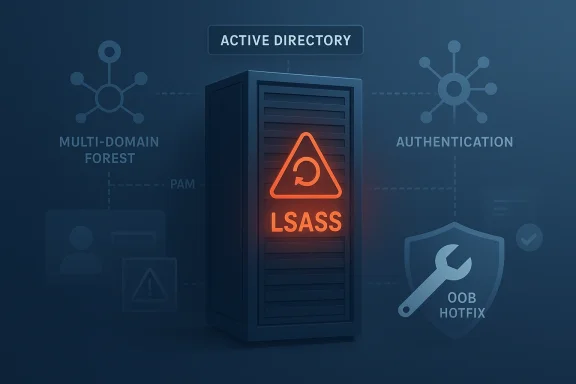
Microsoft’s support notes say the April 14 update could trigger startup issues on domain controllers in multi-domain forests that use PAM. In some cases, LSASS stops responding during boot, and the server then restarts again and again. That creates a classic outage loop: the machine comes up, fails, reboots, and never settles long enough to serve authentication traffic.
Microsoft’s wording suggests the trigger is not a generic boot problem but a specific interaction between the update and environments using PAM in multi-domain forests. That matters because it narrows the blast radius, but it also means the broken condition may be hard to reproduce in a lab that does not mirror production identity architecture. In other words, this is the sort of bug that can hide during testing and explode only after deployment in a real enterprise topology.
Microsoft’s release history also shows that the company is using its newer servicing channels aggressively, including hotpatch for eligible Azure Edition systems. The April 2026 out-of-band release for Windows Server 2025 Datacenter: Azure Edition is explicitly labeled as a non-security cumulative update that fixes the known issue caused by the April 14 security patch. Similar OOB hotpatch fixes were published for Windows Server 2022, 2019, and 2016.
Microsoft says the affected environments are multi-domain forests using PAM. That is an especially plausible place for a regression to surface because PAM implementations often touch sensitive authentication paths and role elevation logic. If the update interacts badly with those paths, LSASS may fail before the system can even complete startup.
This is the uncomfortable irony of modern server security: the very systems that are built to be more secure can become more fragile if vendor updates do not respect those dependencies. A patch that is harmless on a standard file server may be catastrophic on a forest root controller running a more complex identity model. That is why enterprise patch governance often looks conservative from the outside. Inside the admin team, it is prudence, not paranoia.
The OOB mechanism also reveals how Microsoft now manages update risk in layers. The company can ship a cumulative update, then a hotpatch correction, then in some cases a Known Issue Rollback or support-driven mitigation. That flexibility is useful, but it also creates a patch ecosystem that is hard to explain to non-specialists. One month’s “monthly security update” can spawn multiple follow-up artifacts before operations teams have even finished their first deployment ring.
BitLocker recovery prompts are not usually enterprise-wide outages, but they can create support storms if large numbers of laptops or desktops suddenly ask for recovery keys at first reboot. In managed environments, that means extra help desk pressure, extra time spent finding recovery information, and extra anxiety for users who assume something has gone wrong with their hardware. The fact that Microsoft had to add explicit mitigation steps suggests the release required more hands-on administrative discipline than many organizations prefer.
Microsoft’s warning about repeated restarts and unavailable directory services is especially important for environments with remote branches, hybrid authentication, or aging infrastructure. Those are the organizations least able to tolerate delay, because their user base depends on central identity even when WAN links are congested or backup systems are imperfect. The operational pain is not just technical; it becomes staffing, compliance, and executive escalation.
The BitLocker recovery-key issue shows that client devices were not entirely unaffected by the April wave either. While Microsoft describes that issue as tied to an unrecommended Group Policy configuration, it still reinforces the lesson that the modern Windows update process can produce surprises at first restart. In other words, consumer devices did not hit the same wall, but they were still traveling through the same patch weather. That distinction matters.
That is why this story should be read as a warning to smaller Windows shops as much as to large enterprises. The smaller the team, the more important it is to delay patching until there is at least some confirmation that the update is stable in the wild.
There is also a communication problem. Microsoft’s notes are technically precise, but they are not always easy to operationalize under pressure. The difference between “might experience startup issues” and “can’t boot the DC without intervention” matters a great deal when a change window is active and support staff are waiting. That ambiguity tends to make administrators assume the worst, which is often the correct instinct.
The broader opportunity is for Microsoft to use incidents like this to improve release engineering, communication, and enterprise guidance. Better pre-release testing for PAM-heavy forest topologies, clearer change logs, and more proactive mitigation advice would all reduce the pain of future updates.
There is also a strategic risk for Microsoft: repeated patching mishaps can cause organizations to delay security updates, which increases exposure to actual vulnerabilities. That creates a dangerous trade-off where the company’s attempt to secure systems can indirectly slow patch adoption. That outcome helps no one.
Longer term, this episode will probably push more organizations toward stricter ring-based patching, especially on anything that hosts authentication services. It may also accelerate interest in hotpatch-enabled architectures where eligible systems can absorb fixes with fewer disruptive restarts. Even then, the lesson remains unchanged: the more critical the role, the more deliberately it should be patched.
Source: theregister.com Microsoft releases Windows Server update to fix April update
 Background
Windows Server administrators have lived through this pattern for years: a Patch Tuesday arrives, a security fix lands, and then a subset of environments discovers that the cure brought its own side effects. The April 2026 case is especially sensitive because it touches domain controllers, the systems that sit at the heart of Active Directory authentication. When those servers fail, users may not notice an application bug; they notice that sign-in, file access, and line-of-business tools suddenly stop working.Microsoft’s own release notes confirm that the issue affected multiple Windows Server versions and that the company treated it as serious enough to move outside the normal monthly cadence. The out-of-band updates reference the same underlying problem: after the April 14, 2026 security update, some domain controllers in multi-domain forests using PAM could experience startup issues, with LSASS becoming unresponsive and the machine restarting repeatedly. Microsoft says that behavior could make the domain unavailable, which is a severe outcome for any enterprise that still depends on on-premises identity infrastructure.
This is not the first time Microsoft has had to use an OOB release to undo the effects of a broader update. In the modern Windows servicing model, out-of-band patches have become a pressure-release valve for the company’s update pipeline, especially when an issue is capable of breaking sign-in, authentication, or boot processes. The problem is that each emergency fix adds a second layer of operational complexity for administrators who already need to manage change windows, compliance deadlines, test rings, and rollback plans. That is why “out-of-band” is increasingly heard in IT shops as a euphemism for something went badly wrong.
The current April 2026 incident also fits a recurring theme in enterprise Windows: identity-related regressions are disproportionately costly. A consumer device that needs a repair or a reboot is annoying; a domain controller that cannot remain stable can bring down shared storage, remote access, application logons, and the administrative tools needed to investigate the failure. Microsoft’s documentation explicitly says the affected systems may repeatedly restart and prevent authentication and directory services from functioning.
What Actually Broke
The heart of the problem is the Local Security Authority Subsystem Service, better known as LSASS. LSASS is one of those Windows components most users never see, but every administrator depends on it. It handles security policy enforcement, credential processing, and a host of identity-related operations, which is why its failure on a domain controller is so disruptive.Microsoft’s support notes say the April 14 update could trigger startup issues on domain controllers in multi-domain forests that use PAM. In some cases, LSASS stops responding during boot, and the server then restarts again and again. That creates a classic outage loop: the machine comes up, fails, reboots, and never settles long enough to serve authentication traffic.
Why LSASS matters so much
LSASS is not just another background service. It is central to logon validation, policy processing, and the security posture of the operating system. If it fails on a member workstation, the user may recover with a reboot or a local account. If it fails on a domain controller, the entire authentication chain can start to wobble.- Authentication can fail
- Directory services can become unavailable
- Network shares can stop responding
- Administrative access may be delayed or blocked
- Recovery can require hands-on intervention
Microsoft’s wording suggests the trigger is not a generic boot problem but a specific interaction between the update and environments using PAM in multi-domain forests. That matters because it narrows the blast radius, but it also means the broken condition may be hard to reproduce in a lab that does not mirror production identity architecture. In other words, this is the sort of bug that can hide during testing and explode only after deployment in a real enterprise topology.
The April Update Chain
The original April security update was KB5082063 for Windows Server 2025, with equivalent April security updates for Server 2022, Server 2019, and Server 2016. Microsoft’s out-of-band notes consistently refer back to the April 14 security release as the source of the startup issue, which indicates the later hotfix is a corrective update layered on top of the regular monthly patch.A multiversion problem, not a one-off
This was not confined to a single server edition. Microsoft’s published fixes cover:- Windows Server 2016
- Windows Server 2019
- Windows Server 2022
- Windows Server 2025
Microsoft’s release history also shows that the company is using its newer servicing channels aggressively, including hotpatch for eligible Azure Edition systems. The April 2026 out-of-band release for Windows Server 2025 Datacenter: Azure Edition is explicitly labeled as a non-security cumulative update that fixes the known issue caused by the April 14 security patch. Similar OOB hotpatch fixes were published for Windows Server 2022, 2019, and 2016.
Why cumulative servicing cuts both ways
The cumulative model is convenient because it reduces patch fragmentation. You install one update and get the latest security and quality fixes together. But when something goes wrong, that same bundling can make the blast radius larger, because the defect arrives in a package that organizations may be required to deploy quickly. That leaves IT teams trapped between compliance pressure and operational risk.- Security deadlines force urgency
- Cumulative packages reduce granular control
- Regression testing becomes more important
- Rollback plans must be ready before deployment
- Infrastructure with PAM deserves extra scrutiny
Why PAM Raises the Stakes
Privileged Access Management exists to reduce the risk of standing administrative privilege. In theory, it is a major security win. In practice, it also makes the directory architecture more complex, because privilege workflows, domain relationships, and authentication boundaries become more layered. That complexity can be worth it, but it also means more moving parts when a core security component breaks.Microsoft says the affected environments are multi-domain forests using PAM. That is an especially plausible place for a regression to surface because PAM implementations often touch sensitive authentication paths and role elevation logic. If the update interacts badly with those paths, LSASS may fail before the system can even complete startup.
Security hardening is not free
Enterprises often pursue PAM, tiered admin models, and tighter identity controls because they need better defense against lateral movement and credential theft. Those are sensible goals, but each added control can increase the number of assumptions a patch must satisfy. The more security logic a machine carries, the more care is needed when Microsoft changes a component that sits in the boot and authentication chain.This is the uncomfortable irony of modern server security: the very systems that are built to be more secure can become more fragile if vendor updates do not respect those dependencies. A patch that is harmless on a standard file server may be catastrophic on a forest root controller running a more complex identity model. That is why enterprise patch governance often looks conservative from the outside. Inside the admin team, it is prudence, not paranoia.
Key implications for identity teams
- PAM environments need extra preproduction validation
- Multi-domain forests deserve staggered rollout rings
- Domain controllers should never be patched all at once
- Boot-time monitoring should be part of the change window
- Recovery procedures should be rehearsed before Patch Tuesday
Microsoft’s OOB Response
Microsoft’s out-of-band releases are the company’s admission that the regular monthly package could not safely wait for the next Patch Tuesday. For Windows Server 2025, the April 19 hotpatch KB5091470 explicitly lists the domain controller issue as fixed. The same language appears in the Windows Server 2022, 2019, and 2016 OOB fixes, each tied back to the corresponding April 14 security update and the same LSASS startup behavior.What OOB means operationally
Out-of-band updates are supposed to be exceptional. They bypass the normal rhythm because waiting would allow the damage to continue. In an enterprise context, that is both a relief and a headache: administrators get a fix sooner, but they also inherit another package to evaluate, deploy, and document.The OOB mechanism also reveals how Microsoft now manages update risk in layers. The company can ship a cumulative update, then a hotpatch correction, then in some cases a Known Issue Rollback or support-driven mitigation. That flexibility is useful, but it also creates a patch ecosystem that is hard to explain to non-specialists. One month’s “monthly security update” can spawn multiple follow-up artifacts before operations teams have even finished their first deployment ring.
Why the fix still needs testing
A hotfix for an LSASS reboot loop is not automatically a zero-risk change. If the root cause sits in identity initialization, the repair needs to be validated on the same topology that failed in the first place. That means testing on the same server editions, the same PAM configuration, and ideally the same functional roles.- Validate on a lab replica
- Confirm PAM workflows still work
- Verify DC boot completes normally
- Check authentication against all domains
- Review event logs for new regressions
The BitLocker Side Story
Microsoft also flagged a separate issue in the April updates: some devices with an unrecommended BitLocker Group Policy configuration might be required to enter their recovery key on the first restart after installing the update. Microsoft’s support guidance for the Windows client update says enterprises should audit BitLocker policies and, in some cases, remove the configuration or apply a Known Issue Rollback before deployment.Different problem, different audience
This BitLocker issue appears to be aimed more at enterprise-managed devices than at servers, and Microsoft’s guidance says it affects only devices with a specific policy setup. That makes it less dramatic than the domain controller reboot loop, but it is still a useful signal. It shows that April’s update cycle was not a clean one even outside server infrastructure.BitLocker recovery prompts are not usually enterprise-wide outages, but they can create support storms if large numbers of laptops or desktops suddenly ask for recovery keys at first reboot. In managed environments, that means extra help desk pressure, extra time spent finding recovery information, and extra anxiety for users who assume something has gone wrong with their hardware. The fact that Microsoft had to add explicit mitigation steps suggests the release required more hands-on administrative discipline than many organizations prefer.
Why this matters to server teams too
Even though the BitLocker issue is not the same bug as the domain controller loop, the two problems together paint a broader picture of April 2026 as a month when patch quality was uneven. Enterprise IT has to absorb both server and endpoint side effects while preserving uptime and compliance. That forces a strategy built on segmentation, phased deployment, and documented rollback rather than blind trust in the monthly release.Enterprise Impact
For enterprises, the main risk is not just server failure but the domino effect that follows if a domain controller becomes unstable. Identity services underpin nearly everything in a Windows-heavy organization, from logons and group policy to file access, application authentication, and privileged administration. If those services collapse, the incident rapidly stops being “an update problem” and becomes a business continuity event.The cost of one bad controller
A single domain controller in a resilient design should not take the whole forest down. In reality, though, many organizations still have uneven coverage, poor site redundancy, or controllers that perform multiple roles. If the first controller reboot-loops after patching and the others are already under pressure, the support desk can end up with a cascading incident rather than a contained one.Microsoft’s warning about repeated restarts and unavailable directory services is especially important for environments with remote branches, hybrid authentication, or aging infrastructure. Those are the organizations least able to tolerate delay, because their user base depends on central identity even when WAN links are congested or backup systems are imperfect. The operational pain is not just technical; it becomes staffing, compliance, and executive escalation.
What good operators will do
- Pause rollout on domain controllers first
- Patch in rings, not all at once
- Keep at least one known-good DC per domain
- Verify backup and restore paths
- Monitor boot and directory health after reboot
- Document uninstallation procedures in advance
Consumer Impact
Consumers are mostly spared from this particular incident because Microsoft says the restart-loop problem affected Windows Servers, not regular Windows client devices. That is a relief for home users and most small-business desktops. It also means this is the kind of bug that can hide in plain sight from mainstream coverage because it is invisible outside enterprise environments.Why consumers should still care
Even if they were not directly affected, consumer users should care because server patch failures often hint at broader quality-control stress inside the servicing pipeline. When Microsoft is forced to break cadence for identity-related regressions, it suggests the company’s testing matrix did not fully catch a high-impact edge case before release. That is not reassuring, even if the immediate blast radius is confined to server rooms.The BitLocker recovery-key issue shows that client devices were not entirely unaffected by the April wave either. While Microsoft describes that issue as tied to an unrecommended Group Policy configuration, it still reinforces the lesson that the modern Windows update process can produce surprises at first restart. In other words, consumer devices did not hit the same wall, but they were still traveling through the same patch weather. That distinction matters.
Small businesses are the awkward middle
Small businesses are often caught between consumer simplicity and enterprise complexity. They may run a single domain controller, a few local servers, and a thin IT staff, yet they often lack the formal change-management discipline of larger organizations. For them, a server-side reboot loop can be devastating precisely because there is no deep bench to troubleshoot it.That is why this story should be read as a warning to smaller Windows shops as much as to large enterprises. The smaller the team, the more important it is to delay patching until there is at least some confirmation that the update is stable in the wild.
Microsoft’s Quality-Control Problem
The biggest reputational issue is not that Microsoft ships patches with bugs; every vendor does that. It is that Windows Server administrators increasingly expect one update to solve a problem while creating another. When OOB fixes begin to feel routine, the company’s credibility takes a hit, especially among the people who run critical infrastructure and cannot afford surprise reboots.Why trust erodes so quickly
Server admins are measured on uptime, and patching consumes their trust budget. Every emergency OOB release tells them that the original package should have been safer, better tested, or at least more clearly scoped. If the company keeps producing high-stakes regressions in the same servicing cycle, IT teams become more conservative, which can ironically slow the very security adoption Microsoft wants.There is also a communication problem. Microsoft’s notes are technically precise, but they are not always easy to operationalize under pressure. The difference between “might experience startup issues” and “can’t boot the DC without intervention” matters a great deal when a change window is active and support staff are waiting. That ambiguity tends to make administrators assume the worst, which is often the correct instinct.
A familiar pattern
This April incident sits alongside other recent emergency fixes, including earlier out-of-band releases that addressed broken app sign-in and other high-impact regressions. The pattern is becoming familiar enough that it shapes behavior before the next Patch Tuesday even arrives. If admins begin to treat every Microsoft cumulative update as a potential incident ticket, that is not just a technical problem; it is a trust problem.- Emergency fixes reduce confidence
- Testing costs rise after each regression
- Rollback planning becomes standard practice
- Change windows get longer
- Security velocity slows under caution
Strengths and Opportunities
Even with the disruption, Microsoft did several things right here. The company acknowledged the problem, tied it to a specific scenario, and shipped fixes across the supported server generations rather than letting administrators wait for the next monthly cycle. For organizations that can deploy the OOB packages quickly, the damage window is shorter than it otherwise would have been.The broader opportunity is for Microsoft to use incidents like this to improve release engineering, communication, and enterprise guidance. Better pre-release testing for PAM-heavy forest topologies, clearer change logs, and more proactive mitigation advice would all reduce the pain of future updates.
- Rapid acknowledgment of a severe issue
- Out-of-band remediation instead of delay
- Coverage across multiple server versions
- Clear identification of the PAM-related trigger
- Supportable path for enterprise administrators
- Hotpatch availability for eligible systems
- Opportunity to refine identity-stack test coverage
Risks and Concerns
The most obvious risk is that administrators may not catch the problem before it hits production, especially in environments where domain controllers are patched automatically. A second risk is that the OOB fix itself may not be tested thoroughly enough in every custom configuration, because enterprise identity environments are notoriously diverse and messy.There is also a strategic risk for Microsoft: repeated patching mishaps can cause organizations to delay security updates, which increases exposure to actual vulnerabilities. That creates a dangerous trade-off where the company’s attempt to secure systems can indirectly slow patch adoption. That outcome helps no one.
- Production rollouts without lab validation
- Single-controller or weakly redundant environments
- Delayed patch adoption after repeated incidents
- Support burden from first-restart BitLocker prompts
- Potential secondary regressions in the fix
- Growing skepticism toward Windows update quality
- Identity outages that quickly become business outages
Looking Ahead
The immediate question is whether the April 2026 OOB fixes will hold up cleanly across real-world identity topologies. Microsoft has already established the association between the original security update and the LSASS startup issue, and that makes the correction credible on paper. But the true test is always the same: whether administrators can deploy the remedy and return to a stable state without discovering a new surprise during the next reboot cycle.Longer term, this episode will probably push more organizations toward stricter ring-based patching, especially on anything that hosts authentication services. It may also accelerate interest in hotpatch-enabled architectures where eligible systems can absorb fixes with fewer disruptive restarts. Even then, the lesson remains unchanged: the more critical the role, the more deliberately it should be patched.
- Watch for confirmation that the OOB fixes remain stable
- Expect more cautious rollout of April 2026 builds
- Monitor Microsoft release health for follow-up notes
- Review PAM and DC testing procedures
- Audit BitLocker policy settings before future updates
Source: theregister.com Microsoft releases Windows Server update to fix April update
