

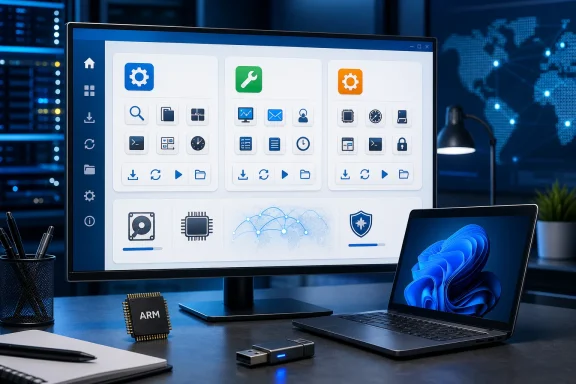
WSCC 10.0.4.0 updates the free, portable Windows utility manager with installer support for Windows on Arm, while retaining one interface for installing, updating, launching, and organizing tools from Microsoft Sysinternals, NirSoft, and MiTeC on Windows PCs without requiring installation of WSCC itself. The headline change is narrow, but its significance is larger: a familiar administrator’s toolbox is acknowledging that Windows hardware can no longer be treated as an exclusively Intel-and-AMD environment. The release also fixes incorrectly scaled large icons and includes unspecified minor corrections, making this an evolutionary update rather than a reinvention. For technicians, support staff, and power users, that restraint is a feature—WSCC’s value comes from making other people’s tools easier to manage, not from becoming another oversized management platform.
Windows administrators rarely suffer from a shortage of utilities. The real problem is that the useful ones are scattered across separate websites, archives, suites, command-line folders, USB drives, and hastily assembled directories with names such as “Tools,” “Tools-New,” and “Tools-Final.” WSCC, short for Windows System Control Center, attacks that organizational failure by providing a common front end for utility collections that otherwise remain independent.
WSCC can install, update, execute, and organize supported utilities. It can retrieve supported tools automatically, or use the HTTP protocol to download and run programs when they are needed, reducing the amount of manual archive handling involved in maintaining a working diagnostic kit.
That distinction matters because WSCC is not a replacement for Sysinternals, NirSoft, or MiTeC. It is an orchestration layer sitting above them—a catalog, launcher, updater, and organizer that makes a large body of small Windows programs feel more like a coherent toolkit. The underlying utilities still come from their respective authors, and the supplied packages and updates are downloaded directly from those authors’ websites.
The model is particularly well suited to Windows troubleshooting. Many system utilities are deliberately small, narrowly focused programs: one inspects processes, another examines network activity, another reports operating-system state, and another exposes a particular corner of the registry or file system. That modularity is powerful, but it imposes a discovery and maintenance cost that becomes obvious once an administrator depends on more than a handful of tools.
As Neowin’s software listing puts it, WSCC’s job is to collect those functions behind one interface while preserving the ability to install and update the supported utilities automatically. Other coverage of WSCC has reached the same broad conclusion: the application is most valuable not because it invents new diagnostic capabilities, but because it removes friction from finding, obtaining, and keeping existing capabilities organized.
That makes WSCC 10.0.4.0 a housekeeping release for a housekeeping application. It does not need a dramatic new feature to be useful. Its success is measured in fewer stale binaries, fewer browser searches during an incident, and less uncertainty about where the right utility was stored.
The wording deserves careful attention. Installer support for Windows on Arm is not the same as a guarantee that every utility managed through WSCC will run natively, identically, or at all on every Arm-based PC. WSCC aggregates programs maintained by multiple authors, and each utility can have its own architecture support, dependencies, privileges, drivers, and operating assumptions.
This is an unavoidable boundary in the WSCC model. The application can improve the experience of installing and organizing tools on an Arm system, but it cannot independently rewrite the utilities inside those collections. Administrators should therefore treat the new installer support as an important entry-point improvement, not as blanket compatibility certification for the entire catalog.
Microsoft’s official Sysinternals documentation illustrates why architecture awareness has become a real operational issue. Microsoft distributes its troubleshooting collection in architecture-specific forms and also offers Sysinternals Live, a service for running tools from the web without first manually downloading them. WSCC’s support for both the Sysinternals Suite and Sysinternals Live places it directly in the path between the administrator and those architecture-dependent binaries.
The update is still meaningful even with that caveat. On a conventional Windows PC, an administrator may barely notice whether the management shell itself has first-class installer support. On an Arm machine, however, every unsupported setup routine, shell integration, or deployment assumption is another point where the troubleshooting process can fail before the actual diagnostic work begins.
Arm support also matters disproportionately during support incidents. A technician does not want to discover, while responding to a broken endpoint, that the application used to assemble the diagnostic environment cannot be installed cleanly on that class of device. By updating the installer, WSCC removes at least one obstacle from that chain.
There is an apparent tension here because WSCC is portable and does not require installation in the first place. Users can extract the downloaded ZIP archive into a directory and run it from there, which remains one of the application’s strongest characteristics.
But installer support and portability serve different operational styles. A solo technician may prefer an extracted portable copy on removable storage, while an organization may prefer a more conventional installation workflow for consistency, packaging, shortcuts, inventory, or user familiarity. Supporting Windows on Arm in the installer therefore widens deployment choice even though the portable path remains available.
WSCC avoids that trap. Installation is not required, and the contents of the ZIP archive can be extracted to a directory chosen by the user. In practical terms, that directory can be local storage, a technician’s working folder, or removable media, subject to the organization’s security and device-control policies.
This makes WSCC useful in situations where permanence is undesirable. A support engineer may need a temporary diagnostic environment on a test PC; a repair technician may want a curated collection that moves between machines; or an administrator may prefer to keep troubleshooting tools separate from the endpoint’s ordinary application inventory.
Portability also improves recoverability. If a WSCC directory becomes misconfigured or cluttered, the environment can be rebuilt without untangling a deeply integrated installation. Administrators can maintain separate collections for different roles, clients, labs, or trust levels rather than forcing every utility into one universal deployment.
The danger is that portable can be misunderstood as consequence-free. Running an executable from a ZIP-derived directory or USB drive does not neutralize what that executable can do. System utilities may inspect sensitive configuration, enumerate credentials, manipulate services, connect to remote systems, alter startup behavior, or require administrative rights depending on the individual tool.
WSCC therefore makes utilities easier to reach, but it does not remove the need to understand them. Convenience increases the importance of operator discipline because it compresses the distance between “I might need a tool” and “that tool is now running with substantial access.”
For personal users, the licensing proposition is straightforward: WSCC is free for personal use. Organizations should not automatically interpret that phrase as permission for unrestricted business deployment, however; the distinction between personal and organizational use should be reviewed before WSCC is standardized across a support team or enterprise.
The same caution applies to the utilities WSCC manages. A common launcher does not merge the licensing terms of independent suites into one agreement. Each collection and utility remains governed by its own author’s terms, even when WSCC handles the download and launch process.
Sysinternals occupies a distinctive place because it is Microsoft’s own advanced troubleshooting ecosystem. Microsoft describes the utilities as tools for IT professionals and developers who need to manage, troubleshoot, and diagnose systems and applications. Its catalog spans process inspection, startup analysis, event monitoring, security visibility, storage, networking, system information, and other low-level tasks.
Sysinternals Live changes the distribution equation by allowing supported utilities to run directly from Microsoft’s online service without the administrator manually downloading each program first. WSCC’s support for that service is valuable when an operator needs an individual utility quickly but does not want to maintain the full local collection.
A live execution path is not automatically the right choice in every environment. It depends on network availability, outbound-access controls, organizational policy, and the wisdom of introducing a newly retrieved binary during an active incident. An offline local collection remains preferable when repeatability, isolation, or a controlled tool version matters more than immediate access.
NirSoft takes a similarly modular approach but covers an exceptionally broad range of Windows information and recovery tasks. Its official catalog includes system, network, browser, command-line, forensics, and credential-related utilities, many distributed as small ZIP archives rather than conventional installed applications.
That range is precisely why endpoint security teams may scrutinize the collection. A utility capable of recovering stored credentials, examining protected system data, or exposing network information can be legitimate in an administrator’s hands and highly sensitive in another context. The tool’s intent does not eliminate the need for authorization, logging, and careful handling of its output.
MiTeC expands WSCC beyond the two best-known collections and reinforces the application’s position as an ecosystem manager rather than a branded launcher for a single vendor. The practical benefit is not simply “more tools.” It is the ability to search and operate across several diagnostic traditions without repeatedly changing websites, folder structures, or update methods.
The resulting catalog can still be overwhelming. WSCC lowers the cost of access, but it cannot supply the judgment required to select the correct utility or interpret its results. An operator who does not understand process handles, startup locations, network endpoints, access control, or Windows internals can reach the wrong conclusion faster with a polished launcher.
That is why the best use of WSCC is deliberate rather than indiscriminate. An experienced administrator can use it as an index into a familiar knowledge base. A less experienced user should approach it as a library to learn, not as a button that automatically repairs Windows.
Manual maintenance does not scale well. It requires remembering which author publishes each utility, locating the correct download, comparing versions, extracting archives, preserving configuration, and removing superseded files. The process is sufficiently tedious that many technicians postpone it until a tool fails or a new operating-system behavior exposes an old binary’s limitations.
WSCC centralizes much of that work. By checking supported utilities and retrieving packages from their authors’ websites, it turns maintenance from a scavenger hunt into a repeatable operation. That is the difference between a toolkit that merely exists and one that is ready when it is needed.
There is a governance cost attached to that convenience. “Latest” is not always synonymous with “approved,” particularly in regulated, security-sensitive, or tightly controlled environments. A utility update may change behavior, command-line output, user-interface layout, dependencies, detection patterns, or compatibility in ways that affect scripts and support procedures.
An enterprise should therefore resist treating automatic updates as an uncontrolled conveyor belt into production. A more defensible model is to update a reference copy, test the critical tools, review endpoint-security reactions, and then promote the validated collection into the working support environment.
This is especially important when tools are launched with elevation. A utility manager may make acquisition simple, but the execution context still determines the potential impact. Administrators should know which tools require elevated rights and should avoid running the entire environment as an administrator merely because one component occasionally needs additional access.
The direct-from-author download model is preferable to a system in which an aggregator silently repackages every utility, but it still creates a distributed supply chain. WSCC depends on its own software, its catalog and update behavior, network connectivity, the availability of authors’ sites, and the integrity of the packages supplied by multiple independent sources.
In other words, centralization improves usability without making the underlying ecosystem centralized. WSCC gives the administrator one dashboard, but the dashboard is connected to several publishers with separate release practices and security histories. That is manageable, provided teams do not confuse a unified interface with a unified trust boundary.
The size difference is not large enough to be an operational factor for most users. The architecture match matters more: administrators should select the edition appropriate to the Windows environment on which WSCC will run.
The arrival of Windows on Arm installer support complicates the architecture conversation without invalidating these two listed downloads. The changelog confirms that the installer now supports Windows on Arm, but the supplied download listing identifies only the 64-bit and 32-bit editions. Administrators should follow the publisher’s offered installation path rather than infer an unlisted package or assume that architecture labels are interchangeable.
The small download sizes also reveal something important about the product’s design. WSCC is not itself the complete mass of utilities it can manage. It is the compact control layer that obtains, organizes, and launches them, which means the eventual storage footprint depends on which supported tools the user chooses to retain locally.
That separation is beneficial for customization. A user does not have to treat every available utility as mandatory, and a support team can shape the local collection around its actual responsibilities. The same separation also explains why network access may be needed after the initial WSCC download: the manager and the managed utilities are distinct payloads.
A dense management interface depends on quick recognition. When icons render at the wrong size, labels shift, rows become inconsistent, information density suffers, and the application feels less predictable on displays using different scaling settings. These are not catastrophic failures, but they accumulate into friction in software that may already present a large catalog.
The fix also suggests attention to modern Windows display conditions. High-resolution screens, varied scaling levels, and mixed-monitor setups have made desktop interface rendering more complicated than it was when many classic Windows utilities were first designed. A launcher spanning old and new tools must provide a visual surface that does not inherit every historical rough edge beneath it.
The changelog’s final entry, “minor fixes,” is too broad to support a more detailed conclusion. It is reasonable to expect general corrective work, but there is no basis in the supplied information for assigning those fixes to specific features, failures, or security issues.
That absence of detail should shape expectations. WSCC 10.0.4.0 is not presented as a security emergency or compatibility overhaul. It is a maintenance update whose value rests on one architecture-related installer change and a collection of interface and minor corrections.
Enterprise adoption is a different question. The same features that make WSCC convenient—automatic downloads, a broad catalog, portable execution, and rapid access to powerful utilities—intersect with controls that security teams intentionally impose. Application allowlisting, removable-media restrictions, proxy rules, endpoint detection, software inventory, privilege management, and licensing review can all affect how the product should be deployed.
Organizations should begin by defining the use case. A general-purpose launcher placed on every employee’s computer is materially different from a controlled toolkit used by an authorized desktop-support team. WSCC is naturally aligned with the latter because many of the utilities it exposes are diagnostic instruments rather than everyday end-user applications.
The catalog should then be curated. An administrator responsible for application troubleshooting may need process, startup, file, event, and network tools but have no routine need for credential-recovery utilities. Removing unnecessary capabilities reduces confusion and helps security teams distinguish expected administrative activity from suspicious behavior.
Tool output requires protection as well. Diagnostic utilities can reveal usernames, machine names, software paths, network destinations, running processes, configuration data, and potentially sensitive credentials. A portable toolkit should not become a portable archive of unencrypted incident data left on a technician’s removable drive.
Change control remains important even for small executables. Scripts, runbooks, and internal documentation may depend on particular command names, output formats, or interface behaviors. A staging copy of WSCC gives teams a place to assess updates before changing the binaries used in routine or high-pressure support work.
Finally, the choice between local packages and on-demand retrieval should be explicit. A local, validated collection is stronger for offline work and repeatable investigations. On-demand access through supported services is faster and can reduce stale local copies, but it depends on connectivity and introduces a fresh retrieval at the moment of use.
An application may open successfully while a component it manages remains incompatible. A graphical tool may run while a low-level driver does not. A command-line binary may execute through compatibility technology but behave differently enough to invalidate a support procedure. The phrase “supports Windows on Arm” is therefore useful only when attached to a clearly defined layer.
WSCC’s changelog is appropriately specific: the installer now supports Windows on Arm. Administrators should preserve that precision when communicating internally. Turning the statement into “the WSCC toolkit supports everything on Arm” would overpromise what an aggregator can control.
The same lesson applies beyond WSCC. The Windows ecosystem contains layers of third-party management software built around an assumption of architectural uniformity. As Arm-based systems become more common, those products will need to disclose whether support applies to setup, user interface, services, plug-ins, drivers, managed payloads, or the complete workflow.
WSCC has taken an important first step by removing an installer barrier. Its multi-vendor nature makes the remaining work more visible than it would be in a self-contained application, but the limitation is not unique to WSCC. Any toolkit assembled from independent binaries inherits the compatibility matrix of every component inside it.
That distinction separates a professional toolkit from a software collection accumulated for its own sake. Installing every available program does not create expertise, and adding more utilities can make a response process worse if the operator cannot identify the appropriate one. WSCC is most effective when paired with a smaller set of well-understood favorites and a larger catalog available for unusual cases.
Training should therefore accompany deployment. Teams should know which tool to use for a startup issue, which one captures low-level activity, which one inventories active network behavior, and which operations could expose sensitive information. The launcher can shorten retrieval time, but only prior knowledge can shorten diagnosis.
A curated WSCC environment can also make internal documentation more precise. Runbooks can identify a utility by category and purpose while the manager handles location and updates. This reduces dependence on hard-coded folder paths or personal technician habits, though teams should still validate procedures after updates.
The portability model is particularly strong for lab and break-fix work. A technician can maintain a controlled diagnostic directory without turning every test system into a permanent workstation. When the work is finished, the toolkit can be removed, provided the operator also cleans up logs, exports, temporary files, and any utilities copied outside the managed directory.
The release’s modest changelog is therefore not evidence of irrelevance. Management tools often provide their highest value by remaining predictable while adapting quietly to new platform conditions. Windows on Arm support expands where WSCC can be introduced; correct icon scaling improves how it behaves once there; minor fixes reduce background friction.
WSCC 10.0.4.0 does not change what Windows troubleshooting fundamentally requires: technical knowledge, controlled privileges, trustworthy binaries, and disciplined interpretation of evidence. What it changes is the amount of avoidable effort surrounding those requirements, while its new Windows on Arm installer support signals where the administrator’s workstation is heading next—a mixed-architecture future in which the best toolbox will be the one that stays portable, curated, and explicit about exactly what it supports.
 WSCC Solves the Toolbox Problem, Not the Troubleshooting Problem
Windows administrators rarely suffer from a shortage of utilities. The real problem is that the useful ones are scattered across separate websites, archives, suites, command-line folders, USB drives, and hastily assembled directories with names such as “Tools,” “Tools-New,” and “Tools-Final.” WSCC, short for Windows System Control Center, attacks that organizational failure by providing a common front end for utility collections that otherwise remain independent.WSCC can install, update, execute, and organize supported utilities. It can retrieve supported tools automatically, or use the HTTP protocol to download and run programs when they are needed, reducing the amount of manual archive handling involved in maintaining a working diagnostic kit.
That distinction matters because WSCC is not a replacement for Sysinternals, NirSoft, or MiTeC. It is an orchestration layer sitting above them—a catalog, launcher, updater, and organizer that makes a large body of small Windows programs feel more like a coherent toolkit. The underlying utilities still come from their respective authors, and the supplied packages and updates are downloaded directly from those authors’ websites.
The model is particularly well suited to Windows troubleshooting. Many system utilities are deliberately small, narrowly focused programs: one inspects processes, another examines network activity, another reports operating-system state, and another exposes a particular corner of the registry or file system. That modularity is powerful, but it imposes a discovery and maintenance cost that becomes obvious once an administrator depends on more than a handful of tools.
As Neowin’s software listing puts it, WSCC’s job is to collect those functions behind one interface while preserving the ability to install and update the supported utilities automatically. Other coverage of WSCC has reached the same broad conclusion: the application is most valuable not because it invents new diagnostic capabilities, but because it removes friction from finding, obtaining, and keeping existing capabilities organized.
That makes WSCC 10.0.4.0 a housekeeping release for a housekeeping application. It does not need a dramatic new feature to be useful. Its success is measured in fewer stale binaries, fewer browser searches during an incident, and less uncertainty about where the right utility was stored.
Windows on Arm Support Reaches the Installer First
The most consequential changelog entry is that the installer now supports Windows on Arm. This reflects the expanding practical importance of Arm-based Windows PCs, particularly in environments where administrators can no longer assume that every endpoint shares the same processor architecture.The wording deserves careful attention. Installer support for Windows on Arm is not the same as a guarantee that every utility managed through WSCC will run natively, identically, or at all on every Arm-based PC. WSCC aggregates programs maintained by multiple authors, and each utility can have its own architecture support, dependencies, privileges, drivers, and operating assumptions.
This is an unavoidable boundary in the WSCC model. The application can improve the experience of installing and organizing tools on an Arm system, but it cannot independently rewrite the utilities inside those collections. Administrators should therefore treat the new installer support as an important entry-point improvement, not as blanket compatibility certification for the entire catalog.
Microsoft’s official Sysinternals documentation illustrates why architecture awareness has become a real operational issue. Microsoft distributes its troubleshooting collection in architecture-specific forms and also offers Sysinternals Live, a service for running tools from the web without first manually downloading them. WSCC’s support for both the Sysinternals Suite and Sysinternals Live places it directly in the path between the administrator and those architecture-dependent binaries.
The update is still meaningful even with that caveat. On a conventional Windows PC, an administrator may barely notice whether the management shell itself has first-class installer support. On an Arm machine, however, every unsupported setup routine, shell integration, or deployment assumption is another point where the troubleshooting process can fail before the actual diagnostic work begins.
Arm support also matters disproportionately during support incidents. A technician does not want to discover, while responding to a broken endpoint, that the application used to assemble the diagnostic environment cannot be installed cleanly on that class of device. By updating the installer, WSCC removes at least one obstacle from that chain.
There is an apparent tension here because WSCC is portable and does not require installation in the first place. Users can extract the downloaded ZIP archive into a directory and run it from there, which remains one of the application’s strongest characteristics.
But installer support and portability serve different operational styles. A solo technician may prefer an extracted portable copy on removable storage, while an organization may prefer a more conventional installation workflow for consistency, packaging, shortcuts, inventory, or user familiarity. Supporting Windows on Arm in the installer therefore widens deployment choice even though the portable path remains available.
Portability Remains the More Important Feature
The Arm installer change will receive the headline, but WSCC’s portable design remains central to why the program works as an administrator’s tool. A utility manager that itself required a complex setup, persistent service, heavyweight framework, or machine-specific configuration would undermine the very flexibility it is supposed to provide.WSCC avoids that trap. Installation is not required, and the contents of the ZIP archive can be extracted to a directory chosen by the user. In practical terms, that directory can be local storage, a technician’s working folder, or removable media, subject to the organization’s security and device-control policies.
This makes WSCC useful in situations where permanence is undesirable. A support engineer may need a temporary diagnostic environment on a test PC; a repair technician may want a curated collection that moves between machines; or an administrator may prefer to keep troubleshooting tools separate from the endpoint’s ordinary application inventory.
Portability also improves recoverability. If a WSCC directory becomes misconfigured or cluttered, the environment can be rebuilt without untangling a deeply integrated installation. Administrators can maintain separate collections for different roles, clients, labs, or trust levels rather than forcing every utility into one universal deployment.
The danger is that portable can be misunderstood as consequence-free. Running an executable from a ZIP-derived directory or USB drive does not neutralize what that executable can do. System utilities may inspect sensitive configuration, enumerate credentials, manipulate services, connect to remote systems, alter startup behavior, or require administrative rights depending on the individual tool.
WSCC therefore makes utilities easier to reach, but it does not remove the need to understand them. Convenience increases the importance of operator discipline because it compresses the distance between “I might need a tool” and “that tool is now running with substantial access.”
For personal users, the licensing proposition is straightforward: WSCC is free for personal use. Organizations should not automatically interpret that phrase as permission for unrestricted business deployment, however; the distinction between personal and organizational use should be reviewed before WSCC is standardized across a support team or enterprise.
The same caution applies to the utilities WSCC manages. A common launcher does not merge the licensing terms of independent suites into one agreement. Each collection and utility remains governed by its own author’s terms, even when WSCC handles the download and launch process.
Three Utility Ecosystems Become One Working Surface
WSCC 10.0.4.0 supports the Windows Sysinternals Suite, including the Sysinternals Live service, as well as NirSoft Utilities and MiTeC. Those collections overlap at the broad level—they all help users inspect, diagnose, understand, or manage Windows—but they do not represent interchangeable products.Sysinternals occupies a distinctive place because it is Microsoft’s own advanced troubleshooting ecosystem. Microsoft describes the utilities as tools for IT professionals and developers who need to manage, troubleshoot, and diagnose systems and applications. Its catalog spans process inspection, startup analysis, event monitoring, security visibility, storage, networking, system information, and other low-level tasks.
Sysinternals Live changes the distribution equation by allowing supported utilities to run directly from Microsoft’s online service without the administrator manually downloading each program first. WSCC’s support for that service is valuable when an operator needs an individual utility quickly but does not want to maintain the full local collection.
A live execution path is not automatically the right choice in every environment. It depends on network availability, outbound-access controls, organizational policy, and the wisdom of introducing a newly retrieved binary during an active incident. An offline local collection remains preferable when repeatability, isolation, or a controlled tool version matters more than immediate access.
NirSoft takes a similarly modular approach but covers an exceptionally broad range of Windows information and recovery tasks. Its official catalog includes system, network, browser, command-line, forensics, and credential-related utilities, many distributed as small ZIP archives rather than conventional installed applications.
That range is precisely why endpoint security teams may scrutinize the collection. A utility capable of recovering stored credentials, examining protected system data, or exposing network information can be legitimate in an administrator’s hands and highly sensitive in another context. The tool’s intent does not eliminate the need for authorization, logging, and careful handling of its output.
MiTeC expands WSCC beyond the two best-known collections and reinforces the application’s position as an ecosystem manager rather than a branded launcher for a single vendor. The practical benefit is not simply “more tools.” It is the ability to search and operate across several diagnostic traditions without repeatedly changing websites, folder structures, or update methods.
The resulting catalog can still be overwhelming. WSCC lowers the cost of access, but it cannot supply the judgment required to select the correct utility or interpret its results. An operator who does not understand process handles, startup locations, network endpoints, access control, or Windows internals can reach the wrong conclusion faster with a polished launcher.
That is why the best use of WSCC is deliberate rather than indiscriminate. An experienced administrator can use it as an index into a familiar knowledge base. A less experienced user should approach it as a library to learn, not as a button that automatically repairs Windows.
Automatic Updates Are the Product’s Real Force Multiplier
The most mundane WSCC function may also be the most valuable: updating supported utilities. Troubleshooting collections age unevenly because each component follows its own release schedule, and a folder containing dozens of manually downloaded executables can become a mixture of recent, obsolete, and forgotten versions.Manual maintenance does not scale well. It requires remembering which author publishes each utility, locating the correct download, comparing versions, extracting archives, preserving configuration, and removing superseded files. The process is sufficiently tedious that many technicians postpone it until a tool fails or a new operating-system behavior exposes an old binary’s limitations.
WSCC centralizes much of that work. By checking supported utilities and retrieving packages from their authors’ websites, it turns maintenance from a scavenger hunt into a repeatable operation. That is the difference between a toolkit that merely exists and one that is ready when it is needed.
There is a governance cost attached to that convenience. “Latest” is not always synonymous with “approved,” particularly in regulated, security-sensitive, or tightly controlled environments. A utility update may change behavior, command-line output, user-interface layout, dependencies, detection patterns, or compatibility in ways that affect scripts and support procedures.
An enterprise should therefore resist treating automatic updates as an uncontrolled conveyor belt into production. A more defensible model is to update a reference copy, test the critical tools, review endpoint-security reactions, and then promote the validated collection into the working support environment.
This is especially important when tools are launched with elevation. A utility manager may make acquisition simple, but the execution context still determines the potential impact. Administrators should know which tools require elevated rights and should avoid running the entire environment as an administrator merely because one component occasionally needs additional access.
The direct-from-author download model is preferable to a system in which an aggregator silently repackages every utility, but it still creates a distributed supply chain. WSCC depends on its own software, its catalog and update behavior, network connectivity, the availability of authors’ sites, and the integrity of the packages supplied by multiple independent sources.
In other words, centralization improves usability without making the underlying ecosystem centralized. WSCC gives the administrator one dashboard, but the dashboard is connected to several publishers with separate release practices and security histories. That is manageable, provided teams do not confuse a unified interface with a unified trust boundary.
Two Downloads Serve the Same Management Model
Neowin’s listing provides separate 64-bit and 32-bit editions of WSCC 10.0.4.0. The 64-bit package is listed at 5.2 MB, while the 32-bit package is listed at 6.2 MB.| Edition | Listed download size | Best fit |
|---|---|---|
| WSCC (64-bit) | 5.2 MB | 64-bit Windows environments |
| WSCC (32-bit) | 6.2 MB | 32-bit Windows environments |
The arrival of Windows on Arm installer support complicates the architecture conversation without invalidating these two listed downloads. The changelog confirms that the installer now supports Windows on Arm, but the supplied download listing identifies only the 64-bit and 32-bit editions. Administrators should follow the publisher’s offered installation path rather than infer an unlisted package or assume that architecture labels are interchangeable.
The small download sizes also reveal something important about the product’s design. WSCC is not itself the complete mass of utilities it can manage. It is the compact control layer that obtains, organizes, and launches them, which means the eventual storage footprint depends on which supported tools the user chooses to retain locally.
That separation is beneficial for customization. A user does not have to treat every available utility as mandatory, and a support team can shape the local collection around its actual responsibilities. The same separation also explains why network access may be needed after the initial WSCC download: the manager and the managed utilities are distinct payloads.
An Icon Fix Matters More Than It Sounds
The second explicit fix in WSCC 10.0.4.0 addresses large icons that were not scaled correctly. Against Windows on Arm support, this appears cosmetic, but visual defects in a utility launcher have a direct effect on usability because navigation is the product’s primary job.A dense management interface depends on quick recognition. When icons render at the wrong size, labels shift, rows become inconsistent, information density suffers, and the application feels less predictable on displays using different scaling settings. These are not catastrophic failures, but they accumulate into friction in software that may already present a large catalog.
The fix also suggests attention to modern Windows display conditions. High-resolution screens, varied scaling levels, and mixed-monitor setups have made desktop interface rendering more complicated than it was when many classic Windows utilities were first designed. A launcher spanning old and new tools must provide a visual surface that does not inherit every historical rough edge beneath it.
The changelog’s final entry, “minor fixes,” is too broad to support a more detailed conclusion. It is reasonable to expect general corrective work, but there is no basis in the supplied information for assigning those fixes to specific features, failures, or security issues.
That absence of detail should shape expectations. WSCC 10.0.4.0 is not presented as a security emergency or compatibility overhaul. It is a maintenance update whose value rests on one architecture-related installer change and a collection of interface and minor corrections.
A Better Toolbox Still Needs Enterprise Guardrails
WSCC is easy to recommend to an experienced individual because its benefits are immediate. It is portable, compact, free for personal use, and capable of turning several respected collections into a searchable and maintainable working environment.Enterprise adoption is a different question. The same features that make WSCC convenient—automatic downloads, a broad catalog, portable execution, and rapid access to powerful utilities—intersect with controls that security teams intentionally impose. Application allowlisting, removable-media restrictions, proxy rules, endpoint detection, software inventory, privilege management, and licensing review can all affect how the product should be deployed.
Organizations should begin by defining the use case. A general-purpose launcher placed on every employee’s computer is materially different from a controlled toolkit used by an authorized desktop-support team. WSCC is naturally aligned with the latter because many of the utilities it exposes are diagnostic instruments rather than everyday end-user applications.
The catalog should then be curated. An administrator responsible for application troubleshooting may need process, startup, file, event, and network tools but have no routine need for credential-recovery utilities. Removing unnecessary capabilities reduces confusion and helps security teams distinguish expected administrative activity from suspicious behavior.
Tool output requires protection as well. Diagnostic utilities can reveal usernames, machine names, software paths, network destinations, running processes, configuration data, and potentially sensitive credentials. A portable toolkit should not become a portable archive of unencrypted incident data left on a technician’s removable drive.
Change control remains important even for small executables. Scripts, runbooks, and internal documentation may depend on particular command names, output formats, or interface behaviors. A staging copy of WSCC gives teams a place to assess updates before changing the binaries used in routine or high-pressure support work.
Finally, the choice between local packages and on-demand retrieval should be explicit. A local, validated collection is stronger for offline work and repeatable investigations. On-demand access through supported services is faster and can reduce stale local copies, but it depends on connectivity and introduces a fresh retrieval at the moment of use.
Action checklist for admins
- Download the WSCC edition matching the target Windows architecture and obtain it from a trusted publisher or established listing.
- Decide whether the portable or installed workflow better fits deployment, inventory, and removable-media policies.
- Test the Windows on Arm installer path separately from the utilities that WSCC manages.
- Confirm compatibility for each critical Sysinternals, NirSoft, or MiTeC utility on the target architecture.
- Review personal-use licensing before deploying WSCC in a business or institutional environment.
- Curate the permitted utility catalog instead of exposing every available tool by default.
- Validate updates in a staging toolkit before promoting them to production support teams.
- Document which utilities require elevation and run them with the least privilege necessary.
- Coordinate with endpoint-security teams before deploying tools that inspect credentials, processes, networking, or protected system state.
- Protect exported diagnostic data and remove it from portable media when the support case is complete.
Arm Support Exposes the Limits of Windows Compatibility Labels
The larger story in WSCC 10.0.4.0 is not simply that one more installer runs on Windows on Arm. It is that Windows administration is entering a period in which architecture has to be tracked at several different layers: operating system, launcher, installer, utility, driver, script, and deployment method.An application may open successfully while a component it manages remains incompatible. A graphical tool may run while a low-level driver does not. A command-line binary may execute through compatibility technology but behave differently enough to invalidate a support procedure. The phrase “supports Windows on Arm” is therefore useful only when attached to a clearly defined layer.
WSCC’s changelog is appropriately specific: the installer now supports Windows on Arm. Administrators should preserve that precision when communicating internally. Turning the statement into “the WSCC toolkit supports everything on Arm” would overpromise what an aggregator can control.
The same lesson applies beyond WSCC. The Windows ecosystem contains layers of third-party management software built around an assumption of architectural uniformity. As Arm-based systems become more common, those products will need to disclose whether support applies to setup, user interface, services, plug-ins, drivers, managed payloads, or the complete workflow.
WSCC has taken an important first step by removing an installer barrier. Its multi-vendor nature makes the remaining work more visible than it would be in a self-contained application, but the limitation is not unique to WSCC. Any toolkit assembled from independent binaries inherits the compatibility matrix of every component inside it.
The Release Rewards Prepared Technicians, Not Tool Collectors
The best argument for WSCC is not that every Windows user needs hundreds of utilities. Most do not. The argument is that people who regularly diagnose Windows need a dependable way to reach the right utility without maintaining a maze of archives and bookmarks.That distinction separates a professional toolkit from a software collection accumulated for its own sake. Installing every available program does not create expertise, and adding more utilities can make a response process worse if the operator cannot identify the appropriate one. WSCC is most effective when paired with a smaller set of well-understood favorites and a larger catalog available for unusual cases.
Training should therefore accompany deployment. Teams should know which tool to use for a startup issue, which one captures low-level activity, which one inventories active network behavior, and which operations could expose sensitive information. The launcher can shorten retrieval time, but only prior knowledge can shorten diagnosis.
A curated WSCC environment can also make internal documentation more precise. Runbooks can identify a utility by category and purpose while the manager handles location and updates. This reduces dependence on hard-coded folder paths or personal technician habits, though teams should still validate procedures after updates.
The portability model is particularly strong for lab and break-fix work. A technician can maintain a controlled diagnostic directory without turning every test system into a permanent workstation. When the work is finished, the toolkit can be removed, provided the operator also cleans up logs, exports, temporary files, and any utilities copied outside the managed directory.
The release’s modest changelog is therefore not evidence of irrelevance. Management tools often provide their highest value by remaining predictable while adapting quietly to new platform conditions. Windows on Arm support expands where WSCC can be introduced; correct icon scaling improves how it behaves once there; minor fixes reduce background friction.
What WSCC 10.0.4.0 Changes for a Working Toolkit
WSCC 10.0.4.0 is a targeted update, but it reinforces the application’s strongest proposition: one compact control surface can make several fragmented Windows utility ecosystems substantially easier to maintain without pretending that they are one product.- The installer now supports Windows on Arm.
- WSCC remains portable and does not require installation.
- The release fixes incorrect scaling of large icons and includes minor fixes.
- Sysinternals, Sysinternals Live, NirSoft, and MiTeC remain the core named utility sources.
- The 64-bit download is listed at 5.2 MB; the 32-bit download is 6.2 MB.
- Personal use is free, while organizational licensing still requires review.
WSCC 10.0.4.0 does not change what Windows troubleshooting fundamentally requires: technical knowledge, controlled privileges, trustworthy binaries, and disciplined interpretation of evidence. What it changes is the amount of avoidable effort surrounding those requirements, while its new Windows on Arm installer support signals where the administrator’s workstation is heading next—a mixed-architecture future in which the best toolbox will be the one that stays portable, curated, and explicit about exactly what it supports.
References
- Primary source: Neowin
Published: 2026-07-11T17:10:08.907810
WSCC - Windows System Control Center 10.0.4.0 - Neowin
With more than 300 tools and automatic updates checking for more all the time, WSCC Portable Edition should be your first stop for system maintenance and configuration tasks. www.neowin.net
- Related coverage: chip.de
WSCC - Windows System Control Center - Download - CHIP
WSCC - Windows System Control Center 10.0.4.0 Englisch: WSCC bündelt zahlreiche Systemtools von SysInternals, NirSoft und Microsoft unter einer Oberfläche.www.chip.de - Related coverage: forest.watch.impress.co.jp
- Related coverage: computerbild.de
WSCC: Anleitung zum Werkzeugkasten für Windows-Profis - COMPUTER BILD
Die Systemsuite "WSCC" bündelt die leistungsstarken Utilitys von Windows und Nirsoft sowie aus den Microsoft Sysinternals. So spüren Sie Probleme auf und analysieren Ihren PC.www.computerbild.de - Related coverage: tenforums.com
Windows System Control Center (WSCC) - Windows 10 Help Forums
KLS SOFT - WSCC - Windows System Control Center I just saw the post on CCleaner, a great utility, and thought you might be interested in another utiliwww.tenforums.com
- Related coverage: pcwelt.de
Windows System Control Center - PC-WELT
Windows System Control Center - kostenloser Download - Sehr nützliche Tool-Sammlung für Windows.www.pcwelt.de
- Related coverage: neoteo.com
NeoTeo | NeoTeo
 www.neoteo.com
- Related coverage: saashub.com
- Related coverage: trishtech.com
Install & Update Utilities from Sysnternals and Nirsoft with WSCC
WSCC makes it very easy to always keep the best system utilities available from Sysinternals or Nirsoft updated on your system. You can search and launch these utilities from the WSCC interface itself.www.trishtech.com - Related coverage: computerwoche.de
Kostenloses Admin-Komplettpaket: Windows System Control Center verwaltet System-Tools | Computerwoche
Microsoft Sysinternals und NirSoft bieten zusammen weit über zweihundert System- und Admin-Tools an. WSCC (Windows System Control Center) ist eine grafische Bedienoberfläche für diese Programme. Der eingebaute Update-Manager hält die Tools auf dem neuesten Stand. www.computerwoche.de
- Related coverage: clubic.com
Télécharger WSCC (Windows System Control Center) (gratuit) Windows - Clubic
Windows System Control Center vous fournit une interface vous permettant de gérer vos applications de type Windows Sysinternals Suite ainsi que d'autres suites logicielles. Ainsi, vous avez la possibilité d'afficher, d'exécuter ou encore d'organiser et de catégoriser vos... www.clubic.com
- Related coverage: remontka.pro
WSCC — все системные утилиты Windows в одном интерфейсе | remontka.pro
Обзор WSCC или Windows System Control Center — центра управления системными утилитами SysInternals, NirSoft и другими. Удобный поиск, загрузка, изучение функциональности и использование полезных системных инструментов Windows.remontka.pro

