

Microsoft’s new Xbox Mode for Windows 11 is rolling out in phases in early May 2026, and early users are finding that multi-monitor PCs show a blank secondary display while the primary monitor runs the full-screen Xbox interface. That behavior is not a catastrophic bug so much as a revealing design choice. Microsoft is trying to make Windows feel more like a console, but the moment that idea lands on a real desktop gaming rig, the compromises become obvious. The blank second monitor is the whole Windows gaming dilemma in miniature: PC gamers want the convenience of an appliance without surrendering the flexibility of a computer.
Xbox Mode exists because Windows gaming has always carried a contradiction. The platform is dominant, enormous, and indispensable, yet it has never been especially graceful when used from a couch, a handheld, or a controller-first setup. Microsoft can sell the PC as part of the Xbox ecosystem, but the first thing many players see when they boot a Windows gaming device is still a desktop built for a mouse, a taskbar, update nags, launchers, tray icons, and background services.
The new mode is Microsoft’s latest attempt to sand down that friction. It puts the Xbox app into a full-screen, controller-friendly shell, reduces background activity, and tries to make a Windows 11 machine behave more like a dedicated gaming device. On handhelds and living-room PCs, that ambition makes immediate sense. Nobody buys a portable gaming PC because they want to pinch through a desktop UI at 7 inches.
But the feature’s awkward behavior on multi-monitor setups shows how hard it is to draw a neat line around “gaming” on a PC. A console assumes a single screen and a single foreground activity. A desktop gaming PC often assumes the opposite: the game on one monitor, Discord on another, a browser guide on the side, OBS running somewhere, and perhaps a hardware monitor tucked into the corner for good measure.
That is why the blank secondary display feels more irritating than it probably should. It is not merely wasted pixels. It is a reminder that Microsoft’s console-like layer is still trying to impose console assumptions on a user base that has spent decades building workflows around Windows being messy, permissive, and multi-purpose.
That does not mean every gamer should multitask while playing. Plenty of people would be happier and better at games if they closed everything else. But PC gaming culture did not evolve around a single-screen doctrine. It evolved around abundance: more windows, more overlays, more launchers, more tools, more options, and more ways to make a machine feel personally configured.
This is the first cultural clash Xbox Mode exposes. Microsoft is correct that many players want a cleaner experience. The popularity of Steam Big Picture, handheld launchers, custom front ends, and console-like dashboards proves there is demand for a simpler gaming surface. But simplicity on PC is usually expected to be optional and reversible, not imposed by blacking out adjacent displays.
The comparison to Steam Big Picture is unavoidable because Valve’s approach has long understood the difference between taking over the main display and taking over the entire PC. Big Picture can be a living-room interface, but it does not generally ask the rest of the machine to stop being a computer. Microsoft’s Xbox Mode, at least in this early implementation, appears more willing to wall off the session in pursuit of console purity.
That distinction matters because it goes straight to trust. PC gamers tolerate jank when they feel in control. They rebel against polish when it removes agency.
Games target Windows first. Anti-cheat systems more reliably support it. Peripheral software usually assumes it. GPU driver tooling is deepest there. Mods, trainers, launchers, capture utilities, storefronts, RGB suites, audio mixers, and niche community tools are more likely to work without an afternoon of forum spelunking. That stack is not elegant, but it is massive, and it is why Windows keeps winning even when it annoys its own users.
Xbox Mode is interesting because Microsoft is trying to keep that compatibility while borrowing the emotional feel of a console. The promise is seductive: all the games and drivers of Windows, with less of Windows in your face. If Microsoft can pull that off, it strengthens Windows against both traditional consoles and Linux-based gaming appliances.
But the dual-monitor issue shows the danger of half-measures. If Xbox Mode is only a skin over Windows, users will expect Windows behaviors, including normal multi-monitor support. If it is a real console-like environment, users will expect console-level polish, instant sleep-and-resume confidence, predictable controller navigation, and a dashboard that never exposes the seams underneath.
Right now, Microsoft is asking users to accept restrictions before it has fully delivered the appliance-like magic that makes those restrictions feel worthwhile.
On a desktop with 32GB of RAM, a high-end GPU, and multiple monitors, the math changes. A minor reduction in background activity is welcome, but it is unlikely to justify disabling a screen that the user bought, mounted, calibrated, and integrated into daily play. The more powerful the PC, the less persuasive the performance argument becomes.
This is where Microsoft’s messaging has to be careful. If Xbox Mode is pitched as a handheld optimization, blanking secondary displays is easier to understand. If it is pitched as a new way to use any Windows 11 gaming PC, then desktop users will judge it by desktop standards. Those standards include multitasking.
There is also a psychological factor here. Gamers are used to trading visual quality for frame rate, or background apps for stability, when the benefit is obvious. What they dislike is being asked to surrender functionality for an improvement they cannot feel. A blank second monitor is very visible. A marginal reduction in background tasks is not.
That imbalance can make the feature feel worse than it is. Xbox Mode may genuinely help some systems, especially handhelds and living-room machines. But on a dual-monitor desktop, the cost announces itself in black pixels while the benefit hides in Task Manager.
Devices like the ROG Ally, Legion Go, MSI Claw, and other handheld PCs proved that there is demand for portable access to PC game libraries. They also proved that Windows is both the reason those devices are powerful and the reason they can feel clumsy. A handheld can run Game Pass, Steam, Epic, Battle.net, mods, and anti-cheat-protected multiplayer games precisely because it runs Windows. It can also throw the user into a desktop, a driver prompt, or a tiny dialog box that was never designed for thumbs.
Valve’s Steam Deck sharpened the contrast. SteamOS is not perfect, and Linux compatibility still has gaps, but the Deck showed what happens when a device boots into an interface with a clear opinion. It feels like an appliance first and a computer second. Windows handhelds often feel like small laptops with gamepads attached.
Xbox Mode is Microsoft’s answer to that embarrassment. It is an admission that the Windows desktop is not good enough as the front door for handheld gaming. That is not a small admission from a company whose operating system has long treated the desktop as the center of gravity.
The problem is that handheld-first design does not automatically translate to desktop satisfaction. A handheld has one screen, constrained power, and a strong need for reduced background clutter. A dual-monitor gaming tower has different priorities. Microsoft is trying to serve both with one mode, and the second monitor is where the abstraction breaks.
Still, product decisions often look like bugs when users first encounter them. A blank display is a decision to privilege immersion over parallel activity. It says the full-screen Xbox environment owns the session, not just the primary monitor. That may be technically simpler and philosophically cleaner, but it is also less PC-like.
The irony is that Microsoft already has a model for how secondary displays could be useful without undermining the console feel. Game Bar widgets, party chat, friends lists, performance graphs, capture controls, cloud saves, achievements, and social feeds all exist in the Xbox and Windows gaming orbit. A second display could become a dashboard rather than a void.
Imagine Xbox Mode using the main screen for the game launcher and active title, while a secondary display shows party chat, Discord integration, system telemetry, media controls, or a low-distraction browser panel. Streamers could pin chat and scene controls. Guide users could keep a page open. Parents could monitor downloads or playtime. Enthusiasts could watch frame-time graphs without overlay clutter.
That would be a very PC answer to a console-inspired problem. It would preserve the clean main screen while respecting that a Windows gaming setup is often more than one rectangle.
The lesson is not that Microsoft cannot build good gaming experiences. Game Pass on PC is important, Xbox Play Anywhere is genuinely useful, and Windows remains unmatched for breadth. The lesson is that PC gamers are unusually sensitive to control surfaces. They do not merely ask whether a feature works; they ask whether it gets in the way of how they already use the machine.
Xbox Mode is at risk of triggering that reflex. The more it behaves like a locked console environment, the more it must deliver console-grade convenience. If it cannot, users will compare it to the desktop they already know how to tame. A blacked-out monitor is exactly the kind of small affront that turns a feature from “interesting” into “not for me.”
This is especially true because the PC gaming audience is not one audience. A couch player with a controller, a handheld owner on battery, an esports player on a 360Hz monitor, a streamer with OBS, and a modder juggling file folders are all “PC gamers.” Windows wins because it accommodates that sprawl. Xbox Mode must avoid pretending the sprawl does not exist.
Xbox Mode could help here. A controller-first interface, reduced background noise, and a more predictable entry point are all exactly what living-room PCs need. Microsoft has a strong strategic reason to make this work: the future Xbox ecosystem is increasingly a mesh of consoles, PCs, cloud endpoints, handhelds, and subscriptions rather than a single box under the TV.
But living-room simplicity should not mean desktop amnesia. One of the reasons people build living-room PCs is that they are not consoles. They can run emulators, mods, stores, media apps, browsers, capture software, and strange little utilities that would never pass a console certification process. The trick is hiding complexity until it is wanted, not eliminating it by decree.
That is the balance Valve has pursued with the Steam Deck: a gaming interface up front, a desktop behind the curtain. Microsoft has the harder job because Windows is broader, older, and more commercially entangled. But the principle still applies. The best version of Xbox Mode would make the desktop unnecessary during normal play without making the user feel punished for needing it.
A blank second monitor leans too far toward punishment.
That ambiguity matters because expectations shape verdicts. If users think they are getting a true alternative shell for Windows gaming, they will judge harshly when it feels like a full-screen app. If they think they are getting a simple Xbox app presentation mode, they will be less surprised by limitations but less excited by the feature. If they think they are getting measurable performance improvements, they will test frame rates and memory use immediately.
Microsoft should be explicit about what Xbox Mode is today and what it is meant to become. Is it a controller-first launcher? Is it a background-task optimization profile? Is it the foundation of a future Windows gaming shell? Is it primarily for handhelds, or does Microsoft truly expect desktop users to live inside it?
The dual-monitor discussion exists because those questions are not settled in the public mind. Users are filling the gaps with comparisons to Steam Big Picture, SteamOS, Xbox consoles, and their own desktop habits. That is a dangerous place for Microsoft, because every comparison highlights a different shortcoming.
The company does not need to promise everything at once. It does need to stop letting the feature be defined by screenshots of black secondary displays.
Handheld buyers, in particular, are less forgiving than traditional desktop enthusiasts. The more a device looks like a console, the more users expect console-like behavior. If a Windows handheld boots into a clean Xbox interface but still occasionally exposes desktop weirdness, Microsoft gets blamed for the weirdness. If a desktop user enters Xbox Mode and loses access to a second monitor, Microsoft gets blamed for the constraint.
This is the narrow path Xbox Mode must walk. It has to be simple enough for the couch and handheld audience, but porous enough for the desktop audience. It has to suppress Windows annoyances without suppressing Windows strengths. It has to feel intentional without feeling locked down.
That is difficult, but not impossible. Microsoft has the components: Game Bar, Xbox app, Windows display management, virtual desktops, PowerToys-like enthusiast sensibilities, and decades of compatibility infrastructure. What it needs is a stronger product philosophy for gaming modes on Windows. A mode should be a set of user-chosen tradeoffs, not a costume the operating system puts on while hiding the rest of the room.
The best PC features do not say, “You may not do that.” They say, “Here is the clean path, and here is the escape hatch.”
When users complain about a blank second monitor, they are not necessarily rejecting Xbox Mode. Many are describing the version they would actually use. They are saying the main screen can be console-like as long as the rest of the PC does not become inert. That is product feedback, not mere whining.
Microsoft should treat secondary displays as an opportunity to differentiate Windows from consoles rather than as a complication to be blanked out. Xbox Mode does not need to become a chaotic desktop clone. It could offer a curated set of second-screen roles: communications, media, system status, streaming controls, browser reference, or “leave this display alone.” Even a simple setting to keep secondary monitors available would change the tone of the conversation.
There is a bigger strategic payoff, too. If Microsoft can make multi-monitor Xbox Mode feel thoughtful, it can claim something consoles cannot. A PlayStation or Xbox console is excellent at focused play. A Windows 11 gaming PC can be excellent at focused play and the surrounding rituals of PC gaming: chat, streaming, guides, mods, monitoring, and community.
That should be the pitch. Not “your PC is now a console,” but “your PC can become console-simple where that helps, and remain PC-powerful where that matters.”
Source: Windows Central Xbox Mode on dual monitors shows why PC gaming still leans on Windows 11 — and why that gap feels frustrating
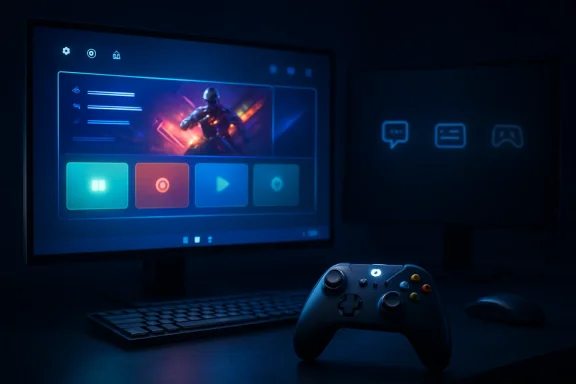 Microsoft’s Console Dream Meets the Desk It Cannot Escape
Xbox Mode exists because Windows gaming has always carried a contradiction. The platform is dominant, enormous, and indispensable, yet it has never been especially graceful when used from a couch, a handheld, or a controller-first setup. Microsoft can sell the PC as part of the Xbox ecosystem, but the first thing many players see when they boot a Windows gaming device is still a desktop built for a mouse, a taskbar, update nags, launchers, tray icons, and background services.The new mode is Microsoft’s latest attempt to sand down that friction. It puts the Xbox app into a full-screen, controller-friendly shell, reduces background activity, and tries to make a Windows 11 machine behave more like a dedicated gaming device. On handhelds and living-room PCs, that ambition makes immediate sense. Nobody buys a portable gaming PC because they want to pinch through a desktop UI at 7 inches.
But the feature’s awkward behavior on multi-monitor setups shows how hard it is to draw a neat line around “gaming” on a PC. A console assumes a single screen and a single foreground activity. A desktop gaming PC often assumes the opposite: the game on one monitor, Discord on another, a browser guide on the side, OBS running somewhere, and perhaps a hardware monitor tucked into the corner for good measure.
That is why the blank secondary display feels more irritating than it probably should. It is not merely wasted pixels. It is a reminder that Microsoft’s console-like layer is still trying to impose console assumptions on a user base that has spent decades building workflows around Windows being messy, permissive, and multi-purpose.
The Second Monitor Was Never Peripheral
For a large slice of PC gamers, the second monitor is not a luxury accessory anymore. It is part of the machine’s working surface. It is where social apps live, where streams are monitored, where walkthroughs sit, where music or video plays, and where the player keeps one eye on the rest of the digital world.That does not mean every gamer should multitask while playing. Plenty of people would be happier and better at games if they closed everything else. But PC gaming culture did not evolve around a single-screen doctrine. It evolved around abundance: more windows, more overlays, more launchers, more tools, more options, and more ways to make a machine feel personally configured.
This is the first cultural clash Xbox Mode exposes. Microsoft is correct that many players want a cleaner experience. The popularity of Steam Big Picture, handheld launchers, custom front ends, and console-like dashboards proves there is demand for a simpler gaming surface. But simplicity on PC is usually expected to be optional and reversible, not imposed by blacking out adjacent displays.
The comparison to Steam Big Picture is unavoidable because Valve’s approach has long understood the difference between taking over the main display and taking over the entire PC. Big Picture can be a living-room interface, but it does not generally ask the rest of the machine to stop being a computer. Microsoft’s Xbox Mode, at least in this early implementation, appears more willing to wall off the session in pursuit of console purity.
That distinction matters because it goes straight to trust. PC gamers tolerate jank when they feel in control. They rebel against polish when it removes agency.
Windows 11 Remains the Gaming Default Because the Boring Parts Matter
It is fashionable to say that Windows is vulnerable in gaming because SteamOS and Linux-based handhelds have made enormous progress. That is true, but only up to a point. Windows 11 still sits at the center of PC gaming because compatibility remains the most powerful feature in the market.Games target Windows first. Anti-cheat systems more reliably support it. Peripheral software usually assumes it. GPU driver tooling is deepest there. Mods, trainers, launchers, capture utilities, storefronts, RGB suites, audio mixers, and niche community tools are more likely to work without an afternoon of forum spelunking. That stack is not elegant, but it is massive, and it is why Windows keeps winning even when it annoys its own users.
Xbox Mode is interesting because Microsoft is trying to keep that compatibility while borrowing the emotional feel of a console. The promise is seductive: all the games and drivers of Windows, with less of Windows in your face. If Microsoft can pull that off, it strengthens Windows against both traditional consoles and Linux-based gaming appliances.
But the dual-monitor issue shows the danger of half-measures. If Xbox Mode is only a skin over Windows, users will expect Windows behaviors, including normal multi-monitor support. If it is a real console-like environment, users will expect console-level polish, instant sleep-and-resume confidence, predictable controller navigation, and a dashboard that never exposes the seams underneath.
Right now, Microsoft is asking users to accept restrictions before it has fully delivered the appliance-like magic that makes those restrictions feel worthwhile.
Performance Gains Cannot Carry the Argument Alone
Microsoft and its partners have framed the full-screen gaming experience partly around performance. Reducing background tasks can free memory and reduce distractions, and on handhelds that share memory between CPU and GPU, even modest savings can matter. A few hundred megabytes here, a gigabyte there, and fewer idle services can be meaningful when the machine is power-limited and thermally constrained.On a desktop with 32GB of RAM, a high-end GPU, and multiple monitors, the math changes. A minor reduction in background activity is welcome, but it is unlikely to justify disabling a screen that the user bought, mounted, calibrated, and integrated into daily play. The more powerful the PC, the less persuasive the performance argument becomes.
This is where Microsoft’s messaging has to be careful. If Xbox Mode is pitched as a handheld optimization, blanking secondary displays is easier to understand. If it is pitched as a new way to use any Windows 11 gaming PC, then desktop users will judge it by desktop standards. Those standards include multitasking.
There is also a psychological factor here. Gamers are used to trading visual quality for frame rate, or background apps for stability, when the benefit is obvious. What they dislike is being asked to surrender functionality for an improvement they cannot feel. A blank second monitor is very visible. A marginal reduction in background tasks is not.
That imbalance can make the feature feel worse than it is. Xbox Mode may genuinely help some systems, especially handhelds and living-room machines. But on a dual-monitor desktop, the cost announces itself in black pixels while the benefit hides in Task Manager.
The Handheld PC Is the Real Battlefield
The fairest reading of Xbox Mode is that desktop multi-monitor use was never the primary target. The real target is the Windows handheld. That market has changed the pressure on Microsoft more than any living-room PC initiative ever did.Devices like the ROG Ally, Legion Go, MSI Claw, and other handheld PCs proved that there is demand for portable access to PC game libraries. They also proved that Windows is both the reason those devices are powerful and the reason they can feel clumsy. A handheld can run Game Pass, Steam, Epic, Battle.net, mods, and anti-cheat-protected multiplayer games precisely because it runs Windows. It can also throw the user into a desktop, a driver prompt, or a tiny dialog box that was never designed for thumbs.
Valve’s Steam Deck sharpened the contrast. SteamOS is not perfect, and Linux compatibility still has gaps, but the Deck showed what happens when a device boots into an interface with a clear opinion. It feels like an appliance first and a computer second. Windows handhelds often feel like small laptops with gamepads attached.
Xbox Mode is Microsoft’s answer to that embarrassment. It is an admission that the Windows desktop is not good enough as the front door for handheld gaming. That is not a small admission from a company whose operating system has long treated the desktop as the center of gravity.
The problem is that handheld-first design does not automatically translate to desktop satisfaction. A handheld has one screen, constrained power, and a strong need for reduced background clutter. A dual-monitor gaming tower has different priorities. Microsoft is trying to serve both with one mode, and the second monitor is where the abstraction breaks.
A Blank Screen Is a Product Decision Wearing a Bug Costume
It is tempting to describe the secondary-monitor behavior as an early rollout flaw and move on. Maybe Microsoft will change it. Maybe the blank screen is a placeholder, a limitation of the current shell, or a conservative choice to avoid weird focus problems. Early phased rollouts are, by definition, unfinished in public.Still, product decisions often look like bugs when users first encounter them. A blank display is a decision to privilege immersion over parallel activity. It says the full-screen Xbox environment owns the session, not just the primary monitor. That may be technically simpler and philosophically cleaner, but it is also less PC-like.
The irony is that Microsoft already has a model for how secondary displays could be useful without undermining the console feel. Game Bar widgets, party chat, friends lists, performance graphs, capture controls, cloud saves, achievements, and social feeds all exist in the Xbox and Windows gaming orbit. A second display could become a dashboard rather than a void.
Imagine Xbox Mode using the main screen for the game launcher and active title, while a secondary display shows party chat, Discord integration, system telemetry, media controls, or a low-distraction browser panel. Streamers could pin chat and scene controls. Guide users could keep a page open. Parents could monitor downloads or playtime. Enthusiasts could watch frame-time graphs without overlay clutter.
That would be a very PC answer to a console-inspired problem. It would preserve the clean main screen while respecting that a Windows gaming setup is often more than one rectangle.
Microsoft Keeps Relearning That PC Gamers Hate Being Managed
The history of Microsoft’s PC gaming efforts is littered with technically rational ideas that failed to respect the habits of PC players. Games for Windows Live promised a unified layer and became a punchline. The Microsoft Store originally pushed distribution rules that felt alien to modders and enthusiasts. The Xbox app improved over time, but it still sits in a launcher ecosystem where Steam’s gravity remains enormous.The lesson is not that Microsoft cannot build good gaming experiences. Game Pass on PC is important, Xbox Play Anywhere is genuinely useful, and Windows remains unmatched for breadth. The lesson is that PC gamers are unusually sensitive to control surfaces. They do not merely ask whether a feature works; they ask whether it gets in the way of how they already use the machine.
Xbox Mode is at risk of triggering that reflex. The more it behaves like a locked console environment, the more it must deliver console-grade convenience. If it cannot, users will compare it to the desktop they already know how to tame. A blacked-out monitor is exactly the kind of small affront that turns a feature from “interesting” into “not for me.”
This is especially true because the PC gaming audience is not one audience. A couch player with a controller, a handheld owner on battery, an esports player on a 360Hz monitor, a streamer with OBS, and a modder juggling file folders are all “PC gamers.” Windows wins because it accommodates that sprawl. Xbox Mode must avoid pretending the sprawl does not exist.
The Living Room Wants Less Windows, Not Less PC
The living-room gaming PC has always been an awkward dream. The hardware can be better than a console, the library can be larger, and the prices can be more flexible. Yet the user experience often collapses the moment a launcher demands a login, a game opens on the wrong monitor, Windows wants attention, or a tiny settings dialog appears ten feet away from the couch.Xbox Mode could help here. A controller-first interface, reduced background noise, and a more predictable entry point are all exactly what living-room PCs need. Microsoft has a strong strategic reason to make this work: the future Xbox ecosystem is increasingly a mesh of consoles, PCs, cloud endpoints, handhelds, and subscriptions rather than a single box under the TV.
But living-room simplicity should not mean desktop amnesia. One of the reasons people build living-room PCs is that they are not consoles. They can run emulators, mods, stores, media apps, browsers, capture software, and strange little utilities that would never pass a console certification process. The trick is hiding complexity until it is wanted, not eliminating it by decree.
That is the balance Valve has pursued with the Steam Deck: a gaming interface up front, a desktop behind the curtain. Microsoft has the harder job because Windows is broader, older, and more commercially entangled. But the principle still applies. The best version of Xbox Mode would make the desktop unnecessary during normal play without making the user feel punished for needing it.
A blank second monitor leans too far toward punishment.
The Rollout Problem Is Also a Messaging Problem
The phased rollout has created its own confusion. Some users see Xbox Mode. Some do not. Some read about the full-screen experience as a handheld feature, others as a Windows 11 PC feature, and others as a rebranded Xbox app mode. Reports from different channels and builds can make it sound as though Microsoft is shipping several overlapping ideas under one name.That ambiguity matters because expectations shape verdicts. If users think they are getting a true alternative shell for Windows gaming, they will judge harshly when it feels like a full-screen app. If they think they are getting a simple Xbox app presentation mode, they will be less surprised by limitations but less excited by the feature. If they think they are getting measurable performance improvements, they will test frame rates and memory use immediately.
Microsoft should be explicit about what Xbox Mode is today and what it is meant to become. Is it a controller-first launcher? Is it a background-task optimization profile? Is it the foundation of a future Windows gaming shell? Is it primarily for handhelds, or does Microsoft truly expect desktop users to live inside it?
The dual-monitor discussion exists because those questions are not settled in the public mind. Users are filling the gaps with comparisons to Steam Big Picture, SteamOS, Xbox consoles, and their own desktop habits. That is a dangerous place for Microsoft, because every comparison highlights a different shortcoming.
The company does not need to promise everything at once. It does need to stop letting the feature be defined by screenshots of black secondary displays.
The Real Competitor Is Not Steam Big Picture, It Is User Patience
Steam Big Picture is the obvious foil, but the deeper competitor is user patience. PC gamers have an unusually high tolerance for tinkering when the reward is power. They will edit config files, install drivers, troubleshoot mods, and spend hours optimizing settings. But that patience is not infinite, and it is not evenly distributed.Handheld buyers, in particular, are less forgiving than traditional desktop enthusiasts. The more a device looks like a console, the more users expect console-like behavior. If a Windows handheld boots into a clean Xbox interface but still occasionally exposes desktop weirdness, Microsoft gets blamed for the weirdness. If a desktop user enters Xbox Mode and loses access to a second monitor, Microsoft gets blamed for the constraint.
This is the narrow path Xbox Mode must walk. It has to be simple enough for the couch and handheld audience, but porous enough for the desktop audience. It has to suppress Windows annoyances without suppressing Windows strengths. It has to feel intentional without feeling locked down.
That is difficult, but not impossible. Microsoft has the components: Game Bar, Xbox app, Windows display management, virtual desktops, PowerToys-like enthusiast sensibilities, and decades of compatibility infrastructure. What it needs is a stronger product philosophy for gaming modes on Windows. A mode should be a set of user-chosen tradeoffs, not a costume the operating system puts on while hiding the rest of the room.
The best PC features do not say, “You may not do that.” They say, “Here is the clean path, and here is the escape hatch.”
The Multi-Monitor Crowd Is Telling Microsoft Where the Feature Should Go
The most useful response to the dual-monitor complaint is not defensiveness. Yes, Xbox Mode is designed for TVs and handhelds. Yes, consoles traditionally use one display. Yes, multitasking while gaming can be distracting. All true, and all beside the point.When users complain about a blank second monitor, they are not necessarily rejecting Xbox Mode. Many are describing the version they would actually use. They are saying the main screen can be console-like as long as the rest of the PC does not become inert. That is product feedback, not mere whining.
Microsoft should treat secondary displays as an opportunity to differentiate Windows from consoles rather than as a complication to be blanked out. Xbox Mode does not need to become a chaotic desktop clone. It could offer a curated set of second-screen roles: communications, media, system status, streaming controls, browser reference, or “leave this display alone.” Even a simple setting to keep secondary monitors available would change the tone of the conversation.
There is a bigger strategic payoff, too. If Microsoft can make multi-monitor Xbox Mode feel thoughtful, it can claim something consoles cannot. A PlayStation or Xbox console is excellent at focused play. A Windows 11 gaming PC can be excellent at focused play and the surrounding rituals of PC gaming: chat, streaming, guides, mods, monitoring, and community.
That should be the pitch. Not “your PC is now a console,” but “your PC can become console-simple where that helps, and remain PC-powerful where that matters.”
The Black Monitor Tells Microsoft Exactly What to Fix Next
Xbox Mode’s early dual-monitor behavior is not a fatal flaw, but it is a clarifying one. The feature is promising because it acknowledges that Windows needs a better gaming front end. It is frustrating because it sometimes tries to achieve that by flattening the very flexibility that keeps Windows central to PC gaming.- Xbox Mode is best understood as a controller-first gaming shell for Windows 11, not yet a full replacement for the desktop gaming workflow.
- The blank secondary monitor behavior makes sense for a console-like mode, but it clashes with how many desktop PC gamers actually play.
- Performance improvements from reduced background activity are most compelling on handhelds and low-power systems, not necessarily on high-end multi-monitor desktops.
- Microsoft’s strongest opportunity is to turn secondary displays into useful Xbox Mode surfaces rather than treating them as dead space.
- The feature’s success will depend less on whether it resembles an Xbox console and more on whether it preserves the agency PC gamers expect from Windows.
- Microsoft needs clearer messaging about whether Xbox Mode is primarily for handhelds, living-room PCs, or the broader Windows gaming population.
Source: Windows Central Xbox Mode on dual monitors shows why PC gaming still leans on Windows 11 — and why that gap feels frustrating
