• Thread Author
Microsoft is pushing its console DNA deeper into Windows: starting in April, the full‑screen, controller‑first Xbox experience that launched on the ROG Xbox Ally handhelds will be available as a native “Xbox mode” on every Windows 11 PC — laptops, desktops, and tablets — and it arrives alongside a suite of graphics and developer tools that threaten to reshape how games start, render, and ship on Windows.

A person holds an Xbox controller as a laptop screen shows Game Pass, Xbox Store, and Steam.Background and overview​

For years Microsoft has quietly stitched Xbox services into Windows, from Game Pass and the Xbox app to cloud streaming and tighter Xbox Store integration. The latest move is more visible and more ambitious: a full‑screen UI that boots straight into an Xbox‑centric environment, suppresses nonessential desktop subsystems, and presents a console‑style launcher layered on top of Windows 11. The Full Screen Experience (FSE) that first appeared on Microsoft’s partner handhelds has been rebranded to Xbox mode, and Microsoft says it will roll out broadly across Windows 11 starting in April.
That rollout coincides with a set of announcements at the Game Developers Conference and in DirectX developer communications: Microsoft is opening Advanced Shader Delivery more broadly (a system to ship precompiled shaders to users), pushing DirectX toward neural rendering and additional GPU tooling, and continuing to evolve DirectStorage for faster asset streaming. Meanwhile, Microsoft’s next‑generation console effort — codenamed Project Helix — has been advertised as a hybrid that will play PC games as well as Xbox titles, deepening the company’s intent to blur the lines between PC and console ecosystems.
This article unpacks what Xbox mode is, how it works, why Microsoft is accelerating this strategy now, and what the real risks and benefits are for players, developers, and the broader PC ecosystem.

What is Xbox mode — and what does it change?​

A console interface for Windows 11​

Xbox mode is essentially a full‑screen, controller‑first shell for Windows 11 that replaces the desktop environment with an Xbox‑style launcher and storefront experience while the mode is active. The core goals are straightforward:
  • Reduce background Windows overhead (services, shell components, UI compositing) while gaming.
  • Present a consistent Xbox‑like UI that aggregates games from Game Pass, the Xbox Store, and other storefronts.
  • Make Windows devices feel more like consoles for users who prefer a simple, living‑room or handheld gaming experience.
In practice, when Xbox mode is active the system boots directly into the Xbox app or switches into a full‑screen overlay that hides the Windows desktop. Microsoft has provided multiple entry points: a Task View toggle, Game Bar option, and a traditional key combo that powers the switch. On supported handhelds the OS can boot into Xbox mode by default, making the device act more like a dedicated gaming console.

What Xbox mode does under the hood​

The technical ambition of Xbox mode is less about flashy UI and more about resource prioritization. When Xbox mode is engaged, Windows selectively avoids loading certain desktop services and background tasks, reduces visual effects and shell overhead, and redirects system attention toward the foreground game.
Key behaviors include:
  • Disabling nonessential explorer/shell processes and background telemetry where possible.
  • Tightening power/performance profiles to favor gaming.
  • Presenting a curated, controller‑first navigation model that exposes installed games, Store listings, and Game Pass content.
  • Preserving access to other PC storefronts (Steam, Epic, Battle.net) — the Xbox app still surfaces non‑Microsoft games so users aren’t locked out of their libraries.
That last point is important: Xbox mode is a UX layer, not a separate operating system. It’s designed to be a lightweight, full‑screen environment layered on Windows, not a fork.

Why now? Microsoft’s strategy and timing​

Microsoft’s timing isn’t accidental. The company is pursuing three connected goals that explain the urgency behind Xbox mode and the broader DirectX/DirectStorage initiatives:
  • Unify the Xbox and Windows gaming experiences so “Xbox” becomes a user experience, not a single device. Making Windows machines feel more like Xbox hardware helps Microsoft promote Game Pass subscription churn and the Xbox app as the central library for players across devices.
  • Reduce fragmentation and user friction on Windows devices that struggle with thermal limits or background process overhead, especially handhelds and thin laptops. Xbox mode addresses a real pain point: Windows is flexible, but that flexibility costs predictable performance for constrained hardware.
  • Lay groundwork for hybrid devices and the next‑gen console vision embodied by Project Helix. If Microsoft’s next Xbox is designed to run PC games and Xbox games interchangeably, the company wants the Windows layer to feel native and polished.
These goals align with Microsoft’s recent developer messaging around precompiled shaders and neural rendering — both are ways to make games launch faster and run more consistently across the huge variety of Windows hardware.

Advanced Shader Delivery: how precompiled shaders change load times​

The problem with first‑run shader compilation​

On Windows, the first time a game runs, it often needs to compile many shaders for the target GPU and driver stack. This on‑device compilation is time‑consuming, leads to stuttering, and is a common complaint for players on day‑one launches. Console ecosystems historically avoid this problem because developers ship precompiled shaders targeting a small set of hardware configurations.

What Advanced Shader Delivery does​

Microsoft’s Advanced Shader Delivery introduces a formal pipeline for producing a Precompiled Shader Database (PSDB) that can be distributed alongside a game through store platforms. The developer/engine collects shader state into a State Object Database (SODB) during authoring, a cloud‑based shader compiler compiles those states for vendor‑targeted backends, and the resulting PSDB lands on the user’s machine at install time. When the game runs, the shaders are already present and the device can skip much of the runtime compile step.
The practical benefits are immediate:
  • Faster initial load times and shorter “first run” stalls.
  • Smoother frame delivery on first play sessions.
  • Less dependence on the user’s local machine compiling hundreds or thousands of shader permutations.
This is not a novel idea in gaming — consoles and some PC storefronts have used similar techniques — but Microsoft is building a standards‑level path for it within DirectX and the Xbox PC ecosystem. That means a larger portion of Windows games could ship with precompiled shader caches, improving the out‑of‑box experience.

Caveats and technical restraints​

Advanced Shader Delivery’s effectiveness depends on several factors:
  • Hardware coverage: It’s impractical to precompile for every GPU and driver permutation, so PSDBs must target common GPU families or rely on runtime fallbacks.
  • Driver/OS mismatch: If GPU drivers or Windows components change between PSDB creation and user install, shaders may fail to match or require recompilation.
  • Storage and distribution: PSDBs add size to downloads. Developers and store owners must balance download size against startup speed.
  • Patch synchronization: When a game updates, PSDBs must be reissued or updated in sync to avoid mismatch-induced slowdowns or graphical errors.
The technology is promising, but it needs robust tooling, careful versioning, and vendor cooperation to be broadly reliable.

DirectX moves toward neural rendering and better asset streaming​

Neural rendering and cooperative vectors in HLSL​

Microsoft has signaled a clear trajectory toward neural or AI‑assisted rendering inside DirectX. That includes adding cooperative vector operations and building HLSL primitives that allow developers to embed lightweight models inside shaders. The goal is to let GPU tensor units accelerate ML inferences directly within the graphics pipeline — for effects like denoising, upscaling, and procedural content generation.
This is a big shift for real‑time graphics pipelines. Neural rendering promises higher visual fidelity with lower traditional rasterization costs, but it also raises questions about GPU vendor support, performance portability, and authoring complexity. Developers will need to retrain or retool shader development workflows to include tiny models and to profile which operations make sense for each target GPU.

DirectStorage: faster asset streaming and quicker level loads​

DirectStorage, Microsoft’s API for efficient asset streaming, continues to mature. By exposing lower‑latency I/O and better asynchronous streaming paths, DirectStorage reduces CPU overhead and helps keep the GPU fed with data, enabling quicker level loads and fewer image pop‑ins.
When combined with precompiled shaders and optimized asset pipelines, DirectStorage helps produce the kind of snappy startup and loading behavior that console players expect. For Windows gamers — especially those on SSDs and handhelds — the combination could make a measurable difference.

Project Helix and the Xbox‑PC convergence​

What Project Helix represents​

Microsoft’s next‑generation Xbox, codenamed Project Helix, was presented as more than a traditional console: the company explicitly stated it will play PC games, reinforcing Microsoft’s goal of a single ecosystem that spans living‑room consoles, handhelds, and Windows PCs.
If Helix runs both Xbox and PC games natively, Microsoft gains leverage: it can unify store operations, rollout cross‑platform updates, and standardize features like Advanced Shader Delivery. For developers, one target becomes multiple execution environments, and for players it could mean more choice and fewer platform fences.

Timing and hardware speculation​

Microsoft indicated further Helix milestones and suggested an alpha phase in a coming year, but concrete release timing and pricing remain speculative. Vendor statements and industry reporting hint at 2027 engineering milestones, but hardware, SKU definition, and price points are not finalized. Analysts and media outlets have offered price estimates based on leaked component costs, but those are best treated as rumor until Microsoft publishes official specs.

Developer impact: tooling, workflows, and gatekeeping​

What developers need to do​

To take full advantage of Xbox mode and the new DirectX features, developers will face a handful of practical tasks:
  • Integrate state collection and PSDB generation into their engine pipelines.
  • Validate precompiled shaders across target GPU families and maintain PSDBs alongside patches.
  • Profile neural shader performance and fall back to traditional techniques where necessary.
  • Test games in Xbox mode and on hybrid hardware to ensure UI/UX integrity and controller mapping.
  • Confirm DRM and anti‑cheat systems remain compatible with the different boot path and reduced background services.
Microsoft is providing tooling and developer documentation; success depends on how evenly that tooling is adopted and how well it fits into existing build systems.

Gatekeeping risks​

When a store or platform introduces an optimized delivery mechanism — like PSDBs via Xbox storefronts — it also introduces an avenue for influence. Developers may prefer shipping through Microsoft’s channels to get better precompiled shader support, prioritized caching, or tighter integration, which could accelerate the Xbox ecosystem’s pull on the PC market.
Careful stewardship is required to avoid tilting competition unfairly: precompiled shaders are a technical benefit, but if distribution ends up tied primarily to one storefront, smaller stores and vendors might be disadvantaged.

Consumer impact: benefits, compatibility, and caveats​

Immediate benefits for gamers​

  • Faster, smoother first‑run experiences: Precompiled shaders and DirectStorage can dramatically reduce stutters and long initial compile phases.
  • More consistent handheld performance: Xbox mode isolates gaming workloads from desktop bloat, which is valuable on thermally limited devices.
  • Unified library access: The Xbox app in full‑screen aggregates games from multiple stores, simplifying navigation for many users.

Compatibility and stability concerns​

Real‑world devices rarely behave like lab prototypes. Early adopters have already reported issues: some handheld units have suffered update‑induced recovery loops, and hardware variations produce different shader behaviors. Windows updates, driver changes, or mismatched PSDBs could trigger regressions. Users should expect a transitional period where things get better but also occasionally break.
Gamers who want the cleanest experience should:
  • Keep GPU drivers up to date with vendor releases that support the new DirectX features.
  • Be cautious about enabling pre‑release Insider channels on primary machines.
  • Back up critical data and understand that system restore steps may be necessary if a Windows update interacts poorly with a new mode or driver.

Ecosystem and competition: where this leaves Valve, NVIDIA, AMD, and storefronts​

Valve and the Steam ecosystem​

Valve’s Steam Deck and its Desktop vs Gaming Mode separation are natural comparisons. Microsoft’s Xbox mode brings a similar UX philosophy to Windows — but it layers on deeper store integration and DirectX‑level optimizations that Valve cannot provide by itself on Windows.
Steam already offers precompiled shader behavior via its own caching systems for some titles. Microsoft’s PSDB approach is similar in aim but different in scope: shipping a cross‑device standardized format through a major store could provide broader coverage faster — at the risk of increasing platform concentration.

GPU vendors: partnership and friction​

Precompiled shader delivery requires coordination with GPU vendors. Microsoft’s DirectX team has worked with hardware partners to separate shader compilation from drivers in certain flows, enabling cloud compilation and PSDB creation. NVIDIA, AMD, and Intel will need to support the tooling and provide stability across driver updates for this to work well.
GPU vendors stand to benefit: better startup experiences and neural features can make their hardware more attractive. But they also bear testing responsibility and may be cautious about exposing compiler internals or supporting too many precompiled permutations.

Security, privacy, and policy considerations​

Telemetry and background services​

Xbox mode reduces some background telemetry and services while active, but Microsoft still operates telemetry systems for Windows and Xbox. The tradeoff between a lean gaming shell and the need for connectivity and diagnostic signals must be managed transparently to avoid privacy concerns.

Antitrust and platform concentration​

The combination of UX unification, storefront advantages, and game distribution could stoke regulatory attention. If Microsoft’s tooling and delivery advantages become effectively limited to the Xbox Store or Xbox PC app, rivals and regulators may scrutinize whether that edge creates unfair market dynamics. Historically, platform‑level optimizations that tie performance benefits to a single storefront invite closer inspection.

DRM and anti‑cheat on a modified boot path​

Some DRM systems and anti‑cheat kernels are brittle, and a reduced background environment or alternate boot path could interfere with them. Developers and Microsoft must ensure that compatibility testing with Xbox mode is robust, and that players don’t lose access to multiplayer services due to a changed runtime environment.

Real‑world signals: what early adopters are seeing​

Early reviews and community tests paint a mixed but promising picture. Handhelds shipping with the Xbox Full Screen Experience showed notable UX improvements, and when optimized PSDBs are available, some games launch and run with significantly fewer hitches. At the same time, community forums and social channels reveal edge cases: update‑related recovery issues, driver mismatches, and variable support from third‑party storefronts.
That’s typical for a cross‑platform initiative of this scale. Expect a bumpy first year and a more stable second year as developers, hardware vendors, and Microsoft converge on best practices.

Recommendations for stakeholders​

For players​

  • Treat early Xbox mode builds as a feature to experiment with, not an immediate replacement for your regular desktop setup.
  • Keep system backups and create recovery media if you plan to test Insider builds or major feature flips.
  • Update GPU drivers from vendors that explicitly support the new DirectX features for the cleanest experience.

For developers​

  • Prioritize a test pass for PSDB and Advanced Shader Delivery integration if you ship on Xbox or plan to distribute through the Xbox PC app.
  • Profile neural shader workloads carefully; fallback paths should be robust and well‑documented.
  • Consider PSDB size vs. startup benefit tradeoffs; not every project will benefit equally.

For enterprise IT and system integrators​

  • Xbox mode is consumer‑oriented; evaluate it cautiously for mixed‑use devices in enterprise settings.
  • If deploying Windows 11 machines in campus or shared environments where games are likely, build policies for Insider channel installations and driver update windows.

What to watch next​

  • Tooling maturity: Watch how Microsoft’s PSDB tooling integrates with Unreal, Unity, and other engines. The smoother that integration, the faster precompiled shaders will appear in the wild.
  • GPU vendor support: Keep an eye on driver release notes from NVIDIA, AMD, and Intel for explicit DirectX neural and PSDB support. Vendor cooperation will determine real‑world efficacy.
  • Project Helix details: As Microsoft provides more Helix details, pay attention to exact hardware targets, whether Helix ships a modified Windows layer, and how Microsoft maps PC compatibility.
  • Store dynamics: See whether precompiled shader advantages become exclusive or preferentially exposed through one storefront; this will be a major industry signal.

Conclusion​

Xbox mode for Windows 11 is more than a cosmetic change. It’s part of a concerted Microsoft strategy to unify experiences across Xbox hardware and Windows PCs, reduce friction for players, and provide developers better tools for delivering smooth first‑run experiences. Combined with Advanced Shader Delivery, DirectX’s move into neural rendering, and DirectStorage improvements, Microsoft is betting that tighter OS‑level integration and smarter delivery pipelines are the fastest way to make Windows feel like a true console alternative.
The benefits are tangible: faster startups, fewer shader‑induced stutters, and a more consistent handheld experience. The risks are real too: compatibility fragility on a fragmented PC landscape, the potential for store advantage to morph into market concentration, and the complexity developers must shoulder to support new pipelines.
If Microsoft executes this carefully — with open tooling, cross‑vendor cooperation, and transparent policies — Xbox mode and the associated DirectX enhancements could meaningfully raise the baseline quality of PC gaming. If not, they risk fracturing developer attention and raising fresh questions about where control and advantage lie in the Windows gaming ecosystem. For players and developers, the next 12–24 months will tell whether this is an evolutionary improvement to PC gaming or the start of a more directed, platform‑centric era.

Source: The Verge Microsoft’s ‘Xbox mode’ is coming to every Windows 11 PC
 

Microsoft’s push to make Windows more “console-like” just took a clear step forward: an Xbox‑branded, full‑screen gaming mode that first appeared on purpose‑built handhelds is now being positioned as a first‑class session posture for Windows 11, and Microsoft says that posture will appear on a broader set of desktops, laptops and handhelds in the coming weeks — with some outlets reporting a targeted availability window in April.

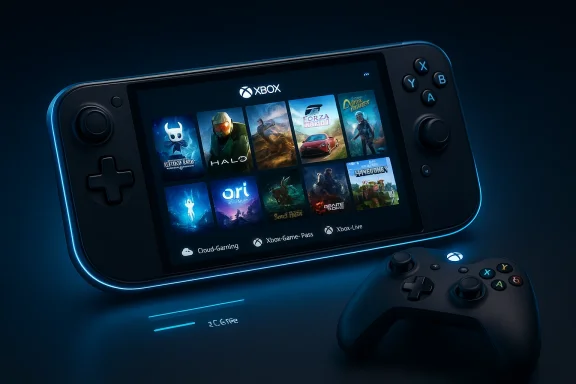
A neon-blue Xbox handheld console shows a game library with a wireless controller nearby.Background / Overview​

Microsoft introduced a dedicated, controller‑first Xbox experience as part of a co‑engineered handheld play with ASUS that shipped on the ROG Xbox Ally family. That experience — variously called the Xbox Full‑Screen Experience (FSE) or Xbox Mode — behaves like a console shell layered on top of Windows 11: it boots to a game‑first home, prioritizes controller input, aggregates PC storefront libraries inside the Xbox app, and deliberately suppresses parts of the general‑purpose desktop to reclaim memory and simplify navigation. Early hands‑on reporting and community leaks showed the mode can free nontrivial system resources by not loading Explorer and other productivity‑oriented processes.
The announcement at GDC and subsequent coverage tied the feature to Microsoft’s broader hardware and platform strategy, including the public debut of the Project Helix codename for the next‑generation Xbox console and leadership changes at Microsoft Gaming. The new executive leadership — Asha Sharma replacing long‑time Xbox chief Phil Spencer — has signalled an intent to more closely align console and PC experiences, a message underscored by Project Helix’s stated aim to run both Xbox and PC games.
This article walks through what Xbox Mode is, why Microsoft is shipping it to Windows 11 devices beyond handhelds, what it means technically, how the rollout and community activity are playing out, and the practical and strategic risks this move introduces for players, OEMs, and the broader PC ecosystem.

What exactly is “Xbox Mode” on Windows 11?​

The concept in plain language​

At its core, Xbox Mode (a consumer label for Microsoft’s Full‑Screen Experience) is an alternate Windows session that looks and behaves like a console. Instead of presenting the desktop, taskbar, and standard Start experience, Windows will present the Xbox app as the primary shell and provide:
  • A controller‑first, full‑screen dashboard with game discovery and library aggregation.
  • Rapid entry into cloud and local Game Pass play, plus shortcuts to other storefronts detected on the device.
  • A trimmed Windows environment beneath the dashboard that skips loading desktop artifacts to free memory and reduce background overhead.

How it differs from Steam Big Picture or similar overlays​

Unlike a mere launcher or overlay, Xbox Mode is designed as a session posture — effectively a shell that can be set as the default home experience. It is intended to operate as a distinct mode that can be toggled on and off, not just as an application that runs on top of the desktop. That means the device boots, by default if configured, into the Xbox front door and only runs the regular desktop if the user explicitly switches back. Early reporting indicates the mode suppresses Explorer and many productivity‑oriented services, which gives it more control over system resource allocation than typical fullscreen apps.

Origins: ROG Xbox Ally and the Windows 11 25H2 platform plumbing​

The feature was first shipped as the out‑of‑box shell on the ASUS ROG Xbox Ally family, a partnership that positioned the hardware as a first wave of devices intentionally optimized around the Xbox front end. That OEM partnership let Microsoft build and validate the experience on a constrained, handheld form factor before expanding its availability. Early Insider and community testing showed the same mode could be enabled on existing hardware running Windows 11den feature flags and using community tools — a development that accelerated public testing and raised new support questions.
Microsoft VP commentary made the intent clear: the full‑screen Xbox home is simply a different session posture layered on top of Windows 11, not a separate operating system. The mode’s design intentionally avoids loading the desktop wallpaper, the taskbar, and a host of productivity processes to increase available memory for games and reduce background noise on handheld devices. Reviewers and early testers repeatedly reported measurable memory savings and smoother performance on thermally constrained hardware when running the mode. (pcworld.com)

The timing and rollout: April, Insiders, and select markets​

Coverage has split across channels. Several outlets and community threads report Microsoft is staging a broader rollout — moving the Full‑Screen Experience from an Ally exclusivity to an optional mode on other handhelds, laptops and desktops through Windows and Xbox Insider programs. Some reports specifically referenced a targeted window in April for a broader push to Windows 11 devices in select markets; however, that specific April timing is not uniformly confirmed by Microsoft press communications at the time of writing and should be treated as a conditional, region‑staged expectation rather than a hard, global release date.
What is verifiable:
  • The mode is included in the Windows 11 25H2 family and has been surfaced through Insider builds and OEM co‑engineering on Ally hardware.
  • Microsoft and partners are preparing to expand availability beyond Ally devices, and Insiders can preview aspects of the Full‑Screen Experience via coordinated Xbox and Windows test channels.
What remains fluid:
  • Exact consumer availability dates for every region and device class. Multiple outlets report staged availability and a likely April window for expanded previews, but Microsoft has not published a single, global GA date at this time. Treat “April” as a plausible timeline reported by several outlets rather than an absolute guarantee.

How Xbox Mode works technically (a pragmatic scan)​

Memory and process management​

The Full‑Screen Experience aims to reclaim system resources by selectively suppressing nonessential Windows components during a gaming session. Early analysis and reporting suggest the mode can free roughly 1–2 GB of RAM on constrained handheld configurations by not loading the Explorer shell and related processes, and by deferring services unnecessary for a controller‑first gameplay session. That resource reclamation translates into lower memory pressure and can improve framerate stability on low‑headroom systems.

Aggregated game library and storefront integration​

A crucial part of the experience is the Xbox PC app acting as an aggregated launcher for local titles from multiple storefronts (Steam, Epic, Battle.net, etc.), plus Game Pass and cloud offerings. This aggregation is intended to simplify game discovery and provide a single “front door” into titles, whether installed locally or streamed. The Xbox app’ launch games from disparate storefronts reduces friction for console‑minded players who favor plug‑and‑play experiences.

Boot integration and session switching​

On devices wheras the default, boot flows take the user directly into the Xbox front end. A UI affordance allows users to switch back to the classic desktop if needed, but the intent is to create an uninterrupted gaming posture for the session. Community testing has exposed ways to toggle the feature via registry edits and feature flags; Microsoft’s supported path will be through the Insider preview cha updates for devices certified for the experience.

Hands‑on impressions, community ports, and early adopters​

Enthusiasts and hobbyists moved quickly. Within weeks of the feature appearing in Insider builds and on Ally devices, community members documented registry tweaks and Vivetool switches that enabled the mode on existing handhelds such as earlier ROG Ally units and competing devices. That unofficial unlocking accelerated hands‑on testing and created real‑world reports about performance wins and compatibility trade‑offs. Forums and threads show hobbyist ports running the Full‑Screen Experience on a variety of Windows handhelds and even some laptops.
Early hands‑on highlights reported by testers include:
  • Improved thermals and battery longevity in some handhelds due to more efficient resource scheduling.
  • Simplified controller navigation and faster boot‑to‑play flow, mirroring console behavior. ([androidauthority.com](You don't have to wait for Microsoft's handheld to start using the new Xbox mode compatibility issues* with third‑party overlays, anti‑cheat drivers, and vendor‑specific control center apps when the OS shell is suppressed. Enthusiasts warn that enabling the mode via unsupported tweaks can cause instability and complicate driver updates.

Benefits for users and OEMs​

  • Faster play sessions: Booting directly to a controller‑first home shortens path‑to‑game for users who prioritize playing over prPerformance headroom: Suppressing desktop services can free memory and CPU headroom — a boon for thermally constrained handheld hardware.
  • Unified library: Aggregating installed and cloud titles into one launcher simplifies discovery and reduces friction across storefronts.
  • OEM differentiation: Partners like ASUS can offer a polished, Xbox‑first UX as a product differentiator without shipping a separate OS.

Risks and downsides — what to watch closely​

1. Compatibility and anticheat complexities​

Anti‑cheat systems, low‑level drivers, and some middleware expect the full Windows stack. Running a trimmed session that suppresses Explorer and other components could break these assumptions or complicate driver initialization. That’s why some users see mixed results when porting the mode unofficially; official OEM and Microsoft support will be critical to avoid fragmentation and broken gaming experiences.

2. Security and manageability​

When the desktop is deprioritized, the tooling and telemetry that enterprises and power users rely on may be less visible. For managed devices and corporate devices that occasionally double as gaming machines, administrators will need clear guidance about how to manage, update, and recover devices running Xbox Mode. Unsupported registry hacks risk bricking boot flows and complicating remediation.

3. Platform consolidation and ecosystem control​

Aggregating storefronts into a single Xbox front door centralizes user attention on Microsoft’s UX. That can be good for convenience, but it also concentrates influence over discoverability and monetization. Developers and competing storefronts will watch closely to ensure fairness and interoperability — historical precedent shows platform owners’ UI choices can reshape competitive dynamics on PC. This is a strategic risk, not a technical one.

4. Fragmentation: “console‑first” Windows vs. classic desktop expectations​

Power users and enterprise users rely on the desktop’s flexibility. Introducing a separate console posture risks creating two diverging expectations of how Windows should behave. Microsoft must keep the switch between modes seamless and ensure settings, updates, and data continuity are flawless to avoid developer and user frustration.

What this means for Project Helix and Microsoft’s strateg Mode’s broader rollout arrives alongside Microsoft Gaming’s public repositioning. Asha Sharma’s elevation to CEO and the Project Helix tease — explicitly described as hardware that will play both Xbox and PC games — signals a broader corporate intent to blur the lines between consoles and PCs. Helix, as publicly teased, looks to be part of a multi‑pronged strategy that includes:​

  • Device partnerships (handhelds like the ROG Ally).
  • Platform convergence (Xbox apng hub).
  • Hardware that embraces PC compatibility at the console level (Helix’s stated ability to run PC games). (geekwire.com)
Taken together, Xbox Mode on Windows 11 is less an isolated feature and more an early move in a strategy that positions Xbox as the gaming surface across form factors — from handhelds to living‑room boxes — while keeping Windows 11 as the underlying substrate. That’s a bold play that could simplify the user experience but makes Microsoft’s execution and partner cooperation decisive.

Practical guidance: how to prepare, enable, and (if necessary) roll back​

If you’re a Windows enthusiast, gamer, or IT pro planning to try Xbox Mode, follow these pragmatic steps:
  • Confirm device readiness: ensure your machine is on a supported Windows 11 25H2 build and that you have current drivers and firmware. Unsupported devices are more likely to encounter issues.
  • Use official channels where possible: prefer the Windows Insider and Xbox Insider programs for preview access rather than community hacks. Insider builds provide safer rollback paths and alignment with Microsoft’s support matrix. ([windowscentral.com](We hacked the new Windows 11 Xbox Mode onto the old ROG Ally — how does it optimize performance? before tweaking: create a system image or restore point before applying registry changes or community Vivetool switches. If you rely on the device for work, avoid experimenting on your primary machine.
  • Watch for anti‑cheat and driver updates: game publishers may need to update anti‑cheat drivers to cope with a trimmed OS posture. Expect a period of driver churn and occasional incompatibilities.
  • Disable mode if you need full‑desktop features: official settings will allow switching back; if you used an unofficial unlock method, follow community guides carefully and revert registry edits when finished.

OEM and developer implications​

OEMs gain an avenue to differentiate Windows hardware with a console‑grade gaming front end without shipping an alternate OS. That’s attractive for vendors chasing the handheld and gaming laptop segment, but it raises integration obligations:
  • Firmware and driver validation must account for the suppressed Windows posture.
  • Support channels will need to troubleshoot both desktop ows.
  • Browserable telemetry and update channels must remain reliable under both modes.
Developers and third‑party storefronts shnd launch behavior when games are invoked from the Xbox front end to ensure a consistent experience. Publishers with strong anti‑cheat dependencies must coordinate with Microsoft to certify compatibility across both session postures.

The community reaction so far​

Forums, modders, and early adopters have shown a mix of enthusiasm and caution. Gamers celebrate the streamlined play flow and reported performance boosts, while power users and enterprise voibout manageability and support models. Community ports and early leaks accelerated testing but also highlighted the risks of non‑supported activation — a reminder that staged, official rollouts matter.

Conclusions — what to expect next​

Xbox Mode’s expansion onto Windows 11 is a meaningful product and strategic step. It demonstrates Microsoft’s intent to make the Xbox ecosystem visible and front‑facing across PC hardware while keeping Windows 11 as the substrate beneath. For players, the promise is compelling: faster boots to play, unified libraries, and potentially better performance on constrained devices. For the PC ecosystem, it introduces an area of friction that will require careful engineering and clear partner agreements to avoid fragmentation, compatibility headaches, and platform‑control disputes.
Practical expectations for the next 90 days:
  • A staged Insider preview program will continue to broaden device support while Microsoft and OEMs finalize compatibility and driver certification.
  • Official availability windows and region lists will probably be staggered; treat early calendar estimates (e.g., “April”) as targets rather than guaranteed, global release dates.
  • Developers and anti‑cheat vendors will issue guidance and patches as incompatibilities are uncovered; expect short‑term churn.
This is a pivotal moment where Microsoft is concretely testing an integrated console‑first posture on top of the world’s dominant desktop OS. If executed well, it can reduce friction for gamers and spawn a healthier range of handheld and hybrid devices. If mismanaged, it risks fragmentation and escalated compatibility headaches. That trade‑off is exactly why this rollout merits careful watching by gamers, IT pros, OEMs and developers alike.
In short: Xbox Mode on Windows 11 is not a minor theme change — it’s a deliberate architectural posture that brings console expectations to PCs. Expect more official detail from Microsoft and partner OEMs in the coming weeks, and if you’re planning to test it, prefer official Insider routes and back up your system before experimenting.

Source: Insider Gaming Xbox Mode Is Coming to Windows 11 in April
 

Microsoft is rolling its console‑style Xbox experience out across Windows 11 as a branded Xbox Mode — the rebranded successor to the earlier “Xbox Full Screen Experience” — with a staged rollout beginning in April that promises a controller‑first, living‑room-friendly session posture for laptops, desktops, tablets and handhelds.

Xbox Mode shown on a laptop and a Nintendo Switch, with game-tile icons on each screen.Background / Overview​

Microsoft first shipped the console‑like Full Screen Experience (FSE) on purpose‑built handhelds late in 2025, where it booted the device straight into an Xbox‑styled launcher instead of the full Windows desktop. That early rollout — and community efforts to enable the same interface on existing handheld PCs — showed that Windows could present an alternate, lightweight session tailored for games rather than productivity.
At the Game Developers Conference and in accompanying Microsoft briefings this spring, the company repositioned that work under the simpler name Xbox Mode and confirmed a wider Windows 11 rollout starting in April, initially in select markets. Microsoft framed the change as part of a broader push to blur the line between console and PC gaming as it prepares next‑generation Xbox hardware and new developer tooling.
Xbox Mode is not a replacement operating system; it is an optional, session‑level UI that runs on top of Windows 11. When active, it furnishes a full‑screen Xbox home, favors controller navigation, aggregates games from multiple storefronts, and intentionally reduces background desktop overhead to prioritize responsiveness and battery life for play. That core definition — console‑like shell, controller focus, and resource trimming — is how Microsoft and early previews have described the mode.

What Xbox Mode actually is​

The user experience: console first, PC underneath​

Xbox Mode presents a stripped‑down, full‑screen Xbox home that becomes the user’s primary interface while gaming. The aim is to give Windows devices a console‑style front door:
  • A full‑screen launcher that highlights installed games, Game Pass titles, and cloud options.
  • Controller‑first navigation and core Game Bar integration for overlays and input.
  • A quick switch back to desktop mode when needed (the session model, not a permanent shell swap).
Microsoft’s guidance and Insider notes indicate Xbox Mode can be entered or exited without a full logout or reboot — users can switch contexts quickly, preserving the flexibility that makes PC gaming attractive while delivering a living‑room experience when desired.

Key features and behaviors​

The publicly announced and previewed elements of Xbox Mode include:
  • A unified games library inside the Xbox app that surfaces titles regardless of origin (Microsoft is aggregating storefronts so the Xbox home can launch Steam, Epic, and other storefront games alongside Game Pass entries).
  • Game Bar and overlay hooks preserved for performance tuning, capture, and social features.
  • Performance‑oriented behavior: when Xbox Mode is active the system avoids loading many non‑essential desktop services and UI elements, freeing CPU, GPU, and memory for the running game. Insiders have seen prompts recommending restarts to maximize the benefit after switching modes.
  • A short list of keyboard/controller shortcuts used to enter the mode (for previews, Win+F11 and task view selections have been referenced).
Microsoft is explicit that Xbox Mode is an option — not mandatory — and that Windows still retains its open desktop identity. But the mode is deliberately designed so a Windows device can act like a console when the user wants that behavior.

Rollout and availability: who gets it and when​

April rollout, phased and market‑limited​

Microsoft confirmed that Xbox Mode will begin a broader rollout to Windows 11 devices starting in April. The company and multiple outlets make clear this is a staged expansion: expect initial market constraints, OEM enablement schedules, and Insider preview windows before worldwide parity.
Early adopters will be devices that either shipped with the mode preinstalled (notably the ROG Xbox Ally family and other co‑engineered handhelds) or systems enrolled in Microsoft’s Insider programs. OEMs are also enabling the mode selectively on new handheld SKUs and higher‑profile gaming laptops. That OEM path matters because, on certain handhelds, Microsoft and partners ship Xbox Mode as the default out‑of‑box shell.

Insider previews and how to test now​

the Preview route remains the primary path to try Xbox Mode early:
  • Enroll in the Windows Insider program (Dev or Beta channels) and also opt into Xbox Insiders as required.
  • Update to the Windows 11 preview builds that include the FSE/Xbox Mode plumbing (Insiders have pointed to specific build numbers in past previews).
  • Activate Xbox Mode via Task View, Game Bar settings, or the Win+F11 shortcut where available.
Community tools and developer previews have already demonstrated ways to surface elements of Xbox Mode on devices that didn’t ship with it, but Microsoft’s supported path is the Insider program and OEM enablement. That distinction matters for stability and support.

Hardware and OEM partners​

Who’s on board​

The earliest and most visible hardware partner was ASUS with the ROG Xbox Ally line, which shipped with the Full Screen Experience as an out‑of‑box option. Lenovo, MSI and other handheld or gaming OEMs have publicly indicated plans to support or add Xbox Mode to handhelds and certain gaming SKUs in spring or later windows. These partnerships make Xbox Mode more than a UI experiment — they place it into retail hardware roadmaps.
Microsoft’s public developer messaging at GDC — which coincided with Project Helix disclosures — also framed Xbox Mode as part of a broader platform strategy that includes next‑generation hardware and unified developer tooling. OEMs building handhelds or living‑room PCs are a strategic vector for this change.

Minimum system expectations and integration notes​

Microsoft hasn’t published a strict hardware compatibility table for Xbox Mode, but the practical expectations from previews and OEM statements include:
  • Windows 11 (25H2 family or later) with the updated Xbox app from the Store.
  • OEM firmware that supports rapid switching of session posture and any vendor‑specific power/performance hooks.
  • Drivers and store integrations for Game Bar features and controller firmware.
Because OEMs can choose whether to ship the mode as default or optional, hardware availability and experience will vary by vendor and SKU. Expect differentiated behavior between handhelds engineered for Xbox Mode and general‑purpose laptops that get the feature later.

Developer and platform implications​

For game developers​

Microsoft’s push to make Xbox Mode mainstream on Windows 11 is accompanied by messaging for developers: tighter tooling, a unified GDK line, and an emphasis on predictable runtime behavior when games run in a console‑like session. The company sees this as an opportunity to simplify cross‑play parity and performance tuning across Xbox and Windows.
Developers should expect:
  • A need to test games in the Xbox Mode session to discover UI and windowing assumptions that break when the desktop shell is minimized.
  • Consideration of controller navigation paradigms and how to present in‑game menus when users expect console‑style flows.
  • Potential benefits from system‑level optimizations that reduce background noise and improve frame‑stability, especially on battery‑constrained handheld hardware.
Microsoft’s platform intent is clear: this is meant to reduce friction for shipping titles that feel native on both Xbox consoles and Windows devices. But it places a small burden on developers to validate in both session postures.

For middleware and tooling (graphics delivery, storage)​

At GDC and in related messaging, Microsoft tied Xbox Mode to future investments in packaging, shader delivery, and storage APIs intended to speed load times and parity between console and PC. These are strategic investments around Project Helix and the company’s developer story; if realized, they could materially reduce the overhead of porting between platforms. However, how quickly those tools appear in shipping engines and middleware remains to be seen.

Performance: what Xbox Mode changes and how dramatic the gains may be​

Resource trimming and perceptible gains​

The core performance mechanic in Xbox Mode is simple: by not loading the full Windows shell and by suppressing many non‑essential background services, more CPU cycles, memory and GPU time are available to the foreground game. Early hands‑on previews and community tests reported snappier UIs, reduced frame‑time jitter on low‑power handhelds, and better battery efficiency when the mode is active. Microsoft’s own documentation on FSE encouraged system restarts to reap the benefits after switching.
That said, the actual magnitude of improvements depends heavily on the device. On a constrained handheld with a mixed CPU/GPU budget, the gains are more noticeable than on a well‑spec’d gaming laptop or desktop. Reviewers who hacked FSE onto existing devices noted the experience felt “console‑like” and felt lighter on resources, but did not claim dramatic GPU performance deltae.

Caveats and known issues​

Because Xbox Mode changes how the system presents and manages windows, some desktop apps — particularly those that expect fixed window sizes or spawn additional windows — have exhibited unexpected behavior in preview builds. Microsoft has acknowledged these compatibility issues in Insider build release notes and is tracking fixes. That is an important realism check: performance gains come with a compatibility testing burden.

Compatibility and application behavior​

Aggregated storefronts: benefits and limits​

Xbox Mode’s ability to surface games regardless of origin (Steam, Epic, GOG, Microsoft Store, Game Pass) is a clear win for convenience. For many users, the friction of jumping between launchers has been a real pain point, and Xbox Mode’s aggregator is an attractive one‑stop launcher for gaming sessions. Early previews already surface installed titles from multiple storefronts.
However, aggregated launchers create fragility: overlay features, anti‑cheat interactions, and launcher‑specific integrations can still behave differently when launched from an alternate session. Developers and anti‑cheat vendors must validate that their integrations work when the Windows shell is minimized or altered. The risk is not unique to Microsoft, but it’s a practical compatibility vector.

App behavior and windowing​

As noted, apps that assume traditional desktop windowing model may behave oddly in Xbox Mode. This includes tools that rely on always‑on background services, system tray interactions, floating tool windows, and some productivity apps. Microsoft’s Insider notes and community testing have flagged these as known issues and areas of active bugfixing. If you depend on dual‑purpose workflows (game capture + streaming, or productivity plus occasional gaming on the same device) you should test the apps you rely on before adopting Xbox Mode as a default.

Risks, trade‑offs, and strategic concerns​

Ecosystem lock‑in vs. user choice​

The major strategic tension is how Xbox Mode fits into Microsoft’s platform posture. On one hand, Xbox Mode is optional and preserves the openness of Windows — you can still boot to desktop, run any launcher, and avoid the Xbox home if you choose. On the other hand, shipping a polished, console‑style front door that favors Xbox services and Game Pass gives Microsoft a powerful product narrative and distribution advantage. That dynamic raises reasonable questions about competition, discoverability bias, and how much Microsoft’s own storefront features will be promoted inside Xbox Mode.

Privacy, telemetry, and data collection​

Any new user interface and platform surface invites additional telemetry and signals that vendors can use to personalize content and recommendations. Microsoft has stated Xbox Mode is part of the Xbox app and Game Services family; users should assume standard Xbox telemetry flows and review privacy controls for profile, Game Pass telemetry, and cloud features before treating the mode as entirely discrete. If privacy or telemetry concerns are critical for a use case, test the mode with telemetry settings you’re comfortable with.

Regulatory and antitrust scrutiny​

Given the broader regulatory context around platform gatekeepers, bundling a console‑like Xbox home into Windows is the sort of product change that can attract scrutiny if it materially disadvantages third‑party storefronts or leads to confusing discoverability. Microsoft will need to balance product value with clear pathways for other storefronts and developers to surface content — and regulators will naturally watch if OEM or OS defaults steer too strongly toward the company’s own services. This is not speculation alone: the industry has already seen close regulatory interest in platform consolidation across stores and cloud services.

How this changes the Windows gaming story​

For consumers​

  • Xbox Mode gives casual and living‑room gamers a much cleaner, console‑like on‑ramp on Windows 11 without requiring a separate device.
  • Handheld owners (ROG Ally and similar devices) will see an immediately more polished out‑of‑box experience.
  • Power users and multitaskers will still have the full Windows desktop; the mode is optional but compelling for session‑based play.

For developers and platform partners​

  • Developers should test for windowing and overlay compatibility and consider controller navigation as a first‑class interaction where appropriate.
  • Middleware vendors (anti‑cheat, overlay, launcher tech) must validate flows in both session postures.
  • OEMs will decide how aggressively to ship the mode as default on new hardware, shaping first impressions for buyers.

For Microsoft’s strategic narrative​

Xbox Mode is a visible, consumer‑facing piece of Microsoft’s long‑term strategy to more tightly align Xbox and Windows gaming experiences. It also serves as a practical testbed for developer tooling and future hardware ambitions (Project Helix and beyond). If Microsoft executes well, Xbox Mode could shift more game sessions onto a unified Xbox/Windows surface while keeping the openness of the PC. If mismanaged, it risks fragmentation, compatibility friction, and regulatory headlines.

Practical advice: should you try Xbox Mode in April?​

  • If you own a supported handheld or an OEM that ships Xbox Mode by default, try it. The experience is engineered for that form factor and is the most stable path.
  • If you run a regular gaming laptop or desktop and rely on specialized overlays, streaming tools, or niche apps, wait for broader public builds or test in the Insider channel with care.
  • Developers and content creators should add Xbox Mode to their test matrix now — compatibility is the low‑cost, high‑value win here.

What to watch next​

  • Execution during the April rollout: will Microsoft hit the promised market windows, and will updates to Insider builds resolve the early app‑compatibility issues?
  • OEM adoption patterns: which vendors ship Xbox Mode by default and which make it optional? That choice will define first impressions.
  • Developer uptake: how quickly engine vendors, middleware providers and anti‑cheat vendors certify and optimize for Xbox Mode.
  • Regulatory reactions: watch for any formal complaints or inquiries if storefront discoverability tilts decisively toward Microsoft’s services.

Conclusion​

Xbox Mode is the clearest step yet in Microsoft’s plan to make Windows 11 behave like a console when users want it to. It’s an evolution of the Full Screen Experience that shipped on handhelds, now rebranded and staged for a broader Windows 11 audience beginning in April. For players and OEMs targeting handheld or living‑room use cases, it promises a smoother, more controller‑native entry into PC gaming and a tangible way to reduce desktop overhead. For developers and power users, it introduces a new testing matrix and a compatibility burden to manage.
The promise is compelling: one device that can be a full Windows PC for work and a console for play. The risk is real too: compatibility edge cases, potential discoverability bias, and the political scrutiny that follows any shift in platform defaults. If you care about PC gaming, this is one of those platform shifts you should test soon and follow closely — both to enjoy the immediate benefits and to hold Microsoft and its partners accountable for a balanced, open ecosystem.

Source: GameSpot Xbox Mode, Formerly Xbox Full Screen Experience, Finally Launches On Windows 11 In April
Source: VideoCardz.com https://videocardz.com/newz/microsoft-brings-xbox-mode-to-windows-11-pcs-rollout-starts-in-april/
Source: PCMag Microsoft's 'Xbox Mode' Coming to Windows 11 PCs Next Month
 

Microsoft is bringing a console-style, controller-first “Xbox full screen experience” — widely dubbed Xbox mode — to a broader range of Windows 11 PCs next month, turning eligible desktops, laptops, and tablets into a streamlined, full‑screen gaming shell that sits on top of Windows and is optimized for a gamepad-first interaction model.

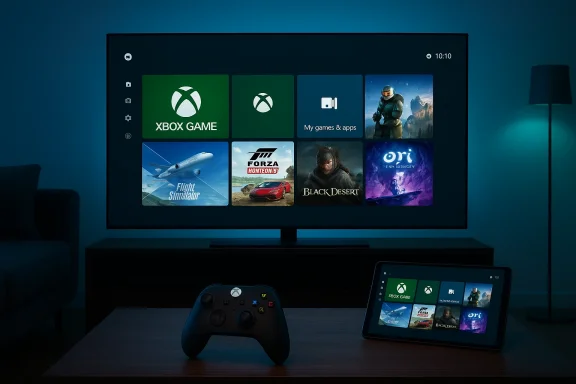
Xbox gaming setup with a large screen, game tiles, a controller, and a tablet showing the UI.Background​

Microsoft first introduced the Xbox full screen experience (FSE) as part of a push to make Windows handheld gaming feel more like a console: a simplified home screen that aggregates your Xbox Game Pass library alongside games installed from other PC storefronts and presents everything in a controller-friendly UI. That initial implementation shipped on Windows 11 handhelds such as the ASUS ROG Xbox Ally and ROG Xbox Ally X, where booting straight into an Xbox‑style interface made a clear ergonomic case for playing on the go.
By late 2025, Microsoft opened the feature to Windows Insiders in preview form and began expanding compatibility beyond specialized handhelds into other Windows 11 form factors. The company framed the move as giving players an easy “lean‑back” option: a full-screen hub that makes launching, switching between, and managing games faster and more controller-centric than the regular Windows desktop.

What the Xbox full screen experience actually is​

At its core, the full screen experience is a UI layer and set of system behaviors that temporarily replace the standard Windows desktop with an Xbox-like home screen and navigation model. The main characteristics are:
  • A console-inspired launcher that surfaces Xbox Game Pass and your PC game library in a single, tiled view.
  • Controller-first navigation and selection, including D‑pad, thumbstick, and button interactions designed around gamepads.
  • System tweaks intended to reduce background activity and idle power use while you play.
  • Quick toggles to enter and exit the mode without rebooting or signing out of Windows.
This is not a permanent fork of Windows; rather, it is a temporarily engaged shell that sits above the Windows desktop. When you want to return to a traditional workflow, you can switch back instantly using Task View, exit from Game Bar settings, or press the Windows key — no reboot required.

How to enable and use Xbox mode on Windows 11​

Microsoft rolled out the feature to Insiders with a straightforward activation flow that mirrors how console users would expect to enter a gaming UI:
  • Open the Game Bar (Windows key + G) and navigate to Settings.
  • Enable the option labeled Enter full screen experience or toggle the full screen experience from Task View when available.
  • Use Win + F11 as a quick toggle to enter or exit the full screen experience.
Once in FSE, navigation is handled primarily via controller; however, touch, keyboard, and mouse still function where appropriate. The interface lists Xbox Game Pass titles and your installed PC games, and it provides the ability to run multiple titles and switch between them — approximating the console-like workflow of “pick a game and play.”

Why Microsoft is doing this: the product rationale​

There are three explicit product goals behind FSE:
  • Make Windows more approachable for people who prefer a console-style gaming experience — especially those who use controllers or handheld devices. Microsoft wants to reduce friction for players who find the full Windows shell cumbersome for casual or couch gaming.
  • Improve performance and power efficiency by reducing background Windows activity during play, extending battery life on handhelds and portable devices. ASUS and reviewers have highlighted power savings and more consistent performance when devices boot to FSE versus the full Windows shell.
  • Provide a single, discoverable surface for Xbox Game Pass and PC game libraries, strengthening the relationship between Windows and Microsoft’s subscription ecosystem. The FSE aggregates Game Pass prominently while still allowing third‑party storefront titles to appear.
Those aims converge neatly for handheld devices, and Microsoft’s messaging makes clear that the company sees value in giving PC users the option to “lean back” into a dedicated gaming UI when they want it.

What devices will get Xbox mode — and when​

Microsoft has already made FSE available on shipping Windows handhelds from partners like ASUS, and announced expansion to other handhelds and PCs via preview channels. The company said the broader rollout to Windows 11 PCs will begin next month in select markets, with the United States included in the initial wave. Availability will be phased and tied to device compatibility and Microsoft’s Insider/rollout schedule.
Device makers including ASUS and Lenovo have integrated the FSE into their marketing and firmware plans for new handheld SKUs, and manufacturers such as MSI have likewise added support for a console-like UI on some of their gaming handhelds. That indicates the feature will remain an opt‑in experience that OEMs can tune to their hardware.

UX and accessibility: controller-first, but not controller-only​

The FSE is deliberately controller-first. The UI elements, focus states, and input flows are designed for thumbsticks and D‑pads, not pointers. That creates a more natural experience for users who primarily game with pads, handhelds, or TV controllers. On supported devices, long presses of dedicated buttons can also invoke Task View or toggles into FSE, making entry fast and hardware-friendly.
That said, Microsoft has retained keyboard, mouse, and touch support where useful. The company recognizes that Windows is a multi-input platform, so FSE is an overlay rather than a replacement. Users who still rely on keyboard-driven workflows can enter and exit FSE instantly to resume productivity tasks.
Accessibility trade-offs exist. A controller-first design can be more difficult for players who use keyboard-based assistive technologies or custom input devices. Microsoft will need to monitor feedback and iterate to ensure FSE doesn’t create new barriers for players with different assistive needs.

Technical analysis: performance, power, and resource management​

One of the selling points Microsoft and OEMs promoted is that a simpler, gaming‑focused shell can reduce background process overhead and idle power consumption — meaningful on battery‑constrained handhelds. Early OEM documentation and reviews of the ROG Xbox Ally line suggest measurable power savings and smoother sustained performance when the device is running FSE versus the full Windows desktop environment.
Microsoft’s own support guidance shows the FSE includes system-level controls that can adjust which apps are allowed to run and how background tasks behave, which can free up memory and reduce idle CPU/GPU overhead. On devices with constrained thermal and battery budgets, that can improve frame‑time stability and overall battery life. But the magnitude of gains will vary widely by hardware configuration, drivers, power profiles, and the games in question.
Technical caveats worth noting:
  • FSE may not equally benefit desktop-class systems where background activity and power use are less constrained.
  • Vendor drivers, firmware, and power-management stacks still dictate the real-world impact. OEMs that expose fine-grained power profiles and integrate FSE more deeply will likely deliver the best experience.

Game libraries and storefront support​

A central promise of FSE is convenience: it surfaces Game Pass titles front and center while also allowing PC games from other storefronts, such as Valve’s Steam, to appear in the curated library view. Microsoft’s messaging and documentation say the FSE aggregates your games regardless of store, enabling controller navigation to launch titles from multiple sources.
This is important for adoption: a console-like shell that only shows Microsoft ecosystem content would be less appealing to PC gamers who have invested in Steam, Epic, or other stores. Aggregation helps FSE be a practical launcher for a real PC game library, not just a curated shop window.
There are still edge cases to watch. Some third‑party launchers or DRM overlays rely on desktop‑only workflows, and a full-screen shell that attempts to subsume those flows could encounter compatibility quirks. Early user reports and forum threads indicate a small number of interoperability issues with Game Bar and controller detection on certain configurations, which Microsoft is tracking through the Insider feedback channels.

Ecosystem impact: OEMs, subscription strategy, and competition​

For OEMs, FSE offers a way to differentiate Windows handhelds and gaming laptops. Products like the ROG Xbox Ally series prominently market the Xbox Full Screen Experience as a unique selling point, and manufacturers can tune hardware and firmware to complement it. That makes FSE both a Microsoft product feature and an OEM-level value prop.
For Microsoft, FSE strengthens the company’s subscription-first play by making Xbox Game Pass an obvious destination in the console-like landing page. A unified launcher that makes discovering and launching Game Pass games easier could increase engagement with the service on PC as well as on handheld devices.
Competition-wise, Steam’s Big Picture and Big Picture’s descendants (including Steam Deck UI) already target the same “lean-back” use case. Microsoft’s FSE is, in effect, a Windows‑native alternative that emphasizes Game Pass integration and controller navigation. OEM partnerships and the ability to ship FSE as part of Windows 11 devices give Microsoft a distribution advantage that incumbents like Valve will need to address through deeper integration or product differentiation.

Strengths: why this could matter for gamers​

  • Cleaner, simpler gaming entrypoint: The FSE reduces friction for players who don’t want to navigate the full Windows desktop to play. It presents games and services in a single, focused UI.
  • Controller-first ergonomics: The UX is tailored to gamepads and handheld form factors, making casual and couch play more natural.
  • Potential for improved battery life on handhelds: By pausing or deprioritizing background tasks and streamlining services, FSE can improve thermal and power behavior on constrained devices. OEM testing has signaled measurable gains for some hardware.
  • Cross‑store aggregation: Showing Game Pass alongside Steam and other libraries prevents FSE from becoming a walled garden and preserves the openness many PC gamers expect.
  • Instant switching to desktop: The mode is designed to be temporary and reversible without logging out or rebooting, preserving the productivity strengths of Windows.

Risks and weaknesses: what to be cautious about​

  • Fragmentation of UX: Adding multiple shells and modes increases the surface area for bugs, especially where desktop-oriented apps and console-oriented overlays must interoperate. Early reports show Game Bar and controller detection issues on some setups.
  • Accessibility gaps: Controller-first navigation improves the experience for many users, but it can disadvantage players who rely on keyboard-based assistive tech or alternative controllers unless Microsoft commits to robust accessibility parity.
  • Potential telemetry and subscription nudges: Any UI that foregrounds a subscription service invites concerns about biasing discovery toward the vendor’s own catalog. Users and regulators will scrutinize whether FSE favors Game Pass titles in a way that harms competition.
  • Inconsistent benefits across hardware: Desktop users and powerful gaming laptops may see little advantage from FSE; the power and performance benefits are primarily relevant for handheld and thermally constrained devices.
  • Compatibility issues with third‑party launchers/DRM: Some games and launchers expect the full Windows environment; running them inside a different shell can trigger quirks that require patches or driver updates. Early community threads document isolated incidents.

Privacy and enterprise considerations​

From a privacy standpoint, FSE is a UI layer that may surface subscription recommendations and usage telemetry more prominently. Organizations and privacy‑minded users should watch how Microsoft integrates telemetry collection, personalized recommendations, and account sign‑in boundaries within FSE.
Enterprises and institutions that manage Windows fleets will likely treat FSE as an optional consumer feature, but IT admins should confirm whether device management policies or lockdown configurations interact unexpectedly with a full‑screen shell — for example, in kiosk or thin‑client scenarios where a dedicated shell is an administrative control. Microsoft’s documentation for Insiders and the support pages outline how to enable/disable the experience and manage its behavior, which enterprise IT teams should review before deploying at scale.

Developer and partner implications​

Game developers and third‑party storefronts should be largely unaffected from a runtime perspective: FSE launches the underlying game executable the same way the desktop would. But developers and middleware providers must remain vigilant about controller focus, overlay compatibility, and input routing differences when games are launched from a console-style shell.
OEMs will have a role in shaping the experience for specific devices. ASUS, Lenovo, and MSI examples show how partners can surface FSE toggles and map hardware buttons to FSE entry, creating a more integrated experience that delivers the best results. That collaboration model will determine whether FSE feels like a polished addition or a shoehorned experiment on some devices.

How to try it safely today (Insider route and practical tips)​

If you want to experiment with FSE before the broad rollout next month, the Windows Insider and Xbox Insider channels have been the pathway for preview builds. Practical steps include:
  • Join the Windows Insider Program and opt into the appropriate channel that includes the full‑screen experience preview.
  • Use the Game Bar (Win + G) to enable Enter full screen experience, or press Win + F11 where available.
  • Test a representative set of games (Game Pass, Steam titles, third‑party launchers) to evaluate compatibility and controller behavior.
  • Report any issues via the Feedback Hub to help Microsoft and OEM partners prioritize fixes.
Testing on one’s main machine is reasonable because FSE is reversible and does not require signing out or reinstalling the OS. Nevertheless, enthusiasts should be mindful that preview software can expose driver incompatibilities or unexpected power management interactions, so backing up important data is prudent when running Insider builds.

Market implications and likely adoption scenarios​

FSE’s strongest and most immediate adoption vector is handheld gaming PCs and ultra-portable gaming laptops, where battery life and controller ergonomics matter most. In that niche, OEMs can use FSE as a differentiator to position their devices alongside purpose-built consoles and portable gaming hardware.
On traditional desktops and workstation laptops, uptake is likely to be limited to users who explicitly want a console-style launcher for living‑room gaming PCs. The experience is an option, not an imposition, and Microsoft’s incremental rollout and opt‑in design reflect that. OEM partnerships and clear UX polish will determine whether mainstream PC buyers perceive FSE as a meaningful enhancement or merely an optional curiosity.

What to watch next​

  • Rollout cadence and market availability: Microsoft said the expansion will hit select markets next month with the United States in the first group. Watch for confirmed dates, additional market inclusions, and which Windows 11 SKUs are targeted.
  • Compatibility fixes and accessibility improvements: Expect iterative updates to Game Bar, controller detection, and assistive features based on Insider feedback.
  • OEM integrations and power‑profile tuning: The best experiences will come from vendors that pair FSE with firmware and driver optimizations that truly reduce idle work and stabilize thermals.
  • Competitive responses: Valve, Epic, and hardware OEMs will likely refine their own controller-first experiences or partnerships to remain competitive in console‑like PC gaming UX.

Final assessment: measured optimism with caveats​

The Xbox full screen experience is a logical, well-targeted feature that addresses a real usability gap for gamepad and handheld-oriented PC users. By offering a console-like landing page, controller-first navigation, and system tweaks aimed at power and performance, Microsoft is lowering friction for a meaningful segment of players. The company’s OEM partnerships — particularly with ASUS on the ROG Xbox Ally family — demonstrate a credible path to refined implementations that deliver real benefits on constrained hardware.
However, adoption and impact will be uneven. Power and performance gains are hardware-dependent, accessibility parity will require continued attention, and compatibility hiccups with third-party launchers and overlays remain a real risk during early rollout phases. The feature’s ultimate value depends on Microsoft’s responsiveness to Insider feedback, OEM execution, and how well the company balances subscription promotion with an open, user-respectful design.
For Windows 11 users who game with controllers or own a handheld PC, FSE promises a usable, optional path to a better lean‑back experience. For everyone else, it’s a welcome experiment that — if managed responsibly — could improve the way we play on Windows without undermining the platform’s strengths as a multi‑input, multi‑purpose operating system.

In short: Xbox mode is arriving on more Windows 11 PCs next month as an opt‑in, console‑like full‑screen shell that prioritizes controller navigation, Game Pass discovery, and reduced background work on portable hardware. It’s a pragmatic step toward unifying Microsoft’s gaming UX across form factors, but its success will come down to compatibility fixes, OEM tuning, and careful handling of accessibility and platform openness.

Source: PCMag Australia Microsoft's 'Xbox Mode' Coming to Windows 11 PCs Next Month
 

Microsoft’s push to make Windows feel more like a console took a decisive turn at GDC 2026: the full‑screen, controller‑first Xbox user experience that debuted on purpose‑built handhelds will be rebranded Xbox Mode and — Microsoft says — begin appearing on all Windows 11 PCs in April 2026, accompanied by a package of developer tooling and graphics features designed to smooth the path between PC and next‑generation Xbox hardware.

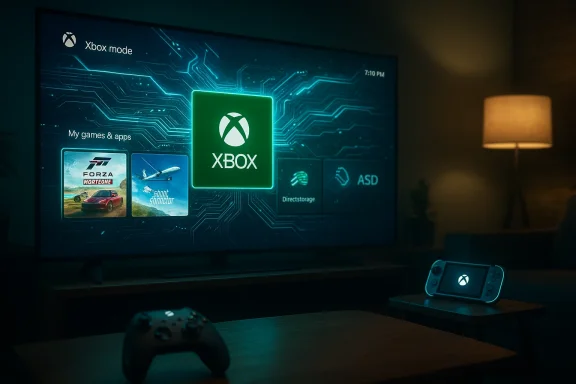
Cozy living room with a large TV showing Xbox mode UI and an illuminated Xbox controller on the coffee table.Background​

Microsoft’s Xbox‑branded, full‑screen shell first lived as the out‑of‑box interface on the ROG Xbox Ally handhelds and related portable devices, where it functioned as a lightweight, controller‑first launcher that boots into the Xbox app rather than the full Windows Explorer shell. That “full screen experience” has already been widened to several handhelds and preview channels, and at GDC the company announced a broader strategy: make this session posture a supported, optionally enabled experience across the Windows 11 ecosystem and align it with tooling for the next‑generation Xbox, codenamed Project Helix.
This is not just a UI choice. Microsoft is packaging the launch of Xbox Mode with developer‑facing upgrades — including Advanced Shader Delivery (ASD), expanded DirectStorage options, and new DirectX capabilities that embed machine learning into shader workflows — that aim to reduce first‑run shader stutter, speed load times, and make shader and asset delivery deterministic across devices. Microsoft frames these changes as foundational work for both PC and the next Xbox console.

What “Xbox Mode” actually is​

The session posture: full screen, controller‑first​

Xbox Mode is a session posture layered on top of Windows 11 rather than a separate operating system. When enabled, it offers:
  • A full‑screen, console‑style home that prioritizes the Xbox PC app as the “home” experience.
  • Controller‑first navigation, with UI flows optimized for gamepad input.
  • A streamlined UI that hides or deprioritizes typical desktop chrome to reduce distraction and (Microsoft claims) background overhead.
In practice, the mode behaves much like existing console UIs or Steam’s Big Picture: it’s a curated layer that makes launching, browsing, and switching games faster for controller users. Microsoft’s presentation at GDC stressed parity: Xbox Mode on PC is intended to deliver the same session posture players see on the ROG Xbox Ally and, in time, on Helix‑era hardware.

Notable UX touches and system behavior​

From the early previews and OEM implementations we’ve seen, Xbox Mode includes:
  • Quick‑switch tasking designed around a simplified Task View for games.
  • Aggressive prioritization of game processes and the suspension or trimming of some background services while a game is in the foreground.
  • Integration with the Game Bar and the Xbox PC app, including library aggregation and cloud‑play shortcuts.
  • Mechanisms to reduce input lag and initial stalls by pre‑delivering or pre‑compiling shader assets (see Advanced Shader Delivery below).
The mode has been previewed in Windows Insider builds and rolled to some handhelds earlier; Microsoft now intends to make it broadly available.

Why Microsoft is doing this: strategy and the Project Helix link​

Microsoft’s move is strategic on three levels.
  • Platform convergence: Microsoft is explicitly positioning Windows as the foundational runtime for the next generation of Xbox hardware. The company articulated this at GDC by tying Xbox Mode and the unified Game Development Kit to the Project Helix roadmap. The message was clear: build for Windows and you’ll be “build‑ready” for Helix.
  • Developer smoothing: by extending console‑grade tooling and deterministic shader delivery to PC, Microsoft reduces a class of friction that has historically made PC promises — “play anywhere, play better” — harder to deliver. Deterministic shader handling, improved DirectStorage tooling, and DirectX extensions that facilitate ML in shaders are all designed to make cross‑form‑factor parity less painful.
  • Ecosystem control and UX unification: a unified, branded session posture gives Microsoft a clearer channel to surface Game Pass, cloud play, and curated stores. This both strengthens the Xbox brand on PC and provides a platform to encourage developers and OEMs toward a more consistent gaming UX.

Developer tooling: what’s new and why it matters​

Advanced Shader Delivery (ASD)​

Advanced Shader Delivery (ASD) debuted on the ROG Xbox Ally family as a way to pre‑compile, package, and deliver shader content so the player’s machine doesn’t have to compile everything on first run — reducing stutter and smoothing initial gameplay. At GDC Microsoft announced ASD’s wider availability for Windows developers via support in the DirectX Agility SDK and ingestion through the Xbox Partner Center. The goal is to let devs collect and ship shader binaries in a deterministic package, which client devices can detect and apply automatically.
Why this matters:
  • Shader compilation is one of the most common causes of hitching or stutter in modern games, particularly on low‑end or integrated GPU systems.
  • Deterministic delivery enables a consistent first‑run experience across diverse PC hardware.
  • For handhelds and consoles that share a similar driver/ABI surface, ASD provides a path to parity between PC and Xbox rendering behavior.

DirectStorage and asset conditioning​

Microsoft is expanding DirectStorage with support for Zstandard compression and shipping a Game Asset Conditioning Library to standardize production pipelines. Those changes aim to reduce storage and I/O overhead while making asset packaging more predictable across platforms. Together with ASD, these efforts are explicitly billed as a way to reduce load times and first‑run variability.

DirectX and ML shader features​

At GDC Microsoft previewed new DirectX capabilities that embed linear algebra and ML operations in HLSL, unlocking hardware‑accelerated ML tasks directly in shaders. For developers, that means more expressive rendering pipelines and the ability to offload some tasks to dedicated shader‑friendly ML primitives — but it also raises the bar on developer tooling and hardware testing.

A unified GDK: “build for PC”​

Microsoft’s pitch is a single Game Development Kit (GDK) that lets studios compile once and target PC plus the upcoming Helix generation. That reduces duplication and lowers the cost of multiplatform support — if developers adopt the toolchain and follow Microsoft’s packaging and delivery recommendations.

Hardware and OEM implications​

Handhelds were the beachhead​

The ROG Xbox Ally family was the initial hardware platform for the full‑screen experience. OEMs and handheld makers like ASUS, Lenovo, MSI and others have already shipped or begun supporting the Xbox full‑screen interface on portable devices, and Microsoft’s staged rollouts to handhelds set the stage for a broader Windows rollout. Expect OEM firmware updates and power‑profile tweaks from ven Xbox Mode on non‑Ally hardware.

Project Helix and the blurred console/PC boundary​

Project Helix is being discussed publicly as Microsoft’s next‑gen Xbox effort that is purposefully designed to play both PC and console games. Microsoft’s message at GDC framed Helix and Xbox Mode as two faces of the same platform — suggesting Helix hardware will either run a Windows‑derived environment with Xbox Mode at boot or will be highly compatible with the Windows GDK approach. That has sweeping implications: console‑grade game packaging and the deterministic runtime behaviors Microsoft is pushing for would make porting PC games to Helix easier.

What OEMs will have to do​

  • Ship firmware and driver updates to ensure device profiles (power, thermal, GPU) behave predictably in Xbox Mode.
  • Work with Microsoft to certify ASD delivery and partner ingestion flows when necessary.
  • Create or adapt power profiles to balance performance, battery longevity, and thermal safety for handheld and laptop devices running Xbox Mode.

Rollout plan, compatibility, and timelines​

  • Announcement: Microsoft revealed Xbox Mode and related tools at GDC on March 11, 2026.
  • Preview history: parts of the feature have been appearing in Windows Insider builds (notably the 25H2 family and specific builds referenced in prior Insider channels), and Microsoft has been enabling the experience on handhelds and select devices through Insider and OEM updates.
  • Broad rollout: Microsoft stated that Xbox Mode will begin appearing across Windows 11 PCs in April 2026, initially in select markets. The company did not announce a simultaneous global drop for every territory or device. ([engadget.com](Microsoft's full screen 'Xbox Mode' will roll out to Windows 11 PCs in April practical notes:
  • Early access will likely come through the Windows Insider and Xbox Insider programs; participating in those programs will be the fastest path to try Xbox Mode.
  • OEM enablement will matter. Even when Xbox Mode is available in Windows, certain devices may require firmware updates for full support.
  • Market availability will be phased; Microsoft explicitly referenced select markets for the initial April distribution.

Benefits for players and developers​

For players​

  • Simpler, controller‑first UI for living‑room or handheld play.
  • Reduced first‑run stutter and faster startup thanks to ASD and DirectStorage improvements.
  • Easier access to Game Pass and cloud gaming from a single full‑screen frontend.

For developers​

  • Predictable shader behavior and a path to pre‑package shader assets for deterministic delivery.
  • A unified GDK approach that makes it easier to target both Windows PC and Helix console hardware.
  • New DirectX profiling and debugging tools that bring more console‑style diagnostics to PC workflows.

Risks, open questions, and critical caveats​

Microsoft’s bet is bold, but it comes with real trade‑offs and unanswered questions.

1. User choice and desktop integrity​

There’s a cultural and technical tension when a desktop OS adopts a console posture. Many PC users prize choice and a robust multitasking environment. Xbox Mode is optional, but when a major vendor tightly integrates a full‑screen, curated session posture, it can nudge users and OEMs toward a more locked‑down, curated experience. That raises questions about:
  • Will OEMs ship devices that default to Xbox Mode?
  • Will power users find their default workflows subtly discouraged or harder to configure?
  • How will Microsoft preserve the traditional desktop experience while supporting a console posture?
Community threads and early coverage already reflect a mix of enthusiasm and skepticism around how Xbox Mode will coexist with power‑user expectations.

2. Platform concentration and store dynamics​

A more unified Xbox‑branded front door to games on Windows could favor Microsoft’s services by surfacing Game Pass and Xbox Store content more prominently. While Microsoft has stated that Xbox Mode will aggregate multiple storefronts, the UX affordances (which titles are promoted, how updates are surfaced, and what monetization tools are highlighted) will materially affect developer economics and discoverability across non‑Microsoft storefronts.

3. Telemetry, privacy, and performance tradeoffs​

Xbox Mode’s goal of reducing background overhead may rely on tighter telemetry and system controls to make aggressive decisions about services and power. Users and sysadmins will rightly ask:
  • What telemetry does Microsoft use to decide which services are trimmed?
  • Can enterprises lock Xbox Mode out or enforce desktop‑first policies?
  • Does aggressive background trimming interfere with critical services (sync, backups, security agents) in multi‑user or corporate contexts?
These are verifiable questions that Microsoft has not fully answered in the initial announcements; expect follow‑up documentation from Microsoft telemetry and automatic trimming are opaque, trust and enterprise adoption could suffer.

4. Fragmentation by OEM and driver quality​

Xbox Mode’s real‑world performance will vary by OEM implementation and driver maturity. On handhelds this is manageable because the hardware target is narrow; on the global landscape of Windows laptops, desktops, and tablets, the variance can be substantial. Expect a multi‑month period where the mode performs beautifully on some systems and poorly on others — precisely the kind of fragmentation Microsoft wants to eliminate via ASD and developer guidance, but which remains a practical challenge.

5. Developer adoption and workflow disruptions​

ASD and the new pipelines introduce additional packaging steps and validation. Smaller studios or those with constrained build pipelines may balk at added pre‑production complexity. Microsoft will need to make these tools accessible and provide clear migration paths or the promise of meaningful gains.

What this means for major stakeholders​

For Microsoft​

A chance to reframe Windows as the canonical platform for the next generation of Xbox content. If Project Helix uses Xbox Mode as a primary UX, Microsoft gains a unified surface for both console and PC players — a strategic win if executed without alienating core PC customers.

For OEMs​

An opportunity and a burden. OEMs gain another differentiator for gaming devices, especially handhelds and gaming laptops, but must invest in firmware, drivers, and validation to ensure the Xbox Mode experience is stable and compelling.

For developers​

More powerful tools and a clearer path to parity across devices — but also new requirements for packaging and testing. Studios that embrace ASD and DirectStorage optimizations will likely deliver improved player experiences earlier than those that do not.

For players and communities​

A richer console‑like experience on PC — but with legitimate concerns around choice, telemetry, and the potential for UX homogenization. Community reactions reflect both excitement for smoother gaming and skepticism about the implications for traditional PC flexibility.

Practical guidance: how to prepare​

If you’re a gamer, developer, or system admin, here’s a concise checklist to be ready for Xbox Mode and the associated tooling:
  • Gamers
  • Join Windows Insider and Xbox Insider programs if you want early access.
  • Update GPU drivers and firmware: OEM updates may be required for full support.
  • Keep an eye on settings for background process management and telemetry controls.
  • Developers
  • Evaluate the DirectX Agility SDK and ASD documentation; prototype packaging shaders for a representative set of hardware.
  • Test with DirectStorage Zstandard compression in your asset pipeline.
  • Incorporate the new PIX and shader debugging tools into your profiling stage.
  • OEMs and integrators
  • Partner with Microsoft to certify power and thermal profiles for Xbox Mode.
  • Validate driver stack behavior under the mode’s process‑trimming rules.
  • Update user education materials so buyers understand the differences between desktop and Xbox Mode.
  • Enterprise IT
  • Decide early whether Xbox Mode should be allowed on managed devices and prepare Group Policy or Intune controls accordingly.
  • Test any interaction between Xbox Mode’s backgrounprise agents (VPN, backup, EDR).

Balanced assessment and final takeaways​

Microsoft’s Xbox Mode is an ambitious attempt to unify the console and PC gaming experiences while addressing well‑known pain points like shader stutter and long load times. The pairing of a console‑style session posture with deterministic delivery systems (ASD), improved storage tooling, and DirectX enhancements is sensible: it targets measurable sources of poor player experience and offers developers concrete tools to mitigate them. When it works, the player benefits are immediate — faster startup, less hitching, and a cleaner living‑room UX.
However, the risk landscape is nontrivial. The shift tests long‑standing expectations about Windows’ role as a general‑purpose desktop OS. Questions about telemetry, enterprise suitability, OEM variance, and the potential for store/interface lock‑in must be answered with transparent policies and robust controls. Microsoft’s documentation and partner guidance will be critical in the months after April 2026 if the company wants broad goodwill.
For the Windows and gaming communities, the next six to twelve months will be revealing. If Microsoft and its partners deliver on the developer tooling promises and handle privacy/choice concerns responsibly, Xbox Mode could be a meaningful step forward for cross‑form‑factor gaming. If those pieces aren’t delivered or are implemented opaquely, the feature risks becoming a divisive experiment — good for some users and devices, problematic for others.

Microsoft has signaled the direction: an Xbox‑branded, full‑screen session posture for Windows 11 that seeks to reduce friction in game delivery and align the PC ecosystem with the next generation of Xbox hardware. The details matter — firmware updates, developer adoption of ASD and DirectStorage changes, and clear user controls will determine whether Xbox Mode becomes a unifying improvement or an avoidable detour. The April 2026 rollout will be the first practical test; developers, OEMs and players should prepare now to evaluate how it behaves on the machines they care about.

Source: FilmoGaz Microsoft Introduces Xbox Mode to All Windows 11 PCs
Source: Thurrott.com Microsoft to Make New 'Xbox Mode' Available on All Windows 11 PCs Next Month
Source: Wccftech Building Games for Project Helix Means Building "For PC," Windows 11 Devices to Get ROG Xbox Ally's FSE Xbox Mode
 

Microsoft is bringing a console-style, full-screen Xbox Mode to Windows 11 — a controller‑first session posture that boots into the Xbox PC app, trims desktop overhead, and is now being previewed to Insiders with a planned broader rollout beginning in April. (blogs.windows.com)

Xbox game dashboard on a monitor shows Game Pass and game tiles, with a controller on the desk.Background / Overview​

Microsoft first introduced the idea as the Xbox Full Screen Experience (FSE) on dedicated handheld PC hardware, where it served as a console-like, game-focused front door that ctional desktop session for gaming sessions. That initial implementation shipped on devices such as the ROG Xbox Ally family and was presented as a way to make Windows handhelds feel and behave more like consoles. (news.xbox.com)
By late 2025 Microsoft began previewing the FSE more broadly to Windows Insiders, and in recent announcements the company has rebranded and formalized this capability as Xbox Mode for Windows 11. The Windows Insider blog and Xbox Wire both describe the experience as a session‑level shell layered on top of Windows — not a separate operating system — intended to offer a distraction‑free, controller‑first UI for players who prefer a living‑room style experience on PCs. (blogs.windows.com)

What Xbox Mode actually is​

A session posture, not a new OS​

Xbox Mode is an alternate Windows session posture: when activated it presents a full‑screen Xbox home environment while Windows continues to run underneath. The feature is designed to be optional and reversible — you can switch into it to quickly access your gaming library and media controls, then return to the desktop without signing out or rebooting. That differentiation is important: Microsoft frames Xbox Mode as an overlay that preserves the openness and choice of Windows while offering a console‑grade front end for play. (blogs.windows.com)

Key behaviors and entry points​

Microsoft’s documentation and blog posts list explicit entry and exit points for the experience. Insiders running the relevant preview build can enter Xbox Mode from Task View (hover the Task View icon and select “Xbox full screen experience”), from Game Bar settings, or by pressing the hotkey Win + F11. Once inside, users see the Xbox home screen, their Game Pass library, and installed titlnts aggregated under the Xbox app. Keyboard and controller shortcuts are tuned for the posture: for example, long‑pressing the Xbox button on a controller brings up Task View inside Xbox Mode. (blogs.windows.com)

Which Windows build and requirements​

The controlled preview surfaced in Windows Insider Preview Build 26220.7271 (KB5070307) for the Dev and Beta channels, and Microsoft makes Xbox Mode available to Insiders who are also registered Xbox Insiders and opt into the Pexperience requires the Xbox app from the Microsoft Store. Microsoft has emphasized a phased rollout, so not all Insiders will see the feature immediately. (blogs.windows.com)

How Xbox Mode changes the Windows gaming experience​

Console‑style navigation and performance posture​

Xbox Mode is purpose‑built for controller navigation and claims to reduce desktop overhead by suppressing or deprioritizing some Explorer and non‑essential background activities while the session is active. Microsoft and early testers report smoother, more immediate navigation and faster context switches between games and apps. On handheld hardware the mode also contributes to battery improvements and more consistent frame times because system resources are concentrated on games. (news.xbox.com)
Independent outlets and hands‑on reports suggest the experience can deliver tangible runtime benefits on constrained hardware. Early measurements published around the handheld launches noted lower memory footprint and improved frame‑time consistency when the full‑screen, controller‑first shell is in use — though exact gains will depend heavily on hardware, drivers, and the title being played. Readers should treat any headline performance numbers as hardware‑specific examples rather than universal guarantees.

Library aggregation and storefront openness​

A central promise is that Xbox Mode doesn’t lock players into a single storefront. Microsoft positions the Xbox app as an aggregator: it surfaces Game Pass titles, Xbox Play Anywhere games, and installed games from other popular storefronts so players can launch what they already own from a single, console‑like UI. That aggregation addresses one of the friction points for living‑room style PC play, where jumping between Steam, Epic, and other launchers can be inconvenient with a controller. (blogs.windows.com)

How to try it today (Insider preview and unofficial routes)​

Official Insider path​

  • Join the Windows Insider Program (Dev or Beta channel).
  • Join the Xbox Insiders Program and opt into the PC Gaming preview.
  • Update to Windows 11 Insider Preview Build 26220.7271 (KB5070307) and install the Xbox app from the Microsoft Store.
  • Toggle the experience via Task View, Game Bar settings, or Win + F11. (blogs.windows.com)
This is the supported path Microsoft describes, and the company is explicitly staging the rollout to ensure feedback from Insiders before a broader release. (blogs.windows.com)

Community and third‑party tools​

Before the official preview reached broader Insiders, hobbyist projects and a one‑click GUI tool emerged that enable or surface the hidden Xbox full‑screen experience on systems where it wasn’t officially available. Those projects can accelerate hands‑on testing but come with obvious tradeoffs — they’re unofficial, may use kernel drivers or unsupported toggles, and can break with new builds or driver updates. If you rely on a stable machine for work, we recommend using Microsoft’s supported Insider path rather than third‑party unlockers.

Where Xbox Mode fits in Microsoft’s broader gaming roadmap​

Tied to Project Helix and GDC 2026 messaging​

Microsoft’s GDC announcements framed Xbox Mode as part of a larger strategic move to blur the lines between PC and console — a theme central to the Project Helix next‑generation Xbox narrative. Executives described Xbox Mode as an experience that will begin rolling out to Windows 11 in April (starting in select markets), positioning the feature as a first‑class component of Microsoft’s cross‑platform strategy. Multiple outlets covered the same timeline as Microsoft’s presentations at GDC, reinforcing that April is the target month for the broader rollout.

Platform technologies that matter: Advanced Shader Delivery (ASD) and more​

Xbox Mode is only one visible surface of a broader stack of platform improvements Microsoft is promoting for gaming on Windows. Notably, Advanced Shader Delivery (ASD) is a system designed to precompile and deliver shader binaries at install time (or during download) so first‑run shader stutter and long initial shader compilation times are reduced. Microsoft’s DirectX and Windows teams published ASD APIs and related specs under the DirectX/ASD umbrella and have indicated plans to extend those tools to multiple storefronts and installers. In short, Xbox Mode’s smoother feel combines UI changes with low‑level delivery mechanisms like ASD that reand improve first‑run experiences.
Other platform improvements discussed alongside Xbox Mode include OS‑level upscaling (Auto Super Resolution), DirectX path tracing and ray tracing improvements, and refinements to the Game Bar and cloud streaming. The combined effect is intended to make Windows 11 more resilient and comfortable as a platform for living‑room and handheld gaming alike.

Strengths — what Microsoft gets right​

  • Low friction for controller users. Xbox Mode provides clear, consistent entry points and a controller‑first interaction model that reduces friction when using a gamepad to browse and launch titles. That is a huge usability win for couch and handheld scenarios. (blogs.windows.com)
  • Preserves Windows openness. Because the feature is a session posture rather than a forked OS, players retain access to the desktop and all installed storefronts; Microsoft’s messaging centers on aggregation rather than exclusivity. That preserves the flexible PC ecosystem while offering a console‑like shell when desired. (news.xbox.com)
  • End‑to‑end performance work. Pairing UI changes with platform tech such as ASD (shader pre‑delivery), driver and DirectX updates, and Game Bar enhancements shows Microsoft is addressing both surface UX and deep runtime efficiency — a sensible, cross‑stack approach.
  • OEM and form‑factor relevance. For handheld makers and OEMs designing living‑room PCs, Xbox Mode is a ready‑made, Microsoft‑branded UX layer that reduces the need tys; it can accelerate adoption of Windows handheld hardware by making the out‑of‑box experience more console‑friendly.

Risks, tradeoffs, and open questions​

  • Lock‑in and platform economics risk. Even though Microsoft promotes aggregation, the optics and incentives matter: if Xbox Mode ever prioritizes Microsoft Store or Xbox Game Pass content in discoverability, that could push users and developers toward Microsoft’s storefront economically. Observers and regulators will watch how discoverability and store placement are handled. So far, Microsoft’s messaging emphasizes choice, but any implicit favoring would raise questions. (blogs.windows.com)
  • Privacy and telemetry concerns. A full‑screen, console‑style shell that integrates cloud subscriptions and cross‑platform telemetry increases the surface for user data collection. Microsoft has not announced new, unique data collection regimes tied specifically to Xbox Mode, but as with any cross‑service UX, users should expect integrated telemetry across Xbox and Windows services and review privacy settings accordingly. This is an area where clarity and opt‑outs matter.
  • Compatibility and fragmentation. The experience is rolling out gradually and requires updated drivers, the Xbox app, and st on handhelds. Not all PCs will receive the feature at the same time, and early adopters may see uneven behavior across titles and launchers. The unofficial tooling that surfaced in community channels also highlights how the feature may behave differently on unsupported hardware. (blogs.windows.com)
  • Security concerns with third‑party enablers. Community tools that enable hidden or blocked features (including kernel‑level drivers) can introduce security and stability risks. For mainstream users, the supported Insider path is the safer route.
  • Potential for market and regulatory scrutiny. The move further integrates Microsoft’s gaming services with Windows. That may attract more regulatory attention where platform owners have historically been scrutinized for favoring their own services on their OS. The change itself is not a technical barrier, but the economic effects may be debated.

Developer and industry impact​

For game developers​

Developers stand to benefit from reduced first‑run friction via ASD and from the reach of a console‑style front end across Windows devices. However, implementing ASD or related DirectX tooling requires work in installers and CI pipelines. Microsoft has published APIs and guidance suggesting ASD will be integrated into the DirectX tooling chain and will be available to multiple storefronts, but adoption will happen over quarters, not overnight.

For storefronts and engine makers​

The promise that ASD and other improvements are cross‑store is crucial to preserve the open PC ecosystem. If the technology remains accessible to Steam, Epic, and others, it reduces incentives for a single‑store monopoly on optimized experiences. Microsoft has signaled intent to open ASD to other installers and storefronts; the exact timeline and technical integration details remain an area developers will watch closely.

For OEMs​

Handheld and living‑room PC makers get a standardized, Microsoft‑supported "Xbox Mode" UI to ship or enable, lowering fragmentation and possibly making their products more appealing to mainstream gamers who want a plug‑and‑play experience. OEMs will need to coordinate on driver support and power profiles to realize the experience promised in Microsoft’s marketing.

Practical advice for users and IT pros​

  • If you want to test Xbox Mode, use the supported Insider path (Dev/Beta + Xbox Insider registration) and make a full disk/OS backup beforehand. Insider builds can be unstable and are not recommended on a primary production machine. (blogs.windows.com)
  • Expect a phased experience: the feature must be enabled server‑side for many Insiders, and Microsoft has said not everyone will see it immediately. Patience and careful testing will reduce surprises. (blogs.windows.com)
  • If you rely on specific workflows or require desktop stability for work, avoid community unlockers and third‑party tools that force the FSE on unsupported hardware. Those tools can be convenient for experimentation but are a risk for daily drivers.
  • Keep GPU drivers, the Xbox app, and Windows updates current; many of the performance and compatibility improvements rely on the latest stack components and driver support. This is particularly important on handhelds and hybrid devices where firmware and driver updates can materially change behavior.

A quick comparison: Xbox Mode vs. Steam Big Picture (and others)​

  • Both Xbox Mode and Steam Big Picture aim to create a controller‑friendly, living‑room UX. The critical differences lie in ecosystem integration: Xbox Mode is tightly integrated with Xbox services (Game Pass, Xbox app) and Microsoft’s platform improvements such as ASD, whereas Steam's Big Picture is integrated with Valve’s storefront and ecosystem. Xbox Mode’s promise of cross‑store aggregation and system-level shader delivery aims to combine the discoverability benefits of a console with the openness of PC. Whether Microsoft achieves that balance in practice will be the central test. (news.xbox.com)

Conclusion​

Xbox Mode represents a deliberate step in Microsoft’s strategy to narrow the experience gap between consoles and PCs: a full‑screen, controller‑first session posture that is optional, layered on top of Windows, and paired with platform‑level improvements such as Advanced Shader Delivery. For players on handhelds and living‑room PCs, the experience promises lower friction and better first‑run performance; for developers and OEMs it signals an investment in cross‑stack tooling designed to smooth shader stutter, improve load times, and standardize a console‑like shell on Windows.
The rollout will be gradual and will rely on close coordination between Microsoft, OEMs, and third‑party storefronts and developers. Users who value stability should test Xbox Mode on non‑critical machines via the supported Insider channels; those who want to experiment more aggressively will find unofficial workarounds but should weigh the security and stability tradeoffs carefully. The April rollout window and related Project Helix positioning make Xbox Mode one of the most consequential platform moves for Windows gaming in recent years — and a capability that will be watched closely by players, developers, and regulators alike. (blogs.windows.com)

Source: Neowin Microsoft is bringing full-screen Xbox mode to Windows 11
 

Microsoft used GDC 2026 to lay down a clear, cross‑stack roadmap for making Windows 11 the premier platform for PC game development — a combination of a console‑style user experience, deeper OS and API integration for shipping precompiled shaders at scale, faster asset streaming with modern compression, and a new generation of DirectX tooling built for ML‑enabled rendering. These announcements are practical and developer‑facing: Xbox Mode will begin rolling out to Windows 11 devices in April, Advanced Shader Delivery (ASD) and the DirectX Agility SDK provide a pipeline for precompiled shader distribution, DirectStorage gains Zstandard compression and a Game Asset Conditioning Library to simplify pipelines, and DirectX itself is being extended with linear‑algebra primitives and a preview of Windows ML model integration to accelerate neural techniques in real‑time rendering. Microsoft reinforced these platform moves with a major expansion of PIX and DirectX debugging — including DirectX Dump Files, DebugBreak() in HLSL, and Shader Explorer — with previews expected in May 2026. (devblogs.microsoft.com) (devblogs.microsoft.com) (windowscentral.com)

Xbox gaming desk with monitor showing Halo Infinite, Forza Horizon 4, Gears 5, and Minecraft.Background / Overview​

Windows has long been the default home for PC games, but the platform’s openness also brings fragmentation: multiple storefronts, varied hardware, and a legacy pipeline for shader compilation and asset streaming that can cause long first‑run load times and in‑game stutter. Microsoft’s GDC 2026 messaging reframes Windows 11 as a more opinionated, optimized foundation for game developers — while explicitly preserving choice across engines, hardware partners, and distribution channels. That balance is central to the announcement: these are platform primitives intended to be adoptable by studios, engines, and storefronts rather than a single proprietary lock‑in. (devblogs.microsoft.com)
Microsoft’s story at GDC was twofold: deliver immediate developer tools and OS features that remove friction (faster loads, predictable shader behavior, better debugging), and invest in the next wave of graphics: ML‑first rendering pipelines that can run efficiently on PC and (eventually) the next‑gen Xbox hardware Microsoft hinted at during GDC. The company doubled down on partnerships with AMD, NVIDIA, Intel, and Qualcomm — a necessary move given the hardware‑specific nature of many of these capabilities. (windowscentral.com)

Xbox Mode: what it is, what it isn’t, and why it matters​

What Microsoft announced​

  • Xbox Mode (rebranded from the earlier Full‑Screen Experience) will start rolling out in April to Windows 11 PCs in select markets and will expand across all Windows 11 form factors: laptops, desktops, tablets, and handhelds. The interface is controller‑first and full‑screen, designed to feel like a console dashboard while still allowing users to switch back to the Windows desktop. (windowscentral.com)
  • The feature is intended to unify the gaming UX across Xbox and Windows, giving players a quick, distraction‑free way to browse libraries, launch games, and use Game Bar features with a controller. Early internal previews on handheld devices indicated meaningful memory‑and‑background‑process reductions, which Microsoft says improve game performance on constrained devices.

Why this matters for developers​

  • Xbox Mode is an opportunity for studios to think beyond the keyboard‑and‑mouse UX: a single build can present both a desktop and a console‑style playback experience if the platform and store integration are correct. For studios targeting handheld Windows devices (ROG Ally, Lenovo Legion Go, etc.), this reduces friction for players who want living‑room or couch play. (windowscentral.com)
  • For publishers and storefronts, Xbox Mode provides a curated surface that can surface Game Pass, cloud titles, and curated content in a way that’s more discoverable to controller users — a commercial plus for subscription models.

Risks and tradeoffs​

  • A console‑style interface on Windows has UX implications: some PC gamers prize desktop flexibility and multiple launchers. Xbox Mode must avoid being perceived as a forced replacement and instead remain opt‑in, performant, and clearly reversible. Early messaging says users can switch back to the desktop anytime; how frictionless that switch is in real usage will dictate acceptance. (windowscentral.com)
  • Fragmentation remains possible if storefronts and third‑party launchers do not embrace the registration and delivery hooks Microsoft provides. Adoption by key stores will determine whether Xbox Mode becomes a universal UX or a Microsoft‑centric one.

Advanced Shader Delivery (ASD): a practical solution to shader stutter​

The problem​

Shader compilation during first runs or at new rendering paths is a perennial cause of stutter and long startup times on PC. Unlike consoles, where a single OS+driver combination allows vendor‑controlled precompilation, the PC ecosystem’s diversity has historically forced developers into best‑effort caches or per‑device fade‑in experiences.

Microsoft’s approach​

ASD is a multi‑part solution:
  • Developers collect pipeline state object inputs into a State Object Database (SODB) during development; the SODB can be compiled offline into a precompiled shader database (PSDB).
  • The DirectX Agility SDK provides APIs and tooling to author, collect, and register these SODBs/PSDBs.
  • Game installers or storefronts (starting with the Xbox PC app) can register PSDBs on target machines so drivers can use them as a source of precompiled shaders on day‑one. This yields far higher shader cache hit rates on first runs and can reduce first‑run launch time by factors claimed in partner examples. (devblogs.microsoft.com)
Microsoft showed ASD working on ROG Xbox Ally and Ally X devices where precompiled shaders could improve launch time and consistency; the Agility SDK release notes and developer guidance date back to late 2025 and are now being extended into a broader workflow for third‑party studios. Trials for third‑party studios are expected to start in May, and Microsoft is enabling game teams to self‑enable ASD via the Xbox Partner Center pipeline. (devblogs.microsoft.com)

Developer impact and adoption roadmap​

  • Engines will need to integrate SODB collection into nightly builds or asset baking steps. The Agility SDK already exposes command‑line tooling to capture PSOs during gameplay runs and pipeline tools for offline compilation. Expect changes to CI and nightly validation to incorporate PSDB generation/test workflows. (devblogs.microsoft.com)
  • IHVs (AMD, NVIDIA, Intel, Qualcomm) are providing offline compiler plugins to make PSDBs target multiple hardware families. This vendor cooperation is key: precompiled artifacts are only useful if offline compilation accurately matches runtime codegen across drivers. Microsoft’s Agility SDK and the IHVs’ offline compiler plugs are explicitly designed to solve that. (devblogs.microsoft.com)

Strengths​

  • Predictability: PSDBs move shader compilation out of player machines at runtime and into deterministic engineering pipelines.
  • Cross‑device benefit: If storefronts adopt PSDB registration, the same compiled shaders can be delivered to similar hardware, bringing console‑level startup consistency to PC.

Risks and open questions​

  • Scale and storage: Precompiled shader databases for a large game can be sizeable. Studios must balance PSDB size vs. storage and download budgets. Microsoft’s guidance and tooling aim to manage this, but studio pipelines will need to make tradeoffs.
  • Driver churn and OS/driver mismatch: PSDBs compiled against particular driver versions or offline compilers could mismatch runtime behavior after driver updates. Microsoft plans to update PSDBs via the Xbox PC app and storefront pipelines, but the cadence and automation required across thousands of titles will be nontrivial. Studio QA must include driver‑update regressions. (devblogs.microsoft.com)

DirectStorage: Zstandard, GACL, and faster streaming​

What’s new​

  • Zstandard (zstd) compression support is being added to DirectStorage, offering modern, faster, and more efficient compression for game assets than legacy formats in many cases. Zstd provides a configurable compression ratio vs. decompression speed tradeoff that can optimize streaming workloads. (devblogs.microsoft.com)
  • Microsoft is releasing a Game Asset Conditioning Library (GACL) — a pipeline toolset to standardize asset conditioning and compression across production systems, making it easier for studios to prepare assets for high‑throughput NVMe streaming with consistent results. (devblogs.microsoft.com)
  • Expanded high‑throughput streaming scenarios in DirectStorage aim to reduce I/O latency and increase sustained throughput for data‑heavy environments, without radically changing developer workflows. Together, zstd + GACL promise smaller compressed sizes, faster streaming, and simpler pipeline integration. (devblogs.microsoft.com)

Why this matters​

  • Real‑time open worlds and streaming textures/models at runtime benefit from both better compression and GPU/OS‑assisted decompression. Zstd’s strong CPU decompression and potential GPU assist (depending on ecosystem support) can increase effective read bandwidth and reduce CPU overhead. NVIDIA, AMD, and others have already worked with Microsoft on GPU‑decompression integration in previous DirectStorage iterations; zstd adds a modern, flexible codec to the toolbox. (devblogs.microsoft.com)
  • GACL lowers the engineering overhead for studios that previously had to cobble together bespoke conditioning scripts to match their compression targets and streaming patterns. Standardization can accelerate DirectStorage adoption because asset output will be more predictable across studios and engines. (devblogs.microsoft.com)

Practical caveats​

  • Many games ship with baked install‑time compression and archives; retrofitting DirectStorage and reprocessing assets for zstd will be most efficient at initial development or major remaster cycles rather than as a small post‑release patch.
  • Studio CI must validate streaming behavior across HDD, SATA SSD, and NVMe tiers, since DirectStorage’s benefits target NVMe devices. Microsoft’s guidance and samples historically emphasize NVMe and GPU‑decompression enablement — studios should measure the real user base before committing to zstd‑only pipelines. (devblogs.microsoft.com)

DirectX and the ML era: linear algebra in HLSL and Windows ML previews​

New capabilities​

  • Microsoft announced linear‑algebra primitives in HLSL — matrix and vector operations intended to make it easier to express neural operations and hardware‑accelerated ML workflows directly in shaders. The intent is to let developers run small models or lightweight ML ops in pixel/compute shaders without excessive host roundtrips. (devblogs.microsoft.com)
  • A preview of Windows ML models in graphics workloads was promised: developers will be able to embed or reference lightweight models directly in rendering pipelines, reducing the need for manually hand‑coding shader approximations where a learned model provides better fidelity or performance. (devblogs.microsoft.com)

Why this shifts the rendering playbook​

  • Neural rendering techniques (denoising, upscaling, material synthesis, temporal reconstruction) increasingly outperform hand‑coded approximations for certain workloads. By adding linear algebra primitives in HLSL and a path for WinML model integration, Microsoft is enabling engines to move neural stages closer to the GPU execution model. This can reduce CPU‑GPU synchronization and increase throughput for ML tasks that map well to shader execution. (devblogs.microsoft.com)
  • It also aligns with a broader industry trend: GPUs and consoles are adopting tensor and matrix‑acceleration hardware, and making those capabilities accessible in the shader language reduces friction for adoption of ML pipelines. Microsoft’s partnership messaging with IHVs is meant to ensure hardware acceleration lines up with the HLSL changes. (devblogs.microsoft.com)

Implementation guidance and caveats​

  • Start small: prototype small, bounded models (denoisers, micro‑detail upscalers) to assess latency and precision tradeoffs.
  • Measure memory and cache behavior: shader‑embedded models consume local memory and can change register/spill behavior.
  • Plan for model updating: shipping a model is not the end — plan for retraining and patching in storefront workflows or via Windows Update/installer mechanisms.
  • Beware of portability: different GPUs have different tensor/AI microarchitecture; validate across AMD, NVIDIA, Intel, and Adreno (mobile) targets. (devblogs.microsoft.com)

DirectX Dump Files, PIX improvements, and modern GPU tooling​

New tools and debugging workflow​

  • DirectX Dump Files: a standardized capture format for GPU crash and state data, with first‑class support in PIX and programmatic access for offline analysis. This brings the Windows PC ecosystem closer to consoles’ crash‑capture workflows. (devblogs.microsoft.com)
  • DebugBreak() in HLSL: shader‑level breakpoints that let developers pause execution at a shader instruction to inspect state, enabling far faster iteration for complex shader debugging. (devblogs.microsoft.com)
  • Shader Explorer: a new tool to inspect compiled shaders and (later in the year) perform deeper live analysis. Microsoft described this as an effort to bring console‑level GPU tooling to PC and to make shader behavior more transparent to engineers. (devblogs.microsoft.com)
  • PIX additions: Tile Mappings Viewer and hardware‑specific GPU counters in System Monitor to improve platform‑specific profiling. Microsoft said the largest wave of PIX additions in a decade was incoming, with preview availability starting May 2026. (devblogs.microsoft.com)

Why this is important​

  • These tools reduce the time to root cause performance regressions and crashes across a heterogeneous set of hardware. For large teams shipping AAA titles, deterministic captures and the ability to programmatically ingest GPU dumps will be a big win for remote QA and telemetry pipelines. (devblogs.microsoft.com)

Limitations and adoption notes​

  • Some hardware‑specific counters or behaviors may remain vendor‑specific; partnered IHVs are important for making per‑GPU counters usable at scale.
  • Using DirectX Dump Files and DebugBreak in production code requires careful gating: instrumenting shaders for debug can change timing and behavior if left in release builds. Use staged flags and validate performance parity. (devblogs.microsoft.com)

Ecosystem and partner dynamics​

Microsoft’s GDC messaging repeatedly emphasized partnership: AMD, NVIDIA, Intel, and Qualcomm were called out as collaborators in shader compilation workflows, offline compiler support, and hardware counters. This multi‑vendor alignment is the single most important factor in the success of ASD, DirectStorage advances, and ML shader acceleration. In short: these changes are only effective if IHVs deliver stable offline compilers, runtime drivers consume PSDBs predictably, and GPU vendors expose the necessary counters and acceleration to PIX and DirectX. (devblogs.microsoft.com)
Third‑party coverage and in‑market previews (Windows Central, Windows Latest) have already validated Microsoft’s announcements and provided hands‑on impressions of Xbox Mode and the new tools; but operationalizing these features across hundreds of titles will take time and careful engineering. (windowscentral.com)

Practical checklist for studios: how to prepare now​

  • Evaluate your install and streaming pipelines for DirectStorage opportunities:
  • Identify large or frequently streamed assets and test zstd compression vs. current codecs.
  • Add a DirectStorage test harness to CI to measure NVMe throughput and decompression latency. (devblogs.microsoft.com)
  • Plan for ASD adoption:
  • Integrate SODB collection into nightly builds or automated QA runs to capture real shader usage.
  • Work with your Microsoft/Xbox contact or the Xbox Partner Center to trial PSDB registration workflows when available. (devblogs.microsoft.com)
  • Prototype shader‑embedded ML:
  • Implement a small ML shader (denoiser or micro‑detail upscaler) using HLSL linear algebra primitives and measure GPU register pressure and frame latency across hardware families. (devblogs.microsoft.com)
  • Update debugging practices:
  • Begin planning to incorporate DirectX Dump File generation into crash telemetry and enable PIX capture flows in automated repro pipelines. (devblogs.microsoft.com)
  • QA and driver strategy:
  • Build driver‑update regression tests that include PSDB validation and shader cache hit‑rate checks.
  • Maintain a matrix of supported GPU driver versions and offline compiler versions for PSDB generation. (devblogs.microsoft.com)

Strengths, risks, and what to watch next​

Strengths​

  • Microsoft’s announcements are pragmatic and engineer‑facing: they provide API hooks, tooling, and store integrations that make a measurable difference to load times and stutter.
  • The Agility SDK + ASD model allows studios to manage shader compilation deterministically rather than relying on unpredictable first‑run compilation.
  • DirectStorage improvements and a standardized asset conditioning library lower the bar for asset streaming adoption.
  • DirectX’s ML additions reflect the industry move to neural rendering and bring the required primitives closer to where rendering happens.

Risks and unknowns​

  • Adoption velocity: major engines and third‑party storefronts must adopt PSDB registration and GACL for the full ecosystem benefit. This will take months to years for wide coverage.
  • Operational complexity: adding SODB collection, offline compilation, and PSDB registration increases CI complexity; small teams may find the tooling overhead nontrivial.
  • Driver/OS churn: PSDB robustness across driver updates, Windows versions, and IHVs is essential — mismatches could cause regressions if not properly tested.
  • Long tail of hardware: benefits concentrate on NVMe and relatively modern GPUs. Users with HDDs or older GPUs may see limited improvements unless studios bake fallback paths.

Signals to monitor​

  • Adoption by major engines (Unity, Unreal) and their pipeline guidance for SODB/PSDB.
  • IHVs’ rollout of offline compilers and their documented compatibility matrices.
  • Storefronts beyond the Xbox PC app (e.g., Steam, Epic) announcing support for PSDB ingestion and registration.
  • Early studio postmortems from May/June previews that demonstrate real‑world gains or integration pain points. (devblogs.microsoft.com)

Community reaction and immediate takeaways​

The developer and enthusiast communities reacted quickly: forum previews, hands‑on looks at Xbox Mode, and commentary on ASD and DirectStorage have already started circulating. Early takes praise the practicality of precompiled shader delivery and the promise of integrated ML pipelines, while also calling out the engineering surface area required to adopt these features in large codebases. If Microsoft’s timeline holds — previews and trials in May with broader availability through the year — studios that start integrating these primitives into production CI now will have a measurable advantage for late‑2026 releases.

Conclusion​

GDC 2026 marked an inflection point for Windows 11 as a gaming platform. Microsoft’s announcements are not vaporware: they come with SDKs, tooling, timelines, and explicit hardware partner cooperation. For developers, the message is clear: invest in the new platform primitives now — integrate SODB collection, experiment with zstd and GACL for streaming, and prototype ML in shaders — because these changes will reshape first‑run performance, streaming fidelity, and the very architecture of in‑game rendering over the next 12–24 months. The payoff is tangible: faster load times, reduced shader stutter, more predictable day‑one experiences, and a pathway to ML‑driven graphics that can push visual fidelity and efficiency forward on Windows 11. But getting there requires engineering discipline, updated CI and QA practices, and close collaboration with engine, driver, and store partners. If you ship a PC title this year or next, treat these announcements as a roadmap — not a menu — and start mapping your pipeline to it today. (devblogs.microsoft.com)

Source: Windows Blog GDC 2026: Announcing new tools and platform updates for Windows PC game developers
 

Microsoft’s plan to give Windows 11 a console‑style front door is no longer vaporware: beginning in April Microsoft will begin rolling the rebranded “Xbox Mode” — the full‑screen, controller‑first shell that debuted on purpose‑built handhelds — to a wider set of Windows 11 PCs, and it will arrive alongside a suite of developer‑facing graphics tools (most notably Advanced Shader Delivery) that aim to reduce load times and shader stutter. ps://news.xbox.com/en-us/2025/11/21/the-full-screen-experience-is-available-for-xbox-insiders-starting-today/)

Xbox gaming setup: monitor shows Forza Horizon, Halo Infinite, Hades, and Xbox Game Pass.Background​

Microsoft first shipped the streamlined, console‑like user interface as the Full Screen Experience (FSE) on handheld hardware co‑engineered with OEM partners late in 2025, where it served as a simplified “home” that boots directly into the Xbox app and favors gamepad navigation over mouse and keyboard workflows. That handheld focus was deliberate: the form factor demands a reduced UI footprint and faster startup-to-play transitions. Now Microsoft is pivoting to make that session posture an option across laptops, desktops and tablets — not to replace Windows, but to provide an alternate, gaming‑optimized session for users who want a Steam Deck‑style, living‑room experience on conventional PCs.
This push is being coordinated with other Xbox and DirectX initiatives: the Xbox PC app has been reworked into a more complete gaming hub that aggregates installs from multiple storefronts, and DirectX teams are introducing behind‑the‑scenes tech such as Advanced Shader Delivery (ASD) that promise to address notoriously painful shader compile stutters and long first‑run load times. Microsoft’s own messaging and multiple independent outlets confirm a staged rollout beginning in April, with preview channels and limited market availability at first.

What is Xbox Mode (formerly FSE)?​

A session posture, not a new OS​

Xbox Mode is not a separate operating system; it’s a session posture layered on top of Windows 11. When enabled, the mode presents a full‑screen Xbox home that prioritizes games, controller navigation, and quick access to Xbox services such as Game Pass and cloud streaming, while de‑emphasizing the traditional desktop shell. Windows continues to run underneath; the system still handles drivers, updates, and background processes — Xbox Mode simply offers a simplified, game‑first user surface.

Controller-first, full-screen UX​

The interface intentionally mirrors console layouts: large tiles or lists for game discovery, clear emphasis on launch and resume actions, and navigational affordances built around the guide/Xbox button and thumbstick. Microsoft and OEM images have intentionally leaned into the ROG Xbox Ally examples, underscoring the console‑like experience that inspired this design. For users, that means fewer menus, fewer context switches, and a more consistent living‑room experience for couch play or handheld docking.

Aggregated library and storefront neutrality​

One of the most practical changes is the Xbox PC app’s aggregation of installed titles from Steam, Epic, GOG, Battle.net and other stores into a single “My Library” view. That lets the Xbox home act as a genuine launcher for a user’s existing PC library rather than a closed garden for Game Pass titles alone. Microsoft has framed this as convenience for players, especially on handhelds and laptops where toggling between multiple clients is less convenient. Independent reporting confirms the Xbox app can now show and in many cases launch non‑Microsoft games.

Why now? Strategic context​

Microsoft’s timing isn’t random. Handheld PCs and living‑room streaming have created pressure for a simpler, less Windows‑centric way to access PC games. The ROG Xbox Ally and similar machines demonstrated enough demand that Microsoft is treating the FSE as an experience worth exporting. There are three strategic drivers behind the move:
  • Platform consolidation: a unified entry point for games can raise engagement with Xbox services — Game Pass, cloud streaming, and the Xbox ecosystem — while remaining compatible with other storefronts.
  • Performance optics: alongside UI changes, Microsoft is shipping technical features (ASD, driver and tooling improvements) designed to improve perceived performance, which strengthens the case for a console‑style front end.
  • Windows on Arm and device diversity: as Arm‑based Windows devices proliferate, a streamlined, controller‑friendly shell that scales down desktop distractions can ease the transition to portable gaming hardware with different thermal and battery constraints. Microsoft has also broadened Xbox app support on Arm, making this shift more practical.

The technical story: Advanced Shader Delivery and the Agility SDK​

What Advanced Shader Delivery is trying to fix​

Shader compilation and pipeline creation on first run have long been a pain point across PC GPUs and drivers. When a game encounters a shader for the first time, the GPU driver or runtime often compiles or optimizes that shader, which can block rendering and cause stutter. Microsoft’s Advanced Shader Delivery (ASD) aims to precompile or prepackage the necessary pipeline objects as part of the game delivery pipeline so that the heavy lifting happens before the player launches the game. Precompiled shader data can be delivered with the game via the Xbox PC app (or potentially other stores in the future), pulled into a local cache, and used to avoid in‑session compile stalls.

The DirectX and Agility SDK tie-ins​

Microsoft’s DirectX group has published tooling (via the Agility SDK and DirectX developer blog materials) to let studios collect state objects and generate precompiled shader databases that can be shipped alongside game binaries. Early partners — including major GPU vendors — have signaled support, and Microsoft has already shown large load‑time improvements on partner handheld demos (claims of dramatic improvements, including multi‑fold faster launch times, have been made). That said, adoption requires studio integration and test validation across GPUs and drivers.

Caveats and real‑world limits​

ASD is promising, but it’s not magic: it relies on correct state capture, driver compatibility, and developer participation. Titles that use custom rendering pipelines, runtime shader generation, or heavy compute that depends on runtime conditions may see less benefit. The feature’s real value depends on broad industry roll‑out and consistent testing across discrete and integrated GPUs, multiple drivers and forms of anti‑cheat software. Microsoft’s documentation and sessions at GDC 2026 are intended to walk developers through those limitations and integration steps.

How Xbox Mode compares to Valve’s Steam Deck/SteamOS UX​

The shorthand floating around coverage — “Steam Deck‑ish” — is useful because both experiences pursue the same user need: a simplified, controller‑first game launcher for portable or couch play. But there are important differences.
  • Scope: Steam Deck runs SteamOS (a Linux distro) and centers around the Steam store and Proton compatibility. Microsoft’s Xbox Mode is a session within Windows 11 that aggregates multiple stores and services, and leaves the robust Windows ecosystem intact.
  • Compatibility strategy: Valve’s Proton is a translation layer that focuses on running Windows games on Linux, whereas Microsoft is leveraging native Windows compatibility and bringing optimization tools (like ASD) and the Xbox PC app to reduce friction.
  • Ecosystem incentives: Valve’s model is neutral to other stores (although Steam is dominant), while Microsoft’s unified Xbox hub naturally highlights Game Pass and Xbox services — a potential strategic advantage for Microsoft’s subscription ecosystem.
In short: Xbox Mode offers a Deck‑like surface without divorcing users from the Windows software stack — a pragmatic approach that preserves legacy app compatibility while polishing the gaming front end.

Developer and publisher implications​

New integration points and packaging steps​

Game developers will be asked to integrate state‑object capture and precompile steps into their build pipelines to take full advantage of ASD. Microsoft’s Agility SDK provides tooling for this transition, and Microsoft has signaled that the Xbox PC app will act as one distribution channel for precompiled shader payloads, though the tech is designed to be store-agnostic over time. This introduces a new packaging concern: studios must test PSDBs (precompiled shader databases) across driver versions and potentially deliver multiple variants to cover hardware diversity.

Anti‑cheat and multiplayer concerns​

Any change in how games are launched and how binaries are packaged requires careful attention from anti‑cheat vendors and multiplayer publishers. Precompiled shader payloads and new runtime hooks might interact with anti‑cheat measures; game studios must validate that the new delivery model doesn’t break anti‑cheat or create false‑positive conditions. Microsoft’s developer guidance acknowledges the need for collaboration here.

Opportunity for smaller studios​

For smaller teams and indie developers, the promise of fewer runtime stutters and faster initial load experiences is attractive. If ASD adoption makes launch experiences smoother without extensive platform‑specific optimization, players may be more likely to stick with titles that previously suffered from long first‑run delays.

User experience, compatibility, and how to try it​

Who will see Xbox Mode first​

Microsoft is staging the rollout: Insiders on Dev and Beta channels have seen previews, OEMs have enabled the mode on partnered handhelds, and a broader staged release across markets and device types will begin in April. Microsoft explicitly warned that initial availability will be limited to select markets and configurations, and that the rollout will be phased. That means many users will need to wait for their systems and regions to be included.

How to enter and exit Xbox Mode​

Preview documentation and Insider posts explain that Xbox Mode can be toggled via Settings > Gaming > Full Screen Experience (or via Game Bar and a Win+F11 shortcut in preview builds), and users can set the Xbox app as their “home app” so the system boots straight into the Xbox‑first surface if they prefer. Because Windows remains the underlying OS, exiting Xbox Mode returns users to the regular desktop with their session state preserved.

Performance expectations on different hardware​

  • Handhelds and Arm devices: Microsoft and partners have shown the feature on ROG Ally‑class devices and have begun shipping an Xbox PC app for Arm that expands local installs for many Game Pass titles. Arm users should see improved viability for local play on newer CPU/GPU combos, but compatibility for every title is not guaranteed.
  • Desktops and gaming laptops: Performance benefits from ASD and minimal background overhead in Xbox Mode could be noticeable, particularly for long shader loads and first‑time runs. Real‑world gains depend on whether games ship precompiled shader payloads and whether drivers on your GPU vendor are up to date.

Privacy, telemetry and antitrust considerations​

Microsoft’s push raises predictable questions about data flows and competitive behavior.
  • Telemetry and cloud services: Features like ASD rely on orchestration between client apps, distribution channels and potentially cloud services. That creates data touchpoints where Microsoft or partners could collect telemetry about game usage, hardware, and shader profiles. While Microsoft frames this as performance telemetry to improve compatibility, privacy‑conscious users should expect to see new opt‑in/opt‑out toggles and documentation about what data is collected and why.
  • Ecosystem leverage: Aggregating storefronts inside the Xbox app is convenient, but it also centrally surfaces Microsoft’s subscription services and promotion channels. Regulators and competing storefronts may scrutinize whether Microsoft gives preferential treatment to its own services or uses technical hooks to favor Game Pass titles. Those are long‑running tensions in platform economics and are likely to reappear as Xbox Mode becomes more visible.

Risks and trade‑offs​

Every strategic product shift carries trade‑offs. Here are the most salient risks to watch:
  • Dependency on developer buy‑in: The performance gains promised by ASD require game developers and engine teams to adopt new tooling and potentially ship additional payloads. Uptake will be uneven; some titles will benefit immediately while others won’t.
  • Driver and GPU fragmentation: Precompiled pipeline objects must match driver behavior. Fragmentation across AMD, NVIDIA, Intel, and integrated GPUs complicates robust, universal delivery of shader databases. Incorrect assumptions can cause regressions or require multiple PSDB variants per title.
  • Anti‑cheat and security edge cases: New packaging or runtime behaviors sometimes trigger anti‑cheat flags or create untested execution paths, which can lead to compatibility incidents or bans if not handled carefully. Studios and anti‑cheat vendors need to coordinate.
  • User choice and discoverability: Not all PC users want a console‑style experience; Microsoft’s challenge is to offer Xbox Mode as an opt‑in that respects power users’ expectations. Poor defaults or heavy promotion could alienate users who rely on the traditional desktop for productivity.

OEM and partner dynamics​

Microsoft’s initial co‑engineering with OEMs (e.g., ASUS ROG Xbox Ally) allowed the company to validate FSE on real hardware, and those partnerships are serving as a launchpad for a broader rollout. OEMs benefit from another product differentiator for handheld and gaming laptops, but they must balance driver maturity and thermal/power profiles to avoid negative user experiences. GPU vendors have signaled buy‑in for developer tooling and SDKs, which helps, but real success depends on careful qualification across OEM SKUs.

How to prepare as an IT pro, gamer, or developer​

If you manage gaming rigs, develop games, or just want to try Xbox Mode, here’s a practical checklist:
  • Update drivers and the Xbox PC app: vendors and Microsoft are shipping driver and app updates that surface compatibility improvements and enable new features like ASD support.
  • Join Insider channels to preview Xbox Mode: Windows and Xbox Insiders have early access to the Full Screen Experience; these channels will remain the primary way to test the feature before broad availability.
  • For developers: evaluate the Agility SDK, instrument state object exports, and test PSDB delivery workflows across driver versions and hardware. Microsoft’s DirectX sessions at GDC 2026 and developer blog posts provide practical guidance.
  • For enterprises or labs: treat Xbox Mode as an optional session posture that should be kept off on managed devices where desktop conformity and app compatibility matter.
  • Backup and test: as with any preview software, validate your most important workflows and be prepared to roll back Insider builds if instability appears.

Measuring success: what to watch over the next 6–12 months​

If Microsoft is to make Xbox Mode a genuine PC mainstream feature rather than an experimental shell, watch for these signals:
  • Developer adoption rate for ASD and Agility SDK: how many mid‑ and AAA studios ship PSDBs or otherwise integrate state‑object capture? Greater adoption correlates with broader performance gains.
  • OEM enablement across form factors: beyond handhelds, will mainstream gaming laptops and desktops ship with Xbox Mode toggles enabled by default or as an option?
  • Anti‑cheat stability reports: a low incidence of anti‑cheat issues connected to the new shell or shader delivery indicates solid vetting.
  • Consumer response: adoption rates and player feedback about discoverability, convenience, and performance will determine whether Xbox Mode becomes a permanent fixture or a niche feature.

Final analysis: pragmatic convenience with strategic ambition​

Xbox Mode is a pragmatic remapping of console UX ideas onto Windows 11. It solves clear pain points — long first runs, fragmented launchers on portable devices, and clumsy controller navigation — while preserving the underlying Windows runtime that developers and users depend on. The addition of Advanced Shader Delivery and DirectX tooling shows Microsoft is thinking holistically: UI changes alone are cosmetic; pairing them with engine and delivery improvements addresses the deeper technical annoyances of PC gaming.
That said, the system’s real-world impact depends on three interlocking things: studio uptake of ASD and Agility SDK tooling, GPU/driver ecosystem coordination, and careful execution around anti‑cheat and privacy. Absent broad developer participation, Xbox Mode will be a nice front end with only spotty performance wins. Conversely, if Microsoft secures wide industry buy‑in and keeps the Xbox app truly neutral in terms of storefront access, players will gain a much smoother pathway from power‑on to play — especially on handheld and Arm devices.
Microsoft’s staged April rollout is the start of a larger experiment: the company wants Windows to feel more like a console when you want it to, without forcing anyone to give up the desktop. That balance — convenience without coercion — will decide whether Xbox Mode is embraced as a useful alternate reality for PC gaming or criticized as another surface for platform competition.

Conclusion​

For gamers who have long wanted a simpler, controller‑first way to play PC titles, Xbox Mode finally delivers a polished option that sits on top of Windows 11 and ties into Microsoft’s broader graphics and distribution strategy. For developers and system integrators, the change is meaningful: ASD and the Agility SDK present real chances to improve launch latency and stutter, but they also require engineering work and cross‑vendor testing. Over the next months, expect a mix of praise for improved experiences on handhelds and cautious scrutiny from power users and industry watchers concerned about packaging, telemetry and ecosystem balance. If Microsoft can shepherd a smooth, interoperable rollout that respects user choice and developer realities, Xbox Mode could become a useful, non‑invasive addition to the PC gaming toolkit.

Source: Ars Technica Windows 11's Steam Deck-ish, streamlined Xbox gaming UI comes to all PCs in April
 

Microsoft’s message at GDC this year was blunt and strategic: if you want to ship widely on Xbox, start by making your game for PC — and starting in April 2026, Windows 11 will give those PC-first titles a new, console‑style front door with a system‑level “Xbox mode” that promises a controller‑first, full‑screen playing posture across laptops, desktops, tablets and handhelds.

Blue-lit living room gaming setup with a large screen, laptop, and controller.Background / Overview​

Microsoft used the stage of GDC 2026 to lay out a cross‑platform, cross‑stack playbook: hardware alignment with its next‑generation console efforts, a renewed set of DirectX and asset‑streaming tools aimed at modern rendering pipelines, and an operating‑level user experience — the Xbox Full‑Screen Experience (FSE), now broadly framed as Xbox mode — intended to make Windows behave more like a console when players want it to. That user posture debuted on purpose‑built handhelds such as the ROG Xbox Ally family and has been validated in preview builds and device tests; Microsoft now plans a staged rollout to Windows 11 devices starting in April 2026, region‑by‑region.
This is not a one‑off UI tweak. The move is coordinated with a set of developer‑facing changes — from shader precompilation and DirectStorage enhancements to new asset conditioning libraries and ML‑driven rendering primitives — that together aim to make Windows the easiest, most performant target for “next‑generation” games that can scale back and forth between PC flexibility and console consistency.

What is Xbox mode (formerly Xbox FSE)?​

A controller‑first, full‑screen session posture​

Xbox mode is a session posture layered on top of Windows 11 that boots into the Xbox PC app in a full‑screen, controller‑optimized shell. The mode reduces background Windows overhead, deprioritizes the traditional Explorer desktop, and presents a simplified navigation and launching experience intended to feel more like a living‑room console UI than a general‑purpose desktop. It first shipped as the Full Screen Experience (FSE) on handheld hardware such as the ASUS ROG Xbox Ally and the more powerful ROG Xbox Ally X; Microsoft has broadened the feature set and is now positioning it for general Windows 11 adoption.

Key behaviors and user benefits​

  • Boots into the Xbox PC app as the “home” app rather than the Explorer desktop, giving rapid access to libraries and game‑centric navigation.
  • Trims memory and idle power consumption by not loading the full Windows shell — measured improvements were highlighted during early device testing.
  • Aggregates installed games across multiple storefronts (Microsoft Store, Steam, Epic, Battle.net, etc.) so players can launch titles without bouncing between separate clients.
  • Exposes developer hooks so games can detect and adapt to the gaming posture (for example, APIs to query whether FSE/Xbox mode is active). Note: the public API surface and exact naming conventions have evolved during preview cycles.

Availability timeline​

Microsoft announced a staged rollout beginning in April 2026, with targeted regional availability at launch then a global expansion. Insiders and OEM partners have had access earlier as Microsoft iterated on usability and compatibility. The company’s own Insider previews and OEM shipping notes show FSE has been tested on handhelds since late 2025 and expanded into broader previews across laptop and desktop form factors.

What Microsoft actually told developers — and what we can reliably verify​

At GDC, Microsoft framed its developer pitch around reducing friction: aim your games at PC first, because the tooling, services, and runtime environments Windows provides make it the most efficient path to reach both PC and Xbox audiences. That guidance was emphasized across multiple Microsoft‑led sessions — notably a practical session titled “Press Start: Get Your PC Game Ready for Xbox in One Day” and a series of talks and demos that repeatedly connected Xbox shipping to building for Windows. The GDC program and Microsoft’s sessions explicitly instructed teams on how to bring identity, telemetry, and cross‑platform services online quickly and how shipping on Windows is the natural way to scale to Xbox.
Important verification note: multiple outlets paraphrased Microsoft’s message as “make games for PC” or “make them for PC,” and that characterization captures the thrust of Microsoft’s advice — but a literal, verbatim corporate slogan in those exact words appears to be a paraphrase used by journalists rather than a single on‑stage quote. Where language matters to contracts or marketing, take this as an authoritative paraphrase of the company’s guidance rather than a direct quotation.

Technical implications for developers​

Graphics and asset delivery: precompilation, streaming, and compression​

Microsoft used GDC to accelerate investment in the tooling layer that sits between content and the GPU. Key technical pushes developers should note:
  • Shader precompilation and early binding: Microsoft emphasized work to reduce runtime shader compilation stutters, making shader pipelines friendlier to both low‑latency console runs and high‑variety PC hardware. Tools and runtime support for shipping precompiled shader sets were highlighted in multiple sessions.
  • DirectStorage evolution: DirectStorage continues to be a linchpin for fast streaming; Microsoft announced expanded tooling (asset conditioning libraries and Zstandard compression support) to make NVMe‑based streaming robust across PCs and next‑gen Xbox hardware. These changes are intended to let studios ship richer worlds with fewer load stalls.
  • Deep Texture Compression and ML rendering primitives: Microsoft flagged next‑gen console silicon (codenamed Project Helix) and accompanying DirectX features — including new texture compression and ML‑assisted rendering — as part of a broader alignment between Windows and Xbox runtimes that will reduce porting friction. Early hardware iterations for Project Helix are slated for developer alpha in 2027.

APIs and runtime detection​

Microsoft has been adding developer APIs to let titles detect when they’re running in a gaming posture (FSE/Xbox mode) and adapt UI or resource schedules accordingly. Preview documentation and reverse engineering reports point to APIs such as IsGamingFullScreenExperienceActive() (or equivalent) in early SDKs; studios should plan to handle both the full desktop session and the full‑screen Xbox session as distinct runtime profiles. Always validate against the latest SDK documentation before shipping.

Build, test and certification flow adjustments​

Microsoft is pitching a low‑friction track: improved onboarding via Partner Center, a refreshed GDK, and clearer routes to identity/cross‑play integration that can bring a project from a local build to a playtestable Xbox‑enabled build quickly. The practical sessions at GDC showed step‑by‑step flows designed to reduce integration time for services like Xbox Live / PlayFab and cloud playtesting. Expect shorter integration cycles — but also new certification considerations around session posture, controller mapping, and store metadata for PC/Xbox parity.

Project Helix: the hardware side of the story​

Microsoft’s longer‑term play is a more explicit alignment between console silicon and PC runtime. At GDC, Xbox leadership (including Jason Ronald) previewed the company’s next‑generation console platform, codenamed Project Helix, describing hardware co‑design work with AMD and new SoC features oriented toward ML‑assisted rendering and advanced texture streaming. Microsoft said early alpha hardware would reach developers in 2027 — a timeline that underscores the company’s broader push to make the same game binaries scale across Windows and next‑gen Xbox devices.
Why that matters: if Microsoft’s next box uses a similar execution model and shares DirectX extensions and asset‑streaming primitives with Windows, developers can reduce platform divergence and concentrate QA efforts on form‑factor and input differences rather than complete engine rewrites.

How Xbox mode changes the player experience (and why OEMs care)​

  • For players: a simpler, console‑like pathway to gaming on Windows that reduces friction between desktop productivity and gaming sessions. You can boot into a “TV mode”‑like experience optimized for controllers, then flip back to full Windows when necessary.
  • For OEMs: the Xbox mode can be a selling point for handhelds, laptops and even convertible tablets marketed toward gamers; the ROG Xbox Ally family demonstrated this demand and OEM partners (Lenovo, MSI and others) have publicly said they will bring Xbox mode to their handhelds and gaming PCs.
  • For system integrators: the mode creates an expectation for seamless switching between system profiles, and OEMs must ensure firmware, drivers, and power profiles cooperate to deliver the promised battery and performance benefits.

Risks, tradeoffs and open questions​

No major platform move is without risk. Here are the key concerns studios, OEMs, and players should weigh.

1) Windows openness vs. console‑style centralization​

Microsoft insists Xbox mode will “maintain the openness of Windows,” but practical questions remain about discoverability, default app behaviors, and whether games launched into Xbox mode will be more heavily surfaced through Microsoft services. Insistence on openness is reassuring, but developers and users should watch for subtle UX nudges that favor Microsoft’s ecosystem. Independent reporting and hands‑on previews show aggregation of third‑party storefronts inside the Xbox app, but the long‑term implications for competition between launchers are unresolved.

2) Fragmentation of user experience across modes​

Games will need to support both a full Windows desktop posture and a controller‑first Xbox mode. That’s an extra QA matrix: different input paradigms, overlay behaviors, and memory footprints can reveal bugs only present in one mode. Small studios must factor this into their schedules or risk late surprises.

3) Developer economics and the “PC‑first” ask​

Saying “build for PC” is attractive from a technical and reach perspective, but it raises business questions. Console exclusivity deals, first‑party funding, and subscription economics still drive how and when titles appear on particular shelves. Microsoft’s messaging nudges developers toward PC-first shipping because it simplifies cross‑platform deployment — but it does not replace negotiations over exclusivity, marketing, or Game Pass placements. Developers should treat the PC‑first guidance as a technical recommendation, not a contractual path to guaranteed promotional placement.

4) Hardware parity and minimum specs​

If Project Helix and Windows PC targets converge, studios will still need runtime scaling strategies for widely varying PC hardware. A “make for PC” approach must still embrace scalable asset pipelines, robust LOD/streaming, and flexible renderer paths so titles perform from ultrabooks up to high‑end gaming rigs and the next Xbox SKU. The DirectStorage and asset conditioning work announced at GDC helps, but it doesn’t eliminate the classic problem of PC hardware breadth.

5) Privacy and telemetry opt‑ins​

Integrated platform services ease development, but they also increase the footprint of platform telemetry. Studios and players should ensure consent flows and data governance are explicit, particularly when moving between Xbox mode (a closed‑feeling shell) and full Windows (an open desktop with myriad services). This is a governance challenge as much as a technical one.

Practical checklist for developers (what to do now)​

  • Audit your input systems and UI to ensure comfortable controller navigation and focus management when the game runs in a controller‑first posture.
  • Test launch and session transitions across desktop and FSE/Xbox mode, verifying save states, overlays, and suspend/resume behaviors.
  • Integrate precompiled shader pipelines in your engine build process to reduce runtime hitches — plan to adopt Microsoft’s shader delivery tooling as it matures.
  • Leverage DirectStorage and the Game Asset Conditioning Library to optimize streaming bandwidth and reduce texture memory spikes.
  • Use Microsoft’s onboarding flow (Partner Center, GDK) and PlayFab/Xbox services to enable identity and cloud features quickly if you intend to ship on Xbox storefronts.
  • Maintain clear privacy and telemetry documentation for players and QA to audit cross‑mode behaviors.

OEM and platform considerations​

OEMs shipping Windows 11 hardware should:
  • Validate power and thermal profiles that switch sensibly between desktop and Xbox mode.
  • Ensure firmware and drivers properly support GPU clocks, power states and suspend modes when the OS transitions to FSE.
  • Cooperate with Microsoft on early rollout testing and regional staging so a consistent launch experience can be guaranteed for consumers. Review evidence from the ROG Xbox Ally launches: the handhelds were the first major proving ground for the FSE concept and revealed practical issues such as boot behavior and toggle reliability that OEMs will need to iterate on.

Community and media reaction so far​

Hands‑on coverage and community testing since the FSE preview have been cautiously positive: reviewers praised the reduced overhead and the convenience of a console‑like launcher, while community threads highlighted early rough edges — occasional freezes, inconsistent boot behavior, and the need for clearer toggle semantics between desktop and Xbox mode. Insider and early‑adopter feedback has clearly informed Microsoft’s staged approach to a broader Windows rollout in April.

Conclusion: a pragmatic consolidation of PC and console thinking​

Microsoft’s push at GDC 2026 is notable for its ambition rather than its novelty. The company is taking a set of ideas that have matured over the last few years — console UX for handhelds, DirectStorage and precompiled shader investments, tighter DX tooling, and a more integrated developer onboarding — and aligning them into a single narrative: build for PC, scale to Xbox.
That narrative is practical: a PC‑first workflow reduces duplicated engineering effort and leverages the massive install base of Windows. Xbox mode packaged with Windows 11 gives players a familiar, controller‑first environment while preserving the platform openness that makes PC gaming uniquely flexible.
But the transition will not be frictionless. Developers must account for multiple session postures, OEMs must get firmware and drivers right, and the industry must watch for UX and ecosystem nudges that could tilt openness in practice even if Microsoft’s public messaging emphasizes choice.
For studios and teams, the near‑term action is clear: start testing your game in both desktop and Xbox mode, adopt the new DirectX and DirectStorage practices Microsoft presented, and treat Project Helix as an engineering alignment target beginning in 2027. For gamers, April 2026 promises a new way to play on Windows: one that lets you move from spreadsheets to a full‑screen, controller‑first Xbox experience without leaving the same machine — provided Microsoft and its partners execute on compatibility, performance, and transparency.
(Conservative note: direct verbatim quotes such as “make games for PC” appear as journalist paraphrase of Microsoft’s guidance at GDC; consult official Microsoft session recordings or the GDC program entries for the precise on‑stage phrasing before quoting in formal contexts.)

Source: IXBT.games Microsoft told developers: "make games for PC". Windows 11 will get Xbox mode in April
 

Microsoft is rolling its console UI into Windows 11 — and it's doing it with all the cheerful inevitability of a major feature flag flip at 3 a.m.; at GDC 2026 the company confirmed that the Xbox Full Screen Experience, now rebranded as Xbox Mode, will begin rolling out to Windows 11 devices in April in selected markets, while the next-generation Xbox platform, codenamed Project Helix, moves forward toward developer alpha kits in 2027.

Green Xbox Mode UI on a TV showing Microsoft Store, Game Pass, Steam, and Epic, with a controller on the table.Background / Overview​

The Xbox Full Screen Experience (FSE) first appeared as a preview tied to handheld hardware partnerships — most notably the ASUS ROG Xbox Ally family — where Microsoft experimented with a controller-first, full-screen launcher that prioritized game libraries and quick-launch workflows over the traditional Windows desktop. Early previews emphasized performance by loading fewer background services and creating a console-like environment for living-room and handheld play. That experiment is now being folded into the mainstream Windows 11 product as Xbox Mode, explicitly pitched as a way to “seamlessly switch between productivity and play” while “embracing the openness of Windows.”
This move is part of a broader push from Microsoft to unify Xbox and Windows experiences ahead of the next Xbox hardware generation. Microsoft announced Project Helix — a custom AMD-based platform the company says is designed to run both console and PC games — and framed Xbox Mode as a testbed and bridge between the two ecosystems.

What Microsoft announced at GDC 2026​

  • Xbox Mode will begin rolling out to Windows 11 in April, starting in selected markets. Microsoft describes it as a full-screen, controller-optimized interface layered on Windows that makes game libraries and launchers first-class citizens on devices from handhelds to desktops.
  • The feature started life as the Xbox Full Screen Experience on the ROG Xbox Ally and later expanded into previews for other Windows handhelds and Insider channels; Xbox Mode is the rebrand and wider rollout of that work.
  • Project Helix, the next-gen Xbox, is being co-designed with AMD and aims to blur the line between console and PC gaming; alpha development kits are slated to ship to developers beginning in 2027. Microsoft framed Xbox Mode as one aspect of a unified future that includes Helix.
Those are the concrete bullets. Microsoft’s public messaging emphasizes continuity and choice: it repeatedly calls out that Xbox Mode preserves Windows’ “openness” — meaning support for multiple storefronts and the ability to return to the full Windows desktop — and that the mode is intended to be a mode, not a total replacement of the OS.

How Xbox Mode actually works (based on the previews we’ve seen)​

A controller-first, full-screen shell​

Xbox Mode is a full-screen launcher and environment built on the Xbox app and the code used for the ROG Xbox Ally’s UI experiments. It’s designed to be navigable primarily with a controller, surfacing games from Microsoft Store, Xbox Game Pass, and — critically — third-party launchers such as Steam and Epic, depending on how OEM integration and settings are configured. In handhelds and early previews, the FSE boots directly into the Xbox-style interface and avoids loading the full Windows desktop to reduce background overhead.

A trimmed runtime for gaming sessions​

One of the recurring claims from Microsoft and early reviewers is that Xbox Mode can reduce background activity and therefore improve responsiveness and battery life on portable hardware. On devices explicitly optimized for it (the Ally family and some Windows handhelds), booting into the full-screen environment skips the usual desktop services and results in a snappier UI. That said, the degree of improvement depends heavily on device firmware, drivers, and the specific Windows build.

Integration, not lockdown — at least in words​

Microsoft has been careful to say that Xbox Mode “embraces the openness of Windows,” repeatedly flagging that players should still be able to access other stores and win back to the full desktop. That phrasing has been echoed across multiple Microsoft posts and subsequent reporting. However, words and implementation can diverge; the devil will be in the settings, OEM defaults, and admin tooling.

Why Microsoft is doing this: the strategy behind the move​

There are three clear strategic drivers:
  • Strengthening the Xbox ecosystem across surfaces. Microsoft wants Xbox to be a consistent experience whether you’re on a console, handheld, or PC, and Xbox Mode helps normalize that UI and discoverability path for Game Pass and Xbox services. This unification makes it easier for Microsoft to offer a similar presentation of first-party content and subscription signals across devices.
  • Making Windows more competitive for living-room and handheld play. By shipping a lightweight, controller-optimized shell, Microsoft addresses persistent friction in running console-style experiences on general-purpose PCs — especially for players who want a "TV on the couch" or Switch-like handheld experience without fiddling with desktop windows. Previews on Ally and other handhelds suggested measurable UX wins when optimized properly.
  • Creating an engineering runway for Project Helix. The same UI patterns and system assumptions baked into Xbox Mode can inform the software stack that will power Helix. Microsoft is essentially iterating in public on the kinds of leasing points a Helix device will need — storefront parity, cross-save, controller-first inputs — while collecting telemetry and developer feedback.
From a business perspective, it's also obvious that putting Game Pass and Xbox storefront experiences in front of more users increases the lifetime exposure to subscription offerings — a textbook platform strategy. That’s not inherently nefarious, but it’s central to understanding why Microsoft is committed to this integration.

The hard questions: is this "mandatory"? Will Microsoft force Xbox Mode on you?​

No official Microsoft statement says that Xbox Mode will forcibly replace the Windows desktop for existing users. The company’s messaging frames the feature as an option that begins rolling out in April for selected markets, and the Xbox/Windows teams have repeatedly stressed the ability to switch between productivity and play. That suggests Xbox Mode is intended as a mode or shell you can enter and exit rather than a wholesale imposition.
That said, a few practical concerns matter:
  • OEM defaults matter. If device makers ship a new laptop or handheld that boots into Xbox Mode by default, many end users will treat that as the device's default state unless they know how to switch back. Early Ally and partner devices have shown how an OEM can position the FSE as the primary UX.
  • Enterprise and admin controls are not yet detailed in public announcements. Microsoft’s GDC messaging did not provide granular details about Group Policy, Intune profiles, or Windows Update deferral paths specifically for Xbox Mode. That leaves organizations unsure whether admins will be able to block the mode or whether users might see an opt-in/opt-out prompt pushed through Windows Update without clear enterprise policy hooks. Until Microsoft publishes management guidance, the safe assumption for IT is to test and prepare. (See recommendations below.)
  • Consumer confusion is a real risk. Many Windows machines are used primarily for work; injecting a console-like shell as an available mode — and having OEMs or Microsoft promote it in settings — raises the possibility of accidental activation or inadvertent changes to startup behavior. Historically, any UI surface that emphasizes Microsoft services (Edge, Teams, Store) has produced vocal backlash when defaults or prompts felt intrusive. Expect similar pushback if defaults are undocumented or hard to control.
In short: Microsoft is positioning Xbox Mode as optional, but the way it is packaged and the choices OEMs make could make it effectively prominent on many new devices.

Performance and "bloat": what the evidence says​

There are two competing narratives in public coverage.
  • The alarmist take argues that Microsoft is embedding a console OS into Windows and that the result will be a resource-hungry “overlay” that steals CPU and RAM from productivity tasks. That framing is useful from a rhetorical perspective — but it’s not supported by the telemetry and early reviews tied to the Full Screen Experience. The handheld previews, and Microsoft’s own messaging, claim that the full-screen environment can reduce background processes and make gaming sessions more efficient, particularly on constrained hardware.
  • The pragmatic reality is that any new subsystem or mode can increase footprint depending on what services it turns on. Xbox Mode will likely load Xbox-specific services and telemetry, which adds processes to the system. But the mode is designed to avoid launching the full Windows desktop in order to save resources during play sessions. The net effect will vary by hardware, driver maturity, and whether OEMs tightly integrate the mode with power-management and GPU drivers.
Bottom line: the claim that Xbox Mode universally steals 15% of processing power is a sensationalized assertion that lacks public evidence. Conversely, the idea that Xbox Mode necessarily improves performance across the board is equally simplistic. Expect outcome variance: on Ally-style handhelds and tuned laptops, performance gains are plausible; on unmanaged desktops with heavy background services, Xbox Mode may show little win and could add marginal overhead.

Privacy, telemetry and opt-out concerns​

Microsoft did not publish a detailed privacy whitepaper for Xbox Mode at GDC, and the public statements focus on UX and openness rather than telemetry specifics. Given the history of platform features — where new modes often come with usage reporting and diagnostic telemetry — it is reasonable to assume that Xbox Mode will have associated analytics to help Microsoft and OEM partners measure engagement and performance.
What that means for end users:
  • Consumers should expect Xbox Mode to interoperate with their Microsoft account and Xbox services; activity related to Game Pass, achievements, and streaming may be tracked in ways that feed Microsoft service analytics.
  • Enterprise users should be cautious. Without explicit enterprise documentation, admins should assume Xbox Mode may interact with sign-in flows and local devices in ways that matter for compliance, and they should sandbox or pilot the feature before broad deployment.
  • If telemetry levels matter to you, wait for Microsoft’s full privacy notice for Xbox Mode or consult the Windows privacy dashboard once the mode lands in your Insider ring or in production builds.
Because Microsoft’s initial coverage focuses on UX and ecosystem ambitions rather than granular privacy controls, this is an area that requires scrutiny as the rollout continues.

Who benefits — and who loses — from Xbox Mode​

Winners​

  • Casual and living-room gamers who want a console-like entry point on their PC without the desktop’s clutter. Xbox Mode can make couch gaming on a Windows PC feel more like an Xbox.
  • Handheld Windows devices and their buyers. Devices like the ROG Xbox Ally were built with this model in mind, and the mode can materially improve battery life and UI responsiveness on such hardware.
  • Microsoft and the Xbox ecosystem. Increased visibility for Game Pass and first-party titles is an obvious business win; platform-level discoverability tends to lift subscription engagement.

Potential losers​

  • Enterprise and mixed-use users who need predictable, secure, and vetted desktops. If a machine can be set to boot into Xbox Mode by default, organizations could face support incidents, compatibility concerns, and unexpected software behaviors. Microsoft has not yet published comprehensive admin guidance.
  • Privacy-conscious users who object to expanded telemetry or to being nudged toward subscription services. Without detailed privacy and telemetry docs, these concerns remain open.
  • Users of older or under-supported hardware who may see no benefits and only additional installed components. Until driver and firmware support matures, the experience will be uneven.

Practical guidance: what to do now (for home users, power users, and IT)​

For home users and gamers​

  • If you like console-style UX on PC or own a handheld gaming device, try Xbox Mode in a test environment and evaluate whether the performance and discoverability gains are real for you. Previews on handhelds have shown promise.
  • If you prefer a traditional desktop experience, look for the setting that controls the full-screen experience (in previews this has appeared under Settings > Gaming > Full screen experience) and do not set Xbox Mode as the default home shell. Early reporting and Insider notes describe this pathway.
  • Keep Windows and drivers up to date. Xbox Mode’s benefits are tied to driver maturity and OEM integration; older drivers will erode the potential gains.

For IT administrators​

  • Hold off on broadly rolling out Windows builds that include Xbox Mode until Microsoft publishes enterprise management guidance. No detailed Group Policy/Intune controls were included in the GDC messaging.
  • Create a pilot group and test device images thoroughly. Evaluate login flows, SSO behavior, conditional access, and anti-cheat workflows if your organization runs gaming or test workloads.
  • Prepare user education materials. If devices are likely to ship with Xbox Mode enabled, standardizing how to switch back to desktop mode will reduce help-desk noise.

Risks Microsoft needs to manage if this is to succeed​

  • Fragmentation by OEM defaults. If different hardware vendors ship divergent Xbox Mode behaviors — some booting into the mode by default, others not — users will face inconsistent experiences and confusion.
  • Messaging vs. reality on openness. Microsoft must ensure that multiple storefronts truly function seamlessly inside Xbox Mode; otherwise, claims of “openness” will fuel justified complaints.
  • Enterprise management controls. Large organizations will refuse to adopt new Windows builds without clear policy controls; Microsoft should publish admin documentation and Group Policy/Intune capability in the same cadence as the rollout.
  • Perceived monetization nudges. If Xbox Mode becomes the primary surface for Game Pass discovery without a straightforward way to avoid banners and prompts, consumers will push back loudly — as they have in past product UX missteps.
These are solvable issues, but they require discipline: clear docs, robust policy tooling, and sensible OEM default settings.

The broader takeaway: a pragmatic verdict​

Xbox Mode is not an existential takeover of Windows. It’s a strategic attempt to normalize a console UX on Windows devices that benefit from controller-first interfaces, especially handhelds and couch setups. Microsoft’s stated goals — a unified gaming experience, better handheld performance, and a platform lead-in for Project Helix — are coherent and defensible. The feature’s success will depend on how Microsoft implements defaults, telemetry controls, and enterprise management tooling, and on whether OEMs respect user choice when they ship new hardware.
Meanwhile, fear-mongering headlines that claim Windows will be forcibly transformed into an Xbox without recourse oversimplify the situation. There are real user-experience wins in the previews, but also legitimate questions about defaults, privacy, and administrative control. The responsible response is to treat Xbox Mode as a feature worth testing and monitoring, not an inevitable eradication of the desktop.

Final recommendations​

  • If you’re a gamer with a handheld or a living-room PC: install the preview when available, try Xbox Mode, and judge performance empirically.
  • If you’re primarily a productivity user or an IT admin: prepare to test in a controlled pilot, and wait for Microsoft’s enterprise documentation before permitting wide rollout.
  • For everyone: watch for Microsoft’s follow-up documentation on privacy, telemetry, management controls, and OEM default behavior during the April rollout. Those details will determine whether Xbox Mode is an optional, useful new surface or an awkwardly positioned flagship for subscription discoverability.
Xbox Mode is the next step in Microsoft’s long-running project to blur console and PC boundaries. It could make the best of both worlds easier to reach — or it could create new annoyances if defaults, management tools, and privacy controls are left vague. Either way, the conversation about what Windows should be — a productivity-first platform, a gaming-first platform, or something that genuinely balances both — just got louder.

Source: channelnews.com.au The “Mandatory Fun” Update: Windows 11 is Now an Xbox (Whether You Like It or Not) - channelnews
 

Microsoft is preparing to roll a console‑style, controller‑first session posture into Windows 11 this spring: Xbox Mode (the rebrand of the earlier “Full Screen Experience”) will appear as a native, full‑screen gaming shell on Windows 11 devices starting in April, bringing the Xbox console UI, controller navigation, and tighter store and shader delivery integration directly to laptops, desktops, tablets and handhelds. tps://www.gamespot.com/articles/xbox-mode-formerly-xbox-full-screen-experience-finally-launches-on-windows-11-in-april/1100-6538723/)

Laptop on a desk shows Xbox Mode with game tiles; a gamepad and tablet rest nearby.Background / Overview​

For years Microsoft has quietly threaded Xbox services into Windows — Game Pass, the Xbox PC app, cloud streaming, and cross‑device save sync — but the company’s strategy shifted into visible gear when it shipped a purpose‑built handheld that booted into a controller‑first Xbox home. That early implementation, known as the Xbox Full Screen Experience (FSE), debuted on the ROG Xbox Ally family and served as a real‑world proof‑of‑concept: a Windows session that behaves ized for a gamepad, with a simplified launcher and reduced desktop noise.
Microsoft says it learned from that handheld work and is now bringing the same session posture to a wider class of Windows 11 devices. The new label — Xbox Mode — is intended to signal that this is not merely an Xbox app update but a distinct session type for Windows that folds in the Xbox experience, Game Bar, and controller‑first navigation while keender the hood. Microsoft personnel framed it as a way to let players “seamlessly switch between productivity and play,” and to give Windows a living‑room‑friendly posture for gaming.
This move coincides with a broader, cross‑stack developer push announced at GDC and in DirectX developer communications: Advanced Shader Delivery (ASD) and other DirectX / tooling upgrades designed to reduce first‑run shader compile stutter, speed load times, and make game builds more consistent across Windows and Xbox. Those under‑the‑hood changes make Xbox Mode more than a UI tweak — they are intended to materially change how games ship and run on Windows.

What is Xbox Mode — a practical breakdown​

Xbox Mode is a session posture layered on top of Windows 11 that shifts the user interface from a productivity desktop to a controller‑first, full‑screen game launcher. In concrete terms, expect:
  • A full‑screen, simplified home UI modeled on the Xbox dashboard: large tiles, controller‑first navigation, focus on app.
  • The ability to browse your library, launch titles, and use Game Bar features without having to rely on a mouse or keyboard.
  • Integration with Xbox services: Game Pass discovery, cloud saves, and cross‑device continuity are surfaced directly in the home shell.
  • A “lean‑back” mode that deprioritizes unnecessary desktop processes and attempts to reduce background noise while you play.
Microsoft has positioned Xbox Mode as optional — a switch users can flip when they want a console‑like experience — but the company also plans to optimize the underlying stack so that launching and running games in Xbox Mode will be measurably smoother in many cases than starting from the ordinary Windows desktop. The feature first shipped in limited form on handhelds, has been visible in preview builds, and is slated for a staged roll‑out in April for select markets and devices.

Why this matters: the user experience case​

For a large portion of PC gamers, the Windows desktop is more cluttered than it needs to be when the objective is “get in and play.” Consoles solved that decades ago by offering a single, controller‑friendly front door that puts content first. s Windows players an equivalent option.
Key user‑facing benefits:
  • Faster time to play. With fewer background distractions and a home app optimized for launching games, Xbox Mode aims to shorten the time from power‑on to gameplay.
  • Controller parity. Players who prefer gamepads get a first‑class navigation scheme; menus, store browsing, and system features are usable without a mouse.
  • Unified library experience. Microsoft has been evolving the Xbox PC app into an aggregated hub that can surface games from multiple storefronts. Xbox Mode is the UI layer that makes that hub more accessible from the couch.
These improvements are especially meaningful for handheld Windows PCs (where touch and controllers dominate) and for living‑room setups where keyboards and mice are impractical. But the benefits extend to any Windows device where players want a focused gaming session.

The technical plumbing: Advanced Shader Delivery, DirectX updates, and Project Helix​

Xbox Mode is tightly coupled to several developer‑facing initiatives Microsoft is pushing at GDC and across its DirectX tooling.
Advanced Shader Delivery (ASD)
  • What it is: ASD lets storefronts and installers distribute precompiled shader databases (PSDBs) alongside games so devices no longer have to compile all shaders locally on first run.
  • Why it matters: Shader compilation is a major source of first‑run hitching and long load times on PC. ASD can dramatically reduce or eliminate that initial pain by shipping compiled shader artifacts tailored to GPU/driver permutations, which are cached on the client. Microsoft and partners reported sizeable reductions in launch time for early ASD tests.
DirectX, Agility SDK and tooling
  • Microsoft's Agility SDK updates have included ASD support and other features intended to help developers deliver smoother experiences across PC and Xbox. The DirectX Developer Blog provides implementation guidance and describes how ASD will be exposed to studios and stores. Early adopters — including some launch titles on ROG Xbox Ally hardware — already reported large gains.
Project Helix and console convergence
  • Microsoft signaled a longer‑term alignment between the Windows ecosystem and its next console architecture (codenamed Project Helix). Jason Ronald and other Xbox execs framed Xbox Mode and the DirectX advancements as part of a cross‑stack approach that makes the same game assets and shipping pipelines serve both PC and console targets. There are multi‑year timelines here — Project Helix hardware for developers is still scheduled for 2027 distribution — but the messaging is important: Microsoft wants parity of experience and tooling between PC and next‑gen Xbox.
What this means practically for developers: they will be offered APIs and distribution channels to precompute and deliver shaders, update asset pipelines for streaming and packaging, and test across a Windows + Xbox continuum. The promise is a one‑time engineering investment that pays back in fewer support calls, less first‑run friction, and a more uniform quality bar across platforms.

Verified claims, and one notable discrepancy​

Several outlets and Microsoft channels confirm the April roll‑out window and the rebranding to Xbox Mode; the feature is built on the FSE work from handhelds and will appear in a staged manner across Windows 11 devices. Independent reporting from Windows Central, GameSpot and Microsoft’s own developer communiqués corroborate the core timeline and technical claims.
Caveat about the “1,500 games” claim: some coverage (and some summaries) have suggested Xbox Play Anywhere or the broader cross‑device catalog contains over 1,500 titles. That number is inconsistent with the most recent Xbox team communications and industry reports we located, which describe the Play Anywhere and Game Pass ecosystems as over 1,000 titles in public statements; numbers vary by how you count legacy contextual releases, DLC, and bundled titles. Treat any specific, large catalog number as provisional until Microsoft publishes a current ledger — I could not find an official Xbox figure that supports the 1,500 number at the time of writing. In short: the cross‑device game breadth is large and growing, but the exact “1,500” figure from some outlets is not corroborated by Microsoft's public tallies we reviewed.

Strengths and opportunities​

  • A genuinely better first‑time play experience
  • The combination of Xbox Mode’s launcher UI plus ASD substantially reduces the most annoying friction for PC players: lengthy shader compile stalls and fragmented launch flows. Early tests and Microsoft/partner claims showed major load‑time and stutter improvements on handheld hardware, and developers can implement ASD through the Agility SDK. This is a tangible UX win for players.
  • A simplified path for controller‑first play
  • For millions of players who prefer gamepads or use handheld devices, Xbox Mode removes the friction of moving between mouse/keyboard and controller interfaces. The result will likely increase playtime in living‑room and handheld contexts by making navigation and discovery more comfortable.
  • Unified tooling for studios
  • Microsoft’s cross‑stack pitch (ASD, Agility SDK, and Project Helix alignment) lowers the engineering tax for delivering high‑quality experience across Windows and Xbox. Studios that invest in these tools should see fewer support headaches and better initial perceived quality for players.
  • An improved Xbox PC app front door
  • The Xbox app’s aggregation work — surfacing installs across multiple storefronts — becomes more valuable when wrapped by a full‑screen, controller‑friendly launcher. For users who already subscribe to Game Pass or prefer an integrated front door, Xbox Mode is a noticeable UX improvement.

Risks, friction points, and unanswered questions​

  • Fragmentation of PC openness and front‑door dynamics
  • The PC gaming ecosystem has long prized openness and storefront choice. A polished Xbox Mode that positions the Xbox app as the primary home risks raising competition and neutrality concerns, especially if key conveniences (like shader delivery or special optimizations) end up tightly coupled to the Xbox storefront in practice. Independent storefronts, and consumers who use them, may push back if important benefits are gated behind Microsoft’s distribution channels. Industry observers and community members have already raised these questions.
  • Implementation and interoperability
  • ASD’s effectiveness depends on broad adoption by developers and distribution through stores. Early implementations were Xbox‑store focused, and while Microsoft has said tooling will expand to support other clients, the timeline and degree of support are still uncertain. That gap could create a two‑tier experience where games run best when distributed through Microsoft’s channels. Expect technical and policy negotiations with Valve, Epic, and others.
  • Bugs, stability and hardware variance
  • Real‑world testing on multiple handhelds and community ports has shown the FSE/Xbox Mode experience can be flaky on some devices (boot behavior not always consistent, controller mapping bugs, missing menu options after updates). Those community reports are a reminder that ecosystem rollouts rarely go perfectly and that broad device compatibility will take time to stabilize.
  • Privacy and telemetry questions
  • Any feature that ties the OS session closely to a major online store raises telemetry questions: which performance signals are collected, how precompiled shader uploads/downloads are handled, and what opt‑in/opt‑out controls exist. Microsoft’s developer and product blogs discuss mechanics but are less granular about end‑user telemetry defaults; privacy‑conscious players should audit settings when Xbox Mode lands.
  • UX tradeoffs for multitaskers
  • Xbox Mode’s focus on a single full‑screen home makes it ideal for playing, but it’s intentionally less friendly for power users who frequently switch between productivity apps and games. Microsoft’s pitch is “seamlessly switch between productivity and play,” but seamlessnntext switching and predictable save/restore behaviors — areas where bugs or design compromises can create friction.

What developers should know​

  • ASD and Agility SDK: If you ship on Windows, assess ASD adoption as a tactical win for your players. ASD requires integration and partnership steps, but the payoff is fewer first‑run shader stalls and better perceived quality. Test across driver stacks and validate the PSDB artifacts for your supported GPUs to avoid mismatches.
  • Build and QA changes: Precompiling shaders and shipping prepopulated caches changes release validation flows. Studios must include PSDB testing in CI and ensure installers correctly register precompiled bundles for the stores they target.
  • Cross‑store considerations: If your game is on Steam, Epic, and the Xbox store, coordinate your shader delivery strategy. Early community commentary suggests Microsoft will open tooling to other storefronts, but the timeline and the orchestration mechanics remain a real operational hurdle.
  • Performance expectations: ASD helps first‑run experience, but runtime performance still depends on GPU drivers and OS subsystems. Continue to profile shader compilation, NGEN scenarios, and runtime telemetry; ASD is additive, not a replacement for sound graphics engineering.

Practical guidance for early adopters (players and testers)​

  • Join Insiders strategically
  • If you want to try Xbox Mode early, joining the Windows Insider and Xbox Insider programs (and ensuring your device is compatible) is the fastest path to preview access. Expect staged availability and OEM toggles on some machines.
  • Prepare for hiccups
  • Back up critical saves and configuration before switching modes on production machines. Community reports from handheld early adopters show occasional boot quirks and missing options after updates; being ready to revert or recover is prudent.
  • Test controller mappings and Game Bar integration
  • Controller input and in‑game overlays may behave differently in Xbox Mode vs. desktop mode. Spend time verifying bindings and overlay toggles before long sessions.
  • Watch for ASD optics
  • Look for shorter first‑run times and reduced stutter in ASD‑enabled games, but don’t expect universal magic overnight. Early adopters have reported impressive gains on supported titles, but the ecosystem rollout will be gradual.

Broader industry implications​

Microsoft’s push to unify the Windows session with console‑style ergonomics and cross‑stack tooling is a strategic gamble with upside and friction.
  • Platform convergence: Xbox Mode and the associated DirectX work narrow the experiential gap between PC and console, making it easier for Microsoft to present a cohesive Xbox + Windows narrative to developers and consumers. Over time this could change how studios prioritize engine features and shipping pipelines.
  • Competitive pressure: Valve, Epic and other platform owners will watch closely. If Microsoft’s delivery systems and storefronts provide real‑world advantages (faster loads, fewer support headaches), those platforms will need technical and policy responses to remain competitive for developers and users. Early community commentary already questions whether the benefits will be store‑specific.
  • Consumer choices: For players, the question becomes one of preference: if Xbox Mode provides a better, friction‑free path to play, many will adopt it; if it feels like vendor lock‑in or degrades openness, a meaningful subset of the community will resist.
  • Long horizon: Project Helix and the console‑to‑PC tooling roadmap suggest Microsoft intends this to be a multi‑year platform alignment rather than a short‑term experiment. That raises regulatory and ecosystem questions that extend beyond UX into competition policy and developer relations.

Final assessment — how radical is this change?​

Xbox Mode is significant, but not revolutionary in the sense of changing the underlying nature of Windows. It is, however, a meaningful evolution in how Microsoft envisions Windows as a gaming platform: a choice falls into the user flow between a traditional productivity desktop and a console‑grade, controller‑first session.
  • For players who prize convenience and who already use Xbox services, this will feel like an overdue and welcome improvement.
  • For developers, the technical toolset (ASD, Agility SDK, Project Helix alignment) offers practical benefits but requires adoption and careful QA.
  • For the broader PC ecosystem, the move raises healthy, necessary debates about openness, distribution advantage, and who gets to own the player’s front door.
This launch won’t make PC gaming “a console” overnight, but it will make console‑style play on Windows far easier and, crucially, better engineered from a first‑run and cross‑device quality standpoint. Expect adoption to be fast among players who value convenience and slower among those who prize the traditional, modular PC approach — and expect Microsoft, competitors, and the community to negotiate the boundaries of that tradeoff in the months and years ahead.

In the immediate term: watch for the staged April rollout, test Xbox Mode via the Insider channels if you want early access, and keep your expectations calibrated — the UI and the tooling are ready, but ecosystem alignment (store support for ASD, controller stability across hardware, privacy settings transparency) will determine whether Xbox Mode feels like an obvious improvement or an awkward set of compromises. The evolution of Windows gaming is underway; Xbox Mode is the most visible expression of that strategy to date, and it will shape how both players and developers think about Windows as “the place to play.”

Source: Digital Trends Xbox mode is coming to Windows 11, and PC gaming will never be the same
 

Microsoft is rolling the Xbox experience deeper into Windows 11: beginning in April, a rebranded and expanded “Xbox mode” — formerly the Xbox full‑screen experience (FSE) that debuted on handhelds — will be made available on more Windows 11 PCs, tablets, and laptops as a controller‑first, full‑screen gaming environment. This move, announced during recent GDC and Insider posts, is being positioned as a way to let players “lean back” and use their Windows machines like consoles while preserving the ability to switch back to a traditional desktop instantly. (gamespot.com)

Dimly lit living room with Windows 11 dashboard on a large TV and an Xbox controller on a glass coffee table.Background / Overview​

The Xbox full‑screen experience first surfaced as a distinctive UI and workflow on the ROG Xbox Ally family of handhelds, where Microsoft and ASUS shipped a controller‑forward shell that boots directly into an Xbox‑style home app rather than the full Windows desktop. That initial handheld implementation emphasized quick access to Xbox Game Pass, cloud streaming, and a library view that aggregates titles from the Xbox ecosystem and supported PC storefronts.
Microsoft began previewing the FSE for additional Windows 11 form factors to Windows Insiders in late 2025, and the company has since described the feature as a controller‑navigable, distraction‑free environment designed for living‑room and handheld gaming on Windows. The November Insider rollout let testers enable the mode via the Game Bar or Task View and toggle it with a keyboard shortcut, and Microsoft documents the feature’s goals of streamlining navigation and optimizing system resources when the mode is active. (blogs.windows.com)
What’s new in 2026 is twofold: first, the company is rebranding and formalizing that full‑screen experience as Xbox mode for Windows 11; second, Microsoft is expanding availability beyond a handful of handhelds and Insiders to a broader set of Windows 11 devices in a phased April rollout, starting in selected markets. The timing and the rebrand tie into Microsoft’s broader vision for PC‑console synergy — an effort amplified this year by details on its next‑generation Xbox initiative, Project Helix. (gamespot.com)

What Xbox mode actually is​

The interface and user model​

At its core, Xbox mode is a full‑screen shell that runs the Xbox app (or another chosen “gaming home app”) as the primary interface, with controller‑first navigation and a home screen built around game discovery and launching. It presents a simplified task switcher tailored for gamepad controls, a library that surfaces Game Pass titles alongside installed PC games from other storefronts, and quick access to Game Bar features without the typical desktop chrome. Microsoft describes the environment as clean, distraction‑free and designed to make the transition between games and apps fast and controller‑centric. (blogs.windows.com)

Entry and exit points​

Microsoft provides several, intentional entry/exit paths for the mode to reduce friction and keep it optional:
  • Enter via Game Bar (Win + G) > Settings or select the “Home” entry point.
  • Toggle directly with Win + F11.
  • Choose the Xbox mode from Task View (Win + Tab) to switch into the experience.
  • Opt to start in Xbox mode on sign‑in via a startup setting in Windows Settings > Gaming > Full screen experience.
Exiting is equally simple — pressing the Windows key, using Task View to pick the desktop, or toggling Win + F11 returns you to the standard Windows shell without a reboot. These entry/exit mechanisms are deliberate: Microsoft wants Xbox mode to behave like a workspace, not a separate OS. (support.microsoft.com)

Performance posture​

One of the key selling points Microsoft advertises is the mode’s ability to optimize system resource usage by not loading unnecessary background processes when Xbox mode is active. That optimization can include avoiding certain startup services and minimizing background tasks to free more RAM and CPU for games, an approach that mirrors work done in recent Windows gaming improvements for handhelds. Microsoft also exposes toggles that let users disable the feature entirely if they prefer the usual Windows startup behavior. (support.microsoft.com)

Why Microsoft is doing this: strategy and context​

Microsoft’s goals for Xbox mode are pragmatic and strategic at once. On the user side, the company wants to lower the barrier for controller players to use Windows as a living‑room gaming device without wrestling with mouse‑oriented menus or multiple overlays. For the Xbox organization, Xbox mode serves as a testing ground for tighter PC‑console alignment as Microsoft prepares for its next‑generation console work (Project Helix) and continued investment in cross‑platform development tools and services. Several Microsoft posts and GDC commentary explicitly framed Xbox mode as part of that larger alignment.
From a product angle, the move also helps Microsoft position Windows as the primary surface for Xbox services (Game Pass, cloud streaming, Xbox app features) and reduces friction for users who want one library and one controller‑forward UI across devices. Aggregating games from Game Pass, Xbox, and other PC storefronts into a controller‑ready interface is a tangible step toward the single‑library experience Microsoft has been building. (news.xbox.com)

Availability and rollout — who gets it and when​

Microsoft’s published plan is phased and conservative: Xbox mode is rolling out to Windows Insiders first (Dev and Beta channels) and will expand to broader Windows 11 builds in April, starting with select markets. Official posts and Microsoft spokespeople have repeatedly emphasized the phased nature of distribution, and companies covering the GDC announcements have reported the April timeline and the select‑market constraint (the United States is included in the initial markets). If you don’t see it immediately after April, that’s expected — Microsoft will gate the rollout. (blogs.windows.com)
Handheld devices that launched with the FSE (the ROG Xbox Ally series in particular) already have or are getting consolidated support; Microsoft and OEM partners like ASUS indicated that handheld implementations were the proving ground before a broader PC release. Review coverage and manufacturer pages show the ROG Xbox Ally X shipping with the Xbox full‑screen experience as its default or optional shell on many SKUs.

How to enable, test, or opt out (step‑by‑step)​

  • Join Windows Insider (optional): If you want early access before the broad April rollout, enroll in the Dev or Beta channels and install the Windows Insider Preview build that includes the feature. The November preview build was cited as the initial distribution for Insiders. (blogs.windows.com)
  • Ensure the Xbox app is installed: Xbox mode runs the Xbox app as the gaming home by default; confirm you have the Xbox app from the Microsoft Store. (blogs.windows.com)
  • Use Game Bar or Task View to enter: Press Win + G, open Game Bar settings and select “Enter full screen experience,” or press Win + F11 to toggle Xbox mode. You can also hover Task View and select the Xbox full‑screen option if present. (support.microsoft.com)
  • Set startup behavior (optional): Windows Settings > Gaming > Full screen experience lets you choose whether Xbox mode starts on login and which app is your gaming home. Turn the feature off entirely from the same settings panel if you prefer not to use it. (support.microsoft.com)
If you encounter problems, Microsoft asks Insiders to file feedback via Feedback Hub, and OEMs (notably ASUS) have pushed firmware and launcher updates to harmonize Xbox mode with device‑specific overlays. Users should update Windows, the Xbox app, and any OEM control software to ensure compatibility. (news.xbox.com)

Early reports and the UX on handhelds and desktops​

Hands‑on reviews from outlets and reviewers who tested the ROG Xbox Ally family and early Insider builds show two consistent impressions. First, the controller‑first navigation and large, simple UI elements provide a genuinely more comfortable experience for gamepad users compared with the desktop‑first Start/Menu layout. Second, integrating the Xbox home as the shell can create friction when multiple vendors’ overlays (e.g., ASUS Armoury Crate) and Windows components interact — users reported duplicate overlays and occasional oddities in switching behavior until OEM software was updated.
Insider testers also reported practical wins like straightforward game launching from multiple storefronts, fast task switching using the controller, and the convenience of a single, subscription‑centric hub for cloud and local titles. Those wins align with Microsoft’s stated goals, though reviewers caution that mileage will vary by hardware, drivers, and OEM integration. (news.xbox.com)

What this means for developers and the ecosystem​

Microsoft is coupling the rollout of Xbox mode with an explicit developer narrative: a more unified Game Development Kit (GDK) and tooling that brings console and PC development closer together. Executives at GDC framed these changes as preparatory steps for Project Helix and for a future where developers can target a combined console/PC experience with less friction. In practice, Xbox mode can function as a compatibility and exposure layer that surfaces PC games to console‑style discovery workflows and, crucially, pushes more Xbox services into Windows as first‑class citizens.
For developers, the change could simplify certification and reduce platform‑specific UI expectations. For third‑party storefronts, it raises interesting interoperability questions: Microsoft says Xbox mode surfaces installed games from popular storefronts, but the exact behaviors for DRM prompts, third‑party overlays, and store‑specific features will depend on each storefront and how their games are discovered and launched from the Xbox app. Early reports imply Microsoft is pulling metadata and launch hooks into the Xbox home, but not replacing or rewriting third‑party storefront functionality. (blogs.windows.com)

Strengths: what Microsoft gets right with Xbox mode​

  • Controller‑first navigation: The UI is purpose‑built for controllers, which is a direct win for living‑room play on Windows. The controller navigation paradigms are straightforward and reduce friction for non‑mouse users. (blogs.windows.com)
  • Unified game discovery: Aggregating Game Pass, Xbox purchases, and installed PC games into one home reduces fragmentation for players who use multiple storefronts. This is a meaningful UX improvement for many gamers. (news.xbox.com)
  • Performance optimizations: The option to avoid loading extraneous background tasks on startup is a practical improvement for handheld and low‑resource systems. Microsoft documents these optimizations and gives users control over startup behavior. (support.microsoft.com)
  • Seamless switching: Fast, no‑reboot switching back to the desktop keeps Xbox mode from becoming a lock‑in; users can still access full Windows when needed. This preserves flexibility for multitasking and productivity. (blogs.windows.com)

Risks, limitations, and unanswered questions​

While Xbox mode is promising, it raises several legitimate concerns and edge cases that Microsoft must clarify:
  • Overlay and OEM software conflicts: Early handheld implementations surfaced friction where OEM launchers and Windows overlays overlapped. That fragmentation risk remains for desktops and laptops where vendor control panels or third‑party utilities are installed. Users should expect OEM updates to be part of a smooth rollout, but hiccups are likely in mixed‑software environments.
  • Storefront and DRM nuance: Microsoft claims Xbox mode surfaces games from multiple storefronts, but how it handles store‑specific DRM, client launchers, and in‑game overlays (e.g., Steam, Epic Store) is implementation‑dependent. Expect developers and store operators to have to adapt launchers and metadata hooks to play nicely with the Xbox home. This is an operational detail that’s still being worked out in public. (news.xbox.com)
  • Telemetry and privacy questions: Any mode that centralizes game discovery and service functionality raises questions about telemetry, data sharing between Microsoft and OEMs, and what gets indexed or uploaded. Microsoft’s documentation focuses on UI and opt‑out controls for the feature, but transparency on what the Xbox app collects while operating as a shell will be an area users and privacy advocates watch closely. This is a risk to be monitored because specifics on telemetry practices within Xbox mode are not spelled out in detail in the initial rollout notes. (support.microsoft.com)
  • Accessibility and keyboard users: A controller‑first UI can be excellent for gamepads but may deprioritize keyboard and assistive technology users if not carefully implemented. Microsoft must ensure that accessibility settings remain robust and that the mode doesn’t degrade keyboard or assistive device experiences. Documentation suggests some keyboard shortcuts behave differently in Xbox mode, which may surprise users who rely on consistent keyboard behavior. (blogs.windows.com)
  • Regional availability and support fragmentation: The phased rollout, limited to select markets at launch, means many users will be left waiting or must enroll in Insider builds to preview the feature. That staggered availability can create confusion and inconsistent experiences across regions. Microsoft says the U.S. is included in the initial markets, but wider availability will take time. (gamespot.com)

Practical advice for power users and IT pros​

  • If you’re curious and patient: Join the Windows Insider Program (Beta or Dev) to preview Xbox mode before the broad rollout. Test on a non‑critical machine or a virtual machine where possible. (blogs.windows.com)
  • If you rely on a particular OEM overlay or performance profile: Hold off until your OEM releases tested firmware or launcher updates that explicitly support Xbox mode. ASUS and other vendors have already pushed updates for handhelds to better integrate the feature, and desktop vendors will likely follow.
  • For IT and enterprise admins: Xbox mode is a consumer‑focused feature. If you manage systems in an enterprise, review group policy and provisioning controls for Windows Gaming features and ensure the gaming home app and full‑screen experience are disabled on managed machines if they violate organizational policy. Microsoft exposes settings to disable the experience entirely. (support.microsoft.com)
  • Backup and rollback readiness: Before allowing Xbox mode on a main machine, ensure you have a current restore point or image and verify that critical productivity tools and services function as expected when the mode is enabled and after exiting it. The ability to exit instantly reduces risk, but complex software stacks can produce unexpected behavior. (support.microsoft.com)

Where this fits in the long game: Project Helix and platform convergence​

Xbox mode should be read as more than a polish or convenience feature; it’s a strategic building block for Microsoft’s ambition to blur the lines between PC and console ecosystems. Project Helix and the company’s messaging at GDC emphasize shared toolchains, unified developer workflows, and hardware that supports both PC and Xbox gaming paradigms. Xbox mode provides a consumer‑facing surface to test those ideas in the wild: a Windows environment that can behave like a console at a moment’s notice.
That convergence has upside — reduced friction for cross‑platform game launches, simplified developer support, and a more consistent experience for players who switch between PC, handhelds, and consoles. But it also comes with responsibility: Microsoft must protect user choice, ensure transparent data practices, and avoid creating a default path that marginalizes non‑Xbox stores or user preferences. The coming months will show how Microsoft balances control and openness as Xbox mode moves out of Insiders and into consumer devices. (news.xbox.com)

Final verdict: promising, but watchful optimism warranted​

Xbox mode is a thoughtful attempt to give controller‑centric gamers a native, polished way to use Windows 11 like a console while keeping the desktop just a keypress away. The implementation addresses several real pain points — controller navigation, library fragmentation, and the need for a distraction‑free home screen — and Microsoft delivers practical entry/exit controls and performance optimizations to make the mode usable on modern hardware. Early tests and OEM partner work suggest the user experience can be compelling when hardware and vendor software are aligned. (blogs.windows.com)
That said, the feature’s success will hinge on execution: how well Microsoft and its OEM and storefront partners iron out overlay conflicts, how transparent Microsoft is about telemetry and data practices, and whether the broader gaming ecosystem accepts a controller‑first shell that surfaces third‑party storefront content without friction. For now, gamers and IT pros should treat April’s rollout as a welcome experiment — valuable and usable for many, but one that requires monitoring and cautious adoption for those with complex setups or strong privacy concerns. (support.microsoft.com)
If Xbox mode delivers on Microsoft’s promises — fast switching, cleaner controller navigation, and true cross‑store discovery — it could be the feature that finally makes Windows 11 feel like a comfortable option for living‑room play. But getting there will require solid OEM coordination, clear documentation, and continued attention to user choice. For players eager to test the feature in April, join the Insider program or watch for the phased rollout to reach your market; for everyone else, this is a development worth watching closely as Microsoft binds the console and PC worlds ever closer. (gamespot.com)


Source: PCMag UK Microsoft's 'Xbox Mode' Coming to Windows 11 PCs Next Month
 

Microsoft is rebranding its console‑style, controller‑first Full Screen Experience (FSE) as Xbox Mode and will begin rolling that experience out to all Windows 11 PCs starting in April, a move that folds a living‑room, console‑like session posture directly into the Windows platform and pairs it with developer‑facing graphics tooling aimed at reducing shader stutter and startup time.

A person holds an Xbox controller while the Xbox home screen is displayed on a large TV.Background and overview​

Microsoft first introduced the Full Screen Experience (FSE) as a tailored, console‑style shell for purpose‑built handhelds that ship with Windows 11 — most notably the ASUS ROG Xbox Ally family. That early implementation focused on delivering a simplified, controller‑navigable home, letting handheld users boot straight into the Xbox PC app and reducing the desktop overhead that can interfere with a lean gaming session. The feature was subsequently previewed to Windows Insiders and expanded across Windows handheld devices late in 2025.
What we are seeing now is an evolution of that idea into a mainstream Windows 11 capability: the company has renamed the Full Screen Experience to Xbox Mode and confirmed a staged rollout to wider Windows 11 form factors — laptops, desktops, tablets, and handheld PCs — beginning in April. Microsoft positioned this shift at GDC as part of a broader effort to make Windows the primary platform for the next generation of Xbox and PC game development.
Internally and in community reporting, the change is framed as more than cosmetic: Xbox Mode is a session posture and UX that places the Xbox PC app and controller‑first navigation at the center of a gaming session, while Microsoft layers in graphics delivery tools such as Advanced Shader Delivery (ASD) to address long‑standing shader compilation delays that cause long load times and stutter during first runs.

What is Xbox Mode — the essentials​

At its core, Xbox Mode is a full‑screen, controller‑optimized shell that runs on top of Windows 11 and is designed to let players “lean back” and use a PC a lot like a console. The practical components are:
  • A full‑screen home that centers the Xbox PC app as the main launcher and library view.
  • Controller‑first navigation, where an Xbox controller (or compatible gamepad) can browse and launch games without relying on keyboard/mouse interactions.
  • Reduced desktop overhead: processes and UI elements that normally crowd the desktop are deprioritized to free resources for games.
  • Built‑in access to Game Bar, cloud game streaming, and Xbox services such as Game Pass.
  • Integration points for Advanced Shader Delivery and other DirectX/DirectStorage optimizations designed to shorten load times and reduce in‑game stutter.
That combination — a simplified, controller‑friendly launcher plus performance tooling — is Microsoft’s bet that many PC customers will prefer a console‑like play posture for living‑room gaming on Windows, while retaining the openness and extensibility of the underlying OS.

The April rollout — what Microsoft confirmed​

Multiple outlets reported on Microsoft’s GDC messaging and subsequent announcements indicating that Xbox Mode will begin appearing on Windows 11 PCs starting in April. The company described the rollout as staged and market‑limited at first, rather than an immediate, global flip for every Windows machine. Early availability will likely follow the same cadence Microsoft uses for other Windows features: Windows Insider previews and targeted market rollouts before broader distribution.
Key points to know about the rollout timing and scope:
  • Microsoft confirmed the feature will be available on Windows 11 devices beginning in April, with select markets and preview channels prioritized.
  • Handhelds that already shipped with the Full Screen Experience will continue to receive updates; Xbox Mode expands that shell to a broader set of PCs.
  • The onboarding experience and exact Windows build requirements were not fully enumerated in the initial announcements; expect Microsoft to publish device compatibility lists and minimum Windows 11 build numbers through the usual Windows and Xbox channels during the staged rollout.
Because Microsoft is positioning Xbox Mode as a session posture on top of Windows (not a forked OS), the plan is to let Windows remain the host while providing a discrete, opt‑in gaming shell layered above it. That preserves Windows ecosystems while nudging users toward a console‑like game‑first UX when they want it.

Advanced Shader Delivery and the technical backbone​

The arrival of Xbox Mode is tightly coupled with a parallel set of DirectX and developer tooling updates — most notably Advanced Shader Delivery (ASD) — that aim to tackle shader compilation stalls, long first‑run load times, and inconsistent frame pacing that have plagued PC gaming.
What ASD does and why it matters
  • ASD is a delivery pattern and tooling pipeline in which shaders are precompiled and packaged as part of the game download (or pushed via cloud delivery) so the end device does not need to compile large shader sets on first run. This reduces long initial load times and the “shader stutter” that occurs as the GPU driver compiles shaders on the fly during gameplay.
  • The DirectX team and the Agility SDK have introduced the plumbing developers need to collect shader state objects, package them into precompiled databases, and submit them through the store/launcher for distribution — a workflow Microsoft has already previewed on the ROG Xbox Ally handhelds.
  • Microsoft’s developer blog and GDC sessions describe workflows where ASD integrates with engine tooling and the Xbox PC app to keep shader databases synchronized with game patches and driver updates, reducing the likelihood of mismatch‑related crashes or regressions.
Why the company is pushing ASD now
  • Handheld and low‑power devices made the problem visible: devices like the ROG Xbox Ally showed that with thoughtful delivery of precompiled shaders, the user experience could be dramatically improved at the cost of more coordinated packaging on the developer/store side. Microsoft now intends to bring that benefit to the broader Windows 11 ecosystem.
  • ASD is not a silver bullet — it requires adoption from developers, engines, and store pipelines to be effective across the ecosystem. Microsoft’s Agility SDK updates and DirectX tooling are meant to shorten that adoption curve.

Developer implications — what studios and toolchains must do​

Xbox Mode and ASD together create incentives for developers and engine authors to change packaging and runtime procedures. The likely developer workstreams include:
  • Integrate ASD-compatible shader collection in the game build pipeline so a Precompiled Shader Database (PSDB) — or an equivalent artifact — can be generated automatically during build.
  • Push PSDBs to the chosen storefront(s) (Xbox PC app first; later other stores may support the format via Agility SDK and platform tools).
  • Add runtime checks to ensure shader caches are compatible with the installed drivers and to gracefully fall back to JIT compilation if necessary.
On the engine side, popular engines will need to offer clear, supported paths for ASD workflows. Microsoft has already signaled that engine integrations and Visual Studio templates will be available to smooth the path for developers, and collaborations with GPU vendors (AMD, NVIDIA) are part of the initial push.
This is an important shift: historically, PC shader compilation has been left to end‑user devices and drivers. ASD, by contrast, moves much of that work into the developer/stores pipeline — reducing friction for players but creating a new release responsibility for teams shipping games.

What Xbox Mode means for players — the user perspective​

Xbox Mode promises a number of tangible benefits for end users, but the experience will vary depending on hardware, developer support, and region.
Concrete user benefits
  • Faster first‑launch times on titles that adopt ASD, because large shader compilation passes are moved off the client. Multiple developer and Microsoft performance claims show significant reductions in load time and reduction of “first‑run” stutter.
  • Simplified living‑room play: plug in a controller and navigate a unified library that aggregates Xbox‑purchased games and, in some cases, titles from other launchers surfaced through the Xbox PC app.
  • Cleaner experience for handhelds and low‑power systems: Xbox Mode is optimized to deprioritize background services that aren’t needed for a pure gaming session, potentially improving thermals and battery life on portable devices.
How the experience could be limited
  • Initial availability will be market‑limited and staged, so not every Windows 11 user sees Xbox Mode on Day One. Microsoft typically phases these rollouts.
  • The benefits of ASD depend on developer adoption; titles that don’t package precompiled shaders or that are distributed outside supported storefronts may see little immediate improvement.

Strengths: where Microsoft’s approach pays off​

Microsoft’s Xbox Mode strategy has several notable strengths that make it a powerful addition to the Windows gaming story.
  • Platform integration without forking Windows: Xbox Mode is an optional session posture layered on top of Windows rather than an entirely separate OS. That preserves Windows apps and workflows while offering a console‑like path for play. This approach reduces confusion for users and avoids fragmenting developer targets.
  • Tactical focus on real PC pain points: By pairing UX changes with tangible technical improvements such as ASD and DirectX tooling, Microsoft is addressing the concrete issues players complain about — startup times and shader stutter — rather than only branding changes.
  • Leveraging the Xbox ecosystem: Integrating Game Pass, cloud play, and the Xbox PC app as the center of the experience gives Microsoft a cohesive place to surface games and services, which can benefit discoverability and post‑purchase engagement.

Risks, trade‑offs, and open questions​

No major platform move is without downsides or unanswered questions. Xbox Mode amplifies several risks and trade‑offs that gamers, developers, and the broader PC ecosystem should watch closely.
  • Potential for platform lock‑in and service dependence. Shifting shader precompilation into store/server pipelines and tying performance improvements to artifacts distributed by the Xbox PC app raises legitimate concerns about how dependent players and studios become on Microsoft’s store infrastructure. Critics have already flagged the potential for increased reliance on Xbox’s online services.
  • Developer workload and fragmentation. ASD requires changes to build pipelines and store workflows. Smaller developers and studios that distribute primarily through third‑party launchers may face additional overhead or lag in adopting ASD. While Microsoft’s Agility SDK lowers the barrier, this is still a meaningful change in release processes.
  • Compatibility and driver mismatch risk. Precompiled shader databases must remain compatible with driver updates. Microsoft points to in‑store synchronization and tooling to manage this, but the real‑world surface area for version mismatch bugs or regressions remains nontrivial. Users should expect iterative fixes as the system scales.
  • Privacy and data‑flow questions. Delivering precompiled shader assets via cloud pipelines changes what gets transmitted during installs and updates. While this is primarily technical debug and performance data, the ecosystem will need clear documentation about what is uploaded, stored, and shared. Transparency from Microsoft and partners will be important. (This is a cautionary point: Microsoft’s documentation focuses on performance and tooling, but the exact telemetry and packaging policies deserve scrutiny.)
  • User choice and discoverability. Because Xbox Mode is optional and staged, some users may not discover it or may be frustrated if games behave differently between the desktop and Xbox Mode sessions. Microsoft will need to ensure clear UX signals and settings so users can control the shell and its effects on their system.
Where claims remain speculative
  • Several commentators and community threads link Xbox Mode’s broader rollout to long‑term hardware ambitions — including Project Helix, Microsoft’s next‑generation Xbox plans — but those connections are strategic and partly speculative. Microsoft’s GDC messaging framed Xbox Mode as foundational for future cross‑platform work, but concrete product ties (like timelines for Helix hardware or mandatory store changes) remain unconfirmed and should be treated cautiously.

How to prepare as a player or developer​

If you’re a Windows 11 user, developer, or IT admin, here are practical steps to take as Xbox Mode and ASD roll out.
For players
  • Check Windows Insider channels for early access if you want to test Xbox Mode before wide release; Microsoft used Insiders for prior FSE previews.
  • Update the Xbox PC app and watch for the new “Xbox Mode” prompt in the app or the Windows Gaming settings panel once your device is in range of the rollout.
  • Expect staged regional availability and opt‑in behavior at first; patience will be required for a full global roll‑out.
For developers
  • Evaluate Agility SDK updates and DirectX GDK guidance to plan for ASD integration in your build pipelines.
  • Consider PSDB workflows and test them against real driver updates and patch scenarios to ensure graceful fallbacks.
  • Communicate clearly with players about what benefits they will see and how you handle shader caches across patches and drivers. Transparency will reduce support friction.
For system integrators and OEMs
  • OEMs shipping handhelds or gaming laptops should coordinate firmware, thermal profiles, and driver packaging to ensure Xbox Mode’s reduced overhead combines well with hardware features. Microsoft’s handheld partners already implemented this for ROG Xbox Ally devices; broader OEM guidance will be necessary for consistent rollout.

How this fits into Microsoft’s broader gaming strategy​

Xbox Mode represents a pragmatic play in Microsoft’s longer campaign to make Windows the center of its gaming universe without breaking the PC ecosystem. By offering a console‑style UX layered on Windows and delivering technical improvements that meaningfully reduce friction, Microsoft both improves player experience and builds more reasons for developers to treat Windows as the primary development and distribution target.
This approach has multiple strategic advantages:
  • It extends Xbox brand equity into the broader Windows install base, helping Microsoft compete for living‑room and handheld playtime.
  • It aligns platform performance work (DirectX, Agility SDK, ASD) directly with a UX that benefits from those optimizations, making Microsoft’s investment visible to consumers.
  • It creates a clearer path for cross‑platform development between PC and future Xbox hardware — a theme Microsoft emphasized at GDC — while keeping Windows open to third‑party storefronts and developers in principle.
At the same time, how Microsoft balances openness with the desire to centralize performance improvements through the Xbox PC app and ASD will be a critical battleground in the coming year. Developers and store operators will watch whether Microsoft sells ASD as an optional enhancement or a de facto requirement for competitive shipping experiences.

Final analysis — what to watch next​

Xbox Mode is more than a UI facelift: it’s a coordinated product and engineering play that combines a living‑room friendly shell with significant graphics tooling meant to address long‑running PC gaming pain points.
In the short term (April rollout window)
  • Expect Xbox Mode previews on Insiders and a staged market launch for Windows 11 devices. Microsoft’s own Xbox Wire and Windows blogs, as well as major outlets that covered GDC announcements, confirm this schedule.
In the medium term (3–12 months)
  • ASD adoption is the variable to watch: the more developers and engine authors that ship precompiled shader artifacts and coordinate with store pipelines, the faster end users will see consistent improvements in load times and stutter. Microsoft’s Agility SDK and DirectX toolchain updates will be critical enablers here.
Longer term (beyond a year)
  • How Microsoft reconciles service‑level optimizations with the PC ecosystem’s openness will shape whether Xbox Mode is embraced as a value‑add for players or criticized as an ecosystem advantage for Microsoft’s storefront and services. Watch for clearer policy and compatibility statements regarding third‑party stores, telemetry, and packaging practices.
One final caution: some narrative connections — like Xbox Mode being a direct prelude to Microsoft’s next console hardware in lockstep — are plausible but not fully verifiable in the initial communications. Microsoft has been explicit about tying these platform investments to a broader Xbox and Windows roadmap, but specific hardware timelines and mandatory migrations remain unannounced and should be treated as speculative until Microsoft publishes detailed roadmaps.

Xbox Mode is a deliberate step to make Windows feel more like a purpose‑built gaming platform when users want it to be, while preserving the desktop when they don’t. Its success will hinge on developer adoption of Advanced Shader Delivery and the clarity of Microsoft’s rollout and compatibility guidance. For players, the promise is immediate: fewer waits, less stutter, and a smooth, controller‑first path from power‑on to play. For developers and the ecosystem, the work is real: toolchain changes, build pipeline updates, and careful management of driver and patch compatibility. The next few months — the April previews and the follow‑on developer guidance from Microsoft — will determine whether Xbox Mode becomes a welcome evolution of PC gaming or simply another optional shell in Windows’ long history of user mode experiments.

Source: TweakTown Xbox Mode coming to all Windows 11 PCs starting in April
Source: Technobezz Microsoft Expands Xbox Mode to Windows 11 PCs Starting in April
Source: The Shortcut | Matt Swider Xbox mode is coming to every Windows 11 PC this April
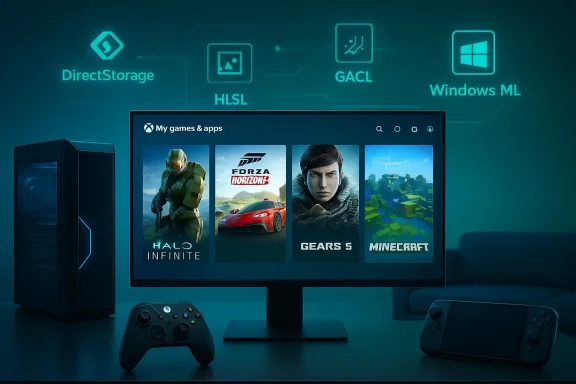
 

Microsoft’s plan to let “any Windows 11 PC” act like an Xbox reached a clear milestone this week: the company is rebranding the Xbox Full Screen Experience (FSE) as Xbox mode and beginning a staged rollout that will make a controller‑first, full‑screen gaming shell available on laptops, desktops, tablets and handhelds starting in April 2026.

Xbox dashboard on a PC setup: monitor, keyboard, and controller on a wooden desk with warm lighting.Background and overview​

Microsoft first introduced the idea of a console‑style session posture for Windows with the Xbox Full Screen Experience on purpose‑built handhelds late in 2025. The feature was designed to boot devices into a controller‑focused launcher — the Xbox PC app — trimming background services and desktop overhead in order to prioritize games and living‑room style navigation. That initial roll‑out arrived on partner hardware like the ASUS ROG Xbox Allybased handhelds and was made available to Xbox and Windows Insiders for broader testing.
At GDC 2026 Microsoft framed Xbox mode as more than a UI tweak: it’s a session posture and a set of ecosystem changes intended to tighten the technical and experiential seams between Windows and Xbox. The April 2026 rollout will rebrand and expand the feature across mainstream Windows 11 PCs, bringing a “lean‑back” controller navigation model and tighter integration with developer tooling such as Advanced Shader Delivery (ASD) and other DirectX improvements.
This matters because it signals Microsoft’s strategy to collapse the practical difference between “PC gaming” and “console gaming” at both the UI and platform levels. Xbox mode is the immediate, user‑facing expression of that strategy; Project Helix — Microsoft’s next‑gen Xbox architecture — is the hardware side of the same play. Microsoft told developers that alpha Project Helix dev kits will start shipping in 2027, underlining a road map where console and PC experiences converge over the next 18–36 months.

What Xbox mode actually is​

A console‑style session on top of Windows​

Xbox mode is a full‑screen, controller‑first shell that sits over Windows and launches directly into the Xbox PC app. The design goal is to let users pick up a gamepad, sit on the couch, and navigate their entire game library — across storefronts — without wrestling with the desktop, taskbar, or mouse‑first UI elements.
Key behaviours:
  • Boots into a full‑screen Xbox home rather than a Windows desktop session.
  • Prioritizes controller navigation, large art and tiles, and a living‑room‑friendly layout.
  • Integrates an aggregated game library from the Xbox PC app, surfacing titles from Xbox, Game Pass, and other storefronts.

Performance optimizations under the hood​

Xbox mode is not purely cosmetic. Microsoft pairs the UI change with platform work intended to reduce the performance and responsiveness gap between Windows and console front‑ends. That includes:
  • Advanced Shader Delivery (ASD): delivering precompiled shaders at install time to reduce first‑run stutter and shorten load times.
  • Background‑workload management and power scheduling changes to free system resources during game sessions.
  • DirectX and driver updates packaged through the Agility SDK to let developers opt into improved runtime paths.
Developers will be asked to support these pathways to deliver the smooth, “console‑like” first‑run experience Microsoft is promising. In practice, that means publishers who bake ASD into their PC installs can avoid the awkward shader compiles that often cause stutter and long load times on initial play.

Where Xbox mode came from: the ROG Xbox Ally experiment​

ASUS’s ROG Xbox Ally handhelds shipped with the Full Screen Experience preinstalled, and that hardware partnership served as Microsoft’s laboratory. The handhelds let Microsoft test end‑to‑end, from controller interactions to shader delivery on constrained hardware.
The early hands‑on reports and reviews showed why Microsoft thinks Xbox mode could be important: on thermally and power‑constrained handhelds, trimming background overhead and shipping precompiled graphics assets yield observable improvements in responsiveness and battery behavior. Those gains made a strong case for extending the experience to more device types.
But the same reviews also highlighted problems. Critics found the FSE to be unfinished in places — the shell felt underbaked, cluttered, and occasionally unstable — and user experience choices such as prominent promotional tiles raised questions about discoverability and control. Michelle Ehrhardt’s review of the ROG Xbox Ally called the Full Screen Experience “ugly, buggy, and underbaked,” specifically singling out ads, cluttered UI and reliability issues. Those early critiques matter because Microsoft will need to address them before Xbox mode can credibly replace the desktop for many players.

Why Microsoft is doing this (and why now)​

Microsoft’s strategy has three simultaneous objectives:
  • Make Windows the unquestioned best platform for gaming by reducing friction that traditionally privileges consoles in the living room. Xbox mode is a visible, consumer‑facing part of that tactic.
  • Provide a single development platform and tooling pathway so games targeting next‑gen Xbox hardware (Project Helix) can run well across Windows devices. Developer-facing technologies like ASD and updates to DirectX are the glue here.
  • Expand Game Pass and the Xbox ecosystem by presenting Windows devices as natural Xbox endpoints, blurring the line between PC and console purchases, subscriptions, and services. The aggregated Xbox PC app library is the customer experience arm of this push.
Timing matters: the feature matured enough on handhelds that Microsoft could scale the technical pieces (shader delivery, driver paths, power management) and demo a working end‑to‑end flow. GDC 2026 provided a pubse system pieces to the company’s hardware roadmap — including Project Helix’s 2027 developer kits — making April the logical window to open Xbox mode to a wider audience.

Practical implications for users​

For casual players and living‑room gamers​

If you want a console‑like experience from your PC — plug a controller in, sit back, and launch games without dealing with a mouse — Xbox mode will be an obvious win. It’s designed to make Windows machines behave more like an Xbox in the living room.
Benefits:
  • Simple controller navigation and large, readable UI from the couch.
  • Faster first‑run launches for ASD‑enabled titles.
  • Consolidated library view that includes multiple storefronts.

For PC purists and productivity users​

Xbox mode is optional and presented as a session posture, not a forced replacement for the desktop. That said, the design direction signals Microsoft’s intent to increase the visibility of Xbox services inside Windows — including Game Pass, cloud gaming and store integrations.
Potential downsides:
  • More persistent promotion of Microsoft’s gaming services in a system‑level shell.
  • A possible increase in the number of competing session postures to manage (desktop, tablet mode, Xbox mode).
  • Users who are comfortable with mouse/keyboard or who prefer full desktop control mayre — but they’ll also see the ecosystem tilt toward controller‑first experiences over time.

For developers​

Developers get new tools and new expectations. If you want best‑in‑class first‑run experiences for PC players who launch from Xbox mode, you’ll need to adopt ASD and test the controller navigation paths Microsoft is promoting.
Practical steps for developers:
  • Integrate Advanced Shader Delivery or work with Microsoft’s tooling to produce precompiled shaders for supported builds.
  • Validate controller navigation flows and first‑run setup in the Xbox PC app shell.
  • Monitor power and background workload behaviors to ensure consistent performance across Windows 11 posture changes.

Technical robustness and open questions​

Shader delivery and load times​

ASD is the clearest technical win on the table: precompiling shaders at install time removes one of the most visible sources of friction for PC players — shader compile stutters and long “first compile” waits. Microsoft’s DirectX tooling and Agility SDK already expose ASD paths to developers, and the company claims measurable first‑run improvements on ROG Xbox Ally hardware. That engineering investment is likely to matter more than the UI change for broad adoption.
Caveats:
  • ASD requires coordination with publishers and storefronts. Not all games will ship ASD manifests immediately.
  • Anti‑cheat and DRM behaviors remain a potential source of compatibility headaches in a console‑style shell that tries to hide the underlying desktop. Community reports from the initial FSE rollout noted patchy storefront and download behaviour on some configurations.

Reliability and polish​

Early reviews raised legitimate concerns about polish and reliability. The handheld FSE was criticized for visual clutter, crashes, and inconsistent quick‑settings behavior. Those are solvable problems, but they’re user experience regressions that matter a lot when your product is positioning itself as a living‑room appliance. Microsoft has to deliver both technical wins and a clean UX; failing one or the other will limit Xbox mode’s appeal.

Telemetry, privacy, and promotion​

A more prominent Xbox shell will naturally surface more promotional content for Game Pass and related services. Microsoft’s balance between discovery and monetization here will shape user perception. Heavy‑handed promotion inside a session posture that replaces the desktop could provoke backlash if users feel the shell favors storefronts over installed library ownership.

Strategic risks and regulatory considerations​

Microsoft’s unification of Xbox and Windows raises strategic questions beyond engineering.
  • Platform power: tighter integration means Microsoft controls more of the game discovery and distribution funnel on Windows. Regulators and competitors will watch this closely as a potential gatekeeping vector. The more Windows behaves like Xbox, the more the company can tie discovery to its own services.
  • Developer fragmentation: pushing new SDKs and delivery models risks fragmenting developer effort. Smaller publishers may lack resources to compile and test ASD manifests across multiple storefronts and hardware targets.
  • User trust and choice: broadening a console posture across Windows could unsettle users who want a neutral desktop. Microsoft will need to make Xbox mode opt‑in, transparent, and reversible to avoid friction with traditional PC customers.
Those risks are manageable, but they’re real, and they require deliberate product design and clear communications from Microsoft as rollout proceeds.

How to try Xbox mode and what to expect in April​

If you’re eager to try Xbox mode early:
  • Enroll in the Windows Insider and Xbox Insider programs to access preview builds and the Xbox PC app playground where FSE/Xbox mode first appeared. Microsoft first exposed the feature to Insiders in November 2025 and has iterated since.
  • Ensure your Xbox PC app and Windows 11 build are up to date; many features currently require the Xbox PC app Insider preview and a recent 25H2/preview build.
When the April rollout begins for general Windows 11 PCs, expect a staged availability: not every device or market will receive the feature simultaneously. Microsoft has used staged rollouts in the past to measure telemetry and catch regressions before global enablement.

The Project Helix connection: why this is bigger than a UI​

Xbox mode is not a one‑off UI experiment. It’s a customer‑facing thread in a larger fabric that includes Project Helix, Microsoft’s next‑generation Xbox initiative. Project Helix is being positioned as a platform that will run both console and PC titles, and Microsoft plans to ship alpha Project Helix dev kits to developers starting in 2027. The convergence is strategic: if the next Xbox and Windows can share more of the same runtime, tooling and delivery semantics, then porting and cross‑optimizing games becomes easier — and Microsoft’s ecosystem control becomes stickier.
From a developer’s perspective, that creates incentives to adopt Microsoft’s toolchain (ASD, Agility SDK, Xbox PC app integration) if they want the best experience across both Helix hardware and Windows devices. From a consumer standpoint, it promises smoother parity between console and PC experiences — but only if Microsoft and publishers follow through.

Final assessment: promise, but not yet perfect​

Xbox mode is an ambitious and logical extension of Microsoft’s long game: make Windows and Xbox a single, cohesive gaming surface. The combination of a living‑room friendly shell, technical investments like Advanced Shader Delivery, and the Project Helix roadmap makes the vision credible.
Strengths:
  • Practical technical fixes (ASD, DirectX/driver improvements) tackle the real pain points of PC gaming: stutter, long first‑run loads and inconsistent power behavior.
  • A controller‑first shell can make Windows machines genuinely more approachable as couch/TV devices.
  • Developer tools and the Helix roadmap create a meaningful cross‑platform playbook that could reduce fragmentation.
Weaknesses and risks:
  • Early UX reports and reviews found FSE undercooked and annoying — Microsoft needs to fix polish and perceived promotional heavy‑handedness quickly.
  • Adoption depends on publisher support for ASD and other tooling; until a meaningful share of big titles ship with ASD manifests, the perceptual gains will be limited.
  • The platform consolidation strategy raises competitive and regulatory questions that Microsoft will need to address openly.
For Windows gamers, Xbox mode will be a welcome option if Microsoft treats it as a polished, reversible session posture instead of a default that masks user choice. For developers, the marching orders are clear: adopt the new shader and DirectX pipelines if you want to deliver the best Xbox‑mode experience. For the industry, the move signals that Microsoft intends to make one unified experience for game play across a growing variety of device types — and that the line between PC and console is only going to get fuzzier in the years ahead.

What to watch next​

  • April 2026: the initial general rollout of Xbox mode to Windows 11 PCs and the first public feedback cycle.
  • Throughout 2026: ASD adoption by major publishers and measurable reductions in first‑run stutter on non‑handheld hardware.
  • 2027: Project Helix alpha dev kits arriving with guidance for parity across PC and console, and the real test of whether Microsoft’s cross‑platform strategy reduces developer overhead or increases platform lock‑in.
Microsoft’s Xbox mode is a bold product decision made from a strategic vantage point: make Windows behave more like a console where it matters, and make consoles borrow more of Windows’ openness where it matters. The engineering pieces exist; the UX and ecosystem choices still need careful execution. If Microsoft gets both right, the result could be the most consequential change to how we play PC games in a decade.

Source: Lifehacker Microsoft Will Soon Let You Use Any Windows 11 PC Like an Xbox
 

Microsoft will begin rolling a console‑style, controller‑first Xbox Mode onto Windows 11 PCs in April 2026, turning the Full Screen Experience that debuted on purpose‑built handhelds into a system‑level gaming posture for laptops, desktops, tablets and handhelds — and it arrives bundled with platform changes aimed at faster load times, reduced shader stutter, and a clearer path between PC and the next‑generation Xbox hardware. s://www.gamespot.com/articles/xbox-mode-formerly-xbox-full-screen-experience-finally-launches-on-windows-11-in-april/1100-6538723/)

Futuristic gaming setup with Windows 11 on a large monitor, laptop, and a game controller.Background / Overview​

Microsoft introduced the Full Screen Experience (FSE) as a handheld‑first, console‑style shell in 2025, shipping it on partner devices to create a boot‑to‑game, controller‑friendly session that de‑prioritized the full Windows desktop and reduced background services to favor gameplay. That initiative is now being rebranded and expanded: Xbox Mode is the evolution of FSE, and Microsoft 2026 developer messaging that the mode will be broadly rolled out to Windows 11 PCs starting in April 2026.
This change is not just cosmetic. Microsoft pairs the Xbox Mode rollout with developer‑facing graphics features — most notably Advanced Shader Delivery (ASD) — and DirectX/DirectStorage updates intended to shorten load ti compilation hitches. Those platform shifts are being presented as part of a cross‑stack strategy that ties Windows 11 closer to Xbox ecosystem goals and to Project Helix, Microsoft’s next‑generation Xbox codename revealed at GDC.

What Xbox Mode actually is​

t a new OS​

  • Xbox Mode is a session posture layered atop Windows 11: it launches a full‑screen, controller‑first interface (the Xbox PC app as the “home”) and suppresses non‑essential desktop processes and UI elements to prioritize games and controller navigation. It is not a separate operating system; Windows still runs underneath.
  • The mode is designed to be optional. Users can choose to boot into the Xbox Mode shell for a console‑like experience or use the traditional Windows desktop. That optionality matters for users who rely on productivity or peripherals that expect the full desktop. (windowslatest.com)

Controller‑first navigation and living‑room UX​

Xbox Mode centralizes controller navigation, big tiles, and a simplified game library experience intended for TV‑style play. Microsoft explicitly wants certain PCs to behave more like a living‑room console: controller navigation, big fonts, and a curated “lean‑back” flow. This includes aggregated access to multiple stores and services inside the Xbox interface (Game Pass, store frontends, and cl

Staged rollout and Insider preview​

Microsoft has been previewing the FSE/Xbox Mode through Windows and Xbox Insider channels since late 2025 on selected devices. The April 2026 rollout is staged and targeted — Microsoft will enable Xbox Mode for more systems and wider markets after an initial rollout that includes Insiders and OEM‑enabled devices. Expect a phased enablement rather than an instantaneous flip for every Wiureinfotech.com]

Technical anatomy: what changes under the hood​

1) Process trimming and session optimization​

Xbox Mode reduces the active desktop shell and deprioritizes background services to free memory and CPU headroom for games. That trimming is similar in principle to existing “game mode” optimizations but goes further by making the Xbox app the primary session shell and preventing extraneous UI components from loading during the gaming session. The effect should be modest but measurable on midrange devices, and more noticeable on constrained handheld hardware.

2) Advanced Shader Delivery (ASD)​

  • What it is: Advanced Shader Delivery lets developers ship precompiled shader sets alongside their game distribution so the client can avoid costly first‑time runtime shader compilation (the frequent cause of stutter on PC). Microsoft first tested ASD on its ROG Xbox Ally handhelds and now plans to open the tooling to all developers on the Xbox Store.
  • Why it matters: Shader compilation stutter is a perennial pain point on PC. By letting developers deliver compiled shader caches (or vendor‑targeted precompiled blobs), the platform can meaningfully reduce in‑game hitching and shorten load or “first frame” pauses. The degree of improvement depends heavily on how developers adopt ASD — it requires build pipelines and QA practices to produce correct, performant shader bundles across hardware targets.

3) DirectStorage and DirectX osoft is re‑emphasizing DirectStorage, DirectX rendering tools, and new SDK integrations as part of the arrival of Xbox Mode and the Project Helix roadmap. Expect refinements that improve I/O throughput and allow better parallelization of streaming and resource deployment, which — combined with ASD — should lower perceived load times. The company also presented new developer tooling at GDC to encourage parity between PC and Helix platform capabilities.​

4) Store and distribution integration​

Windows’ game ecosystem is fragmented. Xbox Mode seeks to aggregate multiple storefronts under the Xbox home while still allowing third‑party launchers (Battle.net, Epic, Steam) to operate. The experience aims to present a single front door for users while preserving choice for developers and stores — though the implementation details of how aggregated storefronts will behave in a console‑style shell remain a point to watch.

Developer and OEM implications​

For developers​

  • New optimization targets: ASD and the DirectX/DirectStorage updates create incentives to deliver precompiledasset streaming to improve perceived performance on first‑run and streaming scenarios.
  • Certification and packaging: Developers planning to ship on the Xbox Store will be encouraged (and possibly required, in time) to provide validated shader bundles to support the fast‑launch, low‑stutter experience Xbox Mode promises. That requires changes to CI pipelines and QA matrices targeting multiple GPU vendors.
  • Cross‑platform parity: Project Helix aims to blur PC/console boundaries; Microsoft is positioning PC versions as the first class for Helix, meaning developers that target PC first should be better positioned for Xbox parity. Alpha dev kits for Helix are scheduled for 2027, which gives studios time to align pipelines — but shipping precompiled shaders and ensuring fidelity across hardware will still add complexity.

For OEMs​

  • OEM enablement and branding: Hardware partners will need to decide whether to ship devices with Xbox Mode enabled by default, and how to present the experience to customers. Handhelds already preinstalled with FSE provide the clearest model: a device can boot directly into Xbox Mode while offering a path back to full Windows when needed.
  • Hardware tuning for console behavior: OEMs targeting living‑room or handheld markets will optimize thermal profiles, power delivery, and controller pairing based on the assumption of prolonged, controller‑driven sessions. Laptops and desktops that emphasize productivity will likely leave Xbox Mode optional.

User experience: what gamers should expect​

Immediate benefits​

  • Cleaner, leaner UI for controller play: Big tiles, easier navigation from a gamepad, and an aggregated library view make it simpler to pick up and play on a couch or with a TV.
  • Potentially faster load times and less stutter: If developers adopt ASD and the DirectStorage improvements are applied sensibly, players should se shorter load or shader‑compile pauses. Real‑world gains depend on developer uptake and shader/toolchain maturity.

Limitations and tradeoffs​

  • Not every game will immediately benefit: Titles not yet configured to provide precompiled shaders won’t see the ASD advantage. Many legacy titles will continue compiling shaders on first run unless developers patch them with precompiled sets.
  • Peripherals and workflows: Users who depend on keyboard/mouse workflows, multiple monitors, or legacy iy find Xbox Mode constraining. Some community reports from early previews show compatibility quirks with controller mapping utilities, and third‑party tools that intercept input may require updates. These are early warnings, not hard limits.

How to enable or opt out​

Microsoft is staging the rollout through Insider channels and OEM partners. For most users, expect an opt‑in in the early stages and OEM toggles for devices shipped with Xbox Mode as a default. Insiders and PC gaming preview participants will get earlier access during the April rollout window.

Strategic reading: why Microsoft is doing this​

Microsoft’s move is strategic, not merely cosmetic. There are three c*Platform convergence:** Aligning Windows 11 with Xbox UX and tooling reduces friction for developers targeting both PC and Xbox (and Project Helix). That creates a larger, more unified ecosystem for Microsoft to monetize and support.
  • User acquisition and retention: By offering a familiar, console‑style experience on PCs, Microsoft can make Game Pass, cloud play, and Xbox storefront features more visible and sticky for casual players who prefer the living‑room flow.
  • Technical advantage: Addressing shader compilation stutter and load times is a direct answer to common PC complaints; if Microsoft can materially reduce these pain points through platform tooling, the perceived quality gap between PC and console starts to shrink. ASD and DirectStorage refinements are the technical levers here.

Potential risks, friction points, and unanswered questions​

1) Fragmentation and third‑party launcher behavior​

Xbox Mode promises aggregated access to multiple stores, but the exact mechanics are not fully detailed. How will updates and overlays from Steam, Epic, or Battle.net coexist with a full‑screen Xbox shell? Will those stores' DRM/overlay behavior be hampered or limited inside Xbox Mode? Early reports indicate launchers can be surfaced but the integration model still relies on cooperation and engineering work from store partners. This is a potential source of friction for both users and developers.

2) Developer burden and inconsistent adoption​

ASD is only effective if developers produce and publish compatible shader bundles. That adds work to CI/CD pipelines and multiplies QA permutations. Smaller studios and live‑service titles that continuously change shaders will need robust automation to keep ASD bundles current. The rollout succeeds only if the developer ecosystem rapidly adopts the new pipelines.

3) Privacy, telemetry and UX control​

A deeper Xbox integration raises legitimate questions about which telemetry flows are activated in Xbox Mode and how much control users retain. When Windows switches session postures, more system‑level behavior is automatically modified; Microsoft must be transparent about what is collected, why, and how users can control it. Privacy‑conscious gamers and enterprises will watch this closely. (This is a caution rather than an accusation: Microsoft has long collected diagnostic telemetry for OS health, but the shift toward a consolidated service UI elevates the need for clarity.)

4) Compatibility with legacy input and assistive tech​

A controller‑first shell can marginalize users who rely on keyboard‑only navigation or assistive devices. Microsoft will need to ensure Xbox Mode respects accessibility settings and does not create a degraded or inaccessible experience for users who switch modes inadvertently or who cannot use a controller. Early community feedback highlights concerns about controller mapping apps and edge cases that must be resolved. ([rereddit.com/r/WindowsHelp/comments/1r2a73f/controller_mapping_apps_wont_launch_in_windows_11/)

5) Market perception and platform lock‑in concerns​

Some gamers and privacy advocates interpret platform convergence as vertical integration that benefits Microsoft’s services. While Xbox Mode is optional, the optics of a Microsoft‑branded home for games on Windows may be viewed as a nudge toward Game Pass and Microsoft storefront services. Clear communication, optionality, and interoperability will be crucial to avoid negative perception.

Project Helix, dev kits, and the longer timeline​

Xbox Mode’s arrival dovetails with Microsoft’s broader hardware ambitions under the Project Helix codename. At GDC 2026 Microsoft outlined Helix as a next‑gen platform that will natively run PC and Xbox titles, with alpha developer kits scheduled to ship in 2027. That timing is important: Xbox Mode prepares the Windows ecosystem for parity with Helix by enolchains and performance practices that will translate to console hardware. However, Helix remains a mid‑range future commitment — alpha dev kits in 2027 means broad consumer availability (if it follows past Xbox cadences) will not be immediate.
This staged approach is logical from Microsoft’s perspective: first, align the developer and PC experience (Xbox Mode + ASD + DirectStorage updates), then deliver hardware that expects those inputs and benefits. But it also means that much of the user‑facing benefit will be realized only over years and depends on developer adoption and the Helix timeline.

Practical guidance for users, developers, and IT pros​

For gamers​

  • If you own a handheld or gaming PC, expect an opt‑in Xbox Mode toggle in April 2026 and try it in an Insider build first if you want to test without impacting your primary environment.
  • Don’t expect immediate, universal performance miracles. ASD helps when game publishers adopt it; check patch notes for individual titles.
  • If you rely on keyboard‑heavy workflows, multi‑monitor setups, or third‑party input mappers, test compatibility before making Xbox Mode your default session. Early reports flagged mapping tool issues.- Start evaluating pipeline changes now. Implementing precompiled shader generation and verifying shader caches across GPUs should be part of release automation if you want to take advantage of ASD.
  • Test store packaging scenarios early. If you plan to use the Xbox Store distribution, validate how your launcher and update model interacts with Xbox Mode shells and aggregated libraries.

For OEMs and IT administrators​

  • Decide whether Xbox Mode is an out‑of‑box default for gaming SKUs. If you ship devices targeting casual living‑room gaming, Xbox Mode as the primary session can be compelling — but provide a clear and discoverable path back to full Windows for corporate or productivity users.
  • Prepare firmware and thermal profiles for prolonged controller‑driven sessions; handheld hardware benefits most from the session posture change.

Final analysis: opportunity versus execution​

Xbox Mode is a logical, coherent next step in Microsoft’s long‑running strategy to align Windows and Xbox ecosystems. Technically, the core ideas are sound: reduce OS overhead during gaming sessions, give developers tools to avoid shader‑compile stutter, and present a living‑room friendly interface that surfaces Game Pass and cloud play. If Microsoft executes cleanly, the combination of Xbox Mode, Advanced Shader Delivery, and DirectStorage/DirectX updates could materially improve the first‑run and streaming experience on PC hardware — particularly on lower‑powered handhelds and consoles‑in‑a‑box designs.
But the gains depend on execution. The rollout’s success rests on three fragile vectors:
  • Developer adoption: ASD and shader delivery only help if studios build, test, and publish compatible bundles.
  • Third‑party cooperation: Store aggregation must respect launcher capabilities and user choice to avoid fragmentation and resentment.
  • Transparency and accessibility: Microsoft must be transparent about telemetry, keep the mode optional, and ensure accessibility parity.
In short, Xbox Mode is a meaningful technical and strategic push to make Windows more console‑like where it helps — but its ultimate value will be judged by developer uptake, interoperability with existing PC ecosystems, and Microsoft’s willingness to preserve user choice and privacy while integrating Xbox experiences more deeply into Windows.

The April 2026 rollout is the beginning, not the finish line: expect a phased deployment through Insider channels and OEM partners, continued developer tooling updates, and a multi‑year interplay with Project Helix’s dev kit timeline in 2027 that will together define whether Xbox Mode becomes a meaningful improvement for PC gamers or another optional front‑end that only a subset of the gaming ecosystem fully exploits.

Source: FilmoGaz Microsoft Launches Full-Screen ‘Xbox Mode’ for Windows 11 PCs in April
 

Microsoft will begin rolling the rebranded Xbox Mode — the full‑screen, controller‑first successor to the earlier Xbox Full Screen Experience (FSE) — to Windows 11 devices in April, folding a console‑style gaming posture and a suite of GPU and developer optimizations directly into the operating system’s gameplay surface.

A living room with a large TV displaying Xbox dashboard and a person gaming with a controller.Background​

Microsoft first introduced the idea of a console‑style, full‑screen gaming shell layered on top of Windows in late 2025 when the Xbox Full Screen Experience debuted on purpose‑built handhelds such as the ROG Xbox Ally family. That initial rollout treated the Xbox PC app as the device’s primary home, prioritized controller navigation over mouse and keyboard, and suppressed much of the standard Windows desktop to reduce overhead and improve responsiveness.
Since then, Microsoft has quietly moved the feature from a hardware tie‑in to an OS‑level session posture available via previews to Windows and Xbox Insiders. At this year’s Game Developers Conference (GDC) the company confirmed the next step: a formal rebrand to Xbox Mode and a staged rollout beginning in April for Windows 11 PCs in selected markets. Multiple outlets report this timeline and the broader product strategy presented at GDC.

What exactly is Xbox Mode?​

At its core, Xbox Mode is a session‑level, full‑screen shell that boots or switches a Windows 11 machine into a controller‑first experience centered on the Xbox PC app. The mode:
  • Prioritizes the Xbox PC app as the primary launcher and UI.
  • Reduces background desktop services and Explorer overhead to free system resources many touch and gesture behaviors with gamepad‑friendly equivalents.
  • Aggregates and displays games installed from multiple storefronts — including Steam, Epic, and other launchers — in a single Xbox‑branded interface. (tomsguide.com)
The new name reflects the intention: rather than an experimental “full‑screen experience,” Microsoft is positioning this as a first‑class PC session posture — something you can opt into to use a Windows PC much like an Xbox console in the living room. The aim is to reduce friction between PC and console ecosystems for both players and developers.

How Xbox Mode runs on a PC​

Xbox Mode does not replace Windows; it sits on top of it as a target session posture. When active, the OS continues to run, but many of the usual shell elements are hidden or deprioritized. That means faster app switching between games, fewer background services consuming memory, and a navigation model designed for gamepads. Microsoft’s previews and early tests suggest the transition is intended to be seamless: you can enter and exit the mode without a full reboot, and the underlying Windows session persists.

Why now? The GDC context and Project Helix​

Microsoft’s GDC presentation tied Xbox Mode to a larger cross‑platform strategy that centers on a unified tooling and runtime stack for both Windows PCs and the next Xbox platform, codenamed Project Helix. The announcements bundled three related threads:
  • A developer story that emphasizes a single pipeline for PC and next‑generation Xbox.
  • Graphics and runtime tools — most notably Advanced Shader Delivery (ASD) — intended to reduce shader stutter and improve startup time.
  • The consumer ergonomics of treating many Windows 11 PCs like living‑room consoles via Xbox Mode.
Project Helix, as Microsoft described it at GDC, aims to make high‑end features such as improved hardware ray tracing and ML‑driven upscaling broadly available — and the company argued that having a common front door and pipeline across Xbox and Windows simplifies shipping and optimizing titles for both environments. Xbox Mode is the consumer‑facing piece of this alignment: a way for Windows PCs to offer a console‑like UX while preserving Windows as the platform.

Technical features bundled with the launch​

Xbox Mode’s roll‑out comes alongside several developer‑facing features announced at GDC. The two that will likely have the most immediate impact for players are:
  • Advanced Shader Delivery (ASD): a distribution and runtime mechanism that allows developers to ship precompiled shaders tailored to common GPU configurations, reducing the need for expensive runtime shader compilation and therefore lowering shader stutter and load times. Microsoft first shipped variants of this tech on the ROG Xbox Ally, and is now making it broadly available to PC developers.
  • DirectStorage/DirectX improvements: Microsoft continues to refine storage and GPU pipelines to reduce load times and smooth streaming. These plumbing changes, combined with ASD, are meant to make "instant play" feel more realistic on a wider variety of hardware.
Taken together, these improvements are intended to address two recurring PC gaming problems: long load times caused by massive asset sets, and jarring frame drops or stuttering when the GPU compiles shaders on first run. By moving more work into precomputation and optimizing the I/O path, Microsoft is betting that developers and players will see noticeable quality‑of‑life gains.

What this means for developers​

Microsoft’s pitch to studios is straightforward: develop on PC first, and you’ll ship broadly on Xbox and Windows with less porting overhead. The GDC presentation described harmonized tooling and a unified GDK strategy that encourages a shared code path and asset pipeline across PC and the next Xbox generation. For developers, practical implications include:
  • Access to ASD and updated DirectX/DirectStorage APIs for smoother load and runtime behavior.
  • Simplified deployment options where Helix builds and PC builds share far more runtime and asset delivery patterns.
  • The Xbox Mode UX as an additional distribution and discovery surface on Windows 11 that may shape how players find and launch games.
These are real developer conveniences, but they come with responsibilities: studios must adopt the new workflows to reap the benefits, and they may face additional QA permutations (ASD across many GPU drivers, for instaning uptake, but adoption will take time and testing.

The player experience: streamlined, but opinionated​

For players, Xbox Mode promises a more relaxed, living‑room style way to use a PC:
  • Controller‑first navigation becomes the primary input model.
  • Aggregated game libraries make it easier to browse titles across several stores from one Xbox PC app view.
  • Reduced system overhead should deliver slightly better performance on constrained devices, particularly handhelds and thin laptops.
  • Gesture and UI adjustments — swipes and task switches are remapped for gamepads and the Game Bar, aiming for smooth transitions between titles without jarring desktop context switches.
Early hands‑on coverage describes the mode as “Steam Deck‑ish” in spirit: it trims PC complexity in favor of a single, focused UX for playing. But it’s important to note that Xbox Mode is optional; players who prefer the traditional Windows desktop and mouse/keyboard paradigms will retain them. Microsoft has emphasized opt‑in rollout and staged availability for Insiders first.

Rollout, availability, and how to try it​

Microsoft announced a staged rollout beginning in April, available first in select markets and through preview channels. If you want to experiment early, the typical paths are:
  • Join the Windows Insider program (Dev or Beta channel) and eeview when Microsoft exposes it.
  • Join the Xbox Insider program if some components are gated behind Xbox app insider releases.
  • Use supported handheld hardware or specific Windows 11 builds that already expose the FSE/Xbox Mode toggle.
Multiple reports agree on a selective April start, and earlier previews have been available to Insiders since late 2025. The staged approach suggests Microsoft expects to test telemetry and compatibility before a wider rollout. (tomsguide.com)

Strengths: why Xbox Mode could matter​

  • Cleaner living‑room UX for PC gamers: console‑style simplicity can make PC gaming more approachable for non‑technical players and families. A single, controller‑focused UI reduces friction when using .
  • Technical wins (ASD + DirectStorage): precompiled shader delivery and storage pipeline improvements address long‑standing performance pain points on PC. When properly implemented, these reduce first‑run stutter and load times without expensive runtime compilations.
  • Discovery and parity benefits for developers: the unified story Microsoft is selling could reduce duplication of work between PC and Xbox builds, simplifying shipping and potentially enabling earlier parity at launch.
  • OEM and hardware leverage: handheld makers and OEMs can ship devices that boot into Xbox Mode, giving consumers a turned‑on, out‑of‑box gaming experience similar to a console. That product differentiation may accelerate mainstream awareness of PC handhelds.

Risks and downsides: a candid assessment​

Microsoft’s plan carries genuine upside, but it also raises strategic and technical questions:
  • Platform centralization and store dynamics: the Xbox PC app operating as a front door for games — particularly when tightly integrated into a full‑screen mode — raises questions about discovery economics and whether Microsoft will steer players toward its catalog or preferred partners. While Microsoft promises multi‑store aggregation, default UI placement is powerful and could reshape user purchasing flows. This is an area that warrants scrutiny as rollout expands.
  • Telemetry, account ties, and privacy: deeper integration typically requires broader telemetry and account linking to enable features like cloud saves, achievements, and subscription checks. Players and enterprises will want clarity on what data the mode collects and how it’s used. As with any OS‑level gaming posture, transparency matters. Some community threads already flag triver and hardware fragmentation**: ASD depends on precompiled shader packages for a wide range of GPUs. Ensuring those packages work across the hardware and driver versions in the wild is a nontrivial engineering and QA burden. Early adopters may experience hiccups, and developers will need robust testing pipelines. Microsoft’s guidance helps, but fragmentation remains a real risk.
  • UX trade‑offs for PC purists: the mode’s controller‑first design and trimmed desktop may frustrate players who prefer immediass or who rely on background productivity apps while gaming. Although optional, the presence of Xbox Mode as a Microsoft‑backed session posture changes expectations about what a Windows gaming experience can look like.
  • Market perception and fragmentation: a bifurcated user base (those using Xbox Mode vs. those on desktop) introduces testing complexities for developers and support teams. The ecosystem may temporarily fragment as developers adapt to two dominant session postures.
Where claims weren’t directly proven in Microsoft’s public materials — for example, precise telemetry schemas or contractual store prioritization — this article flags those points as areas to watch rather than drawing definitive conclusions. Microsoft’s public communications focused on benefits and developer tooling; deeper policy details around data and storefront economics remain to be clarified.

How Xbox Mode compares to existing approaches​

Xbox Mode is not the first attempt to make PC gaming console‑like. Valve’s Big Picture and Steam Deck UI, SteamOS, and various console‑style launed the same space. The distinguishing factors for Xbox Mode are:
  • Its origin inside Windows 11 as an OS‑level session posture rather than a single app.
  • Tight coupling with Microsoft’s ecosystem (the Xbox PC app, ASD, DirectStorage improvements) and the broader Project Helix narrative.
  • A cross‑device story that includes handheld OEMs shipping the mode by default as well as traditional PCs exposed via Insiders.
For players who value openness and choice, Steam’s long history of third‑party storefront compatibility is a benchmark. Microsoft’s promise of multi‑store aggregation is encouraging, but the actual user experience will determine whether Xbox Mode feels truly neutral or subtly curated. Early previews indicate aggregation works for installed titles, but the long tail of store features (friends lists, refunds, third‑party overlays) will be the real test.

Practical steps for enthusiasts and sysadmins​

If you want to prepare for Xbox Mode or evaluate its impact, consider the following steps:
  • If you’re a developer: evaluate ASD and updated DirectX/DirectStorage APIs in a sandbox environment and plan shader packaging across supported GPUs.
  • If you’re a player or IT admin: test the Windows Insider preview path in a controlled machine to understand how the mode alters sign‑in, telemetry, and the game launch experience.
  • If you’re an OEM or reseller: determine whether shipping devices with Xbox Mode enabled by default aligns with target customers — handhelds and living‑room PCs will see the most value.
  • For privacy teams: request Microsoft’s telemetry documentation for Xbox Mode and verify data collection and retention policies before approving wide deployment.

Community reaction and early impressions​

Community commentary is split: many players welcome a polished, living‑room‑ready UI for Windows gaming, particularly on handhelds and couch setups. Others worry about increased platform influence and the potential for a Microsoft‑centric discovery model.
Early hands‑on pieces note the UX’s polish and the tangible performance benefits of reduced background overhead, but also call out the model’s opinionated nature: it is designed to be a console‑like experience first, and a full desktop second. That design choice will delight some and frustrate others.

Final analysis: an incremental but meaningful shift​

Xbox Mode is a carefully coordinated effort to make Windows 11 feel more like a first‑class console platform without abandoning the openness and power of the desktop. The feature’s launch in April is significant because it marks Microsoft’s willingness to ship an OS‑level, branded gaming posture rather than a device‑specific experiment.
The technical pieces — Advanced Shader Delivery and storage/runtime improvements — are promising and address real problems. The UX evolution makes gaming on Windows more approachable for a wider audience. But the strategy also raises important questions about platform power, store economics, telemetry, and fragmentation that players, developers, and regulators should monitor closely.
For now, Xbox Mode should be seen as an option that broadens how Windows can be used for play. Its success will hinge on the quality of the developer tooling, the fairness of aggregation and discovery, and Microsoft’s transparency on data and policy. If those elements align, Xbox Mode could nudge a large segment of PC gaming toward a more console‑like experience — for better and, potentially, for more contested reasons.

In the weeks following Microsoft’s April rollout, watch for developer documentation updates, ASD implementation notes, and community testing reports to judge whether the promised technical gains and UX refinements deliver at scale.

Source: GameWorld.gr https://www.gameworld.gr/news/other...ence-finally-launches-on-windows-11-in-april/
 

Microsoft is about to give Windows 11 a distinctly console-flavored personality: starting in April, the company will roll out a rebranded and expanded version of the Xbox Full‑Screen Experience — now called Xbox Mode — to Windows 11 devices in select markets, bringing a controller‑first, full‑screen gaming session that boots into the Xbox PC app, trims desktop overhead, and layers console‑style navigation and platform services on top of Windows without replacing it.

A gaming setup with a large monitor showing Xbox Mode tiles and a glowing blue Xbox controller.Background / Overview​

Microsoft first introduced the console‑style Full‑Screen Experience on purpose‑built handhelds late in 2025, where devices shipped with an Xbox‑centric shell that starts directly into a game‑forward hub rather than the traditional Windows desktop. That early rollout was positioned as a way to make handheld Windows gaming feel less like tinkering with a laptop and more like picking up a console controller and sitting back. The feature proved popular enough that Microsoft widened testing via Windows Insider channels and has now decided to formalize and brand the experience for broader Windows 11 deployment as Xbox Mode.
Xbox Mode is not a new operating system, nor is it a wholesale replacement of Windows. Instead, it is a session posture — a full‑screen, controller‑optimized shell layered on top of Windows 11 that places the Xbox PC app and associated gaming services front and center. The goal is to offer a living‑room‑friendly environment for PC gamers who prefer a console‑style flow, while preserving the openness and flexibility of Windows underneath.

What Xbox Mode actually is​

A full‑screen, controller‑first session posture​

Xbox Mode is designed to be the easiest way to use Windows 11 like a console. When active, it:
  • Boots or switches into a full‑screen Xbox PC app that surfaces game libraries, Xbox Game Pass, and installed titles from other storefronts in a single, controller‑navigable UI.
  • Prioritizes controller navigation and guide‑style inputs so you can move around and launch games without needing keyboard or mouse focus.
  • Provides quick switching between the full‑screen hub and regular desktop productivity sessions so users can "lean back" to play and "lean forward" to work without a complex context switch.

Not a locked ecosystem​

Despite the Xbox branding and streamlined interface, Xbox Mode keeps Windows' openness in place. You can still launch non‑Xbox store apps and third‑party storefronts; the Xbox PC app simply becomes a trusted, system‑level hub. That openness matters: Microsoft is positioning Xbox Mode as convenience and optimization for gaming, not as a closed storefront replacement for Windows.

How you enter and exit Xbox Mode​

Microsoft’s preview builds and the handheld implementations offered several entry points for the Full‑Screen Experience that carry into Xbox Mode. Expect the following behaviors:
  • A keyboard shortcut toggle (Win + F11) to enter or exit Xbox Mode.
  • An option from Task View (Win + Tab) to select Xbox Mode as an alternate session.
  • A Game Bar / Xbox app setting that lets you launch the full‑screen experience.
  • Optional startup behavior for devices where OEMs enable the experience as the default home session.
These entry points are designed so switching is quick and nondestructive: you don’t log out of Windows to use Xbox Mode, you switch session posture and return instantly to your desktop when you need to.

Why Microsoft is doing this: strategy and technology​

The console‑style UX for broader Windows hardware​

Microsoft’s rationale is straightforward: Windows powers a huge share of PC gaming hardware — from desktops and laptops to new handhelds — and there’s a growing market of users who want a console‑like experience from those machines. By offering Xbox Mode, Microsoft creates a consistent, controller‑first pathway that works across device types, which helps Xbox and Windows bridge the living‑room and PC ecosystems.

Developer and platform incentives​

Xbox Mode is tightly aligned with Microsoft’s broader platform roadmap for gaming. As part of the same announcements, Microsoft highlighted next‑generation console work and a set of developer tools designed to improve startup times, reduce shader stutter, and make multi‑platform development easier. Those pieces include:
  • Advanced Shader Delivery (ASD): a DirectX / Agility SDK capability that lets developers and stores precompile and deliver shader caches alongside game installations, reducing first‑run shader compile pauses and smoothing gameplay on first launch.
  • Expanded DirectX tooling and tighter Windows–Xbox integration intended to reduce work for developers shipping across PC and Xbox.
Bringing these technologies to a full‑screen, console‑like session helps the company deliver a more predictable, console‑grade experience on Windows hardware, which benefits first‑party and partner titles optimized for the stack.

The technical pieces that matter​

Advanced Shader Delivery — what it does and why it helps​

One of the most tangible under‑the‑hood features tied to Xbox Mode is Advanced Shader Delivery (ASD). In essence, ASD lets shader compilation work be distributed, precompiled, and injected into a machine’s shader cache so games don’t need to spend minutes compiling shaders when you first play. That reduces the infamous "shader stutter" or long first‑time load delays many PC gamers experience.
ASD is a developer and store‑side technology: game installers can register precompiled shader objects so the platform can make them available at install time. On handhelds where Microsoft dogfooded the approach, testers reported smoother first runs and reduced stutter; on full Windows PCs the effect will depend on whether publishers adopt ASD and whether the store they use (like the Xbox PC app) supplies precompiled caches.

Resource trimming and background work​

Xbox Mode also reduces desktop overhead by disabling or removing certain background activities and system UI components when active. This is a continuation of Game Mode thinking but at a more aggressive session level: when the full‑screen shell is active, elements of the regular desktop are suspended or deprioritized so CPU, GPU, and memory can focus on the running game.
The result is environment‑dependent. On lower‑spec or handheld hardware, the effect can be quite noticeable; on high‑end gaming rigs you may see smaller gains. Nonetheless, for many users the net is smoother performance and a more focused experience.

Input and controller handling​

Xbox Mode is fundamentally built around controller navigation. Expect full integration with Xbox controllers and support for:
  • Guide button shortcuts to bring up quick menus.
  • Controller mapping and focus handling so the OS does not steal gamepad input or force awkward alt‑tabbing behavior.
  • Better living‑room behavior: Bluetooth or USB controllers should connect and work with the interface without the need to fiddle with drivers or remap keys.

Rollout, compatibility, and what to expect in April​

Staged, market‑by‑market availability​

Microsoft will roll out Xbox Mode to Windows 11 devices beginning in April, and that rollout will be staged — at least initially limited to select markets and device types while the company gathers telemetry and feedback. Handhelds already shipped with FSE will continue to have the experience; for laptops, desktops, and tablets the roll‑out will likely proceed via Windows Update and the Xbox PC app.

Insider previews and how to get early access​

If you want to try Xbox Mode sooner, Windows Insider and Xbox Insider channels will be the most direct route. Preview builds that surfaced the Full‑Screen Experience previously were available in Dev and Beta channels and required the Xbox app to be up to date. Expect Microsoft to continue using Insiders as a canary group before a full, wide release.

OS and Store requirements​

Early documentation ties the Full‑Screen Experience to recent Windows 11 versions and to the Xbox PC app from the Microsoft Store. To ensure compatibility, make sure your machine is running a supported Windows 11 build, keep the Xbox app updated, and maintain current GPU drivers. OEMs may also provide toggles or recommendations for handheld and laptop devices.

Benefits: why many gamers will welcome Xbox Mode​

  • Cleaner, console‑like UI – A single, controller‑driven hub simplifies library browsing and launching, which is great for living‑room setups and handheld play.
  • Potential performance gains – By trimming desktop overhead and using technologies like ASD, games can feel snappier, particularly on constrained hardware.
  • Easier controller navigation – Built with gamepad users in mind, Xbox Mode reduces friction when using controllers for everything from sign‑in to settings.
  • Unified access to Game Pass and installed libraries – Xbox Mode centralizes access to Game Pass, Xbox Play Anywhere titles, and installed games from other storefronts for simpler discovery.
  • Lower friction for streaming and couch play – The mode is optimized for an experience that closely mirrors console behavior, including streamlined access to cloud streaming and quick switchbacks to productivity.
These benefits are most pronounced on handhelds and living‑room PCs, but even desktop users can appreciate a distraction‑free session that prioritizes gaming.

Risks, caveats, and what to watch for​

Not all claims are universal — performance will vary​

Early user reports from handheld previews highlighted performance improvements, but those gains depend heavily on hardware, driver maturity, and publisher adoption of features such as ASD. On powerful desktops the relative gains may be minimal; on older or thermally constrained systems the difference will be greater.
Be wary of blanket promises that Xbox Mode will deliver the same uplift on every machine. Expect a range of outcomes, and treat early reports as promising but not definitive.

Platform balance and marketplace concerns​

Putting an Xbox‑branded, system‑level gaming mode into Windows raises strategic questions. A console‑style presentation that highlights Xbox services could nudge users toward Microsoft’s storefront and Game Pass ecosystem. That may concern advocates of storefront neutrality and competition among PC game marketplaces.
Developers and platform watchers should watch for:
  • Whether Xbox Mode promotes Xbox Store content more prominently than other storefront content.
  • Whether feature advantages (like precompiled ASD caches) become easier to deliver through Microsoft’s store than through competitors.
  • Any future feature gating tied to store distribution that could reduce parity for third‑party launchers.

Compatibility, bugs, and edge cases​

Introducing a session posture that changes which system services are active will inevitably uncover compatibility issues:
  • Some third‑party apps may assume the desktop shell is always present and could behave oddly when FSE/Xbox Mode is active.
  • Controller focus and window‑focus race conditions could cause inconsistent behavior for apps that expect keyboard/mouse interaction.
  • Network, overlay, or anti‑cheat interactions might require updates to ensure they work properly under the trimmed session.
Microsoft will need to iterate quickly based on Insider feedback to tame these edge cases.

Privacy and telemetry​

Any system posture that changes how apps start and how shaders or other binaries are delivered requires attention to privacy and telemetry. ASD, for example, involves precompiled shader delivery and possibly the transfer of data related to precompiled objects. Users and admins should look for clear explanations of:
  • What metadata is transmitted to enable shader delivery.
  • How precompiled caches are stored and validated.
  • Opt‑out choices for telemetry tied to the Xbox app and ASD pipeline.

Fragmentation by market and OEM​

Because Xbox Mode rollout is staged and OEMs may customize behavior for their devices, the experience could fragment across regions and hardware. Early adopters may see a feature set that differs from users who get the wider release later. That will make coverage and support more complex for both users and community writers.

Practical guidance: preparing for Xbox Mode​

If you intend to try Xbox Mode when it arrives, here’s a pragmatic checklist to prepare your system and avoid surprises:
  • Update Windows 11 to the latest supported build for your device.
  • Update the Xbox PC app from the Microsoft Store so you have the newest client.
  • Update GPU drivers from your GPU vendor (NVIDIA, AMD, Intel) to the latest stable release.
  • If you want early access, enroll in the Windows Insider program and the Xbox Insider program, and opt into Dev or Beta channels as directed by Microsoft.
  • Back up important desktop settings or create a restore point before flipping experimental session toggles.
  • If you rely on non‑standard tooling (third‑party overlays, input remappers, or anti‑cheat dependent software), verify compatibility in Insider forums before switching to Xbox Mode.
  • If privacy is a priority, review Xbox app and Windows privacy settings and audit telemetry toggles related to the feature.
Following these steps will reduce friction and help you evaluate Xbox Mode in a controlled way.

For developers and publishers: what to plan for​

Xbox Mode signals that Microsoft is doubling down on a cross‑platform vision that blends PC and console development. For studios and publishers, consider the following actions:
  • Evaluate and adopt Advanced Shader Delivery where feasible to reduce customer friction on first launch and improve perceived quality.
  • Test game startup, shader compilation, and controller behavior in Xbox Mode to avoid regressions.
  • Consider the customer experience across both desktop and Xbox Mode sessions; ensure settings, save files, and overlays behave consistently.
  • Monitor the Xbox and Windows developer channels for APIs and guidance on integrating with ASD, new DirectX features, and Project Helix toolchains.
Those who prepare proactively will benefit from an opportunity to shape how their games appear and perform in Microsoft’s new, console‑like environment.

How this fits with Project Helix and Microsoft’s roadmap​

Xbox Mode was announced alongside a broader set of Xbox platform updates at a major developer event. Those announcements included the next‑generation console initiative codenamed Project Helix, for which Microsoft plans to provide alpha developer hardware in 2027. Xbox Mode serves two strategic roles in that roadmap:
  • It establishes a consistent Xbox UI and user expectations across Windows devices ahead of new console hardware, making it easier to deliver unified features across console and PC.
  • It provides a platform to test and roll out developer‑facing technologies (like ASD and updated DirectX components) that will form the backbone of the Project Helix experience.
In short, Xbox Mode is a software‑first way to align Windows gaming with the narrative and technical ambitions of Microsoft’s next console generation.

Early testing impressions and what reviewers reported​

Hands‑on reports from the handheld previews and initial Insider builds repeatedly highlighted a few recurring themes:
  • A noticeably cleaner, more consistent UI that feels natural with a controller.
  • Faster, snappier app and game launch behavior in many cases thanks to resource trimming and precompiled shader caches on devices that supported ASD.
  • Some initial rough edges around third‑party overlays, Steam controller button conflicts, and sign‑in flows that expect keyboard/mouse input.
Those early impressions are encouraging, especially for users who have wanted a less PC‑centric, more couch‑friendly way to play. At the same time, reviewers cautioned that the experience is still maturing and that real gains will depend on publisher adoption of ASD and wider ecosystem support.

Final analysis: meaningful change, measured by execution​

Xbox Mode is a consequential move from Microsoft: it converts the Xbox Full‑Screen Experience proof‑of‑concept into a first‑class session posture for Windows 11, and it aligns UI, developer tooling, and performance features with the company’s multi‑device gaming ambitions. For users, the upside is clear — a smoother, more console‑like way to enjoy PC games, especially on handhelds and living‑room PCs. For developers, the promise of lower friction at first launch and more predictable gameplay experiences is attractive.
However, the real outcome will come down to execution and adoption. Key variables include:
  • How widely publishers embrace Advanced Shader Delivery and ship precompiled shader caches.
  • How Microsoft balances Xbox Mode’s store and promotion mechanics with Windows’ existing storefront ecosystem.
  • How quickly edge cases, overlays, and third‑party tooling issues are resolved through Insider feedback and incremental updates.
  • Whether Microsoft provides transparent privacy and telemetry controls for ASD and Xbox app integrations.
If Microsoft navigates those trade‑offs carefully, Xbox Mode could be a net positive for many players — offering a genuinely simpler way to play PC games without giving up the flexibility of Windows. If mismanaged, it risks fragmenting the experience and creating perceived platform favoritism.

What to watch in the coming weeks​

  • The exact calendar and regional schedule of the April rollout and the list of markets that receive Xbox Mode first.
  • Insider build notes and feedback threads that reveal the practical compatibility and performance story on a range of hardware.
  • Publisher adoption signals for ASD and other DirectX pipeline features; early adopters will likely post measurable differences in first‑run behavior.
  • OEM guidance and settings for laptops and handhelds that make Xbox Mode a default or optional session at boot.

Quick start: how to try Xbox Mode (when available)​

  • Ensure Windows 11 and the Xbox PC app are up to date.
  • Update GPU drivers to the latest stable release.
  • If you want early access, sign up for Windows Insider and Xbox Insider programs.
  • Enter Xbox Mode using Win + F11, from Task View, or the Game Bar once the feature is available on your device.
  • Test your favorite games, watch for shader compile behavior on first run, and report issues through Feedback Hub if you’re on Insider builds.

Xbox Mode is a tangible step in Microsoft’s long game to make the Windows experience friendlier for players who prefer the simplicity and predictability of consoles. It brings together UI, performance tools, and a clearer living‑room play model under the Xbox brand while preserving Windows’ flexibility. Whether it becomes the defining way to game on Windows or a useful option for specific setups will depend on execution, developer support, and how Microsoft balances platform advantage with openness. For Windows gamers and developers alike, April will be the month when this experiment becomes a broad reality — and a moment worth watching closely.

Source: GBAtemp.net Xbox Mode is coming to Windows 11 next month
 

Microsoft will roll a new, console‑style session posture called Xbox Mode into Windows 11 this spring — a rebrand and expansion of the earlier “Full Screen Experience” that first appeared on purpose‑built handhelds — and the feature will begin appearing on Windows 11 devices in April, initially in select markets. ([blogs.windows.com]s.com/windowsexperience/2026/03/11/gdc-2026-next-generation-of-xbox-designed-to-play-console-and-pc-games/)

A monitor displays Xbox Game Pass tiles with a game controller on the desk.Background / Overview​

Microsoft delivered the formal update at the Game Developers Conference (GDC) 2026 as part of a broader push to make Xbox and Windows experiences closer to one another for players and developers. The company framed Xbox Mode as a controller‑first, full‑screen gaming shell that layers the Xbox PC app and console‑style navigation on top of Windows, while leaving the underlying OS intact.
The feature is not new in concept: Microsoft tested a Full Screen Experience (FSE) on handheld Windows devices in late 2025 and rolled that preview into the Windows Insider channels. Xbox Mode is effectively the next stage — a rebrand plus a staged expansion to laptops, desktops, tform factors running Windows 11. Early reporting and hands‑on previews surfaced during the Insider preview period and device launches; consumer outlets have been tracking the transition from FSE to Xbox Mode.

What is Xbox Mode?​

Xbox Mode is a session posture: a full‑screen, controller‑optimized environment that replaces the Explorer desktop surface with a simplified Xbox home that aggregates games, cloud services, and commonly used gaming utilities. It’s designed to let users “lean back,” navigate with a gamepad, and launch games and streaming services without the usual desktop chrome getting in the way.
Key characteristics:
  • A full‑screen Xbox PC app as the home surface for games and subscriptions.
  • Controller‑first navigation, including long‑press and task switching behaviors mapped to controller buttons.
  • Reduced desktop overhead while in the mode — some non‑essential background processes and services are deprioritized to favor gaming responsiveness.
This is not a replacement OS; Windows still runs underneath. Xbox Mode is a shelled session that can be entered and exited at will, keeping compatibility with the underlying Windows ecosystem while offering a consolelike experience for players who prefer it. Microsoft has described the mode as optional and manageable through the Xbox app and Settings.

Origins: From Full Screen Experience to Xbox Mode​

The FSE debuted on compact, handheld Windows gaming devices where a console‑style launcher made immediate sense. The same home‑app concept was validated on the ASUS ROG Xbox Ally and later adopted on other handhelds through firmware and Windows updates. With Xbox Mode, Microsoft is taking lessons from those handheld deployments — controller navigation patterns, reduced desktop overhead, and quick access to Game Pass and cloud streaming — and rolling them out to a wider set of PCs.

How Xbox Mode works (UI and interaction)​

Xbox Mode changes the session posture more than the kernel. When active, users see an Xbox home UI optimized for a gamepad: large tiles, a unified game library aggregator, quick access to the Game Bar, and controller‑focused task switching. Expect common console conventions — like a single home button to return to the launcher — to carry over.
Interaction highlights:
  • Controller‑first navigation and mapped long‑press behaviors for quick task switching.
  • A simplified “My Library” that aggregates titles from Microsoft’s storefront and, where available, detected installations from other launchers.
  • Integrated access to Game Bar functions and cloud streaming (xCloud/Game Pass) directly from the home surface.
Because Xbox Mode is a shell on top of Windows, switching back to the standard desktop is supported without a full logout. That design preserves the ability to run background tasks and to use Windows productivity features when you leave the mode.

Enabling Xbox Mode: practical steps and shortcuts​

Microsoft previewed and documented how consumers and Insiders can open the Full Screen Experience; the same entry points apply to Xbox Mode as it expands to more devices.
Common entry methods:
  • Keyboard shortcut: Win + F11 toggles the Full Screen Experience/Xbox Mode.
  • Game Bar: Open the Xbox Game Bar with Win + G, then choose “Enter full screen experience” (or equivalent) from Game Bar settings.
  • Windows Settings: Settings > Gaming > Full Screen Experience (or Xbox Mode) allows you to set the Xbox app as your “home app” and configure startup behavior.
A typical quick flow to try Xbox Mode:
  • Install or update the Xbox PC app from the Microsoft Store (required for the home surface).
  • Open Settings > Gaming and enable Full Screen Experience / Xbox Mode if the toggle is present.
  • Press Win + F11 or open Game Bar (Win + G) and select “Enter full screen experience.”
If you prefer to avoid the mode, the setting to disable automatic startup is exposed in Settings, and the Xbox app’s options include toggles to stop entering the experience on boot. For Insiders or advanced users, community guides have shown ways to toggle the behavior via viability tools or registry tweaks during preview testing — but those routes are unsupported and not recommended for non‑power users.

The technical plumbing: what’s changing under the hood​

Xbox Mode is more than a UI layer; Microsoft paired the rollout with platform-level tooling aimed at smoothing game startup, reducing shader stutter, and aligning PC game delivery with console quality expectations.
Notable platform technologies referenced by Microsoft and developer talks:
  • Advanced Shader Delivery (ASD): a mechanism Microsoft is pushing to improve shader streaming and reduce stutter on first‑run gameplay and level loads. Xbox Mode’s console‑style session posture complements ASD by allowing quicker shader prefetching and prioritized GPU work during the session.
  • DirectStorage and storage‑centric optimizations: continuing to move IO and streaming workloads into the GPU/driver pipeline so games can load more quickly — core to both console and high‑end PC experiences.
  • Game Development Kit (GDK) and tooling updates: Microsoft emphasized a unified developer flow so that a single PC build can more easily be prepared for Xbox platforms, and conversely, Xbox‑oriented optimizations can benefit Windows 11 titles. This includes explicit guidance at GDC for how to “build for both” and use Xbox services on Windows.
Those engineering investments show Microsoft’s approach: rather than treating Xbox Mode as pure cosmetic change, the company is bundling developer‑facing and runtime improvements intended to shrink the experiential distance between Windows PCs and consoles.

Why Microsoft is making this move​

Several strategic objectives intersect in the Xbox Mode initiative:
  • Platform convergence: Microsoft wants a single playbook for delivering console‑grade gaming across Xbox hardware and Windows PCs. This lowers friction for developers shipping across both ecosystems.
  • Game Pass and services: a prominent Xbox home surface on Windows 11 increases discovery and engagement with Game Pass, cloud streaming, and other Xbox services. For Microsoft, deeper integration can strengthen subscription retention and service monetization.
  • Living‑room positioning: by offering a consolelike shell on ordinary PCs, Microsoft positions capable Windows boxes as credible living‑room gaming devices, complementing first‑party hardware such as the ASUS ROG Xbox Ally family.
  • Next‑generation synergy: announcements about the next Xbox (Project Helix) at GDC tied the narrative together: Microsoft is trying to make the PC side a first‑class citizen in the broader Xbox ecosystem to ensure games and services work well across devices.
Taken together, Xbox Mode is as much about commercial and engineering alignment as it is about user interface design.

Benefits: what players and developers stand to gain​

For players:
  • A leaner, distraction‑free UI for couch play and handheld sessions. Players who use controllers will find large, readable navigation and fewer desktop distractions.
  • Faster time‑to‑play in practice: Microsoft says reduced background overhead and new shader/storage optimizations will shorten load and stutter incidents, especially on supported hardware.
  • Unified access to Game Pass, cloud streaming, and locally installed titles from one home surface.
For developers:
  • A simplified compatibility story: Microsoft is pushing tools so a PC title can be prepared to perform well under Xbox‑style session constraints, making cross‑targeting to future Xbox hardware more straightforward.
  • Direct integration paths for features like ASD and DirectStorage that reduce the engineering burden of addressing stutter and load performance across devices.
For OEMs:
  • Differentiation on handhelds and living‑room PCs by preconfiguring Xbox Mode as a startup launcher, similar to how manufacturers have positioned gaming shells in prior hardware waves.

Risks, trade‑offs and legitimate concerns​

No major UI change of this scale comes without trade‑offs. Here are the most important concerns readers should weigh.
  • User choice and desktop integrity
    Some users will view a console‑style shell as an unwelcome change to the PC experience, especially if it becomes a default on gaming‑focused hardware. Microsoft’s messaging emphasizes opt‑in behavior, but the UX of automatic startup toggles and OEM defaults will determine perception. Early reporting and device behavior indicate a clear path to disable auto‑start, but vigilance is required.
  • App and accessory compatibility
    Third‑party launchers, overlay tools, and certain productivity workflows can be affected by an environment that deprioritizes desktop services. Power users who rely on background utilities, overlays, or custom launch scripts should test Xbox Mode before adopting it as their default. Community feedback in previews showed both seamless cases and fragile third‑party tool interactions.
  • Fragmentation and discovery problems
    Aggregating titles from multiple storefronts is helpful, but it can create confusion around ownership, updates, and which client is responsible when a game misbehaves. The Xbox PC app’s “My Library” can surface titles from other launchers, but it doesn’t replace those clients. Expect a period of friction while edge cases are ironed out.
  • Enterprise and privacy concerns
    Organizations that manage Windows fleets will want clarity about group policy, telemetry, and lockdown behavior if Xbox Mode appears on corporate hardware. Microsoft hasn’t published an enterprise‑grade policy pack for Xbox Mode at announcement time; admins should treat claims about GPO controls as unverified until official documentation appears. (Flagged for caution.)
  • Accessibility nuance
    Console navigation patterns favor controller input and large targets; that benefits many users, but it may complicate accessibility scenarios that rely on precision mouse/keyboard or specialized assistive tech. Microsoft and partners will need to maintain parity in accessibility features across both Xbox Mode and the Desktop. This is an area to watch as the rollout expands.

Compatibility, OEMs and handhelds: the early adopters​

The ROG Xbox Ally family and other Windows handhelds were the proving ground for FSE. Microsoft has since worked with multiple OEMs to ensure the home surface behaves predictably across micro‑form factors.
  • ASUS (ROG Xbox Ally) was the first high‑profile partner to ship FSE as the default shell on purpose‑built hardware.
  • Lenovo, MSI and others have pushed firmware and driver updates to improve compatibility and support the Xbox home experience on their handhelds. ([windowscwhardware/handheld-gaming-pc/lenovo-updated-legion-go-handhelds-xbox-full-screen-experience)
Expect OEMs to continue shipping systems with Xbox Mode toggled off by default on general‑purpose laptops, while gaming‑branded hardware is more likely to present it as an option or even a preconfigured startup mode. That behavior will affect perception significantly: a visible, user‑controllable default respects desktop users; an aggressive OEM setting risks negative reaction.

Timeline and availability — what we can verify now​

  • Preview and testing: the Full Screen Experience arrived in Windows Insider preview channels in late 2025 and has been tested on handhelds and through Insider builds.
  • Official announcement and expanded rollout: Microsoft confirmed at GDC 2026 that the rebranded Xbox Mode will begin rolling out to Windows 11 PCs in April 2026, starting in selected markets.
  • Developer kit and console alignment: Microsoft also tied Xbox Mode’s expansion to GDC messages about the next‑generation Xbox (Project Helix) and developer tooling; Project Helix was referenced as part of the broader strategy for cross‑platform compatibility.
Those timelines are what Microsoft communicated during GDC; specifics such as exact market list, OEM shipping windows, and carrier/operator or retail timing will be published by Microsoft and partners in the coming weeks and months.

Practical advice for readers (gamers, power users, IT admins)​

  • Gamers: Try Xbox Mode on a test machine or enable it manually (Win + F11, Game Bar, or Settings) before you make it your default. Confirm that overlays and your favorite launchers behave correctly under the shell. Keep an eye on driver updates and Xbox PC app updates — those will be the fastest route to fixes.
  • Power users: If you run background automation, recording software, or productivity apps, test whether those services remain functional in Xbox Mode. If any critical tools are affected, leave Xbox Mode disabled by default and use it only for dedicated gaming sessions.
  • IT admins: Treat Xbox Mode like any feature update. Until Microsoft publishes enterprise documentation for policies and telemetry, blocklists and targeted configuration via your standard Windows Update/SCCM policy is the safest path for controlled environments. Ask vendors about OEM behavior on hardware your organization purchases. (Note: explicit GPO guidance was not available at announcement time; this is a cautionary recommendation.)

Final analysis: strength, opportunity, and what to watch​

Xbox Mode is an ambitious, coherent attempt by Microsoft to collapse the gap between console and PC experiences. Its strengths are clear: a focused, controller‑friendly UI; tighter integration with Game Pass and cloud services; and an insistence that the underlying platform and developer tooling evolve to match console expectations. For gamers who want a one‑stop, living‑room‑ready experience on Windows, Xbox Mode will feel like a long overdue option.
But the risks are real. The user experience depends on how Microsoft and OEMs implement defaults, how quickly third‑party tooling and launchers adapt, and whether Microsoft publishes clear enterprise controls. There’s also a reputational risk if players equate Xbox Mode rollout with a forced change to Windows’ desktop identity — that reaction would be amplified if OEMs preconfigure aggressive defaults on general‑purpose machines. Transparency, granular controls, and clear documentation will be decisive.
What to watch next:
  • Official Microsoft documentation for enterprise policy and IT management.
  • OEM behavior on retail units (whether Xbox Mode is defaulted on gaming laptops or kept optional).
  • Early real‑world performance data on shader delivery, load times, and compatibility as ASD and DirectStorage changes roll out alongside the mode.

Microsoft’s Xbox Mode is both an evolutionary step for handheld and living‑room gaming on Windows and a strategic lever in the Xbox‑Windows convergence. It promises better controller navigation, tighter developer tooling, and a console‑like surface for Game Pass and cloud play — but its success will hinge on sensible defaults, robust enterprise controls, and real fixes for the peripheral compatibility issues that preview testers have already encountered. If Microsoft gets those pieces right, Xbox Mode could reshape how many people treat the Windows PC as a bona fide console alternative; if it gets them wrong, it will undo goodwill fast.
In short: expect Xbox Mode to be visible on Windows 11 in April 2026 in selected markets, try it with caution on your personal machines, and watch for the documentation and enterprise controls that will determine its longer‑term acceptance.

Source: player.one What Is 'Xbox Mode'? New Windows 11 Feature Is Coming Soon Amid New Console Talks
Source: TalkEsport Microsoft Confirms Windows 11 Xbox Mode
 

Microsoft says that, beginning in April 2026, Windows 11 will get a built‑in, console‑style session called Xbox Mode — a rebrand and expansion of the “Full Screen Experience” that boots into a controller‑first Xbox PC app, trims desktop overhead, and brings a living‑room UX to laptops, desktops, tablets and handhelds.

Cozy living room with a large TV displaying Xbox Game Pass and controllers on a coffee table.Background​

Microsoft first tested a console‑style shell for Windows on handheld form factors late in 2025, shipping the original Full Screen Experience (FSE) on devices like the ROG Xbox Ally. That limited debut functioned as a way to present a simplified, game‑first front door for Windows handhelds and to hide or deprioritize some Explorer‑level overhead while players used controllers. Over the past months Microsoft expanded previews to Windows Insiders and partner devices, and at GDC 2026 the company signalled a broader platform strategy that folds this console posture into Windows 11 as Xbox Mode starting in April 2026.
This shift is paired with platform tooling — most notably DirectX and graphics features like Advanced Shader Delivery (ASD) — and developer guidance aimed at reducing initial load times, smoothing shader stutter, and helping PC titles behave more predictably on Xbox‑style hardware and Windows PCs alike. Microsoft’s GDC messaging framed these moves as part of a unified PC + Xbox playbook, and it tied the rollout of Xbox Mode to longer‑term hardware plans under the codename Project Helix.

What Xbox Mode is — a plain description​

Xbox Mode is not a separate operating system; it’s a session posture — a full‑screen, controller‑first UI that sits on top of Windows 11 and focuses the device into a console‑like playing state.
  • It boots into the Xbox PC app in a full‑screen dashboard that prioritizes game discovery, Game Pass integration, installed titles and cloud play.
  • Navigation is optimized for controllers and living‑room use, with bigger UI targets, simplified menus, and an interface designed to be navigable without a mouse and keyboard.
  • Microsoft says the mode intends to preserve Windows functionality underneath — users can exit or switch back to a traditional Windows session — but it reduces background desktop activity to favor responsiveness for games.
Insider previews and partner testing have shown that Xbox Mode can be enabled through Windows gaming settings on supported builds, and OEMs will be able to ship devices with the mode enabled by default on targeted hardware. Community ports and early testing on existing handhelds have already surfaced, indicating Microsoft’s early design is flexible enough to run on a variety of modern Windows configurations.

Why Microsoft is doing this: product and platform strategy​

Microsoft’s goals with Xbox Mode are strategic and multi‑layered. At a basic product level, Xbox Mode creates a consistent, predictable gaming entry point across diverse Windows hardware — a “console‑like” experience that reduces friction for players coming from console ecosystems.
At a platform level, Xbox Mode makes it easier for Microsoft to:
  • Present Game Pass and Xbox services as a primary distribution hub on Windows devices.
  • Streamline developer requirements and user expectations across Xbox and Windows builds.
  • Promote tighter integration with DirectX features such as Advanced Shader Delivery, which can reduce shader compile times and initial load stutter — especially beneficial for devices with variable thermal and CPU headroom.
GDC 2026 messaging connected Xbox Mode to Microsoft’s next‑generation console work. The company teased Project Helix, a console project positioned to “play your Xbox and PC games,” and said the tooling and session posture being introduced on Windows are foundational for that next generation. In short, Xbox Mode is both a product convenience and a strategic bridge to a unified Windows + Xbox ecosystem.

Technical building blocks: what Microsoft is adding​

Microsoft is coupling Xbox Mode with a set of developer‑facing, graphics‑stack innovations designed to make games start faster and run smoother across diverse hardware.

Advanced Shader Delivery (ASD) and DirectX updates​

Advanced Shader Delivery aims to precompile and distribute optimized shader binaries to devices, cutting down on in‑game shader compilation pauses that produce stutter. Microsoft claims dramatic reductions in load‑time and stutter in initial demos, and third‑party reporting has noted possible speedups that can be substantial for first‑time or large content loads. However, the precise benefits will vary by engine, title, GPU driver, and the degree to which developers adopt the new workflow.

Developer tooling and the unified GDK​

Microsoft’s GDC materials promote a “build once, run across devices” narrative: a unified Game Development Kit (GDK) and compatibility programs (e.g., Handheld Compatibility guidelines) to help developers ensure titles behave correctly in Xbox Mode and on Project Helix. Microsoft will provide testing guidance, compatibility checks, and recommended optimizations for shader packaging, input handling and UI scaling.

Platform behavior and resources​

In Xbox Mode, Windows will deprioritize or reduce certain background tasks during gameplay sessions, with system heuristics aimed at reserving cycles and memory for the game. That design mirrors console behavior and can produce measurable responsiveness gains on devices with constrained resources, such as handhelds and thin laptops. The tradeoff is less background multitasking and tighter coupling between the gaming front door and Xbox services.

Availability, rollout and Insider previews​

Microsoft confirmed the staged rollout begins in April 2026, with previews already available to Insiders and partner devices in late 2025 and early 2026. The initial wave focused on handhelds and partner hardware, and Microsoft intends broader availability for Windows 11 PCs in selected markets during the April launch. OEM enablement and local distribution will determine exactly which devices receive Xbox Mode first.
Windows Insiders in Dev and Beta channels already had access to earlier FSE builds, and some OEM partners are offering early access routes for devices such as handhelds and gaming laptops. Community ports have shown the interface can run on many existing devices, but Microsoft’s official support list and the Experience’s OEM enablement matrix will be the authoritative guide for production hardware.

What this means for gamers and PC users​

For players​

  • Convenience: Xbox Mode gives gamers a consistent, controller‑first way to launch games and access Game Pass — ideal for couch play and handheld sessions.
  • Performance: On many devices, the mode can reduce background noise and improve game responsiveness; paired with ASD, initial loading and shader stutter may be notably improved.
  • Choice: Microsoft has said users can exit Xbox Mode and return to a standard Windows session, preserving existing apps and PC functionality. That makes Xbox Mode an alternate posture rather than a replacement operating system.

For Steam/Epic users and multi‑storefront gamers​

A key question is how Xbox Mode handles third‑party storefronts. Microsoft’s implementation allows other launchers to be present — FSE/Xbox Mode will display installed games from multiple storefronts — but the Xbox PC app is the front and center experience, and Game Pass receives preferential placement and discovery. The mode does not lock out other stores, but the user experience emphasizes Xbox services, which changes the discovery funnel for many PC gamers.

For developers​

  • Incentive to adopt: Developers get access to tooling and guidance to ensure games start faster and behave smoothly in a console‑like session. For studios targeting both Xbox and Windows, Xbox Mode reduces fragmentation and makes QA more predictable.
  • Work required: Achieving the best results may require integration work — packaging shaders for ASD, input testing for controller navigation, and UI adaptations for big‑screen or handheld displays. Smaller developers will need to weigh the effort against the audience benefits.

Business and ecosystem implications​

Microsoft’s move is a calculated nudge toward greater ecosystem cohesion. By making the Xbox experience the default console‑like front door for many Windows gaming scenarios, Microsoft increases the visibility and, potentially, the revenue funnel for Game Pass and first‑party content.
At scale this could:
  • Increase Game Pass discoverability and retention across Windows devices.
  • Encourage developers to target PC as the canonical build for Xbox, simplifying cross‑platform engineering.
  • Give Microsoft stronger leverage in negotiation with OEMs and chip partners as it aligns Windows behavior to Xbox development timelines and hardware assumptions.
However, the shift also raises competitive and regulatory questions: a platform that foregrounds a first‑party storefront and subscription service on a general‑purpose OS risks scrutiny from rivals and regulators who have historically questioned platform vendor favoritism. Microsoft will need to demonstrate that Xbox Mode preserves user choice (e.g., easy exit, multi‑storefront visibility) while explaining how the feature benefits developers and consumers.

Risks, tradeoffs and unanswered questions​

No major platform change is without downsides. Here are the principal risks and tradeoffs:
  • Vendor prioritization vs. openness: Prioritizing Xbox services in a system‑level experience could tilt the gatekeeping calculus for game discovery on Windows. While other storefronts can coexist, discoverability and default placement matter.
  • Privacy and telemetry: A console‑style mode that leans on cloud features and advanced delivery systems implies more system telemetry and server interactions. Microsoft has historically provided telemetry controls, but Xbox Mode’s behavior warrants scrutiny for what data is collected to enable ASD, cloud saves, or store recommendations. Where Microsoft has not been definitive, users and admins will want granular opt‑outs.
  • Compatibility and fragmentation: Not all titles will behave perfectly in a controller‑first shell or in an environment that aggressively deprioritizes background tasks. Developers must test for UI scaling, input fallbacks, and resume behavior. Some legacy PC apps and utilities might be less forgiving when their background services are trimmed.
  • Enterprise ownership and management: For organizations that manage fleets of Windows PCs, the presence of a console‑style session may be noise or a potential security vector. IT teams will need clear, documented policies and Group Policy/registry settings to control or disable Xbox Mode where required. Community discussion has already flagged the need for supported disable paths for admins.
Finally, the marketing narrative around Project Helix and the rollout timeline introduces product‑level risk: tying Windows changes to the success of a future console may conflate two separate initiatives, and the industry will watch whether Project Helix’s hardware rationale and Windows integration deliver the promised cross‑play benefits. Early reporting indicates Project Helix alpha hardware is planned for developer distribution in 2027, which places a long‑lead engineering timeline between the platform changes and hardware availability.

Security, privacy and administrative controls — what admins should watch for​

IT administrators should begin preparing for Xbox Mode on managed devices by auditing the following areas:
  • Policy controls: Verify whether Group Policy, MDM (Intune) settings, or registry keys exist to disable Xbox Mode or prevent automatic enablement on corporate assets. Historically, Microsoft exposes enterprise controls for consumer‑facing features, and admins should expect similar coverage; confirm these controls in preview builds and document their application.
  • Telemetry: Assess telemetry allowances for gaming features and Advanced Shader Delivery. If host systems automatically download shader packages or precompiled binaries, administrators will want disclosure about sizes, endpoints, and security validation (signing, checksums).
  • Application compatibility: Identify legacy apps that assume persistent background services. Xbox Mode’s resource prioritization could interfere with critical software; test key workloads in Insider builds where the feature is available.
  • Network planning: ASD and cloud services may increase outbound traffic patterns. Network teams should verify caching, CDN behavior, and whether enterprises can control or cache content locally for bandwidth‑sensitive environments.
If Microsoft follows past practice, enterprise controls will roll out alongside the feature, but administrators should validate those controls before broad deployment in business contexts.

Practical user guidance: trying, enabling, and opting out​

For power users and early adopters who want to test Xbox Mode:
  • Join the Windows Insider or Xbox Insider programs: previews and early builds have historically been available through Insider channels, and Microsoft’s FSE previews were distributed this way before the broader rollout.
  • Check Settings → Gaming → Full Screen Experience (or Xbox Mode) in Insider builds and watch for OEM enablement options on partner hardware.
  • Remember that Xbox Mode is a session posture — you can exit to a standard Windows session, and settings are being designed so users can control whether the device should default into Xbox Mode.
If you prefer not to use Xbox Mode when it arrives in April, watch for Microsoft’s published administrative controls and toggles in Settings, and rely on Insider release notes to understand which builds expose which controls.

Industry reaction and the broader competitive picture​

Industry coverage has been broadly analytical: outlets note that Xbox Mode is the logical extension of Microsoft’s gaming strategy, but they also point out the tension between platform convenience and marketplace openness. Analysts and commentators are framing the move as part of Microsoft’s attempt to make Windows function more like a living‑room console while still preserving PC flexibility. Early reactions highlight both technical promise (ASD, better load times) and potential anti‑competitive optics if Xbox services become the default user funnel on general‑purpose PCs.
The emergence of Project Helix as a console that “plays your Xbox and PC games” heightens the stakes: if Microsoft successfully aligns a console hardware platform and Windows UX, it creates a contiguous stack that could deliver performance and feature parity across devices. But that integration will increase scrutiny from competitors and policymakers who monitor platform advantage and consumer choice.

Critical analysis: strengths and weak points​

Strengths​

  • Unified player experience: Xbox Mode gives Microsoft a tangible way to reduce friction for players used to consoles, improving accessibility and discoverability of Game Pass and first‑party titles.
  • Performance engineering: ASD and related DirectX improvements can materially reduce load times and shader stutter, a meaningful quality‑of‑life win for many PC gamers.
  • Developer alignment: A clearer, documented path for building games that behave well on consoles and PCs simplifies cross‑platform QA and can reduce engineering overhead for studios targeting Xbox and Windows simultaneously.

Weaknesses and risks​

  • Perception of favoritism: Giving a first‑party app a system‑level front door on Windows invites concerns about competitive fairness and could prompt regulatory attention in markets sensitive to platform behavior.
  • Compatibility breadth: While Xbox Mode runs on many devices, the diversity of Windows hardware means the experience will vary. Some titles and workflows may not adapt well to a controller‑first posture.
  • Control and transparency: The success of the rollout hinges on clear, discoverable administrative controls and transparent telemetry policies. Without those, enterprise adoption and privacy trust could be undermined.

Final verdict and what to watch​

Xbox Mode is a significant, well‑engineered push by Microsoft to bring a console‑style UX to Windows 11 and to make the PC a more predictable platform for Xbox‑class games. If Microsoft delivers the promised performance benefits from Advanced Shader Delivery and pairs them with clear admin controls and non‑discriminatory storefront behavior, Xbox Mode could become a useful addition to the Windows gaming toolkit.
Key things to monitor in April and the months that follow:
  • How Microsoft documents and exposes administrative and telemetry controls for Xbox Mode.
  • The practical, measured performance gains for shipping games when ASD is in production use.
  • The real‑world compatibility of popular PC storefronts and utilities inside the Xbox Mode posture.
  • Any regulatory or competitive reactions to system‑level prioritization of Xbox services.
For now, gamers should be excited about a more living‑room friendly Windows experience and the possibility of better load times, while IT professionals and privacy‑minded users should prepare to evaluate the administrative controls Microsoft offers and to test how the mode interacts with critical apps and policies.
Microsoft’s April rollout will be the first large‑scale test of whether a console‑first presentation layered onto a general‑purpose OS can deliver the best of both worlds — console simplicity and PC freedom — or whether the tradeoffs will prompt a different strategy. The outcome will shape the gaming landscape on Windows for years to come.

Source: Destructoid Everything can be a console in a few weeks' time as Microsoft plans to bring an 'Xbox Mode' to all Windows devices
 

Microsoft will begin rolling a rebranded, console-style Xbox Mode onto Windows 11 PCs in April 2026, turning the “Full Screen Experience” that first appeared on dedicated handhelds into a system-level, controller-first playing posture for laptops, desktops, tablets and handhelds.

Living room scene with a TV displaying Windows icons and an Xbox controller in the foreground.Background / Overview​

Microsoft introduced its console-like Full Screen Experience (FSE) on purpose-built Windows handhelds last year as a way to offer a living-room-friendly, controller-first front door into games without replacing Windows. The feature let compatible handhelds boot directly into the Xbox PC app, trim background desktop services, and present a simplified, game-focused UI similar in spirit to Steam’s Big Picture Mode. That initiative has been previewed to Insiders and expanded to more Windows 11 form factors in late 2025out formalizes the rebrand to Xbox Mode and broadens availability.
At the March developer-focused sessions and GDC communications, Microsoft framed Xbox Mode as a cross‑platform playbook: make your game for PC and it will more easily reach Xbox players, and vice versa. To support that vision the company is coupling the UXr‑facing tooling and graphics features — most notably shader delivery improvements and streaming paths designed to reduce load times and shader stutter.

What Xbox Mode actually is​

Xbox Mode is not a new operating system or a desktop replacement; it’s a distinct session posture built on top of Windows 11 intended to make a Windows PC behave more like a console when you want that experience. Key characteristics include:
  • Full-screen, controller-first UI that boots into or prioritizes the Xbox PC app and hides much of the traditional desktop chrome.
  • Controller navigation and living‑room UX—the interface is optimized for gamepads rather than mouse-and-keyboard by default, with large tiles, game‑centric discovery, and simplified menus.
  • Performance-focused posture that deprioritizes some background services and desktop elements to surface games faster and reduce system overhead.
  • Tighter integration with Xbox platform services (Game Pass, cloud streaming, party/chat tools) to make the Xbox ecosystem the primary game launcher and social hub during an Xbox Mode session.
These characteristics are intentionally familiar to console players while still leaving the underlying Windows 11 install intact and reversible at any time. Early testing and Insider previews have shown the experience can be toggled on and off and that it coexists with standard desktop sessions rather than forcibly replacing them.

How Xbox Mode will roll out (what to expect in April)​

Microsoft will stage the rollout: initial availability will be limited to select markets and to supported hardware, with broader distribution following as OEMs and partners enable the feature. Expect the following sequence:
  • Microsoft announces and flips broader server-side enablement for Windows 11 in April 2026.
  • Windows Insiders will continue to see early builds and options to opt into Xbox Mode; mainstream Windows Update / Xbox App updates will deliver the feature to general users in selected regions first.
  • OEMs that shipped handhelds with FSE will keep shipping Xbox Mode as a default on those devices, while other laptops and desktops will gain a user-selectable option.
Microsoft’s public materials stress that Xbox Mode is optional—users can choose to enter it (often using a controller shortcut or a setting toggle) and exit back to the regular desktop. Nevertheless, the initial shipping strategy will favor devices and markets where Microsoft and partners expect the greatest demand for a console-like gaming experience.

The developer and graphics story: Advanced Shader Delivery and more​

Beyond the visible UI, a critical part of Microsoft’s pitch is the platform-level improvements that accompany Xbox Mode. During GDC and developer communications, Microsoft emphasized a suite of tooling and graphics features to smooth the developer experience and make load times and runtime stutter less painful across PC and Xbox targets.
  • Advanced Shader Delivery (ASD): a shader distribution strategy designed to reduce in‑game stutter by delivering necessary compiled shaders ahead of time and reducing the runtime JIT/compile disruption that causes hitching. Microsoft positions this as part of a cross‑platform strategy to make shader behavior more consistent between Xbox and Windows. Early descriptions and Dev Blog posts indicate ASD will be exposed through familiar developer tooling so studios can adopt it incrementally.
  • DirectStorage and storage optimizations: closer cooperation with storage APIs to expedite load times and game streaming, a continuation of the tech Microsoft has pushed since the last console generation. These improvements are meant to unlock faster level loads and more responsive streaming without requiring developers to rewrite engines from scratch.
  • Developer toolchain updates and documentation: Microsoft’s GDC materials and developer pages outline updated guidance for building games that target both Windows and the next-generation Xbox platform (Project Helix), promoting reuse of assets and pipeline steps that benefit from Xbox Mode optimizations.
Cross-referencing Microsoft’s developer pages with independent reporting confirms the company is taking a platform-level approach rather than shipping only a cosmetic UI: the work includes runtime libraries, distribution tooling, and store/service integrations that matter to both studios and middleware vendors. That said, the benefits to end users depend heavily on developer adoption—platform improvements require work from studios, engine vendors, and driver partners to deliver their full potential.

Who benefits—and who might not​

Gamers who will benefit​

  • Players who want a living-room, controller-first experience on a PC will find Xbox Mode immediately valuable. It streamlines library browsing, cloud play, and Game Pass discovery in a familiar console-like shell.
  • Owners of handheld Windows devices and certain laptops will benefit from optimizations that reduce background noise and surface play more quickly.
  • Casual players who prefer plug-and-play gaming experiences with minimal setup will appreciate the simplified UX and deeper Game Pass integration.

Gamers who may not​

  • Hardcore PC players who prize mouse-and-keyboard, windowed tools, multi-monitor setups, or PC-specific utilities may see Xbox Mode as irrelevant or disruptive—especially if the mode’s default behaviors hide or deprioritize desktop centric capabilities. Early messaging and previews show the mode is optional and reversible, but switching between session postures adds friction for some workflows.
  • Users of third-party storefronts, mod managers, and tools that rely on background desktop services should test carefully; although Xbox Mode aims to preserve compatibility, some workflows may need manual adjustment.

Technical constraints and compatibility caveats​

Xbox Mode promises performance and UX improvements, but those gains have practical limits and preconditions worth noting:
  • Developer adoption is required for some benefits. Improvements like Advanced Shader Delivery and DirectStorage integration rely on developers and engine teams to incorporate new runtimes and packaging strategies. Until adoption is widespread, shader stutter and load-time variance will still occur in unoptimized titles.
  • Driver and GPU support matters. Xbox Mode’s runtime optimizations interact with graphics drivers from AMD, NVIDIA and Intel; users will need up‑to‑date drivers for maximum benefit. OEMs and silicon partners may also add specific toggles or firmware updates to support the handheld and power profiles Xbox Mode expects.
  • Network limits for cloud features. Any deeper Game Pass cloud integration or higher stream resolutions will remain bounded by user network throughput and latency; those services are compelling but not a replacement for local GPU performance in fast‑paced competitive gaming.
  • Form factor variability. A console-like shell makes obvious sense for handhelds and TV-driven setups; its value on a 27" desktop with multiple monitors and desktop apps is less obvious. Microsoft will need to ensure the mode is ergonomically reversible and doesn't break developer or productivity workflows.

UX and ecosystem implications: unification vs. fragmentation​

Microsoft’s approach is a classic platform consolidation play: bring the best parts of console UX into Windows to create a single, discoverable path for games and services. The strategy has clear advantages—consistency across devices, simplified discovery, and shared tooling for studios targeting both PC and Xbox.
But consolidation also raises strategic and competitive questions that deserve attention.
  • Platform lock-in concerns. Deeper integration of Microsoft’s store, social graph and Game Pass into the default console-like session could increase friction for players who prefer third-party stores or independent discovery paths. While Xbox Mode is optional today, making the Xbox experience the most frictionless path to play can create a de‑facto advantage for Microsoft’s ecosystem. That outcome will be watched carefully by regulators, competitors, and the PC community.
  • Fragmentation of the Windows experience. Windows has long been a flexible platform for many use cases. Offering a first-class console-style session is sensible for gaming, but developers and users now must test and support multiple session modes (regular desktop, Xbox Mode, handheld defaults), increasing QA surface and potential confusion. Microsoft will need to make transitions between modes smooth and well-documented to avoid user frustration.
  • Accessibility and input parity. A controller-first UI must not come at the cost of accessibility or keyboard navigation for players who need it. Early previews indicate Microsoft is aware of these concerns, but adoption and feedback cycles will determine whether the experience meets inclusive design expectations.

Security and privacy considerations​

A session that deprioritizes background services and boots directly into a curated ecosystem raises specific security and privacy questions:
  • Telemetry and account ties. The Xbox ecosystem is account-based; features like Game Pass, cloud saves, and social services require sign-in and data exchange. Microsoft documents the integrations, but end users should review privacy settings and understand what data is synchronized while in Xbox Mode.
  • Third-party app behavior. Xbox Mode’s decision to halt or deprioritize some desktop services could inadvertently affect background security software, enterprise VPN clients, or other utilities. Enterprise and security administrators should evaluate the feature before broadly enabling it in managed environments.
  • Modding and unsigned code. The simplified session may alter where and how mods or third‑party overlays run. While Microsoft states the desktop remains intact and users can exit the mode, modders and power users should validate their pipelines and ensure any required services are available when Xbox Mode is active.

Practical guidance: how users and admins should prepare​

For gamers, developers, and IT administrators who want to be ready when Xbox Mode arrives in April, here’s a practical checklist:
  • Update Windows 11 and the Xbox app. Keep systems current so the new session posture and supporting updates install correctly. Windows Insider participants will continue to see preview bits earlier.
  • Update GPU drivers. Ensure drivers from NVIDIA/AMD/Intel are up-to-date to maximize compatibility with shader and runtime optimizations.
  • Test with your hardware profile. If you rely on multiple monitors, specific overlays, or third-party launchers, test those workflows in Insider builds or on a secondary machine before adopting Xbox Mode as your primary session.
  • Review privacy/account settings. Check sign-in requirements and telemetry preferences in the Xbox app and Windows privacy controls to understand what data is shared when Xbox Mode is active.
  • For developers: read the GDC guidance. Studios should consult Microsoft’s updated documentation and tools around shader delivery and DirectStorage guidance to plan incremental adoption. The GDC developer materials include technical write-ups about how the new delivery mechanisms integrate with existing pipelines.
For enterprise administrators, treat Xbox Mode like any feature update: test in a controlled environment, ensure group policies or endpoint management tools respect your organization's security posture, and establish a clear update/timing plan for systems under management.

Strategic analysis: what Microsoft is trying to achieve​

Xbox Mode is part of a broader strategy: make Windows and Xbox a unified surface for play, reduce friction between PC and console development, and extend Xbox-brand discoverability into every Windows 11 device. The company’s recent developer messaging and Project Helix roadmap signals a deliberate push toward tighter integration between Xbox hardware ambitions and Windows-based gaming.
Advantages for Microsoft include increased Game Pass engagement, greater cot path to play on Windows, and a clearer story to bring developers into a unified publishing pipeline. For studios, Microsoft’s incentives—technical parity with console features, shared shader delivery tooling, and cross‑platform optimization—make it easier to reach both PC and Xbox audiences from a single development investment.
But there are trade-offs. Competing platform holders and neutral storefronts will watch whether Microsoft’s UX becomes the fastest, simplest, or most rewarding way to play—because default convenience often determines user behavior. The more Microsoft optimizes the path for Game Pass and Xbox services, the more pressure rivals and regulators may feel. Expect the competitive landscape to respond with new integrations, user-facing controls, and perhaps legal scrutiny over time.

Final verdict: a pragmatic opportunity with legitimate caveats​

Xbox Mode is a pragmatic and well-signposted step toward a unified gaming experience across PC and Xbox hardware. For many players—particularly those who prefer plug-and-play, controller-first gaming—the feature will be compelling and useful from day one. The technical investments Microsoft announced at GDC, such as Advanced Shader Delivery and DirectStorage optimizations, show the company is not relying on surface-level UX changes alone; it’s attempting a platform-level improvement with developer incentives.
However, the net positive of Xbox Mode depends on three variables: the quality and reversibility of the UX for traditional PC workflows, the breadth and speed of developer adoption for the new graphics tooling, and how Microsoft balances integration with user choice and third-party ecosystems. Gamers should be optimistic but cautious: Xbox Mode will make it easier to play in many scenarios, but it’s not a universal solution for every PC gaming problem—nor is it a win for every user right out of the box.

Quick reference: what to do on April 1) when Xbox Mode begins arriving​

  • If you want early access: join the Windows Insider Program and the Xbox Insiders program; test on secondary hardware where possible.
  • If you want to wait: watch for Windows Update and the Xbox app updates; confirm your region is in the initial rollout list before upgrading.
  • If you manage PCs: pilot the feature on non-critical devices, verify endpoint protections and VPNs continue to operate, and document a rollback path to desktop-only sessions.

Microsoft’s decision to ship Xbox Mode broadly in April 2026 is a clear signal that the company sees console-like simplicity as an important part of Windows’ gaming future. For players and developers alike, the new mode promises smoother discovery and the potential for better runtime performance—but the real test will be how smoothly Microsoft threads the technical improvements into existing developer pipelines and how well the company balances platform benefits with openness and choice for PC users.
Conclusion: Xbox Mode is worth paying attention to. It’s a practical evolution of Microsoft’s gaming strategy that combines UX and technical plumbing into a unified push—one that could change how many people approach gaming on Windows, while also raising important questions about platform defaults, developer incentives, and user control.

Source: TechNave The “Xbox Mode” will arrive with the full console experience on Windows 11 PC this April 2026 | TechNave
 

Back
Top