• Thread Author
Microsoft is pushing its console DNA deeper into Windows: starting in April, the full‑screen, controller‑first Xbox experience that launched on the ROG Xbox Ally handhelds will be available as a native “Xbox mode” on every Windows 11 PC — laptops, desktops, and tablets — and it arrives alongside a suite of graphics and developer tools that threaten to reshape how games start, render, and ship on Windows.

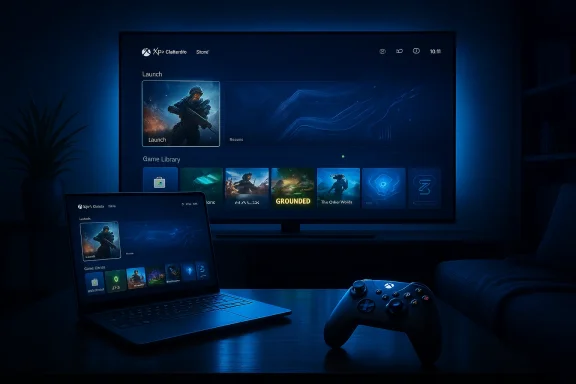
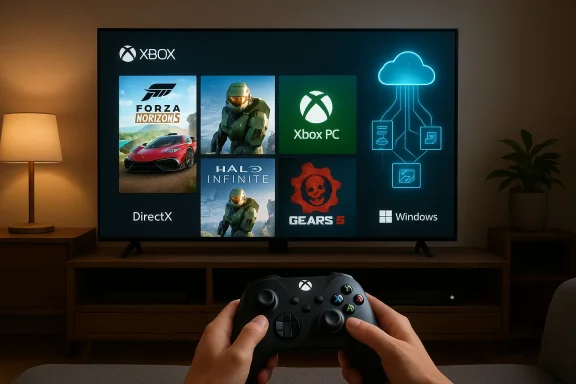
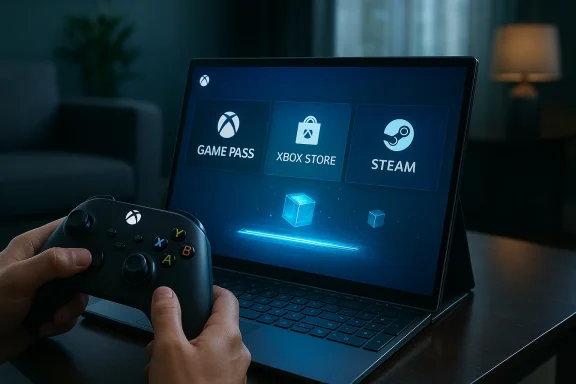
A person holds an Xbox controller as a laptop screen shows Game Pass, Xbox Store, and Steam.Background and overview​

For years Microsoft has quietly stitched Xbox services into Windows, from Game Pass and the Xbox app to cloud streaming and tighter Xbox Store integration. The latest move is more visible and more ambitious: a full‑screen UI that boots straight into an Xbox‑centric environment, suppresses nonessential desktop subsystems, and presents a console‑style launcher layered on top of Windows 11. The Full Screen Experience (FSE) that first appeared on Microsoft’s partner handhelds has been rebranded to Xbox mode, and Microsoft says it will roll out broadly across Windows 11 starting in April.
That rollout coincides with a set of announcements at the Game Developers Conference and in DirectX developer communications: Microsoft is opening Advanced Shader Delivery more broadly (a system to ship precompiled shaders to users), pushing DirectX toward neural rendering and additional GPU tooling, and continuing to evolve DirectStorage for faster asset streaming. Meanwhile, Microsoft’s next‑generation console effort — codenamed Project Helix — has been advertised as a hybrid that will play PC games as well as Xbox titles, deepening the company’s intent to blur the lines between PC and console ecosystems.
This article unpacks what Xbox mode is, how it works, why Microsoft is accelerating this strategy now, and what the real risks and benefits are for players, developers, and the broader PC ecosystem.

What is Xbox mode — and what does it change?​

A console interface for Windows 11​

Xbox mode is essentially a full‑screen, controller‑first shell for Windows 11 that replaces the desktop environment with an Xbox‑style launcher and storefront experience while the mode is active. The core goals are straightforward:
  • Reduce background Windows overhead (services, shell components, UI compositing) while gaming.
  • Present a consistent Xbox‑like UI that aggregates games from Game Pass, the Xbox Store, and other storefronts.
  • Make Windows devices feel more like consoles for users who prefer a simple, living‑room or handheld gaming experience.
In practice, when Xbox mode is active the system boots directly into the Xbox app or switches into a full‑screen overlay that hides the Windows desktop. Microsoft has provided multiple entry points: a Task View toggle, Game Bar option, and a traditional key combo that powers the switch. On supported handhelds the OS can boot into Xbox mode by default, making the device act more like a dedicated gaming console.

What Xbox mode does under the hood​

The technical ambition of Xbox mode is less about flashy UI and more about resource prioritization. When Xbox mode is engaged, Windows selectively avoids loading certain desktop services and background tasks, reduces visual effects and shell overhead, and redirects system attention toward the foreground game.
Key behaviors include:
  • Disabling nonessential explorer/shell processes and background telemetry where possible.
  • Tightening power/performance profiles to favor gaming.
  • Presenting a curated, controller‑first navigation model that exposes installed games, Store listings, and Game Pass content.
  • Preserving access to other PC storefronts (Steam, Epic, Battle.net) — the Xbox app still surfaces non‑Microsoft games so users aren’t locked out of their libraries.
That last point is important: Xbox mode is a UX layer, not a separate operating system. It’s designed to be a lightweight, full‑screen environment layered on Windows, not a fork.

Why now? Microsoft’s strategy and timing​

Microsoft’s timing isn’t accidental. The company is pursuing three connected goals that explain the urgency behind Xbox mode and the broader DirectX/DirectStorage initiatives:
  • Unify the Xbox and Windows gaming experiences so “Xbox” becomes a user experience, not a single device. Making Windows machines feel more like Xbox hardware helps Microsoft promote Game Pass subscription churn and the Xbox app as the central library for players across devices.
  • Reduce fragmentation and user friction on Windows devices that struggle with thermal limits or background process overhead, especially handhelds and thin laptops. Xbox mode addresses a real pain point: Windows is flexible, but that flexibility costs predictable performance for constrained hardware.
  • Lay groundwork for hybrid devices and the next‑gen console vision embodied by Project Helix. If Microsoft’s next Xbox is designed to run PC games and Xbox games interchangeably, the company wants the Windows layer to feel native and polished.
These goals align with Microsoft’s recent developer messaging around precompiled shaders and neural rendering — both are ways to make games launch faster and run more consistently across the huge variety of Windows hardware.

Advanced Shader Delivery: how precompiled shaders change load times​

The problem with first‑run shader compilation​

On Windows, the first time a game runs, it often needs to compile many shaders for the target GPU and driver stack. This on‑device compilation is time‑consuming, leads to stuttering, and is a common complaint for players on day‑one launches. Console ecosystems historically avoid this problem because developers ship precompiled shaders targeting a small set of hardware configurations.

What Advanced Shader Delivery does​

Microsoft’s Advanced Shader Delivery introduces a formal pipeline for producing a Precompiled Shader Database (PSDB) that can be distributed alongside a game through store platforms. The developer/engine collects shader state into a State Object Database (SODB) during authoring, a cloud‑based shader compiler compiles those states for vendor‑targeted backends, and the resulting PSDB lands on the user’s machine at install time. When the game runs, the shaders are already present and the device can skip much of the runtime compile step.
The practical benefits are immediate:
  • Faster initial load times and shorter “first run” stalls.
  • Smoother frame delivery on first play sessions.
  • Less dependence on the user’s local machine compiling hundreds or thousands of shader permutations.
This is not a novel idea in gaming — consoles and some PC storefronts have used similar techniques — but Microsoft is building a standards‑level path for it within DirectX and the Xbox PC ecosystem. That means a larger portion of Windows games could ship with precompiled shader caches, improving the out‑of‑box experience.

Caveats and technical restraints​

Advanced Shader Delivery’s effectiveness depends on several factors:
  • Hardware coverage: It’s impractical to precompile for every GPU and driver permutation, so PSDBs must target common GPU families or rely on runtime fallbacks.
  • Driver/OS mismatch: If GPU drivers or Windows components change between PSDB creation and user install, shaders may fail to match or require recompilation.
  • Storage and distribution: PSDBs add size to downloads. Developers and store owners must balance download size against startup speed.
  • Patch synchronization: When a game updates, PSDBs must be reissued or updated in sync to avoid mismatch-induced slowdowns or graphical errors.
The technology is promising, but it needs robust tooling, careful versioning, and vendor cooperation to be broadly reliable.

DirectX moves toward neural rendering and better asset streaming​

Neural rendering and cooperative vectors in HLSL​

Microsoft has signaled a clear trajectory toward neural or AI‑assisted rendering inside DirectX. That includes adding cooperative vector operations and building HLSL primitives that allow developers to embed lightweight models inside shaders. The goal is to let GPU tensor units accelerate ML inferences directly within the graphics pipeline — for effects like denoising, upscaling, and procedural content generation.
This is a big shift for real‑time graphics pipelines. Neural rendering promises higher visual fidelity with lower traditional rasterization costs, but it also raises questions about GPU vendor support, performance portability, and authoring complexity. Developers will need to retrain or retool shader development workflows to include tiny models and to profile which operations make sense for each target GPU.

DirectStorage: faster asset streaming and quicker level loads​

DirectStorage, Microsoft’s API for efficient asset streaming, continues to mature. By exposing lower‑latency I/O and better asynchronous streaming paths, DirectStorage reduces CPU overhead and helps keep the GPU fed with data, enabling quicker level loads and fewer image pop‑ins.
When combined with precompiled shaders and optimized asset pipelines, DirectStorage helps produce the kind of snappy startup and loading behavior that console players expect. For Windows gamers — especially those on SSDs and handhelds — the combination could make a measurable difference.

Project Helix and the Xbox‑PC convergence​

What Project Helix represents​

Microsoft’s next‑generation Xbox, codenamed Project Helix, was presented as more than a traditional console: the company explicitly stated it will play PC games, reinforcing Microsoft’s goal of a single ecosystem that spans living‑room consoles, handhelds, and Windows PCs.
If Helix runs both Xbox and PC games natively, Microsoft gains leverage: it can unify store operations, rollout cross‑platform updates, and standardize features like Advanced Shader Delivery. For developers, one target becomes multiple execution environments, and for players it could mean more choice and fewer platform fences.

Timing and hardware speculation​

Microsoft indicated further Helix milestones and suggested an alpha phase in a coming year, but concrete release timing and pricing remain speculative. Vendor statements and industry reporting hint at 2027 engineering milestones, but hardware, SKU definition, and price points are not finalized. Analysts and media outlets have offered price estimates based on leaked component costs, but those are best treated as rumor until Microsoft publishes official specs.

Developer impact: tooling, workflows, and gatekeeping​

What developers need to do​

To take full advantage of Xbox mode and the new DirectX features, developers will face a handful of practical tasks:
  • Integrate state collection and PSDB generation into their engine pipelines.
  • Validate precompiled shaders across target GPU families and maintain PSDBs alongside patches.
  • Profile neural shader performance and fall back to traditional techniques where necessary.
  • Test games in Xbox mode and on hybrid hardware to ensure UI/UX integrity and controller mapping.
  • Confirm DRM and anti‑cheat systems remain compatible with the different boot path and reduced background services.
Microsoft is providing tooling and developer documentation; success depends on how evenly that tooling is adopted and how well it fits into existing build systems.

Gatekeeping risks​

When a store or platform introduces an optimized delivery mechanism — like PSDBs via Xbox storefronts — it also introduces an avenue for influence. Developers may prefer shipping through Microsoft’s channels to get better precompiled shader support, prioritized caching, or tighter integration, which could accelerate the Xbox ecosystem’s pull on the PC market.
Careful stewardship is required to avoid tilting competition unfairly: precompiled shaders are a technical benefit, but if distribution ends up tied primarily to one storefront, smaller stores and vendors might be disadvantaged.

Consumer impact: benefits, compatibility, and caveats​

Immediate benefits for gamers​

  • Faster, smoother first‑run experiences: Precompiled shaders and DirectStorage can dramatically reduce stutters and long initial compile phases.
  • More consistent handheld performance: Xbox mode isolates gaming workloads from desktop bloat, which is valuable on thermally limited devices.
  • Unified library access: The Xbox app in full‑screen aggregates games from multiple stores, simplifying navigation for many users.

Compatibility and stability concerns​

Real‑world devices rarely behave like lab prototypes. Early adopters have already reported issues: some handheld units have suffered update‑induced recovery loops, and hardware variations produce different shader behaviors. Windows updates, driver changes, or mismatched PSDBs could trigger regressions. Users should expect a transitional period where things get better but also occasionally break.
Gamers who want the cleanest experience should:
  • Keep GPU drivers up to date with vendor releases that support the new DirectX features.
  • Be cautious about enabling pre‑release Insider channels on primary machines.
  • Back up critical data and understand that system restore steps may be necessary if a Windows update interacts poorly with a new mode or driver.

Ecosystem and competition: where this leaves Valve, NVIDIA, AMD, and storefronts​

Valve and the Steam ecosystem​

Valve’s Steam Deck and its Desktop vs Gaming Mode separation are natural comparisons. Microsoft’s Xbox mode brings a similar UX philosophy to Windows — but it layers on deeper store integration and DirectX‑level optimizations that Valve cannot provide by itself on Windows.
Steam already offers precompiled shader behavior via its own caching systems for some titles. Microsoft’s PSDB approach is similar in aim but different in scope: shipping a cross‑device standardized format through a major store could provide broader coverage faster — at the risk of increasing platform concentration.

GPU vendors: partnership and friction​

Precompiled shader delivery requires coordination with GPU vendors. Microsoft’s DirectX team has worked with hardware partners to separate shader compilation from drivers in certain flows, enabling cloud compilation and PSDB creation. NVIDIA, AMD, and Intel will need to support the tooling and provide stability across driver updates for this to work well.
GPU vendors stand to benefit: better startup experiences and neural features can make their hardware more attractive. But they also bear testing responsibility and may be cautious about exposing compiler internals or supporting too many precompiled permutations.

Security, privacy, and policy considerations​

Telemetry and background services​

Xbox mode reduces some background telemetry and services while active, but Microsoft still operates telemetry systems for Windows and Xbox. The tradeoff between a lean gaming shell and the need for connectivity and diagnostic signals must be managed transparently to avoid privacy concerns.

Antitrust and platform concentration​

The combination of UX unification, storefront advantages, and game distribution could stoke regulatory attention. If Microsoft’s tooling and delivery advantages become effectively limited to the Xbox Store or Xbox PC app, rivals and regulators may scrutinize whether that edge creates unfair market dynamics. Historically, platform‑level optimizations that tie performance benefits to a single storefront invite closer inspection.

DRM and anti‑cheat on a modified boot path​

Some DRM systems and anti‑cheat kernels are brittle, and a reduced background environment or alternate boot path could interfere with them. Developers and Microsoft must ensure that compatibility testing with Xbox mode is robust, and that players don’t lose access to multiplayer services due to a changed runtime environment.

Real‑world signals: what early adopters are seeing​

Early reviews and community tests paint a mixed but promising picture. Handhelds shipping with the Xbox Full Screen Experience showed notable UX improvements, and when optimized PSDBs are available, some games launch and run with significantly fewer hitches. At the same time, community forums and social channels reveal edge cases: update‑related recovery issues, driver mismatches, and variable support from third‑party storefronts.
That’s typical for a cross‑platform initiative of this scale. Expect a bumpy first year and a more stable second year as developers, hardware vendors, and Microsoft converge on best practices.

Recommendations for stakeholders​

For players​

  • Treat early Xbox mode builds as a feature to experiment with, not an immediate replacement for your regular desktop setup.
  • Keep system backups and create recovery media if you plan to test Insider builds or major feature flips.
  • Update GPU drivers from vendors that explicitly support the new DirectX features for the cleanest experience.

For developers​

  • Prioritize a test pass for PSDB and Advanced Shader Delivery integration if you ship on Xbox or plan to distribute through the Xbox PC app.
  • Profile neural shader workloads carefully; fallback paths should be robust and well‑documented.
  • Consider PSDB size vs. startup benefit tradeoffs; not every project will benefit equally.

For enterprise IT and system integrators​

  • Xbox mode is consumer‑oriented; evaluate it cautiously for mixed‑use devices in enterprise settings.
  • If deploying Windows 11 machines in campus or shared environments where games are likely, build policies for Insider channel installations and driver update windows.

What to watch next​

  • Tooling maturity: Watch how Microsoft’s PSDB tooling integrates with Unreal, Unity, and other engines. The smoother that integration, the faster precompiled shaders will appear in the wild.
  • GPU vendor support: Keep an eye on driver release notes from NVIDIA, AMD, and Intel for explicit DirectX neural and PSDB support. Vendor cooperation will determine real‑world efficacy.
  • Project Helix details: As Microsoft provides more Helix details, pay attention to exact hardware targets, whether Helix ships a modified Windows layer, and how Microsoft maps PC compatibility.
  • Store dynamics: See whether precompiled shader advantages become exclusive or preferentially exposed through one storefront; this will be a major industry signal.

Conclusion​

Xbox mode for Windows 11 is more than a cosmetic change. It’s part of a concerted Microsoft strategy to unify experiences across Xbox hardware and Windows PCs, reduce friction for players, and provide developers better tools for delivering smooth first‑run experiences. Combined with Advanced Shader Delivery, DirectX’s move into neural rendering, and DirectStorage improvements, Microsoft is betting that tighter OS‑level integration and smarter delivery pipelines are the fastest way to make Windows feel like a true console alternative.
The benefits are tangible: faster startups, fewer shader‑induced stutters, and a more consistent handheld experience. The risks are real too: compatibility fragility on a fragmented PC landscape, the potential for store advantage to morph into market concentration, and the complexity developers must shoulder to support new pipelines.
If Microsoft executes this carefully — with open tooling, cross‑vendor cooperation, and transparent policies — Xbox mode and the associated DirectX enhancements could meaningfully raise the baseline quality of PC gaming. If not, they risk fracturing developer attention and raising fresh questions about where control and advantage lie in the Windows gaming ecosystem. For players and developers, the next 12–24 months will tell whether this is an evolutionary improvement to PC gaming or the start of a more directed, platform‑centric era.

Source: The Verge Microsoft’s ‘Xbox mode’ is coming to every Windows 11 PC
 

Microsoft’s push to make Windows more “console-like” just took a clear step forward: an Xbox‑branded, full‑screen gaming mode that first appeared on purpose‑built handhelds is now being positioned as a first‑class session posture for Windows 11, and Microsoft says that posture will appear on a broader set of desktops, laptops and handhelds in the coming weeks — with some outlets reporting a targeted availability window in April.

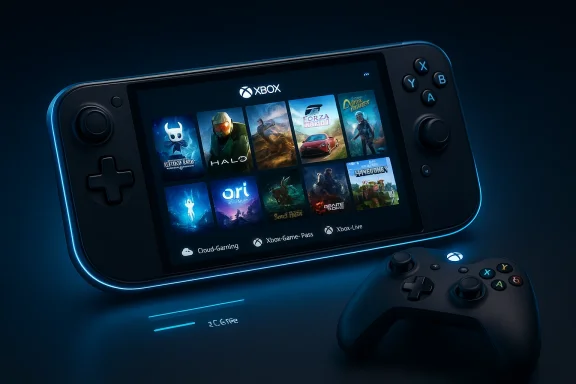
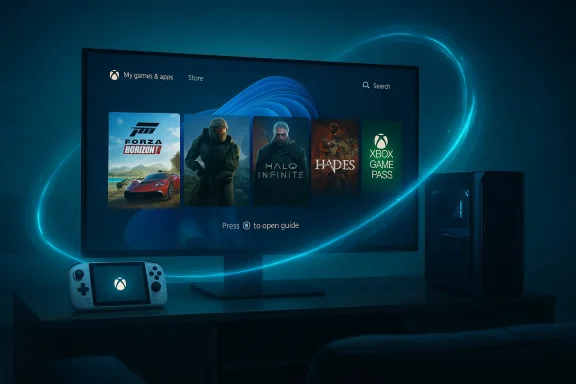
A neon-blue Xbox handheld console shows a game library with a wireless controller nearby.Background / Overview​

Microsoft introduced a dedicated, controller‑first Xbox experience as part of a co‑engineered handheld play with ASUS that shipped on the ROG Xbox Ally family. That experience — variously called the Xbox Full‑Screen Experience (FSE) or Xbox Mode — behaves like a console shell layered on top of Windows 11: it boots to a game‑first home, prioritizes controller input, aggregates PC storefront libraries inside the Xbox app, and deliberately suppresses parts of the general‑purpose desktop to reclaim memory and simplify navigation. Early hands‑on reporting and community leaks showed the mode can free nontrivial system resources by not loading Explorer and other productivity‑oriented processes.
The announcement at GDC and subsequent coverage tied the feature to Microsoft’s broader hardware and platform strategy, including the public debut of the Project Helix codename for the next‑generation Xbox console and leadership changes at Microsoft Gaming. The new executive leadership — Asha Sharma replacing long‑time Xbox chief Phil Spencer — has signalled an intent to more closely align console and PC experiences, a message underscored by Project Helix’s stated aim to run both Xbox and PC games.
This article walks through what Xbox Mode is, why Microsoft is shipping it to Windows 11 devices beyond handhelds, what it means technically, how the rollout and community activity are playing out, and the practical and strategic risks this move introduces for players, OEMs, and the broader PC ecosystem.

What exactly is “Xbox Mode” on Windows 11?​

The concept in plain language​

At its core, Xbox Mode (a consumer label for Microsoft’s Full‑Screen Experience) is an alternate Windows session that looks and behaves like a console. Instead of presenting the desktop, taskbar, and standard Start experience, Windows will present the Xbox app as the primary shell and provide:
  • A controller‑first, full‑screen dashboard with game discovery and library aggregation.
  • Rapid entry into cloud and local Game Pass play, plus shortcuts to other storefronts detected on the device.
  • A trimmed Windows environment beneath the dashboard that skips loading desktop artifacts to free memory and reduce background overhead.

How it differs from Steam Big Picture or similar overlays​

Unlike a mere launcher or overlay, Xbox Mode is designed as a session posture — effectively a shell that can be set as the default home experience. It is intended to operate as a distinct mode that can be toggled on and off, not just as an application that runs on top of the desktop. That means the device boots, by default if configured, into the Xbox front door and only runs the regular desktop if the user explicitly switches back. Early reporting indicates the mode suppresses Explorer and many productivity‑oriented services, which gives it more control over system resource allocation than typical fullscreen apps.

Origins: ROG Xbox Ally and the Windows 11 25H2 platform plumbing​

The feature was first shipped as the out‑of‑box shell on the ASUS ROG Xbox Ally family, a partnership that positioned the hardware as a first wave of devices intentionally optimized around the Xbox front end. That OEM partnership let Microsoft build and validate the experience on a constrained, handheld form factor before expanding its availability. Early Insider and community testing showed the same mode could be enabled on existing hardware running Windows 11den feature flags and using community tools — a development that accelerated public testing and raised new support questions.
Microsoft VP commentary made the intent clear: the full‑screen Xbox home is simply a different session posture layered on top of Windows 11, not a separate operating system. The mode’s design intentionally avoids loading the desktop wallpaper, the taskbar, and a host of productivity processes to increase available memory for games and reduce background noise on handheld devices. Reviewers and early testers repeatedly reported measurable memory savings and smoother performance on thermally constrained hardware when running the mode. (pcworld.com)

The timing and rollout: April, Insiders, and select markets​

Coverage has split across channels. Several outlets and community threads report Microsoft is staging a broader rollout — moving the Full‑Screen Experience from an Ally exclusivity to an optional mode on other handhelds, laptops and desktops through Windows and Xbox Insider programs. Some reports specifically referenced a targeted window in April for a broader push to Windows 11 devices in select markets; however, that specific April timing is not uniformly confirmed by Microsoft press communications at the time of writing and should be treated as a conditional, region‑staged expectation rather than a hard, global release date.
What is verifiable:
  • The mode is included in the Windows 11 25H2 family and has been surfaced through Insider builds and OEM co‑engineering on Ally hardware.
  • Microsoft and partners are preparing to expand availability beyond Ally devices, and Insiders can preview aspects of the Full‑Screen Experience via coordinated Xbox and Windows test channels.
What remains fluid:
  • Exact consumer availability dates for every region and device class. Multiple outlets report staged availability and a likely April window for expanded previews, but Microsoft has not published a single, global GA date at this time. Treat “April” as a plausible timeline reported by several outlets rather than an absolute guarantee.

How Xbox Mode works technically (a pragmatic scan)​

Memory and process management​

The Full‑Screen Experience aims to reclaim system resources by selectively suppressing nonessential Windows components during a gaming session. Early analysis and reporting suggest the mode can free roughly 1–2 GB of RAM on constrained handheld configurations by not loading the Explorer shell and related processes, and by deferring services unnecessary for a controller‑first gameplay session. That resource reclamation translates into lower memory pressure and can improve framerate stability on low‑headroom systems.

Aggregated game library and storefront integration​

A crucial part of the experience is the Xbox PC app acting as an aggregated launcher for local titles from multiple storefronts (Steam, Epic, Battle.net, etc.), plus Game Pass and cloud offerings. This aggregation is intended to simplify game discovery and provide a single “front door” into titles, whether installed locally or streamed. The Xbox app’ launch games from disparate storefronts reduces friction for console‑minded players who favor plug‑and‑play experiences.

Boot integration and session switching​

On devices wheras the default, boot flows take the user directly into the Xbox front end. A UI affordance allows users to switch back to the classic desktop if needed, but the intent is to create an uninterrupted gaming posture for the session. Community testing has exposed ways to toggle the feature via registry edits and feature flags; Microsoft’s supported path will be through the Insider preview cha updates for devices certified for the experience.

Hands‑on impressions, community ports, and early adopters​

Enthusiasts and hobbyists moved quickly. Within weeks of the feature appearing in Insider builds and on Ally devices, community members documented registry tweaks and Vivetool switches that enabled the mode on existing handhelds such as earlier ROG Ally units and competing devices. That unofficial unlocking accelerated hands‑on testing and created real‑world reports about performance wins and compatibility trade‑offs. Forums and threads show hobbyist ports running the Full‑Screen Experience on a variety of Windows handhelds and even some laptops.
Early hands‑on highlights reported by testers include:
  • Improved thermals and battery longevity in some handhelds due to more efficient resource scheduling.
  • Simplified controller navigation and faster boot‑to‑play flow, mirroring console behavior. ([androidauthority.com](You don't have to wait for Microsoft's handheld to start using the new Xbox mode compatibility issues* with third‑party overlays, anti‑cheat drivers, and vendor‑specific control center apps when the OS shell is suppressed. Enthusiasts warn that enabling the mode via unsupported tweaks can cause instability and complicate driver updates.

Benefits for users and OEMs​

  • Faster play sessions: Booting directly to a controller‑first home shortens path‑to‑game for users who prioritize playing over prPerformance headroom: Suppressing desktop services can free memory and CPU headroom — a boon for thermally constrained handheld hardware.
  • Unified library: Aggregating installed and cloud titles into one launcher simplifies discovery and reduces friction across storefronts.
  • OEM differentiation: Partners like ASUS can offer a polished, Xbox‑first UX as a product differentiator without shipping a separate OS.

Risks and downsides — what to watch closely​

1. Compatibility and anticheat complexities​

Anti‑cheat systems, low‑level drivers, and some middleware expect the full Windows stack. Running a trimmed session that suppresses Explorer and other components could break these assumptions or complicate driver initialization. That’s why some users see mixed results when porting the mode unofficially; official OEM and Microsoft support will be critical to avoid fragmentation and broken gaming experiences.

2. Security and manageability​

When the desktop is deprioritized, the tooling and telemetry that enterprises and power users rely on may be less visible. For managed devices and corporate devices that occasionally double as gaming machines, administrators will need clear guidance about how to manage, update, and recover devices running Xbox Mode. Unsupported registry hacks risk bricking boot flows and complicating remediation.

3. Platform consolidation and ecosystem control​

Aggregating storefronts into a single Xbox front door centralizes user attention on Microsoft’s UX. That can be good for convenience, but it also concentrates influence over discoverability and monetization. Developers and competing storefronts will watch closely to ensure fairness and interoperability — historical precedent shows platform owners’ UI choices can reshape competitive dynamics on PC. This is a strategic risk, not a technical one.

4. Fragmentation: “console‑first” Windows vs. classic desktop expectations​

Power users and enterprise users rely on the desktop’s flexibility. Introducing a separate console posture risks creating two diverging expectations of how Windows should behave. Microsoft must keep the switch between modes seamless and ensure settings, updates, and data continuity are flawless to avoid developer and user frustration.

What this means for Project Helix and Microsoft’s strateg Mode’s broader rollout arrives alongside Microsoft Gaming’s public repositioning. Asha Sharma’s elevation to CEO and the Project Helix tease — explicitly described as hardware that will play both Xbox and PC games — signals a broader corporate intent to blur the lines between consoles and PCs. Helix, as publicly teased, looks to be part of a multi‑pronged strategy that includes:​

  • Device partnerships (handhelds like the ROG Ally).
  • Platform convergence (Xbox apng hub).
  • Hardware that embraces PC compatibility at the console level (Helix’s stated ability to run PC games). (geekwire.com)
Taken together, Xbox Mode on Windows 11 is less an isolated feature and more an early move in a strategy that positions Xbox as the gaming surface across form factors — from handhelds to living‑room boxes — while keeping Windows 11 as the underlying substrate. That’s a bold play that could simplify the user experience but makes Microsoft’s execution and partner cooperation decisive.

Practical guidance: how to prepare, enable, and (if necessary) roll back​

If you’re a Windows enthusiast, gamer, or IT pro planning to try Xbox Mode, follow these pragmatic steps:
  • Confirm device readiness: ensure your machine is on a supported Windows 11 25H2 build and that you have current drivers and firmware. Unsupported devices are more likely to encounter issues.
  • Use official channels where possible: prefer the Windows Insider and Xbox Insider programs for preview access rather than community hacks. Insider builds provide safer rollback paths and alignment with Microsoft’s support matrix. ([windowscentral.com](We hacked the new Windows 11 Xbox Mode onto the old ROG Ally — how does it optimize performance? before tweaking: create a system image or restore point before applying registry changes or community Vivetool switches. If you rely on the device for work, avoid experimenting on your primary machine.
  • Watch for anti‑cheat and driver updates: game publishers may need to update anti‑cheat drivers to cope with a trimmed OS posture. Expect a period of driver churn and occasional incompatibilities.
  • Disable mode if you need full‑desktop features: official settings will allow switching back; if you used an unofficial unlock method, follow community guides carefully and revert registry edits when finished.

OEM and developer implications​

OEMs gain an avenue to differentiate Windows hardware with a console‑grade gaming front end without shipping an alternate OS. That’s attractive for vendors chasing the handheld and gaming laptop segment, but it raises integration obligations:
  • Firmware and driver validation must account for the suppressed Windows posture.
  • Support channels will need to troubleshoot both desktop ows.
  • Browserable telemetry and update channels must remain reliable under both modes.
Developers and third‑party storefronts shnd launch behavior when games are invoked from the Xbox front end to ensure a consistent experience. Publishers with strong anti‑cheat dependencies must coordinate with Microsoft to certify compatibility across both session postures.

The community reaction so far​

Forums, modders, and early adopters have shown a mix of enthusiasm and caution. Gamers celebrate the streamlined play flow and reported performance boosts, while power users and enterprise voibout manageability and support models. Community ports and early leaks accelerated testing but also highlighted the risks of non‑supported activation — a reminder that staged, official rollouts matter.

Conclusions — what to expect next​

Xbox Mode’s expansion onto Windows 11 is a meaningful product and strategic step. It demonstrates Microsoft’s intent to make the Xbox ecosystem visible and front‑facing across PC hardware while keeping Windows 11 as the substrate beneath. For players, the promise is compelling: faster boots to play, unified libraries, and potentially better performance on constrained devices. For the PC ecosystem, it introduces an area of friction that will require careful engineering and clear partner agreements to avoid fragmentation, compatibility headaches, and platform‑control disputes.
Practical expectations for the next 90 days:
  • A staged Insider preview program will continue to broaden device support while Microsoft and OEMs finalize compatibility and driver certification.
  • Official availability windows and region lists will probably be staggered; treat early calendar estimates (e.g., “April”) as targets rather than guaranteed, global release dates.
  • Developers and anti‑cheat vendors will issue guidance and patches as incompatibilities are uncovered; expect short‑term churn.
This is a pivotal moment where Microsoft is concretely testing an integrated console‑first posture on top of the world’s dominant desktop OS. If executed well, it can reduce friction for gamers and spawn a healthier range of handheld and hybrid devices. If mismanaged, it risks fragmentation and escalated compatibility headaches. That trade‑off is exactly why this rollout merits careful watching by gamers, IT pros, OEMs and developers alike.
In short: Xbox Mode on Windows 11 is not a minor theme change — it’s a deliberate architectural posture that brings console expectations to PCs. Expect more official detail from Microsoft and partner OEMs in the coming weeks, and if you’re planning to test it, prefer official Insider routes and back up your system before experimenting.

Source: Insider Gaming Xbox Mode Is Coming to Windows 11 in April
 

Microsoft is rolling its console‑style Xbox experience out across Windows 11 as a branded Xbox Mode — the rebranded successor to the earlier “Xbox Full Screen Experience” — with a staged rollout beginning in April that promises a controller‑first, living‑room-friendly session posture for laptops, desktops, tablets and handhelds.

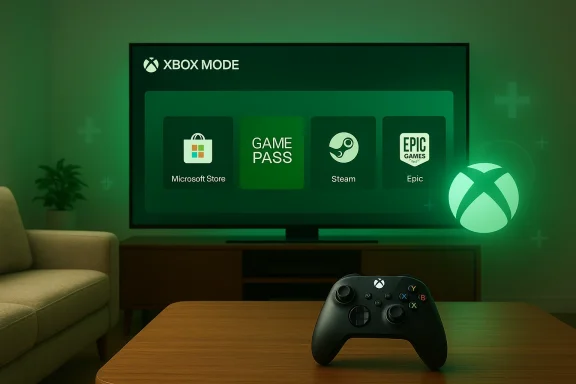
Xbox Mode shown on a laptop and a Nintendo Switch, with game-tile icons on each screen.Background / Overview​

Microsoft first shipped the console‑like Full Screen Experience (FSE) on purpose‑built handhelds late in 2025, where it booted the device straight into an Xbox‑styled launcher instead of the full Windows desktop. That early rollout — and community efforts to enable the same interface on existing handheld PCs — showed that Windows could present an alternate, lightweight session tailored for games rather than productivity.
At the Game Developers Conference and in accompanying Microsoft briefings this spring, the company repositioned that work under the simpler name Xbox Mode and confirmed a wider Windows 11 rollout starting in April, initially in select markets. Microsoft framed the change as part of a broader push to blur the line between console and PC gaming as it prepares next‑generation Xbox hardware and new developer tooling.
Xbox Mode is not a replacement operating system; it is an optional, session‑level UI that runs on top of Windows 11. When active, it furnishes a full‑screen Xbox home, favors controller navigation, aggregates games from multiple storefronts, and intentionally reduces background desktop overhead to prioritize responsiveness and battery life for play. That core definition — console‑like shell, controller focus, and resource trimming — is how Microsoft and early previews have described the mode.

What Xbox Mode actually is​

The user experience: console first, PC underneath​

Xbox Mode presents a stripped‑down, full‑screen Xbox home that becomes the user’s primary interface while gaming. The aim is to give Windows devices a console‑style front door:
  • A full‑screen launcher that highlights installed games, Game Pass titles, and cloud options.
  • Controller‑first navigation and core Game Bar integration for overlays and input.
  • A quick switch back to desktop mode when needed (the session model, not a permanent shell swap).
Microsoft’s guidance and Insider notes indicate Xbox Mode can be entered or exited without a full logout or reboot — users can switch contexts quickly, preserving the flexibility that makes PC gaming attractive while delivering a living‑room experience when desired.

Key features and behaviors​

The publicly announced and previewed elements of Xbox Mode include:
  • A unified games library inside the Xbox app that surfaces titles regardless of origin (Microsoft is aggregating storefronts so the Xbox home can launch Steam, Epic, and other storefront games alongside Game Pass entries).
  • Game Bar and overlay hooks preserved for performance tuning, capture, and social features.
  • Performance‑oriented behavior: when Xbox Mode is active the system avoids loading many non‑essential desktop services and UI elements, freeing CPU, GPU, and memory for the running game. Insiders have seen prompts recommending restarts to maximize the benefit after switching modes.
  • A short list of keyboard/controller shortcuts used to enter the mode (for previews, Win+F11 and task view selections have been referenced).
Microsoft is explicit that Xbox Mode is an option — not mandatory — and that Windows still retains its open desktop identity. But the mode is deliberately designed so a Windows device can act like a console when the user wants that behavior.

Rollout and availability: who gets it and when​

April rollout, phased and market‑limited​

Microsoft confirmed that Xbox Mode will begin a broader rollout to Windows 11 devices starting in April. The company and multiple outlets make clear this is a staged expansion: expect initial market constraints, OEM enablement schedules, and Insider preview windows before worldwide parity.
Early adopters will be devices that either shipped with the mode preinstalled (notably the ROG Xbox Ally family and other co‑engineered handhelds) or systems enrolled in Microsoft’s Insider programs. OEMs are also enabling the mode selectively on new handheld SKUs and higher‑profile gaming laptops. That OEM path matters because, on certain handhelds, Microsoft and partners ship Xbox Mode as the default out‑of‑box shell.

Insider previews and how to test now​

the Preview route remains the primary path to try Xbox Mode early:
  • Enroll in the Windows Insider program (Dev or Beta channels) and also opt into Xbox Insiders as required.
  • Update to the Windows 11 preview builds that include the FSE/Xbox Mode plumbing (Insiders have pointed to specific build numbers in past previews).
  • Activate Xbox Mode via Task View, Game Bar settings, or the Win+F11 shortcut where available.
Community tools and developer previews have already demonstrated ways to surface elements of Xbox Mode on devices that didn’t ship with it, but Microsoft’s supported path is the Insider program and OEM enablement. That distinction matters for stability and support.

Hardware and OEM partners​

Who’s on board​

The earliest and most visible hardware partner was ASUS with the ROG Xbox Ally line, which shipped with the Full Screen Experience as an out‑of‑box option. Lenovo, MSI and other handheld or gaming OEMs have publicly indicated plans to support or add Xbox Mode to handhelds and certain gaming SKUs in spring or later windows. These partnerships make Xbox Mode more than a UI experiment — they place it into retail hardware roadmaps.
Microsoft’s public developer messaging at GDC — which coincided with Project Helix disclosures — also framed Xbox Mode as part of a broader platform strategy that includes next‑generation hardware and unified developer tooling. OEMs building handhelds or living‑room PCs are a strategic vector for this change.

Minimum system expectations and integration notes​

Microsoft hasn’t published a strict hardware compatibility table for Xbox Mode, but the practical expectations from previews and OEM statements include:
  • Windows 11 (25H2 family or later) with the updated Xbox app from the Store.
  • OEM firmware that supports rapid switching of session posture and any vendor‑specific power/performance hooks.
  • Drivers and store integrations for Game Bar features and controller firmware.
Because OEMs can choose whether to ship the mode as default or optional, hardware availability and experience will vary by vendor and SKU. Expect differentiated behavior between handhelds engineered for Xbox Mode and general‑purpose laptops that get the feature later.

Developer and platform implications​

For game developers​

Microsoft’s push to make Xbox Mode mainstream on Windows 11 is accompanied by messaging for developers: tighter tooling, a unified GDK line, and an emphasis on predictable runtime behavior when games run in a console‑like session. The company sees this as an opportunity to simplify cross‑play parity and performance tuning across Xbox and Windows.
Developers should expect:
  • A need to test games in the Xbox Mode session to discover UI and windowing assumptions that break when the desktop shell is minimized.
  • Consideration of controller navigation paradigms and how to present in‑game menus when users expect console‑style flows.
  • Potential benefits from system‑level optimizations that reduce background noise and improve frame‑stability, especially on battery‑constrained handheld hardware.
Microsoft’s platform intent is clear: this is meant to reduce friction for shipping titles that feel native on both Xbox consoles and Windows devices. But it places a small burden on developers to validate in both session postures.

For middleware and tooling (graphics delivery, storage)​

At GDC and in related messaging, Microsoft tied Xbox Mode to future investments in packaging, shader delivery, and storage APIs intended to speed load times and parity between console and PC. These are strategic investments around Project Helix and the company’s developer story; if realized, they could materially reduce the overhead of porting between platforms. However, how quickly those tools appear in shipping engines and middleware remains to be seen.

Performance: what Xbox Mode changes and how dramatic the gains may be​

Resource trimming and perceptible gains​

The core performance mechanic in Xbox Mode is simple: by not loading the full Windows shell and by suppressing many non‑essential background services, more CPU cycles, memory and GPU time are available to the foreground game. Early hands‑on previews and community tests reported snappier UIs, reduced frame‑time jitter on low‑power handhelds, and better battery efficiency when the mode is active. Microsoft’s own documentation on FSE encouraged system restarts to reap the benefits after switching.
That said, the actual magnitude of improvements depends heavily on the device. On a constrained handheld with a mixed CPU/GPU budget, the gains are more noticeable than on a well‑spec’d gaming laptop or desktop. Reviewers who hacked FSE onto existing devices noted the experience felt “console‑like” and felt lighter on resources, but did not claim dramatic GPU performance deltae.

Caveats and known issues​

Because Xbox Mode changes how the system presents and manages windows, some desktop apps — particularly those that expect fixed window sizes or spawn additional windows — have exhibited unexpected behavior in preview builds. Microsoft has acknowledged these compatibility issues in Insider build release notes and is tracking fixes. That is an important realism check: performance gains come with a compatibility testing burden.

Compatibility and application behavior​

Aggregated storefronts: benefits and limits​

Xbox Mode’s ability to surface games regardless of origin (Steam, Epic, GOG, Microsoft Store, Game Pass) is a clear win for convenience. For many users, the friction of jumping between launchers has been a real pain point, and Xbox Mode’s aggregator is an attractive one‑stop launcher for gaming sessions. Early previews already surface installed titles from multiple storefronts.
However, aggregated launchers create fragility: overlay features, anti‑cheat interactions, and launcher‑specific integrations can still behave differently when launched from an alternate session. Developers and anti‑cheat vendors must validate that their integrations work when the Windows shell is minimized or altered. The risk is not unique to Microsoft, but it’s a practical compatibility vector.

App behavior and windowing​

As noted, apps that assume traditional desktop windowing model may behave oddly in Xbox Mode. This includes tools that rely on always‑on background services, system tray interactions, floating tool windows, and some productivity apps. Microsoft’s Insider notes and community testing have flagged these as known issues and areas of active bugfixing. If you depend on dual‑purpose workflows (game capture + streaming, or productivity plus occasional gaming on the same device) you should test the apps you rely on before adopting Xbox Mode as a default.

Risks, trade‑offs, and strategic concerns​

Ecosystem lock‑in vs. user choice​

The major strategic tension is how Xbox Mode fits into Microsoft’s platform posture. On one hand, Xbox Mode is optional and preserves the openness of Windows — you can still boot to desktop, run any launcher, and avoid the Xbox home if you choose. On the other hand, shipping a polished, console‑style front door that favors Xbox services and Game Pass gives Microsoft a powerful product narrative and distribution advantage. That dynamic raises reasonable questions about competition, discoverability bias, and how much Microsoft’s own storefront features will be promoted inside Xbox Mode.

Privacy, telemetry, and data collection​

Any new user interface and platform surface invites additional telemetry and signals that vendors can use to personalize content and recommendations. Microsoft has stated Xbox Mode is part of the Xbox app and Game Services family; users should assume standard Xbox telemetry flows and review privacy controls for profile, Game Pass telemetry, and cloud features before treating the mode as entirely discrete. If privacy or telemetry concerns are critical for a use case, test the mode with telemetry settings you’re comfortable with.

Regulatory and antitrust scrutiny​

Given the broader regulatory context around platform gatekeepers, bundling a console‑like Xbox home into Windows is the sort of product change that can attract scrutiny if it materially disadvantages third‑party storefronts or leads to confusing discoverability. Microsoft will need to balance product value with clear pathways for other storefronts and developers to surface content — and regulators will naturally watch if OEM or OS defaults steer too strongly toward the company’s own services. This is not speculation alone: the industry has already seen close regulatory interest in platform consolidation across stores and cloud services.

How this changes the Windows gaming story​

For consumers​

  • Xbox Mode gives casual and living‑room gamers a much cleaner, console‑like on‑ramp on Windows 11 without requiring a separate device.
  • Handheld owners (ROG Ally and similar devices) will see an immediately more polished out‑of‑box experience.
  • Power users and multitaskers will still have the full Windows desktop; the mode is optional but compelling for session‑based play.

For developers and platform partners​

  • Developers should test for windowing and overlay compatibility and consider controller navigation as a first‑class interaction where appropriate.
  • Middleware vendors (anti‑cheat, overlay, launcher tech) must validate flows in both session postures.
  • OEMs will decide how aggressively to ship the mode as default on new hardware, shaping first impressions for buyers.

For Microsoft’s strategic narrative​

Xbox Mode is a visible, consumer‑facing piece of Microsoft’s long‑term strategy to more tightly align Xbox and Windows gaming experiences. It also serves as a practical testbed for developer tooling and future hardware ambitions (Project Helix and beyond). If Microsoft executes well, Xbox Mode could shift more game sessions onto a unified Xbox/Windows surface while keeping the openness of the PC. If mismanaged, it risks fragmentation, compatibility friction, and regulatory headlines.

Practical advice: should you try Xbox Mode in April?​

  • If you own a supported handheld or an OEM that ships Xbox Mode by default, try it. The experience is engineered for that form factor and is the most stable path.
  • If you run a regular gaming laptop or desktop and rely on specialized overlays, streaming tools, or niche apps, wait for broader public builds or test in the Insider channel with care.
  • Developers and content creators should add Xbox Mode to their test matrix now — compatibility is the low‑cost, high‑value win here.

What to watch next​

  • Execution during the April rollout: will Microsoft hit the promised market windows, and will updates to Insider builds resolve the early app‑compatibility issues?
  • OEM adoption patterns: which vendors ship Xbox Mode by default and which make it optional? That choice will define first impressions.
  • Developer uptake: how quickly engine vendors, middleware providers and anti‑cheat vendors certify and optimize for Xbox Mode.
  • Regulatory reactions: watch for any formal complaints or inquiries if storefront discoverability tilts decisively toward Microsoft’s services.

Conclusion​

Xbox Mode is the clearest step yet in Microsoft’s plan to make Windows 11 behave like a console when users want it to. It’s an evolution of the Full Screen Experience that shipped on handhelds, now rebranded and staged for a broader Windows 11 audience beginning in April. For players and OEMs targeting handheld or living‑room use cases, it promises a smoother, more controller‑native entry into PC gaming and a tangible way to reduce desktop overhead. For developers and power users, it introduces a new testing matrix and a compatibility burden to manage.
The promise is compelling: one device that can be a full Windows PC for work and a console for play. The risk is real too: compatibility edge cases, potential discoverability bias, and the political scrutiny that follows any shift in platform defaults. If you care about PC gaming, this is one of those platform shifts you should test soon and follow closely — both to enjoy the immediate benefits and to hold Microsoft and its partners accountable for a balanced, open ecosystem.

Source: GameSpot Xbox Mode, Formerly Xbox Full Screen Experience, Finally Launches On Windows 11 In April
Source: VideoCardz.com https://videocardz.com/newz/microsoft-brings-xbox-mode-to-windows-11-pcs-rollout-starts-in-april/
Source: PCMag Microsoft's 'Xbox Mode' Coming to Windows 11 PCs Next Month
 

Microsoft is bringing a console-style, controller-first “Xbox full screen experience” — widely dubbed Xbox mode — to a broader range of Windows 11 PCs next month, turning eligible desktops, laptops, and tablets into a streamlined, full‑screen gaming shell that sits on top of Windows and is optimized for a gamepad-first interaction model.

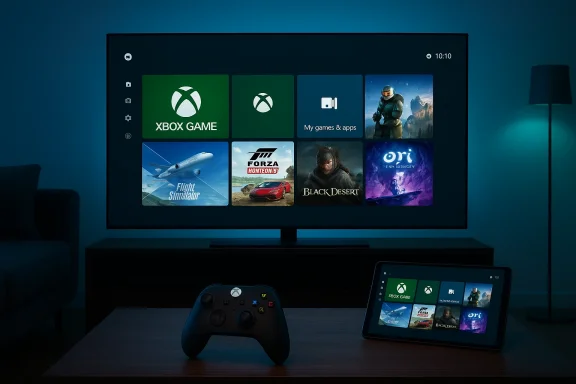
Xbox gaming setup with a large screen, game tiles, a controller, and a tablet showing the UI.Background​

Microsoft first introduced the Xbox full screen experience (FSE) as part of a push to make Windows handheld gaming feel more like a console: a simplified home screen that aggregates your Xbox Game Pass library alongside games installed from other PC storefronts and presents everything in a controller-friendly UI. That initial implementation shipped on Windows 11 handhelds such as the ASUS ROG Xbox Ally and ROG Xbox Ally X, where booting straight into an Xbox‑style interface made a clear ergonomic case for playing on the go.
By late 2025, Microsoft opened the feature to Windows Insiders in preview form and began expanding compatibility beyond specialized handhelds into other Windows 11 form factors. The company framed the move as giving players an easy “lean‑back” option: a full-screen hub that makes launching, switching between, and managing games faster and more controller-centric than the regular Windows desktop.

What the Xbox full screen experience actually is​

At its core, the full screen experience is a UI layer and set of system behaviors that temporarily replace the standard Windows desktop with an Xbox-like home screen and navigation model. The main characteristics are:
  • A console-inspired launcher that surfaces Xbox Game Pass and your PC game library in a single, tiled view.
  • Controller-first navigation and selection, including D‑pad, thumbstick, and button interactions designed around gamepads.
  • System tweaks intended to reduce background activity and idle power use while you play.
  • Quick toggles to enter and exit the mode without rebooting or signing out of Windows.
This is not a permanent fork of Windows; rather, it is a temporarily engaged shell that sits above the Windows desktop. When you want to return to a traditional workflow, you can switch back instantly using Task View, exit from Game Bar settings, or press the Windows key — no reboot required.

How to enable and use Xbox mode on Windows 11​

Microsoft rolled out the feature to Insiders with a straightforward activation flow that mirrors how console users would expect to enter a gaming UI:
  • Open the Game Bar (Windows key + G) and navigate to Settings.
  • Enable the option labeled Enter full screen experience or toggle the full screen experience from Task View when available.
  • Use Win + F11 as a quick toggle to enter or exit the full screen experience.
Once in FSE, navigation is handled primarily via controller; however, touch, keyboard, and mouse still function where appropriate. The interface lists Xbox Game Pass titles and your installed PC games, and it provides the ability to run multiple titles and switch between them — approximating the console-like workflow of “pick a game and play.”

Why Microsoft is doing this: the product rationale​

There are three explicit product goals behind FSE:
  • Make Windows more approachable for people who prefer a console-style gaming experience — especially those who use controllers or handheld devices. Microsoft wants to reduce friction for players who find the full Windows shell cumbersome for casual or couch gaming.
  • Improve performance and power efficiency by reducing background Windows activity during play, extending battery life on handhelds and portable devices. ASUS and reviewers have highlighted power savings and more consistent performance when devices boot to FSE versus the full Windows shell.
  • Provide a single, discoverable surface for Xbox Game Pass and PC game libraries, strengthening the relationship between Windows and Microsoft’s subscription ecosystem. The FSE aggregates Game Pass prominently while still allowing third‑party storefront titles to appear.
Those aims converge neatly for handheld devices, and Microsoft’s messaging makes clear that the company sees value in giving PC users the option to “lean back” into a dedicated gaming UI when they want it.

What devices will get Xbox mode — and when​

Microsoft has already made FSE available on shipping Windows handhelds from partners like ASUS, and announced expansion to other handhelds and PCs via preview channels. The company said the broader rollout to Windows 11 PCs will begin next month in select markets, with the United States included in the initial wave. Availability will be phased and tied to device compatibility and Microsoft’s Insider/rollout schedule.
Device makers including ASUS and Lenovo have integrated the FSE into their marketing and firmware plans for new handheld SKUs, and manufacturers such as MSI have likewise added support for a console-like UI on some of their gaming handhelds. That indicates the feature will remain an opt‑in experience that OEMs can tune to their hardware.

UX and accessibility: controller-first, but not controller-only​

The FSE is deliberately controller-first. The UI elements, focus states, and input flows are designed for thumbsticks and D‑pads, not pointers. That creates a more natural experience for users who primarily game with pads, handhelds, or TV controllers. On supported devices, long presses of dedicated buttons can also invoke Task View or toggles into FSE, making entry fast and hardware-friendly.
That said, Microsoft has retained keyboard, mouse, and touch support where useful. The company recognizes that Windows is a multi-input platform, so FSE is an overlay rather than a replacement. Users who still rely on keyboard-driven workflows can enter and exit FSE instantly to resume productivity tasks.
Accessibility trade-offs exist. A controller-first design can be more difficult for players who use keyboard-based assistive technologies or custom input devices. Microsoft will need to monitor feedback and iterate to ensure FSE doesn’t create new barriers for players with different assistive needs.

Technical analysis: performance, power, and resource management​

One of the selling points Microsoft and OEMs promoted is that a simpler, gaming‑focused shell can reduce background process overhead and idle power consumption — meaningful on battery‑constrained handhelds. Early OEM documentation and reviews of the ROG Xbox Ally line suggest measurable power savings and smoother sustained performance when the device is running FSE versus the full Windows desktop environment.
Microsoft’s own support guidance shows the FSE includes system-level controls that can adjust which apps are allowed to run and how background tasks behave, which can free up memory and reduce idle CPU/GPU overhead. On devices with constrained thermal and battery budgets, that can improve frame‑time stability and overall battery life. But the magnitude of gains will vary widely by hardware configuration, drivers, power profiles, and the games in question.
Technical caveats worth noting:
  • FSE may not equally benefit desktop-class systems where background activity and power use are less constrained.
  • Vendor drivers, firmware, and power-management stacks still dictate the real-world impact. OEMs that expose fine-grained power profiles and integrate FSE more deeply will likely deliver the best experience.

Game libraries and storefront support​

A central promise of FSE is convenience: it surfaces Game Pass titles front and center while also allowing PC games from other storefronts, such as Valve’s Steam, to appear in the curated library view. Microsoft’s messaging and documentation say the FSE aggregates your games regardless of store, enabling controller navigation to launch titles from multiple sources.
This is important for adoption: a console-like shell that only shows Microsoft ecosystem content would be less appealing to PC gamers who have invested in Steam, Epic, or other stores. Aggregation helps FSE be a practical launcher for a real PC game library, not just a curated shop window.
There are still edge cases to watch. Some third‑party launchers or DRM overlays rely on desktop‑only workflows, and a full-screen shell that attempts to subsume those flows could encounter compatibility quirks. Early user reports and forum threads indicate a small number of interoperability issues with Game Bar and controller detection on certain configurations, which Microsoft is tracking through the Insider feedback channels.

Ecosystem impact: OEMs, subscription strategy, and competition​

For OEMs, FSE offers a way to differentiate Windows handhelds and gaming laptops. Products like the ROG Xbox Ally series prominently market the Xbox Full Screen Experience as a unique selling point, and manufacturers can tune hardware and firmware to complement it. That makes FSE both a Microsoft product feature and an OEM-level value prop.
For Microsoft, FSE strengthens the company’s subscription-first play by making Xbox Game Pass an obvious destination in the console-like landing page. A unified launcher that makes discovering and launching Game Pass games easier could increase engagement with the service on PC as well as on handheld devices.
Competition-wise, Steam’s Big Picture and Big Picture’s descendants (including Steam Deck UI) already target the same “lean-back” use case. Microsoft’s FSE is, in effect, a Windows‑native alternative that emphasizes Game Pass integration and controller navigation. OEM partnerships and the ability to ship FSE as part of Windows 11 devices give Microsoft a distribution advantage that incumbents like Valve will need to address through deeper integration or product differentiation.

Strengths: why this could matter for gamers​

  • Cleaner, simpler gaming entrypoint: The FSE reduces friction for players who don’t want to navigate the full Windows desktop to play. It presents games and services in a single, focused UI.
  • Controller-first ergonomics: The UX is tailored to gamepads and handheld form factors, making casual and couch play more natural.
  • Potential for improved battery life on handhelds: By pausing or deprioritizing background tasks and streamlining services, FSE can improve thermal and power behavior on constrained devices. OEM testing has signaled measurable gains for some hardware.
  • Cross‑store aggregation: Showing Game Pass alongside Steam and other libraries prevents FSE from becoming a walled garden and preserves the openness many PC gamers expect.
  • Instant switching to desktop: The mode is designed to be temporary and reversible without logging out or rebooting, preserving the productivity strengths of Windows.

Risks and weaknesses: what to be cautious about​

  • Fragmentation of UX: Adding multiple shells and modes increases the surface area for bugs, especially where desktop-oriented apps and console-oriented overlays must interoperate. Early reports show Game Bar and controller detection issues on some setups.
  • Accessibility gaps: Controller-first navigation improves the experience for many users, but it can disadvantage players who rely on keyboard-based assistive tech or alternative controllers unless Microsoft commits to robust accessibility parity.
  • Potential telemetry and subscription nudges: Any UI that foregrounds a subscription service invites concerns about biasing discovery toward the vendor’s own catalog. Users and regulators will scrutinize whether FSE favors Game Pass titles in a way that harms competition.
  • Inconsistent benefits across hardware: Desktop users and powerful gaming laptops may see little advantage from FSE; the power and performance benefits are primarily relevant for handheld and thermally constrained devices.
  • Compatibility issues with third‑party launchers/DRM: Some games and launchers expect the full Windows environment; running them inside a different shell can trigger quirks that require patches or driver updates. Early community threads document isolated incidents.

Privacy and enterprise considerations​

From a privacy standpoint, FSE is a UI layer that may surface subscription recommendations and usage telemetry more prominently. Organizations and privacy‑minded users should watch how Microsoft integrates telemetry collection, personalized recommendations, and account sign‑in boundaries within FSE.
Enterprises and institutions that manage Windows fleets will likely treat FSE as an optional consumer feature, but IT admins should confirm whether device management policies or lockdown configurations interact unexpectedly with a full‑screen shell — for example, in kiosk or thin‑client scenarios where a dedicated shell is an administrative control. Microsoft’s documentation for Insiders and the support pages outline how to enable/disable the experience and manage its behavior, which enterprise IT teams should review before deploying at scale.

Developer and partner implications​

Game developers and third‑party storefronts should be largely unaffected from a runtime perspective: FSE launches the underlying game executable the same way the desktop would. But developers and middleware providers must remain vigilant about controller focus, overlay compatibility, and input routing differences when games are launched from a console-style shell.
OEMs will have a role in shaping the experience for specific devices. ASUS, Lenovo, and MSI examples show how partners can surface FSE toggles and map hardware buttons to FSE entry, creating a more integrated experience that delivers the best results. That collaboration model will determine whether FSE feels like a polished addition or a shoehorned experiment on some devices.

How to try it safely today (Insider route and practical tips)​

If you want to experiment with FSE before the broad rollout next month, the Windows Insider and Xbox Insider channels have been the pathway for preview builds. Practical steps include:
  • Join the Windows Insider Program and opt into the appropriate channel that includes the full‑screen experience preview.
  • Use the Game Bar (Win + G) to enable Enter full screen experience, or press Win + F11 where available.
  • Test a representative set of games (Game Pass, Steam titles, third‑party launchers) to evaluate compatibility and controller behavior.
  • Report any issues via the Feedback Hub to help Microsoft and OEM partners prioritize fixes.
Testing on one’s main machine is reasonable because FSE is reversible and does not require signing out or reinstalling the OS. Nevertheless, enthusiasts should be mindful that preview software can expose driver incompatibilities or unexpected power management interactions, so backing up important data is prudent when running Insider builds.

Market implications and likely adoption scenarios​

FSE’s strongest and most immediate adoption vector is handheld gaming PCs and ultra-portable gaming laptops, where battery life and controller ergonomics matter most. In that niche, OEMs can use FSE as a differentiator to position their devices alongside purpose-built consoles and portable gaming hardware.
On traditional desktops and workstation laptops, uptake is likely to be limited to users who explicitly want a console-style launcher for living‑room gaming PCs. The experience is an option, not an imposition, and Microsoft’s incremental rollout and opt‑in design reflect that. OEM partnerships and clear UX polish will determine whether mainstream PC buyers perceive FSE as a meaningful enhancement or merely an optional curiosity.

What to watch next​

  • Rollout cadence and market availability: Microsoft said the expansion will hit select markets next month with the United States in the first group. Watch for confirmed dates, additional market inclusions, and which Windows 11 SKUs are targeted.
  • Compatibility fixes and accessibility improvements: Expect iterative updates to Game Bar, controller detection, and assistive features based on Insider feedback.
  • OEM integrations and power‑profile tuning: The best experiences will come from vendors that pair FSE with firmware and driver optimizations that truly reduce idle work and stabilize thermals.
  • Competitive responses: Valve, Epic, and hardware OEMs will likely refine their own controller-first experiences or partnerships to remain competitive in console‑like PC gaming UX.

Final assessment: measured optimism with caveats​

The Xbox full screen experience is a logical, well-targeted feature that addresses a real usability gap for gamepad and handheld-oriented PC users. By offering a console-like landing page, controller-first navigation, and system tweaks aimed at power and performance, Microsoft is lowering friction for a meaningful segment of players. The company’s OEM partnerships — particularly with ASUS on the ROG Xbox Ally family — demonstrate a credible path to refined implementations that deliver real benefits on constrained hardware.
However, adoption and impact will be uneven. Power and performance gains are hardware-dependent, accessibility parity will require continued attention, and compatibility hiccups with third-party launchers and overlays remain a real risk during early rollout phases. The feature’s ultimate value depends on Microsoft’s responsiveness to Insider feedback, OEM execution, and how well the company balances subscription promotion with an open, user-respectful design.
For Windows 11 users who game with controllers or own a handheld PC, FSE promises a usable, optional path to a better lean‑back experience. For everyone else, it’s a welcome experiment that — if managed responsibly — could improve the way we play on Windows without undermining the platform’s strengths as a multi‑input, multi‑purpose operating system.

In short: Xbox mode is arriving on more Windows 11 PCs next month as an opt‑in, console‑like full‑screen shell that prioritizes controller navigation, Game Pass discovery, and reduced background work on portable hardware. It’s a pragmatic step toward unifying Microsoft’s gaming UX across form factors, but its success will come down to compatibility fixes, OEM tuning, and careful handling of accessibility and platform openness.

Source: PCMag Australia Microsoft's 'Xbox Mode' Coming to Windows 11 PCs Next Month
 

Microsoft’s push to make Windows feel more like a console took a decisive turn at GDC 2026: the full‑screen, controller‑first Xbox user experience that debuted on purpose‑built handhelds will be rebranded Xbox Mode and — Microsoft says — begin appearing on all Windows 11 PCs in April 2026, accompanied by a package of developer tooling and graphics features designed to smooth the path between PC and next‑generation Xbox hardware.

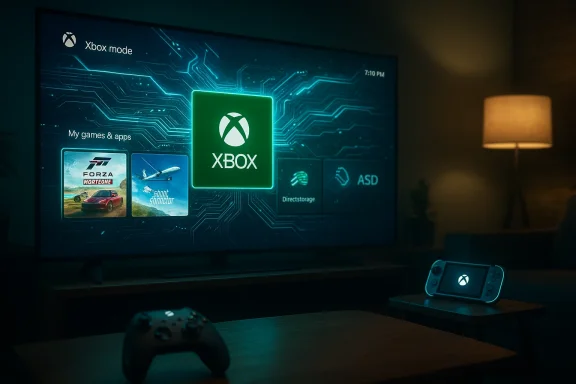
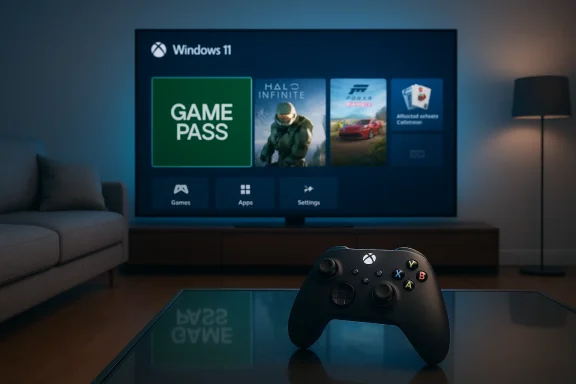
Cozy living room with a large TV showing Xbox mode UI and an illuminated Xbox controller on the coffee table.Background​

Microsoft’s Xbox‑branded, full‑screen shell first lived as the out‑of‑box interface on the ROG Xbox Ally handhelds and related portable devices, where it functioned as a lightweight, controller‑first launcher that boots into the Xbox app rather than the full Windows Explorer shell. That “full screen experience” has already been widened to several handhelds and preview channels, and at GDC the company announced a broader strategy: make this session posture a supported, optionally enabled experience across the Windows 11 ecosystem and align it with tooling for the next‑generation Xbox, codenamed Project Helix.
This is not just a UI choice. Microsoft is packaging the launch of Xbox Mode with developer‑facing upgrades — including Advanced Shader Delivery (ASD), expanded DirectStorage options, and new DirectX capabilities that embed machine learning into shader workflows — that aim to reduce first‑run shader stutter, speed load times, and make shader and asset delivery deterministic across devices. Microsoft frames these changes as foundational work for both PC and the next Xbox console.

What “Xbox Mode” actually is​

The session posture: full screen, controller‑first​

Xbox Mode is a session posture layered on top of Windows 11 rather than a separate operating system. When enabled, it offers:
  • A full‑screen, console‑style home that prioritizes the Xbox PC app as the “home” experience.
  • Controller‑first navigation, with UI flows optimized for gamepad input.
  • A streamlined UI that hides or deprioritizes typical desktop chrome to reduce distraction and (Microsoft claims) background overhead.
In practice, the mode behaves much like existing console UIs or Steam’s Big Picture: it’s a curated layer that makes launching, browsing, and switching games faster for controller users. Microsoft’s presentation at GDC stressed parity: Xbox Mode on PC is intended to deliver the same session posture players see on the ROG Xbox Ally and, in time, on Helix‑era hardware.

Notable UX touches and system behavior​

From the early previews and OEM implementations we’ve seen, Xbox Mode includes:
  • Quick‑switch tasking designed around a simplified Task View for games.
  • Aggressive prioritization of game processes and the suspension or trimming of some background services while a game is in the foreground.
  • Integration with the Game Bar and the Xbox PC app, including library aggregation and cloud‑play shortcuts.
  • Mechanisms to reduce input lag and initial stalls by pre‑delivering or pre‑compiling shader assets (see Advanced Shader Delivery below).
The mode has been previewed in Windows Insider builds and rolled to some handhelds earlier; Microsoft now intends to make it broadly available.

Why Microsoft is doing this: strategy and the Project Helix link​

Microsoft’s move is strategic on three levels.
  • Platform convergence: Microsoft is explicitly positioning Windows as the foundational runtime for the next generation of Xbox hardware. The company articulated this at GDC by tying Xbox Mode and the unified Game Development Kit to the Project Helix roadmap. The message was clear: build for Windows and you’ll be “build‑ready” for Helix.
  • Developer smoothing: by extending console‑grade tooling and deterministic shader delivery to PC, Microsoft reduces a class of friction that has historically made PC promises — “play anywhere, play better” — harder to deliver. Deterministic shader handling, improved DirectStorage tooling, and DirectX extensions that facilitate ML in shaders are all designed to make cross‑form‑factor parity less painful.
  • Ecosystem control and UX unification: a unified, branded session posture gives Microsoft a clearer channel to surface Game Pass, cloud play, and curated stores. This both strengthens the Xbox brand on PC and provides a platform to encourage developers and OEMs toward a more consistent gaming UX.

Developer tooling: what’s new and why it matters​

Advanced Shader Delivery (ASD)​

Advanced Shader Delivery (ASD) debuted on the ROG Xbox Ally family as a way to pre‑compile, package, and deliver shader content so the player’s machine doesn’t have to compile everything on first run — reducing stutter and smoothing initial gameplay. At GDC Microsoft announced ASD’s wider availability for Windows developers via support in the DirectX Agility SDK and ingestion through the Xbox Partner Center. The goal is to let devs collect and ship shader binaries in a deterministic package, which client devices can detect and apply automatically.
Why this matters:
  • Shader compilation is one of the most common causes of hitching or stutter in modern games, particularly on low‑end or integrated GPU systems.
  • Deterministic delivery enables a consistent first‑run experience across diverse PC hardware.
  • For handhelds and consoles that share a similar driver/ABI surface, ASD provides a path to parity between PC and Xbox rendering behavior.

DirectStorage and asset conditioning​

Microsoft is expanding DirectStorage with support for Zstandard compression and shipping a Game Asset Conditioning Library to standardize production pipelines. Those changes aim to reduce storage and I/O overhead while making asset packaging more predictable across platforms. Together with ASD, these efforts are explicitly billed as a way to reduce load times and first‑run variability.

DirectX and ML shader features​

At GDC Microsoft previewed new DirectX capabilities that embed linear algebra and ML operations in HLSL, unlocking hardware‑accelerated ML tasks directly in shaders. For developers, that means more expressive rendering pipelines and the ability to offload some tasks to dedicated shader‑friendly ML primitives — but it also raises the bar on developer tooling and hardware testing.

A unified GDK: “build for PC”​

Microsoft’s pitch is a single Game Development Kit (GDK) that lets studios compile once and target PC plus the upcoming Helix generation. That reduces duplication and lowers the cost of multiplatform support — if developers adopt the toolchain and follow Microsoft’s packaging and delivery recommendations.

Hardware and OEM implications​

Handhelds were the beachhead​

The ROG Xbox Ally family was the initial hardware platform for the full‑screen experience. OEMs and handheld makers like ASUS, Lenovo, MSI and others have already shipped or begun supporting the Xbox full‑screen interface on portable devices, and Microsoft’s staged rollouts to handhelds set the stage for a broader Windows rollout. Expect OEM firmware updates and power‑profile tweaks from ven Xbox Mode on non‑Ally hardware.

Project Helix and the blurred console/PC boundary​

Project Helix is being discussed publicly as Microsoft’s next‑gen Xbox effort that is purposefully designed to play both PC and console games. Microsoft’s message at GDC framed Helix and Xbox Mode as two faces of the same platform — suggesting Helix hardware will either run a Windows‑derived environment with Xbox Mode at boot or will be highly compatible with the Windows GDK approach. That has sweeping implications: console‑grade game packaging and the deterministic runtime behaviors Microsoft is pushing for would make porting PC games to Helix easier.

What OEMs will have to do​

  • Ship firmware and driver updates to ensure device profiles (power, thermal, GPU) behave predictably in Xbox Mode.
  • Work with Microsoft to certify ASD delivery and partner ingestion flows when necessary.
  • Create or adapt power profiles to balance performance, battery longevity, and thermal safety for handheld and laptop devices running Xbox Mode.

Rollout plan, compatibility, and timelines​

  • Announcement: Microsoft revealed Xbox Mode and related tools at GDC on March 11, 2026.
  • Preview history: parts of the feature have been appearing in Windows Insider builds (notably the 25H2 family and specific builds referenced in prior Insider channels), and Microsoft has been enabling the experience on handhelds and select devices through Insider and OEM updates.
  • Broad rollout: Microsoft stated that Xbox Mode will begin appearing across Windows 11 PCs in April 2026, initially in select markets. The company did not announce a simultaneous global drop for every territory or device. ([engadget.com](Microsoft's full screen 'Xbox Mode' will roll out to Windows 11 PCs in April practical notes:
  • Early access will likely come through the Windows Insider and Xbox Insider programs; participating in those programs will be the fastest path to try Xbox Mode.
  • OEM enablement will matter. Even when Xbox Mode is available in Windows, certain devices may require firmware updates for full support.
  • Market availability will be phased; Microsoft explicitly referenced select markets for the initial April distribution.

Benefits for players and developers​

For players​

  • Simpler, controller‑first UI for living‑room or handheld play.
  • Reduced first‑run stutter and faster startup thanks to ASD and DirectStorage improvements.
  • Easier access to Game Pass and cloud gaming from a single full‑screen frontend.

For developers​

  • Predictable shader behavior and a path to pre‑package shader assets for deterministic delivery.
  • A unified GDK approach that makes it easier to target both Windows PC and Helix console hardware.
  • New DirectX profiling and debugging tools that bring more console‑style diagnostics to PC workflows.

Risks, open questions, and critical caveats​

Microsoft’s bet is bold, but it comes with real trade‑offs and unanswered questions.

1. User choice and desktop integrity​

There’s a cultural and technical tension when a desktop OS adopts a console posture. Many PC users prize choice and a robust multitasking environment. Xbox Mode is optional, but when a major vendor tightly integrates a full‑screen, curated session posture, it can nudge users and OEMs toward a more locked‑down, curated experience. That raises questions about:
  • Will OEMs ship devices that default to Xbox Mode?
  • Will power users find their default workflows subtly discouraged or harder to configure?
  • How will Microsoft preserve the traditional desktop experience while supporting a console posture?
Community threads and early coverage already reflect a mix of enthusiasm and skepticism around how Xbox Mode will coexist with power‑user expectations.

2. Platform concentration and store dynamics​

A more unified Xbox‑branded front door to games on Windows could favor Microsoft’s services by surfacing Game Pass and Xbox Store content more prominently. While Microsoft has stated that Xbox Mode will aggregate multiple storefronts, the UX affordances (which titles are promoted, how updates are surfaced, and what monetization tools are highlighted) will materially affect developer economics and discoverability across non‑Microsoft storefronts.

3. Telemetry, privacy, and performance tradeoffs​

Xbox Mode’s goal of reducing background overhead may rely on tighter telemetry and system controls to make aggressive decisions about services and power. Users and sysadmins will rightly ask:
  • What telemetry does Microsoft use to decide which services are trimmed?
  • Can enterprises lock Xbox Mode out or enforce desktop‑first policies?
  • Does aggressive background trimming interfere with critical services (sync, backups, security agents) in multi‑user or corporate contexts?
These are verifiable questions that Microsoft has not fully answered in the initial announcements; expect follow‑up documentation from Microsoft telemetry and automatic trimming are opaque, trust and enterprise adoption could suffer.

4. Fragmentation by OEM and driver quality​

Xbox Mode’s real‑world performance will vary by OEM implementation and driver maturity. On handhelds this is manageable because the hardware target is narrow; on the global landscape of Windows laptops, desktops, and tablets, the variance can be substantial. Expect a multi‑month period where the mode performs beautifully on some systems and poorly on others — precisely the kind of fragmentation Microsoft wants to eliminate via ASD and developer guidance, but which remains a practical challenge.

5. Developer adoption and workflow disruptions​

ASD and the new pipelines introduce additional packaging steps and validation. Smaller studios or those with constrained build pipelines may balk at added pre‑production complexity. Microsoft will need to make these tools accessible and provide clear migration paths or the promise of meaningful gains.

What this means for major stakeholders​

For Microsoft​

A chance to reframe Windows as the canonical platform for the next generation of Xbox content. If Project Helix uses Xbox Mode as a primary UX, Microsoft gains a unified surface for both console and PC players — a strategic win if executed without alienating core PC customers.

For OEMs​

An opportunity and a burden. OEMs gain another differentiator for gaming devices, especially handhelds and gaming laptops, but must invest in firmware, drivers, and validation to ensure the Xbox Mode experience is stable and compelling.

For developers​

More powerful tools and a clearer path to parity across devices — but also new requirements for packaging and testing. Studios that embrace ASD and DirectStorage optimizations will likely deliver improved player experiences earlier than those that do not.

For players and communities​

A richer console‑like experience on PC — but with legitimate concerns around choice, telemetry, and the potential for UX homogenization. Community reactions reflect both excitement for smoother gaming and skepticism about the implications for traditional PC flexibility.

Practical guidance: how to prepare​

If you’re a gamer, developer, or system admin, here’s a concise checklist to be ready for Xbox Mode and the associated tooling:
  • Gamers
  • Join Windows Insider and Xbox Insider programs if you want early access.
  • Update GPU drivers and firmware: OEM updates may be required for full support.
  • Keep an eye on settings for background process management and telemetry controls.
  • Developers
  • Evaluate the DirectX Agility SDK and ASD documentation; prototype packaging shaders for a representative set of hardware.
  • Test with DirectStorage Zstandard compression in your asset pipeline.
  • Incorporate the new PIX and shader debugging tools into your profiling stage.
  • OEMs and integrators
  • Partner with Microsoft to certify power and thermal profiles for Xbox Mode.
  • Validate driver stack behavior under the mode’s process‑trimming rules.
  • Update user education materials so buyers understand the differences between desktop and Xbox Mode.
  • Enterprise IT
  • Decide early whether Xbox Mode should be allowed on managed devices and prepare Group Policy or Intune controls accordingly.
  • Test any interaction between Xbox Mode’s backgrounprise agents (VPN, backup, EDR).

Balanced assessment and final takeaways​

Microsoft’s Xbox Mode is an ambitious attempt to unify the console and PC gaming experiences while addressing well‑known pain points like shader stutter and long load times. The pairing of a console‑style session posture with deterministic delivery systems (ASD), improved storage tooling, and DirectX enhancements is sensible: it targets measurable sources of poor player experience and offers developers concrete tools to mitigate them. When it works, the player benefits are immediate — faster startup, less hitching, and a cleaner living‑room UX.
However, the risk landscape is nontrivial. The shift tests long‑standing expectations about Windows’ role as a general‑purpose desktop OS. Questions about telemetry, enterprise suitability, OEM variance, and the potential for store/interface lock‑in must be answered with transparent policies and robust controls. Microsoft’s documentation and partner guidance will be critical in the months after April 2026 if the company wants broad goodwill.
For the Windows and gaming communities, the next six to twelve months will be revealing. If Microsoft and its partners deliver on the developer tooling promises and handle privacy/choice concerns responsibly, Xbox Mode could be a meaningful step forward for cross‑form‑factor gaming. If those pieces aren’t delivered or are implemented opaquely, the feature risks becoming a divisive experiment — good for some users and devices, problematic for others.

Microsoft has signaled the direction: an Xbox‑branded, full‑screen session posture for Windows 11 that seeks to reduce friction in game delivery and align the PC ecosystem with the next generation of Xbox hardware. The details matter — firmware updates, developer adoption of ASD and DirectStorage changes, and clear user controls will determine whether Xbox Mode becomes a unifying improvement or an avoidable detour. The April 2026 rollout will be the first practical test; developers, OEMs and players should prepare now to evaluate how it behaves on the machines they care about.

Source: FilmoGaz Microsoft Introduces Xbox Mode to All Windows 11 PCs
Source: Thurrott.com Microsoft to Make New 'Xbox Mode' Available on All Windows 11 PCs Next Month
Source: Wccftech Building Games for Project Helix Means Building "For PC," Windows 11 Devices to Get ROG Xbox Ally's FSE Xbox Mode
 

Back
Top