

Microsoft began rolling out Xbox mode on April 30, 2026, to Windows 11 laptops, desktops, tablets, and handheld PCs in select markets, expanding a controller-first full-screen gaming interface that had previously been tested and deployed mainly around Windows gaming handhelds. The move is less about adding another launcher than about making Windows feel less like Windows when a player sits down with a controller. That is a small interface change with a large strategic shadow: Microsoft is trying to turn the PC into the most flexible Xbox it can ship.
For years, the awkward truth of Microsoft’s gaming strategy has been that Windows was both its greatest advantage and its most obvious liability. The PC has the biggest library, the widest hardware range, and the most open storefront ecosystem in gaming, but it is also the place where a couch session can be derailed by driver pop-ups, storefront updates, desktop scaling, anti-cheat nags, and the eternal indignity of reaching for a mouse. Xbox mode is Microsoft’s latest attempt to paper over that contradiction without closing the platform that made Windows gaming powerful in the first place.
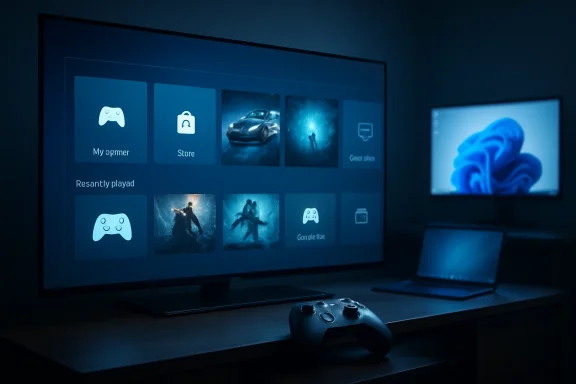
Xbox mode is easy to describe and harder to categorize. It gives Windows 11 PCs a full-screen, controller-optimized Xbox interface for browsing recent games, launching titles, accessing Game Pass, and pulling installed games from major PC storefronts into a more console-like library view. Users can move back to the standard Windows desktop when they need to, which is the entire point: Microsoft is not replacing Windows with Xbox, but it is asking whether many gaming sessions should begin somewhere else.
That distinction matters. A traditional console hides the operating system because the appliance model depends on predictability. Windows, by contrast, is a general-purpose operating system that happens to be the biggest PC gaming platform on Earth. Xbox mode is Microsoft’s attempt to create an appliance-like surface on top of a messy, powerful machine.
This is why the feature’s name change is important. “Xbox Full Screen Experience” sounded like a component, perhaps a shell option or an Insider feature. “Xbox mode” sounds like a destination. It is shorter, more consumer-facing, and more ambitious: not merely a view inside an app, but a state your PC enters when you want it to behave like a console.
The timing also gives the rollout more weight than a normal Windows gaming update. Microsoft previewed the broader PC push after the feature’s handheld debut, then tied it to a larger message about the next generation of Xbox, Windows, AMD hardware, and cross-device play. Xbox mode is therefore not an isolated UX experiment. It is a visible plank in Microsoft’s attempt to make Xbox less dependent on one kind of hardware.
SteamOS benefited from the opposite dynamic. Valve’s Steam Deck did not win attention because it ran every game perfectly or delivered the most powerful hardware. It won attention because it knew what it was. The user pressed a button, saw games, resumed play, and rarely had to remember that a Linux desktop existed underneath.
Windows handhelds could offer broader compatibility, Game Pass, anti-cheat support, and access to more storefronts, but the out-of-box experience often felt like a tiny laptop pretending to be a console. That was never going to be good enough if Microsoft wanted Windows to be the default operating system for handheld gaming PCs. The company needed a layer that made the first five minutes feel intentional.
Xbox mode is the answer to that embarrassment. On handhelds, it minimizes desktop friction and puts the controller-first gaming surface up front. On laptops, desktops, and tablets, the need is less acute but still real. A gaming laptop connected to a TV has the same problem as a handheld: Windows is powerful, but from ten feet away it can be hostile.
The expansion to ordinary Windows 11 PCs shows Microsoft has decided this is not merely a handheld accommodation. It is a broader admission that the Windows desktop is not always the right front door for gaming.
Microsoft’s challenge is that Windows owns the platform but not necessarily the player’s attention. A PC gamer may boot Windows, but then live inside Steam, Discord, Battle.net, Epic Games Store, or a browser. The Xbox app has improved over time, but it has not become the universal hub for PC gaming in the way Steam has for many players.
That makes the aggregated library claim central. If Xbox mode were only a prettier Game Pass launcher, it would be useful but narrow. By promising access to installed games from leading PC storefronts, Microsoft is trying to position Xbox mode as a neutral-feeling front end for the Windows gaming machine. The word “leading” is doing work here, because the usefulness of the experience will depend on how well it handles non-Microsoft libraries in practice.
This is where Microsoft’s incentives get complicated. The company wants Xbox mode to support openness because openness is Windows’ greatest selling point against consoles and closed handheld ecosystems. But it also wants Game Pass, the Xbox app, Microsoft Store entitlements, Xbox Play Anywhere, cloud saves, and Microsoft accounts to become the connective tissue. The best version of Xbox mode is generous enough to feel like a Windows feature, not a storefront trap.
If it feels like a Microsoft-only funnel, players will press the Xbox button, glance around, and go back to Steam. If it feels like the cleanest way to launch anything from the couch, Microsoft will have done something Windows has needed for more than a decade.
That is the correct pitch, but it also understates the strategic importance of the first screen. In consumer technology, the home surface is never neutral. The thing that appears when you sit down tends to shape where you spend, subscribe, discover, and return.
On Xbox consoles, Microsoft controls that surface. On Windows, it historically has not. The Start menu, desktop shortcuts, taskbar pins, vendor utilities, and third-party launchers all compete for primacy. Xbox mode gives Microsoft a chance to reclaim the gaming session without locking down the PC.
There is an enterprise-flavored lesson here, even though Xbox mode is consumer-facing. Microsoft has spent years making Windows a platform of modes, policies, shells, and managed experiences. Kiosk mode, assigned access, Windows 365 boot experiences, tablet posture changes, and now Xbox mode all point to the same architectural idea: Windows can remain general-purpose underneath while presenting a specialized surface on top.
For gamers, that sounds convenient. For Microsoft, it is existential. If the next Xbox is increasingly PC-like, and the PC is increasingly able to present itself as Xbox-like, then the boundary between console and computer becomes a matter of interface, certification, silicon, and business model rather than a hard platform divide.
A full-screen shell does not automatically solve shader compilation stutter. It does not make every launcher controller-friendly. It does not guarantee that a game bought on one storefront will behave like a first-party console title. It does not erase the fact that Windows machines vary wildly in performance, thermals, display configuration, sleep behavior, and background software.
This is why the phrase console-inspired is doing necessary legal and technical work. Xbox mode can make Windows feel more coherent, but it cannot make every Windows PC behave like a Series X. A desktop with a high-end GPU, a half-dozen launchers, RGB utilities, capture software, and experimental drivers remains a PC, no matter how friendly the first screen becomes.
The most interesting test will be how Xbox mode handles failure. A console UI is judged not only when it launches a game, but when something goes wrong. If a third-party launcher needs a login, if a game update stalls, if a controller loses focus, if a driver prompt appears, if a title opens behind another window, the illusion breaks immediately.
Microsoft’s job is not merely to build a dashboard. It is to domesticate Windows’ tendency to remind users that they are operating a computer.
A controller-first Xbox mode gives Game Pass a stronger stage. It can put the catalog where a console player expects a catalog to be: visible, browsable, and adjacent to recently played games. That could matter more than another pricing promotion or another launcher redesign.
The aggregated library is equally important because Game Pass cannot be the whole story. Microsoft has learned, sometimes painfully, that modern gaming identities are fragmented. A player may own Cyberpunk 2077 on GOG, Fortnite through Epic, Diablo IV through Battle.net, dozens of indies on Steam, and first-party Microsoft titles through Game Pass. Any front end that ignores this reality becomes a corporate pamphlet.
Xbox mode’s promise is to make that fragmentation less visible. If Microsoft can turn the Xbox interface into a convenient front door for the entire PC library, Game Pass benefits by proximity. It does not have to be the only shelf in the room; it just has to be the shelf Microsoft can refresh every month.
That strategy is subtler than the old console war script. Microsoft does not need every Windows gamer to buy games from Microsoft. It needs enough of them to begin gaming sessions in Microsoft’s environment, where subscriptions, cloud saves, Play Anywhere entitlements, rewards, social features, and future hardware all make more sense together.
It also reflects the complexity of what Microsoft is shipping. Xbox mode touches Windows Update, the Xbox app experience, storefront integration, controller behavior, device posture, and account services. A bad rollout would not merely annoy enthusiasts; it would reinforce the stereotype that Windows gaming can never be as clean as a console.
The update path is likewise revealing. Users are told to go to Windows Update and enable the option to receive the latest updates as soon as they are available. In other words, this is not just an Xbox app skin floating above the operating system. Microsoft is treating the experience as part of the Windows servicing and feature-delivery pipeline.
That matters for IT pros and power users because it frames Xbox mode as another optional consumer capability moving through the same machinery that handles far more consequential Windows changes. Most business environments will not care about Xbox mode directly, but they may care about the precedent: Windows 11 continues to evolve through staged, cloud-influenced, experience-led updates that blur the line between app feature and OS behavior.
For home users, the gradual rollout will mostly mean impatience and confusion. Someone in one market may see it today; another user with similar hardware may wait weeks; a third may not be in an initial market at all. This is how modern Windows ships now, for better and worse.
Xbox mode will not be judged by announcement copy. It will be judged by whether it gets players into games faster than the desktop does. It will be judged by whether it respects existing libraries. It will be judged by whether it can stay out of the way.
There is also a cultural issue. PC gamers often resist anything that smells like console simplification, not because they hate convenience, but because they fear losing control. A locked-down shell, forced storefront preference, intrusive account prompts, or background service creep would turn Xbox mode into exactly the sort of thing enthusiasts disable on principle.
Microsoft’s best move is therefore restraint. Let Xbox mode be a mode. Let it be launched when wanted, exited cleanly, configured plainly, and ignored by users who prefer the desktop. The more Microsoft insists that this is the one true future of Windows gaming, the more resistance it will create.
The irony is that optionality could make Xbox mode more powerful. If players trust that the door back to Windows is always open, they may be more willing to spend time in the Xbox surface. The console-like experience must not become console-like confinement.
The company has also talked about next-generation Xbox hardware in the context of AMD, rendering, simulation, DirectX, and backward compatibility. Whether the next console looks like a traditional living-room box, a family of devices, or something more explicitly PC-derived, Microsoft’s software problem is already visible. It needs one identity that can stretch from a handheld to a desktop tower to a TV device without making each feel like a compromise.
Xbox mode is a training exercise for that identity. It teaches Windows users that Xbox can be an interface, not just a console. It teaches Xbox users that Windows can be the underlying platform without demanding desktop literacy during every session. It gives developers another reason to think about controller navigation, cross-device saves, scalable performance, and storefront-agnostic discovery.
This is why the feature is more interesting than its screenshots. A full-screen game launcher is not revolutionary. But a full-screen game launcher built by the company that owns Windows, Xbox, DirectX, Game Pass, and a major cloud infrastructure is not merely a launcher. It is a strategic bridge.
The bridge may still be rickety. Microsoft has to prove that the experience is fast, reliable, and genuinely respectful of the broader PC ecosystem. But the direction is unmistakable: Xbox is becoming less a device category and more a Windows gaming posture.
That does not mean Valve is suddenly in danger. Steam’s strength is not just its interface; it is its library, community features, sales cadence, cloud saves, Workshop, reviews, and developer relationships. Microsoft can make Windows more console-like, but it cannot simply declare itself the center of PC gaming and expect players to migrate emotionally.
OEMs may be more immediately affected. Gaming laptop makers, handheld manufacturers, and mini-PC vendors have long layered their own utilities on top of Windows to manage performance profiles, launchers, controls, and display modes. Xbox mode could give them a cleaner default gaming surface, reducing the need for each vendor to reinvent the couch interface badly.
The living room PC is the sleeper beneficiary. For years, the home-theater PC has been a hobbyist category rather than a mainstream console alternative because Windows was never elegant from the couch. If Xbox mode can make a Windows 11 box wake into a controller-friendly gaming environment and retreat to the desktop only when necessary, it could revive an idea that never quite died.
Still, the living room is unforgiving. Consoles work because they reduce decisions. PCs invite decisions. Xbox mode succeeds only if it gives players the benefits of Windows without making them manage Windows at the worst possible moment.
The most important details are also the least glamorous. Users can return to the desktop. The library can include installed games beyond Microsoft’s own catalog. The rollout is staged. The experience is full-screen and controller-optimized. None of these facts alone is dramatic, but together they show Microsoft trying to solve a problem it can no longer ignore.
Source: VideoCardz.com https://videocardz.com/newz/xbox-mode-expands-beyond-handhelds-to-windows-11-pcs/
For years, the awkward truth of Microsoft’s gaming strategy has been that Windows was both its greatest advantage and its most obvious liability. The PC has the biggest library, the widest hardware range, and the most open storefront ecosystem in gaming, but it is also the place where a couch session can be derailed by driver pop-ups, storefront updates, desktop scaling, anti-cheat nags, and the eternal indignity of reaching for a mouse. Xbox mode is Microsoft’s latest attempt to paper over that contradiction without closing the platform that made Windows gaming powerful in the first place.
 Microsoft’s New Console Is a Windows Mode, Not a Box
Xbox mode is easy to describe and harder to categorize. It gives Windows 11 PCs a full-screen, controller-optimized Xbox interface for browsing recent games, launching titles, accessing Game Pass, and pulling installed games from major PC storefronts into a more console-like library view. Users can move back to the standard Windows desktop when they need to, which is the entire point: Microsoft is not replacing Windows with Xbox, but it is asking whether many gaming sessions should begin somewhere else.That distinction matters. A traditional console hides the operating system because the appliance model depends on predictability. Windows, by contrast, is a general-purpose operating system that happens to be the biggest PC gaming platform on Earth. Xbox mode is Microsoft’s attempt to create an appliance-like surface on top of a messy, powerful machine.
This is why the feature’s name change is important. “Xbox Full Screen Experience” sounded like a component, perhaps a shell option or an Insider feature. “Xbox mode” sounds like a destination. It is shorter, more consumer-facing, and more ambitious: not merely a view inside an app, but a state your PC enters when you want it to behave like a console.
The timing also gives the rollout more weight than a normal Windows gaming update. Microsoft previewed the broader PC push after the feature’s handheld debut, then tied it to a larger message about the next generation of Xbox, Windows, AMD hardware, and cross-device play. Xbox mode is therefore not an isolated UX experiment. It is a visible plank in Microsoft’s attempt to make Xbox less dependent on one kind of hardware.
The Handheld Problem Forced Windows to Admit Its Weakness
The modern Windows gaming handheld exposed a problem that desktop users had learned to tolerate. Windows works brilliantly with a keyboard, mouse, large display, and an owner who understands its rituals. Shrink it to a seven-inch device with thumbsticks and a touchscreen, and the platform’s rough edges stop being quirks and start becoming product failures.SteamOS benefited from the opposite dynamic. Valve’s Steam Deck did not win attention because it ran every game perfectly or delivered the most powerful hardware. It won attention because it knew what it was. The user pressed a button, saw games, resumed play, and rarely had to remember that a Linux desktop existed underneath.
Windows handhelds could offer broader compatibility, Game Pass, anti-cheat support, and access to more storefronts, but the out-of-box experience often felt like a tiny laptop pretending to be a console. That was never going to be good enough if Microsoft wanted Windows to be the default operating system for handheld gaming PCs. The company needed a layer that made the first five minutes feel intentional.
Xbox mode is the answer to that embarrassment. On handhelds, it minimizes desktop friction and puts the controller-first gaming surface up front. On laptops, desktops, and tablets, the need is less acute but still real. A gaming laptop connected to a TV has the same problem as a handheld: Windows is powerful, but from ten feet away it can be hostile.
The expansion to ordinary Windows 11 PCs shows Microsoft has decided this is not merely a handheld accommodation. It is a broader admission that the Windows desktop is not always the right front door for gaming.
The Real Rival Is Not PlayStation, It Is Steam Big Picture
The obvious comparison is Steam Big Picture, and Microsoft should not pretend otherwise. Valve has spent years teaching PC gamers that a full-screen, controller-friendly shell can make a computer feel like a living-room gaming device. Steam’s version benefits from habit, library gravity, and the fact that many PC gamers already treat Steam as their de facto operating system for games.Microsoft’s challenge is that Windows owns the platform but not necessarily the player’s attention. A PC gamer may boot Windows, but then live inside Steam, Discord, Battle.net, Epic Games Store, or a browser. The Xbox app has improved over time, but it has not become the universal hub for PC gaming in the way Steam has for many players.
That makes the aggregated library claim central. If Xbox mode were only a prettier Game Pass launcher, it would be useful but narrow. By promising access to installed games from leading PC storefronts, Microsoft is trying to position Xbox mode as a neutral-feeling front end for the Windows gaming machine. The word “leading” is doing work here, because the usefulness of the experience will depend on how well it handles non-Microsoft libraries in practice.
This is where Microsoft’s incentives get complicated. The company wants Xbox mode to support openness because openness is Windows’ greatest selling point against consoles and closed handheld ecosystems. But it also wants Game Pass, the Xbox app, Microsoft Store entitlements, Xbox Play Anywhere, cloud saves, and Microsoft accounts to become the connective tissue. The best version of Xbox mode is generous enough to feel like a Windows feature, not a storefront trap.
If it feels like a Microsoft-only funnel, players will press the Xbox button, glance around, and go back to Steam. If it feels like the cleanest way to launch anything from the couch, Microsoft will have done something Windows has needed for more than a decade.
Windows Keeps Its Openness, But Microsoft Wants the First Screen
Microsoft’s language around Xbox mode leans heavily on flexibility. Users can switch between Xbox mode and the Windows 11 desktop. The standard PC environment remains available. The company is not asking gamers to surrender the modding, multitasking, hardware tweaking, and storefront variety that define PC gaming.That is the correct pitch, but it also understates the strategic importance of the first screen. In consumer technology, the home surface is never neutral. The thing that appears when you sit down tends to shape where you spend, subscribe, discover, and return.
On Xbox consoles, Microsoft controls that surface. On Windows, it historically has not. The Start menu, desktop shortcuts, taskbar pins, vendor utilities, and third-party launchers all compete for primacy. Xbox mode gives Microsoft a chance to reclaim the gaming session without locking down the PC.
There is an enterprise-flavored lesson here, even though Xbox mode is consumer-facing. Microsoft has spent years making Windows a platform of modes, policies, shells, and managed experiences. Kiosk mode, assigned access, Windows 365 boot experiences, tablet posture changes, and now Xbox mode all point to the same architectural idea: Windows can remain general-purpose underneath while presenting a specialized surface on top.
For gamers, that sounds convenient. For Microsoft, it is existential. If the next Xbox is increasingly PC-like, and the PC is increasingly able to present itself as Xbox-like, then the boundary between console and computer becomes a matter of interface, certification, silicon, and business model rather than a hard platform divide.
The Console Experience Is Still More Than a Dashboard
The danger for Microsoft is that a console-style interface can create console-level expectations. Players may see Xbox mode and assume better suspend and resume behavior, faster boot-to-game flows, simplified updates, consistent controller support, and fewer interruptions. Some of those expectations are under Microsoft’s control. Others depend on game developers, GPU drivers, storefront APIs, anti-cheat systems, and the sprawling ecosystem that makes PC gaming both glorious and infuriating.A full-screen shell does not automatically solve shader compilation stutter. It does not make every launcher controller-friendly. It does not guarantee that a game bought on one storefront will behave like a first-party console title. It does not erase the fact that Windows machines vary wildly in performance, thermals, display configuration, sleep behavior, and background software.
This is why the phrase console-inspired is doing necessary legal and technical work. Xbox mode can make Windows feel more coherent, but it cannot make every Windows PC behave like a Series X. A desktop with a high-end GPU, a half-dozen launchers, RGB utilities, capture software, and experimental drivers remains a PC, no matter how friendly the first screen becomes.
The most interesting test will be how Xbox mode handles failure. A console UI is judged not only when it launches a game, but when something goes wrong. If a third-party launcher needs a login, if a game update stalls, if a controller loses focus, if a driver prompt appears, if a title opens behind another window, the illusion breaks immediately.
Microsoft’s job is not merely to build a dashboard. It is to domesticate Windows’ tendency to remind users that they are operating a computer.
Game Pass Gets a Better Living Room Argument
Xbox mode arrives at a moment when Microsoft’s gaming business is less about selling one box under the TV and more about making a subscription and account system feel inevitable across devices. Game Pass has always made conceptual sense on PC, but its PC expression has had to fight against entrenched habits. Steam is where many players buy. Discord is where they gather. The browser is where they look things up. Windows is merely the floor.A controller-first Xbox mode gives Game Pass a stronger stage. It can put the catalog where a console player expects a catalog to be: visible, browsable, and adjacent to recently played games. That could matter more than another pricing promotion or another launcher redesign.
The aggregated library is equally important because Game Pass cannot be the whole story. Microsoft has learned, sometimes painfully, that modern gaming identities are fragmented. A player may own Cyberpunk 2077 on GOG, Fortnite through Epic, Diablo IV through Battle.net, dozens of indies on Steam, and first-party Microsoft titles through Game Pass. Any front end that ignores this reality becomes a corporate pamphlet.
Xbox mode’s promise is to make that fragmentation less visible. If Microsoft can turn the Xbox interface into a convenient front door for the entire PC library, Game Pass benefits by proximity. It does not have to be the only shelf in the room; it just has to be the shelf Microsoft can refresh every month.
That strategy is subtler than the old console war script. Microsoft does not need every Windows gamer to buy games from Microsoft. It needs enough of them to begin gaming sessions in Microsoft’s environment, where subscriptions, cloud saves, Play Anywhere entitlements, rewards, social features, and future hardware all make more sense together.
Select Markets Are a Sensible Rollout and a Convenient Hedge
The rollout is gradual, limited to select markets at first, with some users able to download the experience immediately and broader availability in those markets following over the next several weeks. That phrasing is familiar Windows territory. It gives Microsoft room to stage deployment, monitor telemetry, fix sharp edges, and avoid promising that every eligible PC will see the toggle on day one.It also reflects the complexity of what Microsoft is shipping. Xbox mode touches Windows Update, the Xbox app experience, storefront integration, controller behavior, device posture, and account services. A bad rollout would not merely annoy enthusiasts; it would reinforce the stereotype that Windows gaming can never be as clean as a console.
The update path is likewise revealing. Users are told to go to Windows Update and enable the option to receive the latest updates as soon as they are available. In other words, this is not just an Xbox app skin floating above the operating system. Microsoft is treating the experience as part of the Windows servicing and feature-delivery pipeline.
That matters for IT pros and power users because it frames Xbox mode as another optional consumer capability moving through the same machinery that handles far more consequential Windows changes. Most business environments will not care about Xbox mode directly, but they may care about the precedent: Windows 11 continues to evolve through staged, cloud-influenced, experience-led updates that blur the line between app feature and OS behavior.
For home users, the gradual rollout will mostly mean impatience and confusion. Someone in one market may see it today; another user with similar hardware may wait weeks; a third may not be in an initial market at all. This is how modern Windows ships now, for better and worse.
The PC Gamer’s Suspicion Is Earned
Microsoft should expect skepticism from PC gamers. The company has a long history of half-solving PC gaming problems, announcing grand integrations, and then leaving users to navigate overlapping brands and apps. Games for Windows Live remains the cautionary ghost, but even the modern Xbox app has had periods where downloads, entitlements, mod support, install locations, and error messages made Steam look serene by comparison.Xbox mode will not be judged by announcement copy. It will be judged by whether it gets players into games faster than the desktop does. It will be judged by whether it respects existing libraries. It will be judged by whether it can stay out of the way.
There is also a cultural issue. PC gamers often resist anything that smells like console simplification, not because they hate convenience, but because they fear losing control. A locked-down shell, forced storefront preference, intrusive account prompts, or background service creep would turn Xbox mode into exactly the sort of thing enthusiasts disable on principle.
Microsoft’s best move is therefore restraint. Let Xbox mode be a mode. Let it be launched when wanted, exited cleanly, configured plainly, and ignored by users who prefer the desktop. The more Microsoft insists that this is the one true future of Windows gaming, the more resistance it will create.
The irony is that optionality could make Xbox mode more powerful. If players trust that the door back to Windows is always open, they may be more willing to spend time in the Xbox surface. The console-like experience must not become console-like confinement.
The Next Xbox Is Being Foreshadowed in Plain Sight
Microsoft’s broader Xbox messaging has increasingly pointed toward a future in which “Xbox” is an ecosystem spanning consoles, PCs, cloud devices, handhelds, TVs, and storefront entitlements. Xbox mode fits neatly into that arc. It gives Windows PCs a more Xbox-like surface today while preparing users for hardware tomorrow that may blur the distinction even further.The company has also talked about next-generation Xbox hardware in the context of AMD, rendering, simulation, DirectX, and backward compatibility. Whether the next console looks like a traditional living-room box, a family of devices, or something more explicitly PC-derived, Microsoft’s software problem is already visible. It needs one identity that can stretch from a handheld to a desktop tower to a TV device without making each feel like a compromise.
Xbox mode is a training exercise for that identity. It teaches Windows users that Xbox can be an interface, not just a console. It teaches Xbox users that Windows can be the underlying platform without demanding desktop literacy during every session. It gives developers another reason to think about controller navigation, cross-device saves, scalable performance, and storefront-agnostic discovery.
This is why the feature is more interesting than its screenshots. A full-screen game launcher is not revolutionary. But a full-screen game launcher built by the company that owns Windows, Xbox, DirectX, Game Pass, and a major cloud infrastructure is not merely a launcher. It is a strategic bridge.
The bridge may still be rickety. Microsoft has to prove that the experience is fast, reliable, and genuinely respectful of the broader PC ecosystem. But the direction is unmistakable: Xbox is becoming less a device category and more a Windows gaming posture.
Where This Leaves Steam, OEMs, and the Living Room PC
For Valve, Xbox mode is both validation and competition. Steam Big Picture and SteamOS demonstrated that PC gaming benefits from a dedicated living-room interface. Microsoft is now bringing that idea to the operating system level, where it can reach machines that will never run SteamOS and users who may never configure a third-party shell.That does not mean Valve is suddenly in danger. Steam’s strength is not just its interface; it is its library, community features, sales cadence, cloud saves, Workshop, reviews, and developer relationships. Microsoft can make Windows more console-like, but it cannot simply declare itself the center of PC gaming and expect players to migrate emotionally.
OEMs may be more immediately affected. Gaming laptop makers, handheld manufacturers, and mini-PC vendors have long layered their own utilities on top of Windows to manage performance profiles, launchers, controls, and display modes. Xbox mode could give them a cleaner default gaming surface, reducing the need for each vendor to reinvent the couch interface badly.
The living room PC is the sleeper beneficiary. For years, the home-theater PC has been a hobbyist category rather than a mainstream console alternative because Windows was never elegant from the couch. If Xbox mode can make a Windows 11 box wake into a controller-friendly gaming environment and retreat to the desktop only when necessary, it could revive an idea that never quite died.
Still, the living room is unforgiving. Consoles work because they reduce decisions. PCs invite decisions. Xbox mode succeeds only if it gives players the benefits of Windows without making them manage Windows at the worst possible moment.
The Toggle Tells Us More Than the Branding
For now, the concrete user instruction is simple: enable the Windows Update option for getting the latest updates as soon as they are available, wait for eligibility, and launch Xbox mode once it lands on the device. That simplicity is part of the story. Microsoft wants this to feel like Windows gaining a gaming posture, not like a hobby project.The most important details are also the least glamorous. Users can return to the desktop. The library can include installed games beyond Microsoft’s own catalog. The rollout is staged. The experience is full-screen and controller-optimized. None of these facts alone is dramatic, but together they show Microsoft trying to solve a problem it can no longer ignore.
- Xbox mode began rolling out on April 30, 2026, for Windows 11 PCs in select markets, including laptops, desktops, tablets, and handhelds.
- The feature is the broader release of what had previously been known as the Xbox Full Screen Experience.
- The interface is designed for controller-first navigation, recent games, Game Pass browsing, and access to installed games from major PC storefronts.
- Xbox mode does not replace the Windows desktop, and users can switch between the two environments.
- Availability is gradual, with broader access in supported markets expected over the following weeks.
- The feature’s real significance is strategic: Microsoft is making Windows behave more like Xbox without giving up the openness that makes PC gaming valuable.
Source: VideoCardz.com https://videocardz.com/newz/xbox-mode-expands-beyond-handhelds-to-windows-11-pcs/
