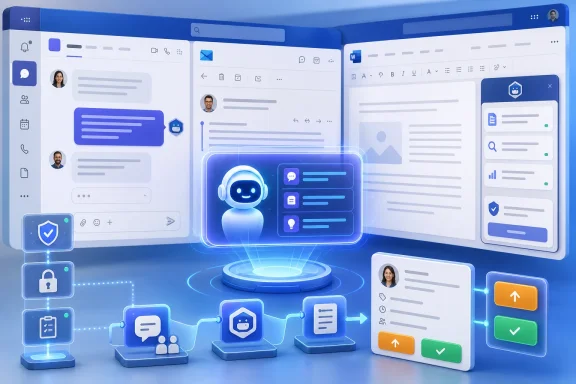
Zendesk has made Zendesk Support Assistant for Microsoft 365 available through Microsoft AppSource, bringing its employee-service agent into Microsoft 365 workflows and Microsoft Agent 365 governance for organizations using Teams, Outlook, Word, and related workplace tools. The announcement is not simply another marketplace listing. It is a signpost for where enterprise software is going: support systems are being pulled out of separate portals and pushed into the productivity fabric where employees already spend the day. The bet is that service work becomes faster when the ticketing system stops feeling like a destination and starts behaving like a managed participant in the Microsoft 365 estate.
For years, the internal help desk has been trapped between two bad user experiences. Employees either open a dedicated support portal, search a knowledge base, and file a ticket with enough context to be useful, or they ping a colleague in Teams and hope the informal route gets results. Zendesk’s Microsoft 365 integration tries to collapse that divide.
The premise is straightforward: if an employee is already in Teams, Outlook, or Word, support should be available there rather than behind a separate login and navigation path. For IT and HR teams, that means more requests can begin with the surrounding work context intact. For end users, it means the act of asking for help looks more like messaging than form completion.
That sounds obvious, but it changes the role of the service desk. Zendesk is no longer positioning support only as a queue in a specialized application. It is positioning support as an AI-mediated workflow that can live inside Microsoft’s collaboration shell while still connecting back to Zendesk’s ticketing, knowledge, escalation, and resolution systems.
The key phrase in the announcement is not “available on AppSource.” It is “inside tools they already use.” That is where the enterprise productivity fight has moved. The next generation of service software will be judged less by how polished its own interface is and more by how well it appears inside someone else’s.
The governance pitch matters because AI agents create a new version of an old IT problem. SaaS apps already sprawled across organizations. Browser extensions, shadow IT workflows, low-code automations, and chatbots made that sprawl worse. AI agents raise the stakes because they can retrieve information, reason over it, call tools, draft responses, and in some cases initiate actions.
That is why Zendesk’s language around security and oversight is as important as its productivity language. A support assistant that can help resolve tickets, escalate issues, or surface internal knowledge must be governed carefully. It needs identity boundaries, access controls, auditability, and clear administrative visibility. Otherwise, the convenience story collapses into a risk story.
Microsoft’s advantage is that many enterprises already use Entra, Purview, Defender, Intune, Teams, and the Microsoft 365 admin center as their administrative nervous system. By integrating with Agent 365, Zendesk is not merely adding a Teams app. It is trying to reassure customers that a Zendesk-powered assistant can be managed within the same broad governance model they are being asked to use for the rest of their AI estate.
But the marketplace listing is not the strategic center of gravity. AppSource is the doorway; Microsoft 365 is the room. The real story is that Zendesk wants to be part of the Microsoft productivity surface rather than another window competing for attention.
This is increasingly how enterprise SaaS vendors defend relevance. If Microsoft owns the operating environment for knowledge work, third-party vendors must either integrate deeply or risk being abstracted away by Copilot-style interfaces. Zendesk’s choice is to become one of the agents that can be summoned within the Microsoft workflow instead of insisting that every support interaction begin in Zendesk’s own front end.
That does not make Zendesk subordinate to Microsoft, but it does change the power dynamic. The vendor that owns the workflow surface often shapes the user’s perception of value. Zendesk may resolve the ticket, but Microsoft controls much of the employee’s daily context. The integration is therefore both an opportunity and a concession.
At the same time, employee service is not trivial. A support assistant may need to distinguish between a simple knowledge-base answer and a request that requires escalation. It may need to preserve context across multiple messages. It may need to avoid exposing confidential HR information or sensitive IT configuration details. In a large enterprise, a “simple” support request often crosses identity, device management, compliance, and business-process boundaries.
That is why the combination of Zendesk and Agent 365 is more interesting than a generic chatbot announcement. Zendesk brings the service-management workflow. Microsoft brings the collaboration surface and governance model. The useful question is not whether the assistant can answer a question in Teams. It is whether the assistant can move a request through the organization without creating a mess for administrators, auditors, or support staff.
If the answer is yes, the economics are appealing. Service teams are under pressure to reduce resolution times, absorb more demand, and provide better employee experiences without a matching increase in headcount. AI support agents promise to deflect routine requests, enrich tickets before humans touch them, and keep employees from abandoning formal channels in favor of hallway support over chat.
That is a meaningful shift. Traditional support tools won by being systems of record. AI-era support tools must also become systems of action. A ticket record is still necessary, but it is less valuable if the employee experience happens elsewhere and the support platform only receives a summary after the fact.
Zendesk’s strategy appears to be to make sure its platform remains close to the moment of request. If the Support Assistant can help employees create, manage, and escalate tickets from Microsoft 365, Zendesk stays embedded in the workflow even as the user interface becomes conversational.
Microsoft benefits too. Every useful third-party agent strengthens the case that Microsoft 365 is not merely an app suite but the orchestration layer for work. Teams becomes more than chat. Copilot becomes more than a writing assistant. Agent 365 becomes the administrative layer that makes this sprawl tolerable for IT.
An employee-service assistant may touch ticket metadata, internal articles, user identities, device or asset information, email context, Teams messages, and potentially HR-related data. Even when the agent does not have direct access to all of that information, users may paste sensitive details into prompts. Administrators need to know what is logged, retained, filtered, and protected.
This is where Microsoft’s control-plane language becomes more than marketing. A third-party agent that can be inventoried, assigned, restricted, and reviewed through Microsoft 365 administration is easier to justify than a standalone bot with its own permission model and opaque telemetry. It also fits the way many organizations already evaluate new SaaS integrations: start with identity, access, audit, data residency, and compliance before discussing user delight.
Zendesk’s challenge is to make those answers boring in the best possible way. The safest enterprise integration is often the one that gives administrators few surprises. If deployment requires exotic exceptions, unclear permissions, or manual policing, adoption will stall. If it behaves like a managed Microsoft 365 workload with predictable controls, the support team has a much stronger case.
The first layer will be self-service and agent-led triage. The second layer will be human support staff working with better context, suggested replies, and automated workflow actions. The third layer will be specialist escalation where judgment, accountability, and domain expertise still matter.
Zendesk’s integration is aimed mostly at the first two layers. An employee can get answers or start a support process inside Microsoft 365, while service teams can manage tickets and escalation without forcing every interaction through a separate portal. The value is not that the AI replaces support. The value is that the AI reduces the friction between the moment someone needs help and the moment the organization begins resolving it.
That distinction matters because overpromising autonomy is a fast route to user distrust. Employees will forgive an assistant that quickly routes a complex issue to the right human. They will not forgive one that confidently mishandles access requests, invents policy, or buries urgent issues behind a conversational loop.
For Zendesk, that creates both reach and dependency. The reach is obvious. A support assistant surfaced in Teams can meet employees where they already are, and AppSource gives the integration a familiar discovery path. The dependency is subtler. Microsoft controls the platform conventions, administrative surfaces, and user expectations around agents.
That is not necessarily bad for customers. Enterprises often prefer fewer panes of glass, especially when security and compliance teams are stretched thin. But it also means the Microsoft ecosystem becomes the place where competing SaaS tools must prove they can coexist under Microsoft’s governance umbrella.
This is the new marketplace bargain. Vendors get access to Microsoft’s distribution and workflow surfaces. Microsoft gets a richer ecosystem that makes its own platform harder to leave. Customers get convenience, but they also inherit another layer of platform concentration.
Zendesk’s phrasing around security, oversight, and Microsoft’s compliance infrastructure shows how much the conversation has matured. The shiny feature is the assistant. The buying rationale is controlled deployment.
This is especially important in support workflows because service desks are magnets for sensitive context. Employees ask for help when something is broken, blocked, confusing, or urgent. That makes support channels rich with information attackers would love and compliance teams worry about. AI does not reduce that sensitivity; it amplifies the need to classify, govern, and monitor it.
The vendors that win in this phase will not be the ones with the most magical demos. They will be the ones that combine useful automation with credible administrative control. Zendesk’s Microsoft 365 move is best read through that lens.
That is why administrators should treat each new agent not as a novelty but as an application with identity, permissions, data access, lifecycle, and audit requirements. The word agent can obscure that reality. In practice, these systems are software principals that may act across communication channels and business systems.
Zendesk’s Support Assistant is notable because it sits at the intersection of three trends that are not going away: employee-service automation, Microsoft 365 workflow consolidation, and centralized AI-agent governance. The integration may be narrow at launch compared with the grand language around autonomous service work, but the direction is clear.
For organizations already invested in Zendesk and Microsoft 365, the near-term question is whether this assistant reduces friction without weakening controls. For organizations evaluating service platforms, the broader question is whether deep Microsoft 365 integration is becoming a requirement rather than a nice-to-have.
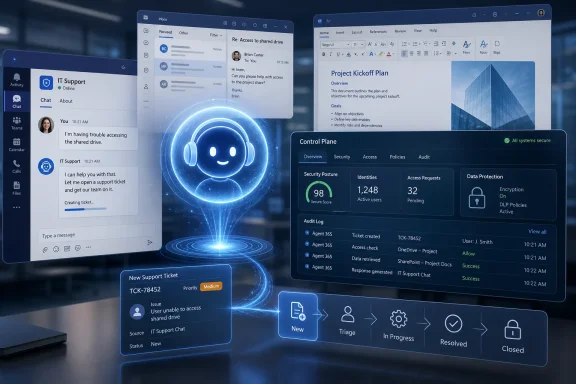 Zendesk Moves the Help Desk Into Microsoft’s Daily Workstream
For years, the internal help desk has been trapped between two bad user experiences. Employees either open a dedicated support portal, search a knowledge base, and file a ticket with enough context to be useful, or they ping a colleague in Teams and hope the informal route gets results. Zendesk’s Microsoft 365 integration tries to collapse that divide.The premise is straightforward: if an employee is already in Teams, Outlook, or Word, support should be available there rather than behind a separate login and navigation path. For IT and HR teams, that means more requests can begin with the surrounding work context intact. For end users, it means the act of asking for help looks more like messaging than form completion.
That sounds obvious, but it changes the role of the service desk. Zendesk is no longer positioning support only as a queue in a specialized application. It is positioning support as an AI-mediated workflow that can live inside Microsoft’s collaboration shell while still connecting back to Zendesk’s ticketing, knowledge, escalation, and resolution systems.
The key phrase in the announcement is not “available on AppSource.” It is “inside tools they already use.” That is where the enterprise productivity fight has moved. The next generation of service software will be judged less by how polished its own interface is and more by how well it appears inside someone else’s.
Agent 365 Gives the Integration Its Enterprise Pitch
The deeper significance is Microsoft Agent 365. Microsoft has been framing Agent 365 as a control plane for AI agents: a way to observe, govern, secure, and manage both Microsoft-built and third-party agents across an organization. Zendesk’s integration fits neatly into that message because it gives Microsoft a partner example in a category every enterprise understands: support.The governance pitch matters because AI agents create a new version of an old IT problem. SaaS apps already sprawled across organizations. Browser extensions, shadow IT workflows, low-code automations, and chatbots made that sprawl worse. AI agents raise the stakes because they can retrieve information, reason over it, call tools, draft responses, and in some cases initiate actions.
That is why Zendesk’s language around security and oversight is as important as its productivity language. A support assistant that can help resolve tickets, escalate issues, or surface internal knowledge must be governed carefully. It needs identity boundaries, access controls, auditability, and clear administrative visibility. Otherwise, the convenience story collapses into a risk story.
Microsoft’s advantage is that many enterprises already use Entra, Purview, Defender, Intune, Teams, and the Microsoft 365 admin center as their administrative nervous system. By integrating with Agent 365, Zendesk is not merely adding a Teams app. It is trying to reassure customers that a Zendesk-powered assistant can be managed within the same broad governance model they are being asked to use for the rest of their AI estate.
AppSource Is the Storefront, Not the Strategy
Microsoft AppSource provides the distribution layer, and that matters for procurement and discoverability. Enterprise software buyers prefer sanctioned marketplaces because they simplify evaluation, deployment, and vendor trust signals. A presence on AppSource also puts Zendesk in front of Microsoft 365 administrators who are already looking for business applications that plug into their existing environment.But the marketplace listing is not the strategic center of gravity. AppSource is the doorway; Microsoft 365 is the room. The real story is that Zendesk wants to be part of the Microsoft productivity surface rather than another window competing for attention.
This is increasingly how enterprise SaaS vendors defend relevance. If Microsoft owns the operating environment for knowledge work, third-party vendors must either integrate deeply or risk being abstracted away by Copilot-style interfaces. Zendesk’s choice is to become one of the agents that can be summoned within the Microsoft workflow instead of insisting that every support interaction begin in Zendesk’s own front end.
That does not make Zendesk subordinate to Microsoft, but it does change the power dynamic. The vendor that owns the workflow surface often shapes the user’s perception of value. Zendesk may resolve the ticket, but Microsoft controls much of the employee’s daily context. The integration is therefore both an opportunity and a concession.
Employee Service Is Becoming the Test Bed for Enterprise Agents
The employee support desk is an ideal early proving ground for AI agents. The work is repetitive enough to benefit from automation, structured enough to connect to ticketing and knowledge systems, and painful enough that small improvements are visible. Password resets, access requests, benefits questions, device issues, onboarding tasks, and policy lookups all fit the pattern.At the same time, employee service is not trivial. A support assistant may need to distinguish between a simple knowledge-base answer and a request that requires escalation. It may need to preserve context across multiple messages. It may need to avoid exposing confidential HR information or sensitive IT configuration details. In a large enterprise, a “simple” support request often crosses identity, device management, compliance, and business-process boundaries.
That is why the combination of Zendesk and Agent 365 is more interesting than a generic chatbot announcement. Zendesk brings the service-management workflow. Microsoft brings the collaboration surface and governance model. The useful question is not whether the assistant can answer a question in Teams. It is whether the assistant can move a request through the organization without creating a mess for administrators, auditors, or support staff.
If the answer is yes, the economics are appealing. Service teams are under pressure to reduce resolution times, absorb more demand, and provide better employee experiences without a matching increase in headcount. AI support agents promise to deflect routine requests, enrich tickets before humans touch them, and keep employees from abandoning formal channels in favor of hallway support over chat.
The Real Competition Is the Blank Chat Box
Zendesk is not only competing with ServiceNow, Freshworks, Atlassian, Salesforce, and the usual service-management field. It is competing with the blank chat box inside Microsoft 365 Copilot and Teams. If employees increasingly expect to ask for help in natural language, the battle becomes who interprets the request, which system acts on it, and where the record of work lives.That is a meaningful shift. Traditional support tools won by being systems of record. AI-era support tools must also become systems of action. A ticket record is still necessary, but it is less valuable if the employee experience happens elsewhere and the support platform only receives a summary after the fact.
Zendesk’s strategy appears to be to make sure its platform remains close to the moment of request. If the Support Assistant can help employees create, manage, and escalate tickets from Microsoft 365, Zendesk stays embedded in the workflow even as the user interface becomes conversational.
Microsoft benefits too. Every useful third-party agent strengthens the case that Microsoft 365 is not merely an app suite but the orchestration layer for work. Teams becomes more than chat. Copilot becomes more than a writing assistant. Agent 365 becomes the administrative layer that makes this sprawl tolerable for IT.
Administrators Will Care Less About the Demo Than the Blast Radius
For WindowsForum’s audience, the first question is not whether the demo looks slick. It is how the thing is deployed, governed, licensed, monitored, and contained. AI agents inside Microsoft 365 are powerful precisely because they sit near sensitive work. That proximity creates risk.An employee-service assistant may touch ticket metadata, internal articles, user identities, device or asset information, email context, Teams messages, and potentially HR-related data. Even when the agent does not have direct access to all of that information, users may paste sensitive details into prompts. Administrators need to know what is logged, retained, filtered, and protected.
This is where Microsoft’s control-plane language becomes more than marketing. A third-party agent that can be inventoried, assigned, restricted, and reviewed through Microsoft 365 administration is easier to justify than a standalone bot with its own permission model and opaque telemetry. It also fits the way many organizations already evaluate new SaaS integrations: start with identity, access, audit, data residency, and compliance before discussing user delight.
Zendesk’s challenge is to make those answers boring in the best possible way. The safest enterprise integration is often the one that gives administrators few surprises. If deployment requires exotic exceptions, unclear permissions, or manual policing, adoption will stall. If it behaves like a managed Microsoft 365 workload with predictable controls, the support team has a much stronger case.
AI Support Agents Will Not Eliminate the Service Desk
The industry’s least useful habit is pretending every new AI workflow means the old department disappears. Support desks are not going away. They are being re-layered.The first layer will be self-service and agent-led triage. The second layer will be human support staff working with better context, suggested replies, and automated workflow actions. The third layer will be specialist escalation where judgment, accountability, and domain expertise still matter.
Zendesk’s integration is aimed mostly at the first two layers. An employee can get answers or start a support process inside Microsoft 365, while service teams can manage tickets and escalation without forcing every interaction through a separate portal. The value is not that the AI replaces support. The value is that the AI reduces the friction between the moment someone needs help and the moment the organization begins resolving it.
That distinction matters because overpromising autonomy is a fast route to user distrust. Employees will forgive an assistant that quickly routes a complex issue to the right human. They will not forgive one that confidently mishandles access requests, invents policy, or buries urgent issues behind a conversational loop.
The Microsoft 365 Center of Gravity Keeps Getting Heavier
This announcement also reflects a broader industry reality: Microsoft 365 has become the default substrate for enterprise work. Email, meetings, documents, chat, identity, endpoint management, compliance, and now AI agents are increasingly part of the same gravitational field. Vendors that once sold around Microsoft now have to sell through it.For Zendesk, that creates both reach and dependency. The reach is obvious. A support assistant surfaced in Teams can meet employees where they already are, and AppSource gives the integration a familiar discovery path. The dependency is subtler. Microsoft controls the platform conventions, administrative surfaces, and user expectations around agents.
That is not necessarily bad for customers. Enterprises often prefer fewer panes of glass, especially when security and compliance teams are stretched thin. But it also means the Microsoft ecosystem becomes the place where competing SaaS tools must prove they can coexist under Microsoft’s governance umbrella.
This is the new marketplace bargain. Vendors get access to Microsoft’s distribution and workflow surfaces. Microsoft gets a richer ecosystem that makes its own platform harder to leave. Customers get convenience, but they also inherit another layer of platform concentration.
The AI Governance Story Is Becoming the Product Story
A few years ago, most AI product announcements led with model capabilities. Today, serious enterprise announcements lead with governance almost as quickly as automation. That is not accidental. The enterprise buyer has moved from “Can this answer questions?” to “Can we safely allow this to act?”Zendesk’s phrasing around security, oversight, and Microsoft’s compliance infrastructure shows how much the conversation has matured. The shiny feature is the assistant. The buying rationale is controlled deployment.
This is especially important in support workflows because service desks are magnets for sensitive context. Employees ask for help when something is broken, blocked, confusing, or urgent. That makes support channels rich with information attackers would love and compliance teams worry about. AI does not reduce that sensitivity; it amplifies the need to classify, govern, and monitor it.
The vendors that win in this phase will not be the ones with the most magical demos. They will be the ones that combine useful automation with credible administrative control. Zendesk’s Microsoft 365 move is best read through that lens.
The Zendesk-Microsoft Deal Tells IT Where the Agent Era Is Headed
The practical message for IT teams is that agent adoption will arrive through familiar channels before it arrives as a grand transformation program. A Teams app here, an AppSource listing there, a Copilot extension, a service-desk assistant, a workflow bot attached to HR or finance. Suddenly the organization has dozens of nonhuman actors participating in business processes.That is why administrators should treat each new agent not as a novelty but as an application with identity, permissions, data access, lifecycle, and audit requirements. The word agent can obscure that reality. In practice, these systems are software principals that may act across communication channels and business systems.
Zendesk’s Support Assistant is notable because it sits at the intersection of three trends that are not going away: employee-service automation, Microsoft 365 workflow consolidation, and centralized AI-agent governance. The integration may be narrow at launch compared with the grand language around autonomous service work, but the direction is clear.
For organizations already invested in Zendesk and Microsoft 365, the near-term question is whether this assistant reduces friction without weakening controls. For organizations evaluating service platforms, the broader question is whether deep Microsoft 365 integration is becoming a requirement rather than a nice-to-have.
The Details IT Should Put on the Whiteboard
Zendesk’s announcement is easy to summarize and harder to operationalize. Before treating this as just another productivity add-on, administrators should map the support workflow, data boundaries, and ownership model around the assistant.- The integration puts Zendesk support workflows into Microsoft 365 surfaces where employees already work, with Teams likely to be the most immediately visible entry point.
- Microsoft Agent 365 is central to the enterprise pitch because it frames third-party AI agents as governable assets rather than unmanaged bots.
- AppSource availability helps with discovery and procurement, but the strategic value comes from embedding support into Microsoft’s productivity and administration ecosystem.
- The most important evaluation criteria will be permissions, auditability, data handling, lifecycle management, and escalation behavior.
- The assistant is best understood as support augmentation, not support replacement, because complex requests still require accountable human ownership.
- The announcement reinforces a larger trend in which enterprise SaaS vendors must integrate deeply with Microsoft 365 to remain present in daily work.
References
- Primary source: 01net
Published: 2026-06-02T18:50:10.399020
Zendesk Support Assistant for Microsoft 365 Now Available on Microsoft AppSource
SAN FRANCISCO--(BUSINESS WIRE)--Zendesk today announced the availability of Zendesk Support Assistant for Microsoft 365 on Microsoft AppSource, an online cloud marketplace providing tailored line-of-business solutions. This enhanced agent integrates Mi... www.01net.it
- Related coverage: support.zendesk.com
Anuncio del Asistente de Zendesk Support para Microsoft Agent 365 – Ayuda de Zendesk
Fecha de anuncio Inicio de implementación 1 de mayo de 2026 1 de mayo de 2026 Zendesk Support Assistant para Microsoft Agent 365 lleva...support.zendesk.com - Official source: microsoft.com
Microsoft Agent 365, now generally available, expands capabilities and integrations | Microsoft Security Blog
We’re announcing the general availability of Agent 365, plus previews of new capabilities to discover and manage shadow AI agents. Learn more.www.microsoft.com - Related coverage: zendesk.com
Zendesk Agent for Microsoft Copilot App Integration with Zendesk Support
Integrate the Zendesk Agent for Microsoft Copilot app into Zendesk Support. Get Zendesk support directly in Microsoft 365 apps with Copilot www.zendesk.com
- Official source: support.microsoft.com
Get more agents in the Microsoft 365 Copilot app | Microsoft Support
Learn how to add more agents to your collection in the Microsoft 365 Copilot appsupport.microsoft.com - Official source: adoption.microsoft.com
Get started With Microsoft Agent 365 in Microsoft 365 admin center
PDF documentadoption.microsoft.com
- Official source: info.microsoft.com
microsoft dynamics 365 for customer service product capabilities factsheet en gb
PDF documentinfo.microsoft.com
- Official source: download.microsoft.com
Cloud Productivity Assistance for Office 365 Onboarding Solution Brief
Cloud Vantage Services Managed Deploymentdownload.microsoft.com
- Official source: cdn-dynmedia-1.microsoft.com