
📎 AI Summary:
The thread is about a Windows 7 user whose logon screen appearance changes after installing and then uninstalling OS Emulator/VMware Player, and they want to restore the original Windows 7 logon look (specifically removing the different-style logon elements like the username field). The key questions focus on how the emulator install affected Windows branding/credential provider settings and what steps can revert those changes. Overall, the sentiment is troubleshooting-oriented and neutral, with the user seeking guidance after unexpected system UI persistence.
Thread Author
Hi I have little "problem". After install OS Emulator (VMware Player) my logon in Windows 7 change this look (it is not mine logon screen, but looks same):
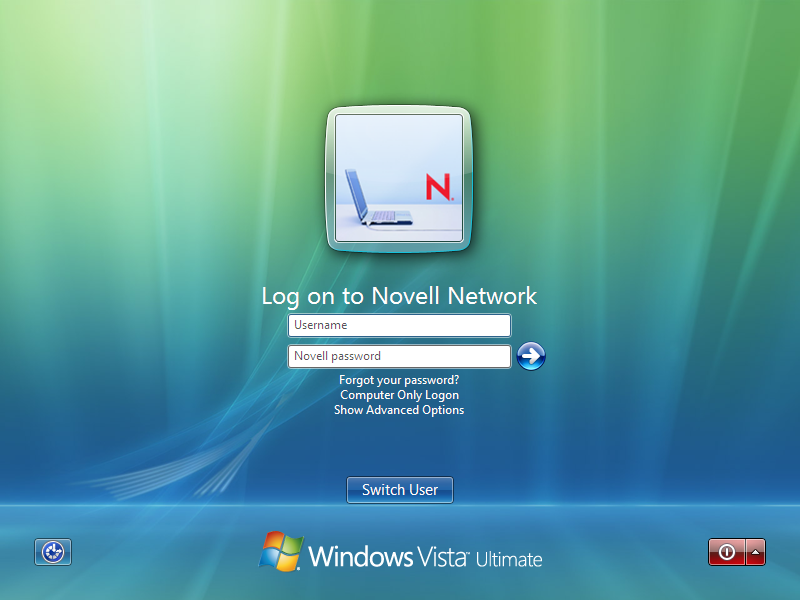
credprov_2_a.png

After I uninstall OS Emulator, but logon screen is the same.

How can i do these look of logon screen in my Windows7?
Without box for username:

Link Removed due to 404 Error


Thank you for your reply.

//BTW Sorry for me English. I'm from Slovak.