📎 AI Summary:
The user reports experiencing blue screens when gaming, and a troubleshooting expert suggests hardware issues, possibly related to overheating or hardware errors, and advises removing conflicting security software. The user confirms running diagnostics and disabling ESET antivirus, with ongoing monitoring of temperatures. The discussion concludes with mutual thanks, without a definitive resolution yet.

invoker1337

New Member
Joined
Dec 26, 2016
Messages
4
Thread Author #1
Hello everyone.

i am currently experiencing blue screens every time i play games like Dota 2 and Counter Strike Global Offensive.

Please help!.

Thank you in advance.
 

Attachments

Solution
Code:
*******************************************************************************
*                                                                             *
*                        Bugcheck Analysis                                    *
*                                                                             *
*******************************************************************************

Use !analyze -v to get detailed debugging information.

BugCheck 124, {0, fffffa8008385028, be200000, 5110a}

Probably caused by : GenuineIntel

Followup:     MachineOwner
Hi,
most of your dump files are either bugcheck 101 (hung processor) or the above meaning a fatal hardware error has occurred.
These bugchecks can be associated with...

kemical

Essential Member
Joined
Aug 28, 2007
Messages
36,163
Code:
*******************************************************************************
*                                                                             *
*                        Bugcheck Analysis                                    *
*                                                                             *
*******************************************************************************

Use !analyze -v to get detailed debugging information.

BugCheck 124, {0, fffffa8008385028, be200000, 5110a}

Probably caused by : GenuineIntel

Followup:     MachineOwner
Hi,
most of your dump files are either bugcheck 101 (hung processor) or the above meaning a fatal hardware error has occurred.
These bugchecks can be associated with overclocking and if your doing so please stop until after testing.
Although this looks like it's a hardware based issue it's just as likely to be a software one too.

Something else I noticed in several dump files is this:
Code:
WARNING: em042_64 overlaps em008_64
ESET is overlapping itself and probably down to corruption.

This could part of your issue and I would remove ESET and use something like MSE in the meantime.

Once you've done this try playing the games again. If the bsod continues see below:

Overheating is another typical cause so monitor your temperatures especially if your using the heatsink and fan which came with the processor. A good app for this is HWiNFO64 as this will keep a record of lowest and highest temps achieved.

Please run the Intel diagnostic Tool for your chip:
Link Removed

Post any new dump files.
 

Solution

invoker1337

New Member
Joined
Dec 26, 2016
Messages
4
Thread Author #3
the motherboard settings are set to default and i haven't changed anything on it(i didn't overclock)

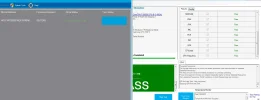
i also ran full tests with seatools and the intel diagnostic tool as well...
 

Attachments

  • screen_shot.webp
    screen_shot.webp
    43.1 KB · Views: 405