
📎 AI Summary:
This WindowsForum thread discusses a user experiencing BSOD errors specifically when playing CS:GO, despite running diagnostic tools and reinstalling Windows without resolution. A contributor suggests that the cause may be related to corrupt page files and recommends disabling and then reconfiguring the pagefile. Another user appreciates the solution, indicating that the advice helped resolve a similar issue, and the overall sentiment is positive toward troubleshooting steps provided.

Tuan Hoang

New Member
Joined
Nov 7, 2018
Messages
1
Thread Author #1
Hello guys, I just bought a new PC for 3 days but have some troubles. I get BSOD only when I play CS:GO, other normal tasks work completely fine. I run memtest and sfc scan but nothing found, I also tried to reinstall my window 10 but still got BSOD after playing CS:GO for fews minutes.
These are my screenshots of blue screen view:
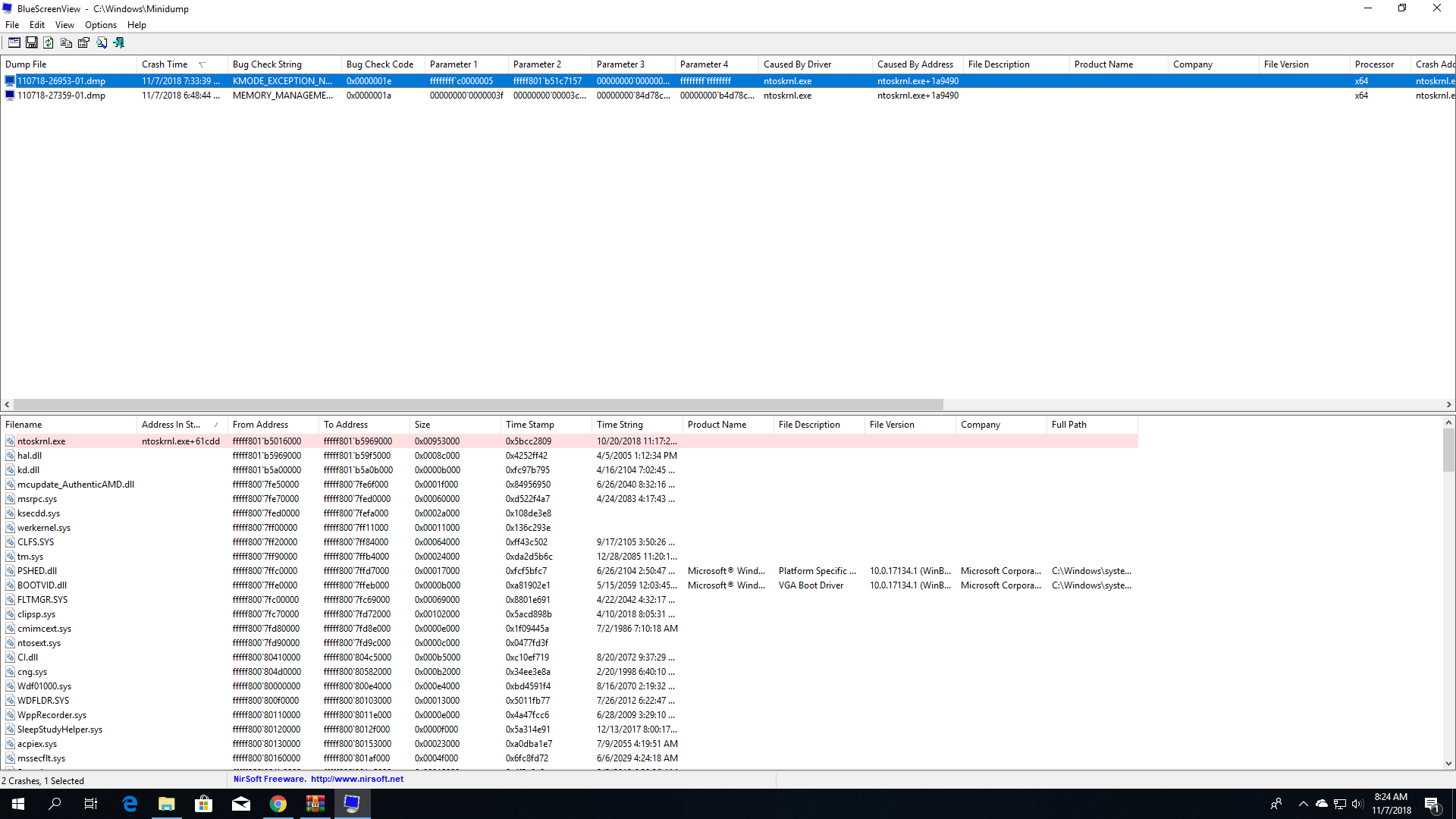
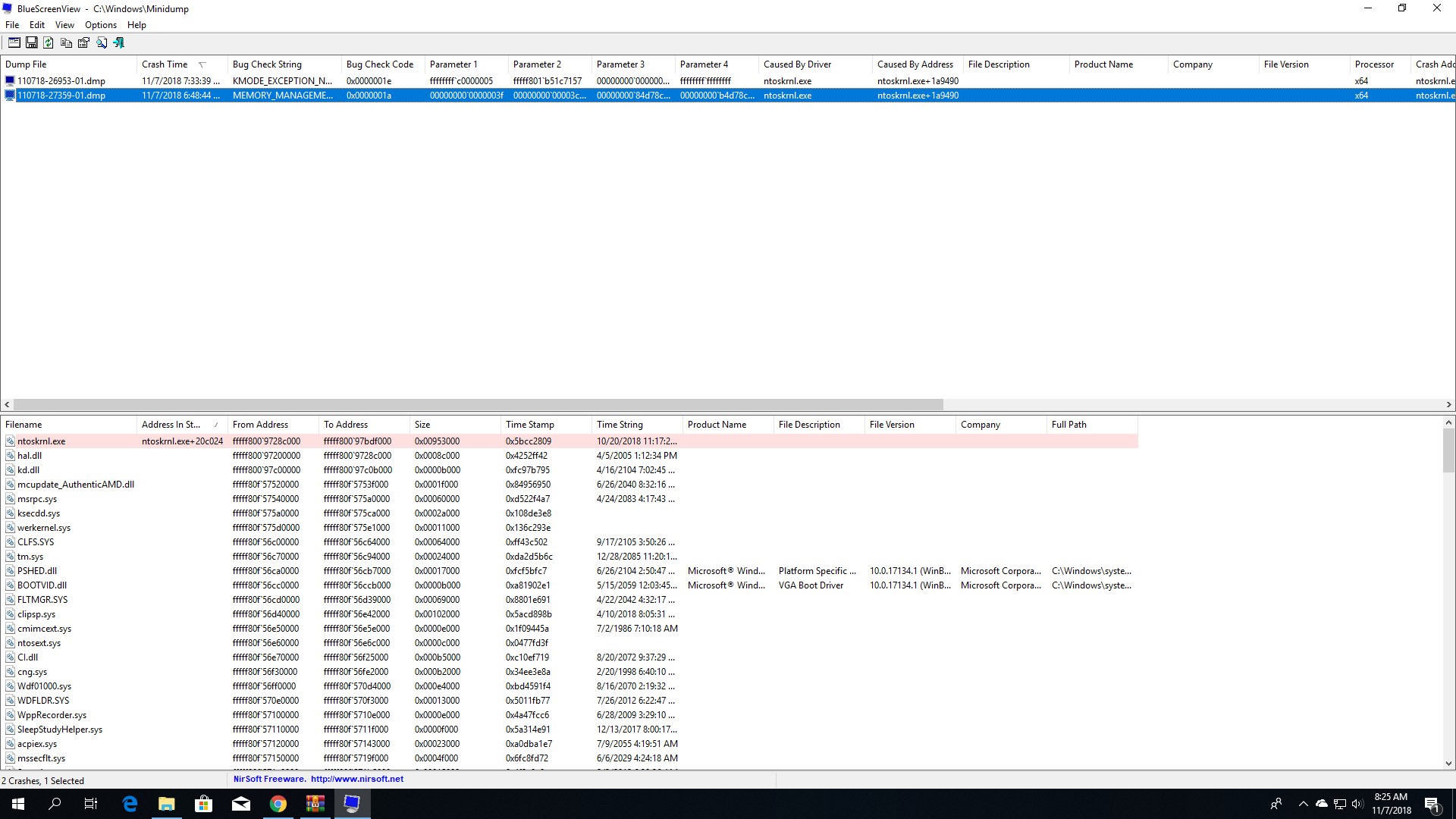

I also have my .dmp files included:
 

Attachments

Solution
Code:
*******************************************************************************
*                                                                             *
*                        Bugcheck Analysis                                    *
*                                                                             *
*******************************************************************************

Use !analyze -v to get detailed debugging information.

BugCheck 1A, {3f, 3cc1, 84d78c21, b4d78c21}

Probably caused by : Unknown_Image ( PAGE_HASH_ERRORS_INPAGE )

Followup:     MachineOwner
Hi,
one of the dump files is pointing to a corrupt pagefile.

Try turning your pagefile off, rebooting followed by recreating the pagefile. In...

kemical

Essential Member
Joined
Aug 28, 2007
Messages
36,163
Code:
*******************************************************************************
*                                                                             *
*                        Bugcheck Analysis                                    *
*                                                                             *
*******************************************************************************

Use !analyze -v to get detailed debugging information.

BugCheck 1A, {3f, 3cc1, 84d78c21, b4d78c21}

Probably caused by : Unknown_Image ( PAGE_HASH_ERRORS_INPAGE )

Followup:     MachineOwner
Hi,
one of the dump files is pointing to a corrupt pagefile.

Try turning your pagefile off, rebooting followed by recreating the pagefile. In case your not familiar with this process:

Type sysdm.cpl in the run box and click ok.

Look across the top of the system properties box for 'Advanced' and click that. Follow my screenshot to disable the pagefile.
Screenshot showing Windows system settings with virtual memory and performance options open over a forum page.

Reboot.

When you get back into windows set the pagefile to the recommended amount.

Place the same figure in both boxes.

Post any new dump files.

After further research I've discovered that with the latest windows 10 it's better to let the machine (windows) manage the pagefile.
 

Last edited by a moderator:
Solution