powerbomb

New Member
Joined
Jan 21, 2012
Messages
14
Hello,

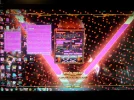
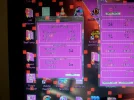
Sometimes when I am gaming and others times when I am not, my monitor gets red lines/squares on the screen and then causes my computer to restart. It also has continued after the reboot during the bios phase. I have attached some windows provided information of the crash.

I have monitored my temps on my video card and I never get above 66 deg C. I do have an OC on my video card. My video card is a gtx 580.

This has not start happening since recently, nothing expect installing a new video card driver has happened to my system that I can remember.

Thanks for the Help,

Kyle
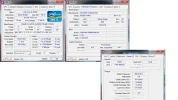
 

Attachments

  • sysdata.zip
    sysdata.zip
    75.3 KB · Views: 631
  • CPUzInfo.webp
    CPUzInfo.webp
    73 KB · Views: 1,231
Solution
Maybe it not seated well or something of the sort but, really, my feeling is the vid card needs be replaced. It's not software or driver impacted.

+ I've seen similar before & took my swapping out the vid card to rectify things... least the client was left happy.

Drew

Banned
Joined
Mar 25, 2006
Messages
3,574
This is the 2nd time in a wk we've had this same vid card mentioned. Wonder if can find the other thread for what's in there on the subject already.

Hmmmm

Drew
 

powerbomb

New Member
Joined
Jan 21, 2012
Messages
14
As an update, I have changed cables, removed the OC, reinstalled drivers, and I still get this error. I am switching back to the older version of drivers to try it next.

I also get the error message "Nivida driver has failed" in the lower right hand corner of my desktop.
 

Last edited:

Drew

Banned
Joined
Mar 25, 2006
Messages
3,574
Hold on... was an Update installed for the vid card?? That's what's wrong... don't take those; yes, roll it back.
 

powerbomb

New Member
Joined
Jan 21, 2012
Messages
14
I rolled it back. Didn't have any luck. I read online to take out the card and put it back in, thats what I am doing now. I have attached screen shots of what my monitor looks like when this error occurs while my screen is frozen
 

Attachments

  • 20120227_235436.webp
    20120227_235436.webp
    535.5 KB · Views: 16,530
  • 20120227_235443.webp
    20120227_235443.webp
    1,004.3 KB · Views: 2,964

Drew

Banned
Joined
Mar 25, 2006
Messages
3,574
Maybe it not seated well or something of the sort but, really, my feeling is the vid card needs be replaced. It's not software or driver impacted.

+ I've seen similar before & took my swapping out the vid card to rectify things... least the client was left happy.
 

Last edited:
Solution

powerbomb

New Member
Joined
Jan 21, 2012
Messages
14
I have some good news! Taking out the card and putting it back in worked! Thanks for all the help Drew.
 

Drew

Banned
Joined
Mar 25, 2006
Messages
3,574
Terrific, glad to hear it. That was 1 of the possibilities, that it wasn't seated well. You're welcome.

Drew
 

GaryOwens

New Member
Joined
Jun 15, 2014
Messages
1
Hi, I am getting the excact same problem, but taking the card out and putting it back in did not work, any ideas?
 

kemical

Essential Member
Joined
Aug 28, 2007
Messages
36,176
Hi Gary,
what is your system spec including psu make, model and wattage. Have you tried changing drivers?