📎 AI Summary:
The thread discusses converting an MBR disk to GPT without data loss, primarily using third-party tools like AOMEI Partition Assistant and EaseUS Partition Master Pro. The original poster has experienced difficulties with the process and seeks guidance from others, particularly on the correct steps to ensure successful conversion. Contributors suggest that the process can be straightforward with the right approach but emphasize backing up data and following precise steps, with some users offering detailed instructions and reassurance.

NettleWarbler

Banned
Joined
Mar 25, 2016
Messages
636
Thread Author #1
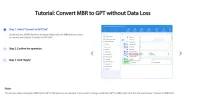
Convert MBR to GPT without Data Loss ,using AOMEI Partition Assistant . Is it that easy ? . Has anyone used AOMEI Partition Assistant , is it instant do you have to restart .
 

Attachments

  • Convert MBR to GPT without Data Loss.webp
    Convert MBR to GPT without Data Loss.webp
    44.1 KB · Views: 86

NettleWarbler

Banned
Joined
Mar 25, 2016
Messages
636
Thread Author #81
kemical , I had a 10TB drive on gpt . I do have another drive , format the drive to gpt . Sounds dodgy someone on the dark web will be able to change it back to mbr just for laffs .
 

kemical

Essential Member
Joined
Aug 28, 2007
Messages
36,163
kemical , I had a 10TB drive on gpt . I do have another drive , format the drive to gpt . Sounds dodgy someone on the dark web will be able to change it back to mbr just for laffs .
Yes under GPT the size limit is a lot more than the 2,2TB under MBR.

If I was you, I'd use your other drive just to pop a copy of windows on and then initialize your new drive to gpt.

Once thats done, remove your temprary windows drive and pop in your newly initialized drive.

Boot from your media, find the drive and you'll just see a large unallocated space. Just click next and it will format the unallocated space into gpt and you should be good to go.
 

NettleWarbler

Banned
Joined
Mar 25, 2016
Messages
636
Thread Author #85
Yesterday I followed a video , on the custom install it showed 16TB and it still ended up as mbr .
 

kemical

Essential Member
Joined
Aug 28, 2007
Messages
36,163
Maybe there's something wrong with the drive itself especially if you have performed this action successfully in the past with other drives?
 

kemical

Essential Member
Joined
Aug 28, 2007
Messages
36,163
Yes or run a chkdsk. Also take a look at the smart data as that can also give you clues.
 

NettleWarbler

Banned
Joined
Mar 25, 2016
Messages
636
Thread Author #91
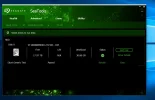
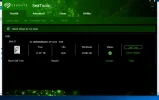
Got to go now
 

Attachments

  • short genenic test.webp
    short genenic test.webp
    35.8 KB · Views: 50
  • short test passed.webp
    short test passed.webp
    32.7 KB · Views: 44

NettleWarbler

Banned
Joined
Mar 25, 2016
Messages
636
Thread Author #93
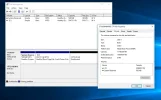
No in the video I followed , I thought everything was going to plan and it still ended up as mbr .
 

Attachments

  • mbr.webp
    mbr.webp
    46 KB · Views: 45

NettleWarbler

Banned
Joined
Mar 25, 2016
Messages
636
Thread Author #94
My hard drive is the most perfect hard drive there,s ever been , I use a dvd to load windows . And it always ends up as mbr , would it make any difference if I use a usb drive if I still have one with widows on . And take my serial number from the dvd to activate .
 

kemical

Essential Member
Joined
Aug 28, 2007
Messages
36,163
My hard drive is the most perfect hard drive there,s ever been , I use a dvd to load windows . And it always ends up as mbr , would it make any difference if I use a usb drive if I still have one with widows on . And take my serial number from the dvd to activate .
It's always worth a try I guess.

By the way, no need to enter your key each time. It's kept on record so simply click 'I don't have a key' and Windows will be automatically activated once your online.
 

NettleWarbler

Banned
Joined
Mar 25, 2016
Messages
636
Thread Author #98
The usb drive worked , GPT an all only thing is i can't connect all i get is a page with play and explore Microsoft . I normally connect while loading windows , but i must have missed it . At first i put my pc and control panel, ( which are now missing ) i'v been on ages checking cables downstairs you would think if the connection is on this drive it would be on the other.
 

kemical

Essential Member
Joined
Aug 28, 2007
Messages
36,163
You might need to install a network driver.

If you know your motherboards support page you can find one there unless your using a network card.
 

NettleWarbler

Banned
Joined
Mar 25, 2016
Messages
636
Thread Author #100
It worked on mbr , i might reload my dvd version on there converted to a usb drive . There were 3 usb drives with widows on , one was spanish i can't believe i would download something in spanish thats why i will try 2 of them in install mode plenty time though .