
📎 AI Summary:
The thread involves a disabled user seeking assistance with customizing Firefox 57 to resemble a classic look, following a guide that involved installing a zip file with Chrome CSS modifications. The user reports that their setup does not match the expected appearance and requests step-by-step instructions. A responder suggests that the customization may be version-specific, advising the user to verify their Firefox version and extensions, while noting limited expertise on their part.

sportman13

Well-Known Member
Member details
Joined
Dec 7, 2017
Messages
11
Thread Author #1
I am a disabled person not technical hope am not out of line someone installed a zip file with chrome css to make Firefox 57 look like classic look go to screenshot on the top of page site Firefox Configuration - MarkRH I got this which looks nothing like the screenshot on the site can you tell me how to do where I went wrong with step to step of the details set up get back to me please
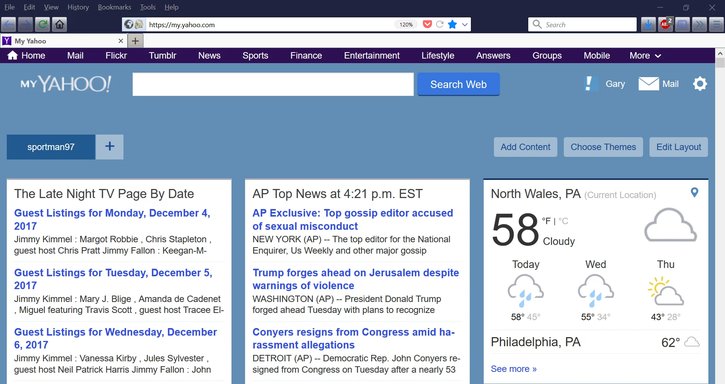
 

Attachments

  • Firefox my Colors.webp
    Firefox my Colors.webp
    165.1 KB · Views: 356
Solution
Looks like it's for a specific build of Firefox 57 did you confirm you're on the same version and have the same extensions enabled/disabled. I'm not really a Firefox user, so perhaps someone else that likes customizing their FF browser can chime in.

Neemobeer

Windows Forum Team
Staff member
Member details
Joined
Jul 4, 2015
Messages
8,995
Looks like it's for a specific build of Firefox 57 did you confirm you're on the same version and have the same extensions enabled/disabled. I'm not really a Firefox user, so perhaps someone else that likes customizing their FF browser can chime in.
 

Solution