kenwylie

New Member
Joined
May 6, 2020
Messages
3
I routinely email photos but I rarely want them resized. Is there a way to remove the dialog that pops up to give resize options when I send a photo to my email program? Or at least set it to send the original size instead of the default smaller size? I'm using Windows 10 Pro.
 

Solution
That's a windows explorer dialog, there isn't a way that I'm aware of to get rid of them save breaking the file association for pictures. Opening Thunderbird and attaching them from there should work too.

kenwylie

New Member
Joined
May 6, 2020
Messages
3
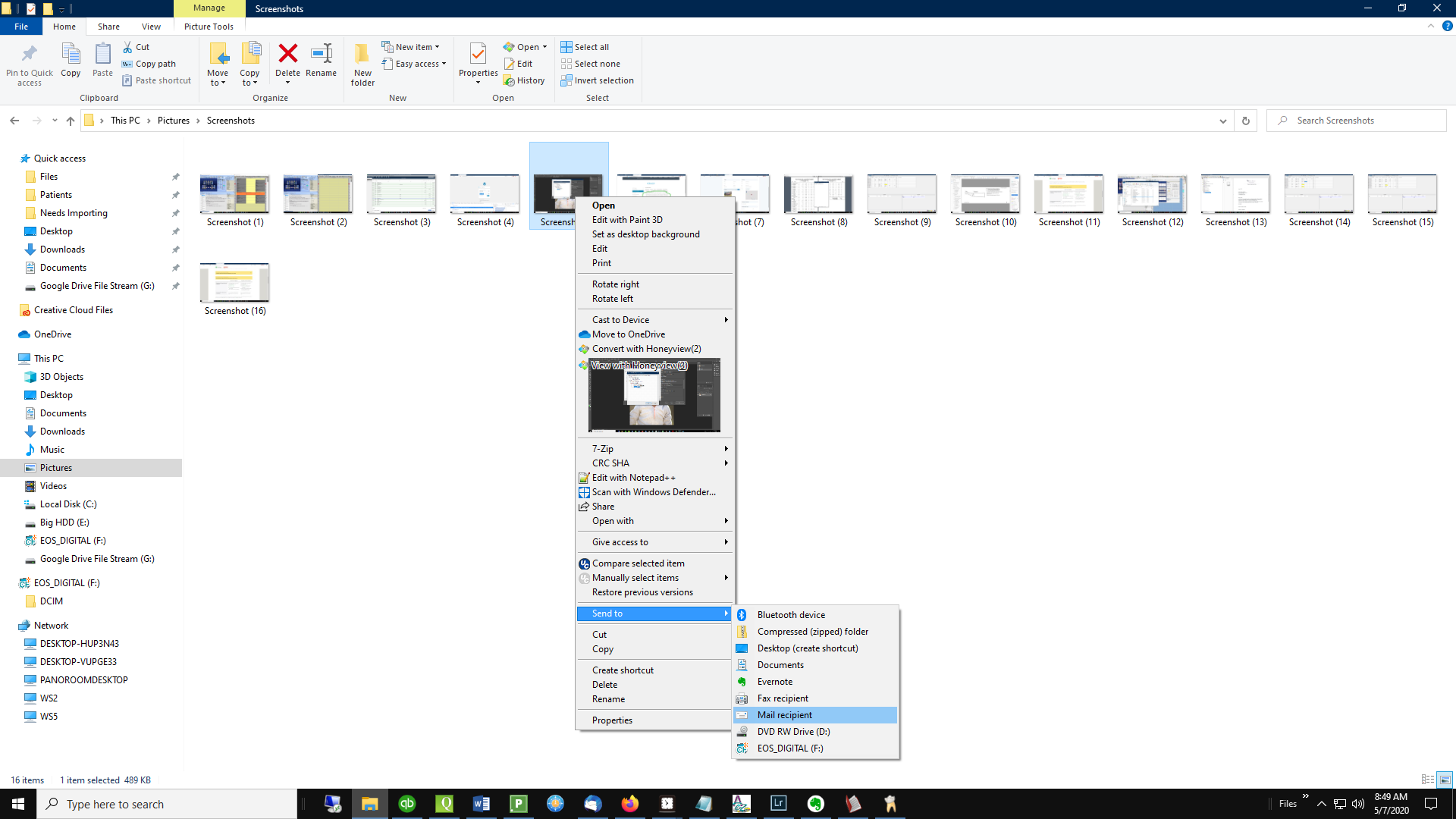
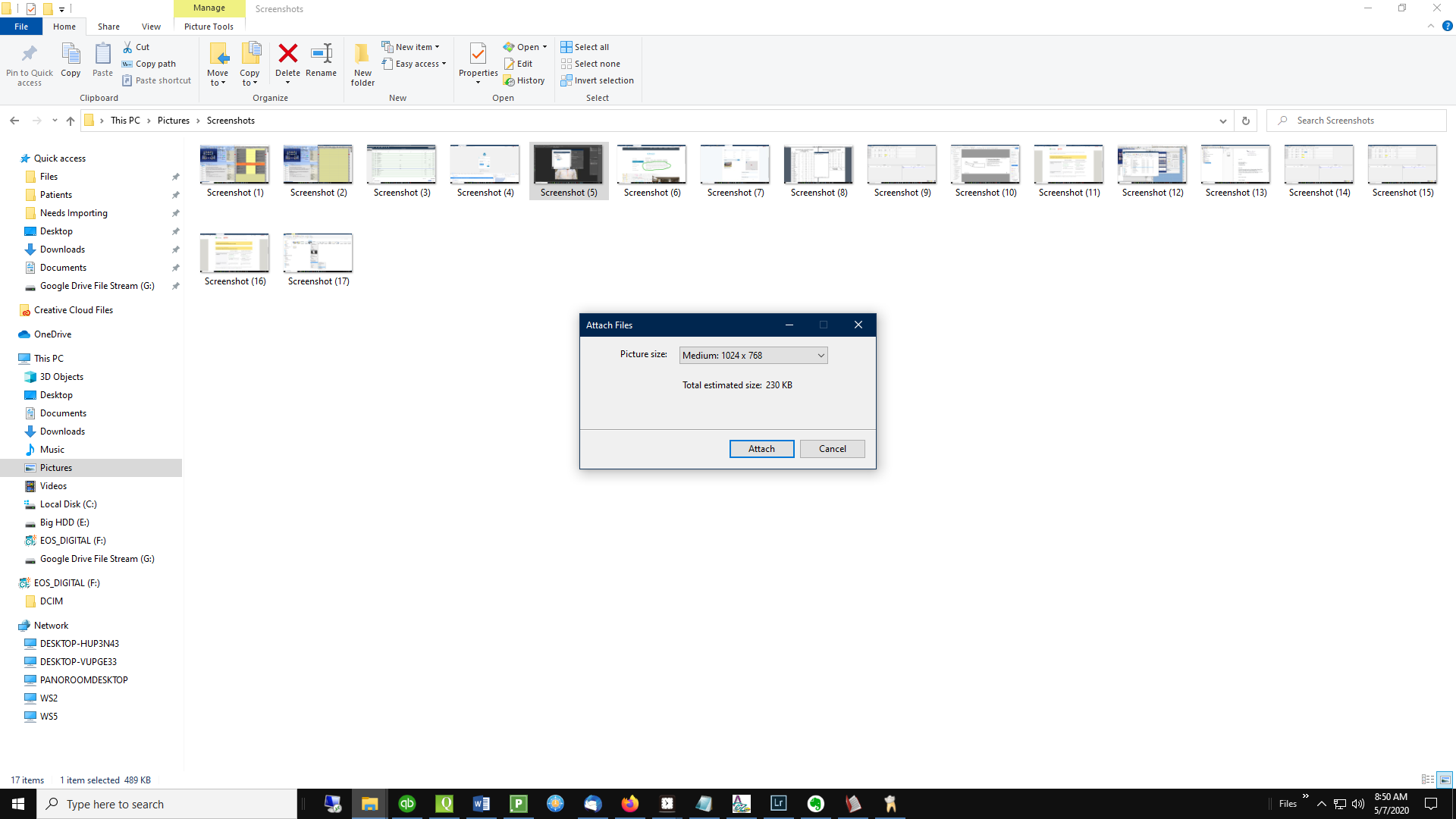
I use Thunderbird for my email client, but I can't find any settings for this. To clarify, here's what I'm asking about:

First I do this:


Then this comes up:


Is there a way to make these settings options not appear or to change the default to not resizing?
 

Neemobeer

Windows Forum Team
Staff member
Joined
Jul 4, 2015
Messages
8,995
That's a windows explorer dialog, there isn't a way that I'm aware of to get rid of them save breaking the file association for pictures. Opening Thunderbird and attaching them from there should work too.
 

Solution