📎 AI Summary:
The forum thread discusses a question mark icon in the Windows system tray, with the original poster seeking advice on how to remove it. A respondent suggests clicking or right-clicking the icon for more information, implying it’s related to a program needing attention. Another contributor identifies the icon as the HP Help Assistant and recommends uninstalling it via the Control Panel. Overall, the conversation provides troubleshooting steps to identify and remove the icon, indicating a helpful and problem-solving tone.

pstein

Extraordinary Member
Joined
Mar 20, 2010
Messages
454
Thread Author #1
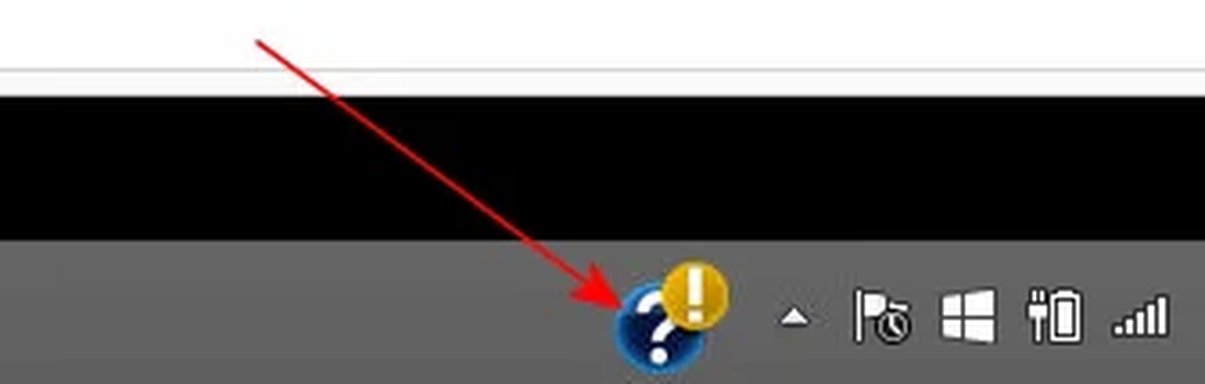
Have a look at the attached snapshot.
As you can see there is a question mark icon in Systray.

How do I remove it?

Peter
 

Attachments

  • question mark TaskBar.webp
    question mark TaskBar.webp
    2.1 KB · Views: 347

kemical

Essential Member
Joined
Aug 28, 2007
Messages
36,163
Hi Peter,
try clicking it and see what pops up, if nothing, try right clicking it. Usually these kind of things belong to an app of sorts which may need some attention, hence the prompt.
 

Neemobeer

Windows Forum Team
Staff member
Joined
Jul 4, 2015
Messages
8,995
This looks like the HP help assistant. Go into Control Panel > Programs and Features and uninstall it.
 

Solution