

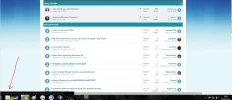
Every now and then I start getting this bar that shows the link for whatever my cursor is hovering over, it's annoying. It doesn't always do it but when it does it doesn't go away for ages. I don't know what causes it but it annoys me, probably seems stupid to you but it annoys me seeing it pop up everytime I hover over something. How do I make it so it doesn't show up ever.
📎 AI Summary:
The thread discusses an annoying persistent "link hover" bar that appears in the browser, with users sharing potential causes and solutions. The original poster seeks advice on disabling it completely. One contributor explains it’s the "browser status bar," technically a legacy feature that can’t be turned off easily in some setups, while others suggest troubleshooting steps like disabling extensions, reinstalling Chrome, updating GPU drivers, or scanning for malware to fix the issue. Overall, the sentiment is that the feature is built-in and not straightforward to disable, with various possible causes for the glitch.
The thread discusses an annoying persistent "link hover" bar that appears in the browser, with users sharing potential causes and solutions. The original poster seeks advice on disabling it completely. One contributor explains it’s the "browser status bar," technically a legacy feature that can’t be turned off easily in some setups, while others suggest troubleshooting steps like disabling extensions, reinstalling Chrome, updating GPU drivers, or scanning for malware to fix the issue. Overall, the sentiment is that the feature is built-in and not straightforward to disable, with various possible causes for the glitch.
Solution

I've had the bar not going away issue before, and I've seen it for the following reasons:
1) Extensions or Addons installed in the browser can be causing issues (try disabling them all and re enabling one by one)
2) Your Chrome profile might be corrupt, try uninstalling Chrome, and also deleting the "C:\Users\Username\AppData\Local\Google\Chrome\User Data" folder and reinstalling Chrome (note the Chrome website automatically sends the 32-bit Chrome when you download, but if you look closely on the download site you can find the 64-bit Chrome)
3) As funny as it sounds, Chrome uses GPU acceleration, sometimes updating your GPU drivers will also remedy this issue (if that's the cause of course)
4) If none of those help, perhaps it's...
1) Extensions or Addons installed in the browser can be causing issues (try disabling them all and re enabling one by one)
2) Your Chrome profile might be corrupt, try uninstalling Chrome, and also deleting the "C:\Users\Username\AppData\Local\Google\Chrome\User Data" folder and reinstalling Chrome (note the Chrome website automatically sends the 32-bit Chrome when you download, but if you look closely on the download site you can find the 64-bit Chrome)
3) As funny as it sounds, Chrome uses GPU acceleration, sometimes updating your GPU drivers will also remedy this issue (if that's the cause of course)
4) If none of those help, perhaps it's...

Member details
- Joined
- May 22, 2012
- Messages
- 4,599
It is called the "browser status bar"... used by search engines and a tie over from the old microsoft net 2 days... it is not allowed to be turned off under US law and chrome is a us product.
If you don't live in the us then hacking your browser script code will disable it but I'm not getting into that here... just put up with it is my profess advice mate.
If you don't live in the us then hacking your browser script code will disable it but I'm not getting into that here... just put up with it is my profess advice mate.

Member details
- Joined
- Aug 3, 2010
- Messages
- 1,284
I've had the bar not going away issue before, and I've seen it for the following reasons:
1) Extensions or Addons installed in the browser can be causing issues (try disabling them all and re enabling one by one)
2) Your Chrome profile might be corrupt, try uninstalling Chrome, and also deleting the "C:\Users\Username\AppData\Local\Google\Chrome\User Data" folder and reinstalling Chrome (note the Chrome website automatically sends the 32-bit Chrome when you download, but if you look closely on the download site you can find the 64-bit Chrome)
3) As funny as it sounds, Chrome uses GPU acceleration, sometimes updating your GPU drivers will also remedy this issue (if that's the cause of course)
4) If none of those help, perhaps it's time for a good Malware Bytes (and possibly other) scan, you may be infected with a virus and/or malware that's mucking up Chrome's processing.
1) Extensions or Addons installed in the browser can be causing issues (try disabling them all and re enabling one by one)
2) Your Chrome profile might be corrupt, try uninstalling Chrome, and also deleting the "C:\Users\Username\AppData\Local\Google\Chrome\User Data" folder and reinstalling Chrome (note the Chrome website automatically sends the 32-bit Chrome when you download, but if you look closely on the download site you can find the 64-bit Chrome)
3) As funny as it sounds, Chrome uses GPU acceleration, sometimes updating your GPU drivers will also remedy this issue (if that's the cause of course)
4) If none of those help, perhaps it's time for a good Malware Bytes (and possibly other) scan, you may be infected with a virus and/or malware that's mucking up Chrome's processing.
