
Embark published 1.42.0 on August 18 with the usual live-service mix—event progression, cosmetics, Twitch drops, balance fixes and stability work—but the known-issues section is the operationally important part for affected PCs. The studio says it is still working on a fix for crashes associated with KB5121003, which applies to Windows 11 versions 24H2 and 25H2 and advances them to builds 26100.9168 and 26200.9168 respectively.
Microsoft documents KB5121003 as a mandatory August security cumulative update delivered through Windows Update, Windows Update for Business, WSUS and the Update Catalog. BleepingComputer reported that it carries August Patch Tuesday fixes alongside Windows Search, File Explorer, Voice Access and other changes. That creates an unpleasant tradeoff: removing it may be an effective diagnostic step for a game crash, but it also rolls a system back from a current security patch.
The discrepancy is worth stating plainly. Embark has identified a game-breaking compatibility problem; Microsoft has not acknowledged one in the KB’s published known-issues record. There is no evidence in the public documentation that KB5121003 broadly crashes Windows 11 machines. The available evidence instead points to a narrower collision involving ARC Raiders’ anti-cheat stack and a legacy third-party kernel driver installed by other hardware or lighting utilities.
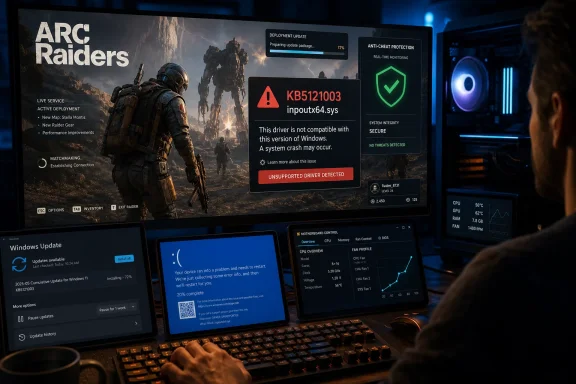 The reported trigger is
 inpoutx64.sys, not ARC Raiders alone
Before the 1.42.0 patch notes, Embark told players through its official Discord announcements that it had traced the crash to inpoutx64.sys after the Windows update. The studio said it was pursuing a long-term fix and circulated a workaround that stops and removes the driver’s Windows service, deletes the driver file from the system driver folder, and optionally removes its registry service key.
That guidance deserves more caution than the brief “consult our workaround” link in the new patch notes supplies. inpoutx64.sys is not a Windows component, but neither is it necessarily an orphaned file. It is a kernel-mode driver historically used by applications that need direct port I/O access, and variants have appeared in hardware-control, peripheral and RGB-management software. Removing it can therefore affect functions outside the game: lighting profiles, fan or sensor utilities, legacy peripheral tooling, or vendor-specific configuration applications may stop working until the owning application is updated, repaired or uninstalled.
The driver class itself is also a security concern. CERT/CC recently warned that drivers including inpout32 and inpoutx64 can expose broad hardware I/O primitives without meaningful caller verification. Microsoft’s own driver-security guidance similarly identifies unrestricted port I/O and arbitrary hardware access as dangerous capabilities for kernel drivers. That does not prove every copy of inpoutx64.sys is malicious, nor does it establish that Windows installed it with KB5121003. It does explain why anti-cheat products may treat a driver of this sort as problematic and why deleting a file from C:\Windows\System32\drivers should not be treated as casual game troubleshooting.
Community reports gathered after Embark’s notice include freezes, game crashes and, in some cases, Windows bugchecks that name inpoutx64.sys. Those reports are not a substitute for Microsoft telemetry or a reproducible vendor analysis, but they do corroborate that the fault is appearing on some systems outside a simple in-game crash dialog. Embark has not published a count of affected players, the driver versions involved, or a list of software packages known to install the file.
A safer response than immediately uninstalling a security update
For a Windows 11 PC that begins crashing in ARC Raiders after KB5121003, the first task is to confirm the sequence rather than assume the update caused every failure. Check Settings > Windows Update > Update history to verify whether KB5121003 is installed, and note whether the crashes began afterward. Then inspect Reliability Monitor and Event Viewer; a system restart or blue screen that cites inpoutx64.sys is a materially different diagnosis from an ordinary application exception, GPU driver reset, or anti-cheat launch failure.
Players who find the driver should identify which installed program owns it before deleting anything. Search installed applications for motherboard utilities, RGB suites, peripheral managers, fan-control tools and old hardware-monitoring packages; then look for a current driver or application update from that product’s vendor. Removing or updating the software through its uninstaller is preferable to manually deleting a driver that another installed package expects to find.
If the crash is severe and reproducible, Embark’s workaround may restore access to the game, but it should be approached as a temporary compatibility measure with a backup or restore point available. It requires administrative changes to a system service and a file under the Windows driver directory. That is within the reach of experienced users and administrators, but it is not an appropriate first step for someone who cannot identify the software that supplied the driver.
Uninstalling KB5121003 is an even blunter workaround. It can help establish whether the new Windows build is part of the trigger, and some players report that rolling it back stops their crashes. But the patch is a security cumulative update, not an optional feature preview. On managed devices, IT administrators should avoid broad removal unless their own testing confirms the collision and compensating controls are in place. A targeted exception for the affected game machine is easier to justify than treating an anecdotal gaming problem as grounds to pull the August security update from an entire fleet.
1.42.0 changes the game’s schedule, not the Windows conflict
Away from the crash issue, Update 1.42.0’s most consequential gameplay-system change is Regional Map Condition Scheduling. Embark has moved Map Conditions away from a single global timetable and will offset them according to regional peak hours. The practical goal is to reduce the chance that a time-limited map condition only appears at an inconvenient local hour for part of the player base.
This is an improvement in access, but it also makes third-party event timers and old community schedules less reliable unless they display the player’s selected matchmaking region. Embark says the Map Condition tracker on its website reflects the new model, while the game now exposes the active matchmaking region on the map-selection screen. Players coordinating across regions should expect schedules to differ rather than assuming everyone sees the same condition at the same moment.
The patch also continues Phantom Targets with a second Raider Project and the Anomalia Outfit, makes the Tick Hunter Set available, and adds Car Freshener and Ceramic Vase Twitch drops. The three winners of the Rubber Duck Design Contest—gekko.rar, im_AshCheeks and nassguhl—are slated to have their designs added in a later update, rather than in 1.42.0 itself.
Anti-cheat changes arrive alongside a driver compatibility warning
Embark’s fair-play update says the studio has made detection improvements with Anybrain and Denuvo Anti-Cheat and has acted against a “large number” of accounts using recently popularized cheating tools. It also says it is improving detection of economy exploits and working on measures against teaming, lobby forcing and matchmaking abuse.
Those are vendor claims, and Embark did not publish the number of sanctions, the cheating software involved, false-positive rates, detection dates or the technical changes that produced the action. Still, the timing is revealing: ARC Raiders is simultaneously increasing its anti-cheat enforcement and working through a crash involving a driver whose direct hardware-access design is exactly the type that anti-cheat products often scrutinize.
Players should resist reading that as proof that KB5121003 “broke Denuvo” or that every inpoutx64.sys installation represents cheating. Neither conclusion is supported by the available record. The more defensible reading is that a Windows security update changed the compatibility conditions around an already-installed low-level driver, exposing an interaction Embark has not yet resolved.
Fixes worth watching in competitive raids
The rest of 1.42.0 contains several fixes with immediate multiplayer implications. The Snitch can now call a Rocketeer or a Firefly-and-Hornet pair, while Snitch Scanners are not intended to change. Queen and Matriarch stomp attacks should no longer hit through walls or from excessively long distances, and the Photoelectric Cloak now protects against Turbine lightning attacks and Matriarch missiles.
Embark also adjusted indoor movement audio, foliage footsteps, tarp and plastic-cloth surfaces, magazine upgrade firing sounds, and occlusion behavior. Those audio changes may matter more than a typical polish note in a game where locating another player by movement can decide an extraction. The studio also fixed a Practice Range damage issue affecting the Dolabra, Hullcracker and Rascal, added Quick Wheel rebinding, improved UI texture-streaming cache behavior, and resolved several unspecified crashes.
Known issues remain beyond Windows PCs. Embark is still investigating crash reports on Xbox Series S. Epic players may lose keyboard input; for that separate issue, the studio recommends disabling active overlays or alt-tabbing out of and back into the game. Several animation, hit-registration, clipping and interface issues are also still open.
For now, ARC Raiders players on Windows 11 24H2 or 25H2 should keep KB5121003 installed unless they have a reproducible crash and a considered mitigation plan. If inpoutx64.sys appears in the crash trail, identify and update the application that installed it first. Embark’s promised long-term fix—not a permanent choice between a current Windows security patch and a working game—is the milestone that matters.
