
That omission is the practical news for organizations running Teams on mobile. Microsoft has announced an interface outcome rather than a feature specification: fewer scrolls and easier conversation scanning are the stated goals, but there are no screenshots, version numbers, rollout phases, configuration details, accessibility notes, or Message Center deployment guidance attached to the roadmap item. Teams admins should treat September as a planning signal, not a release date they can build support documentation around.
The entry applies to Microsoft Teams on Android and iOS in Microsoft’s Worldwide Standard Multi-Tenant cloud. It remains marked In development, which means the feature has not entered a public rollout and its scope can still change.
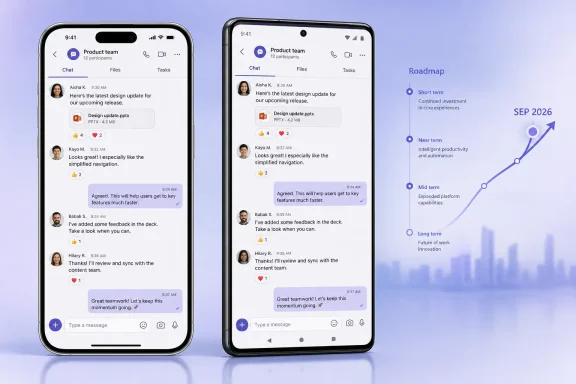 Roadmap ID 568067 promises density without defining the controls
Microsoft’s description is unusually brief even by Microsoft 365 Roadmap standards. It says the mobile messaging redesign will display more content on screen and make conversations easier to scan and follow. It does not identify whether Teams will reduce vertical space between bubbles, shrink avatars or timestamps, compact reactions and reply indicators, revise the compose area, or alter the chat list itself.
Those are materially different changes on a phone. Reducing whitespace between messages can expose a substantially larger portion of a busy group chat; hiding previews or timestamps may also fit more items but can remove context users rely on to decide where to tap. Reworking the thread or reply presentation could help users track a discussion, yet it could also change where familiar actions sit on a smaller display.
Microsoft has offered no indication that this will be an optional density setting. The roadmap entry also does not state whether the new view will be enabled by default, whether a user can restore the prior presentation, or whether an organization can defer or manage the change through Teams policies, app configuration, Intune, or a feature flag. For a user-interface update aimed at every mobile user in the standard worldwide service, those details are more important to a help desk than the broad promise of improved readability.
The lack of a companion Message Center notice is also notable. When Microsoft has a concrete deployment plan for a Teams mobile experience that needs organizational awareness, it commonly provides one. Roadmap entries can precede those notices, and their dates regularly move; they should not be confused with final release notes.
Existing compact modes show the likely direction—and the limits of the comparison
Microsoft already documents a Compact message-density setting in Teams. Its support guidance says Compact condenses messages by reducing space between them and hides chat-list previews by default; the Comfy option restores more spacing and shows previews by default. The published instructions, however, describe the Teams settings path generally and do not establish that the current work-account Teams mobile clients expose the same control or will use the same design.
Microsoft also shipped a “Compact chat mode” in Teams Free in 2025. The company described that view as showing more chats and messages by reducing message spacing and hiding chat previews in the list. That is the closest public description of an existing Teams product change matching Roadmap ID 568067’s language.
It is still not confirmation that the September business Teams update is simply Compact mode arriving on phones. Teams Free and the commercial Teams service have separate product, account, policy, and release paths. The new roadmap item neither uses the word “Compact” nor says it will hide previews. It also refers specifically to a messaging experience, whereas Teams Free’s announcement discussed both the chat list and conversation display.
The distinction matters for support teams. If Microsoft adds a user-selectable density preference, the immediate task is communicating where the setting lives and how to reverse it. If it changes the default layout for everyone, the issue becomes change management: screenshots, training material, and support runbooks may no longer match what people see on iPhones and Android devices.
For users following fast-moving chats from a phone, a modest visual change can be consequential. More messages on screen may reduce repetitive scrolling through replies and status updates. A denser treatment can also make it easier to lose the visual separation between speakers, quoted content, reactions, and thread activity—particularly in group chats where messages arrive quickly. Microsoft’s claim that readability will improve cannot yet be independently assessed because the company has not published images, a preview build, or the detailed interaction model.
This is separate from Teams mobile’s Catch up view
Teams already received a major mobile triage feature earlier in 2026: Catch up. Microsoft’s Message Center notice for that feature, associated with Roadmap ID 558108, said it would collect @mentions, replies in followed channels or threads, and chats or meeting chats needing action in a card-based mobile view. The company initially targeted worldwide availability for early May, then updated the schedule to say rollout would finish in late June.
Catch up is relevant context because it targets the same problem—finding the conversations that deserve attention—but it is a separate product change. Roadmap ID 568067 concerns the presentation of messages on screen. Catch up reorganizes which conversations users see for triage and gives them swipe actions. Conflating the two would lead users to expect a new inbox-style page in September when Microsoft has only announced a denser or more streamlined reading experience.
The earlier Catch up notice also illustrates what Microsoft has not yet supplied for the new messaging update. The Catch up announcement specified that it was enabled by default, required no admin configuration, covered all Teams mobile users, and could warrant updates to internal user-support documentation. It even described the conversations included in the new view.
None of that operational detail is present for Roadmap ID 568067. Microsoft may publish it later in a Message Center post, but no such documentation was publicly available when the roadmap entry appeared. No independent outlet had reported additional implementation details for the new roadmap ID at publication.
September is a target, not a rollout commitment
The timing should be read carefully. Microsoft lists general availability as September 2026, but labels the feature In development. That is a monthly target window, not a promise that every iOS and Android user will see the redesign on September 1—or even during the same week.
Teams changes frequently roll out gradually, and the Catch up release demonstrates why an entry’s initial timeline should not be treated as fixed. Microsoft updated that rollout in May 2026, moving the expected completion from early May to late June. The company has not stated a deployment cadence, completion date, or release-ring breakdown for the message-density work.
The scope is also narrower than the word “general availability” can suggest. Microsoft identifies the Worldwide Standard Multi-Tenant cloud instance. The roadmap does not list Microsoft 365 Government Community Cloud, GCC High, Department of Defense, sovereign clouds, or Teams Free. Administrators in those environments should not assume a September release applies to them.
There is no stated licensing requirement, and no evidence in the announcement that this is a Teams Premium feature. But Microsoft likewise has not explicitly said which Teams license families will receive it. The sound position for IT is that the announcement covers supported mobile users in the standard commercial service, while final eligibility and behavior remain undocumented.
What IT teams should do before the interface changes
There is no configuration work to perform yet. The sensible preparation is to identify the places where Teams mobile screenshots or step-by-step guidance are embedded in internal documentation—especially instructions for finding unread messages, following channels, using replies, and locating message actions.
Teams’ current Chat and Channels guidance already exposes mobile users to filters such as Unread, Chats, Channels, Meetings, and Muted, while the newer @mentions view gathers alerts across chats, meeting chats, and channels. A denser conversation display could leave those workflows untouched, but it could change the visual landmarks users employ to recognize them. Support teams should avoid pre-emptively rewriting documentation until Microsoft shows the actual interface.
The first reliable validation point will be Microsoft’s eventual release notes, a Message Center notice, or visible changes in the iOS and Android production apps. Until then, Roadmap ID 568067 establishes only the intended outcome: in September 2026, Teams mobile users in Microsoft’s standard worldwide cloud are scheduled to see more of a conversation at once. Whether that comes as a reversible Compact-style setting or a new default layout remains unanswered.
