
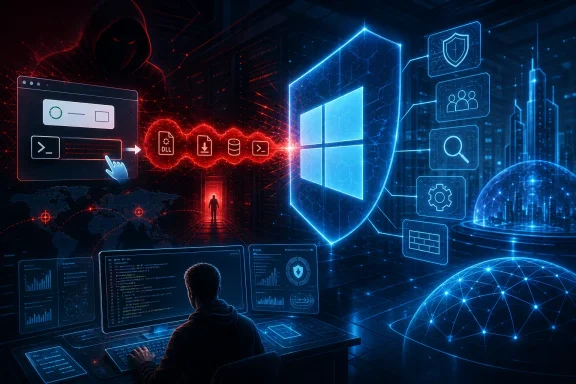
That combination deserves attention from Windows administrators, security teams, and users. But its implications need careful boundaries. Microsoft observed the initial chain, reconnaissance, and tunnel capability; it did not observe the downstream lateral movement, privilege escalation, credential theft, security-control disabling, data theft, or ransomware deployment that an attacker might attempt after obtaining such access. A compromised computer should therefore be treated as a possible internal pivot point, not as proof that every possible follow-on action occurred.
TerminalFix is a ClickFix variant, not a wholly new social-engineering idea
Microsoft describes TerminalFix as a ClickFix variant targeting organizations in multiple industries. ClickFix attacks exploit a behavioral weakness rather than a software vulnerability: the target is coached into copying, pasting, and executing an attacker-provided command under the apparent guise of fixing a CAPTCHA, browser error, or verification problem.
In this case, the lure is a counterfeit Cloudflare Turnstile prompt displayed by compromised websites. The page directs the user to paste a command into Windows Terminal or PowerShell. That user action is central to the intrusion: it can bypass the skepticism people ordinarily apply to unsolicited downloads because the victim believes they are completing a routine browser verification step.
The use of Terminal or PowerShell should not be portrayed as the campaign’s unique innovation. Earlier Microsoft ClickFix research had already documented lures that used the Windows Run dialog, Windows Terminal, and Windows PowerShell, including early examples that instructed users to run commands directly in Terminal or PowerShell. The significant issue here is the reported multistage payload chain and the post-compromise remote-access design, rather than the mere choice of command host.
For Windows users, the practical rule is simple: a legitimate CAPTCHA does not need a visitor to open a shell, paste a command, or run a script. That remains true even if a page uses familiar branding, mentions browser security, or claims a verification failure needs manual repair.
The reported infection chain uses familiar Windows components in an unusual arrangement
According to Microsoft’s analysis, the pasted command downloads a ZIP archive into ProgramData. The chain then launches LockScreenContentServer.exe alongside a malicious dui70.dll. This is a DLL sideloading arrangement: a legitimate executable is placed or launched in a location where it loads a malicious DLL bearing a name it expects.
Current ATT&CK terminology places DLL sideloading under the DLL sub-technique, T1574.001. That classification matters mostly for defenders mapping alerts and procedures across products; it does not make the technique less serious. The operational value for an attacker is that a trusted-looking Windows binary can become the process hosting malicious code.
The campaign reportedly retrieves additional payload material from PNG image files. Storing or transporting data in an image format can make casual inspection harder and may help malicious traffic blend with ordinary web content. It should not, however, be treated as a magic bypass: the relevant question for defenders is whether the request, downloaded content, subsequent process behavior, and network connections together form a suspicious chain.
Microsoft also reports two persistence mechanisms:
- an
HKCURun key, which launches code when the affected user signs in; and - a scheduled task configured to re-execute the malware every 60 minutes.
The use of both mechanisms is important during cleanup. Removing a suspicious executable while overlooking the user-level Run key or scheduled task can leave the machine reinfected or still running the surviving portion of the chain. Conversely, finding a Run key alone is not enough to identify TerminalFix; legitimate software uses user-level startup settings too.
Reconnaissance turns an endpoint incident into a network concern
After execution, Microsoft observed the campaign conducting domain and infrastructure discovery. Reported commands and activity included domain-trust discovery, enumeration of domain administrators, Active Directory searches for users and computers, and targeted pinging of servers. The analysis also describes a PowerShell file-watch loop able to execute commands.
This activity suggests that the intruder’s interest extends beyond the first Windows device. Domain trusts, privileged groups, directory objects, and reachable servers are exactly the information an operator would want when selecting higher-value systems or planning subsequent actions.
Still, reconnaissance is not equivalent to successful movement. Microsoft explicitly says it did not observe downstream activity in the analyzed chain. That distinction is especially important in incident communications. It is reasonable to prioritize a potentially affected host as a possible staging point and investigate adjacent systems, privileged accounts, and authentication activity. It is not supported to state that the campaign actually compromised domain controllers, stole credentials, deployed ransomware, or exfiltrated data.
Security teams should apply the same discipline to the reported file-watch command loop. Its presence indicates a mechanism for receiving and executing instructions, but public evidence from this analysis does not establish every command the operator may have issued or every objective they may have pursued.
The reverse tunnel is the most consequential capability
Microsoft identifies a client.py implant that establishes an outbound TLS WebSocket tunnel over port 443 and supports arbitrary TCP connections. The reported command-and-control domain is gitnow.dev; the client reportedly disables certificate verification.
An outbound connection over port 443 is operationally useful to an attacker because many enterprise networks permit encrypted web traffic to leave the environment. A reverse tunnel means the attacker does not necessarily need to expose an inbound service on the victim machine or wait for a direct inbound connection to succeed. If the tunnel is functioning, it can potentially relay TCP connections from the operator through the compromised endpoint.
That capability creates a serious containment question: could the host be used to reach internal services that are not otherwise internet-facing? The answer is potentially yes, based on the arbitrary-TCP design described by Microsoft. It is not evidence that the operator did so in a particular victim environment.
The disabled certificate verification is another useful hunting clue. It also indicates that encrypted transport in this case should not be mistaken for trustworthy transport. Encryption protects the connection contents from straightforward observation; it does not validate the attacker’s infrastructure when the client deliberately skips certificate checks.
The report also lists bestsocialmedianewspapper.com and offlineupdater.com as infrastructure pivots. Organizations should use those domains, along with gitnow.dev, as retrospective investigation inputs rather than assuming they are presently active or that a lack of a current connection clears an endpoint. The publicly available analysis does not establish the current status of the infrastructure.
What defenders should hunt for—and what not to overinterpret
Microsoft’s hunting guidance points to a coherent sequence of events rather than a single, definitive file name. High-priority investigation signals include:
- PowerShell activity delivered through the clipboard or associated with a CAPTCHA-style lure;
LockScreenContentServer.exeexecuting outside its expectedC:\Windows\SystemAppslocation;- an unexpected load of
dui70.dllby that executable; python.exeorpythonw.execommand lines containingclient.pyorgitnow.dev;- ProgramData ZIP downloads followed by suspicious executable and DLL launches;
- the user-level Run key and hourly scheduled task persistence described in the report; and
- DNS, proxy, endpoint, and network records involving the three reported domains.
The context requirement is critical. The LockScreenContentServer.exe and dui70.dll filename pair is not exclusive to TerminalFix. An independent malware record for an earlier BankBot-family detection lists the same names at AppData-related paths. A filename-only detection can therefore be valuable as a lead but cannot reliably attribute a device to this campaign.
A stronger conclusion needs corroboration: execution path, file hash, the DLL load relationship, parent and child processes, command-line arguments, persistence artifacts, user context, downloaded archives, and relevant network activity. This is also why administrators should avoid broad, destructive cleanup based only on a matching filename. Preserve evidence, isolate the host where warranted, and verify the full process tree before removing artifacts.
The report references Python 3.14.5 in the chain. That was a real Python release, so the version is technically plausible. Its presence alone remains weak evidence: Python runtimes are legitimate development and automation tools, and the public reporting does not independently establish that every installation of that version is malicious. The relevant signal is the reported combination of Python or Pythonw with the implant’s client.py and tunnel-related arguments.
Containment and recovery should assume credential risk where justified
A device with the reported persistence, reconnaissance, and tunnel indicators should be isolated promptly according to the organization’s incident-response procedures. Investigation should then establish whether the user was privileged, whether the host had access to administrative shares or sensitive servers, and whether the tunnel or reconnaissance commands ran successfully.
Microsoft advises thoroughly investigating affected hosts and prioritizing credential rotation where appropriate. That does not mean resetting every account automatically. It means making a risk-based decision informed by the affected user, the device’s role, observed directory discovery, account logons, and evidence of access to privileged resources. If a privileged administrator used the device or if the host held usable credentials, the urgency rises considerably.
Review scheduled tasks, Run keys, ProgramData content, user-profile application directories, PowerShell history and telemetry where available, process-creation records, DNS and web-proxy data, and endpoint alerts. Search for the same patterns across the environment, particularly on systems used by administrators or systems that can reach internal management services. Because the campaign uses an outbound tunnel, network review should include unusual encrypted outbound connections from hosts that normally have no reason to run Python-based network clients.
Defenders should also check whether their Microsoft security product, licensing, telemetry retention, and endpoint configuration support the relevant detections. Vendor-provided coverage and hunting logic are useful, but their effectiveness can vary with deployment choices and attacker changes.
Reducing the chance that a fake CAPTCHA becomes an incident
The first control is user education that is concrete rather than generic: never paste commands from a webpage into PowerShell, Command Prompt, Windows Terminal, Run, or any script host. Training should use examples of fake verification pages and explain that legitimate sites may ask users to click a checkbox or solve a visual challenge, but should not instruct them to execute local commands.
For managed Windows environments, Microsoft recommends restricting PowerShell for standard users. The implementation needs care. PowerShell is used for legitimate administration, software deployment, support, and business automation, so a blanket restriction can break workflows or simply push adversaries toward another interpreter. A more durable approach is least privilege combined with application control, constrained administrative access, meaningful script and process telemetry, and clear procedures for users who encounter suspicious verification prompts.
Administrators should additionally alert on LockScreenContentServer.exe starting from nonstandard locations, especially when paired with dui70.dll, and on unexpected Python processes using client.py or the reported tunnel domain. Those rules are most effective when joined to behavioral context rather than deployed as filename-only blocks.
TerminalFix illustrates why social engineering and endpoint defense cannot be separated. The lure asks a person to make the first move; the Windows host then supplies the processes, persistence points, directory visibility, and outbound network path that make the intrusion operationally valuable. Treating the fake CAPTCHA as a trivial browser scam misses the reported reverse-tunnel capability. Treating every matching file name as conclusive misses the evidence standard needed for accurate response. Effective defense requires both: stop the paste, and investigate the chain when it occurs.
