For decades, Notepad, Paint, and the Snipping Tool have stood as familiar pillars of the Windows user experience—simple, reliable, and universally accessible. Yet, in a dramatic shift emblematic of Microsoft’s AI-driven era, these three longtime staples are being imbued with artificial intelligence capabilities. The company’s strategy is clear: breathe new life into its most basic applications while quietly changing the rules on who gets access to the most powerful features. The result is a tale of innovative enhancement, shifting value, and new walls in the Windows ecosystem.
AI-Powered Upgrades: An Overview
Microsoft has announced a suite of generative AI enhancements rolling out to Notepad, Paint, and the Snipping Tool, building off the company’s Copilot AI assistant. These new tools promise to transform simple utilities into creative, productivity-boosting powerhouses. However, the availability of each new feature varies widely, highlighting a growing trend in software monetization and hardware requirements.
- Notepad gets generative AI text-writing abilities, but access requires either a Microsoft 365 or Copilot Pro subscription.
- Paint receives an AI-powered sticker creator, but only for users on Copilot Plus PCs—a new hardware class requiring advanced AI chips.
- Snipping Tool offers everyone an AI-driven “perfect screenshot” feature, democratizing at least one part of the upgrade.
Each change is more than just a technical tweak. Instead, these enhancements represent a significant shift in how—and for whom—the core features of Windows are defined.
Notepad: From Minimalism to AI Text Wizard
Notepad’s reputation has always leaned on its utter simplicity. Opening quickly, handling plain text, and avoiding distractions, it was the rare productivity app that did nothing more than the basics. Microsoft’s latest update, however, aims to transform Notepad into a smart writing assistant.
How Notepad AI Works
Leveraging Copilot—Microsoft’s AI assistant built into the Windows 11 fabric—users can now generate text inside Notepad simply by right-clicking in the editor and selecting
Write. This triggers a prompt where instructions for the desired text can be typed. Whether drafting an email, summarizing a note, or brainstorming ideas, Copilot takes those instructions and produces suggested text. Once generated, users can choose to
Keep Text or
Discard the suggestion.
This system closely resembles generative interfaces popularized by GPT-4 and other large language models. But there’s a catch: access to these capabilities is restricted. To unlock Notepad’s Write feature, you must subscribe to Microsoft 365 or Copilot Pro—and then use up some of your allocated monthly AI credits.
Critical Analysis: Value or Gated Innovation?
On the one hand, bringing AI text generation to Notepad represents a leap forward in productivity, marrying classic minimalism with cutting-edge technology. It lowers the friction of creating content and opens the door to more creative or efficient writing. This is especially appealing for users who need quick drafts or inspiration but don’t want to switch to more heavyweight word processors.
However, the introduction of paywalled features raises questions. Notepad was always a free, universal tool—accessible to every Windows user without cost or complication. By placing its most futuristic enhancement behind a Microsoft 365 or Copilot Pro subscription (typically costing upwards of $69.99/year or $20/month for Copilot Pro), Microsoft is following a broader industry shift toward subscription-based software ecosystems. This approach may alienate longtime users who expect core features to remain universally accessible, especially for a product as basic as Notepad.
Additionally, the dependence on AI credits means usage is limited, introducing yet another layer of management and potential frustration. If Notepad AI becomes a key feature, users may find themselves rationing credits or interrupted by upsell prompts, undermining the simplicity that once defined the app.
Technical Reliability and Security
Early hands-on reviews, such as those from the Windows Insiders blog, have noted strong text-generation quality and fast response times. However, as with all AI-powered synthesis tools, accuracy and context matter. There’s always a risk of the AI introducing errors, misunderstandings, or hallucinated content. Microsoft will likely need to continue refining its moderation systems to reduce these risks—especially as Notepad’s simplicity means users might copy and share generated content without close review.
Paint: AI Stickers and the Creative Revolution
For generations, Paint has been the digital canvas for beginners and casual doodlers alike—a playful counterpoint to Adobe’s professional software suite. New AI features push it into a different league, designed for instant, shareable creative bursts.
How AI Stickers Work
Paint’s new AI sticker creator is powered by the same underlying LLM infrastructure as Copilot. Users simply type in a prompt—such as “cat wearing sunglasses”—and Paint generates multiple sticker options that can be resized, repositioned, and pasted onto digital artwork or exported for use in other documents.
This is more than a toy: it dramatically increases creative possibilities for students, marketers, meme creators, and anyone looking to add flair to their work without professional design skills.
Copilot Plus PCs: Hardware-Driven Exclusivity
But there’s a significant limitation—and arguably, a controversial one. Paint AI stickers are only available on
Copilot Plus PCs. These new systems, announced by Microsoft in recent months, are built with specialized neural processing units (NPUs) tailored for AI workloads. Brands such as Dell, HP, Lenovo, and Asus are already showcasing Copilot Plus models, which require at least 40 TOPS (trillions of operations per second) in AI computational power and a minimum 16GB of RAM.
While these devices bring unprecedented on-device AI capabilities (enhanced privacy, faster response times, and reduced need for cloud connectivity), they also serve as a hard cutoff for users of older hardware. The move is reminiscent of Apple’s transition to M1 silicon, with clear benefits for those willing to upgrade—but it also excludes those using even relatively recent PCs.
Is Paint’s AI Upgrade a Game Changer?
For the creative and professional markets, AI stickers can be a fun and useful tool, accelerating digital illustration and lightweight visual design. For students and trend-driven content creators, stickers offer fast, customizable assets for social posts or quick presentations.
Yet, the requirement for high-end Copilot Plus PCs may draw criticism. Microsoft’s move makes sense from a performance and privacy standpoint—on-device AI avoids server costs and latency—but it also sharply narrows access on day one. Many users will see the feature hyped in updates or press coverage, but discover it unavailable on their current hardware.
Industry analysts have commented on this trend, warning of a growing “feature gap” between high-end users and the broader Windows community. Without timely hardware upgrades, millions could miss out on creative advancements, further segmenting the PC market.
Snipping Tool: AI for Everyone—Democratizing the Screenshot
In contrast to Notepad and Paint, the new Snipping Tool enhancements are more evenly distributed. Every Windows user is set to enjoy access to the new “perfect screenshot” function, relying on AI to crop, align, and resize images automatically based on intelligent context detection.
Perfect Screenshot in Action
The updated Snipping Tool can recognize the most relevant content—such as a window, document, or specific element on the screen—and automatically produces a neatly cropped image, ready for sharing or further editing. While cropping and resizing have always been user-driven tasks, AI-powered automation reduces manual steps and may produce more visually consistent images, saving time for students, office workers, and IT support professionals alike.
Universal Access: A Notable Exception
Unlike the tiered rollout of the new Notepad and Paint features, the Snipping Tool update is being offered to all Windows users, regardless of device tier or subscription status. This is a refreshing counterpoint to the increasingly stratified access strategies Microsoft and others are deploying across software ecosystems.
Strengths and Risks
For power users and casual snippers alike, the time savings and improved output quality are easy wins. There are minimal technical barriers and no added cost or subscription requirements, which should promote rapid adoption and satisfaction.
However, as with all AI-driven automation, there’s always a risk of “false positives” or missed elements: the Snipping Tool may accidentally crop out relevant information or misinterpret the user’s intent. While user feedback has generally been positive, it remains important for Microsoft to provide manual override options and clear ways for users to adjust results if the AI doesn’t get it right.
Copilot as the Common Denominator
At the center of each of these upgrades lies Copilot, Microsoft’s ambitious AI platform designed to become a universal assistant across Windows, Office, Edge, and now, even the most basic utility apps. Copilot’s goal is to provide intelligent answers, suggest content, and automate repetitive workflows. By embedding Copilot into Notepad, Paint, and the Snipping Tool, Microsoft aims to create a seamless continuum of productivity and creativity—one that adapts to the user’s intent and context.
Strategic Advantages
Microsoft’s Copilot strategy holds several clear strengths:
- Unified AI Experience: Users encounter consistent tools and workflows, reducing friction as they move across apps.
- Platform Stickiness: By requiring subscriptions or new hardware for certain Copilot features, Microsoft increases retention and incentivizes both cloud and PC upgrades.
- Technical Innovation: By leveraging NPUs and advanced LLMs, Microsoft is positioning Windows as a leader in the generative AI arms race, outpacing traditional app competitors.
Ethical and Market Risks
However, this approach also brings potential pitfalls:
- Digital Divide: By limiting top-tier features to paid subscribers or expensive new hardware, Microsoft risks exacerbating the gap between those who can and cannot afford the latest tech.
- Subscription Fatigue: With so many new features locked behind Microsoft 365 or Copilot Pro, users may bristle at yet another recurring fee—especially for features baked into what many view as basic OS utilities.
- Data Privacy: The AI features rely on user data, prompts, and sometimes cloud connectivity. Microsoft must maintain robust privacy and security practices to retain trust.
Real-World Impact and User Reception
Widespread reaction to the new features has been polarized. Tech-savvy users and early adopters generally see the AI-powered updates as an exciting leap for “mundane” Windows utilities. For example, the AI Write feature in Notepad and sticker function in Paint have been praised for their speed and creative value by reviewers from CNET and Windows Insiders. Feedback in online communities, however, is more mixed: users with older PCs or those unwilling to pay for subscriptions feel locked out of the AI revolution.
Supporters argue that premium features justify subscriptions and hardware investment—a necessity if the AI workload is to be handled responsibly and efficiently. Detractors worry that Microsoft is steadily eroding Windows’ longstanding promise of broad, universal utility. The risk is real: more gated features may actually increase fragmentation in the Windows ecosystem, rather than promote inclusivity.
Comparing Microsoft’s Approach: Market Trends and Competitors
Microsoft’s tiered access is not unique—it closely echoes Apple’s approach to limiting some major upgrades or AI features to M-series Macs and iOS devices with advanced neural engines. Google, too, reserves its most powerful generative AI capabilities for the latest Pixels or cloud subscribers.
From a business standpoint, segmenting features by device and subscription does provide a clear upgrade path and added revenue opportunity. Yet, it risks stranding millions of users stable on older hardware, or pushing them toward rival platforms with less-stringent requirements.
Looking Forward: What’s Next for Windows Utilities?
Microsoft’s investment in AI-powered features—across Notepad, Paint, Snipping Tool, and countless other products—is only accelerating. Insiders indicate that further Copilot-based integrations are imminent, bringing smarter document summaries, even more creative generation tools, and intelligent workflow automation to core apps.
The big question is whether Microsoft will recalibrate the balance between universal access and premium or hardware-exclusive enhancements. Given the competitive landscape, there’s clear value in rewarding subscribers and new hardware buyers, but there is also significant risk in disrupting Windows’ core value proposition: approachable, flexible, and widely available tools for all.
Conclusion
The integration of artificial intelligence into Notepad, Paint, and the Snipping Tool signals a bold evolution in what it means to use Windows utilities. Generative text, AI-driven stickers, and automated image handling are no longer science fiction—they’re arriving today, albeit unevenly.
For those with the right subscription or brand-new Copilot Plus hardware, these upgrades promise huge boosts in creativity and efficiency, all streamlined through Microsoft’s Copilot assistant. For users on older PCs or with limited means to subscribe, the experience may soon feel fragmented—full of tantalizing, but inaccessible, next-gen tools.
Ultimately, Microsoft’s gamble is this: that users will see so much value in the AI-powered future that they’ll willingly invest—whether through monthly subscriptions, next-gen computers, or both. The company’s ability to manage the resulting digital divide, address privacy and security, and maintain the broad appeal that has defined Windows for decades will determine the true success of this new chapter. For now, the revolution in Notepad, Paint, and the Snipping Tool is real, innovative, and unmistakably exclusive—a sign of both the possibilities and the new limits in the era of AI-enhanced computing.


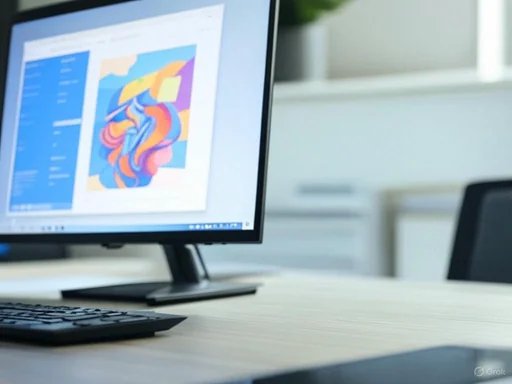
 Reimagining Microsoft Paint