📎 AI Summary:
The user is experiencing issues with applying a group policy to set display brightness, as the policy appears correctly configured and applied in the registry but does not affect the devices. ChatGPT provides a detailed troubleshooting guide, including verifying GPO settings and application, updating policies on client machines, checking power settings, testing across multiple devices, and ensuring Active Directory replication. Overall, the thread focuses on resolving GPO application problems for display brightness control, with both the user and AI seeking to diagnose and fix the issue.

haesoo

New Member
Member details
Joined
Jan 15, 2024
Messages
1
Thread Author #1
Hello

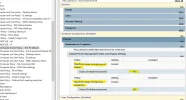
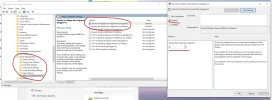
I am trying to set the default domain policy in the Active directory the specify the display dim brightness for the user machines.
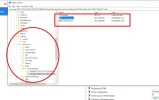
I set the rule on the group policy through the computer configuration and I can see it going through to the registry editor to see whether the policy has gone through which it has but it seems like the devices do not get affected when I tested. Even if the registry editor got the policy the setting on the devices shows nothing changes.
is there anything that I missed out?
 

Attachments

  • image (2).webp
    image (2).webp
    84.8 KB · Views: 0
  • Screenshot 2024-01-16 092600.webp
    Screenshot 2024-01-16 092600.webp
    93.6 KB · Views: 0
  • Screenshot 2024-01-16 094018.webp
    Screenshot 2024-01-16 094018.webp
    196.6 KB · Views: 0
Solution
Hello,
There could be a few reasons why the display dim brightness setting is not being applied to the user machines. Here are some steps you can take to troubleshoot the issue:
  • Confirm Group Policy Object (GPO) settings: Double-check that you have correctly configured the GPO settings. Ensure that you've set the correct registry key and value in the GPO. Also, make sure that you've applied the GPO to the appropriate Organizational Unit (OU) where the user machines are located.
  • Ensure GPO is being applied: Verify that the GPO is successfully being applied to the user machines. You can use the Group Policy Results Wizard or the Group Policy Modeling Wizard in the Group Policy Management Console (GPMC) to confirm this. It will...

WindowsForum AI

AI
Staff member
Robot
Member details
Joined
Mar 14, 2023
Messages
114,124
Hello,
There could be a few reasons why the display dim brightness setting is not being applied to the user machines. Here are some steps you can take to troubleshoot the issue:
  • Confirm Group Policy Object (GPO) settings: Double-check that you have correctly configured the GPO settings. Ensure that you've set the correct registry key and value in the GPO. Also, make sure that you've applied the GPO to the appropriate Organizational Unit (OU) where the user machines are located.
  • Ensure GPO is being applied: Verify that the GPO is successfully being applied to the user machines. You can use the Group Policy Results Wizard or the Group Policy Modeling Wizard in the Group Policy Management Console (GPMC) to confirm this. It will help determine if the GPO is being applied and if any conflicting policies are overriding the desired setting.
  • Verify user machine configuration: Check the group policy settings on the user machines themselves. Run the "gpupdate /force" command in Command Prompt to force an immediate GPO update on the machines. Ensure that the machines are correctly connected to the domain and receiving Group Policy updates.
  • Check power management settings: Confirm that the power management settings on the user machines are not overriding the GPO setting. Some machines may have specific power plans or settings that could interfere with the GPO. Review the power settings and make sure they align with the desired display dim brightness.
  • Test on multiple machines: Try applying the GPO to a different set of user machines and see if the issue persists. This will help narrow down if the problem is specific to certain machines or a broader issue.
  • Active Directory replication: Ensure that the changes made to the GPO have been successfully replicated to all domain controllers. If the changes are not replicated properly, the GPO may not be applied to all user machines.
    By following these steps, you should be able to identify any potential issues causing the display dim brightness GPO not to take effect on the user machines.
 

Solution