
📎 AI Summary:
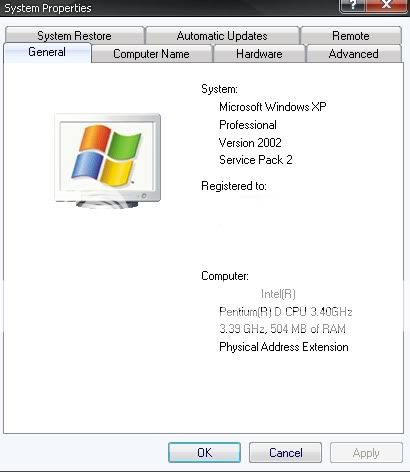
The WindowsForum thread discusses upgrading from Windows XP to Windows 7. The original poster inquires about the possibility, sharing a screenshot of their current system, and mentions having Windows 7 Ultimate. Responders clarify that there is no direct upgrade path from XP to Windows 7, recommending either a clean install or an intermediate upgrade through Vista, and suggest using the Windows 7 Upgrade Advisor to check hardware compatibility. Overall, the conversation emphasizes that a clean installation is the most effective method to upgrade from XP to Windows 7.
The WindowsForum thread discusses upgrading from Windows XP to Windows 7. The original poster inquires about the possibility, sharing a screenshot of their current system, and mentions having Windows 7 Ultimate. Responders clarify that there is no direct upgrade path from XP to Windows 7, recommending either a clean install or an intermediate upgrade through Vista, and suggest using the Windows 7 Upgrade Advisor to check hardware compatibility. Overall, the conversation emphasizes that a clean installation is the most effective method to upgrade from XP to Windows 7.


Similar threads

- Article
- Article
- Article
- Article