- Thread Author
- #1
I've spent several hours now researching the problem I have with my new build and haven't found anyone with quite the same issue. I think I know a solution but find it hard to believe it is the only way.
Basically, I have just built a new Ivy Bridge PC with OCZ Vertex 4 SSD. I did a clean install of Windows 7 x64 and it works great. However, this is an HTPC and one of my media drives used to have my old W7 32-bit system partition on it. To make it more complicated that system was an upgrade from XP, that was originally dual boot W7/XP.
The Issue is this. All is great if the above media drive is not connected at boot time, but that isn't really practical! If I have the media drive with the old system partition on it connected at boot the boot will fail, regardless of any boot order I set in my GA-Z77-DH BIOS. The spurious boot record on the old system drive seems to take over and crashes attempting to boot.
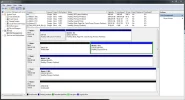
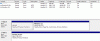
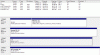
When I realised this was the issue I deleted the system partition. With that space "unallocated" all is good. However, last night I decided to try to reuse the 100gb of space for a backup partition. Now I find if that space is allocated in anyway it will prevent my system booting. Provided it is unallocated all is good, but if allocated the PC will crash, regardless of boot priority and despite the fact there are no longer any remnants of a Windows7 system in the partition.
At the moment the only options I seem to have are
A) accept I just have to lose that 100GB of space and leave it unallocated
B) copy1.8TB off the drive to another so I can use Diskpart to "clean" the drive.
Are those really the only options or is there another safe way to clear the boot record without risking 1.8TB of data loss! Thanks!
Basically, I have just built a new Ivy Bridge PC with OCZ Vertex 4 SSD. I did a clean install of Windows 7 x64 and it works great. However, this is an HTPC and one of my media drives used to have my old W7 32-bit system partition on it. To make it more complicated that system was an upgrade from XP, that was originally dual boot W7/XP.
The Issue is this. All is great if the above media drive is not connected at boot time, but that isn't really practical! If I have the media drive with the old system partition on it connected at boot the boot will fail, regardless of any boot order I set in my GA-Z77-DH BIOS. The spurious boot record on the old system drive seems to take over and crashes attempting to boot.
When I realised this was the issue I deleted the system partition. With that space "unallocated" all is good. However, last night I decided to try to reuse the 100gb of space for a backup partition. Now I find if that space is allocated in anyway it will prevent my system booting. Provided it is unallocated all is good, but if allocated the PC will crash, regardless of boot priority and despite the fact there are no longer any remnants of a Windows7 system in the partition.
At the moment the only options I seem to have are
A) accept I just have to lose that 100GB of space and leave it unallocated
B) copy1.8TB off the drive to another so I can use Diskpart to "clean" the drive.
Are those really the only options or is there another safe way to clear the boot record without risking 1.8TB of data loss! Thanks!

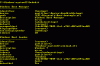
 so I'd appreciate any understanding you can give, but this Gigabyte boot priority thing seems mighty odd. First you choose the priority for your HDDs and a separate priority list for any removable media. Then the top entry from each of these is supposed to appear in a consolidate list where you choose if you want to boot from HDD or removable media. At least that is how it is described in the manual!! In fact, not only the top entries in the list appear. there are two entries for my SSD - P1:OCZ Vertex 4 and UEFI:OCZ Vertex 4. I have no idea really which should be picked! Then there is this other entry "Windows Boot Manager", with no indication of what device it resides on. I really do not get what that is doing in a boot priority list!! I am going to post in the Gigabyte forum @TweakTown to see if anyone can explain it to me, but I have tried them all as the No1 boot device and if I have that troublesome 100GB partition allocated in Windows the system will not boot. I get the black and white "Windows is Loading Files" display with the white progress bar you will be familiar with and then I am told that Windows has failed to start. But if i unallocate that partition or disconnect the drive altogether all is perfect.