📎 AI Summary:
The thread discusses a user’s experience installing Windows 10 Pro, where the system activated automatically via a digital license without entering a product key. Several responses confirm that if the previous OS was activated with a digital license, Windows 10 should activate automatically, and checking activation status can be done through system settings or commands. A detailed explanation clarifies that Windows 10's activation differs from previous versions, relying on digital entitlement linked to the hardware, and the original product key is only necessary when transferring to new hardware. Overall, the conversation is informative and positive regarding automatic activation.

NettleWarbler

Banned
Joined
Mar 25, 2016
Messages
636
Thread Author #1
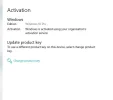
Hello all , I bought a Windows 10 Pro x64 dvd , I installed it yesterday . It was on a very long time I chose keep folders and apps , and everything went well . It first updated to a newer windows version then it installed , the thing that puzzles me is I didn't have to enter the product key . I enclose a photo from system and settings from control panel , I left it a long time while it updated and installed and re-started etc . But I definately did not enter a product key , can someone please have a look and see if every things alright . Thank you
An image from 'Windows Activation'. System information window showing Windows 10 Pro on an Intel i7-4790K with 16GB RAM.
.
 

Last edited by a moderator:

nmsuk

Essential Member
Joined
Sep 7, 2009
Messages
4,328
Everything is fine, If the OS you updated from was activated with a digital license then so will windows 10.
 

NettleWarbler

Banned
Joined
Mar 25, 2016
Messages
636
Thread Author #3
nmsuk , I was hoping to try the product activation number to make sure that was working ok .
 

nmsuk

Essential Member
Joined
Sep 7, 2009
Messages
4,328
No need, open a command prompt and run slmgr /dlv will show your activation status
 

nmsuk

Essential Member
Joined
Sep 7, 2009
Messages
4,328
Or even goto settings>updates and security>Activation it'll also tell you.
 

NettleWarbler

Banned
Joined
Mar 25, 2016
Messages
636
Thread Author #6
nmsuk , yes it is activated , I was hoping to try the DVD serial number to make sure it was working ok .
 

Attachments

  • Activation.webp
    Activation.webp
    13.5 KB · Views: 395

390Pendolino

New Member
Joined
Jun 4, 2018
Messages
1
Windows is activated and ready to go! Your install was activated using a digital license.
 

Last edited:

kemical

Essential Member
Joined
Aug 28, 2007
Messages
36,160
nmsuk , I was hoping to try the product activation number to make sure that was working ok .
Just to add to NMSUK's post.

The way Microsoft handles keys with Windows 10 is different to previous windows versions.

If you at some point did the free upgrade to windows 10 on your machine then you would have been allotted a digital licence ( called digital entitlement) which is stored online.
This means that as soon as windows 10 is installed it will be automatically activated using the digital key.

The only time this would change is if you move to a new machine.

The original upgrade agreement for Windows 10 is OEM and tied to the machine the upgrade was performed on and non transferable. ( This is regardless of the previous windows licence oem or not)

So basically just hang on to the key. The only time you will need it is if you move to a new machine or you had to buy a new motherboard ( Microsoft considers this as a new computer).