June 9, 2026 Patch Tuesday: Windows 11/10 Security Update w/ Zero-Days

Microsoft’s June 9, 2026 Patch Tuesday release delivers cumulative Windows updates for Windows 11 25H2, 24H2, 23H2, and supported Windows 10 ESU/LTSC systems, addressing a record-sized security haul reported at 198 Windows flaws, including three publicly disclosed zero-days. It is the kind of update that makes the old “wait a few days” advice feel newly uncomfortable. Microsoft is not just fixing bugs here; it is moving the Windows trust chain, update plumbing, and endpoint baseline in the same monthly package. For home users the answer is simple enough: install it. For administrators, the answer is still “install it,” but only after reading the BitLocker and Secure Boot fine print.

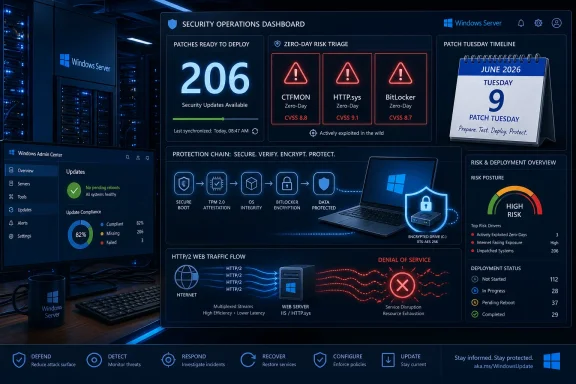
Cybersecurity “Patch Tuesday” dashboard showing Windows updates, zero-day alerts, secure boot, and BitLocker encryption.The Record Patch Count Is the Headline, but the Zero-Days Are the Clock​

Patch Tuesday has always been a ritualized compromise between urgency and caution. Microsoft ships a bundle, security teams triage the blast radius, and everyone tries to decide whether the greater risk is the bug Microsoft fixed or the bug Microsoft may have introduced. June 2026 strains that bargain because the volume is not just large; it is large enough to suggest a shift in how vulnerabilities are being found.
ZDNET’s Lance Whitney, citing Microsoft’s June security cycle and third-party patch advisories, puts the Windows vulnerability count at 198, with 32 rated critical and three treated as zero-days because details were public before fixes were available. Other security coverage around the same release uses a slightly higher portfolio-wide figure, generally because it counts a broader set of Microsoft products rather than Windows-specific CVEs. That distinction matters less to an endpoint admin staring at an unpatched fleet than it does to scorekeeping.
The most important phrase is not “record.” It is publicly disclosed. A zero-day that is already being exploited is obviously worse, but public disclosure still changes the timeline. Once technical details are out, defenders are no longer racing an abstract risk model; they are racing anyone capable of turning disclosure into working exploit code.
That is why this month’s update deserves a higher priority than a routine quality rollup. Microsoft’s own support pages describe the June packages as cumulative security updates, but the security context around them is unusually sharp. The three zero-days reportedly include an elevation-of-privilege flaw involving link resolution, an HTTP denial-of-service issue of particular interest to organizations, and a BitLocker security feature bypass tied to physical access scenarios.

Windows Update Is Now Carrying More Than Bug Fixes​

The June update is also a reminder that Windows Update is no longer merely a patch delivery channel. It is Microsoft’s preferred mechanism for reshaping security posture at scale. This month’s payload includes the usual cumulative fixes, but it also advances Microsoft’s Secure Boot certificate transition and updates platform behaviors that sit well below the level most users ever see.
That is visible in the support notes for Windows 11 KB5094126, which applies to Windows 11 25H2 and 24H2 and moves systems to OS builds 26200.8655 and 26100.8655. Microsoft says the update includes the latest security fixes and improvements, plus non-security content from the previous optional preview release. It also updates AI components on supported Copilot+ PCs, including Image Search, Content Extraction, Semantic Analysis, and the Settings Model.
For Windows 11 23H2, KB5093998 moves systems to build 22631.7219. It is a more conservative-sounding package, but it still carries Secure Boot changes, File Explorer search improvements, and device-management fixes. For Windows 10, KB5094127 applies only to Windows 10 ESU, Windows 10 Enterprise LTSC 2021, and Windows 10 IoT Enterprise LTSC 2021, moving systems to OS builds 19045.7417 and 19044.7417.
The dividing line is worth spelling out. Ordinary Windows 10 22H2 support ended on October 14, 2025, so the June 2026 Windows 10 update is not a general-purpose lifeline for every old PC. If a Windows 10 device is not enrolled in Extended Security Updates or covered by a supported LTSC channel, it is already outside the normal free-update world.

Secure Boot Becomes the Quiet Center of the Release​

The most consequential part of the June update may be the least exciting to describe: Secure Boot certificate renewal. Secure Boot depends on certificates that allow systems to verify boot components before the operating system loads. Microsoft has been warning that older Secure Boot certificates used by most Windows devices begin expiring in June 2026, and the company has been rolling newer certificates through Windows Update.
Microsoft’s support notes say devices that have not yet received newer certificates should continue to start and operate normally, and standard Windows updates should continue to install. That is a calming message, but not a reason to ignore the transition. Secure Boot is one of those technologies that fades into the background until something in the boot path changes, at which point it becomes everyone’s problem at once.
This month’s updates expand the device-targeting data Microsoft uses to decide when a system is eligible to receive the new Secure Boot certificates automatically. In plainer English, Windows Update is being used to stage trust-chain changes only after a device has produced enough successful update signals. That is conservative engineering, but it also means administrators need to understand that “patched” and “certificate-transitioned” are related but not always identical states.
Windows 10 and Windows 11 23H2 also gain or document a policy named LimitSecureBootRequiredServiceData, intended to reduce Secure Boot service data sent to Microsoft by suppressing a normal event. That matters for organizations working under restricted-traffic baselines. It is a small reminder that security modernization and telemetry minimization are often in tension, and Microsoft is trying to give managed environments a way to thread that needle.

BitLocker Is the Enterprise Tripwire​

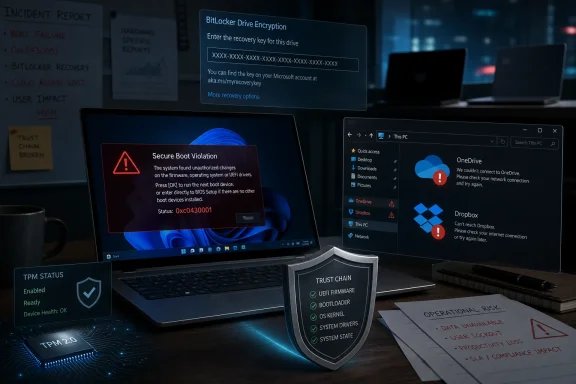
For all the attention on zero-days, the operational risk most likely to ruin an admin’s week may be BitLocker recovery. Microsoft’s Windows 10 support page for KB5094127 lists a known issue in which some devices with an unrecommended BitLocker Group Policy configuration may require the BitLocker recovery key on the first restart after installing the update. The issue is described as limited, but the conditions are exactly the kind that can exist for years in managed fleets without anyone remembering why.
The affected scenario involves BitLocker on the OS drive, a configured TPM platform validation profile for native UEFI firmware configurations, PCR7 included in the validation profile, Secure Boot State PCR7 Binding reported as “Not Possible” in System Information, and the device being eligible for the 2023-signed Windows Boot Manager. That is not a consumer-laptop problem in the normal sense. It is an IT-policy problem.
Microsoft says the recovery key should only be required once in that scenario, assuming the policy remains unchanged afterward. That is reassuring only if the organization actually has recovery-key escrow in good order. If it does not, a one-time recovery event can still become a help-desk incident factory.
The recommended enterprise move is to audit BitLocker group policies before deployment, especially explicit PCR7 inclusion. Admins should check PCR7 binding status with msinfo32.exe, confirm recovery-key availability, and decide whether to temporarily remove the risky policy configuration before rollout. This is exactly the kind of footnote that separates a clean patch wave from a long week of executive laptops asking for keys no one can find.

Windows 11 Gets Convenience Features Under a Security Umbrella​

The June update is not only a security event. It also folds in several Windows 11 quality and feature improvements that users will actually notice. Microsoft’s own KB notes are restrained, but coverage from Windows-focused outlets highlights improvements such as shared Bluetooth audio, multi-app camera access, Low Latency Profile behavior, and more flexible user-folder naming during setup.
Shared audio is the kind of feature that sounds trivial until you need it. The ability to connect more than one Bluetooth audio device to a PC makes Windows better suited for casual media consumption, accessibility scenarios, and shared workspaces. It also reflects the slow migration of mobile-device expectations into the desktop OS.
Multi-app webcam access is more interesting for professionals. Modern workdays often involve video meetings, filters, streaming tools, browser-based conferencing, authentication prompts, and capture utilities all competing for camera access. Letting the camera serve more than one application reduces a familiar class of “close Zoom before Teams can see the camera” friction.
The custom user-folder name change is similarly modest but welcome. Windows has long had a habit of deriving profile-folder names in ways users dislike and administrators later regret. Allowing a custom name during setup gives users a cleaner starting point and reduces the temptation to perform unsupported profile-folder surgery after the fact.

AI-Assisted Bug Hunting Changes the Patch Tuesday Baseline​

ZDNET’s article leans into a broader claim: the volume of patched bugs reflects the growing use of AI-assisted vulnerability research. That is plausible, and patch-management vendors are saying the same thing. The industry is entering a period in which code-search, static analysis, fuzzing, and vulnerability triage are all being amplified by models that can chew through patterns faster than humans can.
The Mozilla example cited in the ZDNET piece is instructive. Mozilla recently patched a very large number of Firefox flaws in a cycle reportedly assisted by an early version of Anthropic’s Claude Mythos tooling. Whether any one month’s count can be pinned cleanly on AI is harder to prove from the outside, but the directional trend is obvious enough: researchers are finding more bugs faster.
That has two implications for Windows admins. First, large Patch Tuesday drops may become less exceptional. If AI-assisted analysis lowers the cost of vulnerability discovery, vendors will increasingly face months where the count looks alarming even when the underlying engineering discipline is improving.
Second, exploit developers get access to better tooling too. The same class of model-assisted reasoning that helps a researcher identify a memory-safety issue can help an attacker understand a diff, generate a proof of concept, or prioritize targets. The asymmetry is not that only defenders get AI; it is that defenders still have to coordinate change across real systems with uptime requirements.

Windows 10’s ESU Era Is Now Real, Not Theoretical​

For Windows 10 users, June 2026 is one of the first reminders that the post-support era is not a future policy document anymore. KB5094127 is available for Windows 10 ESU and LTSC systems, not for every leftover Windows 10 installation. Microsoft’s notes explicitly point users who want critical and important Windows 10 security updates toward the Extended Security Updates program.
That changes the consumer advice. A year ago, telling someone to “install the latest Windows 10 update” was straightforward. Now the better advice is conditional: if you are eligible for ESU or running supported LTSC, install the update; otherwise, your machine is no longer receiving the normal security baseline and should be upgraded, replaced, isolated, or treated as a risk exception.
The business advice is similarly blunt. Organizations that kept Windows 10 around because migrations are expensive need to make sure their inventory data matches their licensing and update reality. A device that looks managed in an endpoint dashboard but is not actually receiving ESU-backed security fixes is not “stable.” It is aging in place.
Microsoft has made the Windows 11 migration pressure obvious for years, but security events like this one make the pressure less abstract. The gap between a supported Windows 11 PC and an unmanaged Windows 10 holdout is no longer mostly about features. It is about whether the monthly defensive machinery is still attached.

The Update Pipeline Itself Needs Attention​

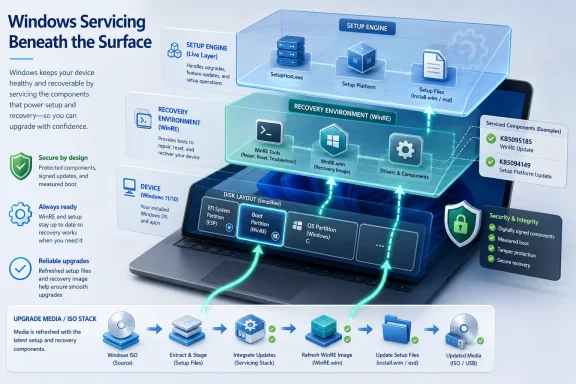
The servicing-stack portions of the June updates deserve more respect than they usually get. Servicing stack updates are the components that make Windows capable of installing future updates reliably. When Microsoft combines the latest servicing stack update with the cumulative update, it reduces a class of deployment mistakes, but it does not eliminate all prerequisites.
For Windows 11 25H2 and 24H2, the servicing stack update is KB5094135, version 26100.8648. For Windows 11 23H2, it is KB5094146, version 22621.7209. For Windows 10, KB5094145 updates the servicing stack to version 19041.7402. These are not decorative numbers; they are part of the update chain that keeps later packages installable.
Deployment teams should also note Microsoft’s repeated warning about boot.stl in updated installation media. If dynamic updates are applied to an existing Windows image, the boot.stl file must be included in the installation media. If it is missing, devices may fail to start from that media and produce error code 0xc0430001.
That warning belongs in imaging runbooks, not just KB footnotes. The Secure Boot certificate transition means boot media, boot managers, and certificate expectations are converging in ways that can punish stale assumptions. A deployment share that “worked last quarter” is not automatically safe this quarter.

The Sensible Patch Strategy Is Fast, but Not Blind​

The old home-user answer still holds: open Windows Update, install the June update, and reboot. Mandatory cumulative updates will generally download automatically, but relying on “eventually” is a poor strategy when public zero-day details exist. If Windows Update is waiting on a restart, the patch is not protecting the running system yet.
For managed environments, the release should move quickly through rings, but with targeted prechecks. The point is not to freeze deployment because a BitLocker issue exists. The point is to avoid discovering during rollout that recovery keys, PCR7 bindings, Secure Boot certificate state, and imaging media are all less orderly than the spreadsheet implied.
Microsoft says it is not currently aware of known issues for KB5094126 and KB5093998, while KB5094127 documents the BitLocker recovery scenario for Windows 10. That difference is important, but not absolute. Similar Secure Boot and boot-manager changes run across the Windows estate, so organizations should use the Windows 10 known issue as a cue to audit boot-protection assumptions more broadly.
There is also a communications task. Users should be told to expect a reboot, and Windows 10 ESU users should understand that they are in a special support category. Help desks should be briefed on BitLocker recovery prompts before the first wave, not after the first wave starts calling.
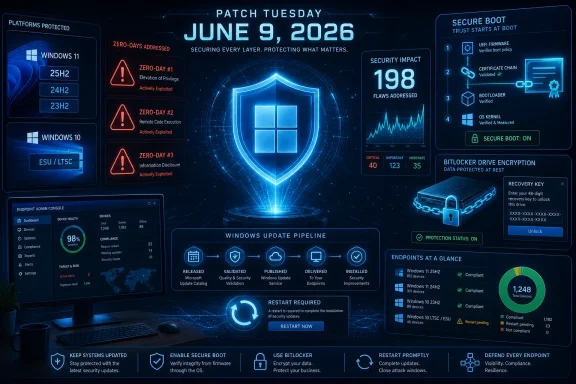
The June Patch Draws a Map for the Rest of 2026​

The concrete lesson of this Patch Tuesday is not simply “big update, install now.” It is that Windows security in 2026 is becoming more dynamic at the boot layer, more dependent on update health signals, and more tightly coupled to lifecycle status. The patch count grabs attention, but the surrounding platform changes tell the longer story.
  • Install the June 9, 2026 cumulative updates promptly on supported Windows 11 and eligible Windows 10 systems because the release addresses publicly disclosed zero-days.
  • Treat Windows 10 updates as conditional on ESU or LTSC eligibility, since ordinary Windows 10 22H2 support ended on October 14, 2025.
  • Audit BitLocker recovery-key escrow and PCR7-related policy before broad deployment, especially on managed Windows 10 systems.
  • Review Secure Boot certificate readiness and updated installation media, including the presence of the correct boot.stl file.
  • Expect large Patch Tuesday counts to become more common as AI-assisted vulnerability research accelerates discovery.
  • Do not let the new Windows 11 convenience features distract from the fact that this is primarily a security and trust-chain update.
The June 2026 update is a useful preview of Microsoft’s next Windows maintenance era: faster vulnerability discovery, heavier reliance on Windows Update as a security-control plane, and fewer safe places for unsupported systems to hide. Patch Tuesday is still a monthly event, but the work around it is becoming continuous. For Windows users, that means rebooting sooner; for administrators, it means treating the update pipeline itself as part of the security perimeter.

References​

  1. Primary source: ZDNET
    Published: Wed, 10 Jun 2026 14:31:00 GMT
 

Microsoft released its June 2026 Patch Tuesday updates on June 9, addressing a record 206 reported security flaws across Windows and related products, including three publicly disclosed zero-day vulnerabilities affecting CTFMON, HTTP.sys, and BitLocker that Microsoft says were not known to be exploited in the wild. That sentence is the administrator’s entire week in miniature: huge numbers, familiar plumbing, and just enough zero-day heat to turn “routine maintenance” into a risk-management decision. The lesson is not simply “update your PC now,” though that is still the right consumer advice. The deeper story is that Microsoft’s monthly security release has become a referendum on how much fragility modern Windows estates can absorb in a single coordinated blast.

Security operations dashboard showing Windows patch status, zero-day alerts, and high-risk deployment timeline.Microsoft’s Biggest Patch Tuesday Is Also a Measurement Problem​

The headline number is 206 vulnerabilities, and that is the figure most users will remember. It is also the number that best captures the emotional reality of the release: this is not a tidy maintenance update, but a sprawling repair job across a platform that now includes client Windows, server roles, identity components, productivity software, cloud-adjacent services, development tooling, and legacy subsystems that refuse to die quietly.
But even before administrators begin testing, the counting gets messy. Some researchers and vendors count Microsoft-issued CVEs only. Others include third-party components distributed through Microsoft’s update ecosystem. Some include already released out-of-band updates in the month’s security accounting, while others separate them. That is how one June Patch Tuesday can be described as 198, 200, 203, or 206 fixes without anyone necessarily being dishonest.
For ordinary users, the distinction barely matters. If Windows Update offers the June cumulative update, install it. For enterprise IT, however, the difference matters because patch counts are not just trivia; they become risk dashboards, executive reports, maintenance windows, service desk forecasts, and sometimes weekend plans.
The more important number may be the shape of the release. The June batch includes dozens of remote code execution vulnerabilities, a large bloc of elevation-of-privilege bugs, security feature bypasses, spoofing issues, information disclosures, denial-of-service flaws, and tampering bugs. That distribution tells a more useful story than the raw count: attackers are not being handed one single catastrophic Windows hole so much as a wide shelf of opportunities for chaining, persistence, disruption, and privilege escalation.

The Three Zero-Days Are Public, Not Yet Burning​

The three publicly disclosed zero-days are the natural center of gravity. A zero-day is often treated in popular coverage as synonymous with active exploitation, but Microsoft uses the term more broadly. A vulnerability can be a zero-day because it has been publicly disclosed before a fix exists, even if there is no evidence of exploitation in the wild.
That distinction matters here. Microsoft’s June trio was publicly known at release time but, according to available reporting, not known to be under active attack. That lowers the emergency temperature but does not make the vulnerabilities academic. Public disclosure changes the attacker’s economics. Once a bug has a name, a description, and a patch to reverse-engineer, the race begins.
CVE-2026-45586 affects the Windows Collaborative Translation Framework, the subsystem many Windows users know indirectly through CTFMON. It is an elevation-of-privilege flaw, which means it is unlikely to be the first door into a system but may become highly useful after an attacker has landed somewhere with limited permissions. In practical terms, these are the bugs that help turn a foothold into control.
CVE-2026-49160 is an HTTP.sys denial-of-service vulnerability involving HTTP/2 behavior. HTTP.sys is not a flashy consumer feature; it is kernel-mode web plumbing used by Windows components and server workloads. A denial-of-service flaw there has obvious relevance for exposed Windows Server systems and internal services that depend on Windows-native HTTP handling. Even when such flaws do not grant code execution, they can still become operationally expensive if they interrupt authentication portals, management endpoints, line-of-business applications, or web-facing services.
CVE-2026-50507 is the one likely to get the most attention from Windows enthusiasts because it touches BitLocker, Microsoft’s full-disk encryption technology. The bug is described as a security feature bypass that may allow a local attacker to access an encrypted drive using files on removable media or an EFI partition. That does not mean every BitLocker-protected laptop has suddenly become easy prey, but it does mean organizations that rely on encryption for lost-device protection should pay attention to firmware, recovery environment, and physical-access assumptions rather than treating BitLocker as magic dust.

BitLocker’s Reputation Depends on Boring Details​

BitLocker has always lived at the intersection of security and operational compromise. It protects data at rest, but it also has to coexist with bootloaders, firmware, recovery keys, Windows Recovery Environment, TPM behavior, removable media, and the messy realities of support desks recovering machines after failed updates. That makes it powerful, but not simple.
A BitLocker bypass vulnerability is therefore unnerving not because it means encryption is broken in the Hollywood sense, but because it reminds everyone that disk encryption depends on the integrity of the boot chain around it. If an attacker can influence what happens before Windows fully trusts itself, the question becomes not only whether AES is strong, but whether the system has been tricked into revealing or accepting the wrong thing at the wrong stage.
For enterprises, the key phrase is local attacker. That usually means a threat model involving physical access, stolen devices, malicious insiders, repair-chain exposure, or hands-on post-compromise activity. It is not the same as a wormable internet exploit. Still, physical-access bugs become much more serious in environments with executives, journalists, field workers, government contractors, healthcare laptops, and devices crossing borders.
The smart response is not panic. It is to install the update, confirm BitLocker recovery readiness, review whether vulnerable boot or recovery components remain present, and make sure endpoint teams are not assuming encryption alone solves every lost-device scenario. The strongest encryption posture is not a checkbox; it is a maintained chain of trust.

HTTP.sys Shows Why Denial of Service Still Counts​

Security culture tends to privilege remote code execution because it sounds like a movie plot and often produces the worst outcomes. Denial-of-service vulnerabilities are treated as the lesser cousins, the things that make availability engineers grumble while incident responders chase more dramatic intrusions. That hierarchy is understandable, but it is not always wise.
An HTTP.sys denial-of-service issue can sit close to the heart of Windows-based service delivery. If a crafted HTTP/2 pattern can tie up memory, degrade performance, or take services offline, the damage may be measured in downtime rather than data theft. For hospitals, manufacturers, call centers, local governments, or cloud-hosted customer portals, downtime is not a cosmetic problem.
The HTTP/2 angle also deserves attention. Protocol complexity has become one of the recurring themes in modern infrastructure security. HTTP/2, HTTP/3, QUIC, TLS extensions, compression behaviors, reverse proxies, load balancers, and web application firewalls all exist to make the web faster and more efficient. They also create state machines that attackers can stress in ways defenders do not always model.
For Windows administrators, this is where patching meets configuration. Installing Microsoft’s update is the baseline, but exposed systems deserve a closer look at HTTP/2 usage, reverse proxy placement, rate limiting, telemetry, and whether internet-facing Windows services are truly meant to be exposed. Availability bugs often reward defenders who have already built layered service architecture rather than those relying on a single vendor patch to absorb hostile traffic.

Privilege Escalation Is the Glue in Modern Attacks​

The June release includes a heavy load of elevation-of-privilege vulnerabilities, and that should not be treated as secondary just because many of them require prior access. Modern intrusions are usually not one-bug stories. They are chains.
An attacker phishes a user, abuses a misconfiguration, steals a token, lands in a low-privilege context, and then needs to climb. Elevation-of-privilege flaws are the ladder. They turn a compromised account into a local administrator, a local administrator into SYSTEM, or a weak foothold into something that can disable security tools, dump credentials, alter logs, and move laterally.
That is why the CTFMON flaw matters even if it is not remotely exploitable on its own. The Windows desktop is full of legacy compatibility surfaces because Microsoft cannot simply break decades of applications, input methods, accessibility tools, language features, and automation behaviors. Attackers love these surfaces because they are everywhere and because defenders often do not think of them as critical infrastructure.
The uncomfortable truth is that Windows security is not only about sealing the front door. It is about reducing the number of ways an attacker can become more powerful after slipping inside. Patch Tuesday’s elevation-of-privilege volume is a monthly reminder that endpoint hardening, least privilege, application control, credential isolation, and EDR tamper protection are not optional decorations.

Critical Does Not Always Mean First, and Important Does Not Mean Later​

Thirty-plus critical vulnerabilities in a single month is enough to make any dashboard glow red. But severity labels can mislead when used as an absolute ordering system. A critical remote code execution vulnerability in a component you do not run may be less urgent than an “important” privilege escalation bug affecting every workstation in your fleet.
This is where consumer advice and enterprise advice diverge. For home users, “install the available update” is both simple and correct. For administrators, the right question is not “which CVE has the scariest label?” but “which vulnerable components exist in our environment, which are exposed, and which bugs are easiest to combine with attacker behaviors we already see?”
Remote code execution flaws deserve attention because they can provide initial access. Security feature bypasses deserve attention because they undermine defenses people believe are protecting them. Spoofing vulnerabilities deserve attention because identity remains the soft underbelly of enterprise security. Information disclosure bugs deserve attention because leaked memory addresses, tokens, metadata, or configuration details often help exploit chains succeed.
Patch triage is therefore less like sorting laundry and more like air traffic control. Everything wants to land, but some planes are low on fuel, some are carrying more passengers, and some are already in bad weather. The job is not to admire the dashboard; it is to prevent collision.

The Consumer Path Is Mercifully Simple​

For individual Windows users, the practical instruction remains refreshingly ordinary. Open Settings, go to Windows Update, check for updates, and install what is offered. If the machine asks to restart, restart it. If it fails, do not ignore the failure.
Windows 10 and Windows 11 users have become accustomed to cumulative updates, and that model has one important advantage: most people do not need to pick through individual patches. Microsoft rolls the security fixes into packages that are distributed through Windows Update, Windows Update for Business, WSUS, Microsoft Intune, and other management channels. The friction is no longer finding the patch; it is surviving the reboot culture.
That said, “automatic” should not mean “assumed.” Users who pause updates indefinitely, habitually defer restarts, or run machines that have been offline for months are often the ones carrying avoidable risk. A laptop that only wakes for travel and then connects to hotel Wi-Fi with stale security patches is practically a case study in preventable exposure.
The June update is a good moment to check whether Windows Update is healthy, whether the device is still supported, and whether security tools are actually running. A patched operating system is not a complete defense, but an unpatched one is a gift.

Enterprise IT Gets the Hard Version of the Same Advice​

The enterprise version of “update now” is more complicated because updates can break things. That is not FUD; it is experience. Line-of-business applications depend on obscure Windows behaviors, print infrastructure remains a haunted forest, VPN clients hook deep into the network stack, and security tools can collide with the same internals Microsoft is patching.
Still, delay has a cost. Publicly disclosed vulnerabilities create a predictable window in which attackers and researchers compare patches against old binaries, write proof-of-concept code, and look for the shortest path from advisory language to working exploit. Every day after release shifts the balance a little more toward the attacker.
The mature patching posture is neither reckless immediacy nor bureaucratic paralysis. Pilot rings should receive updates quickly. High-exposure servers should be prioritized based on reachable attack surface. Workstations should move through deployment waves with telemetry watching for boot failures, application crashes, authentication issues, and help desk spikes. Exceptions should expire, not become permanent.
This is also where asset inventory proves its worth. You cannot prioritize HTTP.sys exposure if you do not know which Windows servers are handling HTTP/2 traffic. You cannot assess BitLocker bypass risk if you cannot tell which laptops have BitLocker enabled, what protectors are in use, and whether recovery keys are escrowed. Patch Tuesday punishes vague inventories.

The Record Count Is a Symptom, Not Just a Milestone​

It is tempting to treat a record-breaking Patch Tuesday as proof that Microsoft software is getting worse. The more honest answer is messier. Microsoft has an enormous attack surface, a decades-long compatibility burden, and a vast researcher ecosystem looking for flaws. More bugs being fixed can mean more bugs exist, but it can also mean more bugs are being found and reported.
There is also the AI-shaped elephant in the room. Security researchers are increasingly using automation, fuzzing, static analysis, and machine-assisted workflows to discover vulnerabilities at scale. Attackers will do the same. A higher volume of reported bugs may reflect a world in which software weakness is easier to mine, not merely a sudden collapse in engineering discipline.
For defenders, this changes expectations. Patch Tuesday used to feel like a monthly chore. It is increasingly a monthly vulnerability disclosure event, complete with exploitability analysis, vendor advisories, social media chatter, proof-of-concept speculation, and emergency change meetings. That is a different operational rhythm.
The danger is fatigue. When every month sounds urgent, people stop hearing urgency. The task for security teams is to turn the noise into a hierarchy without pretending the noise is meaningless. June’s release is big enough to demand attention, but broad enough to demand judgment.

Microsoft’s Compatibility Bargain Keeps Coming Due​

Windows remains successful in part because Microsoft refuses to strand customers casually. Old APIs, legacy subsystems, enterprise management hooks, kernel-mode components, compatibility shims, and obscure desktop features persist because somebody, somewhere, still depends on them. That bargain is commercially rational. It is also a security liability.
The Collaborative Translation Framework is a perfect example of a component many users have never heard of but may still have running in the background. Input, language, accessibility, and text services are not glamorous, yet they require deep integration with user sessions. Deep integration is exactly what makes a vulnerability in such a place useful for privilege abuse.
HTTP.sys tells the same story from the server side. Windows includes powerful built-in infrastructure so developers and administrators can host services, expose management planes, and build applications without reinventing every layer. The upside is convenience and consistency. The downside is that a bug in shared plumbing can ripple widely.
BitLocker, meanwhile, shows the security product version of the same bargain. It has to protect data while still allowing recovery, servicing, firmware updates, boot changes, and enterprise management. Every recovery path is also a path that must be secured. Security features do not escape complexity; they concentrate it.

The Best Patch Strategy Starts Before Patch Tuesday​

Organizations that treat Patch Tuesday as the beginning of patch management are already late. The better model begins with architecture: reduce exposed services, enforce least privilege, keep inventories current, standardize configurations, centralize logs, and maintain rollback plans before the monthly update arrives. Patching then becomes one control among many rather than the only thing standing between you and disaster.
That matters especially for the June release because the vulnerabilities span different stages of an attack. Remote code execution may affect initial compromise. Elevation of privilege may affect post-compromise escalation. Security bypass may affect data protection. Denial of service may affect availability. Spoofing may affect trust. No single patching dashboard captures all of that nuance.
The organizations that handle this month well will likely be the ones with disciplined deployment rings, clean ownership of server roles, and the political capital to reboot systems when needed. The organizations that struggle will not necessarily be the ones with the most Windows machines. They will be the ones with the least clarity about which machines matter, who owns them, and what breaks if they change.
Home users can take a simpler lesson from the same reality. Supported Windows devices should be allowed to update. Security software should not be disabled because it is annoying. Backups should exist before a crisis. The boring basics remain boring because they work.

June’s Patch Load Rewards the Shops That Already Know Their Windows Estate​

This month’s update is too large to be reduced to a single panic button, but it is also too serious to leave for the next maintenance cycle without thought. The most concrete takeaways are practical, not theatrical.
  • Microsoft’s June 2026 Patch Tuesday is unusually large, with the widely reported total reaching 206 vulnerabilities depending on counting methodology.
  • The three publicly disclosed zero-days affect Windows CTFMON, HTTP.sys, and BitLocker, and they were not reported as actively exploited at release time.
  • Windows users should install the June cumulative update through Windows Update and complete the required restart rather than leaving the system half-patched.
  • Administrators should prioritize exposed Windows Server roles, BitLocker-managed mobile devices, and broad workstation deployment rings instead of relying on severity labels alone.
  • The record patch volume is a reminder that inventory, testing rings, rollback planning, and telemetry are now core security controls, not administrative luxuries.
The real story of June 2026 is not that Microsoft shipped a giant pile of fixes; it is that Windows security has become a continuous negotiation between compatibility, complexity, and speed. Users should update now, administrators should patch with urgency and evidence, and Microsoft should expect every record-breaking Patch Tuesday to sharpen the same question: whether the Windows ecosystem can keep absorbing monthly repair work at this scale without turning maintenance itself into the next operational risk.

References​

  1. Primary source: Lifehacker
    Published: 2026-06-10T15:30:07.773262
  2. Related coverage: cyberscoop.com
  3. Related coverage: tenable.com
  4. Related coverage: ap7i.com
  5. Related coverage: kr.tenable.com
  6. Related coverage: darkreading.com
  1. Related coverage: bleepingcomputer.com
  2. Related coverage: blog.qualys.com
  3. Related coverage: applicationreadiness.com
  4. Related coverage: aiweekly.co
  5. Related coverage: tomsguide.com
  6. Related coverage: sra.io
  7. Related coverage: encyb.com
 

Microsoft’s June 9, 2026 cumulative update for Windows 11 version 24H2 and 25H2 makes the operating system’s new Low Latency Profile broadly available, giving supported PCs a short CPU boost when launching apps and opening core shell surfaces such as Start, Search, and Action Center. The change is not a benchmark miracle, and Microsoft has not packaged it as one. It is more interesting than that: an admission that Windows 11’s biggest performance problem has often been feel, not throughput.
That distinction matters. For years, Microsoft has asked users to accept a heavier, more animated, more web-connected shell while insisting that the platform underneath remained fast enough. Low Latency Profile is a small technical lever, but it lands inside a much larger argument about whether Windows 11 can become pleasant again without Microsoft ripping out the very architecture it spent the last decade assembling.

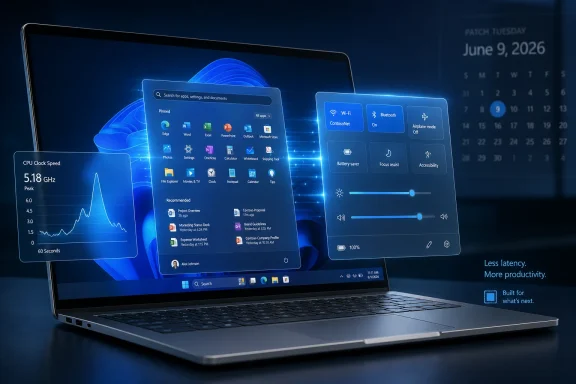
Luminous laptop displays Windows 11-style multitasking widgets and control panels with system stats.Microsoft Finally Optimizes the Moment Users Actually Notice​

Most people do not experience operating-system performance as a synthetic score. They experience it as the half-second pause after pressing the Windows key, the stutter before Quick Settings appears, the delay between clicking an app icon and seeing the first usable window. Windows 11 has often been judged harshly in exactly those moments.
Low Latency Profile targets that psychological surface area. Rather than promising that every workload will run faster, it appears to raise CPU clocks briefly when Windows is about to render a visible shell interaction or launch an application. The processor does not stay pinned at maximum speed; it spikes, does the interactive work, and falls back.
That makes the feature less dramatic than the name suggests but more defensible than some of the early criticism implied. Modern operating systems already use power-management hints, scheduler priorities, and boost behavior to make foreground work feel immediate. Microsoft’s sin was not inventing a suspicious trick. It was letting Windows 11 feel as though it had forgotten one of the oldest lessons in desktop computing: latency beats raw power in the user’s hand.
The June Patch Tuesday release folds that work into the mainstream servicing channel. The update is identified as KB5094126, with OS builds 26100.8655 and 26200.8655 for Windows 11 24H2 and 25H2 respectively. That is important because this is no longer merely an Insider experiment or a Release Preview curiosity. It is now part of the Windows that ordinary users and managed fleets are expected to run.

The “Performance Boost” Is Real, but It Is Narrow​

The phrase “big performance boost” invites trouble. It suggests a broad uplift across games, rendering, compiling, database work, or battery life. Low Latency Profile is not that kind of change.
The better way to understand it is as a responsiveness feature. Microsoft’s release language says the update accelerates app launch and core shell experiences including Start, Search, and Action Center. That phrasing is careful. It does not promise more frames per second in Cyberpunk 2077, shorter Blender renders, or faster Excel recalculation on a large workbook.
On a modern desktop processor already running on an aggressive power plan, the visible difference may be subtle or nonexistent. Many gaming desktops and high-end workstations already jump quickly from idle to boost clocks. For those machines, Windows has less headroom to recover from conservative power behavior.
The feature is more likely to matter on the class of PCs where Windows 11 has most often felt worse than its spec sheet: thin-and-light laptops, budget machines, older systems with large gaps between idle and boost frequency, and devices tuned heavily for battery life. These machines can feel slow not because they lack peak performance, but because they hesitate before using it.
That is why this change may generate wildly inconsistent user reports. One person may see Task Manager show a dramatic clock spike when opening Start and conclude that Windows has become visibly snappier. Another may enable the same update on a high-end desktop and wonder what the fuss was about. Both can be telling the truth.

The Start Menu Became the Performance Benchmark Microsoft Could Not Ignore​

Windows 11’s Start menu has carried more symbolic weight than any single component deserves. It was redesigned, centered, simplified, stripped of live tiles, tied more tightly to recommendations, and later subjected to years of incremental repair. Users complained not only about what it looked like but how it behaved.
That matters because Start is not just an app launcher. It is a trust surface. If the operating system hesitates at the moment the user asks for the most basic command layer, everything else feels suspect. The delay may be small, but it happens in a place where the user expects instant obedience.
Microsoft’s recent Windows 11 work suggests the company understands this belatedly. The Start menu is being revised again, the taskbar is slowly regaining lost flexibility, and Windows Update is gaining more controls aimed at reducing friction. Low Latency Profile belongs to that same family of repairs, even though it lives below the interface.
The interesting part is that Microsoft is not simply reversing Windows 11 back to Windows 10. It is trying to preserve the modern shell while making it feel less compromised. That is harder than reintroducing an old menu or exposing a missing setting. It requires changing the interaction between the shell, scheduler, power framework, app model, and rendering pipeline.

A CPU Spike Is Not Cheating; It Is a Design Choice​

The backlash to Low Latency Profile has been predictable. Critics argue that boosting CPU clocks to open Start or Search is a brute-force workaround for a bloated shell. There is some emotional truth in that complaint. Users do not want their operating system to need a sprint just to display a menu.
But the technical argument is weaker. Desktop operating systems have long treated foreground interactivity as special. They schedule UI threads differently, prioritize visible work, accelerate animations through the GPU, prefetch likely resources, and use power hints to avoid sluggish ramp-up. A short-lived CPU boost is not conceptually alien to Windows; it is another way to tell the hardware that the next few milliseconds matter.
The real question is whether Microsoft is using the technique to complement structural optimization or to avoid it. If Low Latency Profile becomes a fig leaf over an increasingly heavy shell, it will deserve every sarcastic comment it gets. If it is one piece of a broader campaign to reduce perceived latency, it is sensible engineering.
Windows users have reason to be skeptical because they have watched the shell become more layered over time. Search blends local and web results. Widgets and recommendations appear in places that once felt purely local. Settings pages have replaced older control panels unevenly. The path from click to pixels is not always as clean as it used to be.
Still, purity is not the only measure of success. If a brief power-management nudge makes common actions feel immediate without materially hurting battery life or thermals, most users will accept it. They may not admire the architecture, but they will appreciate the result.

Microsoft’s Silence Leaves Enthusiasts Filling the Gaps​

One of the oddities around this rollout is how little Microsoft has said about the mechanism. The public release notes describe the user-facing outcome but do not dwell on Low Latency Profile as a named feature. Enthusiasts have instead leaned on observed clock behavior, Insider build digging, and ViVeTool feature IDs to understand what changed.
That vacuum is not harmless. When Microsoft under-explains a performance change, the community supplies its own theory. Sometimes that produces useful testing. Sometimes it produces folklore.
The current workaround chatter centers on ViVeTool and feature ID 58989092. Some users report that enabling the ID manually can force the feature on after the update, while others may receive it through Microsoft’s gradual rollout system without touching anything. That is standard Windows behavior now, but it remains frustrating because two PCs with the same patch level may not behave identically on the same day.
For enthusiasts, that ambiguity is merely annoying. For IT administrators, it complicates validation. A fleet engineer wants to know whether a feature is present, enabled, controllable, measurable, and reversible. Microsoft’s consumer-facing gradual rollout model often answers those questions in a haze.
This is where Microsoft’s servicing strategy still collides with professional expectations. The company wants Windows to improve continuously. Admins want change windows, documentation, policy controls, and clear blast radiuses. Low Latency Profile is small enough that most organizations will not treat it as a deployment blocker, but it illustrates the same tension that surrounds much larger Windows changes.

Battery Life Is the Unanswered Question​

A feature that spikes CPU clocks will inevitably raise questions about power use. The reassuring interpretation is that very short bursts can be efficient: finish interactive work quickly, return to idle, and avoid dragging out a sluggish transition. In many cases, race to idle is a legitimate power strategy.
But the details matter. If Start, Search, Action Center, File Explorer, and app launches all trigger transient boosts, a busy user could generate many small spikes during a normal session. On AC power, that is unlikely to matter. On a compact laptop running warm in a backpack-unfriendly chassis, the tradeoff is more interesting.
Microsoft has not provided enough public detail to let users evaluate that tradeoff precisely. We do not yet know how aggressively the profile varies by device class, power mode, processor vendor, battery state, thermal headroom, or OEM firmware. Windows power behavior is already a negotiation among Microsoft, silicon vendors, drivers, firmware, and manufacturer defaults.
That complexity is why anecdotes will dominate for a while. Some laptop users may report no battery impact at all. Others may notice more frequent fan spin or warmer bursts during ordinary navigation. Those reports will need careful interpretation because the June update includes more than just Low Latency Profile.
The practical advice is boring but sound: install the cumulative update for its security content, watch your own machine, and do not overgeneralize from someone else’s CPU graph. A clock spike visible in Task Manager is not by itself evidence of waste. It is evidence that Windows asked the processor to do something quickly.

The June Update Is Also a Usability Release in Disguise​

Low Latency Profile is the attention-grabber, but the June 2026 Patch Tuesday payload is broader than a CPU hint. It also rolls in features that were tested in preview, including multi-app camera support, Shared Audio over Bluetooth LE Audio, and Task Manager improvements such as richer visibility into modern hardware.
Multi-app camera support fixes an absurdly persistent limitation. For years, Windows users have lived with the possibility that one conferencing app, browser tab, capture utility, or security tool could monopolize a camera stream. In a world of remote work, streaming, hybrid meetings, and AI-assisted video tools, that constraint felt increasingly archaic.
Shared Audio is similarly overdue, though more constrained by hardware reality. The idea of sending audio from one PC to two Bluetooth listening devices at the same time is easy to understand and genuinely useful. The catch is that Bluetooth LE Audio support depends on compatible PCs, radios, drivers, and accessories, so many users will read about the feature before they can actually use it.
Task Manager’s evolution also matters. Microsoft has been steadily turning it from a panic button into a more serious observability tool for ordinary users. As NPUs, heterogeneous CPU cores, and AI workloads become part of the Windows hardware story, users need built-in ways to see what their machines are doing.
Taken together, these additions reveal a different Windows 11 posture than the one that defined its launch. The 2021-era operating system often felt like a redesign that removed muscle memory before replacing it with new value. The 2026-era update cycle increasingly looks like Microsoft patching the social contract: fewer visible annoyances, more hardware transparency, and more focus on moments that make a PC feel responsive.

The ViVeTool Era Shows How Windows Features Really Ship Now​

The fact that many enthusiasts are discussing ViVeTool commands alongside a mainstream cumulative update says a great deal about modern Windows. Features are no longer simply present because the build number changed. They may be staged, hidden, A/B tested, regionally throttled, or controlled by server-side configuration.
That model has benefits. Microsoft can slow a rollout if telemetry suggests trouble. It can compare behavior across populations. It can avoid lighting up every feature for every user on the same morning. For a billion-device ecosystem, that caution is rational.
But it also erodes the old confidence that an installed update equals a known state. Windows now behaves a little more like a cloud service, even when the feature in question is local shell responsiveness. That makes enthusiasts impatient and administrators wary.
ViVeTool has become the unofficial flashlight in that darkness. It lets users discover and activate staged Windows features before Microsoft flips the visible switch for everyone. That is exciting for hobbyists, but it is not a management strategy.
There is also a risk that feature-ID culture encourages people to treat undocumented toggles as ordinary settings. They are not. A hidden feature may be hidden because it is still rolling out safely, because Microsoft is measuring it, because it lacks a final control surface, or because it interacts badly with certain configurations. Enabling it manually is a choice to leave the supported path, even when the feature later becomes mainstream.
For WindowsForum readers, the distinction matters. Experimenting on a personal machine is part of the fun. Pushing the same tweak across production PCs because a forum post says it feels faster is how small conveniences become helpdesk tickets.

Where Enterprise IT Should Pay Attention​

Most organizations will not build a special deployment plan around Low Latency Profile. KB5094126 is a cumulative security update, and the security side of Patch Tuesday will carry more operational weight than a responsiveness improvement. Still, enterprise IT should not ignore the broader pattern.
First, performance-affecting behavior can now arrive through ordinary monthly servicing without a prominent feature flag in the release notes. That is not new, but Low Latency Profile makes it visible because users can watch CPU clocks spike in real time. If helpdesks receive questions about fans, thermals, or “CPU maxing out when I open Start,” they need a concise explanation.
Second, gradual rollout means patch compliance and feature availability are not identical. Two machines can report the same KB installed while one has the new behavior and the other does not. That complicates user communications, pilot rings, and incident triage.
Third, Windows 11’s hardware-dependent features are multiplying. Shared Audio, NPU monitoring, camera pipeline improvements, and responsiveness tuning all depend on the messy reality of drivers and device capabilities. The operating system is becoming more adaptive, which means fleet standardization matters more, not less.
The good news is that Low Latency Profile is unlikely to break line-of-business applications. It is not changing file formats, authentication flows, kernel driver requirements, or browser policy. Its risk is subtler: confusing observations, inconsistent rollout, and unclear documentation.
That is manageable. Admins should treat it as another reason to maintain pilot groups that reflect the real fleet, including older laptops and lower-end hardware, not just pristine test benches. If the feature is most noticeable on constrained systems, those are the systems that should be represented in validation.

Windows 11’s Real Competitor Is the Memory of Windows 10​

The arrival of Low Latency Profile also lands in the shadow of Windows 10’s end of mainstream consumer security support in October 2025. By mid-2026, the migration argument is no longer theoretical for many users. Microsoft needs Windows 11 not merely to be supported, but to feel like the right destination.
That is where performance perception becomes strategic. Many Windows 10 loyalists did not reject Windows 11 because it failed to run their apps. They rejected it because it changed familiar workflows, removed options, inserted new surfaces, and sometimes felt slower while doing ordinary things. The resentment was experiential.
A faster Start menu will not solve hardware compatibility complaints, account pressure, advertising-like surfaces, or the long-running fight over local control. But it chips away at one of the most damaging impressions: that Windows 11 is a prettier shell wrapped around slower interactions.
Microsoft appears to know this. The recent wave of changes is not glamorous in the way a new AI feature is glamorous, but it is arguably more important for daily trust. A better Start menu, more flexible taskbar behavior, camera sharing, Bluetooth audio improvements, Task Manager visibility, and shell responsiveness all speak to the same audience: people who use Windows all day and are tired of being told that annoyance is innovation.
That is a healthier direction. Windows does not need every monthly update to be a platform manifesto. Sometimes it needs to remove friction from the five things people do a hundred times a day.

The Snappier Shell Still Has to Earn Its Keep​

There is a cynical reading of Low Latency Profile: Microsoft made Windows heavier, then used more CPU to hide the weight. That reading is not entirely unfair, but it is incomplete. Operating systems are always hiding complexity behind latency tricks, caches, prefetchers, compositors, schedulers, and device-specific heuristics.
The question is whether the hidden complexity buys users something worthwhile. When Windows Search is slower because it is trying to blend local files, settings, apps, cloud content, and web suggestions, users are entitled to ask whether the bargain is good. When Start takes longer because it is more dynamic, personalized, or visually layered, the same question applies.
Low Latency Profile can improve the symptom, but it cannot settle the argument. Microsoft still has to justify the shell it built. If the company wants Windows 11 to feel modern, connected, intelligent, and visually polished, it must also make those qualities feel instant.
That is a high bar, but it is the correct one. The desktop is unforgiving because its interactions are intimate. Users can tolerate a web page taking a beat to load. They are less forgiving when the operating system’s own command surface pauses.
The June update is therefore best understood as a correction in priorities. Microsoft is not just chasing benchmark wins; it is optimizing the boundary between intent and response. That boundary is where an operating system either disappears into the work or reminds you that it is in the way.

The June Patch Turns Responsiveness Into a Servicing Promise​

This update is worth installing primarily because it is a cumulative security release, but its most visible story is Microsoft’s attempt to make Windows 11 feel faster in the places users notice first. The practical reading is straightforward:
  • Windows 11 KB5094126 brings Low Latency Profile into the mainstream update channel for version 24H2 and 25H2 systems.
  • The feature is aimed at app launches and core shell surfaces such as Start, Search, and Action Center, not broad workload acceleration.
  • Users may see brief CPU clock spikes when opening shell elements, which appears to be expected behavior rather than a fault.
  • The improvement will likely be most noticeable on laptops, older PCs, and systems with conservative power behavior.
  • Feature availability may still vary because Microsoft uses gradual rollouts, and some enthusiasts may try to force-enable it with ViVeTool.
  • The same update also advances practical Windows 11 quality-of-life work, including multi-app camera support, Shared Audio, and Task Manager improvements.
Microsoft’s bigger challenge is not proving that a short CPU boost can make Start open faster; it is proving that Windows 11 can become more responsive, more controllable, and less irritating without requiring users to become unpaid release engineers. Low Latency Profile is a useful step because it attacks the tiny delays that shape daily judgment, but it also raises the standard for what comes next. If Microsoft keeps treating responsiveness as a first-class feature rather than an afterthought, Windows 11 may finally start to feel less like an upgrade users endured and more like one they can defend.

References​

  1. Primary source: Neowin
    Published: Thu, 11 Jun 2026 17:48:00 GMT
  2. Related coverage: pcgamer.com
  3. Related coverage: techradar.com
  4. Related coverage: windowscentral.com
  5. Related coverage: windowslatest.com
  6. Related coverage: pcgamesn.com
  1. Related coverage: techtimes.com
  2. Related coverage: pcworld.com
  3. Related coverage: computerbase.de
  4. Related coverage: techspot.com
  5. Related coverage: windowsreport.com
  6. Related coverage: tomshardware.com
  7. Official source: support.microsoft.com
 

Back
Top