Windows 10 Cant Update To Windows 10

krugerro

New Member
Joined
Jul 29, 2015
Messages
1
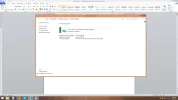
Currently running 8.1 with all updates installed, and I have tried all possible fixes. My copy of Windows is an OEM copy from Newegg which shouldn't affect it. Any solutions?
 

Attachments

  • update.webp
    update.webp
    75.5 KB · Views: 485

senthiele

Honorable Member
Joined
May 14, 2009
Messages
16
Look thought the forums. Their is a tool u can use to start the install. Sorry do not remember the name of it but it is in the forums.
 

Mike

Windows Forum Admin
Staff member
Premium Supporter
Joined
Jul 22, 2005
Messages
9,248
Link Removed
 

Saltgrass

Excellent Member
Microsoft Community Contributor
Joined
Oct 16, 2009
Messages
15,156
Currently running 8.1 with all updates installed, and I have tried all possible fixes. My copy of Windows is an OEM copy from Newegg which shouldn't affect it. Any solutions?
So you did reserve a copy of Windows 10 using the Windows 10 icon?

Has the download been completed? Check for a hidden system file on the C: drive which starts with $.

Once those things are done, you are just requested to wait for a message, which might not come until later in the day. I don't know is anyone has done a normal Upgrade yet. I think I would stay away from the .iso route. But if you do that, make sure you sign into a Microsoft account at some point.
 

SimplyOreo

Member
Joined
Jul 1, 2015
Messages
49
Go to updates history, does it say that the windows 10 home update has failed? If it does click on it and see what type of error it is. If it is error 80420040 (or something like that) then do the following to see if it helps:
Go to C:/Windows/SoftwareDistrubition/Download and delete all of the files in it.
Then run command prompt and do this command: wuauclt.exe/updatenow
It shouldn't say anything but if it says that isnt a command just remember there are no spaces, captials, and you have to run it as administrator.
Go to Windows Updates and windows 10 should start downloading.

 

Back
Top