

Microsoft's new Copilot Tasks flips the script on conversational assistants: instead of waiting for you to ask how to do something, it quietly does the work for you in the cloud and hands you the results.
Microsoft revealed Copilot Tasks in a research preview at the end of February 2026 as an extension of its Copilot portfolio. The company positions Copilot Tasks as an agentic AI capability — an assistant that can plan, execute, monitor, and report on multi‑step workflows without constant human prompting. Early messaging from Microsoft emphasizes simplicity: users describe outcomes in natural language, schedule one‑off or recurring jobs, and let the system run in the background on Microsoft’s cloud resources. Public reporting and company blog posts show this fits into a broader industry pivot toward agents that do, not just answer. Major competitors — OpenAI’s ChatGPT Agent Mode, Anthropic’s Claude Cowork, and Google’s Gemini auto‑browse — have already pushed similar agentic features into previews and product releases, making Copilot Tasks both a logical evolution and a strategic move to keep Copilot central to Microsoft’s AI story.
Benefits:
But the value of agentic AI will ultimately hinge on the degree to which providers solve two linked problems: trust and control. Users must feel confident the agent will do the right thing; businesses must be able to govern and audit agent behavior; and vendors must publish technical guarantees that allow independent assessment. Microsoft’s Copilot ecosystem has a head start in enterprise integration, and Copilot Tasks expands that reach. In exchange, Microsoft carries the responsibility to publish clear security, privacy, and governance details and to design UX patterns that minimize surprise and maximize recoverability.
Copilot Tasks is not a finished product yet — it’s an experiment in scaling agency. For early adopters, the advice is to proceed deliberately: design low‑risk pilots, insist on transparency, and build governance before you hand agents access to systems where mistakes cost money, reputation, or privacy. If Microsoft delivers on the promised controls and technical isolation, Copilot Tasks could be a powerful time saver; if not, it will become a cautionary tale about automating without sufficient oversight.
Source: AOL.com 'Just Ask For What You Need:' Mustafa Suleyman Teases Microsoft's Copilot Tasks As AI That Automates Emails, Study Plans And More
 Background
Microsoft revealed Copilot Tasks in a research preview at the end of February 2026 as an extension of its Copilot portfolio. The company positions Copilot Tasks as an agentic AI capability — an assistant that can plan, execute, monitor, and report on multi‑step workflows without constant human prompting. Early messaging from Microsoft emphasizes simplicity: users describe outcomes in natural language, schedule one‑off or recurring jobs, and let the system run in the background on Microsoft’s cloud resources. Public reporting and company blog posts show this fits into a broader industry pivot toward agents that do, not just answer. Major competitors — OpenAI’s ChatGPT Agent Mode, Anthropic’s Claude Cowork, and Google’s Gemini auto‑browse — have already pushed similar agentic features into previews and product releases, making Copilot Tasks both a logical evolution and a strategic move to keep Copilot central to Microsoft’s AI story.What Copilot Tasks Claims to Do
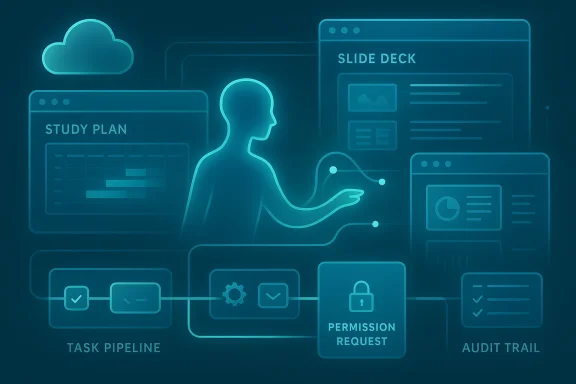
Microsoft frames Copilot Tasks as a general purpose assistant for routine digital busywork. The early set of demonstrated capabilities is broad and intentionally relatable:- Turn a course syllabus into a structured study plan with practice questions and a schedule.
- Monitor rental listings and automatically set up viewing appointments when new results match criteria.
- Surface urgent messages in an inbox, draft replies, and help triage follow‑up.
- Unsubscribe from promotional mail and clean up subscription clutter.
- Create slide decks by extracting content from emails, attachments, and images.
How Copilot Tasks Fits in Microsoft’s Agent Strategy
Copilot Tasks is the next step in Microsoft’s multi‑front strategy to productize agents across consumer and enterprise products. The company has been building agentic features into Microsoft 365, Windows Copilot, Edge, GitHub, and Azure tooling over the past year. Those initiatives show common building blocks that Copilot Tasks appears to reuse:- Work IQ and Copilot Studio: intelligence layers and control planes for assigning agents and connecting them to data sources.
- Model Context Protocol (MCP) and agent connectors: interfaces that let agents access apps, services, and enterprise systems while preserving some control and auditability.
- Agent Mode / Copilot Actions: localized and browser‑based agents that can take actions inside apps or on files.
Technical claims and what we can verify
Microsoft’s public preview and reporting confirm several concrete design elements:- Copilot Tasks runs on Microsoft’s cloud environment with a cloud‑based browser and compute instance assigned to the task.
- Tasks can be described in natural language and scheduled as one‑time or recurring jobs.
- The system promises a report when work is finished and will request explicit permission for consequential actions like messages or payments.
- The capability is being trialed in a limited research preview with a waitlist for broader access.
- The precise model(s) and versions powering Copilot Tasks — Microsoft has not documented whether it uses a single general‑purpose LLM, a mix of models (planner vs. executor), or specialized execution models.
- Low‑level isolation and execution guarantees for cloud PCs and browser sandboxes. Microsoft explains conceptual isolation, but technical whitepapers describing hypervisor/container choices, ephemeral credentials, and cryptographic separation are not public yet.
- Detailed enterprise controls for audit, compliance, and Data Loss Prevention (DLP) in Copilot Tasks. Microsoft’s enterprise messaging about agents elsewhere shows controls in development, but specifics for Tasks in a corporate environment are still forthcoming.
Copilot Tasks vs. the Agentic Field: A quick comparison
The agentic wave is now multi‑vendor. Here’s how Copilot Tasks compares to peers in practical terms.- OpenAI — ChatGPT Agent Mode: Agent Mode gives ChatGPT the ability to orchestrate tools and connectors, run browser sessions, and complete scheduled tasks. It emphasizes visibility: an on‑screen narration shows what the agent is doing and allows users to take over the browser. OpenAI ties agentic features into its ecosystem of tools and third‑party plugins, often requiring explicit takeovers for credentialed actions.
- Anthropic — Claude Cowork: Claude’s Cowork mode targets desktop workflows by running in an isolated VM on the user’s machine and letting Claude access selected folders and connectors. Anthropic stresses local‑first privacy controls and sandboxing to limit data exposure. Cowork and Microsoft’s agent work are conceptually similar, but Anthropic emphasizes on‑device isolation.
- Google — Gemini auto‑browse in Chrome: Google brings agentic power directly into the browser with “auto browse,” enabling tasks such as filling forms and using password manager credentials when permitted. Google has touted new commerce standards (UCP) for agentic transactions and has built explicit confirmation flows for sensitive actions.
- GitHub / Microsoft — Copilot agents for code: GitHub and Microsoft have already introduced agentic panels and agent workflows for code and enterprise processes, reflecting a platform approach where agents are integrated into specific productivity verticals.
Why Microsoft chose cloud execution — benefits and tradeoffs
Running agents in the cloud gives Microsoft several practical advantages:- Performance and scale: Complex, multi‑step workflows can require sustained compute (search, multimodal processing, document parsing). Cloud execution enables elastic scaling and the ability to run tasks across multiple parallel tool calls.
- Cross‑app reach: A cloud browser can crawl the web and interact with apps and sites in a controlled environment without touching the user’s machine state.
- Simpler UX: Users don’t need to install or maintain a separate desktop agent; they can describe a need and schedule a task through Copilot.
- Data transit and custody: Sensitive data must flow to cloud execution environments. Even if the agent requests permission, telemetry, caching, and intermediate artifacts may be stored outside end‑user control unless Microsoft publishes strong guarantees.
- Trust and attack surface: A cloud browser that simulates sessions can be targeted by sophisticated web‑based threats. If an agent interacts with third‑party sites or credentials, the boundary between agent and user becomes a new attack surface.
- Latency in control: Background tasks that operate asynchronously can be efficient, but they also risk making consequential changes after a gap in user oversight — increasing the chance of errors or unintended consequences.
Security and privacy analysis — what to watch for
Copilot Tasks’ promise to ask for permission before “meaningful actions” is important, but permission models can be subtle in practice. Here are the key risks and mitigations technical and enterprise teams should evaluate.- Scope creep and least privilege: Agents must be granted the minimum access needed for a job. If connectors or account links give broad rights (e.g., send emails, make payments), a misconfigured task could perform undesired actions. Organizations should insist on fine‑grained, revocable tokens and role‑based approval flows.
- Credential handling and secrets: Any agent that can interact with web accounts or make bookings will need to authenticate. Microsoft needs to document how credentials are stored, rotated, and isolated for tasks. Enterprises should demand ephemeral credentials, hardware‑backed key protection, and audit trails.
- Auditability and non‑repudiation: For compliance, enterprise admins require logs showing what the agent did, when, and under whose authority. Copilot Tasks must expose tamper‑resistant audit logs, signed artifacts, and explainability for decisions made across multi‑step workflows.
- Data residency and leakage: Cloud execution can move data across borders. Enterprises with residency requirements need guarantees about where data is processed and how long artifacts are retained. Microsoft must clarify retention, deletion, and the ability to restrict processing to specific regions.
- Adversarial manipulation and hallucination: Agents that browse and act autonomously are vulnerable to adversarial web content, manipulated inputs, or hallucinated outputs. Microsoft needs to publish robust input‑validation, verification checks, and human‑in‑the‑loop controls for high‑risk tasks.
- Third‑party connectors and supply chain risk: When agents integrate with external services (booking, marketplaces, finance), those connectors are supply‑chain components. Vetting, signing, and sandboxing connectors — and giving administrators a way to disable unapproved connectors — will be critical.
Practical UX: control, transparency, and recoverability
User experience design choices will determine whether Copilot Tasks feels empowering or worrying:- Approval granularity: The ability to see a step‑by‑step plan before the agent runs — and to approve each major step — reduces surprise. Microsoft’s public descriptions suggest plans are shown for “significant actions,” but it’s unclear how granular or mandatory approvals will be.
- Progress visibility and takeover: For long‑running tasks, users need status updates and the option to pause or take over. Agent UIs that provide a live activity stream and an easy “take over” button will reduce risk and build trust.
- Undo and recovery: Mistakes will happen. Providing robust rollback, transaction logs, and the ability to revoke changes (e.g., cancel bookings) are essential to limit damage.
- Task scoping and sandbox previews: Safe defaults that run tasks in a non‑destructive preview mode before applying real changes — particularly for financial or public actions — will be a major UX differentiator.
Enterprise implications: governance, productivity, and cost
Copilot Tasks has significant enterprise upside, but also governance work.Benefits:
- Productivity gains: Automating scheduling, triage, and document assembly can save time across knowledge workers and keep attention on high‑value work.
- Standardization: Agents can encode consistent processes (e.g., contract review checklists) and apply them uniformly.
- Scale: Tasks can be scheduled and run across teams without dedicated scripting or RPA development.
- Policy and approval workflows — Enterprises will need to define which personas can create, schedule, or approve tasks that access corporate accounts.
- Security posture — IT must assess connector supply chains, secrets management, and incident response playbooks for agent‑related incidents.
- Cost model — Cloud execution implies variable compute and model inference costs; organizations need clarity on billing, quotas, and predictability.
- Change management — Adoption of agent automation will require training, updated processes, and measurable KPIs to ensure agents complement rather than replace human oversight.
Side effects and societal considerations
The agentic shift has broader social and economic impacts that deserve attention.- Job transformation: Routine knowledge work — triage, clerical coordination, first‑draft generation — will be automated. That can free people for higher‑value tasks but also displace roles without reskilling programs.
- Information ecosystem: If multiple agents crawl and act on the same online resources, automation loops and feedback effects may amplify content manipulation or supply‑chain abuses.
- Consumer protection: Agents that make purchases, book services, or negotiate on behalf of users raise novel consumer protections questions. Regulators will likely scrutinize consent flows, liability for errors, and unauthorized charges.
- Ethics and fairness: Agents making judgment calls (e.g., prioritizing emails or applicants) need guardrails to avoid introducing bias at scale. Transparency, governance, and regular auditing will be important.
Recommendations for users and administrators
For individuals experimenting with Copilot Tasks:- Start with low‑risk automations: alerts, searches, and draft generation rather than any task that can make purchases or post public content.
- Check the permission prompts and opt for stepwise confirmations rather than blanket consent.
- Maintain separate credentials or tokens for agent interactions to limit damage in case of misuse.
- Demand documentation: seek Microsoft’s technical whitepapers on isolation, credential storage, and data residency before production adoption.
- Request audit hooks: require immutable logs, signed action records, and a way to export artifacts for forensic analysis.
- Vet connectors and enforce allowlists: only permit approved connectors and third‑party integrations.
- Design approval workflows: implement RBAC and multi‑step approvals for tasks that access sensitive systems or financial instruments.
- Run penetration tests: evaluate the attack surface of cloud browser sessions and model‑to‑tool interfaces.
Limitations and what we still don’t know
The research preview confirms the high‑level concept for Copilot Tasks, but the absence of detailed technical documentation makes several claims unverifiable for now:- The exact model architecture, whether Microsoft uses specialized planners or a collection of role‑specific models, and how errors are detected and corrected remain undisclosed.
- The guarantees around ephemeral credentials, artifact retention, and cryptographic isolation are not public.
- The billing model and detailed quotas for cloud compute and model inference tied to background tasks are still to be announced.
The big picture: automation without abdication
Copilot Tasks illustrates the next phase of consumer and enterprise AI: agents that act autonomously in narrowly scoped domains. That promise — ask for a study plan and get a complete schedule, or tell an assistant to monitor rentals and set up showings — is compelling because it reduces friction and integrates AI into everyday processes.But the value of agentic AI will ultimately hinge on the degree to which providers solve two linked problems: trust and control. Users must feel confident the agent will do the right thing; businesses must be able to govern and audit agent behavior; and vendors must publish technical guarantees that allow independent assessment. Microsoft’s Copilot ecosystem has a head start in enterprise integration, and Copilot Tasks expands that reach. In exchange, Microsoft carries the responsibility to publish clear security, privacy, and governance details and to design UX patterns that minimize surprise and maximize recoverability.
Copilot Tasks is not a finished product yet — it’s an experiment in scaling agency. For early adopters, the advice is to proceed deliberately: design low‑risk pilots, insist on transparency, and build governance before you hand agents access to systems where mistakes cost money, reputation, or privacy. If Microsoft delivers on the promised controls and technical isolation, Copilot Tasks could be a powerful time saver; if not, it will become a cautionary tale about automating without sufficient oversight.
Conclusion
Copilot Tasks signals Microsoft’s intent to make agents a practical, everyday tool rather than a niche research capability. The move from conversation to background execution is natural, and the initial demos show meaningful productivity use cases. Yet the stakes are higher when AI acts for you: security, privacy, auditability, and clear human oversight must come first. Organizations and users should treat Copilot Tasks as an opportunity to rethink workflows and controls together — not just another piece of software to switch on. As the research preview unfolds, the industry will be watching closely to see whether Microsoft can match capability with the rigorous safeguards that real‑world automation demands.Source: AOL.com 'Just Ask For What You Need:' Mustafa Suleyman Teases Microsoft's Copilot Tasks As AI That Automates Emails, Study Plans And More
