

Microsoft has moved Copilot out of the polite, suggestion-only role and into the document itself. In a general-availability rollout announced on April 22, 2026, the company said its agentic capabilities in Word, Excel, and PowerPoint can now take multi-step actions directly inside files, with Microsoft positioning the feature as the next stage of Office productivity rather than a separate assistant bolted onto the side. The change is real, but so is the controversy: Microsoft says users stay in control, while critics see another step toward making Copilot feel unavoidable.
Microsoft’s latest Copilot move is best understood as the end of one era and the start of another. For years, productivity software AI mostly meant drafting text, summarizing meetings, or suggesting formulas; now Microsoft is talking about an assistant that can restructure a spreadsheet, revise a document, or update a presentation in place. That shift matters because it changes the user’s relationship to the tool from reviewer to supervisor, and that is a much more consequential design choice.
The company’s framing is familiar: Copilot is “working alongside” the user, not replacing them. But the practical implication is more ambitious, because app-native actions are harder to ignore than sidebar suggestions. If the AI can operate directly on the canvas, the real product question becomes not whether it can help, but whether it can do so reliably enough that people trust it with work that actually matters.
That trust problem is not hypothetical. Microsoft’s own transparency and responsible-AI materials repeatedly warn that AI-generated output may contain errors, can be ungrounded, and should be reviewed before being shared. That caution cuts against the marketing language around an always-on, action-taking Copilot, and it explains why the company is now emphasizing preview, review, and change tracking so heavily.
This rollout also reflects a broader strategic bet. Microsoft has spent the last two years threading Copilot through Windows, Office, web services, and consumer subscriptions, while also adjusting pricing and packaging to make AI feel like part of the platform rather than an optional add-on. In that sense, the April 2026 update is not just a feature drop; it is a statement that Microsoft intends Copilot to become the default mode of work inside Microsoft 365.
That evolution became easier as models improved. Microsoft says the latest foundation models are better at instruction following, reasoning, and multi-step edits without losing the user’s intent, which is the technical excuse for moving from passive recommendations to active changes. In other words, the company is arguing that the model finally got good enough to touch the document itself.
That is a significant product philosophy shift. A suggestion is advisory; an action is operational. Once Copilot is operating on the file, the burden shifts to Microsoft to prove that the edits are not only convenient but accurate, reversible, and understandable.
The result is a more opinionated Office experience. It is still marketed as collaborative, but it is clearly moving toward software that acts, not just software that talks. For enterprise users, that could be powerful; for cautious users, it may feel uncomfortably close to delegated authority.
The April 2026 GA announcement therefore lands in a market where AI features are no longer novelty features. They are part of the competitive baseline. Microsoft needs the assistant to feel indispensable, or at least sticky, because a feature that merely looks futuristic but saves little time will not justify the platform’s AI push.
The feature is presented as the default experience for Microsoft 365 Copilot and Microsoft 365 Premium subscribers, and it is also available to Microsoft 365 Personal and Family users. Microsoft further says users can review changes and keep control of what Copilot is doing, which is the company’s way of answering the obvious concern that “agentic” sounds a lot like “hands off the wheel.”
Those are not trivial tasks. Word editing can alter meaning, Excel can alter decisions, and PowerPoint can alter how leadership interprets a business case. The deeper the tool reaches into the file, the more likely it is to affect something that was supposed to be business-critical, not just convenient.
Microsoft’s own examples suggest a focus on reducing repetitive cleanup. That is a smart place to begin because formatting, deck polishing, and restructuring are precisely the chores many users want to offload. Still, there is a world of difference between “make this paragraph clearer” and “rebuild this financial model correctly.”
The company also leans heavily on review and reversal. That is not just a UX nicety; it is a survival mechanism for an AI that touches files people share with bosses, clients, auditors, or classmates. In productivity software, undo is not an option, it is a requirement.
That critique lands harder now that Copilot can act inside documents. Suggestion engines are easy to dismiss; agents that edit files are harder to ignore. Once AI is doing the work, the line between helper and imposed workflow gets blurry, especially when the feature is positioned as the default experience.
Critics will also note that “default” matters. A default experience shapes behavior at scale, especially in an app suite used by hundreds of millions of people. The default becomes the path of least resistance, and path dependence is how a feature gradually becomes a standard.
This is where Microsoft’s messaging and user experience are in tension. The company says control is non-negotiable, but it also wants Copilot to feel central, proactive, and seamless. Those goals can coexist, but only if Microsoft earns the right through transparency and genuinely easy opt-out choices.
That distinction matters in enterprise IT, where admins have already dealt with features surfacing before they were ready. Microsoft’s enterprise customers care about governance, rollout control, and predictable change management more than they care about product enthusiasm. If Copilot arrives uninvited, adoption can become resistance.
At the same time, the business case is obvious. If Copilot can reliably handle formatting cleanup, slide updates, spreadsheet changes, and document restructuring, it can save measurable time across knowledge work teams. The trick is that enterprise value tends to be won in the last mile of trust, where legal, compliance, and operations teams ask whether the tool is good enough to touch sensitive material.
Microsoft appears to understand this. Its documentation emphasizes review, transparency, and user judgment, and it also notes that AI-generated content may be inaccurate. Those caveats are not decorative; they are the operational guardrails that make agentic Copilot plausible in enterprise settings.
Still, IT admins will likely see more workload, not less, at least initially. There will be questions about rollout rings, training, policy exceptions, model availability, and how much latitude users should have when Copilot starts editing shared content. In enterprises, new convenience almost always creates new administration.
The company’s own published metrics suggest Microsoft thinks the answer is yes, pointing to improved engagement, retention, and satisfaction in Word, Excel, and PowerPoint during early use. That is encouraging, but early enthusiasm often overstates durable value, especially when novelty and curiosity are still inflated.
For CIOs and procurement teams, the question is not whether the feature is impressive. It is whether it reduces labor, error rates, and rework enough to justify the ecosystem lock-in that comes with deeper Copilot dependence. That is a harder, more expensive question than a demo can answer.
Microsoft’s decision to include Copilot in consumer subscriptions has already shifted expectations. Once AI becomes part of the bundle, users start evaluating it the way they evaluate storage, security, or cloud sync: as a baseline benefit that should just work. That makes reliability and transparency even more important because consumer users may not know where the AI help ends and the product automation begins.
But everyday users are also the easiest audience to overestimate. If Copilot makes a deck prettier without improving the message, or rewrites a document in a way that changes tone or meaning, the net gain may be lower than the demo suggests. Convenience is only valuable when it does not create cleanup debt later.
The consumer story therefore hinges on subtle quality of execution. Microsoft needs the assistant to feel invisible when it helps and unmistakable when it needs oversight. That is a hard balance to strike, especially at scale.
Students and teachers may value the feature differently. A student may want a draft cleaned up, while an instructor may worry about unclear authorship or overreliance on automated editing. If the tool blurs provenance too much, it could become controversial in exactly the environments where Office apps are most deeply entrenched.
This matters because the danger is not always dramatic hallucination. More often, it is subtle drift: a rewritten paragraph that becomes slightly too confident, a workbook that changes a formula in a way that looks tidy but breaks an assumption, or a presentation that removes nuance while improving readability. Those are the kinds of errors that slip through because they look helpful.
Microsoft says its Copilot experiences are grounded in business data and supported by evaluations around accuracy, groundedness, and coherence. That is reassuring, but reassuring is not the same as sufficient. The real test is whether the system remains dependable under messy, real-world conditions rather than curated demos.
Users should also expect the company to keep refining how the AI shows its work. The more transparent the edit path, the easier it is for people to trust the outcome. The less transparent it is, the more likely users are to revert to manual editing for anything important.
It also explains why the company keeps talking about control and review. The point is not just to avoid embarrassment; it is to reduce the chance that users will blindly accept a change they did not fully inspect. In a tool that edits files, trust has to be earned every session.
That said, distribution is only half the battle. If competing suites can offer AI that is more transparent, less intrusive, or easier to govern, Microsoft’s advantage could narrow. Users may tolerate a lot from the market leader, but they will not tolerate everything forever, especially when AI starts editing the documents they depend on.
For competitors, the opening is obvious. They can argue that AI should be opt-in, narrowly scoped, or transparent by design. If Microsoft is perceived as pushing the assistant too aggressively, rivals may not need to beat it on raw capability—they may only need to beat it on trust.
The irony is that Microsoft’s own success in making Copilot matter creates the standard everybody else will be judged against. Once users get used to agentic editing, they will expect it elsewhere too. That means this rollout could end up defining the next phase of workplace AI, even for companies that never buy Microsoft’s subscription tier.
The other thing to watch is governance. If the feature lands cleanly in organizations with strict policies, that will say a lot about how mature Microsoft’s responsible-AI framework has become. If admins keep disabling it or restricting it heavily, that will signal that the company still has work to do on trust.
Microsoft’s gamble is clear: the assistant cannot remain a sidebar novelty if it is going to justify its cost and its footprint. By turning Copilot into an in-document actor, the company is betting that people ultimately want software that does the work rather than merely talking about it. The success of that bet will depend on a simple but unforgiving standard: whether users believe Copilot saves enough time without stealing too much control.
Source: theregister.com Microsoft adds uninvited AI co-author to Word docs
 Overview
Microsoft’s latest Copilot move is best understood as the end of one era and the start of another. For years, productivity software AI mostly meant drafting text, summarizing meetings, or suggesting formulas; now Microsoft is talking about an assistant that can restructure a spreadsheet, revise a document, or update a presentation in place. That shift matters because it changes the user’s relationship to the tool from reviewer to supervisor, and that is a much more consequential design choice.The company’s framing is familiar: Copilot is “working alongside” the user, not replacing them. But the practical implication is more ambitious, because app-native actions are harder to ignore than sidebar suggestions. If the AI can operate directly on the canvas, the real product question becomes not whether it can help, but whether it can do so reliably enough that people trust it with work that actually matters.
That trust problem is not hypothetical. Microsoft’s own transparency and responsible-AI materials repeatedly warn that AI-generated output may contain errors, can be ungrounded, and should be reviewed before being shared. That caution cuts against the marketing language around an always-on, action-taking Copilot, and it explains why the company is now emphasizing preview, review, and change tracking so heavily.
This rollout also reflects a broader strategic bet. Microsoft has spent the last two years threading Copilot through Windows, Office, web services, and consumer subscriptions, while also adjusting pricing and packaging to make AI feel like part of the platform rather than an optional add-on. In that sense, the April 2026 update is not just a feature drop; it is a statement that Microsoft intends Copilot to become the default mode of work inside Microsoft 365.
How Microsoft Got Here
Microsoft did not jump straight from “write me a draft” to “edit the file yourself.” The path ran through successive stages: first Copilot as a conversational helper, then light commanding in apps, then agents that could create files from prompts, and now agentic behavior embedded in the core Office apps. Each step has been about reducing the distance between intent and execution.That evolution became easier as models improved. Microsoft says the latest foundation models are better at instruction following, reasoning, and multi-step edits without losing the user’s intent, which is the technical excuse for moving from passive recommendations to active changes. In other words, the company is arguing that the model finally got good enough to touch the document itself.
From Suggestions to Actions
Early Copilot was mostly reactive. It could answer questions about a document or draft content, but it was not especially useful when the task required coordinated edits across a whole workbook or presentation. Microsoft now says the new behavior is meant to perform the work—formatting, restructuring, building visuals, and transforming data—rather than merely describing how a user could do it.That is a significant product philosophy shift. A suggestion is advisory; an action is operational. Once Copilot is operating on the file, the burden shifts to Microsoft to prove that the edits are not only convenient but accurate, reversible, and understandable.
The result is a more opinionated Office experience. It is still marketed as collaborative, but it is clearly moving toward software that acts, not just software that talks. For enterprise users, that could be powerful; for cautious users, it may feel uncomfortably close to delegated authority.
Why the Timing Matters
The timing is telling because Microsoft has already normalized Copilot in consumer and business subscriptions. Microsoft 365 Personal and Family got Copilot access in 2025, and Microsoft later introduced Microsoft 365 Premium as part of a broader AI-forward packaging strategy. That means the company is now trying to demonstrate that the subscription premium buys real productivity leverage, not just AI branding.The April 2026 GA announcement therefore lands in a market where AI features are no longer novelty features. They are part of the competitive baseline. Microsoft needs the assistant to feel indispensable, or at least sticky, because a feature that merely looks futuristic but saves little time will not justify the platform’s AI push.
What Agentic Copilot Actually Does
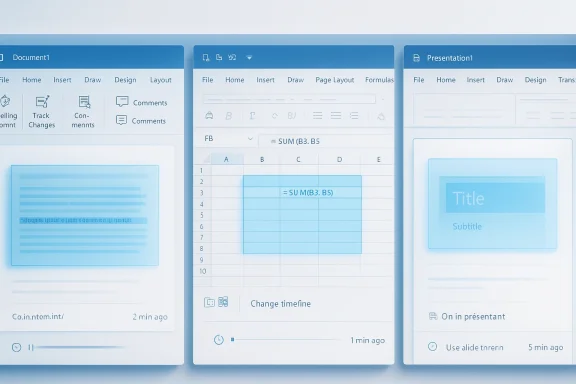
Microsoft says the new agentic behavior allows Copilot to take multi-step, app-native actions directly inside documents, worksheets, and presentations. In practical terms, that means the AI can do more than generate text or propose formulas; it can change the file in ways that are meant to be immediately useful without bouncing the user into another workflow.The feature is presented as the default experience for Microsoft 365 Copilot and Microsoft 365 Premium subscribers, and it is also available to Microsoft 365 Personal and Family users. Microsoft further says users can review changes and keep control of what Copilot is doing, which is the company’s way of answering the obvious concern that “agentic” sounds a lot like “hands off the wheel.”
Word, Excel, and PowerPoint in Practice
In Word, Copilot can draft, rewrite, restructure, and adjust tone. In Excel, it can help explore data, build analysis, and make changes directly in the workbook, including formulas, tables, and visuals. In PowerPoint, it can create or update decks, including presentation structure and formatting, while respecting templates.Those are not trivial tasks. Word editing can alter meaning, Excel can alter decisions, and PowerPoint can alter how leadership interprets a business case. The deeper the tool reaches into the file, the more likely it is to affect something that was supposed to be business-critical, not just convenient.
Microsoft’s own examples suggest a focus on reducing repetitive cleanup. That is a smart place to begin because formatting, deck polishing, and restructuring are precisely the chores many users want to offload. Still, there is a world of difference between “make this paragraph clearer” and “rebuild this financial model correctly.”
Where Control Still Lives
Microsoft says the new experience includes visibility into what Copilot is doing during multi-step edits. That matters because a hidden chain of actions is where trust evaporates fastest. If users can see the steps, they are more likely to treat Copilot as a collaborator; if they cannot, the system becomes a black box with write access.The company also leans heavily on review and reversal. That is not just a UX nicety; it is a survival mechanism for an AI that touches files people share with bosses, clients, auditors, or classmates. In productivity software, undo is not an option, it is a requirement.
- Users are expected to review generated or edited content before sharing.
- Copilot is intended to surface what it changed and why.
- The experience is designed to keep users in control of structure, style, and branding.
- Microsoft says the feature is meant to be collaborative, not autonomous.
Why Critics Are Nervous
The objections are easy to understand. Microsoft has a long history of making Copilot more visible by default, and not everyone views that as a neutral product decision. Mozilla recently argued that Microsoft’s design and distribution tactics can override user choice, casting the company’s AI rollout as less about optional utility and more about building inevitability into the platform.That critique lands harder now that Copilot can act inside documents. Suggestion engines are easy to dismiss; agents that edit files are harder to ignore. Once AI is doing the work, the line between helper and imposed workflow gets blurry, especially when the feature is positioned as the default experience.
The Consent Question
Microsoft says users can turn Copilot off, and it has said before that people should have settings that allow them to disable or enable the assistant as needed. That is important, but it does not fully settle the consent question because the practical burden of turning something off is not the same as choosing to turn it on in the first place.Critics will also note that “default” matters. A default experience shapes behavior at scale, especially in an app suite used by hundreds of millions of people. The default becomes the path of least resistance, and path dependence is how a feature gradually becomes a standard.
This is where Microsoft’s messaging and user experience are in tension. The company says control is non-negotiable, but it also wants Copilot to feel central, proactive, and seamless. Those goals can coexist, but only if Microsoft earns the right through transparency and genuinely easy opt-out choices.
Forced Integration vs. Useful Integration
There is a real difference between integration that reduces friction and integration that narrows choice. If Copilot appears everywhere because it helps people move faster, users may embrace it. If it appears everywhere because Microsoft wants higher adoption metrics, the same experience can look coercive.That distinction matters in enterprise IT, where admins have already dealt with features surfacing before they were ready. Microsoft’s enterprise customers care about governance, rollout control, and predictable change management more than they care about product enthusiasm. If Copilot arrives uninvited, adoption can become resistance.
- Default-on AI can create user fatigue.
- Easy disabling reduces pressure, but does not erase concern.
- Enterprises want predictability, not surprise features.
- Consumer convenience can become organizational risk if controls are weak.
Enterprise Implications
For enterprises, this is the part of the story that matters most. Microsoft has repeatedly described Copilot as grounded in business data and constrained by permissions, and that promise is essential if the company wants large organizations to let AI act directly on internal documents. Without permission-aware grounding, agentic behavior would be too risky for real deployment.At the same time, the business case is obvious. If Copilot can reliably handle formatting cleanup, slide updates, spreadsheet changes, and document restructuring, it can save measurable time across knowledge work teams. The trick is that enterprise value tends to be won in the last mile of trust, where legal, compliance, and operations teams ask whether the tool is good enough to touch sensitive material.
Governance Becomes the Real Product
This is no longer just an AI feature story. It is a governance story, because any tool that can edit files on behalf of a user needs auditable controls, predictable permissions, and clear policy hooks. That is especially true in regulated industries, where an apparently harmless formatting change can become an evidence trail issue or a compliance concern.Microsoft appears to understand this. Its documentation emphasizes review, transparency, and user judgment, and it also notes that AI-generated content may be inaccurate. Those caveats are not decorative; they are the operational guardrails that make agentic Copilot plausible in enterprise settings.
Still, IT admins will likely see more workload, not less, at least initially. There will be questions about rollout rings, training, policy exceptions, model availability, and how much latitude users should have when Copilot starts editing shared content. In enterprises, new convenience almost always creates new administration.
The Economics of Adoption
Microsoft also needs enterprises to see the value in paying for the privilege. With Copilot embedded more deeply across Microsoft 365, the subscription story gets stronger only if users feel a real difference in daily productivity. Otherwise, the AI layer starts looking like an expensive feature tax rather than a genuine accelerator.The company’s own published metrics suggest Microsoft thinks the answer is yes, pointing to improved engagement, retention, and satisfaction in Word, Excel, and PowerPoint during early use. That is encouraging, but early enthusiasm often overstates durable value, especially when novelty and curiosity are still inflated.
For CIOs and procurement teams, the question is not whether the feature is impressive. It is whether it reduces labor, error rates, and rework enough to justify the ecosystem lock-in that comes with deeper Copilot dependence. That is a harder, more expensive question than a demo can answer.
Consumer Impact
Consumer users are in a slightly different position. They are less likely to have formal governance rules, but they are also less likely to tolerate a system that surprises them by changing their work. For personal and family subscribers, agentic Copilot could be a welcome convenience for school, household, and small-business tasks, provided the user feels in charge.Microsoft’s decision to include Copilot in consumer subscriptions has already shifted expectations. Once AI becomes part of the bundle, users start evaluating it the way they evaluate storage, security, or cloud sync: as a baseline benefit that should just work. That makes reliability and transparency even more important because consumer users may not know where the AI help ends and the product automation begins.
Everyday Users Want Time Back
For a consumer, the upside is straightforward. A parent updating a resume, a student cleaning up a class presentation, or a small business owner rewriting a proposal may all welcome a tool that saves time and improves polish. The promise is less “AI as a genius” and more “AI as a capable assistant who handles the grunt work.”But everyday users are also the easiest audience to overestimate. If Copilot makes a deck prettier without improving the message, or rewrites a document in a way that changes tone or meaning, the net gain may be lower than the demo suggests. Convenience is only valuable when it does not create cleanup debt later.
The consumer story therefore hinges on subtle quality of execution. Microsoft needs the assistant to feel invisible when it helps and unmistakable when it needs oversight. That is a hard balance to strike, especially at scale.
Education and Academic Use
Education is where the stakes get more complicated. Microsoft has previously acknowledged that there are scenarios, such as academic settings, where AI assistance is not always desired. That admission is important because it recognizes that usefulness and acceptability are not the same thing.Students and teachers may value the feature differently. A student may want a draft cleaned up, while an instructor may worry about unclear authorship or overreliance on automated editing. If the tool blurs provenance too much, it could become controversial in exactly the environments where Office apps are most deeply entrenched.
- Helpful for drafting and organizing school projects.
- Risky if students rely on it to mask weak understanding.
- Useful for accessibility and language support.
- Sensitive in contexts where authorship matters.
Security, Accuracy, and Reliability
Microsoft’s own responsible-AI materials are doing a lot of work here. The company says users should not over-rely on ungrounded output and should always verify AI-assisted results, because even grounded systems can produce responses that are not fully supported by source material. That warning becomes especially important once Copilot can edit the file itself.This matters because the danger is not always dramatic hallucination. More often, it is subtle drift: a rewritten paragraph that becomes slightly too confident, a workbook that changes a formula in a way that looks tidy but breaks an assumption, or a presentation that removes nuance while improving readability. Those are the kinds of errors that slip through because they look helpful.
The Accuracy Problem Is Different in Each App
In Word, the risk is semantic distortion. In Excel, the risk is numerical or structural error. In PowerPoint, the risk is narrative simplification. The fact that each app has a different failure mode is exactly why a one-size-fits-all AI confidence story will not work.Microsoft says its Copilot experiences are grounded in business data and supported by evaluations around accuracy, groundedness, and coherence. That is reassuring, but reassuring is not the same as sufficient. The real test is whether the system remains dependable under messy, real-world conditions rather than curated demos.
Users should also expect the company to keep refining how the AI shows its work. The more transparent the edit path, the easier it is for people to trust the outcome. The less transparent it is, the more likely users are to revert to manual editing for anything important.
Microsoft’s Safety Story
Microsoft emphasizes phased release, continual evaluation, content filters, metaprompting, and user feedback loops. That suggests the company is treating agentic Copilot as an evolving system rather than a fixed product, which is the right stance for an AI feature with this much authority over user files.It also explains why the company keeps talking about control and review. The point is not just to avoid embarrassment; it is to reduce the chance that users will blindly accept a change they did not fully inspect. In a tool that edits files, trust has to be earned every session.
- Word needs semantic accuracy.
- Excel needs mathematical and structural integrity.
- PowerPoint needs narrative discipline.
- All three need clear review paths and reversibility.
Competitive Pressure in Productivity AI
Microsoft is not doing this in a vacuum. AI assistants are now a defining competitive layer in productivity software, and every major platform wants to own the place where work begins. Microsoft’s advantage is distribution: it already sits inside the apps many organizations use every day.That said, distribution is only half the battle. If competing suites can offer AI that is more transparent, less intrusive, or easier to govern, Microsoft’s advantage could narrow. Users may tolerate a lot from the market leader, but they will not tolerate everything forever, especially when AI starts editing the documents they depend on.
The Platform Lock-In Problem
The more deeply Copilot integrates into Word, Excel, and PowerPoint, the harder it becomes to leave Microsoft 365. That is not necessarily sinister; it is just how platforms work. But it does mean the company has a duty to keep controls visible and portability in mind, because convenience can quickly become dependency.For competitors, the opening is obvious. They can argue that AI should be opt-in, narrowly scoped, or transparent by design. If Microsoft is perceived as pushing the assistant too aggressively, rivals may not need to beat it on raw capability—they may only need to beat it on trust.
The irony is that Microsoft’s own success in making Copilot matter creates the standard everybody else will be judged against. Once users get used to agentic editing, they will expect it elsewhere too. That means this rollout could end up defining the next phase of workplace AI, even for companies that never buy Microsoft’s subscription tier.
Strengths and Opportunities
Microsoft’s agentic Copilot push has several obvious strengths. It aligns the company’s AI strategy with the actual work people do in Office, it gives Microsoft a clearer subscription value proposition, and it creates a path from novelty to measurable productivity gains. If the system remains transparent and controllable, it could become one of the most useful AI implementations in consumer and enterprise software.- It reduces repetitive editing and formatting chores.
- It keeps work inside the apps people already use.
- It strengthens Microsoft 365’s AI subscription story.
- It may improve speed from draft to finished deliverable.
- It can help non-experts produce more polished documents.
- It gives enterprises a governed path to AI-assisted editing.
- It creates a stronger competitive moat around Microsoft 365.
Risks and Concerns
The risks are equally real, and some are structural rather than technical. An editing AI that is too aggressive can create trust debt, while an AI that is too cautious can feel redundant and fail to justify its place in the workflow. That tension may be the hardest design problem Microsoft faces.- Users may not fully notice what Copilot changed.
- AI edits can subtly alter meaning or intent.
- Enterprises may see more governance overhead.
- Default-on behavior can trigger backlash.
- Users could over-trust polished but incorrect output.
- Academic and compliance-sensitive scenarios may reject the feature.
- The platform may feel more intrusive if controls are buried.
What to Watch Next
The next phase will be about proof, not promises. Microsoft has shown that Copilot can act inside Office apps; now it has to show that the feature is useful enough in daily work to become a habit rather than a demo. Watch for how quickly enterprises adopt it, how often users leave it enabled, and whether Microsoft can keep the control story simple enough to survive real-world use.The other thing to watch is governance. If the feature lands cleanly in organizations with strict policies, that will say a lot about how mature Microsoft’s responsible-AI framework has become. If admins keep disabling it or restricting it heavily, that will signal that the company still has work to do on trust.
- Enterprise rollout pace and admin feedback.
- Changes in user retention and satisfaction.
- New controls for preview, undo, and transparency.
- Any policy updates for education or regulated industries.
- Competitive responses from rival productivity suites.
Microsoft’s gamble is clear: the assistant cannot remain a sidebar novelty if it is going to justify its cost and its footprint. By turning Copilot into an in-document actor, the company is betting that people ultimately want software that does the work rather than merely talking about it. The success of that bet will depend on a simple but unforgiving standard: whether users believe Copilot saves enough time without stealing too much control.
Source: theregister.com Microsoft adds uninvited AI co-author to Word docs
