

A Mac-Only Chrome Bug Still Belongs in a Windows Security Conversation
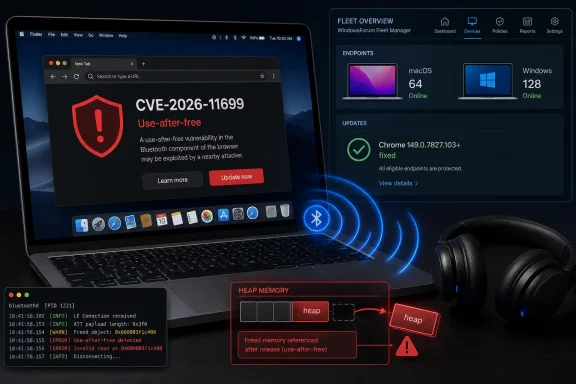
At first glance, CVE-2026-11699 looks like somebody else’s problem. The published description says the issue affects Google Chrome on Mac before 149.0.7827.103, and the vulnerable component is Bluetooth. Windows administrators may be tempted to file it under “Apple fleet” and move on.
That would be too neat. Chrome is not just a browser in the old sense; it is a cross-platform application runtime with hooks into cameras, microphones, USB devices, Bluetooth devices, file pickers, credentials, notifications, payment systems, and enterprise identity. A flaw in one platform-specific slice of that runtime is still part of the larger story of how much operating-system adjacency has migrated into the browser.
The Windows angle is also practical. Many organizations that call themselves Windows shops are no longer Windows-only shops. Developers carry MacBooks, executives carry MacBooks, contractors bring personal devices, and browser policy often has to cover Chrome everywhere because identity, SaaS access, and data loss prevention do not stop at the OS boundary.
CVE-2026-11699 is therefore a useful reminder that “Chrome patched” is not the same thing as “Windows patched.” A browser vulnerability can be platform-specific, version-specific, and component-specific while still affecting the same enterprise risk model that Windows admins are expected to defend.
The Vulnerability Is Small in Description and Large in Implication
The official wording is spare: a use-after-free in Bluetooth allowed a remote attacker to potentially exploit heap corruption through a crafted HTML page. That is the kind of sentence that looks routine in a vulnerability feed and ominous once unpacked.
A use-after-free bug occurs when software continues to reference memory after it has been released. In memory-unsafe code paths, that stale reference can sometimes be manipulated so the program reads or writes data it should not. In a browser, where attacker-controlled web content is intentionally parsed, rendered, and executed every second, memory corruption bugs have historically been among the most valuable classes of vulnerability.
The Bluetooth part is what makes this case interesting. Users often think of Bluetooth as an OS setting or a hardware radio, not as a browser-exposed attack surface. But web browsers have increasingly supported controlled access to local devices through APIs designed for pairing, configuration, telemetry, and specialized web applications.
That does not mean every user who leaves Bluetooth enabled is suddenly exposed to drive-by compromise. The published CVSS vector includes required user interaction, and Google’s description says “potentially” exploit heap corruption rather than promising full code execution. But the core risk remains: a remote page was enough to reach a memory safety flaw in a device-adjacent browser component.
The Crafted Page Is the Modern Attack Delivery Vehicle
The phrase “crafted HTML page” has become so common in browser advisories that it risks sounding harmless. It is not. In browser security, a crafted page is often the whole delivery mechanism: a malicious site, a compromised site, a poisoned ad path, a targeted link, or a page rendered inside a workflow the victim already trusts.
That is why user interaction matters but does not eliminate risk. “User interaction required” may mean the user must visit a page, click a link, open a tab, or otherwise allow content to load. In a world of phishing, SEO poisoning, malvertising, and compromised legitimate sites, that is a low bar.
The CVSS 3.1 score attributed by CISA-ADP is 8.8, which lands in high severity. The vector describes network attackability, low complexity, no privileges required, user interaction required, unchanged scope, and high impact to confidentiality, integrity, and availability. In plain English: an attacker does not need local access or credentials, but they do need the victim to engage with malicious web content.
For administrators, that makes this the sort of bug that should be handled through update enforcement, not user education alone. Telling users not to click suspicious links remains good advice; relying on that advice as the primary mitigation is security theater.
Chrome’s Platform-Specific Fixes Are Now a Patch Management Trap
The versioning detail matters. Chrome’s stable-channel desktop update moved Windows and Linux to one build number and Mac to 149.0.7827.103, with CVE-2026-11699 specifically fixed for Mac prior to that version. That kind of split is normal in Chrome releases, but it complicates fleet verification.
Many vulnerability dashboards flatten this into “Chrome before 149.0.7827.103” or “Chrome before 149.0.7827.102/.103,” depending on the data source. That shorthand is understandable, but it can be dangerous when teams use version comparisons mechanically across mixed operating systems. The safe operational question is not merely “is Chrome at 149?” but “is this platform on the fixed stable build for its channel?”
This is where CPE data becomes more than clerical metadata. The NVD configuration for CVE-2026-11699 ties vulnerable Google Chrome versions up to, but excluding, 149.0.7827.103 with an Apple macOS operating-system condition. In other words, the affected product is Chrome, but the vulnerable configuration is Chrome on macOS.
That structure is correct in spirit: the flaw is not a generic Chrome-on-everything issue. But it also highlights why administrators often distrust raw vulnerability feeds. If a scanner mishandles the platform condition, it may flag Windows Chrome installs that are not affected by this CVE, miss macOS Chrome installs that are affected, or bury the useful signal beneath hundreds of adjacent Chrome findings.
The NVD Record Shows the System Working, Slowly
The change history attached to CVE-2026-11699 tells a familiar story. Google supplied the CVE description and references, CISA-ADP added a CVSS 3.1 assessment, and NIST later enriched the record with configuration data and references. That sequence is normal, but it means the record was not equally useful at every moment after publication.
For security teams, that delay matters. The first hours after a browser advisory are when patching decisions are made, tickets are opened, emergency exceptions are debated, and executive dashboards begin counting exposures. If the CVE entry lacks NVD scoring or complete CPE data at that point, organizations have to rely on the vendor advisory, secondary enrichment, and their own understanding of the product.
The absence of a NIST CVSS score at publication is not evidence that the bug is minor. It is evidence that vulnerability databases are workflows, not oracles. The most important operational facts were available early: product, platform, affected version, fixed version, weakness class, severity, and attack precondition.
That is enough to patch. It may not be enough to satisfy every compliance dashboard, but compliance dashboards are not what stop crafted web pages from reaching vulnerable browser code.
Bluetooth Is No Longer Just a Peripheral Story
Browser Bluetooth has always been a trade-off. The Web Bluetooth API and related browser capabilities exist because there are legitimate use cases for connecting web applications to nearby devices. Developers want web-based configuration tools, diagnostics, dashboards, and device-management experiences that do not require native apps.
That convenience comes with a larger attack surface. Every time the browser brokers access to local hardware, it must mediate permissions, device state, platform APIs, memory lifetimes, and untrusted web content. That is a hard job even when the permission model is well designed.
CVE-2026-11699 does not prove that Web Bluetooth is broken, nor does it prove that users should disable every hardware-adjacent browser feature. It does prove that these features belong in the same risk conversation as extensions, password managers, site isolation, and sandbox escapes. The browser is now a boundary between the web and the machine, not merely a viewer of documents.
For enterprises, this should encourage a more careful look at Chrome policies governing device APIs. If users do not need browser-mediated Bluetooth access, it is reasonable to restrict it. If a business application requires it, that exception should be deliberate, documented, and limited rather than inherited from a permissive default.
The Zero-Day Next Door Changes the Urgency
CVE-2026-11699 arrived in the same broader Chrome security update cycle as another Chrome flaw, CVE-2026-11645, which Google said had an exploit in the wild. That distinction matters. CVE-2026-11699 is high severity, but the public material does not indicate that it was being actively exploited at disclosure.
Still, users rarely install fixes one CVE at a time. The same Chrome update that addresses a platform-specific Bluetooth use-after-free also contains other security fixes, including at least one issue with active exploitation reported in the same update stream. From a patching standpoint, that makes delay harder to justify.
This is the browser patching paradox. Individual CVEs may vary in exploitability, affected platform, and business impact, but the patch vehicle is usually a single browser update. You do not get to apply only the Bluetooth fix or only the V8 fix. You update Chrome, restart it, and confirm the build.
That simplicity should be an advantage. Yet Chrome’s auto-update model can create a false sense of completion. A machine may have downloaded the update but not restarted the browser. A user may have multiple Chrome profiles open. A managed Mac may be held behind a deferral policy. A VDI or kiosk image may lag behind the desktop fleet. The patch is available; the endpoint may not actually be fixed.
Windows Admins Should Read This as a Browser Governance Problem
The practical response for Windows-heavy environments is not to open an emergency Mac-only war room every time a platform-specific Chrome CVE appears. It is to treat browser governance as a first-class endpoint function across operating systems.
That begins with inventory. Security teams need to know which Chrome versions are installed, which channels are in use, and which devices are outside normal management. Stable, Extended Stable, Beta, Dev, and unmanaged consumer Chrome installs can all behave differently from a patch-timing perspective. If the inventory cannot distinguish macOS Chrome from Windows Chrome, it is not good enough for this class of vulnerability.
The second requirement is restart visibility. Browser updates often fail at the last inch, not the first. The update is staged, the process remains open, and the vulnerable code continues running. This is especially common among power users who leave browsers open for days or weeks as a working memory palace of tabs.
The third requirement is policy. Chrome enterprise policies can restrict access to risky features, manage update cadence, control extension installation, and shape site permissions. For a bug in Bluetooth, the relevant question is whether browser-based Bluetooth access is needed at all. For many fleets, the answer will be no.
The fourth requirement is communication that avoids panic. A Mac-specific Bluetooth use-after-free does not mean every Windows workstation is vulnerable to this CVE. But a Chrome security update with multiple high-severity fixes still deserves quick deployment. Mature security messaging can hold both facts at once.
The CPE Question Is Really a Trust Question
The user-facing question attached to this CVE — “Are we missing a CPE here?” — is easy to treat as database housekeeping. It is more than that. CPE accuracy determines whether vulnerability management tools generate useful work or expensive noise.
For CVE-2026-11699, the configuration shown by NVD uses an AND relationship: vulnerable Chrome versions before 149.0.7827.103 and an Apple macOS operating-system condition. That is the key point. The CPE for Google Chrome alone is insufficient if interpreted without the macOS condition, because the published vulnerability is specifically Chrome on Mac.
Could the record become more granular? Possibly. Vulnerability databases sometimes refine affected version ranges, platform constraints, or product identifiers after additional analysis. But based on the described affected software, the important modeling choice is already visible: this is not simply “all Chrome everywhere before 149.0.7827.103.”
That said, vulnerability scanners vary in how well they process CPE logic. Some will honor the platform condition; others may display the application CPE prominently and bury the OS clause in the details. When administrators see surprising results, they should verify against the vendor advisory and the endpoint’s actual Chrome version before filing exceptions or dismissing the alert.
The broader trust issue is that CVE records are not written for humans alone. They feed scanners, ticketing systems, SLAs, cyber-insurance questionnaires, and board reports. A subtle platform condition can decide whether a team patches ten machines or ten thousand.
Memory Safety Keeps Haunting the Browser Stack
Use-after-free bugs are not new, and that is part of the problem. Browser vendors have spent years hardening allocators, improving sandboxing, adopting safer languages where feasible, and building exploit mitigations into every layer of the stack. Yet memory lifetime errors continue to appear because browsers are large, old, performance-sensitive, and deeply integrated with platform code.
Chrome’s security architecture is designed around the assumption that bugs will exist. Site isolation, sandboxing, process separation, permission prompts, exploit mitigations, and rapid updates all work together to make exploitation harder and reduce blast radius. CVE-2026-11699 sits inside that model rather than outside it.
But defense in depth is not a license to ignore high-severity memory corruption. Heap corruption in a browser component can be one piece of a larger exploit chain. A single bug may only get an attacker into a constrained context; another bug may escape that context; a third may persist or steal data. Security advisories rarely tell the whole chain because the whole chain may not be known, or may be intentionally withheld until users update.
This is why “potentially exploit heap corruption” should be read carefully. It is not proof of a working public exploit. It is also not comfort. In browser security, potential often means “the primitive is dangerous enough that skilled attackers may find a way to make it matter.”
The User Interaction Requirement Should Not Lull Anyone
CVSS marks CVE-2026-11699 as requiring user interaction. That is technically important and operationally easy to overvalue. Most browser exploitation begins with user interaction in the broadest sense: somebody navigates, clicks, opens, previews, or authenticates.
Attackers are good at creating interaction. They imitate invoices, login portals, file shares, shipping notices, collaboration requests, and help-desk prompts. They compromise sites users already trust. They abuse advertising networks and search placement. The difference between “requires interaction” and “no interaction” is meaningful, but it is not the difference between urgent and irrelevant.
For a consumer Mac user, the advice is simple: update Chrome and relaunch it. For an enterprise, the advice is more layered: confirm update deployment, check for stale running processes, review browser device API policies, and make sure vulnerability tooling recognizes the macOS condition.
Windows users should not mistake platform specificity for immunity from the larger update. Even if CVE-2026-11699 itself is Mac-scoped, the same Chrome release train carried fixes relevant to desktop users more broadly. Browser updates are cumulative security events, not à la carte patches.
The Patch Is Simple; Proving It Landed Is Not
Chrome’s update UX is one of the better ones in consumer software. In many cases, the browser updates itself, and the user sees a relaunch prompt. That model has helped make web security survivable at global scale.
Enterprise reality is less tidy. Managed devices may pin versions temporarily for compatibility. Users may ignore restart prompts. Remote machines may be offline during patch windows. Security tools may report installed version while the running process remains older. Some organizations still treat browsers as user applications rather than high-priority security components.
CVE-2026-11699 is a good case study because the remediation is not complicated. Mac users need Chrome 149.0.7827.103 or later for this specific issue. The difficulty is not finding the fix; it is confirming that every relevant endpoint actually runs it.
Admins should also remember Chrome derivatives. CVE-2026-11699 is described for Google Chrome, and the Chromium issue tracker entry is restricted. Other Chromium-based browsers may or may not share the exact affected code path, platform exposure, or patch timing. The safe approach is to monitor each vendor’s advisory rather than assuming Chrome’s version number maps cleanly to every Chromium browser in the environment.
That includes Microsoft Edge, Brave, Vivaldi, Opera, and other Chromium-family browsers. A Chrome CVE does not automatically mean every derivative is affected in the same way, but it should trigger a check of those vendors’ release notes and update status. In enterprises that allow multiple browsers, this is where browser sprawl turns into operational drag.
The Real Risk Is the Gap Between Disclosure and Restart
The most dangerous period in a browser CVE’s life is often not the day before disclosure. It is the week after. Attackers and defenders read the same advisories, but attackers only need to find laggards.
Google and other browser vendors frequently restrict bug details until most users are updated. That buys time, but it does not erase the signal. A CVE description naming a component, weakness class, platform, and fixed version can be enough to focus attacker research.
For commodity attackers, the best targets are not the hardest ones. They are the unmanaged laptops, the stale browsers, the contractors outside MDM, the test Macs in a lab, the build machines nobody logs into interactively, and the personal devices with access to corporate SaaS. Those devices may not be numerous, but they often sit in blind spots.
This is why browser patch SLAs should be short. Operating-system patches may require broader regression testing, reboot planning, and dependency analysis. Browser updates, especially stable-channel security fixes, usually deserve faster movement because the exposure is direct, remote, and web-delivered.
The Practical Read for CVE-2026-11699 Is Narrow but Not Small
The useful response is concrete rather than theatrical.
- Mac users running Google Chrome should be on 149.0.7827.103 or later to address CVE-2026-11699.
- Windows Chrome users should not treat this specific Bluetooth CVE as applying to them, but they should still install the same security update cycle appropriate to their platform.
- Administrators should verify that vulnerability scanners honor the macOS condition in the CPE configuration before accepting noisy fleet-wide findings.
- Organizations that do not need browser-based Bluetooth access should consider restricting it through managed Chrome policy.
- Patch success should be measured by the running browser version after relaunch, not merely by whether an update package was downloaded.
- Mixed fleets should track Chrome, Edge, and other Chromium-based browsers separately because shared engine heritage does not guarantee identical advisory timing.
This is the kind of vulnerability that rewards disciplined basics. No exotic mitigation beats a verified browser update, a sane device-API policy, and an inventory that knows the difference between Chrome on Windows and Chrome on macOS.
CVE-2026-11699 will probably not be remembered as the defining Chrome security incident of 2026. It is too specific, too quietly worded, and overshadowed by noisier bugs in the same release window. But it captures the direction of travel: browsers are absorbing more of the endpoint, attackers are following that surface area, and administrators are being asked to govern Chrome with the seriousness once reserved for the operating system itself. The next browser CVE may not be in Bluetooth, and it may not be Mac-only, but the organizations best prepared for it will be the ones that already treat browser patching as core infrastructure rather than background maintenance.