

Google Chrome before 149.0.7827.197 contains CVE-2026-13022, a high-severity Chromium Autofill flaw disclosed June 24, 2026, that can let a remote attacker who has already compromised the renderer process leak cross-origin data through a crafted HTML page. The bug is not a stand-alone “visit a page and lose everything” disaster, but it is exactly the kind of browser weakness that matters in real attack chains. It sits at the uncomfortable intersection of Autofill, site isolation, and the browser’s promise that one origin cannot casually read another. For Windows users and administrators, the practical answer is simple: Chrome needs to be at 149.0.7827.197 or later, and Chromium-based browsers deserve scrutiny until their vendors ship the same fixes.
Autofill is one of those browser features users experience as a small daily kindness and security engineers experience as a sprawling trust boundary. It watches forms, recognizes names, addresses, payment fields, passwords-adjacent patterns, and identity fragments, then decides when and how to offer data back to a webpage. That convenience depends on a hard rule: the page you are on should not be able to extract information belonging to a different site or origin.
CVE-2026-13022 is described as an “inappropriate implementation” in Chrome’s Autofill component. That phrase is deliberately bland, but the consequences are not. The vulnerability allowed cross-origin data leakage when an attacker had already compromised the renderer process and delivered a crafted HTML page.
The renderer-process condition matters. Chrome’s security model assumes hostile web content runs in a constrained renderer, separated from the browser process and from other sites by layers of sandboxing and site isolation. A renderer compromise means the attacker has broken into a compartment that should still be limited in what it can see and do. CVE-2026-13022 appears to be one of the bugs that weakens the next wall in that compartmentalized model.
That is why the NVD score lands in an awkward place: CVSS 3.1 gives it 6.5, or “medium,” while Chromium tags it “high.” Both can be true depending on what you are measuring. CVSS sees user interaction and no direct integrity or availability impact; browser engineers see a post-renderer compromise data leak across origins, which is dangerous because modern browser exploitation is rarely a single bug.
Chrome’s renderer is supposed to be the blast chamber. If malicious JavaScript, WebAssembly, image parsing, GPU interaction, or HTML parsing gives an attacker a foothold there, the browser’s other defenses are expected to keep the damage contained. A cross-origin leak after that point is not the whole compromise, but it can be the reconnaissance and data-theft step that makes the compromise valuable.
Autofill raises the stakes because it is entangled with identity. Even when a bug does not expose saved passwords outright, Autofill systems can touch personal data, account metadata, form history, addresses, payment hints, and page-state decisions that were never meant to be visible to another origin. In enterprise environments, browsers often sit inside single sign-on workflows, SaaS dashboards, internal admin panels, and webmail sessions. A cross-origin leak in that context is not merely a privacy nuisance.
The crafted HTML page detail also tells us something important. This is a web-delivered vulnerability, not a local privilege escalation requiring hands-on-keyboard access. The user must interact with attacker-controlled content, but that can mean clicking a link, opening a malicious landing page, following a phishing lure, or being redirected through a compromised site. In practice, “user interaction required” is a lower bar than it sounds.
The number is useful for dashboards, but it undersells the operational reality of browser bugs. CVSS is most comfortable when a vulnerability’s exploit path and result fit neatly into one box: remote code execution, privilege escalation, denial of service, information disclosure. Browser exploitation is often modular. A bug like this may not be the exploit chain’s ignition source, but it can be the component that converts a renderer compromise into sensitive data.
Chromium’s “high” severity label reflects that threat model. Browser vendors know that renderer compromise is not hypothetical; it is the recurring front line of browser security. If a follow-on bug lets that compromised renderer break assumptions about same-origin boundaries, then the patch deserves urgency even if the CVSS score does not scream.
For IT teams, the scoring mismatch is a familiar trap. Patch prioritization systems that treat 6.5 as deferrable may leave Chrome vulnerable while teams chase louder CVEs in less exposed software. That is backwards for many organizations. The browser is the most attacked endpoint application in the fleet, and a medium browser data leak can be more urgent than a critical flaw in software nobody exposes to untrusted input.
This is not unusual. Vulnerability metadata often arrives in stages: the vendor publishes an advisory, the CVE record is populated, NVD enriches the entry with CVSS and CPE mappings, and downstream scanners ingest the result on their own schedules. During that window, asset tools may disagree about affected versions, especially when the vendor ships platform-specific build numbers or when Chromium derivatives package fixes differently.
The affected-version record also contains an apparent awkwardness: it names 149.0.7827.197 while using “less than 149.0.7827.197” as the affected range. That is likely a data-shape artifact rather than a statement that the fixed version is vulnerable. The operational reading is clear: Chrome before 149.0.7827.197 is affected; 149.0.7827.197 is the threshold administrators should verify against.
This is where WindowsForum’s audience should be cautious but not paralyzed. A missing or imperfect CPE does not mean the vulnerability is imaginary, and a scanner’s silence does not mean the browser is safe. Browser patch validation should start with actual installed version inventory, not solely with CPE matching.
That does not automatically mean every Chromium-based browser is vulnerable in the same way at the same moment. Vendors pick up upstream changes, apply their own patches, disable or modify features, and ship on different cadences. But when the vulnerable component is a central browser feature like Autofill, the safe default is to assume downstream impact until the downstream vendor proves otherwise.
Edge deserves particular attention in Windows environments because it is both a user browser and a platform component. WebView2 allows desktop applications to host web content using the Edge runtime, and many organizations now have business apps that quietly depend on it. A Chrome fix does not update Edge, and an Edge update does not necessarily update third-party Electron apps. Chromium monoculture simplifies web compatibility, but it complicates vulnerability response.
The practical consequence is inventory fatigue. Admins know how to check Windows Update compliance, and many know how to check Chrome version compliance. Fewer have a complete view of Chromium runtimes embedded in collaboration tools, password managers, device-management consoles, and line-of-business software. CVE-2026-13022 is a reminder that the browser is no longer a single executable on the taskbar.
Autofill is where personal convenience, corporate identity, and web trust boundaries meet. In a managed browser, it can store or suggest names, addresses, phone numbers, organization details, payment-adjacent data, and credentials depending on policy. Even where passwords are handled by a dedicated manager, Autofill may still reveal enough structured data to make phishing more convincing or account recovery attacks easier.
The answer is not necessarily to ban every Autofill feature. Users who are forced to type everything manually often develop worse habits, including reusing simpler data, pasting from insecure notes, or bypassing approved workflows. But organizations should decide deliberately what Chrome and Edge are allowed to remember, sync, and offer into forms.
For high-risk roles, the calculus changes. Administrators, finance staff, executives, developers with production access, and help-desk users with delegated privileges should have stricter browser-data policies than general office users. A browser exploit chain that leaks cross-origin data is more valuable when the victim routinely visits privileged SaaS consoles and internal admin portals.
Modern browsers have added layers around that promise. Site isolation separates origins more aggressively. Sandboxing limits renderer damage. Cross-origin resource policies, content security policy, and cookie attributes all attempt to narrow unintended data flows. Yet CVE-2026-13022 shows how feature complexity can still erode boundaries in surprising places.
Autofill is especially tricky because it must understand pages semantically. It interprets fields, labels, frames, user gestures, stored data, and origin context. Attackers love semantic gaps. If the browser believes it is helping the user fill a legitimate field while the attacker has arranged the page in a way that leaks or infers data, the line between helpful automation and security violation becomes thin.
This is the larger lesson: the browser is not just a renderer of documents. It is an identity broker, credential helper, payment assistant, file handler, app runtime, GPU client, PDF viewer, and increasingly an AI-adjacent workspace. Every convenience layer becomes security-critical because every layer may touch data that came from somewhere else.
Enterprises are not that world. Managed update channels, testing rings, virtual desktop images, offline systems, browser extensions, application compatibility requirements, and change-control windows all add drag. Some organizations also pin browser versions for legacy web apps, a practice that grows more dangerous every year. A browser version pin may solve one compatibility problem while preserving dozens of patched vulnerabilities.
The Chrome 149 branch has already seen a heavy security cadence, including earlier fixes before this 149.0.7827.197 threshold. That matters because administrators may look at a fleet and see “Chrome 149” as broadly current. It is not enough. The fourth number matters, and in this case the difference between an earlier 149 build and 149.0.7827.197 is the difference between vulnerable and patched.
The extended stable channel adds another wrinkle. Some organizations use it to reduce feature churn, but security fixes still need to land promptly. Admins should verify the specific fixed build for the channel they deploy rather than assuming that “stable” or “extended stable” implies equivalence at any given moment.
Browser vendors commonly restrict bug details until most users have received patches. The public Chromium issue may require permission, which is normal for security bugs. That leaves defenders with a familiar information gap: enough detail to know the class and affected versions, not enough detail to build exact detections or assess exploit reliability.
In that vacuum, attackers and defenders both infer. Attackers diff patches, examine changed code, and look for ways to reproduce the bug. Defenders look at version numbers, telemetry, web proxy logs, endpoint alerts, and known exploit kits. The asymmetry is uncomfortable because the patch itself can become a roadmap for capable researchers.
That is why the right operational response is boring and urgent. Do not wait for proof of exploitation. Do not wait for a scanner plugin if you can query browser versions directly. Do not assume that because the CVSS score says medium, the bug belongs in next month’s maintenance cycle.
Endpoint detection may help if the exploit chain trips memory-corruption heuristics, sandbox anomalies, browser child-process behavior, or suspicious script execution. But a confidentiality-only cross-origin leak can be quieter than code execution. If the attacker’s goal is to steal data from another origin inside the browser session, the endpoint may see little more than web traffic.
Administrators should think in terms of exposure reduction rather than perfect detection. Patch the browser. Reduce Autofill scope where appropriate. Harden extension policy. Block untrusted extensions. Keep site isolation and sandboxing features enabled. Treat browser crashes during suspicious browsing sessions as security-relevant, not merely user annoyance.
For incident responders, the useful question is not “Did we see CVE-2026-13022?” It is “Were vulnerable browser versions exposed to suspicious web content, and did affected users have valuable authenticated sessions open?” That framing better matches the reality of browser-chain investigations.
Restart compliance is the unglamorous failure mode. Chrome can download an update and still run old code until the browser restarts. Users with dozens of pinned tabs may postpone relaunching indefinitely, and shared machines may keep stale sessions alive. An inventory system that only reports installed version may miss the fact that a vulnerable browser process remains running.
Admins should also check Microsoft Edge independently. Edge versioning does not match Chrome versioning one-to-one, and Microsoft ships on its own schedule even though it consumes Chromium. The same is true for other Chromium browsers and embedded runtimes. The correct question is not “Did Google patch Chrome?” but “Has every Chromium-based browser and runtime in our environment absorbed the relevant upstream fix?”
For Windows users outside enterprise management, the advice is straightforward: update Chrome, restart it, then update other Chromium-based browsers. If a browser vendor has not yet shipped a build incorporating the fix, consider using a patched browser for sensitive sessions until it does.
In the NVD record, the CPE configuration captures Google Chrome and operating systems, but it does not answer the broader Chromium-family question. That is not necessarily an error in the CVE record; CVE-2026-13022 is a Chrome CNA entry describing Google Chrome. Downstream products may need their own advisories or version mappings. Scanners that rely strictly on the Chrome CPE may miss derivative exposure until those mappings mature.
The better model is layered. Use CPE-based scanning where it works. Supplement it with software inventory that reports executable versions. Add browser-management telemetry for Chrome and Edge. Track WebView2 runtime versions. For high-risk applications that embed Chromium or Electron, maintain a vendor watchlist and require security-update SLAs.
That sounds like more work because it is. But the alternative is pretending that the Windows endpoint still has one browser and one patch source. It does not.
The old model of aligning browser updates neatly with Patch Tuesday is increasingly obsolete. Microsoft’s Windows servicing cadence still matters, but browsers sit on their own threat clock. When a browser vendor ships a security fix on a Wednesday, attackers do not wait until the next enterprise maintenance weekend to begin reverse-engineering it.
For organizations with mature endpoint management, the goal should be a browser patch service-level objective measured in days, not weeks. Emergency zero-day fixes may need same-day action. High-severity data-leak bugs like CVE-2026-13022 should move quickly even when exploitation is not confirmed.
The cost of fast browser updates is real. Web apps break. Extensions misbehave. Help desks get tickets. But the cost of slow browser updates is often invisible until it becomes a breach narrative: a user clicked a link, the browser was behind, and a chain of already-patched bugs did the rest.
CVE-2026-13022 is a reminder that attackers do not always need to steal the database if they can steal what the browser is allowed to see. Cross-origin leakage can turn the user’s authenticated browser into the attacker’s oracle. Even limited exposure can help identify accounts, confirm sessions, extract snippets, or guide follow-on phishing.
This is why privileged browsing separation remains underrated. Admin portals should not live casually beside personal email, random search results, and vendor documentation in the same browser profile. Separate profiles, hardened browsers, privileged access workstations, and conditional access policies can reduce the value of any one browser compromise.
No single control solves the problem. But a fleet that patches quickly, restricts risky Autofill behavior, limits extensions, separates privileged sessions, and monitors browser health is far less exposed than one that treats Chrome as just another desktop app.
The CPE question is legitimate. NVD’s mapping may be sufficient for Google Chrome while still incomplete for the broader Chromium ecosystem administrators actually run. Treat the metadata as a starting point, not the boundary of exposure.
The concrete response is not complicated, but it has to be verified:
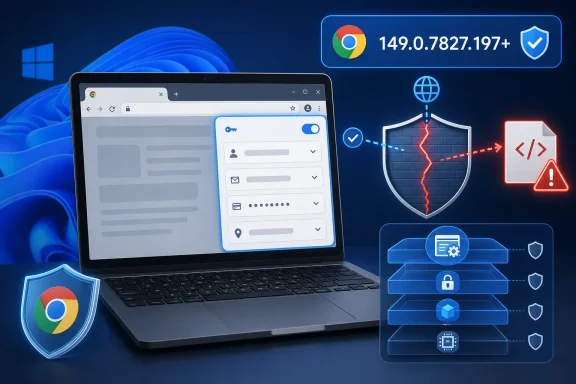 Autofill Turns Convenience Into Attack Surface
Autofill is one of those browser features users experience as a small daily kindness and security engineers experience as a sprawling trust boundary. It watches forms, recognizes names, addresses, payment fields, passwords-adjacent patterns, and identity fragments, then decides when and how to offer data back to a webpage. That convenience depends on a hard rule: the page you are on should not be able to extract information belonging to a different site or origin.CVE-2026-13022 is described as an “inappropriate implementation” in Chrome’s Autofill component. That phrase is deliberately bland, but the consequences are not. The vulnerability allowed cross-origin data leakage when an attacker had already compromised the renderer process and delivered a crafted HTML page.
The renderer-process condition matters. Chrome’s security model assumes hostile web content runs in a constrained renderer, separated from the browser process and from other sites by layers of sandboxing and site isolation. A renderer compromise means the attacker has broken into a compartment that should still be limited in what it can see and do. CVE-2026-13022 appears to be one of the bugs that weakens the next wall in that compartmentalized model.
That is why the NVD score lands in an awkward place: CVSS 3.1 gives it 6.5, or “medium,” while Chromium tags it “high.” Both can be true depending on what you are measuring. CVSS sees user interaction and no direct integrity or availability impact; browser engineers see a post-renderer compromise data leak across origins, which is dangerous because modern browser exploitation is rarely a single bug.
The Exploit Story Starts After the First Door Opens
The most important phrase in the CVE description is not “Autofill.” It is “who had compromised the renderer process.” That clause prevents panic, but it should not invite complacency. Browser exploits frequently work as chains: one bug gets code running or corrupts memory in the renderer, another escapes a sandbox or leaks information, and another moves the attacker toward credentials, session material, or a more privileged process.Chrome’s renderer is supposed to be the blast chamber. If malicious JavaScript, WebAssembly, image parsing, GPU interaction, or HTML parsing gives an attacker a foothold there, the browser’s other defenses are expected to keep the damage contained. A cross-origin leak after that point is not the whole compromise, but it can be the reconnaissance and data-theft step that makes the compromise valuable.
Autofill raises the stakes because it is entangled with identity. Even when a bug does not expose saved passwords outright, Autofill systems can touch personal data, account metadata, form history, addresses, payment hints, and page-state decisions that were never meant to be visible to another origin. In enterprise environments, browsers often sit inside single sign-on workflows, SaaS dashboards, internal admin panels, and webmail sessions. A cross-origin leak in that context is not merely a privacy nuisance.
The crafted HTML page detail also tells us something important. This is a web-delivered vulnerability, not a local privilege escalation requiring hands-on-keyboard access. The user must interact with attacker-controlled content, but that can mean clicking a link, opening a malicious landing page, following a phishing lure, or being redirected through a compromised site. In practice, “user interaction required” is a lower bar than it sounds.
The Score Looks Medium Because CVSS Is Bad at Browser Chains
NVD’s CVSS 3.1 vector for CVE-2026-13022 is AV:N/AC:L/PR:N/UI:R/S:U/C:H/I:N/A:N. Translated into plain English, the attack is network-accessible, low complexity, requires no privileges, requires user interaction, does not cross a formal authorization scope under CVSS’s model, and primarily affects confidentiality. That produces a 6.5.The number is useful for dashboards, but it undersells the operational reality of browser bugs. CVSS is most comfortable when a vulnerability’s exploit path and result fit neatly into one box: remote code execution, privilege escalation, denial of service, information disclosure. Browser exploitation is often modular. A bug like this may not be the exploit chain’s ignition source, but it can be the component that converts a renderer compromise into sensitive data.
Chromium’s “high” severity label reflects that threat model. Browser vendors know that renderer compromise is not hypothetical; it is the recurring front line of browser security. If a follow-on bug lets that compromised renderer break assumptions about same-origin boundaries, then the patch deserves urgency even if the CVSS score does not scream.
For IT teams, the scoring mismatch is a familiar trap. Patch prioritization systems that treat 6.5 as deferrable may leave Chrome vulnerable while teams chase louder CVEs in less exposed software. That is backwards for many organizations. The browser is the most attacked endpoint application in the fleet, and a medium browser data leak can be more urgent than a critical flaw in software nobody exposes to untrusted input.
The CPE Oddity Is a Symptom of Vulnerability Metadata Lag
The NVD entry’s known affected software configuration is also worth reading carefully. It lists Google Chrome versions up to, but excluding, 149.0.7827.197, with operating-system CPEs for Windows, Linux, and macOS. That structure can look strange if you are expecting a clean “Chrome on Windows” product line entry, and the page itself includes the familiar prompt asking whether a CPE is missing.This is not unusual. Vulnerability metadata often arrives in stages: the vendor publishes an advisory, the CVE record is populated, NVD enriches the entry with CVSS and CPE mappings, and downstream scanners ingest the result on their own schedules. During that window, asset tools may disagree about affected versions, especially when the vendor ships platform-specific build numbers or when Chromium derivatives package fixes differently.
The affected-version record also contains an apparent awkwardness: it names 149.0.7827.197 while using “less than 149.0.7827.197” as the affected range. That is likely a data-shape artifact rather than a statement that the fixed version is vulnerable. The operational reading is clear: Chrome before 149.0.7827.197 is affected; 149.0.7827.197 is the threshold administrators should verify against.
This is where WindowsForum’s audience should be cautious but not paralyzed. A missing or imperfect CPE does not mean the vulnerability is imaginary, and a scanner’s silence does not mean the browser is safe. Browser patch validation should start with actual installed version inventory, not solely with CPE matching.
Windows Fleets Have More Chromium Than Their Inventories Admit
For Windows administrators, “Chrome vulnerability” has not meant “only Google Chrome” for years. Microsoft Edge, Brave, Vivaldi, Opera, Electron applications, embedded WebView2 runtimes, and vendor-bundled Chromium shells all complicate the story. CVE-2026-13022 is assigned to Chrome and referenced through Chrome’s advisory stream, but the underlying code lives in the Chromium ecosystem.That does not automatically mean every Chromium-based browser is vulnerable in the same way at the same moment. Vendors pick up upstream changes, apply their own patches, disable or modify features, and ship on different cadences. But when the vulnerable component is a central browser feature like Autofill, the safe default is to assume downstream impact until the downstream vendor proves otherwise.
Edge deserves particular attention in Windows environments because it is both a user browser and a platform component. WebView2 allows desktop applications to host web content using the Edge runtime, and many organizations now have business apps that quietly depend on it. A Chrome fix does not update Edge, and an Edge update does not necessarily update third-party Electron apps. Chromium monoculture simplifies web compatibility, but it complicates vulnerability response.
The practical consequence is inventory fatigue. Admins know how to check Windows Update compliance, and many know how to check Chrome version compliance. Fewer have a complete view of Chromium runtimes embedded in collaboration tools, password managers, device-management consoles, and line-of-business software. CVE-2026-13022 is a reminder that the browser is no longer a single executable on the taskbar.
Autofill Is a Policy Problem, Not Just a Patch Problem
Patching is mandatory, but Autofill deserves policy attention as well. Many organizations still treat browser Autofill settings as a user-preference issue, somewhere between homepage configuration and whether the bookmarks bar is visible. That posture is increasingly hard to defend.Autofill is where personal convenience, corporate identity, and web trust boundaries meet. In a managed browser, it can store or suggest names, addresses, phone numbers, organization details, payment-adjacent data, and credentials depending on policy. Even where passwords are handled by a dedicated manager, Autofill may still reveal enough structured data to make phishing more convincing or account recovery attacks easier.
The answer is not necessarily to ban every Autofill feature. Users who are forced to type everything manually often develop worse habits, including reusing simpler data, pasting from insecure notes, or bypassing approved workflows. But organizations should decide deliberately what Chrome and Edge are allowed to remember, sync, and offer into forms.
For high-risk roles, the calculus changes. Administrators, finance staff, executives, developers with production access, and help-desk users with delegated privileges should have stricter browser-data policies than general office users. A browser exploit chain that leaks cross-origin data is more valuable when the victim routinely visits privileged SaaS consoles and internal admin portals.
The Same-Origin Promise Keeps Taking the Hits
The web’s security model rests on the same-origin policy: one site should not be able to read another site’s data just because both are open in the same browser. It is an old rule, but it now carries enormous weight. Email, banking, collaboration, cloud consoles, identity dashboards, and internal apps all coexist in tabs within the same process-rich browser environment.Modern browsers have added layers around that promise. Site isolation separates origins more aggressively. Sandboxing limits renderer damage. Cross-origin resource policies, content security policy, and cookie attributes all attempt to narrow unintended data flows. Yet CVE-2026-13022 shows how feature complexity can still erode boundaries in surprising places.
Autofill is especially tricky because it must understand pages semantically. It interprets fields, labels, frames, user gestures, stored data, and origin context. Attackers love semantic gaps. If the browser believes it is helping the user fill a legitimate field while the attacker has arranged the page in a way that leaks or infers data, the line between helpful automation and security violation becomes thin.
This is the larger lesson: the browser is not just a renderer of documents. It is an identity broker, credential helper, payment assistant, file handler, app runtime, GPU client, PDF viewer, and increasingly an AI-adjacent workspace. Every convenience layer becomes security-critical because every layer may touch data that came from somewhere else.
Google’s Patch Cadence Is Fast, but the Enterprise Tail Is Long
Chrome’s update machinery is one of the strongest parts of its security story. Consumer installations typically update quickly, and Chrome’s built-in updater has conditioned users to expect silent background patching. In a perfect world, CVE-2026-13022 would disappear from the active risk landscape within days.Enterprises are not that world. Managed update channels, testing rings, virtual desktop images, offline systems, browser extensions, application compatibility requirements, and change-control windows all add drag. Some organizations also pin browser versions for legacy web apps, a practice that grows more dangerous every year. A browser version pin may solve one compatibility problem while preserving dozens of patched vulnerabilities.
The Chrome 149 branch has already seen a heavy security cadence, including earlier fixes before this 149.0.7827.197 threshold. That matters because administrators may look at a fleet and see “Chrome 149” as broadly current. It is not enough. The fourth number matters, and in this case the difference between an earlier 149 build and 149.0.7827.197 is the difference between vulnerable and patched.
The extended stable channel adds another wrinkle. Some organizations use it to reduce feature churn, but security fixes still need to land promptly. Admins should verify the specific fixed build for the channel they deploy rather than assuming that “stable” or “extended stable” implies equivalence at any given moment.
The Bug Is Quiet, Which Is Not the Same as Harmless
There is no public indication in the provided CVE record that CVE-2026-13022 is being exploited in the wild. That is good news. It is also not a reason to wait.Browser vendors commonly restrict bug details until most users have received patches. The public Chromium issue may require permission, which is normal for security bugs. That leaves defenders with a familiar information gap: enough detail to know the class and affected versions, not enough detail to build exact detections or assess exploit reliability.
In that vacuum, attackers and defenders both infer. Attackers diff patches, examine changed code, and look for ways to reproduce the bug. Defenders look at version numbers, telemetry, web proxy logs, endpoint alerts, and known exploit kits. The asymmetry is uncomfortable because the patch itself can become a roadmap for capable researchers.
That is why the right operational response is boring and urgent. Do not wait for proof of exploitation. Do not wait for a scanner plugin if you can query browser versions directly. Do not assume that because the CVSS score says medium, the bug belongs in next month’s maintenance cycle.
Detection Will Be Indirect and Messy
CVE-2026-13022 is not the kind of vulnerability most organizations will detect by looking for one clean indicator. A crafted HTML page exploiting a browser Autofill implementation bug may not leave a distinctive network signature. If it is used as part of a broader chain, the observable evidence may be the lure, the renderer crash, a suspicious navigation pattern, or follow-on account activity.Endpoint detection may help if the exploit chain trips memory-corruption heuristics, sandbox anomalies, browser child-process behavior, or suspicious script execution. But a confidentiality-only cross-origin leak can be quieter than code execution. If the attacker’s goal is to steal data from another origin inside the browser session, the endpoint may see little more than web traffic.
Administrators should think in terms of exposure reduction rather than perfect detection. Patch the browser. Reduce Autofill scope where appropriate. Harden extension policy. Block untrusted extensions. Keep site isolation and sandboxing features enabled. Treat browser crashes during suspicious browsing sessions as security-relevant, not merely user annoyance.
For incident responders, the useful question is not “Did we see CVE-2026-13022?” It is “Were vulnerable browser versions exposed to suspicious web content, and did affected users have valuable authenticated sessions open?” That framing better matches the reality of browser-chain investigations.
The Chrome Fix Is the Minimum, Not the Whole Job
Updating Chrome to 149.0.7827.197 or later is the first move. On unmanaged home systems, that usually means opening Chrome’s About page, letting it check for updates, and restarting the browser. On managed Windows fleets, it means confirming Google Update policy, deployment rings, reporting accuracy, and restart compliance.Restart compliance is the unglamorous failure mode. Chrome can download an update and still run old code until the browser restarts. Users with dozens of pinned tabs may postpone relaunching indefinitely, and shared machines may keep stale sessions alive. An inventory system that only reports installed version may miss the fact that a vulnerable browser process remains running.
Admins should also check Microsoft Edge independently. Edge versioning does not match Chrome versioning one-to-one, and Microsoft ships on its own schedule even though it consumes Chromium. The same is true for other Chromium browsers and embedded runtimes. The correct question is not “Did Google patch Chrome?” but “Has every Chromium-based browser and runtime in our environment absorbed the relevant upstream fix?”
For Windows users outside enterprise management, the advice is straightforward: update Chrome, restart it, then update other Chromium-based browsers. If a browser vendor has not yet shipped a build incorporating the fix, consider using a patched browser for sensitive sessions until it does.
CPEs Help Scanners, but Version Reality Helps Defenders
The user’s question about a missing CPE cuts to a deeper problem in vulnerability management. CPEs are useful for matching known vulnerabilities to known products, but they are a lossy abstraction. They struggle with rapid-release browsers, platform-specific builds, embedded runtimes, renamed products, portable installations, and applications that bundle their own Chromium.In the NVD record, the CPE configuration captures Google Chrome and operating systems, but it does not answer the broader Chromium-family question. That is not necessarily an error in the CVE record; CVE-2026-13022 is a Chrome CNA entry describing Google Chrome. Downstream products may need their own advisories or version mappings. Scanners that rely strictly on the Chrome CPE may miss derivative exposure until those mappings mature.
The better model is layered. Use CPE-based scanning where it works. Supplement it with software inventory that reports executable versions. Add browser-management telemetry for Chrome and Edge. Track WebView2 runtime versions. For high-risk applications that embed Chromium or Electron, maintain a vendor watchlist and require security-update SLAs.
That sounds like more work because it is. But the alternative is pretending that the Windows endpoint still has one browser and one patch source. It does not.
The June Chrome Pattern Rewards Fast Patchers
CVE-2026-13022 did not arrive in isolation. Chrome 149 has been a busy release line, with multiple security updates and a large number of fixed vulnerabilities across browser components. That pattern reinforces a lesson security teams have learned repeatedly: browser patching is now continuous operations, not monthly hygiene.The old model of aligning browser updates neatly with Patch Tuesday is increasingly obsolete. Microsoft’s Windows servicing cadence still matters, but browsers sit on their own threat clock. When a browser vendor ships a security fix on a Wednesday, attackers do not wait until the next enterprise maintenance weekend to begin reverse-engineering it.
For organizations with mature endpoint management, the goal should be a browser patch service-level objective measured in days, not weeks. Emergency zero-day fixes may need same-day action. High-severity data-leak bugs like CVE-2026-13022 should move quickly even when exploitation is not confirmed.
The cost of fast browser updates is real. Web apps break. Extensions misbehave. Help desks get tickets. But the cost of slow browser updates is often invisible until it becomes a breach narrative: a user clicked a link, the browser was behind, and a chain of already-patched bugs did the rest.
The Real Risk Is the Browser Session You Forgot Was Valuable
Security teams often talk about data at rest and data in transit. The browser session is data in use, and it may be the most valuable state on the endpoint. It contains authenticated tabs, cookies, OAuth flows, cached app data, form state, identity prompts, password-manager interactions, and corporate SaaS access.CVE-2026-13022 is a reminder that attackers do not always need to steal the database if they can steal what the browser is allowed to see. Cross-origin leakage can turn the user’s authenticated browser into the attacker’s oracle. Even limited exposure can help identify accounts, confirm sessions, extract snippets, or guide follow-on phishing.
This is why privileged browsing separation remains underrated. Admin portals should not live casually beside personal email, random search results, and vendor documentation in the same browser profile. Separate profiles, hardened browsers, privileged access workstations, and conditional access policies can reduce the value of any one browser compromise.
No single control solves the problem. But a fleet that patches quickly, restricts risky Autofill behavior, limits extensions, separates privileged sessions, and monitors browser health is far less exposed than one that treats Chrome as just another desktop app.
The Practical Reading of CVE-2026-13022 Is Bigger Than Its Score
For WindowsForum readers, the right interpretation is neither panic nor dismissal. CVE-2026-13022 is a high-severity Chrome Autofill flaw fixed in 149.0.7827.197, with a medium NVD score that reflects a narrow scoring formula more than the full browser-chain risk. It requires a compromised renderer process, but that requirement places it in the middle of plausible exploit chains rather than outside them.The CPE question is legitimate. NVD’s mapping may be sufficient for Google Chrome while still incomplete for the broader Chromium ecosystem administrators actually run. Treat the metadata as a starting point, not the boundary of exposure.
The concrete response is not complicated, but it has to be verified:
- Chrome installations should be updated to 149.0.7827.197 or later, and users should restart the browser so the patched code is actually running.
- Administrators should inventory Chrome by full version number rather than assuming all Chrome 149 builds are equivalent.
- Microsoft Edge, WebView2, and other Chromium-based browsers should be checked separately because Google’s Chrome advisory does not automatically prove downstream products are patched.
- Autofill policy should be reviewed for high-risk users because browser convenience features increasingly sit on sensitive trust boundaries.
- Vulnerability scanners should be supplemented with direct software inventory because CPE mappings can lag or fail to represent embedded Chromium runtimes.
- Suspicious browser crashes, phishing landings, and unusual post-click account activity should be treated as relevant telemetry when vulnerable browser versions are present.
References
- Primary source: NVD / Chromium
Published: 2026-06-26T17:46:31-07:00
NVD - CVE-2026-13022
 nvd.nist.gov
- Security advisory: MSRC
Published: 2026-06-26T17:46:31-07:00
Original feed URL
Security Update Guide - Microsoft Security Response Center
 msrc.microsoft.com
- Related coverage: cvefeed.io
CVE-2026-11265 - Google Chrome Autofill Cross-Origin Data Leak
Inappropriate implementation in Autofill in Google Chrome prior to 149.0.7827.53 allowed a remote attacker to leak cross-origin data via a crafted HTML page. (Chromium security severity: Low)cvefeed.io
