

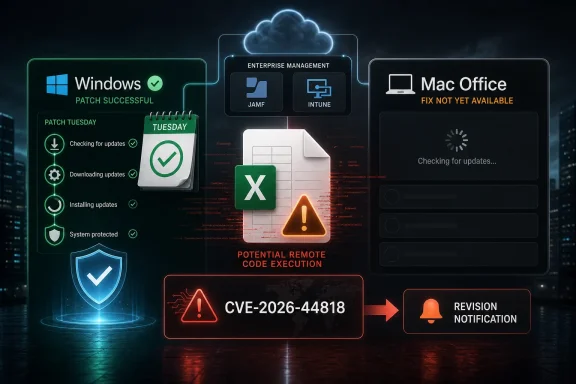
Microsoft says updates for CVE-2026-44818 are not currently available for Microsoft Office LTSC for Mac 2021, Office LTSC for Mac 2024, or Microsoft 365 for Mac, and that customers will be notified through a revision to the CVE entry when the Mac fixes ship. That is the uncomfortable sentence in an otherwise familiar Patch Tuesday story: Excel has another remote code execution flaw, Windows and Office administrators are being told to patch, but Mac Office customers are being asked to wait. The security risk is not theoretical simply because the update is delayed; it is deferred operationally, which is a very different thing. For mixed Windows-and-Mac shops, the right response is not panic, but it is also not business as usual.
The question at the center of CVE-2026-44818 is narrower than the scary phrase “remote code execution” suggests: are the Mac updates available now? According to Microsoft’s own advisory language, the answer is no for Office LTSC for Mac 2021, Office LTSC for Mac 2024, and Microsoft 365 for Mac. Microsoft says those updates “are not immediately available” and will be released “as soon as possible,” with notification coming by a revision to the CVE information.
That wording matters because Microsoft’s security ecosystem trains administrators to think in release waves. Patch Tuesday arrives, the Security Update Guide updates, Windows Update and enterprise tooling light up, and the expectation is that the remediation path is at least visible even if deployment takes time. Here, the remediation path for a named set of Mac Office products is explicitly incomplete.
The result is a small but real trust gap. Microsoft is not hiding the gap; the advisory calls it out. But disclosure is not the same as coverage, and the operational burden shifts immediately to customers who need to explain why a high-severity-sounding Excel flaw has a fix in some product lanes but not yet in theirs.
This is especially awkward for Office on Mac because the product sits in two worlds. It is consumer-friendly software that updates through Microsoft AutoUpdate, but it is also a business-critical endpoint application managed by Jamf, Intune, Munki, Kandji, and other fleet tools. A delayed security release hits both audiences, but the enterprise audience has to document it.
That is why RCE in Office remains such a durable security concern even in 2026. Office documents are allowed through workflows that would block executable attachments outright. Finance teams receive spreadsheets from outsiders. Sales teams open pricing sheets. HR teams review exports. Analysts pull files from vendors, partners, and portals all day long.
The Mac angle does not make the risk disappear. macOS has sandboxing, Gatekeeper, notarization expectations, and a security model that differs from Windows, but Office remains a complex parser of untrusted content. A vulnerability in Excel is still a vulnerability in a program designed to ingest complicated, externally supplied files.
The advisory’s delayed-update note therefore changes the calculus. If a Windows Office fix is available but the Mac fix is not, defenders cannot simply say “patch Office everywhere” and move on. They need compensating controls for the machines that remain exposed by vendor timing rather than administrator neglect.
This is one of the recurring misunderstandings around Microsoft’s perpetual Office products. Administrators may assume that because LTSC receives fewer feature changes, it is less exposed to the moving target of Office security. In practice, older and steadier code can still contain parser bugs, memory-safety flaws, or logic errors that apply across release families.
Office LTSC for Mac 2024 is especially interesting because it is relatively new as a licensing generation, yet it appears in the same delayed-update sentence as Office LTSC for Mac 2021 and Microsoft 365 for Mac. That suggests this is not merely a legacy-tail problem. The Mac Office line as a whole is waiting for a fix for this CVE.
The distinction matters for procurement and risk committees. LTSC may reduce feature volatility, but it does not remove dependence on Microsoft’s security engineering and release pipeline. When the pipeline slips for a platform, LTSC customers wait too.
CVE-2026-44818 shows the limits of that assumption. Microsoft 365 is a servicing model, not a guarantee that every platform-specific fix lands simultaneously with every advisory. If the Mac package is not ready, Microsoft 365 for Mac customers are in the same holding pattern as LTSC customers named in the advisory.
That does not mean Microsoft 365 for Mac is less secure overall than perpetual Office. It means the security promise is mediated by release engineering. In a cross-platform product family, a vulnerability can be disclosed before all platform-specific builds are posted, signed, tested, staged, and published.
For administrators, this is where vendor language becomes a control-plane problem. “Not immediately available” is not a patch state in most dashboards. It must be translated into an exception, a ticket, a risk acceptance note, a conditional access decision, or a temporary user advisory.
In this case, the revision mechanism is the alert channel for the missing Mac updates. That means administrators should not treat the first publication of the advisory as the final state. The practical security event is split in two: disclosure now, Mac remediation later.
This split matters because many patch-management workflows are triggered by the first event. Vulnerability scanners may ingest the CVE, ticketing systems may create remediation tasks, and security teams may brief stakeholders. If the fix is absent for a subset of products, the ticket can become noisy: it is valid, urgent, and temporarily not fully actionable.
The risk is that teams either close the loop too early or stop checking after the first pass. A delayed update requires a second operational beat. Someone has to watch for the revision, confirm the build number or package availability, deploy it, and then verify that the affected Mac endpoints actually moved.
Those controls are not glamorous, but they matter. Users should be reminded not to open unexpected spreadsheets, especially from external senders, file-sharing links, or unfamiliar business workflows. Email security systems should treat Excel attachments with renewed suspicion. Endpoint teams should monitor Office child processes, unusual network calls, and suspicious document-opening behavior.
Security teams should also review whether Excel files from the internet are being opened directly by high-value users. Finance, legal, executive assistants, procurement, and operations teams are often the most exposed because spreadsheets are part of their normal inbound workload. A “do not open suspicious files” warning is weak protection, but targeted friction for high-risk groups can still reduce exposure.
The more mature response is to temporarily narrow trust paths. If a spreadsheet does not need to be opened locally on a Mac, use protected viewing workflows, cloud preview, detonation, or a controlled virtual environment. If a vendor sends a spreadsheet unexpectedly, verify through a separate channel before opening it.
For Office for Mac, the release notes and AutoUpdate channel are central to the deployment story. Microsoft says Office for Mac updates are available through Microsoft AutoUpdate, and administrators can download and deploy update packages using existing software deployment tools. That gives enterprise teams options, but options become work only when the package exists.
Until the CVE is revised, Mac administrators should inventory affected Office installations rather than chase a nonexistent fix. They should identify which devices run Office LTSC for Mac 2021, Office LTSC for Mac 2024, and Microsoft 365 for Mac. They should also confirm whether Office AutoUpdate is functioning and whether management tools can push the eventual build rapidly once it appears.
The inventory step is not busywork. When the update lands, the organizations that already know their affected population can move quickly. The ones that discover the scope only after the release will spend the first hours doing asset management instead of remediation.
Excel is a particularly complicated case because it is both a file parser and a business logic engine. It handles legacy formats, modern formats, formulas, links, embedded content, add-ins, data connections, macros, and cloud-backed collaboration. Every one of those layers is a reason attackers continue to care about spreadsheet vulnerabilities.
Microsoft’s cross-platform challenge is that the brand promise is unified while the engineering reality is not. Office on Windows and Office on Mac share names, formats, users, and workflows, but they do not ship as the same binary. A fix that is ready in one lane may still need platform-specific validation in another.
That is understandable from an engineering standpoint, but customers experience it as asymmetry. If the advisory says Excel is vulnerable, and the Mac update is not ready, the user does not care whether the bottleneck is packaging, testing, signing, regression risk, or release coordination. The user cares that a product they rely on is waiting for a fix.
But transparency does not erase the operational cost of delay. A disclosed RCE vulnerability without an available fix creates a window in which attackers can study the advisory, defenders can only partially remediate, and users remain exposed to the class of attacks the patch is supposed to close. Even if exploitation is not known or widespread, disclosure changes the threat environment.
This is where security communication becomes more than legal disclosure. The best advisories tell defenders not only what is wrong, but what to do while waiting. If no product-specific workaround exists, Microsoft should say that plainly. If generic mitigations reduce exposure, the advisory should elevate them.
Customers have learned to live with imperfect patch days. They can handle nuance. What they need is enough specificity to make a defensible decision before the fix arrives.
Start with visibility. Confirm the Office versions installed on managed Macs and separate them by product family. Check whether Microsoft AutoUpdate is healthy, whether users can defer updates, and whether your management platform can enforce installation once the package is available.
Then reduce exposure during the gap. Treat unsolicited Excel files as higher risk, especially if they arrive from external senders or through file-sharing links. Encourage users to verify unexpected spreadsheets and route suspicious files through established security review channels. If your organization has attachment sandboxing, now is the time to make sure Excel formats are included and not bypassed for convenience.
Finally, watch the CVE for revision. The advisory’s own language makes the revision the signal that the Mac update story has changed. Build your monitoring around that fact rather than waiting for a user or scanner to notice later.
 Microsoft’s Patch Cadence Meets the Mac Exception
The question at the center of CVE-2026-44818 is narrower than the scary phrase “remote code execution” suggests: are the Mac updates available now? According to Microsoft’s own advisory language, the answer is no for Office LTSC for Mac 2021, Office LTSC for Mac 2024, and Microsoft 365 for Mac. Microsoft says those updates “are not immediately available” and will be released “as soon as possible,” with notification coming by a revision to the CVE information.That wording matters because Microsoft’s security ecosystem trains administrators to think in release waves. Patch Tuesday arrives, the Security Update Guide updates, Windows Update and enterprise tooling light up, and the expectation is that the remediation path is at least visible even if deployment takes time. Here, the remediation path for a named set of Mac Office products is explicitly incomplete.
The result is a small but real trust gap. Microsoft is not hiding the gap; the advisory calls it out. But disclosure is not the same as coverage, and the operational burden shifts immediately to customers who need to explain why a high-severity-sounding Excel flaw has a fix in some product lanes but not yet in theirs.
This is especially awkward for Office on Mac because the product sits in two worlds. It is consumer-friendly software that updates through Microsoft AutoUpdate, but it is also a business-critical endpoint application managed by Jamf, Intune, Munki, Kandji, and other fleet tools. A delayed security release hits both audiences, but the enterprise audience has to document it.
Remote Code Execution Is a User-Workflow Problem, Not Just a CVE Label
Excel remote code execution vulnerabilities tend to live in the gap between file trust and user behavior. The classic pattern is familiar: an attacker sends a crafted spreadsheet, the victim opens it or previews it, and the application mishandles malformed content in a way that can execute code in the context of the current user. The precise mechanics vary from bug to bug, but the defensive lesson rarely does.That is why RCE in Office remains such a durable security concern even in 2026. Office documents are allowed through workflows that would block executable attachments outright. Finance teams receive spreadsheets from outsiders. Sales teams open pricing sheets. HR teams review exports. Analysts pull files from vendors, partners, and portals all day long.
The Mac angle does not make the risk disappear. macOS has sandboxing, Gatekeeper, notarization expectations, and a security model that differs from Windows, but Office remains a complex parser of untrusted content. A vulnerability in Excel is still a vulnerability in a program designed to ingest complicated, externally supplied files.
The advisory’s delayed-update note therefore changes the calculus. If a Windows Office fix is available but the Mac fix is not, defenders cannot simply say “patch Office everywhere” and move on. They need compensating controls for the machines that remain exposed by vendor timing rather than administrator neglect.
The LTSC Name Can Create a False Sense of Stillness
The inclusion of Office LTSC for Mac 2021 and 2024 is a reminder that “long-term servicing” does not mean static software in the security sense. LTSC is often chosen because organizations want predictability, reduced feature churn, or a procurement model that does not look like the continuously evolving Microsoft 365 subscription. But LTSC still needs security updates, and the applications still parse modern files.This is one of the recurring misunderstandings around Microsoft’s perpetual Office products. Administrators may assume that because LTSC receives fewer feature changes, it is less exposed to the moving target of Office security. In practice, older and steadier code can still contain parser bugs, memory-safety flaws, or logic errors that apply across release families.
Office LTSC for Mac 2024 is especially interesting because it is relatively new as a licensing generation, yet it appears in the same delayed-update sentence as Office LTSC for Mac 2021 and Microsoft 365 for Mac. That suggests this is not merely a legacy-tail problem. The Mac Office line as a whole is waiting for a fix for this CVE.
The distinction matters for procurement and risk committees. LTSC may reduce feature volatility, but it does not remove dependence on Microsoft’s security engineering and release pipeline. When the pipeline slips for a platform, LTSC customers wait too.
Microsoft 365 for Mac Is Not Magically Ahead of the Queue
The presence of Microsoft 365 for Mac in the delayed list may surprise users who associate the subscription version with the fastest updates. In normal circumstances, Microsoft 365 Apps often receive a steady stream of feature, quality, and security changes, and Office for Mac release notes routinely describe updates delivered through Microsoft AutoUpdate. That cadence can create an expectation that subscription customers are always first in line.CVE-2026-44818 shows the limits of that assumption. Microsoft 365 is a servicing model, not a guarantee that every platform-specific fix lands simultaneously with every advisory. If the Mac package is not ready, Microsoft 365 for Mac customers are in the same holding pattern as LTSC customers named in the advisory.
That does not mean Microsoft 365 for Mac is less secure overall than perpetual Office. It means the security promise is mediated by release engineering. In a cross-platform product family, a vulnerability can be disclosed before all platform-specific builds are posted, signed, tested, staged, and published.
For administrators, this is where vendor language becomes a control-plane problem. “Not immediately available” is not a patch state in most dashboards. It must be translated into an exception, a ticket, a risk acceptance note, a conditional access decision, or a temporary user advisory.
The Most Important Word Is “Revision”
Microsoft says customers will be notified via a revision to the CVE information when the updates are available. That is a familiar process for anyone who has lived inside the Microsoft Security Update Guide, but it is not always operationally clean. CVE pages can change after initial publication, and those changes may include added affected products, corrected severity details, revised exploitability information, or newly available packages.In this case, the revision mechanism is the alert channel for the missing Mac updates. That means administrators should not treat the first publication of the advisory as the final state. The practical security event is split in two: disclosure now, Mac remediation later.
This split matters because many patch-management workflows are triggered by the first event. Vulnerability scanners may ingest the CVE, ticketing systems may create remediation tasks, and security teams may brief stakeholders. If the fix is absent for a subset of products, the ticket can become noisy: it is valid, urgent, and temporarily not fully actionable.
The risk is that teams either close the loop too early or stop checking after the first pass. A delayed update requires a second operational beat. Someone has to watch for the revision, confirm the build number or package availability, deploy it, and then verify that the affected Mac endpoints actually moved.
“Not Immediately Available” Is a Risk State, Not a Workaround
Microsoft’s language does not, by itself, provide a workaround. It says the updates are coming. That leaves organizations to rely on generic Office hardening and file-handling controls until Microsoft ships the Mac builds.Those controls are not glamorous, but they matter. Users should be reminded not to open unexpected spreadsheets, especially from external senders, file-sharing links, or unfamiliar business workflows. Email security systems should treat Excel attachments with renewed suspicion. Endpoint teams should monitor Office child processes, unusual network calls, and suspicious document-opening behavior.
Security teams should also review whether Excel files from the internet are being opened directly by high-value users. Finance, legal, executive assistants, procurement, and operations teams are often the most exposed because spreadsheets are part of their normal inbound workload. A “do not open suspicious files” warning is weak protection, but targeted friction for high-risk groups can still reduce exposure.
The more mature response is to temporarily narrow trust paths. If a spreadsheet does not need to be opened locally on a Mac, use protected viewing workflows, cloud preview, detonation, or a controlled virtual environment. If a vendor sends a spreadsheet unexpectedly, verify through a separate channel before opening it.
Mac Fleets Need Their Own Patch Story
Windows administrators are used to the theater of Patch Tuesday: cumulative updates, reboot windows, WSUS or Intune policy, compliance graphs, and the occasional rollback plan. Mac Office patching is often quieter, and that quiet can be dangerous. Microsoft AutoUpdate may be present, but that does not mean every device is current, reachable, healthy, or configured to install promptly.For Office for Mac, the release notes and AutoUpdate channel are central to the deployment story. Microsoft says Office for Mac updates are available through Microsoft AutoUpdate, and administrators can download and deploy update packages using existing software deployment tools. That gives enterprise teams options, but options become work only when the package exists.
Until the CVE is revised, Mac administrators should inventory affected Office installations rather than chase a nonexistent fix. They should identify which devices run Office LTSC for Mac 2021, Office LTSC for Mac 2024, and Microsoft 365 for Mac. They should also confirm whether Office AutoUpdate is functioning and whether management tools can push the eventual build rapidly once it appears.
The inventory step is not busywork. When the update lands, the organizations that already know their affected population can move quickly. The ones that discover the scope only after the release will spend the first hours doing asset management instead of remediation.
The Cross-Platform Promise Keeps Getting Harder
Office is no longer just Word, Excel, and PowerPoint as local applications. It is a cross-platform productivity surface tied into cloud identity, collaboration, OneDrive, SharePoint, Teams, sensitivity labels, data-loss prevention, and increasingly Copilot. That integration makes Office more useful, but it also makes the security model more sprawling.Excel is a particularly complicated case because it is both a file parser and a business logic engine. It handles legacy formats, modern formats, formulas, links, embedded content, add-ins, data connections, macros, and cloud-backed collaboration. Every one of those layers is a reason attackers continue to care about spreadsheet vulnerabilities.
Microsoft’s cross-platform challenge is that the brand promise is unified while the engineering reality is not. Office on Windows and Office on Mac share names, formats, users, and workflows, but they do not ship as the same binary. A fix that is ready in one lane may still need platform-specific validation in another.
That is understandable from an engineering standpoint, but customers experience it as asymmetry. If the advisory says Excel is vulnerable, and the Mac update is not ready, the user does not care whether the bottleneck is packaging, testing, signing, regression risk, or release coordination. The user cares that a product they rely on is waiting for a fix.
Transparency Helps, But Timing Still Counts
Microsoft deserves some credit for stating the Mac delay plainly. Security advisories are at their worst when they imply completeness while leaving administrators to discover gaps through failed update checks or missing package links. Here, the relevant sentence is clear enough: the Mac updates are not immediately available.But transparency does not erase the operational cost of delay. A disclosed RCE vulnerability without an available fix creates a window in which attackers can study the advisory, defenders can only partially remediate, and users remain exposed to the class of attacks the patch is supposed to close. Even if exploitation is not known or widespread, disclosure changes the threat environment.
This is where security communication becomes more than legal disclosure. The best advisories tell defenders not only what is wrong, but what to do while waiting. If no product-specific workaround exists, Microsoft should say that plainly. If generic mitigations reduce exposure, the advisory should elevate them.
Customers have learned to live with imperfect patch days. They can handle nuance. What they need is enough specificity to make a defensible decision before the fix arrives.
The Practical Response Is Boring, Which Is Why It Works
For most WindowsForum readers, the right response is a disciplined checklist rather than dramatic speculation. Do not assume your Mac Office estate is patched. Do not assume Microsoft 365 for Mac has received a fix just because Microsoft 365 Apps on another platform did. Do not assume LTSC is insulated because it receives fewer feature updates.Start with visibility. Confirm the Office versions installed on managed Macs and separate them by product family. Check whether Microsoft AutoUpdate is healthy, whether users can defer updates, and whether your management platform can enforce installation once the package is available.
Then reduce exposure during the gap. Treat unsolicited Excel files as higher risk, especially if they arrive from external senders or through file-sharing links. Encourage users to verify unexpected spreadsheets and route suspicious files through established security review channels. If your organization has attachment sandboxing, now is the time to make sure Excel formats are included and not bypassed for convenience.
Finally, watch the CVE for revision. The advisory’s own language makes the revision the signal that the Mac update story has changed. Build your monitoring around that fact rather than waiting for a user or scanner to notice later.
The Excel Fix Is Late for Mac, So the Process Has to Be Early
The immediate facts are simple, but the operational lesson is broader. CVE-2026-44818 is an Excel remote code execution vulnerability, and Microsoft says the security updates for Office LTSC for Mac 2021, Office LTSC for Mac 2024, and Microsoft 365 for Mac are not immediately available. That puts Mac customers in a waiting period that should be managed, documented, and revisited when Microsoft revises the advisory.- Microsoft’s advisory language means Mac Office customers should not expect the CVE-2026-44818 fix to be available yet for the named products.
- Office LTSC for Mac 2021 and 2024 are affected by the same delayed-update notice as Microsoft 365 for Mac.
- The eventual availability signal is a revision to Microsoft’s CVE information, not guesswork from a generic update check.
- Administrators should inventory affected Mac Office installations now so they can deploy quickly when the update ships.
- Users who routinely receive external spreadsheets should be treated as a higher-risk group until the Mac fix is available.
- The delay should be tracked as an exception in patch-management workflows rather than dismissed as a documentation footnote.
References
- Primary source: MSRC
Published: 2026-06-09T07:00:00-07:00
Security Update Guide - Microsoft Security Response Center
 msrc.microsoft.com
- Official source: learn.microsoft.com
Release notes for Office for Mac - Office release notes | Microsoft Learn
Provides IT Pros with release notes for Office for Mac releases for Microsoft 365 Apps subscriberslearn.microsoft.com - Related coverage: bleepingcomputer.com
- Related coverage: securityvulnerability.io
CVE-2024-49030 : Microsoft Excel Remote Code Execution Vulnerability
Microsoft Excel is susceptible to a remote code execution vulnerability. Immediate updates recommended. CVE-2024-49030 highlights the risk to users.securityvulnerability.io - Related coverage: leibling.de
- Related coverage: cybersecurity-help.cz
Known vulnerabilities in Microsoft Microsoft Office LTSC 2021 for Mac
List of known security vulnerabilities in Microsoft Microsoft Office LTSC 2021 for Macwww.cybersecurity-help.cz

- Related coverage: techradar.com
This 'fascinating' Microsoft Excel security flaw teams up spreadsheets and Copilot Agent to steal data | TechRadar
There's more than one way to skin an Excel tablewww.techradar.com
