

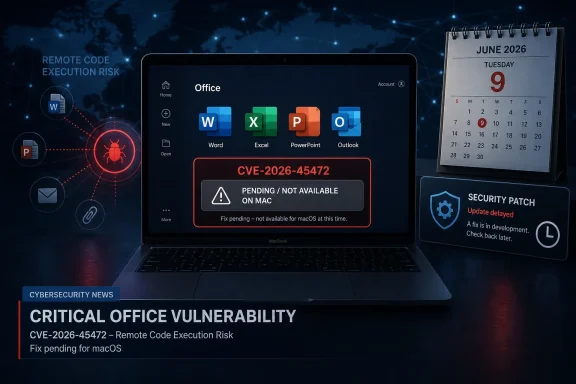
Microsoft’s June 9, 2026 disclosure for CVE-2026-45472 says security updates for Microsoft Office LTSC for Mac 2021, Office LTSC for Mac 2024, and Microsoft 365 for Mac are not immediately available, with Microsoft promising a later CVE revision when those Mac fixes ship. That is the uncomfortable answer for Mac admins who came looking for a download link and instead found a placeholder. The vulnerability is an Office remote code execution issue, and the gap between disclosure and Mac patch availability turns a routine Patch Tuesday entry into an operational problem. Microsoft has not said, in the public wording provided, that the Mac updates are available now.
The most important fact in CVE-2026-45472 is not the label “remote code execution,” alarming as that phrase always is. It is the timing mismatch: Microsoft has published the vulnerability information, but the Mac-side security updates for Office LTSC for Mac 2021, Office LTSC for Mac 2024, and Microsoft 365 for Mac are still pending.
That puts administrators in a familiar but awkward position. They know a vulnerability exists, they know which product families are named, and they know an update is expected. What they do not yet have is the normal resolution path: approve the update, deploy it, verify the build, and move on.
Microsoft’s language matters here. “Not immediately available” is not the same as “not affected,” and it is not the same as “no action required.” It means the fix is not ready for those Mac products at the moment of the CVE publication, and customers should watch for a revision to the advisory.
For WindowsForum readers, the immediate answer is therefore simple: no, the listed Mac updates are not currently available based on Microsoft’s own CVE text. The more interesting question is what a responsible IT shop does during the interval between disclosure and release.
That does not automatically mean CVE-2026-45472 is being exploited in the wild, and Microsoft’s quoted text does not by itself establish active exploitation. It does mean admins should treat the advisory as more than a bookkeeping item. Office remains one of the most attractive enterprise attack surfaces because it sits at the intersection of email, collaboration, identity, and habit.
The danger with Office vulnerabilities is rarely that users are careless in some cartoonish way. It is that business workflows train them to open files from colleagues, vendors, accountants, lawyers, customers, and automated systems. Attackers do not need to invent a new social model when the corporate day already runs on attachments.
For Mac fleets, the issue is compounded by a longstanding cultural blind spot. Many organizations have improved Windows patch discipline through years of painful experience, but Mac endpoints still sometimes live in a softer management zone: trusted creatives, executives, engineers, or developers using machines that are technically managed but operationally less constrained.
Microsoft 365 for Mac is not a hobbyist port. It is a first-class productivity stack for many paying customers. Office LTSC for Mac 2021 and 2024 also matter because they often show up in environments with stricter licensing practices, slower feature adoption, or operational requirements that make perpetual versions attractive.
That is why the wording in this CVE will frustrate admins. A vulnerability entry that names Mac products but does not yet provide the Mac update forces defenders to make judgment calls without the clean closure that patch management systems prefer. You cannot deploy what does not exist.
The result is a temporary asymmetry. Windows and other Office channels may have clearer remediation paths while Mac admins are left watching for a revision. Even if the delay is short, the period matters because attackers and defenders both read advisories.
In practice, that means security teams should not assume their normal Office update dashboard tells the full story today. They should explicitly track CVE-2026-45472, watch Microsoft’s Security Update Guide entry for revision activity, and compare the eventual fixed build numbers against what is installed across the Mac fleet.
This is where mature patch operations separate themselves from hopeful patch operations. A mature team records the exception, assigns an owner, sets a review cadence, and documents interim mitigations. A hopeful team says “Microsoft will update it soon” and waits for someone else to notice.
The distinction matters because unpatched intervals are where incident response stories often begin. Even when a vendor moves quickly, the customer still has to convert a revised advisory into actual endpoint coverage.
For most organizations, that starts with file-handling discipline. Users should be reminded not to open unexpected Office documents, especially from external senders or unfamiliar threads. That advice sounds basic because it is, but basic controls are often the ones that hold during the window before a patch exists.
Mail security teams should review attachment detonation, sandboxing, and filtering rules. Collaboration platforms should be checked for external sharing pathways that allow Office files to move around without much friction. Endpoint teams should make sure Microsoft Defender or the organization’s chosen EDR is active, current, and reporting from Macs.
Admins should also verify Microsoft AutoUpdate behavior on managed Macs. When the update does arrive, the fleet should be ready to receive it quickly. A delayed vendor patch is bad enough; a delayed internal deployment after the patch ships is self-inflicted pain.
Security, however, does not respect the comfort of slower channels. A fixed feature set still needs security servicing, and an RCE vulnerability in a productivity app can carry the same operational urgency whether the product is subscription-based or perpetual.
In some organizations, LTSC deployments are tied to labs, classrooms, regulated workflows, shared systems, or machines that are not always under the same update rhythm as mainstream corporate endpoints. Those are exactly the places where an “update later” advisory can linger longer than anyone intended.
The best response is to inventory these installations now. If an organization does not know where Office LTSC for Mac 2021 or 2024 is installed, CVE-2026-45472 is a good excuse to find out before the update lands.
Mac update compliance depends on configuration, user privileges, network reachability, device management, and whether users routinely postpone updates. A Microsoft 365 license does not guarantee a current Office build. It only gives the organization a path to one.
That makes this advisory a useful test of Mac management maturity. Can the IT team identify Microsoft 365 for Mac installations? Can it see Office app versions? Can it force or accelerate updates when Microsoft ships the CVE revision? Can it prove completion afterward?
If the answer to any of those is no, the problem is bigger than CVE-2026-45472. The CVE is merely the latest reminder that Mac endpoints need the same inventory and enforcement discipline as Windows machines.
Those omissions do not mean the vulnerability is catastrophic. They mean administrators should resist the temptation to invent certainty. A clean security program distinguishes between what the vendor has confirmed, what is likely based on past Office servicing patterns, and what remains unknown.
That matters when communicating internally. “Microsoft has disclosed an Office RCE and Mac patches are pending” is accurate. “Macs are actively being exploited” may not be, unless Microsoft or another reliable source says so. “No Mac action is needed” is also not supported by the advisory wording.
Good security communication is not dramatic; it is precise. Precision keeps users attentive without exhausting them, and it keeps leadership from either underreacting or demanding impossible action.
Protected View and similar features are useful because they interrupt common document-borne attack chains. Attachment sandboxing is useful because it can catch known malicious behavior before a user ever opens a file. EDR is useful because exploitation often produces observable post-execution behavior even when the initial parser bug is new.
But the history of Office exploitation is also a history of attackers adapting to user prompts, trusted locations, content previews, file formats, and enterprise exceptions. If a business process depends on opening external documents, the risk cannot be eliminated by policy language alone.
During the patch gap, the practical goal is to make exploitation harder and noisier. That means fewer risky files reaching users, fewer users opening them casually, and better telemetry if something goes wrong.
Mac admins should be ready to check Microsoft AutoUpdate, management profiles, and any enterprise software distribution tooling. If the organization uses Jamf, Intune, Kandji, Mosyle, Munki, or another Mac management platform, the operational question is the same: how quickly can the fixed Office build be made mandatory?
Verification is just as important as installation. Office apps on Mac can be updated individually, and users may leave applications open long enough to delay replacement of running components. A policy that says updates are available is not the same as evidence that Word, Excel, PowerPoint, Outlook, and related Office components are actually remediated.
The after-action should include a simple report: affected population, fixed build target, deployment start time, compliance percentage, remaining exceptions, and user groups still exposed. That is the language executives and auditors understand.
That leaves organizations with a short list of actions that are more useful than speculation:
 Microsoft Ships the Warning Before the Mac Fix
The most important fact in CVE-2026-45472 is not the label “remote code execution,” alarming as that phrase always is. It is the timing mismatch: Microsoft has published the vulnerability information, but the Mac-side security updates for Office LTSC for Mac 2021, Office LTSC for Mac 2024, and Microsoft 365 for Mac are still pending.That puts administrators in a familiar but awkward position. They know a vulnerability exists, they know which product families are named, and they know an update is expected. What they do not yet have is the normal resolution path: approve the update, deploy it, verify the build, and move on.
Microsoft’s language matters here. “Not immediately available” is not the same as “not affected,” and it is not the same as “no action required.” It means the fix is not ready for those Mac products at the moment of the CVE publication, and customers should watch for a revision to the advisory.
For WindowsForum readers, the immediate answer is therefore simple: no, the listed Mac updates are not currently available based on Microsoft’s own CVE text. The more interesting question is what a responsible IT shop does during the interval between disclosure and release.
Remote Code Execution Makes Waiting Feel Different
Remote code execution vulnerabilities occupy a special place in the patching hierarchy because they collapse the distance between a malicious file and a compromised user session. In Office, that risk often centers on documents, spreadsheets, presentations, templates, embedded objects, preview behaviors, or content parsing paths that users touch every day.That does not automatically mean CVE-2026-45472 is being exploited in the wild, and Microsoft’s quoted text does not by itself establish active exploitation. It does mean admins should treat the advisory as more than a bookkeeping item. Office remains one of the most attractive enterprise attack surfaces because it sits at the intersection of email, collaboration, identity, and habit.
The danger with Office vulnerabilities is rarely that users are careless in some cartoonish way. It is that business workflows train them to open files from colleagues, vendors, accountants, lawyers, customers, and automated systems. Attackers do not need to invent a new social model when the corporate day already runs on attachments.
For Mac fleets, the issue is compounded by a longstanding cultural blind spot. Many organizations have improved Windows patch discipline through years of painful experience, but Mac endpoints still sometimes live in a softer management zone: trusted creatives, executives, engineers, or developers using machines that are technically managed but operationally less constrained.
The Mac Fleet Is No Longer a Side Quest
There was a time when “Office for Mac” could be treated as an edge case in enterprise security planning. That time is gone. Mac endpoints are common in executive teams, software groups, marketing departments, design shops, universities, media organizations, and hybrid environments where Microsoft 365 is the productivity backbone regardless of operating system.Microsoft 365 for Mac is not a hobbyist port. It is a first-class productivity stack for many paying customers. Office LTSC for Mac 2021 and 2024 also matter because they often show up in environments with stricter licensing practices, slower feature adoption, or operational requirements that make perpetual versions attractive.
That is why the wording in this CVE will frustrate admins. A vulnerability entry that names Mac products but does not yet provide the Mac update forces defenders to make judgment calls without the clean closure that patch management systems prefer. You cannot deploy what does not exist.
The result is a temporary asymmetry. Windows and other Office channels may have clearer remediation paths while Mac admins are left watching for a revision. Even if the delay is short, the period matters because attackers and defenders both read advisories.
Microsoft’s Revision Promise Is Useful, But Not Enough
Microsoft says customers will be notified through a revision to the CVE information when the Mac updates are available. That is good process, but it is not the same thing as a fix in hand. It shifts the customer’s job from deployment to monitoring.In practice, that means security teams should not assume their normal Office update dashboard tells the full story today. They should explicitly track CVE-2026-45472, watch Microsoft’s Security Update Guide entry for revision activity, and compare the eventual fixed build numbers against what is installed across the Mac fleet.
This is where mature patch operations separate themselves from hopeful patch operations. A mature team records the exception, assigns an owner, sets a review cadence, and documents interim mitigations. A hopeful team says “Microsoft will update it soon” and waits for someone else to notice.
The distinction matters because unpatched intervals are where incident response stories often begin. Even when a vendor moves quickly, the customer still has to convert a revised advisory into actual endpoint coverage.
The Right Interim Move Is Risk Reduction, Not Panic
There is no reason to panic just because an Office RCE advisory has a delayed Mac update. There is also no reason to treat the delay as harmless. The sensible middle ground is to reduce exposure until Microsoft publishes the missing Mac fixes.For most organizations, that starts with file-handling discipline. Users should be reminded not to open unexpected Office documents, especially from external senders or unfamiliar threads. That advice sounds basic because it is, but basic controls are often the ones that hold during the window before a patch exists.
Mail security teams should review attachment detonation, sandboxing, and filtering rules. Collaboration platforms should be checked for external sharing pathways that allow Office files to move around without much friction. Endpoint teams should make sure Microsoft Defender or the organization’s chosen EDR is active, current, and reporting from Macs.
Admins should also verify Microsoft AutoUpdate behavior on managed Macs. When the update does arrive, the fleet should be ready to receive it quickly. A delayed vendor patch is bad enough; a delayed internal deployment after the patch ships is self-inflicted pain.
LTSC Customers Have a Different Kind of Exposure
The inclusion of Office LTSC for Mac 2021 and 2024 is especially important because LTSC customers are often using those products precisely to avoid constant change. That model has advantages. It can reduce feature churn, simplify validation, and preserve compatibility for specialized workflows.Security, however, does not respect the comfort of slower channels. A fixed feature set still needs security servicing, and an RCE vulnerability in a productivity app can carry the same operational urgency whether the product is subscription-based or perpetual.
In some organizations, LTSC deployments are tied to labs, classrooms, regulated workflows, shared systems, or machines that are not always under the same update rhythm as mainstream corporate endpoints. Those are exactly the places where an “update later” advisory can linger longer than anyone intended.
The best response is to inventory these installations now. If an organization does not know where Office LTSC for Mac 2021 or 2024 is installed, CVE-2026-45472 is a good excuse to find out before the update lands.
Microsoft 365 for Mac Should Be Easier, But Only If It Is Managed
Microsoft 365 for Mac should, in theory, be easier to service than perpetual Office. The subscription model is built around regular updates, and Microsoft AutoUpdate gives the platform a familiar patch delivery mechanism. But “should” is doing a lot of work in that sentence.Mac update compliance depends on configuration, user privileges, network reachability, device management, and whether users routinely postpone updates. A Microsoft 365 license does not guarantee a current Office build. It only gives the organization a path to one.
That makes this advisory a useful test of Mac management maturity. Can the IT team identify Microsoft 365 for Mac installations? Can it see Office app versions? Can it force or accelerate updates when Microsoft ships the CVE revision? Can it prove completion afterward?
If the answer to any of those is no, the problem is bigger than CVE-2026-45472. The CVE is merely the latest reminder that Mac endpoints need the same inventory and enforcement discipline as Windows machines.
The Advisory Leaves Several Gaps Admins Must Not Fill With Assumptions
The quoted Microsoft text answers availability, but it does not answer everything defenders will want to know. It does not provide a Mac release date. It does not say whether exploitation has been observed. It does not describe a temporary workaround in the excerpt provided. It does not give fixed Mac build numbers.Those omissions do not mean the vulnerability is catastrophic. They mean administrators should resist the temptation to invent certainty. A clean security program distinguishes between what the vendor has confirmed, what is likely based on past Office servicing patterns, and what remains unknown.
That matters when communicating internally. “Microsoft has disclosed an Office RCE and Mac patches are pending” is accurate. “Macs are actively being exploited” may not be, unless Microsoft or another reliable source says so. “No Mac action is needed” is also not supported by the advisory wording.
Good security communication is not dramatic; it is precise. Precision keeps users attentive without exhausting them, and it keeps leadership from either underreacting or demanding impossible action.
Preview, Protected View, and User Behavior Still Matter
Office vulnerabilities often raise questions about whether Preview Pane, Protected View, macros, or sandboxing change the exposure. Without the full technical details of CVE-2026-45472 in hand, admins should avoid overpromising any single control. The safe assumption is that layered defenses matter, but none should be treated as a substitute for the eventual update.Protected View and similar features are useful because they interrupt common document-borne attack chains. Attachment sandboxing is useful because it can catch known malicious behavior before a user ever opens a file. EDR is useful because exploitation often produces observable post-execution behavior even when the initial parser bug is new.
But the history of Office exploitation is also a history of attackers adapting to user prompts, trusted locations, content previews, file formats, and enterprise exceptions. If a business process depends on opening external documents, the risk cannot be eliminated by policy language alone.
During the patch gap, the practical goal is to make exploitation harder and noisier. That means fewer risky files reaching users, fewer users opening them casually, and better telemetry if something goes wrong.
Security Teams Should Treat the Revision as the Starting Gun
When Microsoft revises the CVE to announce Mac update availability, that will not be the end of the story. It will be the moment when the customer’s real remediation clock starts. The advisory revision will need to be translated into deployment actions, build verification, and exception handling.Mac admins should be ready to check Microsoft AutoUpdate, management profiles, and any enterprise software distribution tooling. If the organization uses Jamf, Intune, Kandji, Mosyle, Munki, or another Mac management platform, the operational question is the same: how quickly can the fixed Office build be made mandatory?
Verification is just as important as installation. Office apps on Mac can be updated individually, and users may leave applications open long enough to delay replacement of running components. A policy that says updates are available is not the same as evidence that Word, Excel, PowerPoint, Outlook, and related Office components are actually remediated.
The after-action should include a simple report: affected population, fixed build target, deployment start time, compliance percentage, remaining exceptions, and user groups still exposed. That is the language executives and auditors understand.
The Small Print Is the Operational Story
The concrete answer for CVE-2026-45472 is narrow, but the operational lesson is broad. Microsoft has disclosed an Office remote code execution vulnerability, and the Mac updates for Office LTSC for Mac 2021, Office LTSC for Mac 2024, and Microsoft 365 for Mac are pending rather than available immediately.That leaves organizations with a short list of actions that are more useful than speculation:
- Administrators should treat the Mac Office updates for CVE-2026-45472 as unavailable until Microsoft revises the CVE entry to say otherwise.
- Security teams should inventory Office LTSC for Mac 2021, Office LTSC for Mac 2024, and Microsoft 365 for Mac installations before the fix arrives.
- Help desks and security teams should warn users to be especially cautious with unexpected Office files from external or unusual sources.
- Endpoint teams should confirm that Mac security tools, telemetry, and Microsoft AutoUpdate mechanisms are working before the patch is released.
- Patch managers should plan to verify fixed Office build numbers after Microsoft publishes the revised advisory, not merely assume automatic updating succeeded.
- Leadership updates should separate confirmed facts from unconfirmed risk, because the current advisory wording establishes delayed Mac update availability but not every detail of exploitability or exploitation.
References
- Primary source: MSRC
Published: 2026-06-09T07:00:00-07:00
Security Update Guide - Microsoft Security Response Center
 msrc.microsoft.com
- Official source: learn.microsoft.com
Release notes for Office for Mac - Office release notes | Microsoft Learn
Provides IT Pros with release notes for Office for Mac releases for Microsoft 365 Apps subscriberslearn.microsoft.com - Official source: support.microsoft.com
Upgrade macOS to continue receiving Microsoft 365 and Office for Mac updates | Microsoft Support
Learn more about upgrading Mac operating systems to continue receiving Microsoft 365 and Office for Mac updates.support.microsoft.com - Related coverage: tomsguide.com
Macs exposed to zero-day flaw after Microsoft Office update | Tom's Guide
Patch Tuesday updates leave Office for Mac users exposedwww.tomsguide.com - Related coverage: bleepingcomputer.com
- Related coverage: leibling.de

- Related coverage: securityvulnerability.io
CVE-2023-28285 : Microsoft Office Remote Code Execution Vulnerability
Learn about the Microsoft Office remote code execution vulnerability CVE-2023-28285 and its implications for users and organizations.securityvulnerability.io - Related coverage: techradar.com
Worrying Microsoft Office security flaw patched - update now or risk hackers accessing your files | TechRadar
Microsoft forced to issue an emergency patchwww.techradar.com
