

Microsoft’s Windows Recovery Environment is now tied to CVE-2026-45585, a security feature bypass disclosed in June 2026 that can let attackers with physical or administrative access abuse recovery boot paths on some Windows 10 and Windows 11 devices to bypass UEFI or BIOS password enforcement. The uncomfortable lesson is not that WinRE is “broken” in the cartoonish sense. It is that Windows’ recovery architecture sits at the seam between operating system convenience, firmware discretion, and encryption trust — and seams are where enterprise security assumptions go to die.
Windows Recovery Environment has always been sold as a safety net. If the OS fails to boot, WinRE gives users and technicians a way back in: automatic repair, reset options, startup settings, command-line tools, recovery media, and OEM recovery buttons. In consumer Windows, that is an essential feature. In managed fleets, it is often treated as background plumbing.
CVE-2026-45585 forces a different reading. A recovery environment is not merely a support tool; it is an alternate boot environment with its own trust boundary. If it can be invoked in ways that firmware does not police as strictly as normal startup, then a device’s pre-boot controls may be less absolute than administrators believed.
That distinction matters because firmware passwords are often deployed as a policy anchor. They are supposed to prevent users, thieves, contractors, or opportunistic attackers from changing boot order, disabling Secure Boot, loading alternate media, or walking around disk encryption controls. If a recovery path can land an attacker beyond that checkpoint, the password becomes less like a lock and more like a sign on the front door while the side entrance remains negotiable.
The issue is also bigger than a single Microsoft component. CERT/CC’s warning emphasizes that impact depends heavily on firmware implementation and device configuration. That is a polite way of saying the Windows ecosystem’s famous hardware diversity is once again a security variable.
That is useful. It is also exactly the sort of mechanism that makes recovery workflows smooth: Windows can initiate a special restart into WinRE without asking the user to hammer F11, F12, Escape, Delete, or whatever key the OEM chose this decade. The operating system can request the next boot target, the firmware can comply, and the user gets a friendly recovery screen instead of a support ticket about keyboard timing.
The problem is that BootNext is not, by itself, a complete security policy. The UEFI model assumes privileged software controls access to firmware variables, but the specification does not force every platform to re-run the same authentication sequence, password gate, or full reset logic when BootNext is used. That leaves room for OEM behavior to vary in ways that are invisible to the average administrator.
This is where the vulnerability becomes less of a Windows-only bug and more of a platform contract failure. Microsoft supplies WinRE and the boot experience. Firmware vendors decide how pre-boot authentication is enforced. Enterprises buy devices assuming those layers compose cleanly. CVE-2026-45585 is a reminder that “composes cleanly” is not the same as “has been proven under adversarial conditions.”
That distinction is often blurred in real deployments. Many organizations use firmware passwords, Secure Boot, TPM-only BitLocker, and MDM policy as overlapping layers and assume the resulting stack is resistant to realistic theft or “evil maid” attacks. The stack can be strong, but only if each layer is asked to do the job it is actually capable of doing.
TPM-only BitLocker is a good example. In its common enterprise configuration, it is designed to unlock automatically when the measured boot environment looks correct. That is great for usability and fleet management. It is less reassuring when the attack is specifically about finding a trusted-looking alternate path through recovery.
Adding a PIN or startup key changes the equation because it introduces a user-present secret into the pre-boot unlock flow. That is why guidance around this issue quickly points to TPM plus PIN or TPM plus startup key for higher-risk systems. It is not because those modes are magically convenient. It is because convenience was part of the exposure in the first place.
The reporting around YellowKey has focused on WinRE because recovery environments occupy a privileged and awkward space. They need enough authority to repair systems, access tools, alter boot behavior, and help users recover from failure. At the same time, they must not become a way to defeat the very protections that make a stolen laptop or unattended workstation tolerable from a risk perspective.
Microsoft’s interim mitigation for the YellowKey side of the issue centered on changing WinRE behavior rather than telling customers to wait patiently. That is telling. When a recovery image on disk is part of the trusted boot story, patching Windows is not always the same thing as patching the thing that Windows may boot into when Windows is in trouble.
Anyone who remembers past WinRE servicing headaches will recognize the operational pattern. Recovery partitions can be too small. Images can be stale. Updates can fail silently or require special handling. Security teams may think a monthly cumulative update closed a loop, only to discover that the recovery environment has its own lifecycle, its own image, and its own ways to fall behind.
The classic “evil maid” scenario is useful because it describes time-limited access rather than permanent possession. An attacker may not need to steal the device forever. They may need to touch it briefly, alter a boot path, extract data, weaken a control, or prepare a second-stage compromise. For high-value targets, that is well within the realm of plausible threat modeling.
Administrative access also matters. If an attacker already has local admin rights, some readers will ask whether the game is already over. In many ways, it is — but not always in the same way. Enterprises still rely on boundaries between OS admin, firmware settings, BitLocker recovery behavior, and device resale or reprovisioning controls. A path from local privilege to pre-boot security bypass can widen the blast radius and complicate cleanup.
This is why the vulnerability lands awkwardly for IT departments. It is not a single-click catastrophe for every Windows PC. It is a stress test of assumptions about unattended devices, recovery partitions, firmware passwords, and encryption modes. Those assumptions differ wildly between a gaming desktop, a school laptop cart, a hospital workstation, and a domain-joined laptop carried by a finance executive.
But every convenience feature in the boot path has a security cost. The Windows desktop has gradually moved toward more automated, cloud-managed, self-healing behavior. That is good for reducing support friction, but it also means privileged transitions happen invisibly. The more the OS can arrange on the user’s behalf, the more carefully those arrangements need to be measured against pre-boot controls.
The hard truth is that recovery is not an edge case anymore. Windows Update, BitLocker, Secure Boot key rotation, device reset, Autopilot-style provisioning, remote wipe, and OEM support flows all intersect with the boot environment. WinRE is part of the operational fabric of modern Windows, not a dusty emergency partition that only appears when a hard drive is dying.
That makes blanket advice to disable WinRE both understandable and incomplete. On high-security endpoints, disabling or restricting WinRE may be rational. On a broad corporate fleet, removing recovery capability can create its own failure modes: more desk-side support, more unrecoverable devices, more users searching for unofficial fixes, and more pressure to weaken other controls. The answer is not simply “turn it off.” The answer is to decide where recovery convenience is worth the exposure.
That variance is familiar to anyone who has managed Windows hardware at scale. Two laptops can both say Windows 11, Secure Boot enabled, BitLocker on, TPM present, and still behave differently in recovery, firmware setup, boot menu access, and external media handling. The Windows logo does not erase OEM implementation differences.
For enterprises, this shifts the work from pure patch management to inventory-aware risk management. Which models are deployed? Which firmware versions are installed? Which devices expose hardware recovery buttons? Which systems allow access to UEFI firmware settings through WinRE? Which machines rely on TPM-only BitLocker? Which users carry data that would justify a more annoying pre-boot authentication flow?
This is where security teams and endpoint engineering teams often talk past each other. Security wants a clean control. Endpoint teams know the fleet is a pile of model-specific exceptions, warranty constraints, firmware quirks, and user tolerance limits. CVE-2026-45585 is exactly the kind of issue that punishes organizations without a mature hardware baseline.
The better conclusion is narrower and more uncomfortable: TPM-only BitLocker is a usability-optimized configuration, not the maximum-security configuration. It assumes the platform’s boot measurements and policy gates are reliable enough to release keys without user input. If a recovery path can preserve enough apparent trust while changing the attacker’s access, the convenience model is under pressure.
That does not mean every organization should immediately force BitLocker PINs on every employee. Pre-boot PINs create support burdens, accessibility concerns, remote-work headaches, and lockout risk. They can also collide with modern expectations around unattended rebooting after updates. Security controls that users hate often become security controls that exceptions slowly hollow out.
But for high-value systems, TPM plus PIN deserves renewed attention. The same goes for startup keys in specialized contexts. Executives, administrators, developers with signing keys, incident responders, finance staff, legal teams, and anyone carrying regulated or strategically sensitive data should not be treated like the lowest-risk endpoint in the fleet. CVE-2026-45585 is a useful forcing function for that segmentation conversation.
Administrators should confirm whether WinRE is enabled, whether the recovery image is current, whether mitigations have actually applied, and whether BitLocker protectors match policy intent. They should also test representative hardware, not just read dashboard compliance percentages. A control that reports green inside Windows may not tell the whole story about what happens before Windows loads.
Firmware updates belong in the same conversation. Too many organizations treat BIOS and UEFI updates as optional unless they fix a visible hardware bug. That posture is aging badly. Firmware is now part of the security boundary, and vendors are regularly fixing vulnerabilities in boot logic, Secure Boot databases, device initialization, and management interfaces.
The harder requirement is documentation. If a device class is approved for sensitive use, the organization should know how it behaves when WinRE is invoked, when BootNext is set, when external media is present, when Secure Boot is enabled, and when a firmware password is configured. That sounds tedious because it is. It is also what real endpoint assurance looks like now.
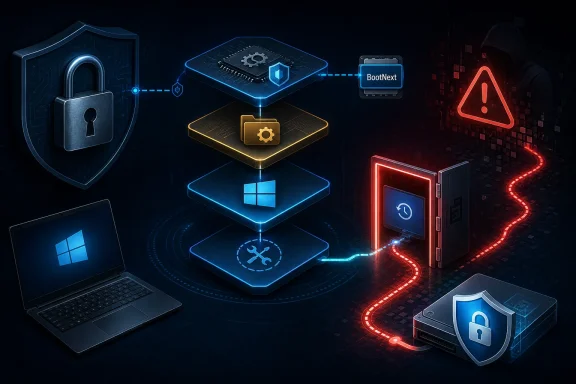 WinRE Has Become the Door Nobody Audited Like a Door
Windows Recovery Environment has always been sold as a safety net. If the OS fails to boot, WinRE gives users and technicians a way back in: automatic repair, reset options, startup settings, command-line tools, recovery media, and OEM recovery buttons. In consumer Windows, that is an essential feature. In managed fleets, it is often treated as background plumbing.CVE-2026-45585 forces a different reading. A recovery environment is not merely a support tool; it is an alternate boot environment with its own trust boundary. If it can be invoked in ways that firmware does not police as strictly as normal startup, then a device’s pre-boot controls may be less absolute than administrators believed.
That distinction matters because firmware passwords are often deployed as a policy anchor. They are supposed to prevent users, thieves, contractors, or opportunistic attackers from changing boot order, disabling Secure Boot, loading alternate media, or walking around disk encryption controls. If a recovery path can land an attacker beyond that checkpoint, the password becomes less like a lock and more like a sign on the front door while the side entrance remains negotiable.
The issue is also bigger than a single Microsoft component. CERT/CC’s warning emphasizes that impact depends heavily on firmware implementation and device configuration. That is a polite way of saying the Windows ecosystem’s famous hardware diversity is once again a security variable.
The BootNext Variable Is Small, Boring, and Dangerous
At the technical center of this story is UEFI’s BootNext variable. BootNext is a one-time boot directive stored in non-volatile firmware memory. Instead of permanently changing the system’s boot order, software can set BootNext so that the next restart targets a specific boot entry, after which the machine returns to its normal BootOrder.That is useful. It is also exactly the sort of mechanism that makes recovery workflows smooth: Windows can initiate a special restart into WinRE without asking the user to hammer F11, F12, Escape, Delete, or whatever key the OEM chose this decade. The operating system can request the next boot target, the firmware can comply, and the user gets a friendly recovery screen instead of a support ticket about keyboard timing.
The problem is that BootNext is not, by itself, a complete security policy. The UEFI model assumes privileged software controls access to firmware variables, but the specification does not force every platform to re-run the same authentication sequence, password gate, or full reset logic when BootNext is used. That leaves room for OEM behavior to vary in ways that are invisible to the average administrator.
This is where the vulnerability becomes less of a Windows-only bug and more of a platform contract failure. Microsoft supplies WinRE and the boot experience. Firmware vendors decide how pre-boot authentication is enforced. Enterprises buy devices assuming those layers compose cleanly. CVE-2026-45585 is a reminder that “composes cleanly” is not the same as “has been proven under adversarial conditions.”
The BIOS Password Was Never a Cryptographic Boundary
The phrase “UEFI/BIOS password bypass” will sound dramatic, and in some environments it should. But the most useful way to understand the issue is to separate configuration control from data protection. A firmware administrator password can prevent casual tampering and block many routine attempts to change boot settings. It is not equivalent to cryptographic authentication protecting the contents of a drive.That distinction is often blurred in real deployments. Many organizations use firmware passwords, Secure Boot, TPM-only BitLocker, and MDM policy as overlapping layers and assume the resulting stack is resistant to realistic theft or “evil maid” attacks. The stack can be strong, but only if each layer is asked to do the job it is actually capable of doing.
TPM-only BitLocker is a good example. In its common enterprise configuration, it is designed to unlock automatically when the measured boot environment looks correct. That is great for usability and fleet management. It is less reassuring when the attack is specifically about finding a trusted-looking alternate path through recovery.
Adding a PIN or startup key changes the equation because it introduces a user-present secret into the pre-boot unlock flow. That is why guidance around this issue quickly points to TPM plus PIN or TPM plus startup key for higher-risk systems. It is not because those modes are magically convenient. It is because convenience was part of the exposure in the first place.
YellowKey Made the Abstract Risk Feel Practical
CVE-2026-45585 has also been discussed under the public name “YellowKey,” particularly in relation to BitLocker bypass research that emerged before Microsoft had a full update ready. That history matters because it transformed the issue from theoretical architecture concern into a practical administrative problem. Once proof-of-concept logic is public, defenders have to assume experimentation will spread.The reporting around YellowKey has focused on WinRE because recovery environments occupy a privileged and awkward space. They need enough authority to repair systems, access tools, alter boot behavior, and help users recover from failure. At the same time, they must not become a way to defeat the very protections that make a stolen laptop or unattended workstation tolerable from a risk perspective.
Microsoft’s interim mitigation for the YellowKey side of the issue centered on changing WinRE behavior rather than telling customers to wait patiently. That is telling. When a recovery image on disk is part of the trusted boot story, patching Windows is not always the same thing as patching the thing that Windows may boot into when Windows is in trouble.
Anyone who remembers past WinRE servicing headaches will recognize the operational pattern. Recovery partitions can be too small. Images can be stale. Updates can fail silently or require special handling. Security teams may think a monthly cumulative update closed a loop, only to discover that the recovery environment has its own lifecycle, its own image, and its own ways to fall behind.
Physical Access Is Still Access, No Matter How Often We Pretend Otherwise
The phrase “requires physical access” often gets misused as a sedative. Yes, an attack requiring hands-on access is less scalable than a remote code execution worm. No, that does not make it irrelevant. Laptops are stolen, conference rooms are shared, labs have visitors, executives leave devices in hotel rooms, and field systems live in places where “physical security” is more aspiration than fact.The classic “evil maid” scenario is useful because it describes time-limited access rather than permanent possession. An attacker may not need to steal the device forever. They may need to touch it briefly, alter a boot path, extract data, weaken a control, or prepare a second-stage compromise. For high-value targets, that is well within the realm of plausible threat modeling.
Administrative access also matters. If an attacker already has local admin rights, some readers will ask whether the game is already over. In many ways, it is — but not always in the same way. Enterprises still rely on boundaries between OS admin, firmware settings, BitLocker recovery behavior, and device resale or reprovisioning controls. A path from local privilege to pre-boot security bypass can widen the blast radius and complicate cleanup.
This is why the vulnerability lands awkwardly for IT departments. It is not a single-click catastrophe for every Windows PC. It is a stress test of assumptions about unattended devices, recovery partitions, firmware passwords, and encryption modes. Those assumptions differ wildly between a gaming desktop, a school laptop cart, a hospital workstation, and a domain-joined laptop carried by a finance executive.
Microsoft’s Recovery Convenience Now Carries a Security Surcharge
There is a reason WinRE is enabled by default across mainstream Windows deployments. Users need a way to recover broken systems. Help desks need a way to guide someone through repair without shipping hardware. OEMs need reset and recovery flows that do not require bespoke media. Microsoft needs Windows to survive botched drivers, failed updates, and corrupted boot states.But every convenience feature in the boot path has a security cost. The Windows desktop has gradually moved toward more automated, cloud-managed, self-healing behavior. That is good for reducing support friction, but it also means privileged transitions happen invisibly. The more the OS can arrange on the user’s behalf, the more carefully those arrangements need to be measured against pre-boot controls.
The hard truth is that recovery is not an edge case anymore. Windows Update, BitLocker, Secure Boot key rotation, device reset, Autopilot-style provisioning, remote wipe, and OEM support flows all intersect with the boot environment. WinRE is part of the operational fabric of modern Windows, not a dusty emergency partition that only appears when a hard drive is dying.
That makes blanket advice to disable WinRE both understandable and incomplete. On high-security endpoints, disabling or restricting WinRE may be rational. On a broad corporate fleet, removing recovery capability can create its own failure modes: more desk-side support, more unrecoverable devices, more users searching for unofficial fixes, and more pressure to weaken other controls. The answer is not simply “turn it off.” The answer is to decide where recovery convenience is worth the exposure.
Firmware Diversity Turns One CVE Into Many Risk Profiles
The most frustrating part for administrators is that the vulnerability’s practical impact is not uniform. CERT/CC’s language about device configuration and firmware implementation is doing real work. Some platforms may enforce firmware passwords consistently across normal and recovery boot paths. Others may not. Some may treat BootNext and recovery entries with more care than others. Some may need firmware updates that never arrive.That variance is familiar to anyone who has managed Windows hardware at scale. Two laptops can both say Windows 11, Secure Boot enabled, BitLocker on, TPM present, and still behave differently in recovery, firmware setup, boot menu access, and external media handling. The Windows logo does not erase OEM implementation differences.
For enterprises, this shifts the work from pure patch management to inventory-aware risk management. Which models are deployed? Which firmware versions are installed? Which devices expose hardware recovery buttons? Which systems allow access to UEFI firmware settings through WinRE? Which machines rely on TPM-only BitLocker? Which users carry data that would justify a more annoying pre-boot authentication flow?
This is where security teams and endpoint engineering teams often talk past each other. Security wants a clean control. Endpoint teams know the fleet is a pile of model-specific exceptions, warranty constraints, firmware quirks, and user tolerance limits. CVE-2026-45585 is exactly the kind of issue that punishes organizations without a mature hardware baseline.
BitLocker Is Still Useful, but TPM-Only Deserves Less Blind Trust
It would be a mistake to turn this episode into “BitLocker is broken.” BitLocker remains one of the most important baseline protections in Windows, especially against routine data exposure after device loss. A stolen laptop with encrypted storage is still a very different incident from a stolen laptop with plaintext data.The better conclusion is narrower and more uncomfortable: TPM-only BitLocker is a usability-optimized configuration, not the maximum-security configuration. It assumes the platform’s boot measurements and policy gates are reliable enough to release keys without user input. If a recovery path can preserve enough apparent trust while changing the attacker’s access, the convenience model is under pressure.
That does not mean every organization should immediately force BitLocker PINs on every employee. Pre-boot PINs create support burdens, accessibility concerns, remote-work headaches, and lockout risk. They can also collide with modern expectations around unattended rebooting after updates. Security controls that users hate often become security controls that exceptions slowly hollow out.
But for high-value systems, TPM plus PIN deserves renewed attention. The same goes for startup keys in specialized contexts. Executives, administrators, developers with signing keys, incident responders, finance staff, legal teams, and anyone carrying regulated or strategically sensitive data should not be treated like the lowest-risk endpoint in the fleet. CVE-2026-45585 is a useful forcing function for that segmentation conversation.
The Patch Is Only Part of the Remediation
Microsoft’s advisories and mitigations are necessary, but they do not erase the operational problem. A Windows update can close known behavior in supported code, but defenders still need to validate the recovery environment, firmware state, and BitLocker protector configuration on actual devices. The dangerous word here is assume.Administrators should confirm whether WinRE is enabled, whether the recovery image is current, whether mitigations have actually applied, and whether BitLocker protectors match policy intent. They should also test representative hardware, not just read dashboard compliance percentages. A control that reports green inside Windows may not tell the whole story about what happens before Windows loads.
Firmware updates belong in the same conversation. Too many organizations treat BIOS and UEFI updates as optional unless they fix a visible hardware bug. That posture is aging badly. Firmware is now part of the security boundary, and vendors are regularly fixing vulnerabilities in boot logic, Secure Boot databases, device initialization, and management interfaces.
The harder requirement is documentation. If a device class is approved for sensitive use, the organization should know how it behaves when WinRE is invoked, when BootNext is set, when external media is present, when Secure Boot is enabled, and when a firmware password is configured. That sounds tedious because it is. It is also what real endpoint assurance looks like now.
The Practical Lesson Is Written in the Boot Chain
For WindowsForum readers, the story is not that every home PC is suddenly doomed or that every sysadmin must disable recovery partitions by lunchtime. The lesson is that recovery paths are security paths, and they deserve the same scrutiny as the happy-path boot sequence. The most concrete response is to sort devices by risk, then match controls to the consequences of losing them.- Organizations should verify whether WinRE is enabled and whether the installed recovery image has received Microsoft’s relevant mitigations or updates.
- High-risk laptops should be evaluated for BitLocker with TPM plus PIN or another pre-boot authentication factor rather than TPM-only unlock.
- Firmware passwords should be treated as tamper-resistance controls, not as substitutes for cryptographic protection of data.
- Hardware models should be tested for recovery-boot behavior because UEFI implementation details can change the real-world exposure.
- Security teams should include WinRE, BootNext behavior, firmware updates, and recovery partition servicing in endpoint hardening baselines.
- Physical security still matters, especially for devices used by administrators, executives, developers, and staff handling regulated or sensitive information.
References
- Primary source: cyberpress.org
Published: Thu, 25 Jun 2026 05:30:19 GMT
- Official source: learn.microsoft.com
Windows Recovery Environment (Windows RE) | Microsoft Learn
Windows Recovery Environment (Windows RE)learn.microsoft.com - Official source: support.microsoft.com
Windows recovery environment | Microsoft Support
Learn about Windows RE, how to access it, and the different tools it offers.support.microsoft.com - Related coverage: techrepublic.com
Microsoft Warns: Windows Zero-Day ‘YellowKey’ Can Bypass BitLocker
Microsoft has released a temporary mitigation for YellowKey, a Windows zero-day that can reportedly bypass BitLocker protections.www.techrepublic.com
- Related coverage: threat-modeling.com
Windows BitLocker Security Feature Bypass — YellowKey (CVE-2026-45585): PoC Publicly Released, Mitigation Available - Threat-Modeling.com
Microsoft has acknowledged a security feature bypass vulnerability in Windows BitLocker, publicly known as “YellowKey” and tracked as CVE-2026-45585. The vulnerability affects Windows 11 (24H2, ... <a title="Windows BitLocker Security Feature Bypass — YellowKey (CVE-2026-45585): PoC Publicly... threat-modeling.com
- Related coverage: cisco.com
- Related coverage: app-direct-www-cloudfront.s3.amazonaws.com
Introducing Windows 10 for IT Professionals Technical Overview
PDF documentapp-direct-www-cloudfront.s3.amazonaws.com
- Related coverage: thecybersignal.com
YellowKey: BitLocker Bypass CVE-2026-45585 — TPM+PIN Mitigation
YellowKey (CVE-2026-45585) bypasses BitLocker via a WinRE flaw. Microsoft's only fix is switching TPM-only devices to TPM+PIN — a config change, not a patch. www.thecybersignal.com
- Related coverage: threataft.com
CVE-2026-45585 (YellowKey): BitLocker Bypass via USB | ThreatAft
CVE-2026-45585 (YellowKey) — a USB FsTx file unlocks BitLocker-encrypted drives without the password. Microsoft has patches and workarounds. Apply now.threataft.com - Related coverage: notebookcheck.net
Microsoft mitigates YellowKey BitLocker bypass, no patch yet - Notebookcheck News
Microsoft released mitigation steps for YellowKey (CVE-2026-45585), a BitLocker bypass that grants physical attackers access to encrypted Windows drives. www.notebookcheck.net
- Related coverage: windowsforum.com
YellowKey BitLocker Bypass: How WinRE Enables Physical Access Risk (CVE-2026-45585) | Windows Forum
Microsoft has issued temporary mitigation guidance for YellowKey, a publicly disclosed BitLocker security-feature bypass tracked as CVE-2026-45585, after a...windowsforum.com - Related coverage: windowscentral.com
"I have proof for every single word": This security researcher's GitHub and Microsoft accounts were deleted after claiming a Windows 11 exploit in BitLocker is by design | Windows Central
Microsoft seemingly bans a security researcher from GitHub, sparking threats of retaliation and a bug bounty controversy.www.windowscentral.com - Related coverage: techradar.com
This worrying Microsoft BitLocker backdoor can grant full access to a locked drive — and all you need is a USB stick | TechRadar
Chaotic Eclipse is wreaking havoc across the Windows landscapewww.techradar.com
