

Microsoft has patched CVE-2026-50666, an Important-rated Windows Remote Access Connection Manager vulnerability that can let an authenticated attacker elevate privileges over a network. The flaw carries a CVSS 3.1 base score of 8.8 and affects supported Windows 10, Windows 11, and Windows Server releases covered by the July 14, 2026 security updates.
Detailed in Microsoft’s Security Update Guide, the vulnerability is a use-after-free issue in Windows Remote Access Connection Manager. Microsoft says successful exploitation could give an authorized attacker elevated privileges remotely, without requiring interaction from the targeted user.
CVE-2026-50666 was not publicly disclosed before the patches arrived, and Microsoft had not reported exploitation in the wild at publication time. That lowers its immediate urgency compared with July’s actively exploited vulnerabilities, but its network attack path and potential impact make it a significant patching concern for systems offering remote-access services.
Many Windows elevation-of-privilege vulnerabilities require an attacker to execute code locally after compromising an account through phishing, credential theft, or another vulnerability. CVE-2026-50666 is more concerning because Microsoft describes the attack vector as network-based.
The CVSS vector indicates low attack complexity, low privileges required, no user interaction, and potentially high impact to confidentiality, integrity, and availability. In practical terms, this is not an unauthenticated route into a Windows machine, but an attacker who already possesses limited authorization may be able to convert that access into substantially greater control.
The vulnerable component, Windows Remote Access Connection Manager, supports the management of dial-up and virtual private network connections. It is commonly associated with the Remote Access Connection Manager service, displayed as
Microsoft’s short description does not identify the exact sequence of requests needed to trigger the use-after-free condition. A use-after-free occurs when software continues to reference memory after the underlying object has been released, potentially allowing an attacker to influence what occupies that memory and alter program behavior.
The 8.8 score reflects the theoretical severity of a successful attack rather than proof that exploitation is currently easy or reliable. Microsoft has not published proof-of-concept code, and no public technical analysis was available when the advisory appeared.
That distinction matters for vulnerability triage. The flaw is confirmed by Microsoft and the affected builds are known, but public knowledge about its root cause and exploitation mechanics remains limited. Defenders can act on reliable patch information without assuming that attackers already possess a working exploit.
The fixed build thresholds identified in Microsoft’s vulnerability data include:
For example, Microsoft’s July package for Windows 10 version 1607 and Windows Server 2016 is KB5099535, while Windows Server 2025 receives KB5099536. Windows Server 2012 R2 administrators should review the July 2026 ESU rollup, KB5099444, and confirm that their licensing and Azure Arc requirements are satisfied where applicable.
Administrators should verify the installed OS build rather than relying exclusively on an update-history screen reporting that a device is current. Enterprise patch systems can show a successful deployment while a machine remains below the required build because it received a different servicing package, failed a later installation stage, or has not restarted.
It should nevertheless move ahead of routine workstation patching on systems that provide VPN, Routing and Remote Access Service, or other remote-connectivity functions. These machines may be exposed to larger groups of authenticated users, including contractors, help-desk personnel, and accounts federated through external identity systems.
Compromised credentials are also common enough that “authentication required” is not a complete defense. A stolen low-privilege account combined with a reliable elevation vulnerability can provide the bridge from an identity incident to administrative control of a remote-access server.
Security teams should prioritize the following sequence:
What remains unknown is how readily an authorized remote user can reach the vulnerable code and whether exploitation requires a particular Remote Access Connection Manager configuration. Those details will determine whether CVE-2026-50666 becomes a broadly useful post-authentication privilege-escalation technique or remains difficult to weaponize outside narrowly configured systems.
For now, administrators do not need to wait for exploit code or deeper reverse engineering. The practical response is to install the July 2026 Windows security update, verify the resulting build, and give remote-access servers priority over ordinary endpoints.
Detailed in Microsoft’s Security Update Guide, the vulnerability is a use-after-free issue in Windows Remote Access Connection Manager. Microsoft says successful exploitation could give an authorized attacker elevated privileges remotely, without requiring interaction from the targeted user.
CVE-2026-50666 was not publicly disclosed before the patches arrived, and Microsoft had not reported exploitation in the wild at publication time. That lowers its immediate urgency compared with July’s actively exploited vulnerabilities, but its network attack path and potential impact make it a significant patching concern for systems offering remote-access services.
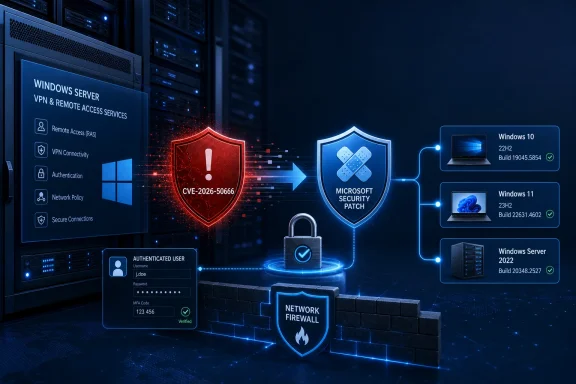 Remote Reach Changes the Usual Privilege-Escalation Calculation
Many Windows elevation-of-privilege vulnerabilities require an attacker to execute code locally after compromising an account through phishing, credential theft, or another vulnerability. CVE-2026-50666 is more concerning because Microsoft describes the attack vector as network-based.The CVSS vector indicates low attack complexity, low privileges required, no user interaction, and potentially high impact to confidentiality, integrity, and availability. In practical terms, this is not an unauthenticated route into a Windows machine, but an attacker who already possesses limited authorization may be able to convert that access into substantially greater control.
The vulnerable component, Windows Remote Access Connection Manager, supports the management of dial-up and virtual private network connections. It is commonly associated with the Remote Access Connection Manager service, displayed as
RasMan in Windows service-management tools.Microsoft’s short description does not identify the exact sequence of requests needed to trigger the use-after-free condition. A use-after-free occurs when software continues to reference memory after the underlying object has been released, potentially allowing an attacker to influence what occupies that memory and alter program behavior.
The 8.8 score reflects the theoretical severity of a successful attack rather than proof that exploitation is currently easy or reliable. Microsoft has not published proof-of-concept code, and no public technical analysis was available when the advisory appeared.
That distinction matters for vulnerability triage. The flaw is confirmed by Microsoft and the affected builds are known, but public knowledge about its root cause and exploitation mechanics remains limited. Defenders can act on reliable patch information without assuming that attackers already possess a working exploit.
Windows 10, Windows 11, and Server Builds Need July’s Fixes
Microsoft’s affected-product data spans both current platforms and older releases receiving security servicing. Vulnerable systems include Windows 11 24H2, Windows 11 25H2, Windows 11 26H1, Windows 10 22H2, and several Windows Server generations.The fixed build thresholds identified in Microsoft’s vulnerability data include:
- Windows 11 24H2 is addressed in build 26100.8875 or later.
- Windows 11 25H2 is addressed in build 26200.8875 or later.
- Windows 11 26H1 is addressed in build 28000.2525 or later.
- Windows 10 22H2 is addressed in build 19045.7548 or later.
- Windows Server 2025 is addressed in build 26100.33158 or later.
- Windows Server 2022 is addressed in build 20348.5386 or later.
- Windows Server 2019 and Windows 10 version 1809 are addressed in build 17763.9020 or later.
- Windows Server 2016 and Windows 10 version 1607 are addressed in build 14393.9339 or later.
- Windows Server 2012 R2 is addressed in build 9600.23291 or later.
For example, Microsoft’s July package for Windows 10 version 1607 and Windows Server 2016 is KB5099535, while Windows Server 2025 receives KB5099536. Windows Server 2012 R2 administrators should review the July 2026 ESU rollup, KB5099444, and confirm that their licensing and Azure Arc requirements are satisfied where applicable.
Administrators should verify the installed OS build rather than relying exclusively on an update-history screen reporting that a device is current. Enterprise patch systems can show a successful deployment while a machine remains below the required build because it received a different servicing package, failed a later installation stage, or has not restarted.
Remote-Access Servers Deserve Earlier Validation
CVE-2026-50666 does not have the profile of an internet-wide, pre-authentication remote-code-execution bug. An attacker needs some level of authorization, and Microsoft has not reported active exploitation. That makes emergency isolation of every affected endpoint difficult to justify based on the currently available evidence.It should nevertheless move ahead of routine workstation patching on systems that provide VPN, Routing and Remote Access Service, or other remote-connectivity functions. These machines may be exposed to larger groups of authenticated users, including contractors, help-desk personnel, and accounts federated through external identity systems.
Compromised credentials are also common enough that “authentication required” is not a complete defense. A stolen low-privilege account combined with a reliable elevation vulnerability can provide the bridge from an identity incident to administrative control of a remote-access server.
Security teams should prioritize the following sequence:
- Deploy the July 14 Windows security update to exposed remote-access and VPN infrastructure first.
- Confirm that each updated machine reaches or exceeds Microsoft’s fixed OS build.
- Restart systems where the servicing package requires it, then repeat the build and service-health checks.
- Review successful and failed remote-access authentication events for unusual accounts, source addresses, or connection times.
- Restrict remote-access authorization to users who currently require it and remove stale VPN or contractor accounts.
A Confirmed Bug Without a Public Exploit
The evidence currently supports a measured response. Microsoft has confirmed the vulnerability, assigned it CWE-416 for use-after-free behavior, identified affected products, and shipped corrected builds. SANS Internet Storm Center and Zero Day Initiative’s July update review also list CVE-2026-50666 as Important, with no public disclosure or known exploitation at release.What remains unknown is how readily an authorized remote user can reach the vulnerable code and whether exploitation requires a particular Remote Access Connection Manager configuration. Those details will determine whether CVE-2026-50666 becomes a broadly useful post-authentication privilege-escalation technique or remains difficult to weaponize outside narrowly configured systems.
For now, administrators do not need to wait for exploit code or deeper reverse engineering. The practical response is to install the July 2026 Windows security update, verify the resulting build, and give remote-access servers priority over ordinary endpoints.
References
- Primary source: MSRC
Published: 2026-07-14T07:00:00-07:00
Security Update Guide - Microsoft Security Response Center
 msrc.microsoft.com
