

Google is rolling out a new Search Services History setting that can save images, files, audio, and video submitted to Google’s Search products and use that material to improve generative AI models. The change is not a blanket update allowing Google to train directly on every photo in a user’s Google Photos library, despite coverage framing it that way.
As first reported by TechCrunch and echoed by Fox News, the new controls separate Search-related history from Google’s broader Web & App Activity settings. Google says the rollout is gradual and covers Search, Maps, Shopping, Flights, Hotels, Translate, and News.
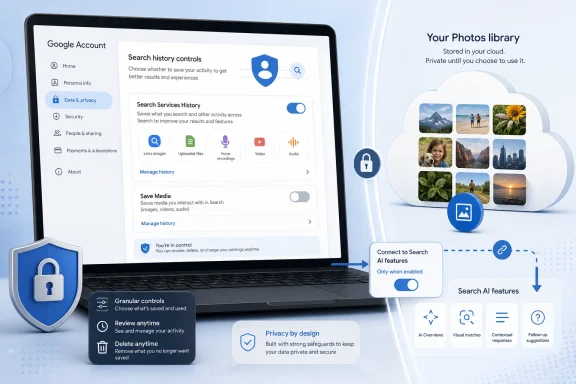
When Search Services History is enabled, its “Save Media” sub-setting determines whether media from interactions is retained in a Google Account. Google’s own help documentation lists Google Lens images, uploaded files, voice-search recordings, Search Live recordings and transcripts, and Translate speaking-practice audio among the potentially saved material.
Google says it may use saved history and media to develop and improve its services, including generative AI models. It says material selected for model training is disconnected from the user’s Google Account, filtered for identifying and sensitive information, and retained for up to four years.
That distinction matters: “disconnected from your account” is not the same as deletion. Google also says turning off the new setting stops future Search Services activity from being used for generative-AI training, except when a user submits feedback. Previously saved media must be deleted separately, and data already selected for training may remain retained after deletion.
The new controls also do not govern every Google product. Google specifically identifies Gemini Apps, Google Voice, NotebookLM, YouTube, Chrome, Google Assistant, and public posts such as reviews as being subject to other settings or policies.
In that scenario, Google says Search may use summaries, excerpts, inferences, and generated media derived from connected content to improve services and train models. Google advises users not to connect content apps holding information they would not want used for AI training. It also says a subset of data processed through connected apps can be reviewed by trained service providers for safety and quality work.
The new setting is still rolling out, so users who do not yet see Search Services History may remain governed by the older Web & App Activity controls.
As first reported by TechCrunch and echoed by Fox News, the new controls separate Search-related history from Google’s broader Web & App Activity settings. Google says the rollout is gradual and covers Search, Maps, Shopping, Flights, Hotels, Translate, and News.
 What Google can save
When Search Services History is enabled, its “Save Media” sub-setting determines whether media from interactions is retained in a Google Account. Google’s own help documentation lists Google Lens images, uploaded files, voice-search recordings, Search Live recordings and transcripts, and Translate speaking-practice audio among the potentially saved material.Google says it may use saved history and media to develop and improve its services, including generative AI models. It says material selected for model training is disconnected from the user’s Google Account, filtered for identifying and sensitive information, and retained for up to four years.
That distinction matters: “disconnected from your account” is not the same as deletion. Google also says turning off the new setting stops future Search Services activity from being used for generative-AI training, except when a user submits feedback. Previously saved media must be deleted separately, and data already selected for training may remain retained after deletion.
The new controls also do not govern every Google product. Google specifically identifies Gemini Apps, Google Voice, NotebookLM, YouTube, Chrome, Google Assistant, and public posts such as reviews as being subject to other settings or policies.
Google Photos is a separate case
Google’s Google Photos privacy documentation says it does not train generative AI models outside Google Photos directly on personal imagery or audio in a Photos library. However, that boundary changes if a user deliberately connects Google Photos to Search’s “Personal Intelligence” features or uploads Photos content into AI Mode or another Google service.In that scenario, Google says Search may use summaries, excerpts, inferences, and generated media derived from connected content to improve services and train models. Google advises users not to connect content apps holding information they would not want used for AI training. It also says a subset of data processed through connected apps can be reviewed by trained service providers for safety and quality work.
What Windows users and admins should do
For consumers, the practical control is in Google Account activity settings:- Open My Google Activity, select Search Services History, and turn off Save Media or the entire history setting.
- Delete existing Search Services History if past uploads or recordings should not remain available for product improvement.
- Review connected Google Photos and Workspace apps in Search AI Mode, and disconnect them if they contain personal or confidential material.
The new setting is still rolling out, so users who do not yet see Search Services History may remain governed by the older Web & App Activity controls.
References
- Primary source: blockchain.news
Published: 2026-07-12T19:50:10.672592
Google Updates Terms to Train AI on user data | AI News Detail
According to FoxNewsAI, Google updated its Terms to allow using publicly shared photos and voice inputs to train AI, raising consent and privacy questions.blockchain.news - Official source: policies.google.com
- Related coverage: techrepublic.com
Google Search Uploads Can Train AI Unless You Opt Out
Google Search uploads may be used to train AI unless users opt out, raising privacy and data governance concerns for businesses.www.techrepublic.com
- Related coverage: tomsguide.com
Google is training AI on your data. Here's how to opt out | Tom's Guide
Opt out of Google's new data collection feature before your media gets used to train its AI models.www.tomsguide.com - Related coverage: tech.yahoo.com
Google may use your photos and voice to train AI
The new Save Media setting allows Google to use your Google Lens images, voice searches and uploaded files to train AI models for four years.tech.yahoo.com - Related coverage: pcgamer.com
Google is under investigation in the EU to find out whether it imposes unfair terms on content creators for AI | PC Gamer
We'll have a look, course we'll have a look.www.pcgamer.com
