I usually use Camtasia's Snagit to make screenshots while it also allows me to record screen in simple way. And there's also a freeware recorder called CamStudio, it's open source with no ads, just search it on Google and you will get it. Hope it helps.
I use "Microsoft Expression Encoder 4 Screen Capture"... Link Removed
+ free, works on every thing above xp (3 is for xp) and has some nice rendor options that the others don't offer.
- Microsoft does not offer any support for it so some people find it hard to learn.
I usually use Camtasia's Snagit to make screenshots while it also allows me to record screen in simple way. And there's also a freeware recorder called CamStudio, it's open source with no ads, just search it on Google and you will get it. Hope it helps.
thanks for the post … been curious about this myself. would consider ussnorway's thoughts … but, from sound of it, might be bit more complex than my old mind can grasp. perhaps JoKelly's suggx for camstudio would be easier.
I'll post some "Microsoft Expression Encoder 4 Screen Capture" "how to" screens in the tutorial section when I get home... some one will find it useful I'm sure.
update: link to "how to" thread "Microsoft Expression Encoder 4 Screen Capture" "how to"
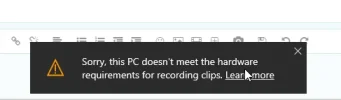
Windows 10 has a built-in screen recording facility, intended to record games but OK for other things. It is called Game Bar and if it has not been set (in the Registry) to launch Gadgets you should get it with WinKey G. Otherwise you may get it via XBox. I have used it a couple of times, not for games --- it is OK.