
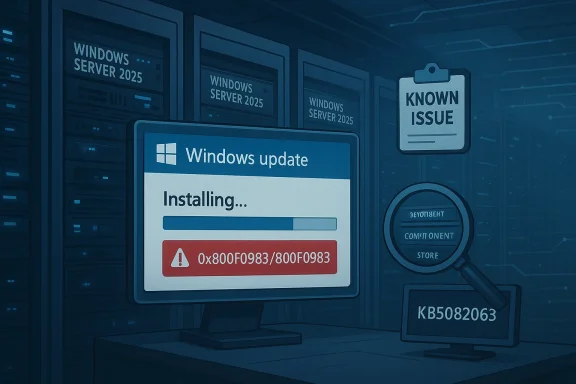
Microsoft’s April 2026 cumulative update for Windows Server 2025, KB5082063, is now facing installation failures on a subset of systems, adding another patch-cycle headache for administrators already balancing security, uptime, and change control. Microsoft has acknowledged the issue and says it is investigating reports tied to 0x800F0983 and 800F0983, but no workaround or fix timeline has been published yet. The update itself is real and current: Microsoft lists KB5082063 as the April 14, 2026 cumulative update for Windows Server 2025, with the servicing stack update bundled alongside it in the normal monthly release channel.
The headline here is not that Microsoft released a broken patch in the abstract; it is that a core server platform is once again dealing with update reliability concerns at the exact moment organizations expect predictable servicing. Windows Server 2025 is still early in its lifecycle, and early-adoption stability matters more than ever because many enterprises use the first months of a server release to standardize images, validate application compatibility, and lock down patch procedures. When a cumulative update refuses to install, the immediate impact is not just an unpatched machine. It is a disturbance to the entire maintenance rhythm that keeps infrastructure compliant and supportable.
Microsoft’s own release documentation describes KB5082063 as a monthly cumulative update that includes the latest security fixes and improvements, plus non-security changes from the previous month’s optional preview. That means this is not a niche optional package that most administrators can simply skip forever. It is the normal monthly security path for Windows Server 2025, and any recurring failure to apply it has direct implications for vulnerability exposure and operational planning.
The reported error code, 0x800F0983, is familiar enough to Microsoft support communities that it immediately suggests an update servicing or component-store problem rather than a one-off installer crash. That does not make the issue trivial. In enterprise environments, a pattern of failures often means there is a broader compatibility or servicing-edge case that may affect deployment rings, WSUS workflows, or specific server roles in ways that are hard to reproduce on a single lab machine.
Administrators should also note that Microsoft has not published any remediation steps for this specific incident yet. In previous update issues, Microsoft has sometimes advised manual package installation, cleanup of servicing components, or use of alternate channels such as the update catalog. None of that has been officially recommended here, so any aggressive workaround would be experimental rather than vendor-backed.
The fact that Microsoft’s release materials for April 2026 explicitly bundle the servicing stack update with KB5082063 is also relevant. Servicing stack quality is fundamental to future update reliability. When the update chain itself is unstable, the consequence is bigger than a missed patch: it can undermine confidence in the entire monthly servicing process.
There is also a reputational dimension. Microsoft wants Windows Server 2025 to be seen as a durable long-term platform with a support runway extending to October 10, 2034. Every early servicing complaint chips away at that confidence, even if the actual user base affected is limited. The issue may be contained technically, but the perception risk can extend much further.
The practical result is that patch testing windows may lengthen. Teams that already run phased rollouts may become even more conservative, delaying production deployment until they see evidence from pilot rings. That is a perfectly sensible operational response, but it also means Microsoft’s own defects can slow down security adoption across the ecosystem.
By contrast, consumer-style troubleshooting often centers on manual retries, reset tools, or broad repair commands. That may be useful in the lab, but it is not automatically appropriate for production servers. In a production environment, the safer path is usually to wait for Microsoft’s guidance unless the affected system is already isolated and the organization has a known-good recovery plan. Prudence beats improvisation when patching infrastructure.
That conflict is not unique to Windows Server 2025, but it is a particularly visible example of how modern patch management works in practice. The more complex the environment, the more a single failed update becomes an operational decision rather than a simple install attempt. The update cycle is no longer just about installation; it is about risk balancing.
Microsoft’s own release notes for April 2026 also point administrators to the release health dashboard and update history page for Windows Server 2025, which is standard practice when an issue is being tracked. That is a reminder that the company expects admins to monitor not just the patch itself, but the evolving status of the release. The support story does not end on patch day anymore.
There is a strategic contrast here. On one hand, Microsoft is trying to give customers more runway through Extended Security Updates and newer subscription-era server products. On the other hand, recurring update issues make those customers more reluctant to accelerate migration. Confidence is cumulative, and so is doubt.
This incident also sits inside a larger pattern: Microsoft is simultaneously managing new server releases, long-tail support transitions, and security pressure across multiple product lines. That makes clean servicing more important, not less. For IT teams, the lesson is straightforward even if the implementation is not: keep patch testing disciplined, maintain rollback readiness, and watch release-health channels closely when a monthly update starts misbehaving.
Source: Windows Report https://windowsreport.com/kb5082063...es-on-windows-server-2025-microsoft-confirms/
 Overview
The headline here is not that Microsoft released a broken patch in the abstract; it is that a core server platform is once again dealing with update reliability concerns at the exact moment organizations expect predictable servicing. Windows Server 2025 is still early in its lifecycle, and early-adoption stability matters more than ever because many enterprises use the first months of a server release to standardize images, validate application compatibility, and lock down patch procedures. When a cumulative update refuses to install, the immediate impact is not just an unpatched machine. It is a disturbance to the entire maintenance rhythm that keeps infrastructure compliant and supportable.Microsoft’s own release documentation describes KB5082063 as a monthly cumulative update that includes the latest security fixes and improvements, plus non-security changes from the previous month’s optional preview. That means this is not a niche optional package that most administrators can simply skip forever. It is the normal monthly security path for Windows Server 2025, and any recurring failure to apply it has direct implications for vulnerability exposure and operational planning.
The reported error code, 0x800F0983, is familiar enough to Microsoft support communities that it immediately suggests an update servicing or component-store problem rather than a one-off installer crash. That does not make the issue trivial. In enterprise environments, a pattern of failures often means there is a broader compatibility or servicing-edge case that may affect deployment rings, WSUS workflows, or specific server roles in ways that are hard to reproduce on a single lab machine.
What Microsoft Has Confirmed
Microsoft has acknowledged the KB5082063 problem as a known issue and says it is collecting diagnostic data from impacted systems. That matters because the company is not treating this as isolated community chatter; it has entered the normal investigation path for a servicing regression. The downside, of course, is that administrators are left in a holding pattern until Microsoft identifies the root cause and decides whether a revised update, guidance change, or mitigation is required.Why the confirmation matters
Acknowledgement is not the same as resolution. In practice, many server teams can work around a consumer PC oddity for a day or two, but patch failures on servers have to be handled with more caution. If the update fails on a file server, domain member, application host, or virtual machine cluster node, the problem can create a conflict between security compliance and change-freeze discipline. That tension is exactly why Microsoft’s confirmation is important: it signals the issue is serious enough to track formally, even if it is affecting only a limited number of devices.Administrators should also note that Microsoft has not published any remediation steps for this specific incident yet. In previous update issues, Microsoft has sometimes advised manual package installation, cleanup of servicing components, or use of alternate channels such as the update catalog. None of that has been officially recommended here, so any aggressive workaround would be experimental rather than vendor-backed.
The Error Code and What It Suggests
The specific failure code, 0x800F0983, often points people toward the Windows servicing stack, component store corruption, or update metadata mismatch. That does not mean every instance of this error has the same root cause. It does mean the failure lives in the neighborhood of servicing integrity, which is the least forgiving part of the Windows update chain and the one administrators least want to troubleshoot at scale.Interpreting the code in enterprise terms
For a home user, an update failure is annoying. For an enterprise, it can be a sign that a specific image build, language pack, feature set, or earlier servicing state is incompatible with the incoming package. That is why a patch failure on one server can quickly become a validation project for the whole fleet. If the issue is tied to a shared prerequisite or servicing state, then the number of affected machines can grow fast once the same image or deployment method is repeated across environments.The fact that Microsoft’s release materials for April 2026 explicitly bundle the servicing stack update with KB5082063 is also relevant. Servicing stack quality is fundamental to future update reliability. When the update chain itself is unstable, the consequence is bigger than a missed patch: it can undermine confidence in the entire monthly servicing process.
Why Windows Server 2025 Is Under Extra Scrutiny
Windows Server 2025 is still relatively new, so every servicing problem gets amplified. New server platforms are always expected to have a period of rough edges, but enterprises judge them by a different standard than consumer builds. They need repeatability, especially in patch deployment, because failures at the server layer can spill into authentication, application availability, and compliance reporting.Early lifecycle expectations
A freshly released server operating system tends to be adopted first by organizations with strong IT governance, modern tooling, and appetite for incremental rollout. Those same organizations are usually the ones that notice when a cumulative update behaves unpredictably. In other words, the customers most likely to adopt Windows Server 2025 early are also the customers most likely to suffer visible disruption when a monthly patch misbehaves. That makes service stability a strategic issue, not just a technical one.There is also a reputational dimension. Microsoft wants Windows Server 2025 to be seen as a durable long-term platform with a support runway extending to October 10, 2034. Every early servicing complaint chips away at that confidence, even if the actual user base affected is limited. The issue may be contained technically, but the perception risk can extend much further.
The Timing Could Not Be Worse
This new failure surfaced soon after Microsoft resolved a separate issue involving some systems upgrading to Windows Server 2025 without administrator intent. That means the current moment is already one of heightened attention around Windows Server 2025 servicing and deployment behavior. When one problem follows another in quick succession, even unrelated defects start to feel connected in the minds of IT teams.Why sequential issues matter
Sequential issues create a trust penalty. Administrators begin to ask not just whether a particular update is safe, but whether the release pipeline itself is robust enough to be relied upon for mission-critical systems. That skepticism is rational. Server updates are not evaluated in isolation; they are judged as part of a long-term servicing contract between Microsoft and its customers.The practical result is that patch testing windows may lengthen. Teams that already run phased rollouts may become even more conservative, delaying production deployment until they see evidence from pilot rings. That is a perfectly sensible operational response, but it also means Microsoft’s own defects can slow down security adoption across the ecosystem.
Enterprise Impact vs. Consumer-Style Troubleshooting
Windows Server problems are not solved the same way as desktop update glitches. On a server, the goal is not to “get the update to install somehow” at any cost. The goal is to preserve service integrity, change documentation, backup state, and rollback options while still applying security fixes in a controlled manner. That makes this issue more than a technical nuisance; it is a change-management problem.What enterprises care about first
The first question for an enterprise is whether the failure is reproducible across a given image, role, or update path. The second is whether the failure affects security-only servicing, cumulative updates, or all update channels. The third is whether the issue can be isolated to a ring or deployment method. Those questions matter more than the error string itself because they determine whether the problem is local, systemic, or merely coincidental.By contrast, consumer-style troubleshooting often centers on manual retries, reset tools, or broad repair commands. That may be useful in the lab, but it is not automatically appropriate for production servers. In a production environment, the safer path is usually to wait for Microsoft’s guidance unless the affected system is already isolated and the organization has a known-good recovery plan. Prudence beats improvisation when patching infrastructure.
Security Pressure Is Still Rising
Microsoft’s update failure arrives against a backdrop of active security pressure. CISA has recently warned about privilege escalation issues affecting Windows 11 and Windows Server 2025, reminding organizations that delay in patching can translate into real exposure. Even when an update is problematic, leaving machines unpatched is rarely a comfortable option for security teams.Patching under conflicting priorities
This is the core dilemma for administrators: a failed update can be risky, but so can postponing the update entirely. The tension is especially sharp when the monthly release contains security fixes and the platform is already being watched for active vulnerabilities. As a result, patch teams often end up choosing between imperfect options, such as staging the update later, isolating affected servers, or waiting for Microsoft to publish a revised instruction set.That conflict is not unique to Windows Server 2025, but it is a particularly visible example of how modern patch management works in practice. The more complex the environment, the more a single failed update becomes an operational decision rather than a simple install attempt. The update cycle is no longer just about installation; it is about risk balancing.
What Microsoft’s Servicing Model Means Here
Microsoft’s documentation for KB5082063 underscores a broader servicing pattern: cumulative updates are the main monthly vehicle for bringing systems current, while servicing stack updates and deployment-related packages support that process. When everything works, the model is efficient. When something breaks, though, the failure can block the entire path to a secure state.The role of cumulative updates
Cumulative updates are attractive because they reduce fragmentation. Instead of chasing a long series of individual fixes, administrators apply one package that rolls in previous security and quality changes. The tradeoff is that a defect in the monthly cumulative package can affect a wide range of systems at once. That is why a problem like KB5082063 gets attention quickly: it is not one patch among many, but the main monthly servicing artifact.Microsoft’s own release notes for April 2026 also point administrators to the release health dashboard and update history page for Windows Server 2025, which is standard practice when an issue is being tracked. That is a reminder that the company expects admins to monitor not just the patch itself, but the evolving status of the release. The support story does not end on patch day anymore.
The Broader Microsoft Server Ecosystem
This update issue lands in a period of notable movement across Microsoft’s server portfolio. Microsoft has also been extending or reworking support options for products such as Exchange Server and Skype for Business Server, including extended security update periods for organizations that need more time to migrate. That broader support strategy suggests Microsoft knows many customers are still in transition and need predictable servicing not only for the OS, but for the application stack on top of it.Support extensions and migration pressure
The timing matters because extended support is a sign of market friction. When Microsoft offers more time for migration, it is acknowledging that large enterprises cannot move every workload on a short schedule. Those customers are exactly the ones most sensitive to patch instability, because they tend to run dense, layered, and heavily governed environments.There is a strategic contrast here. On one hand, Microsoft is trying to give customers more runway through Extended Security Updates and newer subscription-era server products. On the other hand, recurring update issues make those customers more reluctant to accelerate migration. Confidence is cumulative, and so is doubt.
What Administrators Should Do Now
Until Microsoft publishes a workaround or fix, administrators should treat KB5082063 failures as an investigation priority rather than a generic install glitch. The immediate objective is to determine scope: which servers are affected, what deployment path they used, and whether the failure is isolated to a specific image or management tool. That data will matter both for internal triage and for any eventual Microsoft-supported remediation.Practical response framework
A measured response is better than a blanket retry loop. Teams should avoid random guesswork and instead record the exact error code, update channel, role, and build state before attempting any remediation. In a server environment, precise notes are not bureaucracy; they are what make rollback and escalation possible.- Confirm whether the affected machine is running Windows Server 2025 and whether KB5082063 is the failing package.
- Capture the exact failure code, especially 0x800F0983 or 800F0983.
- Check whether the issue appears on one deployment path or across all patch methods.
- Review servicing history, component-store health, and any recent role or language additions.
- Wait for Microsoft’s published guidance before making broad production changes.
Strengths and Opportunities
Despite the frustration, there are some positive signs in how Microsoft is handling the issue and in what this episode may eventually improve. Formal acknowledgement usually leads to clearer guidance, and KB-level incidents often produce better documentation, telemetry, and edge-case handling later on. For organizations, the current problem also reinforces disciplined patch governance, which can pay off beyond this single update.- Microsoft has already confirmed the issue, which suggests active triage rather than silence.
- The problem appears limited to a subset of devices, not the entire platform.
- The update is a standard cumulative package, so it is easier to track than fragmented hotfix chains.
- The incident may improve future servicing stack resilience if root cause analysis is shared internally.
- Enterprises with mature rings and rollback plans are better positioned to weather the disruption.
- The situation reinforces the value of pilot deployments before broad production rollout.
- Microsoft’s broader support investment in server products shows it is still treating the ecosystem as strategically important.
Risks and Concerns
The concern is not merely that one update failed, but that patch confidence can erode quickly when failures recur in a young server platform. If Microsoft’s investigation takes time, some organizations may leave servers unpatched longer than intended, and that creates a security gap. The other risk is operational drift: once teams begin bypassing normal monthly cadence, update management becomes more fragmented and harder to audit.- Security exposure can widen if admins postpone KB5082063 too long.
- Repeated update failures can undermine trust in Windows Server 2025 servicing.
- WSUS and deployment tooling may need additional verification if the failure is environment-specific.
- A broad workaround could introduce unintended side effects if applied too aggressively.
- Teams with tight compliance windows may struggle to document exceptions cleanly.
- Patch delays can compound existing vulnerability pressure from other advisories.
- The issue may signal a deeper servicing regression that affects similar packages later.
Looking Ahead
The next few days will be about evidence, not slogans. Administrators will be watching for a Microsoft advisory that identifies whether KB5082063’s failure is linked to a specific configuration, a subset of update channels, or a servicing-state inconsistency. If Microsoft issues a revised note or a workaround, the quality of that guidance will matter as much as the fix itself.This incident also sits inside a larger pattern: Microsoft is simultaneously managing new server releases, long-tail support transitions, and security pressure across multiple product lines. That makes clean servicing more important, not less. For IT teams, the lesson is straightforward even if the implementation is not: keep patch testing disciplined, maintain rollback readiness, and watch release-health channels closely when a monthly update starts misbehaving.
- Watch for a known issue update or revised support note from Microsoft.
- Track whether the failure is isolated to specific deployment tools or image states.
- Compare affected and unaffected servers for common servicing history.
- Monitor whether the issue expands beyond the current limited set of devices.
- Reassess patch rings if the problem appears tied to a particular rollout path.
Source: Windows Report https://windowsreport.com/kb5082063...es-on-windows-server-2025-microsoft-confirms/
Last edited:
