KB5096139 Updates Nvidia TensorRT-RTX AI Inference in Windows 11 26H1

Microsoft has published KB5096139, an automatic Windows Update package for Windows 11 version 26H1 that updates the Nvidia TensorRT-RTX Execution Provider to version 2.2605.1.0 for systems with the latest 26H1 cumulative update installed. The dry support-note wording hides a bigger story: Microsoft is turning local AI acceleration into a serviced Windows component, not a vendor add-on users occasionally chase down. For RTX-equipped client PCs, that means the path between an ONNX model and the GPU is increasingly governed by Windows Update. For administrators, developers, and power users, it also means the AI stack is becoming part of the operating system’s monthly maintenance surface.

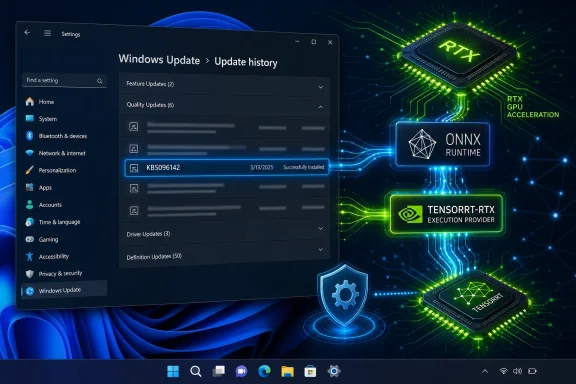
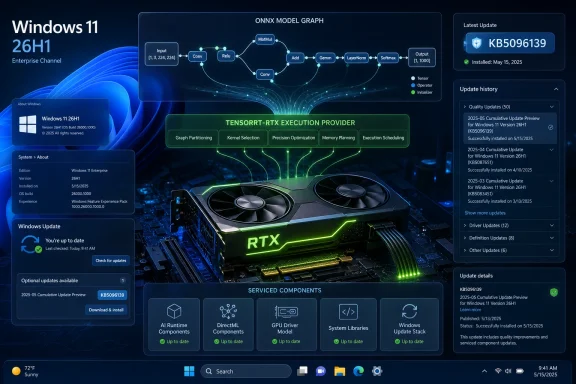
Windows 11 26H1 update screen shows an RTX GPU with ONNX model graph and installed KB5096139 details.Microsoft Moves the AI Fast Lane Into Windows Update​

KB5096139 is not a GeForce driver, not a CUDA toolkit release, and not a flashy Copilot feature drop. It is an update to an execution provider, the layer that allows ONNX Runtime and Windows machine-learning workloads to target Nvidia RTX hardware more directly.
That distinction matters because execution providers sit in a practical middle ground. They are not the model itself, and they are not the application using the model. They are the translation and acceleration layer that decides whether a local AI workload runs generically on the CPU, through a broader GPU path, or through a vendor-optimized engine built for a specific class of hardware.
Microsoft’s support text describes the Nvidia TensorRT-RTX Execution Provider as a component for client-centric scenarios, which is a bland way of saying “the AI PC as it actually ships to consumers.” This is not about datacenter inference, enterprise GPU clusters, or cloud-hosted generative AI. It is about Windows applications running models locally on end-user machines and trying to extract useful performance from the RTX silicon already sitting inside laptops and desktops.
That is why KB5096139 deserves more attention than its small footprint suggests. Microsoft is treating the GPU inference path as something Windows should update automatically, with prerequisites, replacement logic, and an entry in Update History. The company is effectively saying that local AI acceleration is now part of the Windows servicing contract.

The Execution Provider Is the New Driver Boundary​

For years, Windows users have understood graphics performance through the lens of display drivers. If a game stuttered, a creator app crashed, or a video encoder behaved badly, the first troubleshooting stop was usually the Nvidia driver package. AI workloads complicate that familiar model.
An ONNX Runtime execution provider is not a display driver, but it plays a similarly decisive role for inference. It determines how a model graph is compiled, optimized, and dispatched to hardware. In the TensorRT-RTX case, the point is to use Nvidia’s TensorRT for RTX runtime to generate and run optimized inference engines locally on RTX GPUs.
That makes the execution provider a new kind of compatibility boundary. App developers can target ONNX Runtime and Windows ML abstractions rather than hand-building every hardware path themselves. Microsoft and Nvidia can then improve the underlying execution route without requiring each app vendor to ship a bespoke accelerator update.
This is the bargain Windows has always tried to sell: write to the platform, and the platform absorbs the hardware mess. The difference in 2026 is that the “hardware mess” now includes NPUs, discrete GPUs, integrated GPUs, model formats, quantization choices, and rapidly changing inference runtimes. The execution provider is where those layers meet.
KB5096139 therefore represents more than a component refresh. It is a sign that Microsoft wants Windows Update to become the distribution channel for AI plumbing that, in an earlier era, might have lived entirely inside vendor SDK installers, developer toolchains, or application bundles.

Windows 11 26H1 Makes This a Narrower Story Than It Looks​

There is an important catch: KB5096139 is for Windows 11 version 26H1. That version is not the normal annual feature update path for most existing Windows 11 PCs. Microsoft has described 26H1 as a hardware-optimized release for select new devices, available as a preinstalled experience rather than an in-place upgrade for the broad installed base.
That makes this update simultaneously narrow and revealing. Narrow, because most Windows 11 24H2 and 25H2 systems should not expect to see KB5096139 offered just because they contain an RTX GPU. Revealing, because the update shows what Microsoft is building for the next class of Windows hardware: a more modular, updateable AI substrate tied to specific silicon generations.
The 26H1 split is already uncomfortable for anyone who wants Windows servicing to be simple. Microsoft’s mainstream messaging has trained users to expect a yearly feature update cadence, but 26H1 is not that kind of release. It is a platform branch for new hardware, with its own servicing profile and its own component updates.
That context changes how KB5096139 should be read. This is not Microsoft suddenly improving every RTX PC in the field. It is Microsoft servicing a new Windows branch where local AI hardware paths are part of the baseline experience.

Nvidia Gets a Deeper Seat at the Windows AI Table​

Nvidia’s presence here is not surprising, but it is strategically important. RTX GPUs are already widely deployed in gaming and creator PCs, and Nvidia has spent years building CUDA, TensorRT, and related acceleration frameworks into a de facto ecosystem for AI workloads. Microsoft’s decision to distribute a TensorRT-RTX execution provider through Windows Update gives that ecosystem a more official Windows-facing lane.
For users, the practical promise is simple: local AI features should run better when software can use the RTX GPU efficiently. For developers, the promise is abstraction: build against ONNX Runtime and let the execution provider handle more of the hardware-specific optimization. For Microsoft, the promise is platform coherence: Windows can claim a first-class local AI story without pretending every PC has the same accelerator.
The politics are more complicated. Microsoft has to support Qualcomm’s NPUs, Intel’s AI PC roadmap, AMD’s Ryzen AI hardware, and Nvidia’s discrete GPU dominance without turning Windows into a maze of vendor-specific dependencies. Execution providers are one way to square that circle, but they also make the Windows AI stack look less like a single platform and more like a managed federation.
That may be the only realistic answer. The PC ecosystem has never been vertically integrated in the way Apple’s is. Microsoft cannot simply decree one neural engine, one driver model, and one hardware target. It has to orchestrate a market full of silicon vendors, and KB5096139 is a small example of what that orchestration looks like in practice.

Automatic Installation Is the Point, Not a Footnote​

Microsoft says KB5096139 will be downloaded and installed automatically from Windows Update, provided the device has the latest cumulative update for Windows 11 26H1. That phrasing may sound routine, but it is one of the most consequential parts of the support note.
Automatic delivery means Microsoft does not want this component treated as an enthusiast download. It wants the execution provider to move with the operating system, in the same administrative frame as other platform updates. Users can verify its presence in Settings under Windows Update history, where it appears as a Windows ML Runtime Nvidia TensorRT-RTX Execution Provider update.
That is good for baseline consistency. If application developers begin relying on this path, they need some confidence that supported devices will actually have the relevant runtime components. A model acceleration feature that depends on users manually hunting down an obscure package is not a platform feature; it is a support problem waiting to happen.
But automatic delivery also raises the stakes. If an execution provider update regresses a workload, the blast radius could include multiple applications that happen to rely on the same acceleration path. The more Windows centralizes AI plumbing, the more a small component update can have ecosystem-level consequences.

The Replacement Chain Shows a Monthly Rhythm Emerging​

KB5096139 replaces KB5089174, which updated the Nvidia TensorRT-RTX Execution Provider to version 2.2604.1.0. The new package carries version 2.2605.1.0. The numbering strongly suggests an ongoing cadence rather than a one-off patch.
That cadence is exactly what local AI runtimes need. Model execution is moving quickly, and optimization layers often improve in ways that are invisible to ordinary users but meaningful to performance, memory use, compatibility, and power behavior. A faster engine build, a better fallback path, or a fix for a specific operator can make the difference between a feature feeling native and feeling experimental.
Microsoft’s challenge is that Windows users do not want another opaque update stream. They already deal with cumulative updates, Store app updates, driver updates, firmware updates, Edge updates, Defender intelligence updates, and vendor utilities. AI component updates add yet another category, and most users will not know what the name means when it appears in Update History.
That naming problem is not cosmetic. “Windows ML Runtime Nvidia TensorRT-RTX Execution Provider Update” is technically accurate, but it reads like something built for an internal dependency graph rather than a human being. If Microsoft expects AI components to become routine parts of Windows maintenance, it will eventually need clearer surfaces for explaining what changed and why it matters.

Developers Get a Moving Target, but Also a Better One​

For Windows developers working with local inference, a serviced execution provider is both a blessing and a constraint. The blessing is obvious: better performance and broader hardware enablement can arrive without every application bundling its own fragile stack. The constraint is that the execution environment may change underneath the app.
That is not new in Windows development, but AI workloads are unusually sensitive to runtime behavior. A model that performs well through one provider version may expose different memory pressure, precision behavior, or initialization time after an update. Inference engines are not merely pipes; they are optimizers, compilers, schedulers, and hardware negotiators.
The mature response is testing. Developers targeting these paths will need to treat execution provider versions as part of their compatibility matrix, especially if their applications depend on deterministic latency or stable output characteristics. That applies to creative tools, accessibility features, local assistants, media pipelines, and any app that wants to run inference without round-tripping data through the cloud.
The upside is substantial. If Microsoft and Nvidia get this right, Windows apps can use RTX acceleration without turning every independent developer into a GPU runtime specialist. That is the kind of platform leverage Windows badly needs if local AI is going to become more than a demo category.

Enterprise IT Will See a Small Package With Big Governance Implications​

For enterprise administrators, KB5096139 is unlikely to be a dramatic event on its own. The eligible population is constrained by Windows 11 26H1 hardware, and Microsoft has said 24H2 and 25H2 remain the recommended releases for broad enterprise deployment. Many organizations will not encounter this update widely in the near term.
Still, the governance pattern matters. AI acceleration components are becoming separately serviced pieces of the Windows estate. That means inventory, update rings, validation groups, and change-management notes will eventually need to account for them.
The old question was, “Which Windows build are you on?” The newer question is becoming, “Which Windows build, which AI runtime, which execution provider, which silicon path, and which driver stack?” That is not a question most help desks want to answer under pressure after a line-of-business app begins behaving differently.
Enterprises will also care about predictability. Automatic installation is fine for consumer PCs, but managed fleets need phased rollout and rollback strategy. If local inference becomes part of regulated workflows, security tooling, document processing, or endpoint productivity features, then the execution provider becomes operationally significant.

The Security Angle Is Quiet but Real​

Any component that compiles or transforms model workloads for execution on local hardware deserves security scrutiny. Execution providers operate close to the boundary between application data, model files, runtime compilation, and GPU execution. They are not ordinary user-facing apps.
That does not mean KB5096139 should be treated as alarming. On the contrary, automatic servicing through Windows Update may be the safer model. A centrally maintained execution provider can receive fixes and hardening improvements without relying on scattered application vendors to bundle updated runtime components.
But the attack surface is real enough to matter. Local AI features often process sensitive data precisely because local processing is sold as more private than cloud inference. Screenshots, documents, audio, user prompts, and personal context can all flow through inference pipelines. The platform components touching those pipelines must be patched and observable.
Microsoft’s broader problem is trust. Users already struggle to understand what AI features do locally, what goes to the cloud, and what hardware is involved. If the company wants local AI to be a selling point for Windows, it has to make the underlying servicing story boring, secure, and auditable.

This Is Not a Gaming Update, Even If RTX Owners Notice the Name​

The presence of “Nvidia” and “RTX” will inevitably cause some users to ask whether KB5096139 affects gaming performance. Based on Microsoft’s description, the answer is no in the ordinary sense. This is an AI inference component, not a display driver, game-ready driver, DirectX update, or shader compiler patch.
That distinction is worth spelling out because Nvidia-related Windows updates often attract anxiety from gamers. Recent years have trained users to associate GPU updates with black screens, stutters, overlay problems, driver rollbacks, and mysterious performance shifts. KB5096139 lives in a different lane.
The more interesting gaming-adjacent implication is longer term. Games increasingly use machine-learning techniques for upscaling, frame generation, animation, audio, NPC behavior, content tools, and anti-cheat analysis. Not all of those would use ONNX Runtime or this execution provider, but the boundary between “AI app” and “graphics app” is getting fuzzier.
For now, however, users should not read this as a magic RTX performance update. It is infrastructure for local model inference on supported Windows 11 26H1 devices. If it improves anything visible, it will likely be through applications that deliberately use the Windows ML and ONNX Runtime path.

26H1 Is Becoming Microsoft’s Hardware Laboratory​

The strangest part of this story remains Windows 11 26H1 itself. Microsoft released it as a specialized branch for new hardware rather than as the next broad feature update. That makes 26H1 a kind of public laboratory for platform changes that depend on new silicon.
KB5096139 fits that model neatly. It is an update for a component that only makes sense when the hardware and software stack are aligned. The execution provider is not useful in isolation; it needs the right Windows build, runtime, Nvidia stack, and RTX-capable hardware.
This is probably how more of Windows will work. The fantasy of one Windows image lighting up every capability across every device is giving way to a more conditional platform. Some PCs will have NPUs that qualify for specific features. Some will have RTX GPUs with local inference paths. Some will sit on mainstream 25H2 or future 26H2 servicing, while newer devices occupy specialized branches.
That fragmentation is dangerous if Microsoft communicates it poorly. It is manageable if the company is honest: Windows is becoming more hardware-aware because the PC itself is becoming more heterogeneous. KB5096139 is a small, concrete example of that transition.

The Real Update Is the Servicing Model​

The temptation is to judge KB5096139 by its changelog, but there is almost no changelog to judge. Microsoft says it includes improvements to the execution provider component for Windows 11 26H1. That is all the public detail most users get.
The lack of specificity is frustrating, especially for advanced users and administrators who want to understand whether an update affects performance, compatibility, stability, or security. Microsoft’s support pages often compress complex engineering changes into language so generic that it becomes difficult to make risk decisions.
Yet the servicing model itself is the news. AI components are being versioned, replaced, automatically installed, and exposed in update history. That is the scaffolding of a long-term platform commitment.
In the short term, KB5096139 will be invisible to most people. In the long term, updates like it may determine whether Windows can make local AI feel reliable across a chaotic hardware ecosystem. The difference between a gimmick and a platform often comes down to the boring machinery that keeps working after launch week.
The KB5096139 Clues Point to a More Modular Windows​

The practical reading of KB5096139 is straightforward, but its implications are broader than the support article’s few paragraphs suggest. This is an update for a specific AI acceleration layer on a specific Windows branch, and that specificity is exactly what makes it important.
  • KB5096139 updates the Nvidia TensorRT-RTX Execution Provider to version 2.2605.1.0 on Windows 11 version 26H1 systems.
  • The update is delivered automatically through Windows Update and requires the latest Windows 11 26H1 cumulative update.
  • The package replaces KB5089174, indicating an ongoing update cadence for this AI execution component.
  • The component is designed to accelerate ONNX model inference on Nvidia RTX GPUs in client PC scenarios.
  • Most existing Windows 11 24H2 and 25H2 devices should not treat this as a generally available RTX update, because 26H1 is a specialized release for select new hardware.
  • The update shows Microsoft folding local AI acceleration deeper into Windows servicing rather than leaving it entirely to app vendors or GPU driver packages.
KB5096139 is a small update with an awkward name, but it points toward the Windows Microsoft is now building: more modular, more silicon-specific, and more dependent on serviced AI plumbing that users may never see directly. If that machinery works, local AI features will feel less like bolt-ons and more like ordinary PC capabilities; if it fails, administrators and enthusiasts will inherit yet another opaque layer to troubleshoot. The next phase of the AI PC will not be decided only by model demos or Copilot branding, but by whether updates like this can quietly keep the hardware promise intact.

References​

  1. Primary source: Microsoft Support
    Published: Tue, 26 May 2026 21:02:40 Z
  2. Related coverage: windowscentral.com
  3. Related coverage: windowslatest.com
  4. Official source: techcommunity.microsoft.com
  5. Official source: learn.microsoft.com
  6. Related coverage: igorslab.de
  • Related coverage: docs.nvidia.com
 

Microsoft has published KB5096142, an automatic Windows Update package for Windows 11 version 24H2 and 25H2 that updates the Nvidia TensorRT-RTX Execution Provider to version 2.2605.1.0 for ONNX Runtime and Windows machine-learning workloads on RTX GPUs. The update is small in description but large in implication: Windows is becoming a delivery channel not just for drivers and security fixes, but for the hardware-specific AI plumbing that applications will increasingly expect to find already present. For users, this may look like another opaque line in Update history. For developers and administrators, it is another sign that the PC’s AI stack is moving out of app installers and into the operating system’s servicing model.

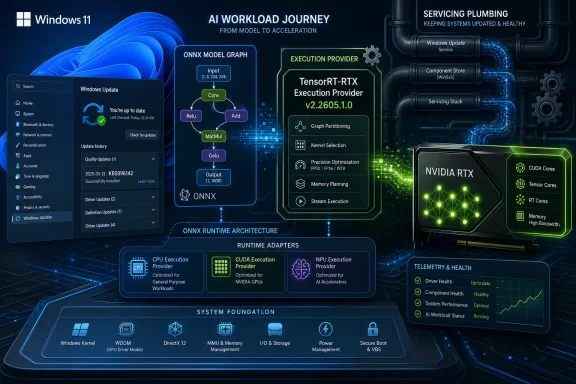
Windows Update settings screen with RTX, ONNX Runtime, and TensorRT-RTP GPU acceleration visuals on a tech background.Microsoft Is Turning AI Acceleration Into Windows Infrastructure​

The most important thing about KB5096142 is not that it updates Nvidia’s TensorRT-RTX Execution Provider. It is that Microsoft is treating that provider as a serviced Windows component.
An execution provider is not an app, a feature toggle, or a Copilot button. It is a lower-level bridge that lets ONNX Runtime and Windows machine-learning APIs route model inference to the right hardware backend. In this case, that backend is Nvidia RTX hardware, with TensorRT for RTX doing the work of generating optimized inference engines locally on the device.
That distinction matters because the AI PC story has too often been told through visible features: Recall, Cocreator, Studio Effects, semantic search, and whatever Copilot branding Microsoft is using this quarter. KB5096142 is about the less glamorous substrate underneath those experiences. If Windows is going to run more AI locally, it needs a dependable way to discover accelerators, load the correct runtime, and keep that runtime current without forcing every app vendor to ship a bespoke pile of GPU code.
Microsoft’s answer is increasingly clear. The operating system will own more of the machine-learning supply chain, while silicon vendors supply specialized execution components that can be updated independently of the apps using them. That is elegant when it works. It is also another dependency for IT departments to track, another source of “why did this install?” questions from power users, and another reminder that modern Windows servicing is no longer just about the kernel, Edge, Defender, and monthly cumulative updates.

The KB Number Hides a Bigger Platform Bet​

KB5096142 applies to Windows 11 version 24H2 and Windows 11 version 25H2, provided the device already has the latest cumulative update installed for its release. Microsoft says the package is downloaded and installed automatically from Windows Update, and that users can verify it in Settings under Windows Update, Update history, where it appears as “Windows ML Runtime Nvidia TensorRT-RTX Execution Provider Update (KB5096142).”
That is a deliberately ordinary delivery path for something that is not ordinary at all. TensorRT-RTX is designed to accelerate ONNX model inference on Nvidia RTX GPUs in client PC scenarios. It uses Nvidia’s TensorRT for RTX runtime to build optimized inference engines on the local GPU, allowing Windows and applications to take advantage of RTX hardware acceleration without each application having to reinvent the stack.
The version number is also revealing. The update moves the component to 2.2605.1.0 and replaces KB5089168, an earlier Nvidia TensorRT-RTX execution provider package. Microsoft’s AI component release history shows a rapid sequence of execution-provider updates across late 2025 and 2026, including Nvidia, AMD, Intel, and Qualcomm-related entries. This is not a one-off patch. It is a cadence.
That cadence is the real story. Windows is absorbing AI runtime components into the same operational rhythm as other platform pieces. The difference is that these components sit closer to the intersection of application behavior, GPU drivers, model formats, and silicon-vendor optimization libraries. They are not as visible as a new Start menu setting, but they can determine whether a local model runs quickly, slowly, or not on the intended accelerator.

ONNX Runtime Becomes the Neutral Ground in a Fragmented Hardware War​

The AI PC market is fragmented by design. Microsoft wants a single Windows platform story, but the hardware vendors are competing through NPUs, GPUs, driver stacks, SDKs, and performance claims. Qualcomm has Hexagon NPUs in Copilot+ PCs. Intel has Core Ultra NPUs and integrated GPUs. AMD has Ryzen AI NPUs. Nvidia has the enormous installed base of RTX GPUs and a mature inference optimization ecosystem.
ONNX Runtime is one way to keep that fragmentation from becoming unmanageable. The premise is straightforward: applications target a common runtime and model format, while execution providers handle the hardware-specific acceleration underneath. Developers can think in terms of model inference rather than writing separate paths for every silicon vendor.
The reality is messier. Execution providers vary in supported operators, precision modes, memory behavior, compilation times, caching, driver dependencies, and fallback paths. A model that performs well on one backend may hit unsupported operations on another. A local AI feature that feels instantaneous on a high-end RTX desktop may crawl on hardware that falls back to CPU execution.
TensorRT-RTX addresses a particular slice of that problem. It is built for Nvidia RTX GPUs in client PCs, not for every Nvidia platform and not for every machine-learning workload. Nvidia describes TensorRT for RTX as a specialization of TensorRT for RTX-class hardware, using just-in-time compilation on the end-user device so optimized engines can be generated locally across a range of RTX GPUs. In practical terms, that means Windows can hand off supported ONNX workloads to a runtime that knows how to exploit Nvidia’s consumer GPU architecture.
That matters because the Windows installed base is not going to become NPU-only. Microsoft’s Copilot+ PC requirements pushed NPUs into the spotlight, but millions of enthusiast and creator machines already have RTX GPUs with far more raw AI throughput than many first-generation NPUs. If Windows AI features and third-party apps ignore that hardware, users will rightly ask why their expensive GPU is idle while the CPU grinds through inference.

Nvidia’s Advantage Is the Installed Base, Not Just the Silicon​

Nvidia’s RTX position in Windows is unusual. The company does not own the operating system, and it does not control the PC OEM platform in the way Intel historically did. Yet it has a massive consumer and workstation GPU footprint, and its CUDA and TensorRT ecosystems have become familiar territory for developers working with AI inference.
TensorRT-RTX is Nvidia’s attempt to make that advantage more usable on client PCs. Traditional TensorRT is powerful but can feel like a developer toolchain rather than a consumer platform component. It often assumes more control over deployment, engine building, library versions, and runtime integration than a normal Windows app wants to expose to users. TensorRT-RTX narrows the target to RTX hardware and leans into local just-in-time optimization, which is a better fit for diverse consumer devices.
KB5096142 sits at the point where that Nvidia strategy intersects with Microsoft’s Windows ML strategy. Microsoft gets a hardware-specific accelerator that plugs into its runtime story. Nvidia gets a serviced path into Windows machine-learning workloads that does not depend solely on game-ready drivers, CUDA installers, Python environments, or app-bundled binaries.
For Windows users, the benefit is potentially invisible, which is how infrastructure should behave. If an app uses Windows ML or ONNX Runtime in a way that can take advantage of the provider, inference should be faster or more efficient on supported RTX systems. The user should not need to understand ONNX graphs, provider registration, or TensorRT engine caching.
The danger is also invisible. When acceleration is abstracted away, failures become harder to diagnose. A model may fall back to another provider. A provider may install but not be selected. A driver may be present but insufficient. An app may claim “local AI acceleration” while the actual runtime path depends on a stack of conditions that only a developer log can reveal.

Automatic Delivery Solves Adoption and Creates Governance​

Microsoft’s decision to deliver KB5096142 automatically through Windows Update is sensible if the goal is broad adoption. Runtime fragmentation is poisonous for developers. If every application has to prompt users to install an execution provider, validate the right version, and recover from mismatched dependencies, most developers will either avoid local acceleration or bundle their own copy.
A shared system-wide provider avoids that. Apps can assume a certified component is available on compatible machines, or at least use Windows APIs to discover and install providers. Updates can land without each app vendor maintaining its own update mechanism. Security fixes and compatibility improvements can be shipped through a trusted channel.
But automatic delivery changes the governance model. Many Windows enthusiasts already dislike opaque update entries with sparse release notes. Enterprise administrators are even less fond of new components that arrive with limited explanation, especially when they sit near GPU drivers, AI workloads, and application performance. “Improvements to the execution provider component” is not a changelog; it is a placeholder where a changelog should be.
That does not mean KB5096142 is suspicious. It means Microsoft is asking Windows administrators to trust a new category of platform update with less operational detail than they may want. If AI components are going to become routine parts of Windows servicing, Microsoft will need to do better than minimalist KB pages that describe the component category but not the fixes, risks, or known issues.
The strongest argument for automatic delivery is that users should not have to care. The strongest argument against it is that administrators absolutely do. Microsoft is trying to serve both audiences with the same Windows Update mechanism, and the tension is already visible.

The Prerequisite Is a Quiet Enforcement Mechanism​

KB5096142 requires the latest cumulative update for Windows 11 version 24H2 or 25H2. That prerequisite sounds mundane, but it is a significant control point.
By tying AI component updates to the current cumulative update baseline, Microsoft can reduce the number of OS/runtime combinations it needs to support. That is especially important for components that interact with Windows ML APIs, ONNX Runtime, device drivers, and hardware-specific acceleration. A stale OS build with a fresh execution provider is an invitation to hard-to-reproduce bugs.
The tradeoff is that AI capability becomes another reason to stay current on cumulative updates. For consumers, that mostly means Windows Update does what Windows Update already does. For enterprises, it means delaying a monthly cumulative update may also delay AI runtime improvements, even if the AI update itself is not perceived as security-critical.
This is the shape of modern Windows dependency management. Features are no longer neatly bundled into major releases, and platform capabilities increasingly arrive as component updates layered on top of the OS. The cumulative update becomes the floor on which those components stand.
That may be technically sound, but it complicates communication. If a developer says a machine needs the latest Nvidia TensorRT-RTX provider, the administrator now has to ask whether the machine is on the right Windows version, whether it has the latest cumulative update, whether the KB has arrived, whether the GPU is supported, and whether the app is actually using that provider. That is a lot of plumbing for something marketed to end users as “AI on your PC.”

Windows 11 25H2 Is Already in the Frame​

The inclusion of Windows 11 version 25H2 is notable because it shows Microsoft aligning these AI components across the current and next Windows 11 servicing tracks. Version 24H2 has been the foundation for much of Microsoft’s Copilot+ PC push, but 25H2 is now clearly part of the same AI component pipeline.
That continuity is important. Microsoft cannot afford for Windows AI components to feel like release-specific experiments. Developers need to know whether an API and its provider model will survive OS version transitions. Hardware vendors need predictable packaging. IT departments need to understand whether the next feature update preserves, replaces, or requalifies the runtime stack.
KB5096142 does not answer all of those questions, but it points in the expected direction. Execution providers are being treated as components with their own release history, independent KB identifiers, and replacement chains. That model lets Microsoft update acceleration layers without waiting for a full OS feature update.
It also means the boundary between “Windows version” and “Windows capability” gets blurrier. Two machines both running Windows 11 may have different AI component versions depending on hardware, update eligibility, cumulative update state, and rollout timing. That is already normal in the driver world. It is now becoming normal in the AI runtime world.

The User-Facing Impact Will Be Uneven by Design​

Most users will not notice KB5096142 immediately. There is no new app icon, no banner, no visible performance dashboard. The update matters only when software uses ONNX Runtime or Windows ML in a way that can select the Nvidia TensorRT-RTX provider and when the workload benefits from it.
That “when” is doing a lot of work. Some models are better suited to TensorRT-style optimization than others. Some applications may use DirectML, CUDA, CPU fallback, a bundled runtime, or cloud inference instead. Some RTX GPUs may be supported while older Nvidia cards are not. Some inference paths may involve a first-run compilation cost before cached engines improve later runs.
This is why users should be cautious about expecting KB5096142 to make every AI app faster. It will not magically accelerate a browser-based chatbot that runs in the cloud. It will not make a game’s DLSS pipeline better, because that is a different stack. It will not fix a Python environment that uses a separate ONNX Runtime wheel and never touches the Windows ML provider catalog.
Where it may matter is in the next generation of Windows-native AI applications. Think image processing tools, local transcription, search indexing, model-assisted creativity features, background media analysis, and business apps that want local inference without shipping an entire GPU runtime. Those apps benefit from a shared provider model because it lets them ride on system servicing rather than dragging users through dependency installation.
The effect, if Microsoft succeeds, will be subtle: more apps will simply discover local acceleration and use it. The PC will feel more capable not because users installed an AI runtime, but because Windows already had the right piece in place.

Developers Get Convenience, But Not a Free Abstraction​

For developers, the execution-provider model is attractive because it reduces the burden of hardware-specific packaging. Windows ML can dynamically obtain compatible execution providers, and ONNX Runtime can register providers so models can run against hardware-optimized backends. In theory, that lets developers write against common APIs and let the platform negotiate the accelerator.
But no serious developer should confuse abstraction with magic. Model architecture still matters. Operator coverage still matters. Precision choices still matter. Memory pressure still matters. Cold-start compilation still matters. If an application’s first run spends noticeable time building an optimized engine, the developer has to decide whether to hide, explain, cache, pre-warm, or avoid that cost.
There is also the question of fallback behavior. A robust app should know what happens when TensorRT-RTX is unavailable, outdated, unsupported by the GPU, or inappropriate for a model. Falling back to DirectML, CUDA, another provider, or CPU execution can preserve functionality, but it may change latency, battery drain, thermals, and user expectations.
The best Windows AI apps will treat execution providers as a performance hierarchy rather than a binary switch. They will detect capabilities, benchmark where necessary, cache responsibly, and expose enough diagnostics for power users and support teams. The worst apps will simply assume “AI acceleration” is present and leave users staring at fans, heat, and vague progress spinners.
KB5096142 helps the first group. It will not save the second.

Administrators Need Inventory Before Policy​

The enterprise story is more complicated than the consumer story. Many organizations are still deciding whether local AI inference is a benefit, a risk, or both. They may like the idea of keeping data on-device rather than sending it to cloud services. They may dislike the idea of unmanaged local models processing sensitive content outside approved workflows.
Execution-provider updates sit below that policy debate, but they enable the capabilities that make the debate urgent. A Windows fleet with current AI providers is better prepared to run local AI workloads. Whether that is desirable depends on the organization.
Administrators should therefore treat KB5096142 as an inventory signal. Which machines received it? Which have supported RTX GPUs? Which Windows 11 versions are in scope? Which applications are using ONNX Runtime or Windows ML? Which security controls govern local model execution and data access?
Those questions are not answered by Update history alone. A KB entry tells you that a component is present. It does not tell you whether business applications are using it, whether models are being downloaded, whether inference is occurring on sensitive documents, or whether the performance path is compliant with internal requirements.
This is where Microsoft’s AI platform ambitions will collide with enterprise management expectations. If Windows becomes the substrate for local AI, administrators will need reporting, policy, and documentation at the same level they expect for browser controls, Defender features, and driver management. A scattered set of KB pages will not be enough.

Sparse Release Notes Are the Weak Link​

Microsoft’s KB article says KB5096142 includes improvements to the execution provider component. It does not spell out performance changes, bug fixes, compatibility adjustments, security implications, known issues, or model/operator changes. That brevity may be normal for some component updates, but it is increasingly inadequate for AI infrastructure.
Execution providers are not cosmetic. They can affect whether workloads run on the intended hardware, how quickly they execute, how much memory they consume, and whether fallback paths are invoked. In some cases, a provider update could change numerical behavior or performance characteristics enough for developers to care.
Microsoft does publish release histories for AI components, and that is useful. But a release history is not the same as a release note. A table of component versions and KB articles tells administrators what shipped. It does not tell them what changed in a way that supports risk assessment.
This is not merely a documentation gripe. Trust in automatic updates depends on transparency. Windows users already tolerate a complex update ecosystem because the security and compatibility benefits are obvious. AI runtime updates will need to earn the same trust, especially when they appear on systems whose owners may not think of themselves as participating in Microsoft’s AI platform rollout.
The obvious fix is not difficult. Microsoft should provide meaningful component-level changelogs for AI execution providers, including affected hardware classes, notable fixes, known regressions, and developer-facing behavioral changes. If that information is sensitive because it involves vendor IP, Microsoft and its partners should still summarize the operational impact. “Improvements” is not a strategy.

This Is Not Just for Copilot+ PCs​

Microsoft’s AI component documentation often frames local AI around Copilot+ PCs, and for good reason: Copilot+ is the marketing vehicle for on-device Windows AI. But the Nvidia TensorRT-RTX provider cuts across that neat branding. RTX desktops and laptops are not necessarily Copilot+ PCs, and many of them have GPU AI capabilities that exceed the minimum NPU requirement by a wide margin.
That creates a productive tension. Microsoft wants to sell a new class of AI PC defined partly by NPU capability. Nvidia wants Windows software to use the RTX hardware already sitting in enthusiast, creator, and workstation systems. Users want their best accelerator to be used, regardless of which marketing bucket their machine falls into.
KB5096142 supports that more pragmatic view. It recognizes that client AI acceleration is not a single-silicon story. The right backend may be an NPU for low-power background tasks, a GPU for heavier image or generative workloads, or a CPU for compatibility. The operating system’s job is to expose those options coherently.
In the long run, this may matter more than any individual Copilot feature. A healthy Windows AI ecosystem cannot depend on developers hard-coding assumptions about one class of NPU or one vendor SDK. It needs a brokered model where capabilities are discoverable, providers are serviced, and applications can choose the best available path.
That is the promise behind execution providers. KB5096142 is a small piece of that promise becoming operational.

The Update History Entry Is the Only Clue Most Users Will Get​

For enthusiasts who want to check whether the update is installed, Microsoft’s guidance is straightforward: open Settings, go to Windows Update, then Update history, and look for the Windows ML Runtime Nvidia TensorRT-RTX Execution Provider Update with the KB5096142 identifier.
That is useful, but it is also limited. Update history confirms installation. It does not provide a control panel for the provider, a benchmark, an explanation of supported GPUs, or a list of apps using it. There is no mainstream Windows interface that says, in plain language, “this machine can accelerate these AI workloads using this hardware.”
That gap is going to become more awkward. As local AI becomes a selling point, users will want to know what their PC can actually do. They will want to compare NPU, GPU, and CPU paths. They will want to understand why one app uses the RTX GPU while another does not. They will want to know whether a failed AI feature is a driver issue, a model issue, a provider issue, or an app issue.
Windows has been here before with graphics. Over time, Microsoft added better GPU visibility in Task Manager, per-app graphics preferences, and more transparent driver update surfaces. AI acceleration needs a similar maturation path. An execution provider hidden in Update history is fine for version verification, but it is not enough for a platform users are being asked to value.
Until then, KB entries like this one will generate a familiar kind of WindowsForum thread: someone sees an unexpected update, someone else explains it is an AI runtime component, and a third person asks whether they can uninstall it. That is what happens when infrastructure arrives before the user-facing vocabulary catches up.

The Practical Reading of KB5096142​

KB5096142 is not a reason to panic, and it is not a reason to expect a sudden benchmark miracle. It is a servicing update for a specific Nvidia execution provider in Microsoft’s Windows ML and ONNX Runtime ecosystem. Its significance lies in the trend it represents: hardware-specific AI acceleration is becoming part of the Windows servicing fabric.
For readers managing their own machines, the sensible posture is awareness rather than intervention. If you have a supported Windows 11 24H2 or 25H2 system with Nvidia RTX hardware, the update may install automatically after the latest cumulative update baseline is in place. If you do not run Windows AI workloads today, it may simply sit there until an application needs it.
For developers, the message is stronger. The Windows platform is giving you more ways to reach local acceleration without shipping every vendor runtime yourself. But you still need to design for capability detection, fallback, caching, and diagnostics. The provider model reduces deployment friction; it does not eliminate engineering work.
For administrators, the update belongs in the emerging category of AI component governance. It should be inventoried, understood, and mapped to application behavior. Organizations that already have policies for cloud AI should begin thinking just as carefully about local AI, because local inference does not automatically mean unmanaged risk disappears.

The RTX AI Plumbing Is Now Part of the Windows Patch Story​

KB5096142 leaves Windows users and IT teams with several concrete points to carry forward:
  • KB5096142 updates the Nvidia TensorRT-RTX Execution Provider to version 2.2605.1.0 on supported Windows 11 version 24H2 and 25H2 devices.
  • The package is delivered automatically through Windows Update and requires the latest cumulative update for the relevant Windows release.
  • The update replaces KB5089168, which shows that Microsoft is maintaining a replacement chain for these AI execution-provider components.
  • The component is meant to accelerate supported ONNX Runtime and Windows ML inference workloads on Nvidia RTX GPUs, not to speed up every AI-branded application.
  • Users can verify installation in Windows Update history, but that confirmation does not prove that any given app is using the provider.
  • The sparse KB language makes the update easy to deploy but harder for administrators and developers to assess in detail.
The future of Windows AI will not be decided only by headline features or Copilot demos. It will be decided by whether this sort of plumbing becomes reliable, transparent, and boring enough that developers can depend on it and administrators can govern it. KB5096142 is another small tile in that mosaic: an automatic update for a specialized Nvidia runtime today, and a preview of the operating system Microsoft wants Windows to become tomorrow.

References​

  1. Primary source: Microsoft Support
    Published: Tue, 26 May 2026 21:02:36 Z
  2. Related coverage: docs.nvidia.com
  3. Related coverage: onnxruntime.ai
  4. Official source: learn.microsoft.com
  5. Related coverage: vraspar.github.io
  6. Related coverage: runtime.onnx.org.cn
 

Microsoft has published KB5096139, an automatic Windows Update package for Windows 11 version 26H1 that updates the NVIDIA TensorRT-RTX Execution Provider to version 2.2605.1.0 on supported devices with the latest cumulative update installed. The package looks small, but it sits inside a much larger shift in how Windows will deliver local AI acceleration. Microsoft is turning GPU inference into a serviced platform component, not an app-by-app dependency hunt. For Windows users and administrators, that is both the promise and the risk.

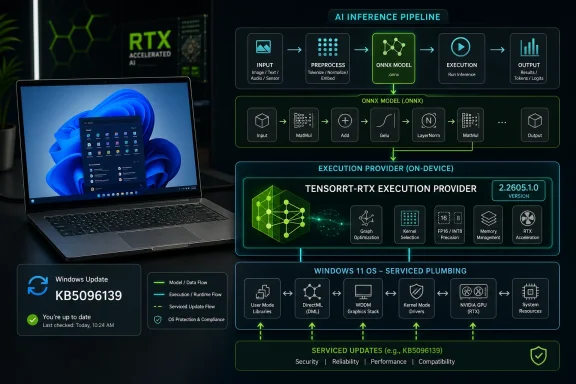
Diagram shows an AI inference pipeline on an RTX GPU, from input to ONNX execution output on Windows.Microsoft Moves AI Acceleration Into the Plumbing​

KB5096139 is not a flashy feature drop. There is no new Copilot button, no consumer-facing app, and no benchmark table in the support note. The update is described simply as an improvement to the NVIDIA TensorRT-RTX Execution Provider component for Windows 11 version 26H1.
That understatement is the point. Windows ML execution providers are becoming part of the operating system’s maintenance layer, much like graphics drivers, codec packs, WebView runtimes, and servicing stack components. The user may never launch something called “TensorRT-RTX,” but an app running an ONNX model locally may depend on it to make inference fast enough to feel native.
The execution provider is the piece that lets ONNX Runtime and Windows ML route compatible machine-learning workloads to NVIDIA RTX hardware. Instead of each application shipping its own NVIDIA-specific runtime stack, Microsoft’s model increasingly asks Windows to keep a shared provider present, patched, and ready.
That is a platform bet. Microsoft is not merely adding AI features to Windows; it is trying to make Windows the broker between app developers and a fragmented landscape of NPUs, GPUs, runtimes, drivers, and model formats.

The Quiet KB Article Is Louder Than It Looks​

The official KB language is sparse: the NVIDIA TensorRT-RTX Execution Provider accelerates ONNX model inference on NVIDIA RTX GPUs, uses NVIDIA’s TensorRT for RTX runtime, and is aimed at client-centric end-user PC scenarios. The update downloads and installs automatically through Windows Update. To verify installation, users can check Windows Update history for “Windows ML Runtime Nvidia TensorRT-RTX Execution Provider Update (KB5096139).”
There are two important constraints in that dry prose. First, KB5096139 applies to Windows 11 version 26H1, all editions. Second, Microsoft says the device must already have the latest cumulative update for Windows 11 version 26H1 installed.
That makes this a servicing dependency rather than a standalone installer story. If a machine is not current on the base OS, it should not expect this AI component update to arrive independently. Microsoft is keeping the AI runtime layer tied to the monthly health of Windows itself.
KB5096139 also replaces KB5089174, the prior NVIDIA TensorRT-RTX Execution Provider update, which carried version 2.2604.1.0. The new version number, 2.2605.1.0, strongly suggests a cadence aligned with the calendar: April to May, package to package, with Windows Update doing the distribution work.
That cadence matters because AI runtimes are not static. Model operators change, hardware support matures, driver assumptions shift, and vendors chase performance regressions as aggressively as they chase headline gains. Microsoft appears to be preparing Windows for a world in which AI components update more like browser engines than classic OS features.

Windows ML Is Becoming a Vendor-Neutral Front Door​

The larger Windows ML strategy is straightforward: developers bring ONNX models, Windows discovers available acceleration hardware, and execution providers handle the vendor-specific path. In practice, that means NVIDIA, AMD, Intel, and Qualcomm each need their own optimized route through the same Windows-facing framework.
For years, Windows machine-learning deployment was a choose-your-own-adventure mess. A developer might target DirectML for broad GPU support, CUDA or TensorRT for NVIDIA performance, OpenVINO for Intel, QNN for Qualcomm, or vendor SDKs for the latest hardware-specific capabilities. That could work for specialists, but it was painful for mainstream app developers trying to ship a feature across consumer PCs.
Execution providers are Microsoft’s abstraction layer over that chaos. They do not erase the differences between an RTX GPU, a Ryzen AI NPU, a Core Ultra NPU, and a Snapdragon NPU. They try to make those differences consumable through a manageable API surface and a serviced distribution channel.
That is why KB5096139 should interest more than AI hobbyists. If Windows ML succeeds, the update history page becomes part of the AI compatibility story. A user’s ability to run local inference efficiently may depend not only on whether they bought the right silicon, but whether Windows has the right provider version installed.
This is also why Microsoft’s “all editions” language is notable. The company is not presenting TensorRT-RTX as a workstation-only or developer-only capability. It is being treated as an operating-system component for client PCs that happen to have the right NVIDIA hardware.

NVIDIA Gets a First-Class Lane on Windows​

NVIDIA does not need Microsoft to make AI matter on PCs. CUDA, TensorRT, GeForce drivers, Studio drivers, and the broader RTX software stack already give NVIDIA a deep software moat. But Windows ML gives NVIDIA something different: a first-class route into ordinary Windows applications without requiring every app vendor to become an NVIDIA runtime distributor.
TensorRT for RTX is designed for optimized inference on RTX-class hardware. The Windows execution provider wraps that advantage in a system-managed component. For users, the best version of this future is boring: install Windows updates, install GPU drivers, run an app, and the model accelerates locally without a trip through dependency hell.
For developers, it changes packaging decisions. Instead of bundling a large vendor stack, an app can query Windows ML for compatible execution providers and let Windows acquire or register them. That is not just a convenience; it reduces app size, update burden, and the risk that five different applications ship five different builds of the same acceleration layer.
There is still a boundary here. This update does not magically make every ONNX model faster, and it does not turn older non-RTX GPUs into modern AI accelerators. Hardware support, driver versions, model structure, operator coverage, precision choices, and memory limits all remain relevant.
But NVIDIA benefits from having its optimized path visible inside Microsoft’s sanctioned framework. In a Windows ecosystem where Copilot+ PCs have often been discussed through the lens of NPUs, KB5096139 is a reminder that discrete GPUs remain a huge part of the local AI story.

The NPU Narrative Was Always Too Narrow​

Microsoft’s Copilot+ PC messaging has made NPUs the fashionable unit of AI capability. TOPS figures became the new spec-sheet trophy, and Qualcomm’s early Copilot+ push made neural processors feel like the defining hardware of the AI PC era. That framing was useful for marketing, but technically incomplete.
A Windows PC is not one accelerator. It is a collection of compute options, each with trade-offs. CPUs remain useful for compatibility and smaller workloads. NPUs are attractive for power-efficient, always-on tasks. GPUs are still formidable for throughput-heavy inference, creative workloads, and models that benefit from the mature CUDA/TensorRT ecosystem.
KB5096139 sits in that broader reality. It is not an NPU update. It is a GPU execution-provider update for NVIDIA RTX hardware. That places high-end laptops, desktops, creator PCs, and gaming rigs back in the center of Windows AI deployment.
That matters because the installed base of RTX GPUs is enormous compared with the first waves of NPU-equipped Copilot+ PCs. If Microsoft wants developers to adopt local inference, it cannot afford to define the opportunity only around new machines bought in the last hardware cycle. RTX systems are already on desks, in dorm rooms, under monitors, and inside small studios.
The practical implication is that the “AI PC” is less a single certification badge than a moving software target. A machine’s AI usefulness will depend on the intersection of hardware, drivers, Windows version, runtime components, and application support. KB5096139 updates one lane in that intersection.

Automatic Updates Are a Feature Until They Break Something​

Microsoft says KB5096139 will be downloaded and installed automatically from Windows Update. For consumers, that is almost certainly the right default. AI acceleration should not require a scavenger hunt through vendor pages, GitHub releases, and redistributable packages.
For administrators, automatic servicing cuts both ways. Shared runtime components reduce drift when everything works. When something misbehaves, they also create a new class of change to monitor: not quite a driver, not quite an application, not quite a cumulative update, but still capable of changing application behavior.
Inference runtimes can affect performance, memory usage, model compatibility, startup latency, and crash patterns. A provider update that improves one model family may expose assumptions in another. An application that was tested against last month’s provider might behave differently after Windows Update advances the shared component.
That does not mean enterprises should fear KB5096139 specifically. Microsoft’s note does not list known issues, security fixes, or dramatic behavior changes. The concern is structural: Windows AI components are becoming active pieces of the endpoint stack, and endpoint teams will need to inventory them with the same seriousness they apply to graphics drivers and WebView runtimes.
The update history check Microsoft provides is useful but minimal. It tells a user whether the package is present. It does not tell an administrator whether a particular app has registered the provider, whether a given ONNX workload is using it, or whether fallback to DirectML or CPU occurred silently.
That gap will matter as local AI moves from demos to line-of-business workflows. When a user says “the AI feature got slower after Patch Tuesday,” the answer may be buried somewhere between Windows Update, GPU driver release notes, app telemetry, and execution-provider selection logic.

Developers Get Less Packaging Pain and More Platform Dependence​

The developer story is the most compelling part of Microsoft’s approach. Windows ML lets apps use execution-provider catalog APIs to discover, install, and register compatible providers. In theory, that gives developers a clean path to hardware acceleration without shipping every vendor’s SDK.
That is the right abstraction for a mass-market OS. Developers should not need to become experts in every accelerator stack just to add local image processing, text analysis, semantic search, or small-model inference. ONNX gives them a model format, ONNX Runtime gives them an execution engine, and Windows ML offers a bridge to hardware.
But abstraction is never free. The more developers depend on Windows-managed execution providers, the more they depend on Microsoft’s release cadence, certification process, and compatibility promises. A vendor SDK bundled with an app gives the developer more control. A Windows-serviced provider gives the developer less packaging work but more reliance on the platform state of the user’s PC.
That trade-off will be acceptable for many applications, especially consumer software where smooth installation matters more than absolute runtime determinism. It may be less acceptable for regulated, validated, or production-critical workflows where a runtime change must be tested before deployment.
The likely outcome is a split market. Mainstream Windows apps will lean on Windows ML’s shared providers. Specialist tools, research stacks, and enterprise-controlled deployments may continue to bundle or pin their own acceleration libraries. Microsoft is not eliminating the old path; it is making the default path more attractive.
KB5096139 is one brick in that path. It tells developers that NVIDIA’s Windows ML lane is being serviced, versioned, and replaced through Microsoft’s normal update machinery.

Version 26H1 Makes the Timing More Interesting​

The KB applies to Windows 11 version 26H1, which places it in Microsoft’s next feature-release era rather than the broadly deployed Windows 11 builds most users are running today. That matters because Windows AI infrastructure is advancing alongside OS version boundaries.
Microsoft has increasingly separated parts of Windows into independently serviced components, but major framework changes still cluster around platform releases. If 26H1 is where this TensorRT-RTX provider update lands, it suggests Microsoft is using the upcoming Windows branch to refine the AI runtime architecture before it becomes mundane.
The version number 2.2605.1.0 also hints at a maturing monthly rhythm. KB5089174 carried 2.2604.1.0. KB5096139 carries 2.2605.1.0. That is not proof of a guaranteed monthly release schedule, but it is evidence of a component that can move faster than old-school Windows feature delivery.
For WindowsForum readers, the practical question is not whether this update will transform a PC overnight. It will not. The better question is whether Windows is becoming a rolling AI substrate underneath the familiar desktop.
The answer increasingly looks like yes. Microsoft’s AI work is no longer confined to visible features like Recall, Cocreator, Copilot, or semantic search. It is showing up in support articles for execution providers, model components, and runtime updates most users will never knowingly interact with.

Local AI Needs Trust, Not Just Throughput​

The local AI pitch has three big selling points: lower latency, reduced cloud cost, and better privacy because data can stay on the device. Windows ML aligns neatly with all three. If an app can run an ONNX model locally on an RTX GPU, it may avoid sending data to a remote inference service.
But local execution does not automatically create trust. Users and administrators still need to know what model is running, what data it consumes, whether outputs are stored, and how the runtime is updated. A serviced execution provider solves acceleration, not governance.
That distinction will become more important as AI features spread into productivity suites, creative tools, search utilities, developer environments, and enterprise apps. A local model running quickly is still a model whose behavior must be understood. A GPU-accelerated inference path is still software that can have bugs, vulnerabilities, and compatibility quirks.
Microsoft’s componentized update strategy also creates a documentation burden. If AI runtime components are updated through KB articles, those articles need to mature beyond “includes improvements.” That phrase may be acceptable for a small internal component, but it is thin gruel for administrators trying to assess deployment risk.
To be fair, Microsoft is not alone here. GPU vendors and ML framework maintainers often bury critical behavioral differences in release notes that only specialists read. The difference is that Windows Update reaches a much broader population. When Microsoft becomes the distributor, Microsoft inherits the expectation of Windows-grade transparency.

The Real Competition Is the Default Path​

The strategic fight here is not just NVIDIA versus AMD versus Intel versus Qualcomm. It is also Windows-managed AI versus app-managed AI. Whoever owns the default path for local inference will shape developer habits.
If Windows ML works well, developers will reach for it because it reduces friction. If it is inconsistent, opaque, or slow to support new model patterns, developers will keep bundling vendor-specific stacks. Microsoft’s job is to make the boring path good enough that most applications do not need a bespoke one.
NVIDIA has an advantage because its developer ecosystem is already strong. TensorRT is familiar in inference circles, and RTX branding gives consumers an intuitive sense that their GPU should help with AI workloads. A Windows execution provider lets NVIDIA’s strengths show up without requiring the user to install a separate AI runtime by hand.
AMD, Intel, and Qualcomm will push their own acceleration stories through the same Windows ML framework. That is healthy if the abstraction holds. It is dangerous if “works on Windows ML” fragments into a matrix of partially supported models, provider-specific caveats, and silent fallbacks.
The burden falls on Microsoft to make provider selection understandable. Developers need diagnostics. Administrators need inventory. Users need confidence that an app is not merely claiming local acceleration while quietly running on the CPU because the correct provider was missing, outdated, or incompatible.
KB5096139 does not answer all of that. It does show that Microsoft is investing in the mechanism that would make those answers possible.

The Small Update That Shows Where Windows Is Going​

KB5096139 is not a marquee Windows release, but it gives a clear read on Microsoft’s direction for local AI on PCs.
  • Windows 11 version 26H1 is getting an automatic NVIDIA TensorRT-RTX Execution Provider update through Windows Update.
  • The package updates the provider to version 2.2605.1.0 and replaces the earlier KB5089174 release.
  • The update requires the latest cumulative update for Windows 11 version 26H1 before installation.
  • Users can confirm installation in Windows Update history under the Windows ML Runtime NVIDIA TensorRT-RTX Execution Provider entry.
  • The broader significance is that Microsoft is treating AI acceleration runtimes as serviced Windows components rather than optional developer baggage.
  • The practical risk is that administrators will need better visibility into AI component versions, provider selection, and app behavior as local inference becomes common.
KB5096139 will not make every RTX PC feel suddenly transformed, and most users will never know it arrived. But updates like this are how platforms change: first as obscure runtime packages, then as developer assumptions, and eventually as the invisible layer beneath everyday features. Microsoft is laying the tracks for Windows to become the default broker of local AI acceleration, and the next test is whether it can make that layer reliable, transparent, and boring enough for everyone to stop thinking about it.

References​

  1. Primary source: Microsoft Support
    Published: Tue, 26 May 2026 21:02:40 Z
  2. Official source: learn.microsoft.com
  3. Related coverage: docs.nvidia.com
  4. Related coverage: windowsforum.com
  5. Related coverage: docs.nvidia.cn
 

Microsoft has published KB5096142, an automatic Windows Update package for Windows 11 version 24H2 and 25H2 that updates the Nvidia TensorRT-RTX Execution Provider to version 2.2605.1.0 for Windows ML and ONNX Runtime acceleration on RTX GPUs. The update is small in presentation but large in implication: Microsoft is turning AI acceleration into a serviced Windows component rather than a developer-by-developer dependency problem. For users, this will not look like a new app or a flashy Copilot feature. For Windows as a platform, it is another brick in the increasingly important runtime layer between AI software and local hardware.

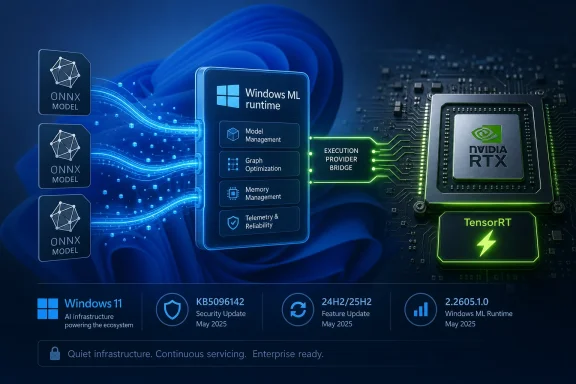
Blue Windows ML runtime architecture with ONNX models and an NVIDIA RTX/TensorRT GPU visualization.Microsoft Is Quietly Moving AI Plumbing Into Windows Update​

KB5096142 is not the kind of update that will generate a Start menu icon, a new settings page, or a promotional splash screen. It is an execution provider update, which means it improves the Windows component that lets machine-learning workloads target a specific class of hardware—in this case, Nvidia RTX GPUs—through Windows ML and ONNX Runtime.
That sounds dry because it is infrastructure. But infrastructure is where platform control lives. Microsoft’s bet is that local AI on Windows cannot depend on every app bundling its own GPU stack, its own optimized inference libraries, and its own update cadence.
The update applies to Windows 11 version 24H2 and Windows 11 version 25H2, provided the system already has the latest cumulative update installed. It replaces the prior Nvidia TensorRT-RTX Execution Provider update, KB5089168, which carried version 2.2604.1.0. The new package moves that component to version 2.2605.1.0 and appears in Windows Update history as “Windows ML Runtime Nvidia TensorRT-RTX Execution Provider Update.”
There is no dramatic changelog. Microsoft describes the release only as containing improvements to the execution provider component. That brevity is frustrating for administrators who prefer explicit fixes, but it is also consistent with how Microsoft has begun treating AI runtime servicing: as a compatibility and performance stream that evolves separately from the operating system’s visible shell.

The Execution Provider Is the Part Users Never See but Apps Depend On​

An execution provider is a hardware-specific bridge between an AI model and the processor best suited to run it. In the Windows ML world, the model is commonly expressed in ONNX, a portable format designed to let trained machine-learning models run across different frameworks and devices. ONNX Runtime then decides, with help from available execution providers, whether the work should run on a CPU, GPU, or NPU.
The Nvidia TensorRT-RTX Execution Provider is built for one slice of that universe: ONNX model inference on Nvidia RTX GPUs in client PCs. It uses Nvidia’s TensorRT for RTX runtime to generate and run optimized inference engines locally on the GPU. In plain English, it helps Windows applications use RTX hardware for AI workloads without every developer having to become an Nvidia deployment specialist.
That distinction matters because the Windows PC market is fragmented by design. One user may have a Qualcomm NPU, another an Intel NPU, another an AMD GPU, another an Nvidia RTX card, and many will have some combination of CPU, GPU, and neural accelerator. If Windows is going to be a credible local AI platform, it needs a common abstraction layer that hides enough of that complexity to make developers willing to target it.
Microsoft’s answer is not to eliminate hardware-specific optimization. It is to package that optimization in components Windows can discover, service, and make available to apps. KB5096142 is therefore not just an Nvidia update wearing a Microsoft KB number. It is a sign of how Windows is absorbing AI acceleration into the operating system’s maintenance model.

Windows 11 24H2 Was the Real Starting Line​

The update’s dependency on Windows 11 24H2 or 25H2 is not incidental. Windows 11 24H2 introduced the modern Windows ML direction Microsoft has been building around Copilot+ PCs and local inference. Vendor-optimized execution providers for GPUs and NPUs are tied to that newer Windows base rather than older Windows 10-era WinML expectations.
That makes KB5096142 part of a broader platform reset. Microsoft is not merely backporting every AI acceleration feature to the installed base. It is using 24H2 and later as the foundation for a more actively serviced AI runtime ecosystem.
For enthusiasts, this means the Windows version number matters more than it did during the long, flat middle years of Windows 10. For developers, it means targeting the newer Windows ML stack can bring automatic access to improved execution providers. For administrators, it means AI capability is increasingly coupled to cumulative update state, driver state, and Windows Update policy.
The prerequisite language is also revealing. Microsoft says users must have the latest cumulative update for Windows 11 version 24H2 or 25H2 installed. In other words, the execution provider is not a freestanding island. It rides on top of a current Windows servicing baseline, which gives Microsoft a narrower matrix to validate and reduces the chance of new AI components landing on stale system files.
That is sensible engineering, but it also reinforces the servicing treadmill. If a fleet delays cumulative updates aggressively, it may also delay the AI runtime improvements that application vendors assume are present. The cost of staying behind is no longer limited to security exposure or missing shell fixes; it may include worse local AI performance and compatibility.

Nvidia Gets a Cleaner Path Into Windows AI Workloads​

Nvidia already dominates the developer imagination around accelerated AI, but Windows client deployment is a different battlefield from data-center CUDA stacks. Consumer PCs are messy. Drivers vary, app packaging varies, users do not install toolkits correctly, and even technically literate people can get trapped in dependency mismatches between CUDA, cuDNN, TensorRT, ONNX Runtime, and Python packages.
The TensorRT-RTX Execution Provider is one attempt to tame that for client scenarios. Instead of asking each app to ship and maintain an entire optimized inference path, Windows can expose an execution provider that apps can use through the platform. The promise is not that every workload magically becomes fast. The promise is that the path to hardware acceleration becomes less bespoke.
That is good for Nvidia because it keeps RTX GPUs relevant in the local AI story even as Microsoft promotes NPUs in Copilot+ PCs. NPUs are efficient and increasingly important, but the installed base of RTX laptops and desktops is enormous, and GPUs remain attractive for heavier models and creative workloads. A serviced TensorRT-RTX provider lets Nvidia’s acceleration story participate in the Windows ML layer instead of living only in separate developer ecosystems.
It is also good for Microsoft because it avoids making Windows AI synonymous with one hardware class. Copilot+ branding pushed NPUs into the spotlight, but real Windows machines are hybrid compute boxes. A practical AI platform has to dispatch work across what the user actually owns, not what a launch event wished they owned.
Still, there is a strategic tension here. The more Microsoft abstracts vendor hardware behind Windows ML, the more it can tell developers to target Windows rather than Nvidia, Qualcomm, Intel, or AMD directly. The more Nvidia integrates into that abstraction, the more RTX hardware becomes useful to ordinary Windows apps without special setup. Both companies benefit, but neither is giving up leverage.

Automatic Delivery Is Convenient Until It Becomes a Change-Control Problem​

Microsoft says KB5096142 will be downloaded and installed automatically from Windows Update. For consumers, that is the right default. Nobody wants to manually track execution provider versions just to make a photo editor, local transcription app, or AI-assisted coding tool run better on a GPU.
For managed environments, automatic servicing is more complicated. Execution providers are not security patches in the traditional sense, but they can affect application behavior. They may change performance, supported operators, model compatibility, fallback behavior, or GPU utilization patterns. If an enterprise has validated an AI-enabled workflow on a particular runtime version, an automatic component update is still a change.
This is the familiar Windows tension in a new costume. Microsoft wants a platform where improvements flow continuously and developers can assume a reasonably modern base. Administrators want predictability, staged rollout, and a clear understanding of what changed before it reaches production machines.
The lack of detailed release notes makes that harder. “Improvements” may be true, but it is not operationally rich. A sysadmin reading KB5096142 knows the version number, applicability, prerequisite, replacement relationship, and update-history label. They do not know which model operators were improved, which crashes were fixed, whether engine caching changed, or whether any known regressions exist.
That is acceptable for home PCs. It is less satisfying for organizations beginning to deploy local AI features in regulated, high-performance, or support-sensitive environments. If Microsoft wants Windows ML to be treated as serious platform infrastructure, its AI component updates will eventually need the same sort of change transparency expected from graphics drivers, .NET servicing, or browser enterprise release notes.

This Is Not a GPU Driver, and That Distinction Matters​

One source of confusion is that anything involving Nvidia and Windows Update tends to get mentally filed under “driver.” KB5096142 is not a GeForce driver update. It does not replace the Nvidia display driver, does not update the Nvidia App, and does not directly change gaming features such as DLSS settings or display output behavior.
It updates a Windows ML runtime component that uses Nvidia’s TensorRT for RTX technology for model inference. That is a narrower and more specific function. If a game is crashing, a monitor is flickering, or the Nvidia Control Panel is misbehaving, this KB is unlikely to be the first suspect.
The distinction matters because the Windows Update history entry may alarm users who are conditioned to be cautious about GPU changes. “Nvidia TensorRT-RTX Execution Provider” sounds technical enough to be dangerous and obscure enough to be suspicious. In reality, it is part of the machinery that AI-capable Windows apps may call when they want to run ONNX models efficiently on local RTX hardware.
That does not mean it is risk-free. Runtime components can have bugs, and GPU-accelerated inference can expose driver interactions or application assumptions. But troubleshooting should start from what the component actually does. It is a machine-learning inference provider, not the core graphics driver stack.
For WindowsForum readers, the practical test is simple: if you see KB5096142 in update history and nothing is broken, there is probably nothing to do. If an AI application behaves differently after the update, especially one using Windows ML or ONNX Runtime acceleration, then the execution provider becomes relevant. If your issue is purely display, gaming, or general Nvidia driver behavior, look elsewhere first.

Local AI Needs Boring Updates More Than Big Promises​

The PC industry has spent the last two years selling local AI as a revolution. Copilot keys, NPUs, “AI PCs,” RTX acceleration, small language models, background effects, recall-style indexing, and on-device assistants all orbit the same premise: more intelligence should run locally, not only in the cloud.
The problem is that local AI is not one feature. It is a stack. Models need formats, runtimes, execution providers, hardware drivers, memory planning, power management, security boundaries, and update channels. A keynote can hide that complexity; a shipping platform cannot.
KB5096142 belongs to the unglamorous part of the story. It updates one provider for one hardware family on two Windows versions. But multiplied across Qualcomm QNN, Intel OpenVINO, AMD components, Nvidia TensorRT-RTX, and Microsoft’s own runtime work, this is how local AI becomes less experimental and more ordinary.
That ordinariness is the point. Users should not need to know whether an app’s background removal model uses DirectML, TensorRT-RTX, an NPU provider, or CPU fallback. Developers should not have to ship a separate acceleration universe for every hardware vendor. Administrators should be able to inventory and manage the components that make all of this happen.
The danger is that Microsoft repeats old Windows mistakes: opaque updates, inconsistent naming, scattered documentation, and unclear boundaries between OS, Store, driver, and optional component. AI runtime servicing can succeed only if it becomes boring in the right way. Boring means predictable, inspectable, and recoverable—not invisible until something fails.

ONNX Is the Common Language Microsoft Wants Developers to Speak​

The presence of ONNX Runtime at the center of this update is not accidental. ONNX gives developers a model format that can move between training frameworks and inference environments. ONNX Runtime then provides a way to execute those models across different hardware targets.
For Microsoft, ONNX is strategically useful because it prevents Windows AI from depending entirely on one vendor’s native SDK. A developer can bring an ONNX model to Windows ML and let the platform choose an appropriate execution provider. On an Nvidia RTX machine, that may mean TensorRT-RTX. On another machine, it may mean a Qualcomm, Intel, AMD, DirectML, or CPU path.
That does not erase vendor differences. Some models run better on certain hardware. Some operators may be supported in one execution provider before another. Some workloads need GPU memory that a thin-and-light laptop simply does not have. Abstraction is not magic.
But abstraction is still valuable. Without it, Windows AI becomes a maze of per-vendor code paths and installer prerequisites. With it, Microsoft can encourage developers to write against a common platform while still allowing hardware vendors to compete underneath on performance and efficiency.
KB5096142 is a minor version bump in that architecture. Its significance is that the architecture now has a visible servicing rhythm. Microsoft is not treating execution providers as static files dropped once and forgotten. It is updating them, replacing prior KBs, and exposing their presence in update history.

The Update History Entry Is the Only Consumer-Facing Clue​

Microsoft tells users to verify installation by going to Settings, Windows Update, and Update history. After installation, the relevant entry should read “Windows ML Runtime Nvidia TensorRT-RTX Execution Provider Update (KB5096142).”
That is both useful and limited. It gives power users a way to confirm the component landed. It gives support desks a string to ask for when troubleshooting. It gives administrators a KB number to track.
What it does not give is a friendly explanation inside Windows of why the component exists. A user with an RTX laptop may reasonably ask why a machine-learning runtime update appeared when they did not install an AI app. The answer is that Windows is preparing and maintaining shared acceleration infrastructure that applications may use later. But Windows Update history does not say that in human terms.
This is one of the stranger aspects of the AI PC transition. Microsoft is making deep platform changes while the visible user experience remains uneven. Some users see Copilot branding everywhere and resent it. Others receive AI runtime components silently and never learn what they do. Between those poles lies the actual platform work, which is more consequential than the marketing.
For WindowsForum’s audience, update history is also a diagnostic breadcrumb. If an app developer says their Windows ML feature requires the latest Nvidia TensorRT-RTX provider, KB5096142 is the name to check. If a device is stuck on an older provider such as KB5089168, the next question is whether the machine is current on cumulative updates and eligible for the automatic Windows Update package.

Version 25H2’s Inclusion Shows the AI Stack Is Already Looking Ahead​

KB5096142 applies to Windows 11 version 25H2 as well as 24H2. That matters because it shows Microsoft is carrying this AI runtime model forward rather than treating it as a one-release experiment. Windows 11 24H2 may have been the practical platform reset, but 25H2 is already in the servicing picture.
The inclusion also hints at how Microsoft wants Windows versions to feel for AI developers. The ideal is continuity: an app targets Windows ML, execution providers arrive and improve through Windows Update, and the user’s hardware determines the best available acceleration path. In that model, the app is less tightly coupled to a specific Windows feature release and more dependent on the presence of serviced runtime components.
The reality will be messier. Enterprises will lag on feature updates. Consumers will own unsupported hardware combinations. GPU drivers will vary. Some AI apps will bypass Windows ML entirely and ship their own stacks because they need maximum control or cross-platform consistency.
Even so, the direction is clear. Microsoft wants the Windows AI platform to be versioned, serviced, and discoverable. KB5096142 is part of that scaffolding. It is not an end-user feature update, but it is a platform signal.

The Changelog Gap Is Now the Biggest Weakness​

The strongest criticism of KB5096142 is not that it exists, or that it installs automatically, or that it targets a narrow Nvidia component. The criticism is that Microsoft is asking users and administrators to accept an AI runtime update with almost no technical disclosure.
A version number is not a changelog. “Improvements” is not a support matrix. “Replaces KB5089168” is useful but not sufficient. If an execution provider update changes performance or compatibility, the people responsible for fleets need more than a breadcrumb.
This is especially important because local AI workloads can be resource-intensive. They can affect battery life, thermals, GPU scheduling, memory pressure, and user perception of system responsiveness. A change that is beneficial for one model or app could expose a regression in another.
Microsoft does not need to publish every internal bug ID. But it should publish enough to let IT professionals understand the category of change: stability fixes, operator support, performance improvements, security hardening, compatibility updates, or known issues. That kind of transparency would make these updates feel like mature platform servicing rather than mysterious AI payloads.
The irony is that Microsoft has spent decades teaching administrators to respect KB numbers. A KB article is supposed to be the durable explanation behind a change. If AI execution provider KBs remain thin, they will inherit the authority of Windows Update without providing the operational detail that authority deserves.

The Small Nvidia KB That Shows Where Windows Is Going​

KB5096142 is easy to ignore, but it captures several concrete realities about the new Windows AI stack. The most important point is that AI acceleration is becoming a maintained platform layer, not merely a feature inside individual apps.
  • KB5096142 updates the Nvidia TensorRT-RTX Execution Provider to version 2.2605.1.0 for Windows 11 version 24H2 and 25H2 systems.
  • The update is delivered automatically through Windows Update and requires the latest cumulative update for the applicable Windows version.
  • The package replaces KB5089168, which carried the previous 2.2604.1.0 version of the same provider.
  • The component is meant for ONNX model inference acceleration on Nvidia RTX GPUs through Windows ML and ONNX Runtime, not for general graphics-driver servicing.
  • Users can confirm installation in Windows Update history under the Windows ML Runtime Nvidia TensorRT-RTX Execution Provider Update entry.
  • The update’s sparse release notes leave administrators with too little detail about the exact fixes or performance changes included.
The larger story is that Windows is becoming a broker for local AI compute. Nvidia, AMD, Intel, Qualcomm, and Microsoft all want a say in where workloads run, but users and developers need the operating system to make that complexity survivable. KB5096142 is one of those quiet updates that will never be remembered by name, yet it points toward a Windows future where the most important AI changes arrive not as new apps, but as serviced layers beneath them.

References​

  1. Primary source: Microsoft Support
    Published: Tue, 26 May 2026 21:02:36 Z
  2. Official source: learn.microsoft.com
  3. Related coverage: onnxruntime.ai
  4. Related coverage: docs.nvidia.com
  5. Related coverage: developer.nvidia.com
 

Microsoft has published KB5096142, an automatic Windows Update package that updates the Nvidia TensorRT-RTX Execution Provider to version 2.2605.1.0 for Windows 11 version 24H2 and Windows 11 version 25H2 systems with the latest cumulative update installed. The update is small in presentation but large in strategic meaning: Microsoft is treating local AI acceleration as a Windows-serviced component, not merely as something app developers or GPU vendors bolt on after the fact. For users, the visible change may be only a line in Update history. For developers and administrators, it is another sign that Windows’ AI stack is becoming part of the operating system’s regular maintenance contract.

Windows 11 AI workload pipeline graphic showing ONNX runtime, TensorRT execution on NVIDIA RTX with system health.Microsoft Moves AI Acceleration Into the Plumbing​

KB5096142 is not a flashy feature drop. It does not add a Copilot button, change the Start menu, or promise a new consumer-facing AI experience. It updates an execution provider: the layer that lets ONNX Runtime and Windows ML route model inference work to Nvidia RTX GPUs through Nvidia’s TensorRT for RTX runtime.
That distinction matters because the execution provider is where the abstract promise of “AI on the PC” becomes silicon-specific behavior. An ONNX model is portable in theory, but performance depends on how well the runtime can translate that model into something the hardware can execute efficiently. The TensorRT-RTX provider is Microsoft and Nvidia’s answer for a particular class of Windows machines: client PCs with RTX graphics hardware that can accelerate local inference workloads.
The update applies to Windows 11 24H2 and Windows 11 25H2, which places it firmly in Microsoft’s newer Windows AI architecture rather than the older Windows 10-era DirectML story. Microsoft’s documentation around Windows ML has been increasingly clear that hardware-optimized execution providers are part of the 24H2-and-newer platform. KB5096142 reinforces that boundary.
This is the quiet operating-systemification of AI acceleration. Instead of every application bundling its own inference stack, vendor libraries, GPU plugins, and update logic, Windows is becoming a broker for those components. The operating system does not just run the app; it helps decide how the model reaches the CPU, GPU, or NPU underneath it.

The Update History Line Is the User Interface​

For most users, KB5096142 will be encountered only if they go looking for it. Microsoft says the update downloads and installs automatically through Windows Update. To verify installation, users can open Settings, go to Windows Update, then Update history, where the entry should appear as “Windows ML Runtime Nvidia TensorRT-RTX Execution Provider Update (KB5096142).”
That is a deliberately unglamorous user experience. There is no wizard, no driver-style control panel, and no gaming-oriented branding. Microsoft is presenting the execution provider as a managed runtime component, closer to a servicing package than a consumer app.
The prerequisite is also telling. Systems must have the latest cumulative update for Windows 11 24H2 or 25H2 installed. That keeps the execution provider tied to the baseline OS servicing state, which reduces the number of combinations Microsoft, Nvidia, and app developers have to reason about. It also means that organizations delaying cumulative updates may indirectly delay updates to the AI acceleration layer.
This is not new in Windows servicing terms, but it is new in the context of AI. For years, GPU acceleration on Windows has been associated with display drivers, CUDA toolkits, game-ready packages, and application-specific dependencies. KB5096142 points to a different model: the inference plumbing can be revised by Windows Update itself.

TensorRT-RTX Is Not Just Another Driver​

It would be easy to misread KB5096142 as a GPU driver update. It is not. Nvidia display drivers remain separate, and they still carry the burden of kernel-mode graphics support, gaming optimizations, CUDA support, and hardware enablement. TensorRT-RTX sits higher in the stack, in the territory where applications, ONNX Runtime, Windows ML, and silicon-specific acceleration meet.
An execution provider is a runtime adapter. It gives ONNX Runtime a way to hand suitable portions of a model to a specialized backend. In this case, that backend is Nvidia’s TensorRT for RTX runtime, which can generate and run RTX-optimized inference engines locally on the GPU.
That local word is doing a lot of work. Microsoft’s Windows AI pitch is no longer only about cloud-backed assistants. It is also about giving applications a supported way to run models on the user’s own machine, with lower latency, lower cloud cost, and potentially stronger privacy properties. The execution provider is one of the mechanisms that makes that pitch viable.
The practical impact will vary sharply by workload. A small CPU-bound model may see little reason to involve an RTX GPU. A video, image, language, or generative-AI pipeline that can exploit GPU parallelism may care a great deal. The point of the Windows ML model is that applications can ask the platform for acceleration rather than carrying every hardware-specific answer themselves.

Windows ML Is Becoming the Dispatch Layer for the AI PC​

The broader story is Windows ML. Microsoft now describes Windows ML as a unified local inferencing framework for Windows, powered by ONNX Runtime, with acceleration across CPUs, GPUs, and NPUs. That framing positions Windows ML as the dispatch layer for the AI PC era.
This matters because the PC market is fragmenting again at the silicon level. Copilot+ PCs pushed NPUs into the marketing spotlight, but the installed base of capable discrete GPUs remains enormous. Intel, AMD, Qualcomm, and Nvidia all have their own acceleration paths, libraries, and performance claims. Without a common layer, developers face a familiar trap: either target the lowest common denominator or build a matrix of vendor-specific packages.
Execution providers are Microsoft’s way to preserve the ONNX abstraction while still letting silicon vendors compete below it. A developer can use ONNX Runtime APIs while the system supplies the provider appropriate to the device. That does not erase compatibility testing, but it changes who owns part of the update problem.
KB5096142 is therefore not just a Nvidia-specific housekeeping item. It is a concrete example of Microsoft’s intended Windows AI supply chain. The app brings or references a model. Windows ML provides the runtime surface. Execution providers connect that runtime to the best available hardware. Windows Update keeps those providers current.

The Old DirectML Story Is Giving Way to a More Vendor-Specific One​

DirectML was Microsoft’s broad answer to machine-learning acceleration across DirectX 12-capable hardware. It was valuable because it offered a common GPU abstraction in the Windows ecosystem. But the newer Windows ML model is more explicit about specialized execution providers for specific silicon stacks.
That shift is not an abandonment of portability. It is an acknowledgment that the highest-performance path for modern inference often runs through vendor-specific libraries. Nvidia has TensorRT, Qualcomm has its AI Engine tooling, Intel has OpenVINO, and AMD has its own inference acceleration routes. Microsoft’s challenge is to make those paths available without forcing every app developer to become a deployment engineer for every chip vendor.
The TensorRT-RTX provider shows how that compromise works. Windows can still present a unified runtime story, while Nvidia’s own optimization machinery does the work of turning suitable ONNX models into efficient RTX execution. The result is neither a pure Microsoft abstraction nor a pure Nvidia developer kit. It is a layered bargain.
There are risks in that bargain. Specialized execution providers can create subtle differences in model behavior, supported operators, performance characteristics, and failure modes. An app that works well on one provider may need fallback logic on another. But the alternative — every serious AI app bundling its own hardware matrix — is worse for users and developers alike.

Automatic Delivery Solves One Problem and Creates Another​

Automatic installation through Windows Update is the most user-friendly part of KB5096142. It means users do not need to know what an execution provider is. It also means apps can benefit from performance improvements, compatibility fixes, and new operator support without waiting for the user to install a separate SDK component.
For developers, that is a serious advantage. If the execution provider improves, the app may get faster or more compatible without shipping a new build. If Microsoft and Nvidia fix a runtime defect, that fix can propagate through Windows servicing rather than through a dozen application updaters.
For administrators, however, automatic delivery introduces a governance question. AI execution providers are not cosmetic. They can affect how applications run models, what hardware is used, and potentially how much GPU memory, power, and thermal headroom an app consumes. In managed environments, that makes them part of the operational baseline.
The prerequisite on the latest cumulative update adds another layer. If an enterprise controls Windows Update cadence tightly, it may control this AI component indirectly. That is good for stability, but it also means app behavior may differ between devices based on servicing state, even when the application version is identical.

Nvidia Gains a Native Windows Distribution Channel​

From Nvidia’s perspective, the significance is obvious. RTX GPUs already dominate many creator, enthusiast, workstation, and AI-adjacent Windows PCs. TensorRT has long been central to Nvidia’s inference story. With TensorRT-RTX surfaced through Windows ML execution providers, Nvidia’s local AI stack becomes more reachable to ordinary Windows applications.
This is not just about developers writing explicitly Nvidia-branded software. The more interesting scenario is an app that uses Windows ML and ONNX Runtime without asking the user to install a separate Nvidia inference package. On compatible hardware, Windows can make the provider available. The user sees the application; the runtime does the routing.
That gives Nvidia a strong position in the Windows AI PC race even as NPUs receive much of the official platform branding. NPUs are important for efficient, sustained, battery-friendly inference. Discrete RTX GPUs remain powerful options for throughput-heavy workloads, especially on desktops, gaming laptops, creator systems, and workstations.
The AI PC is not one device category. It is a set of hardware capabilities spread unevenly across the Windows installed base. KB5096142 is a reminder that Microsoft cannot define that market with NPUs alone. It needs the GPU vendors, and for high-end local inference on Windows, Nvidia remains unavoidable.

App Developers Get a Better Default, Not a Free Pass​

For developers, the promise of Windows-managed execution providers is straightforward: smaller apps, fewer bundled dependencies, and a better chance of using the right accelerator on the user’s machine. That promise is real, but it does not remove the hard parts of AI application development.
Models still need to be tested across providers. Operator support still matters. Quantization choices, memory usage, batching behavior, and fallback paths still shape real-world performance. A model that performs beautifully through TensorRT-RTX on a high-end desktop GPU may behave differently on an Intel NPU, a Qualcomm NPU, an AMD GPU, or the CPU fallback path.
What Windows ML can do is provide a more rational deployment framework. Instead of treating each hardware backend as a one-off integration, developers can build around ONNX Runtime and let Windows acquire compatible providers. That is a meaningful improvement over the plugin sprawl that often accompanies cross-hardware acceleration.
The best developers will still expose sensible diagnostics. Users and admins need to know whether a workload is running on CPU, GPU, or NPU, especially when troubleshooting performance or battery drain. A runtime that is invisible when it works should not be opaque when it fails.

For Enthusiasts, This Is a New Thing to Check After Patch Tuesday​

Windows enthusiasts will recognize the pattern. A small support article appears. The update arrives automatically. A new entry shows up in Update history. The visible surface is tiny, but it may explain why a local AI feature suddenly behaves differently after servicing.
KB5096142 replaces the previously released KB5089168, which means this is not a one-off experiment. Microsoft is maintaining a chain of AI component updates, with versioned packages and replacement relationships. That is exactly how mature Windows components behave.
The practical troubleshooting path is simple. If an RTX-equipped Windows 11 24H2 or 25H2 system is expected to use Nvidia’s TensorRT-RTX execution provider, first confirm the latest cumulative update is installed. Then check Windows Update history for the KB5096142 entry. If an app exposes runtime diagnostics, compare what the app reports with what Windows says is installed.
Users should not expect a game-like performance boost across the entire system. This update matters when an application uses Windows ML or ONNX Runtime in a way that can take advantage of the Nvidia provider. The effect is application-specific, model-specific, and hardware-specific.

Enterprise IT Will Care About Repeatability More Than Raw Speed​

In enterprise environments, the interesting question is not whether KB5096142 makes a benchmark faster. It is whether the organization can predict and reproduce behavior across fleets. AI acceleration is useful only if it does not become a support lottery.
Windows Update delivery helps by putting the provider into the normal servicing stream. It also complicates change management because the component can update independently of the application that uses it. A business app using local inference may behave differently after a monthly update even if the app itself has not changed.
That is not an argument against the model. It is an argument for treating AI runtime components as first-class dependencies. Admins should document which Windows build, cumulative update, GPU driver, and execution provider version are present on machines that run important AI workloads. The update history entry is a start, but serious environments will want inventory and telemetry.
Security teams will also take note. Local inference can reduce exposure to cloud services by keeping data on-device, but it also expands the amount of privileged, performance-sensitive runtime code on endpoints. Execution providers need the same seriousness organizations already apply to browsers, drivers, runtimes, and endpoint agents.

The Copilot+ Narrative Was Too Narrow​

Microsoft’s public AI PC story has often centered on Copilot+ PCs and NPUs. That made sense as a marketing wedge: NPUs are new, measurable, and tied to a fresh class of Windows hardware. But it was always too narrow as a platform story.
Most Windows users will not replace their PCs overnight. Many machines that are poor Copilot+ candidates still have strong GPUs. A desktop with an RTX card may be a better local inference machine for some workloads than a thin laptop with a modest NPU. Microsoft needs Windows AI to scale across that messiness.
KB5096142 fits that more pragmatic view. It is not about one blessed accelerator. It is about Windows recognizing that different inference workloads belong on different hardware. NPUs matter. GPUs matter. CPUs still matter. The operating system’s job is increasingly to arbitrate between them.
That arbitration will not always be perfect. Power, latency, memory pressure, thermals, driver versions, and model structure all influence the right choice. But a Windows-managed execution provider ecosystem gives Microsoft a fighting chance to make those choices less chaotic for developers and less visible to users.

A Small KB Number Sketches the Next Windows Platform​

There is a tendency to judge Windows AI by its most visible consumer features. That is understandable but incomplete. The platform story is being written in quieter places: runtime packages, execution providers, SDK versions, update channels, and hardware compatibility tables.
KB5096142 is one of those quiet platform moves. It says that Nvidia RTX acceleration for ONNX inference is not just an SDK download or a developer blog topic. It is a Windows-serviced component with a KB number, a version, prerequisites, replacement information, and an Update history entry.
That is how infrastructure enters the mainstream. First it is a specialist tool. Then it becomes a dependency. Eventually it becomes something the platform updates because too many applications rely on it to leave it unmanaged.
The same pattern played out with graphics APIs, browser engines, media codecs, and security runtimes. AI inference is now moving through that cycle at Windows speed. The rough edges are still visible, but the direction is clear.

The KB5096142 Signal Buried in Settings​

The concrete takeaways are modest on the surface, but they point to a broader Windows AI operating model. KB5096142 is best understood not as a user-facing feature but as maintenance for the acceleration layer that future user-facing features will depend on.
  • KB5096142 updates the Nvidia TensorRT-RTX Execution Provider to version 2.2605.1.0 on supported Windows 11 24H2 and 25H2 systems.
  • The package is delivered automatically through Windows Update and requires the latest cumulative update for the supported Windows version.
  • Users can confirm installation in Settings under Windows Update and Update history.
  • The update replaces KB5089168, showing that Microsoft is maintaining a versioned servicing chain for Windows AI components.
  • The impact depends on applications that use Windows ML or ONNX Runtime in a way that can route inference work to Nvidia RTX hardware.
  • Administrators should treat execution provider versions as part of the AI workload baseline, alongside OS build, cumulative update level, GPU driver, and application version.
The real importance of KB5096142 is that it makes local AI acceleration look less like a novelty and more like Windows maintenance. That is less exciting than a demo, but it is more consequential. If Microsoft wants Windows to be the default platform for on-device AI, the winning move is not a single headline feature; it is making the acceleration stack reliable, updateable, and boring enough that developers can build on it without thinking about it every week.

References​

  1. Primary source: Microsoft Support
    Published: Tue, 26 May 2026 21:02:36 Z
 

Back
Top