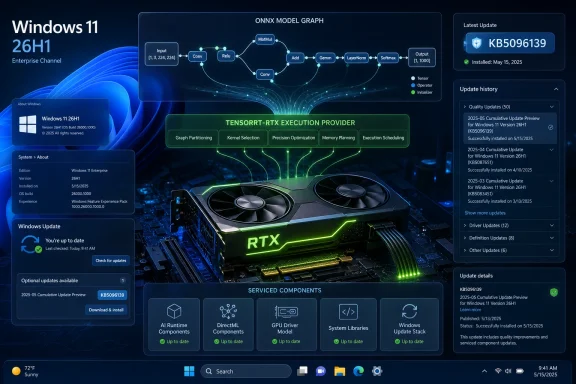
Microsoft has published KB5096139, an automatic Windows Update package for Windows 11 version 26H1 that updates the Nvidia TensorRT-RTX Execution Provider to version 2.2605.1.0 for systems with the latest 26H1 cumulative update installed. The dry support-note wording hides a bigger story: Microsoft is turning local AI acceleration into a serviced Windows component, not a vendor add-on users occasionally chase down. For RTX-equipped client PCs, that means the path between an ONNX model and the GPU is increasingly governed by Windows Update. For administrators, developers, and power users, it also means the AI stack is becoming part of the operating system’s monthly maintenance surface.
KB5096139 is not a GeForce driver, not a CUDA toolkit release, and not a flashy Copilot feature drop. It is an update to an execution provider, the layer that allows ONNX Runtime and Windows machine-learning workloads to target Nvidia RTX hardware more directly.
That distinction matters because execution providers sit in a practical middle ground. They are not the model itself, and they are not the application using the model. They are the translation and acceleration layer that decides whether a local AI workload runs generically on the CPU, through a broader GPU path, or through a vendor-optimized engine built for a specific class of hardware.
Microsoft’s support text describes the Nvidia TensorRT-RTX Execution Provider as a component for client-centric scenarios, which is a bland way of saying “the AI PC as it actually ships to consumers.” This is not about datacenter inference, enterprise GPU clusters, or cloud-hosted generative AI. It is about Windows applications running models locally on end-user machines and trying to extract useful performance from the RTX silicon already sitting inside laptops and desktops.
That is why KB5096139 deserves more attention than its small footprint suggests. Microsoft is treating the GPU inference path as something Windows should update automatically, with prerequisites, replacement logic, and an entry in Update History. The company is effectively saying that local AI acceleration is now part of the Windows servicing contract.
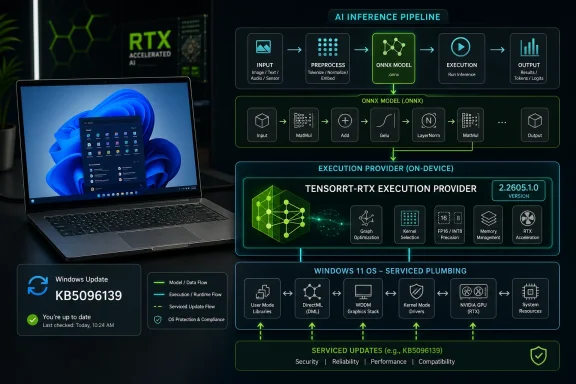
An ONNX Runtime execution provider is not a display driver, but it plays a similarly decisive role for inference. It determines how a model graph is compiled, optimized, and dispatched to hardware. In the TensorRT-RTX case, the point is to use Nvidia’s TensorRT for RTX runtime to generate and run optimized inference engines locally on RTX GPUs.
That makes the execution provider a new kind of compatibility boundary. App developers can target ONNX Runtime and Windows ML abstractions rather than hand-building every hardware path themselves. Microsoft and Nvidia can then improve the underlying execution route without requiring each app vendor to ship a bespoke accelerator update.
This is the bargain Windows has always tried to sell: write to the platform, and the platform absorbs the hardware mess. The difference in 2026 is that the “hardware mess” now includes NPUs, discrete GPUs, integrated GPUs, model formats, quantization choices, and rapidly changing inference runtimes. The execution provider is where those layers meet.
KB5096139 therefore represents more than a component refresh. It is a sign that Microsoft wants Windows Update to become the distribution channel for AI plumbing that, in an earlier era, might have lived entirely inside vendor SDK installers, developer toolchains, or application bundles.
That makes this update simultaneously narrow and revealing. Narrow, because most Windows 11 24H2 and 25H2 systems should not expect to see KB5096139 offered just because they contain an RTX GPU. Revealing, because the update shows what Microsoft is building for the next class of Windows hardware: a more modular, updateable AI substrate tied to specific silicon generations.
The 26H1 split is already uncomfortable for anyone who wants Windows servicing to be simple. Microsoft’s mainstream messaging has trained users to expect a yearly feature update cadence, but 26H1 is not that kind of release. It is a platform branch for new hardware, with its own servicing profile and its own component updates.
That context changes how KB5096139 should be read. This is not Microsoft suddenly improving every RTX PC in the field. It is Microsoft servicing a new Windows branch where local AI hardware paths are part of the baseline experience.
For users, the practical promise is simple: local AI features should run better when software can use the RTX GPU efficiently. For developers, the promise is abstraction: build against ONNX Runtime and let the execution provider handle more of the hardware-specific optimization. For Microsoft, the promise is platform coherence: Windows can claim a first-class local AI story without pretending every PC has the same accelerator.
The politics are more complicated. Microsoft has to support Qualcomm’s NPUs, Intel’s AI PC roadmap, AMD’s Ryzen AI hardware, and Nvidia’s discrete GPU dominance without turning Windows into a maze of vendor-specific dependencies. Execution providers are one way to square that circle, but they also make the Windows AI stack look less like a single platform and more like a managed federation.
That may be the only realistic answer. The PC ecosystem has never been vertically integrated in the way Apple’s is. Microsoft cannot simply decree one neural engine, one driver model, and one hardware target. It has to orchestrate a market full of silicon vendors, and KB5096139 is a small example of what that orchestration looks like in practice.
Automatic delivery means Microsoft does not want this component treated as an enthusiast download. It wants the execution provider to move with the operating system, in the same administrative frame as other platform updates. Users can verify its presence in Settings under Windows Update history, where it appears as a Windows ML Runtime Nvidia TensorRT-RTX Execution Provider update.
That is good for baseline consistency. If application developers begin relying on this path, they need some confidence that supported devices will actually have the relevant runtime components. A model acceleration feature that depends on users manually hunting down an obscure package is not a platform feature; it is a support problem waiting to happen.
But automatic delivery also raises the stakes. If an execution provider update regresses a workload, the blast radius could include multiple applications that happen to rely on the same acceleration path. The more Windows centralizes AI plumbing, the more a small component update can have ecosystem-level consequences.
That cadence is exactly what local AI runtimes need. Model execution is moving quickly, and optimization layers often improve in ways that are invisible to ordinary users but meaningful to performance, memory use, compatibility, and power behavior. A faster engine build, a better fallback path, or a fix for a specific operator can make the difference between a feature feeling native and feeling experimental.
Microsoft’s challenge is that Windows users do not want another opaque update stream. They already deal with cumulative updates, Store app updates, driver updates, firmware updates, Edge updates, Defender intelligence updates, and vendor utilities. AI component updates add yet another category, and most users will not know what the name means when it appears in Update History.
That naming problem is not cosmetic. “Windows ML Runtime Nvidia TensorRT-RTX Execution Provider Update” is technically accurate, but it reads like something built for an internal dependency graph rather than a human being. If Microsoft expects AI components to become routine parts of Windows maintenance, it will eventually need clearer surfaces for explaining what changed and why it matters.
That is not new in Windows development, but AI workloads are unusually sensitive to runtime behavior. A model that performs well through one provider version may expose different memory pressure, precision behavior, or initialization time after an update. Inference engines are not merely pipes; they are optimizers, compilers, schedulers, and hardware negotiators.
The mature response is testing. Developers targeting these paths will need to treat execution provider versions as part of their compatibility matrix, especially if their applications depend on deterministic latency or stable output characteristics. That applies to creative tools, accessibility features, local assistants, media pipelines, and any app that wants to run inference without round-tripping data through the cloud.
The upside is substantial. If Microsoft and Nvidia get this right, Windows apps can use RTX acceleration without turning every independent developer into a GPU runtime specialist. That is the kind of platform leverage Windows badly needs if local AI is going to become more than a demo category.
Still, the governance pattern matters. AI acceleration components are becoming separately serviced pieces of the Windows estate. That means inventory, update rings, validation groups, and change-management notes will eventually need to account for them.
The old question was, “Which Windows build are you on?” The newer question is becoming, “Which Windows build, which AI runtime, which execution provider, which silicon path, and which driver stack?” That is not a question most help desks want to answer under pressure after a line-of-business app begins behaving differently.
Enterprises will also care about predictability. Automatic installation is fine for consumer PCs, but managed fleets need phased rollout and rollback strategy. If local inference becomes part of regulated workflows, security tooling, document processing, or endpoint productivity features, then the execution provider becomes operationally significant.
That does not mean KB5096139 should be treated as alarming. On the contrary, automatic servicing through Windows Update may be the safer model. A centrally maintained execution provider can receive fixes and hardening improvements without relying on scattered application vendors to bundle updated runtime components.
But the attack surface is real enough to matter. Local AI features often process sensitive data precisely because local processing is sold as more private than cloud inference. Screenshots, documents, audio, user prompts, and personal context can all flow through inference pipelines. The platform components touching those pipelines must be patched and observable.
Microsoft’s broader problem is trust. Users already struggle to understand what AI features do locally, what goes to the cloud, and what hardware is involved. If the company wants local AI to be a selling point for Windows, it has to make the underlying servicing story boring, secure, and auditable.
That distinction is worth spelling out because Nvidia-related Windows updates often attract anxiety from gamers. Recent years have trained users to associate GPU updates with black screens, stutters, overlay problems, driver rollbacks, and mysterious performance shifts. KB5096139 lives in a different lane.
The more interesting gaming-adjacent implication is longer term. Games increasingly use machine-learning techniques for upscaling, frame generation, animation, audio, NPC behavior, content tools, and anti-cheat analysis. Not all of those would use ONNX Runtime or this execution provider, but the boundary between “AI app” and “graphics app” is getting fuzzier.
For now, however, users should not read this as a magic RTX performance update. It is infrastructure for local model inference on supported Windows 11 26H1 devices. If it improves anything visible, it will likely be through applications that deliberately use the Windows ML and ONNX Runtime path.
KB5096139 fits that model neatly. It is an update for a component that only makes sense when the hardware and software stack are aligned. The execution provider is not useful in isolation; it needs the right Windows build, runtime, Nvidia stack, and RTX-capable hardware.
This is probably how more of Windows will work. The fantasy of one Windows image lighting up every capability across every device is giving way to a more conditional platform. Some PCs will have NPUs that qualify for specific features. Some will have RTX GPUs with local inference paths. Some will sit on mainstream 25H2 or future 26H2 servicing, while newer devices occupy specialized branches.
That fragmentation is dangerous if Microsoft communicates it poorly. It is manageable if the company is honest: Windows is becoming more hardware-aware because the PC itself is becoming more heterogeneous. KB5096139 is a small, concrete example of that transition.
The lack of specificity is frustrating, especially for advanced users and administrators who want to understand whether an update affects performance, compatibility, stability, or security. Microsoft’s support pages often compress complex engineering changes into language so generic that it becomes difficult to make risk decisions.
Yet the servicing model itself is the news. AI components are being versioned, replaced, automatically installed, and exposed in update history. That is the scaffolding of a long-term platform commitment.
In the short term, KB5096139 will be invisible to most people. In the long term, updates like it may determine whether Windows can make local AI feel reliable across a chaotic hardware ecosystem. The difference between a gimmick and a platform often comes down to the boring machinery that keeps working after launch week.
 Microsoft Moves the AI Fast Lane Into Windows Update
KB5096139 is not a GeForce driver, not a CUDA toolkit release, and not a flashy Copilot feature drop. It is an update to an execution provider, the layer that allows ONNX Runtime and Windows machine-learning workloads to target Nvidia RTX hardware more directly.That distinction matters because execution providers sit in a practical middle ground. They are not the model itself, and they are not the application using the model. They are the translation and acceleration layer that decides whether a local AI workload runs generically on the CPU, through a broader GPU path, or through a vendor-optimized engine built for a specific class of hardware.
Microsoft’s support text describes the Nvidia TensorRT-RTX Execution Provider as a component for client-centric scenarios, which is a bland way of saying “the AI PC as it actually ships to consumers.” This is not about datacenter inference, enterprise GPU clusters, or cloud-hosted generative AI. It is about Windows applications running models locally on end-user machines and trying to extract useful performance from the RTX silicon already sitting inside laptops and desktops.
That is why KB5096139 deserves more attention than its small footprint suggests. Microsoft is treating the GPU inference path as something Windows should update automatically, with prerequisites, replacement logic, and an entry in Update History. The company is effectively saying that local AI acceleration is now part of the Windows servicing contract.
The Execution Provider Is the New Driver Boundary
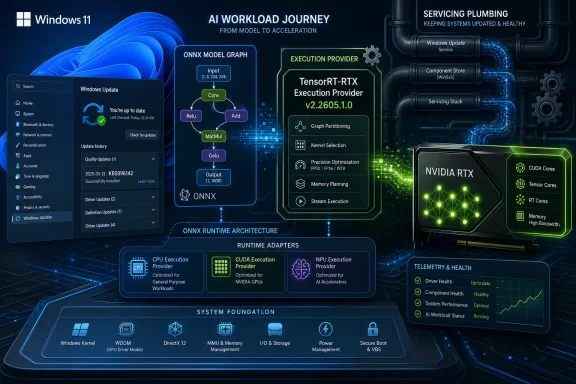
For years, Windows users have understood graphics performance through the lens of display drivers. If a game stuttered, a creator app crashed, or a video encoder behaved badly, the first troubleshooting stop was usually the Nvidia driver package. AI workloads complicate that familiar model.An ONNX Runtime execution provider is not a display driver, but it plays a similarly decisive role for inference. It determines how a model graph is compiled, optimized, and dispatched to hardware. In the TensorRT-RTX case, the point is to use Nvidia’s TensorRT for RTX runtime to generate and run optimized inference engines locally on RTX GPUs.
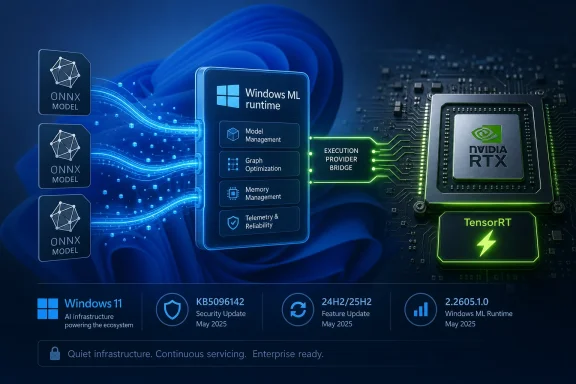
That makes the execution provider a new kind of compatibility boundary. App developers can target ONNX Runtime and Windows ML abstractions rather than hand-building every hardware path themselves. Microsoft and Nvidia can then improve the underlying execution route without requiring each app vendor to ship a bespoke accelerator update.
This is the bargain Windows has always tried to sell: write to the platform, and the platform absorbs the hardware mess. The difference in 2026 is that the “hardware mess” now includes NPUs, discrete GPUs, integrated GPUs, model formats, quantization choices, and rapidly changing inference runtimes. The execution provider is where those layers meet.
KB5096139 therefore represents more than a component refresh. It is a sign that Microsoft wants Windows Update to become the distribution channel for AI plumbing that, in an earlier era, might have lived entirely inside vendor SDK installers, developer toolchains, or application bundles.
Windows 11 26H1 Makes This a Narrower Story Than It Looks
There is an important catch: KB5096139 is for Windows 11 version 26H1. That version is not the normal annual feature update path for most existing Windows 11 PCs. Microsoft has described 26H1 as a hardware-optimized release for select new devices, available as a preinstalled experience rather than an in-place upgrade for the broad installed base.That makes this update simultaneously narrow and revealing. Narrow, because most Windows 11 24H2 and 25H2 systems should not expect to see KB5096139 offered just because they contain an RTX GPU. Revealing, because the update shows what Microsoft is building for the next class of Windows hardware: a more modular, updateable AI substrate tied to specific silicon generations.
The 26H1 split is already uncomfortable for anyone who wants Windows servicing to be simple. Microsoft’s mainstream messaging has trained users to expect a yearly feature update cadence, but 26H1 is not that kind of release. It is a platform branch for new hardware, with its own servicing profile and its own component updates.
That context changes how KB5096139 should be read. This is not Microsoft suddenly improving every RTX PC in the field. It is Microsoft servicing a new Windows branch where local AI hardware paths are part of the baseline experience.
Nvidia Gets a Deeper Seat at the Windows AI Table
Nvidia’s presence here is not surprising, but it is strategically important. RTX GPUs are already widely deployed in gaming and creator PCs, and Nvidia has spent years building CUDA, TensorRT, and related acceleration frameworks into a de facto ecosystem for AI workloads. Microsoft’s decision to distribute a TensorRT-RTX execution provider through Windows Update gives that ecosystem a more official Windows-facing lane.For users, the practical promise is simple: local AI features should run better when software can use the RTX GPU efficiently. For developers, the promise is abstraction: build against ONNX Runtime and let the execution provider handle more of the hardware-specific optimization. For Microsoft, the promise is platform coherence: Windows can claim a first-class local AI story without pretending every PC has the same accelerator.
The politics are more complicated. Microsoft has to support Qualcomm’s NPUs, Intel’s AI PC roadmap, AMD’s Ryzen AI hardware, and Nvidia’s discrete GPU dominance without turning Windows into a maze of vendor-specific dependencies. Execution providers are one way to square that circle, but they also make the Windows AI stack look less like a single platform and more like a managed federation.
That may be the only realistic answer. The PC ecosystem has never been vertically integrated in the way Apple’s is. Microsoft cannot simply decree one neural engine, one driver model, and one hardware target. It has to orchestrate a market full of silicon vendors, and KB5096139 is a small example of what that orchestration looks like in practice.
Automatic Installation Is the Point, Not a Footnote
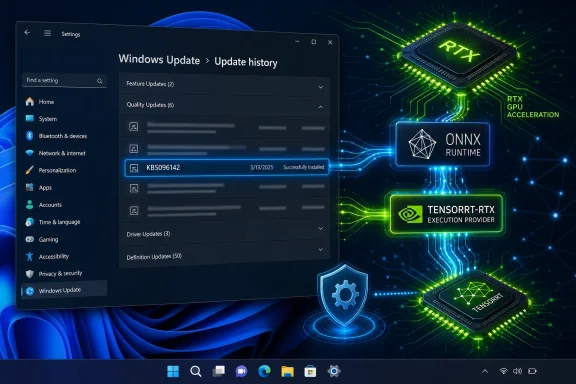
Microsoft says KB5096139 will be downloaded and installed automatically from Windows Update, provided the device has the latest cumulative update for Windows 11 26H1. That phrasing may sound routine, but it is one of the most consequential parts of the support note.Automatic delivery means Microsoft does not want this component treated as an enthusiast download. It wants the execution provider to move with the operating system, in the same administrative frame as other platform updates. Users can verify its presence in Settings under Windows Update history, where it appears as a Windows ML Runtime Nvidia TensorRT-RTX Execution Provider update.
That is good for baseline consistency. If application developers begin relying on this path, they need some confidence that supported devices will actually have the relevant runtime components. A model acceleration feature that depends on users manually hunting down an obscure package is not a platform feature; it is a support problem waiting to happen.
But automatic delivery also raises the stakes. If an execution provider update regresses a workload, the blast radius could include multiple applications that happen to rely on the same acceleration path. The more Windows centralizes AI plumbing, the more a small component update can have ecosystem-level consequences.
The Replacement Chain Shows a Monthly Rhythm Emerging
KB5096139 replaces KB5089174, which updated the Nvidia TensorRT-RTX Execution Provider to version 2.2604.1.0. The new package carries version 2.2605.1.0. The numbering strongly suggests an ongoing cadence rather than a one-off patch.That cadence is exactly what local AI runtimes need. Model execution is moving quickly, and optimization layers often improve in ways that are invisible to ordinary users but meaningful to performance, memory use, compatibility, and power behavior. A faster engine build, a better fallback path, or a fix for a specific operator can make the difference between a feature feeling native and feeling experimental.
Microsoft’s challenge is that Windows users do not want another opaque update stream. They already deal with cumulative updates, Store app updates, driver updates, firmware updates, Edge updates, Defender intelligence updates, and vendor utilities. AI component updates add yet another category, and most users will not know what the name means when it appears in Update History.
That naming problem is not cosmetic. “Windows ML Runtime Nvidia TensorRT-RTX Execution Provider Update” is technically accurate, but it reads like something built for an internal dependency graph rather than a human being. If Microsoft expects AI components to become routine parts of Windows maintenance, it will eventually need clearer surfaces for explaining what changed and why it matters.
Developers Get a Moving Target, but Also a Better One
For Windows developers working with local inference, a serviced execution provider is both a blessing and a constraint. The blessing is obvious: better performance and broader hardware enablement can arrive without every application bundling its own fragile stack. The constraint is that the execution environment may change underneath the app.That is not new in Windows development, but AI workloads are unusually sensitive to runtime behavior. A model that performs well through one provider version may expose different memory pressure, precision behavior, or initialization time after an update. Inference engines are not merely pipes; they are optimizers, compilers, schedulers, and hardware negotiators.
The mature response is testing. Developers targeting these paths will need to treat execution provider versions as part of their compatibility matrix, especially if their applications depend on deterministic latency or stable output characteristics. That applies to creative tools, accessibility features, local assistants, media pipelines, and any app that wants to run inference without round-tripping data through the cloud.
The upside is substantial. If Microsoft and Nvidia get this right, Windows apps can use RTX acceleration without turning every independent developer into a GPU runtime specialist. That is the kind of platform leverage Windows badly needs if local AI is going to become more than a demo category.
Enterprise IT Will See a Small Package With Big Governance Implications
For enterprise administrators, KB5096139 is unlikely to be a dramatic event on its own. The eligible population is constrained by Windows 11 26H1 hardware, and Microsoft has said 24H2 and 25H2 remain the recommended releases for broad enterprise deployment. Many organizations will not encounter this update widely in the near term.Still, the governance pattern matters. AI acceleration components are becoming separately serviced pieces of the Windows estate. That means inventory, update rings, validation groups, and change-management notes will eventually need to account for them.
The old question was, “Which Windows build are you on?” The newer question is becoming, “Which Windows build, which AI runtime, which execution provider, which silicon path, and which driver stack?” That is not a question most help desks want to answer under pressure after a line-of-business app begins behaving differently.
Enterprises will also care about predictability. Automatic installation is fine for consumer PCs, but managed fleets need phased rollout and rollback strategy. If local inference becomes part of regulated workflows, security tooling, document processing, or endpoint productivity features, then the execution provider becomes operationally significant.
The Security Angle Is Quiet but Real
Any component that compiles or transforms model workloads for execution on local hardware deserves security scrutiny. Execution providers operate close to the boundary between application data, model files, runtime compilation, and GPU execution. They are not ordinary user-facing apps.That does not mean KB5096139 should be treated as alarming. On the contrary, automatic servicing through Windows Update may be the safer model. A centrally maintained execution provider can receive fixes and hardening improvements without relying on scattered application vendors to bundle updated runtime components.
But the attack surface is real enough to matter. Local AI features often process sensitive data precisely because local processing is sold as more private than cloud inference. Screenshots, documents, audio, user prompts, and personal context can all flow through inference pipelines. The platform components touching those pipelines must be patched and observable.
Microsoft’s broader problem is trust. Users already struggle to understand what AI features do locally, what goes to the cloud, and what hardware is involved. If the company wants local AI to be a selling point for Windows, it has to make the underlying servicing story boring, secure, and auditable.
This Is Not a Gaming Update, Even If RTX Owners Notice the Name
The presence of “Nvidia” and “RTX” will inevitably cause some users to ask whether KB5096139 affects gaming performance. Based on Microsoft’s description, the answer is no in the ordinary sense. This is an AI inference component, not a display driver, game-ready driver, DirectX update, or shader compiler patch.That distinction is worth spelling out because Nvidia-related Windows updates often attract anxiety from gamers. Recent years have trained users to associate GPU updates with black screens, stutters, overlay problems, driver rollbacks, and mysterious performance shifts. KB5096139 lives in a different lane.
The more interesting gaming-adjacent implication is longer term. Games increasingly use machine-learning techniques for upscaling, frame generation, animation, audio, NPC behavior, content tools, and anti-cheat analysis. Not all of those would use ONNX Runtime or this execution provider, but the boundary between “AI app” and “graphics app” is getting fuzzier.
For now, however, users should not read this as a magic RTX performance update. It is infrastructure for local model inference on supported Windows 11 26H1 devices. If it improves anything visible, it will likely be through applications that deliberately use the Windows ML and ONNX Runtime path.
26H1 Is Becoming Microsoft’s Hardware Laboratory
The strangest part of this story remains Windows 11 26H1 itself. Microsoft released it as a specialized branch for new hardware rather than as the next broad feature update. That makes 26H1 a kind of public laboratory for platform changes that depend on new silicon.KB5096139 fits that model neatly. It is an update for a component that only makes sense when the hardware and software stack are aligned. The execution provider is not useful in isolation; it needs the right Windows build, runtime, Nvidia stack, and RTX-capable hardware.
This is probably how more of Windows will work. The fantasy of one Windows image lighting up every capability across every device is giving way to a more conditional platform. Some PCs will have NPUs that qualify for specific features. Some will have RTX GPUs with local inference paths. Some will sit on mainstream 25H2 or future 26H2 servicing, while newer devices occupy specialized branches.
That fragmentation is dangerous if Microsoft communicates it poorly. It is manageable if the company is honest: Windows is becoming more hardware-aware because the PC itself is becoming more heterogeneous. KB5096139 is a small, concrete example of that transition.
The Real Update Is the Servicing Model
The temptation is to judge KB5096139 by its changelog, but there is almost no changelog to judge. Microsoft says it includes improvements to the execution provider component for Windows 11 26H1. That is all the public detail most users get.The lack of specificity is frustrating, especially for advanced users and administrators who want to understand whether an update affects performance, compatibility, stability, or security. Microsoft’s support pages often compress complex engineering changes into language so generic that it becomes difficult to make risk decisions.
Yet the servicing model itself is the news. AI components are being versioned, replaced, automatically installed, and exposed in update history. That is the scaffolding of a long-term platform commitment.
In the short term, KB5096139 will be invisible to most people. In the long term, updates like it may determine whether Windows can make local AI feel reliable across a chaotic hardware ecosystem. The difference between a gimmick and a platform often comes down to the boring machinery that keeps working after launch week.
The KB5096139 Clues Point to a More Modular Windows
The practical reading of KB5096139 is straightforward, but its implications are broader than the support article’s few paragraphs suggest. This is an update for a specific AI acceleration layer on a specific Windows branch, and that specificity is exactly what makes it important.- KB5096139 updates the Nvidia TensorRT-RTX Execution Provider to version 2.2605.1.0 on Windows 11 version 26H1 systems.
- The update is delivered automatically through Windows Update and requires the latest Windows 11 26H1 cumulative update.
- The package replaces KB5089174, indicating an ongoing update cadence for this AI execution component.
- The component is designed to accelerate ONNX model inference on Nvidia RTX GPUs in client PC scenarios.
- Most existing Windows 11 24H2 and 25H2 devices should not treat this as a generally available RTX update, because 26H1 is a specialized release for select new hardware.
- The update shows Microsoft folding local AI acceleration deeper into Windows servicing rather than leaving it entirely to app vendors or GPU driver packages.
References
- Primary source: Microsoft Support
Published: Tue, 26 May 2026 21:02:40 Z
- Related coverage: windowscentral.com
Microsoft confirms that Windows 11 version 26H1 will not be updated to version 26H2 this fall — won't get a new version until 2027 | Windows Central
Microsoft's special offshoot version of Windows 11 that's exclusive to Snapdragon X2 devices won't be getting an upgrade to version 26H2 this fall. Here's whywww.windowscentral.com - Related coverage: windowslatest.com
Microsoft releases Windows 11 26H1, but it's not for existing PCs. Windows 11 26H2 is coming for all PCs
Microsoft reached out to Windows Latest to confirm Windows 11 26H1 is real and rolling out. Existing PCs get version 26H2. www.windowslatest.com
- Official source: techcommunity.microsoft.com
What to know about Windows 11, version 26H1 - Windows IT Pro Blog
Explore this specialized Windows release designed to support the next generation of hardware innovation. techcommunity.microsoft.com
- Official source: learn.microsoft.com
Windows 11 - release information | Microsoft Learn
Learn release information for Windows 11 releaseslearn.microsoft.com - Related coverage: igorslab.de
Windows 11 26H1: Microsoft keeps the special branch on track for new …
Microsoft has updated Windows 11 version 26H1 to OS Build 28000.2113 with the cumulative update KB5089548.www.igorslab.de

- Related coverage: docs.nvidia.com