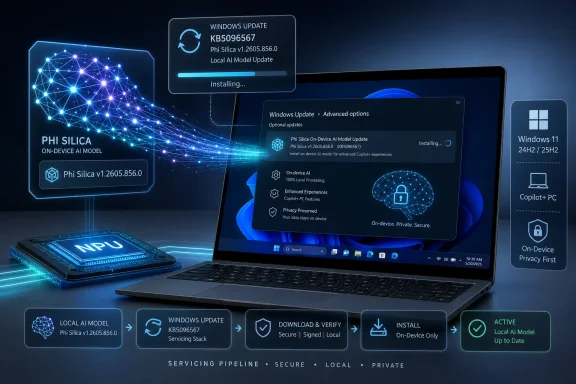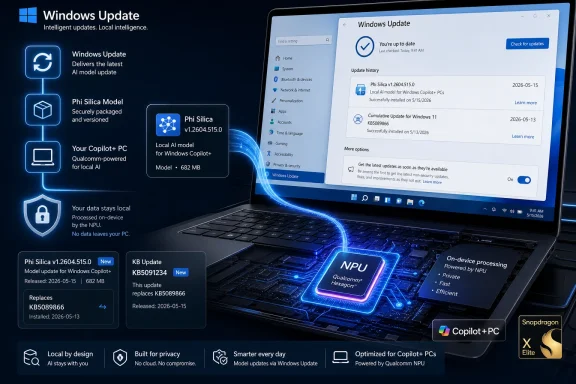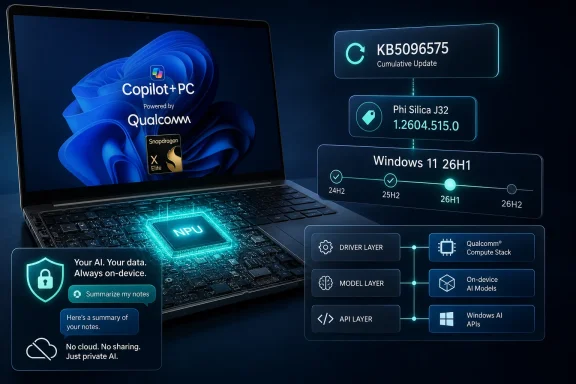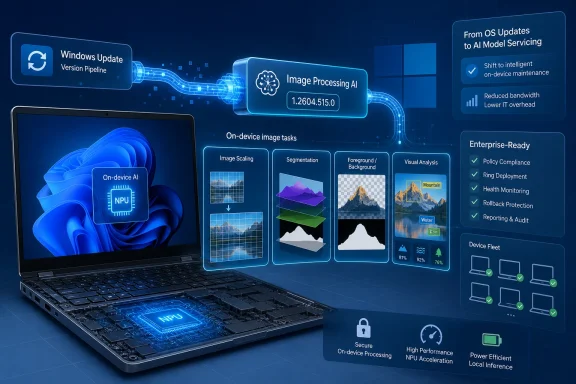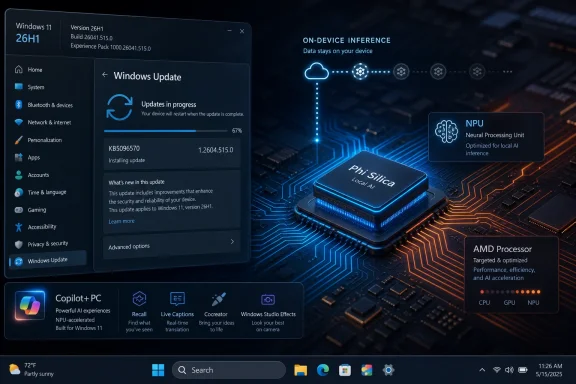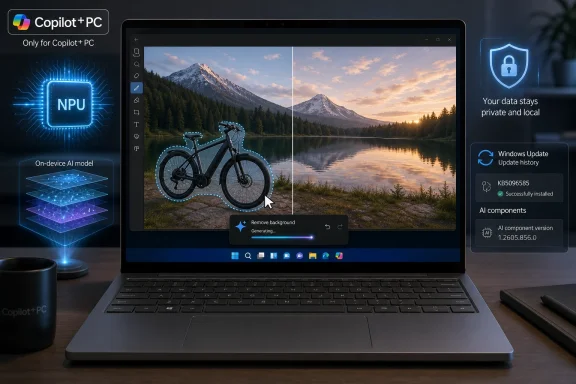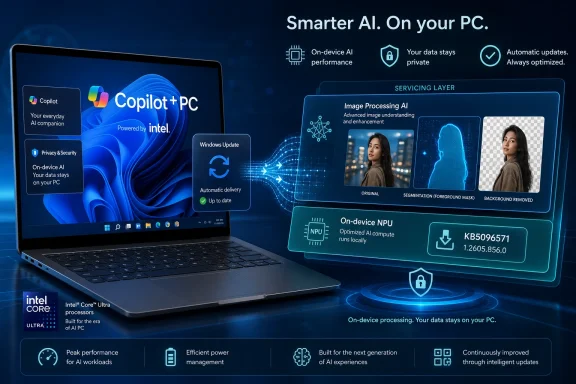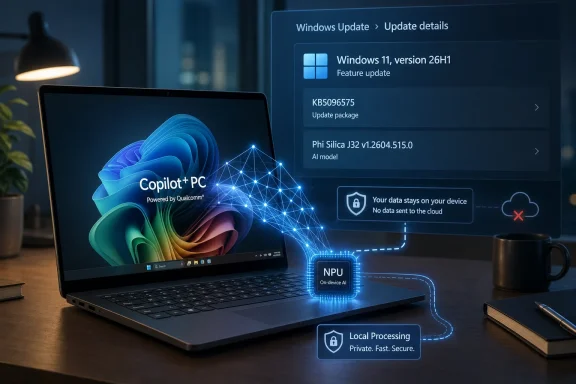
Microsoft’s KB5096575, released as a May 2026 Windows Update package, updates the Phi Silica J32 AI component to version 1.2604.515.0 on Qualcomm-powered Copilot+ PCs running Windows 11 version 26H1. That narrow sentence is the whole news item, but it understates the importance of what Microsoft is doing. Windows is no longer merely updating drivers, security fixes, inbox apps, and feature flags; it is now updating local language models as operating-system components. For users and IT departments, that makes AI less like an app you install and more like a subsystem you inherit.
KB5096575 is not a splashy Copilot feature drop. It does not arrive with a new sidebar, a redesigned Start menu, or a demo-ready productivity trick. It is a quiet component update for Phi Silica J32, Microsoft’s small language model variant built for Qualcomm-powered Copilot+ PCs, and it installs automatically through Windows Update after the device has the latest cumulative update for Windows 11 version 26H1.
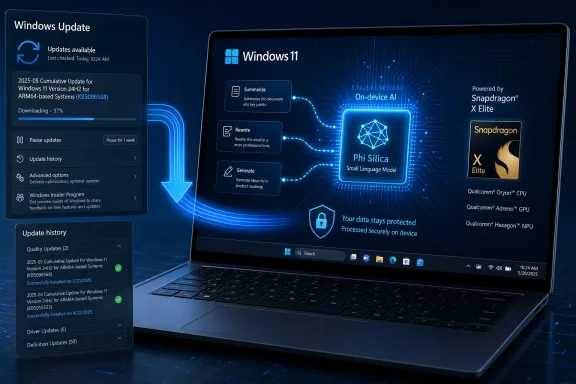
That delivery mechanism matters. Microsoft is treating Phi Silica less like downloadable AI software and more like DirectX, a media codec, or a silicon-tuned runtime layer. It sits under Windows features and developer APIs, receives servicing through the operating system’s update machinery, and is visible to users mainly through Update history.
For years, Windows updates have carried pieces of the platform that most users never directly open. Kernel changes, servicing stack updates, .NET patches, firmware-adjacent packages, and device-specific drivers all appear as infrastructure rather than applications. Phi Silica J32 now joins that category, except the thing being serviced is not a traditional library. It is a local language model.
That is a subtle but important shift in how Windows defines itself. The AI PC pitch has often sounded like marketing layered on top of familiar laptops. KB5096575 shows the harder engineering truth: Microsoft wants language intelligence to become part of the local Windows substrate, updated, versioned, and governed like the rest of the platform.
That narrowness is easy to dismiss as early-adopter housekeeping. It should not be. Microsoft’s AI PC strategy depends on hardware-specific acceleration, and hardware-specific acceleration inevitably creates hardware-specific servicing. Phi Silica is optimized to run on a neural processing unit, and the J32 designation points to the reality that local AI models are not one-size-fits-all binaries.
For Qualcomm systems, that means Microsoft can tune aggressively for Snapdragon NPUs and the memory, power, and driver model around them. The upside is lower latency, better battery behavior, and more predictable local execution than a generic CPU-bound model could provide. The downside is fragmentation, because every silicon path that gains a specialized model also gains a specialized update trail.
Windows users are accustomed to driver differences across devices. They are less accustomed to AI capability differences being baked into the OS servicing story. A Windows 11 laptop with no qualifying NPU, an Intel or AMD Copilot+ PC, and a Qualcomm 26H1 machine may all say “Windows 11,” but they increasingly inhabit different AI capability envelopes.
This complicates the usual Windows update mental model. In the old world, a KB number typically meant either a broadly relevant cumulative update or a specialized fix you could evaluate against a known environment. Here, the update is not just specialized by version; it is specialized by the AI hardware stack. The OS version, the processor family, and the AI component all line up.
For enthusiasts, that can feel exciting. It suggests Microsoft is finally willing to optimize Windows around modern Arm silicon rather than treating it as a compatibility side quest. For administrators, it raises an obvious concern: if AI components are serviced differently by platform, the inventory problem gets more complicated.
A fleet manager can no longer ask only whether machines are on Windows 11 24H2, 25H2, or 26H1. They also need to know which AI components are present, which model versions are deployed, which apps call those APIs, and whether a given machine’s local model behavior matches the rest of the estate.
That is not a reason to reject local AI. It is a reason to stop pretending that “Copilot+ PC” is a simple branding tier.
The word “small” is doing a lot of work here. Phi Silica is not meant to be a frontier-scale model that replaces cloud AI. It is designed to be compact enough to run efficiently on PC hardware while still being useful for everyday language tasks. That puts it in the same strategic category as other local accelerators: not the most powerful version of the technology, but the version close enough to the user to change the interaction model.
Latency is the key. A cloud chatbot can be powerful, but even a fast cloud round trip feels different from an operation that happens inside the shell, an app, or a local workflow. If a rewrite suggestion, image description, semantic search operation, or summarization step appears instantly and privately, users may stop thinking of it as “asking AI” and start thinking of it as how the computer works.
That is the strategic prize for Microsoft. Phi Silica does not need to beat the largest cloud models at broad reasoning. It needs to be available, cheap to run, power efficient, privacy-preserving, and good enough for small interventions across Windows and apps. KB5096575 is therefore not just a patch. It is a maintenance event for a new class of local platform dependency.
That is a real advantage. Many organizations remain cautious about cloud AI because prompts and source material can contain regulated, confidential, or commercially sensitive information. Local inference does not eliminate every concern, but it reduces one of the most obvious ones: the need to transmit content to a remote service just to perform a small language operation.
Still, privacy is not automatic merely because a model runs on the device. Local AI can still expose data through logs, app behavior, screen capture features, plugin chains, synchronization layers, or poorly designed workflows. The model’s location helps, but governance still depends on what calls it, what data it receives, what output is stored, and whether policy can control those paths.
This is where Windows has an advantage and a burden. Because Phi Silica is part of the platform, Microsoft can theoretically offer a more consistent policy and security model than a random collection of third-party local AI runtimes. But because it is part of the platform, Microsoft also inherits higher expectations. IT departments will want clear documentation, auditable behavior, and controls that map to real-world compliance needs.
The privacy argument will only hold if Microsoft keeps the boundary legible. “On-device” must mean more than a slogan in a settings screen. It has to be something administrators can verify and users can understand.
That is a classic platform move. Microsoft does not need every developer to become an AI infrastructure engineer. It needs developers to believe that Windows provides a dependable local capability they can call in predictable ways. If that belief takes hold, local summarization, semantic extraction, short-form generation, and context-aware assistance can become common app features rather than premium cloud add-ons.
The problem is that developers hate unstable targets. If a capability exists only on certain Copilot+ PCs, behaves differently across silicon vendors, and updates through opaque component packages, app makers have to build fallbacks. A developer cannot assume that every Windows 11 user has Phi Silica J32, or that every Copilot+ PC exposes identical performance characteristics.
That does not doom the approach. Windows has long supported capability detection, graceful degradation, and hardware acceleration paths that vary by device. Games do this with GPUs; media apps do this with codecs; creative tools do this with accelerators. AI APIs can follow the same path.
But Microsoft must make the path boring. The more predictable the API contract, the easier it is for developers to treat local AI as a normal Windows feature. The more mysterious the model versioning and availability story becomes, the more likely developers are to route users back to cloud services where they can control the environment.
For enterprises, automatic installation is more complicated. AI model updates can change output quality, refusal behavior, latency, compatibility, and feature reliability. A security patch may fix a vulnerability, but a model update may subtly alter how an application summarizes a legal document, rewrites customer communication, or extracts meaning from a support ticket.
That makes version visibility important. Microsoft says users can check Settings, Windows Update, and Update history to confirm the presence of the package. That is fine for an individual device. It is not enough for organizations managing thousands of machines, where the question is not “is the update listed?” but “which systems have which model component, and what changed?”
Administrators will want model component reporting through management tooling, documented release notes, known issue tracking, and deferral controls where appropriate. If AI components become operational dependencies, they need the same lifecycle discipline as other enterprise-impacting Windows changes.
Microsoft has learned this lesson before. Servicing channels, deployment rings, update compliance reports, and gradual rollout mechanisms exist because Windows updates are not merely technical events. They are organizational events. AI components will be no different.
A driver update can also ship with a vague “improves reliability” note, and users may grumble but move on. A language model update invites different questions. Did accuracy improve? Did latency change? Were safety behaviors adjusted? Were prompts, tokenization, multilingual handling, or NPU scheduling modified? Did Microsoft tune for a Windows feature, a developer API, or a specific class of failures?
Not every model update can come with a research paper. But if Microsoft wants trust, it needs a clearer disclosure style for AI components than “includes improvements.” Even a structured changelog with categories such as performance, reliability, quality, safety, and API compatibility would help.
The stakes are higher because users are being asked to trust local AI in intimate contexts. A model that summarizes what is on screen, rewrites personal text, or interprets local content occupies a different trust zone from a graphics driver. It may not be sending data to the cloud, but it is operating close to the user’s work.
Microsoft’s challenge is to avoid making local AI feel like a black box that updates itself in the night. Automatic servicing is acceptable when paired with transparency. Without that transparency, even beneficial updates can look like silent behavior changes.
That gives Qualcomm a platform advantage. If the best-supported local Windows AI components arrive first or most visibly on Snapdragon systems, Qualcomm gets to argue that its NPU is not merely a checkbox. It becomes the place where Microsoft’s AI PC roadmap is most concrete.
But first-mover status also brings friction. Early systems expose the awkward edges of a new platform: compatibility gaps, update asymmetry, unclear version paths, and developer hesitation. Windows on Arm has spent years trying to prove that it is not a second-class Windows experience. AI acceleration gives it a new selling point, but it also gives users a new axis on which to judge maturity.
Qualcomm-powered Copilot+ PCs need these updates to be uneventful. If Phi Silica J32 improves quietly and reliably, the platform gains credibility. If users see inconsistent behavior, missing features, or confusing support boundaries, the AI PC story risks feeling like another round of Windows fragmentation wearing a new badge.
The irony is that Arm-based Windows machines may now be both more specialized and more central to Microsoft’s strategy. They are not representative of the whole PC market, but they are where Microsoft can show what a tightly coupled Windows-and-NPU experience looks like.
This has historical precedent. Microsoft used Windows Update to distribute browser components, anti-malware definitions, compatibility fixes, firmware, and feature enablement packages. Each expansion made Windows Update more central to the lived experience of the PC. AI model servicing is the next expansion.
There are good reasons to do it this way. Centralized delivery reduces dependency chaos, improves security response, and allows Microsoft to align model updates with OS changes. It also avoids the consumer-hostile scenario in which every app ships its own local model stack and burns storage, memory, and battery in isolation.
But centralization also concentrates power. If Microsoft controls the default local language model, the system APIs, the update mechanism, and the policy layer, it gains enormous influence over what “AI on Windows” means. Competing model providers can still exist, but the path of least resistance for many developers will be the built-in stack.
That is the old Windows platform dynamic in a new domain. The built-in layer wins not necessarily because it is the most capable, but because it is present, supported, and easy to call. Phi Silica J32 is small in model terms, but strategically it sits in a very large place.
Those are not abstract questions. Imagine a support desk trying to reproduce a user’s issue with an app that calls Windows AI APIs. The behavior may depend on whether the device is Qualcomm-powered, whether KB5096575 is installed, whether the latest cumulative update is present, and whether the app is using local or cloud fallback. That is a lot of state to track for a “simple” AI feature.
The same applies to compliance. If an organization approves local summarization for certain workloads because data stays on-device, it needs confidence that the feature is indeed using the local model. If an update changes the model version, the organization may want to know whether revalidation is necessary. Even if most updates are harmless, the process has to exist before the urgent case arrives.
This is where Microsoft’s enterprise muscle should help. The company knows how to build management surfaces when customers demand them. But the demand must come early, before AI components become another scattered category of Windows internals that only specialists understand.
For now, KB5096575 is a small package for a small slice of devices. It is also a preview of the administrative work that follows when models become part of the managed desktop.
The naming is also revealing. “Phi Silica J32” is not a consumer-friendly brand. It reads like an internal component surfaced just enough for supportability. That may be fine for Update history, but it highlights the gap between the marketing language of Copilot+ PCs and the technical language of the components that power them.
Consumers are told their PC has AI built in. Administrators see KB numbers, OS branches, processor-specific packages, and model versions. Both views are true, but the distance between them is where confusion grows.
Microsoft should lean into clarity rather than hide the machinery. A user does not need to understand every model variant, but they should be able to see whether local AI components are installed and current. An administrator does not need marketing copy, but they do need reliable mapping between component names, capabilities, and supported hardware.
The Windows ecosystem has survived far worse complexity. But AI will punish vague naming because user expectations are already inflated. If a feature fails, people will not say “my Phi Silica J32 component may be outdated.” They will say “Windows AI is broken.”
That is what mature platform work looks like. The most important infrastructure often disappears into expectation. Wi-Fi reconnects, graphics acceleration works, search indexes update, malware definitions refresh, and nobody celebrates unless something breaks. Microsoft wants local AI to join that club.
Getting there will require discipline. AI features are tempting places for demos, branding, and overpromising. Platform components require restraint. Microsoft needs to service Phi Silica with the boring seriousness of a runtime, not the theatrical rhythm of consumer AI hype.
If the company succeeds, Copilot+ PCs will become more useful over time without users having to think about model deployment. If it fails, Windows AI becomes another layer of moving parts that enthusiasts debug and enterprises delay.
KB5096575 is therefore a small but revealing test. It asks whether Microsoft can turn AI from a spectacle into maintenance.
Microsoft Turns the Model Into a Windows Component
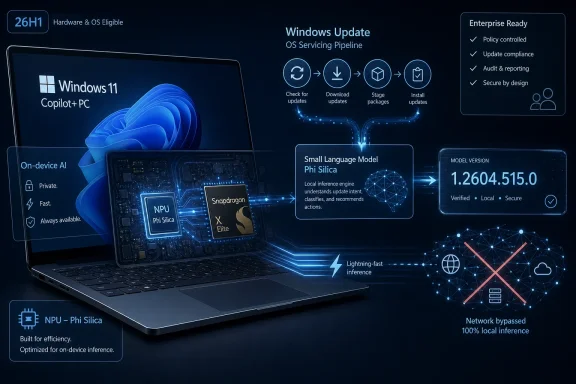
KB5096575 is not a splashy Copilot feature drop. It does not arrive with a new sidebar, a redesigned Start menu, or a demo-ready productivity trick. It is a quiet component update for Phi Silica J32, Microsoft’s small language model variant built for Qualcomm-powered Copilot+ PCs, and it installs automatically through Windows Update after the device has the latest cumulative update for Windows 11 version 26H1.That delivery mechanism matters. Microsoft is treating Phi Silica less like downloadable AI software and more like DirectX, a media codec, or a silicon-tuned runtime layer. It sits under Windows features and developer APIs, receives servicing through the operating system’s update machinery, and is visible to users mainly through Update history.
For years, Windows updates have carried pieces of the platform that most users never directly open. Kernel changes, servicing stack updates, .NET patches, firmware-adjacent packages, and device-specific drivers all appear as infrastructure rather than applications. Phi Silica J32 now joins that category, except the thing being serviced is not a traditional library. It is a local language model.
That is a subtle but important shift in how Windows defines itself. The AI PC pitch has often sounded like marketing layered on top of familiar laptops. KB5096575 shows the harder engineering truth: Microsoft wants language intelligence to become part of the local Windows substrate, updated, versioned, and governed like the rest of the platform.
The Qualcomm Boundary Is the Story, Not a Footnote
The KB applies to Copilot+ PCs only, and specifically to Qualcomm-powered systems using the Phi Silica J32 variant on Windows 11 version 26H1. That means this is not a general Windows 11 AI update for the installed base. It is a targeted package for a very specific intersection of OS release, processor architecture, and NPU capability.That narrowness is easy to dismiss as early-adopter housekeeping. It should not be. Microsoft’s AI PC strategy depends on hardware-specific acceleration, and hardware-specific acceleration inevitably creates hardware-specific servicing. Phi Silica is optimized to run on a neural processing unit, and the J32 designation points to the reality that local AI models are not one-size-fits-all binaries.
For Qualcomm systems, that means Microsoft can tune aggressively for Snapdragon NPUs and the memory, power, and driver model around them. The upside is lower latency, better battery behavior, and more predictable local execution than a generic CPU-bound model could provide. The downside is fragmentation, because every silicon path that gains a specialized model also gains a specialized update trail.
Windows users are accustomed to driver differences across devices. They are less accustomed to AI capability differences being baked into the OS servicing story. A Windows 11 laptop with no qualifying NPU, an Intel or AMD Copilot+ PC, and a Qualcomm 26H1 machine may all say “Windows 11,” but they increasingly inhabit different AI capability envelopes.
26H1 Makes the AI PC Feel Like a Separate Branch
Windows 11 version 26H1 is itself part of the context. Microsoft has described 26H1 as a platform release aimed at supporting specific new silicon, not the broad feature update that most Windows users should expect to see. That makes KB5096575 an update for a branch of Windows whose purpose is partly to bring up new hardware rather than to advance the mainstream desktop for everyone.This complicates the usual Windows update mental model. In the old world, a KB number typically meant either a broadly relevant cumulative update or a specialized fix you could evaluate against a known environment. Here, the update is not just specialized by version; it is specialized by the AI hardware stack. The OS version, the processor family, and the AI component all line up.
For enthusiasts, that can feel exciting. It suggests Microsoft is finally willing to optimize Windows around modern Arm silicon rather than treating it as a compatibility side quest. For administrators, it raises an obvious concern: if AI components are serviced differently by platform, the inventory problem gets more complicated.
A fleet manager can no longer ask only whether machines are on Windows 11 24H2, 25H2, or 26H1. They also need to know which AI components are present, which model versions are deployed, which apps call those APIs, and whether a given machine’s local model behavior matches the rest of the estate.
That is not a reason to reject local AI. It is a reason to stop pretending that “Copilot+ PC” is a simple branding tier.
Phi Silica Is Microsoft’s Local AI Bet in Miniature
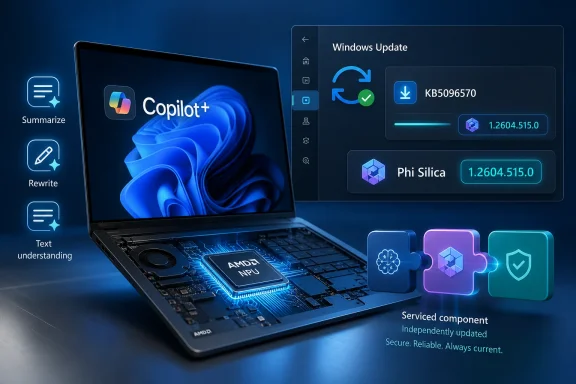
Phi Silica is Microsoft’s small language model designed for local execution on Copilot+ PCs. The promise is straightforward: text understanding, summarization, rewriting, and short-form generation can run on the device’s NPU rather than making a round trip to a cloud model. In practical terms, Microsoft is trying to make lightweight language intelligence available even when cloud connectivity is unavailable, undesirable, or too slow.The word “small” is doing a lot of work here. Phi Silica is not meant to be a frontier-scale model that replaces cloud AI. It is designed to be compact enough to run efficiently on PC hardware while still being useful for everyday language tasks. That puts it in the same strategic category as other local accelerators: not the most powerful version of the technology, but the version close enough to the user to change the interaction model.
Latency is the key. A cloud chatbot can be powerful, but even a fast cloud round trip feels different from an operation that happens inside the shell, an app, or a local workflow. If a rewrite suggestion, image description, semantic search operation, or summarization step appears instantly and privately, users may stop thinking of it as “asking AI” and start thinking of it as how the computer works.
That is the strategic prize for Microsoft. Phi Silica does not need to beat the largest cloud models at broad reasoning. It needs to be available, cheap to run, power efficient, privacy-preserving, and good enough for small interventions across Windows and apps. KB5096575 is therefore not just a patch. It is a maintenance event for a new class of local platform dependency.
Privacy Becomes a Platform Feature, but Not a Magic Wand
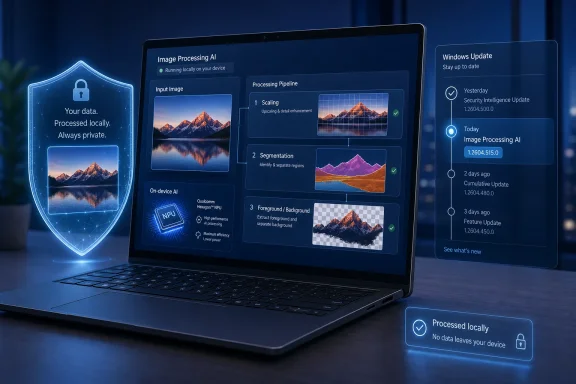
Microsoft’s pitch for on-device models leans heavily on locality. If Phi Silica can process language tasks on the NPU without sending data to the cloud, users and organizations get a cleaner privacy story. Sensitive text can be summarized or rewritten locally, and developers can build offline experiences without standing up their own model-serving infrastructure.That is a real advantage. Many organizations remain cautious about cloud AI because prompts and source material can contain regulated, confidential, or commercially sensitive information. Local inference does not eliminate every concern, but it reduces one of the most obvious ones: the need to transmit content to a remote service just to perform a small language operation.
Still, privacy is not automatic merely because a model runs on the device. Local AI can still expose data through logs, app behavior, screen capture features, plugin chains, synchronization layers, or poorly designed workflows. The model’s location helps, but governance still depends on what calls it, what data it receives, what output is stored, and whether policy can control those paths.
This is where Windows has an advantage and a burden. Because Phi Silica is part of the platform, Microsoft can theoretically offer a more consistent policy and security model than a random collection of third-party local AI runtimes. But because it is part of the platform, Microsoft also inherits higher expectations. IT departments will want clear documentation, auditable behavior, and controls that map to real-world compliance needs.
The privacy argument will only hold if Microsoft keeps the boundary legible. “On-device” must mean more than a slogan in a settings screen. It has to be something administrators can verify and users can understand.
Developers Get an API, Not Just a Demo
The most interesting audience for Phi Silica may not be consumers clicking a rewrite button. It may be Windows developers who have waited for a local AI layer that does not require them to bundle a model, manage GPU dependencies, or create a cloud inference service. Through Windows AI APIs, Microsoft wants applications to call local language capabilities as part of the OS.That is a classic platform move. Microsoft does not need every developer to become an AI infrastructure engineer. It needs developers to believe that Windows provides a dependable local capability they can call in predictable ways. If that belief takes hold, local summarization, semantic extraction, short-form generation, and context-aware assistance can become common app features rather than premium cloud add-ons.
The problem is that developers hate unstable targets. If a capability exists only on certain Copilot+ PCs, behaves differently across silicon vendors, and updates through opaque component packages, app makers have to build fallbacks. A developer cannot assume that every Windows 11 user has Phi Silica J32, or that every Copilot+ PC exposes identical performance characteristics.
That does not doom the approach. Windows has long supported capability detection, graceful degradation, and hardware acceleration paths that vary by device. Games do this with GPUs; media apps do this with codecs; creative tools do this with accelerators. AI APIs can follow the same path.
But Microsoft must make the path boring. The more predictable the API contract, the easier it is for developers to treat local AI as a normal Windows feature. The more mysterious the model versioning and availability story becomes, the more likely developers are to route users back to cloud services where they can control the environment.
Automatic Installation Is Convenient Until Governance Arrives
KB5096575 downloads and installs automatically from Windows Update. For consumers, that is the right default. Nobody wants to manually chase model component updates, and local AI features will only feel native if the underlying runtime stays current without user intervention.For enterprises, automatic installation is more complicated. AI model updates can change output quality, refusal behavior, latency, compatibility, and feature reliability. A security patch may fix a vulnerability, but a model update may subtly alter how an application summarizes a legal document, rewrites customer communication, or extracts meaning from a support ticket.
That makes version visibility important. Microsoft says users can check Settings, Windows Update, and Update history to confirm the presence of the package. That is fine for an individual device. It is not enough for organizations managing thousands of machines, where the question is not “is the update listed?” but “which systems have which model component, and what changed?”
Administrators will want model component reporting through management tooling, documented release notes, known issue tracking, and deferral controls where appropriate. If AI components become operational dependencies, they need the same lifecycle discipline as other enterprise-impacting Windows changes.
Microsoft has learned this lesson before. Servicing channels, deployment rings, update compliance reports, and gradual rollout mechanisms exist because Windows updates are not merely technical events. They are organizational events. AI components will be no different.
The Small Release Note Hides a Large Trust Problem
The KB says the update includes improvements to the Phi Silica AI component for Windows 11 version 26H1. It does not, at least in the supplied text, explain those improvements in detail. That kind of minimalism is familiar in Windows servicing, but it becomes more awkward when applied to AI models.A driver update can also ship with a vague “improves reliability” note, and users may grumble but move on. A language model update invites different questions. Did accuracy improve? Did latency change? Were safety behaviors adjusted? Were prompts, tokenization, multilingual handling, or NPU scheduling modified? Did Microsoft tune for a Windows feature, a developer API, or a specific class of failures?
Not every model update can come with a research paper. But if Microsoft wants trust, it needs a clearer disclosure style for AI components than “includes improvements.” Even a structured changelog with categories such as performance, reliability, quality, safety, and API compatibility would help.
The stakes are higher because users are being asked to trust local AI in intimate contexts. A model that summarizes what is on screen, rewrites personal text, or interprets local content occupies a different trust zone from a graphics driver. It may not be sending data to the cloud, but it is operating close to the user’s work.
Microsoft’s challenge is to avoid making local AI feel like a black box that updates itself in the night. Automatic servicing is acceptable when paired with transparency. Without that transparency, even beneficial updates can look like silent behavior changes.
Qualcomm Gets the First-Mover Advantage and the First-Mover Burden
Qualcomm’s role in the Windows AI PC story remains unusually prominent. The first major wave of Copilot+ PCs leaned on Snapdragon X hardware, and Microsoft’s 26H1 story is tied closely to newer Qualcomm silicon. KB5096575 reinforces that Qualcomm-powered systems are still the sharp end of Microsoft’s local AI push.That gives Qualcomm a platform advantage. If the best-supported local Windows AI components arrive first or most visibly on Snapdragon systems, Qualcomm gets to argue that its NPU is not merely a checkbox. It becomes the place where Microsoft’s AI PC roadmap is most concrete.
But first-mover status also brings friction. Early systems expose the awkward edges of a new platform: compatibility gaps, update asymmetry, unclear version paths, and developer hesitation. Windows on Arm has spent years trying to prove that it is not a second-class Windows experience. AI acceleration gives it a new selling point, but it also gives users a new axis on which to judge maturity.
Qualcomm-powered Copilot+ PCs need these updates to be uneventful. If Phi Silica J32 improves quietly and reliably, the platform gains credibility. If users see inconsistent behavior, missing features, or confusing support boundaries, the AI PC story risks feeling like another round of Windows fragmentation wearing a new badge.
The irony is that Arm-based Windows machines may now be both more specialized and more central to Microsoft’s strategy. They are not representative of the whole PC market, but they are where Microsoft can show what a tightly coupled Windows-and-NPU experience looks like.
Windows Update Is Becoming an AI Distribution Network
The most durable lesson from KB5096575 is that Windows Update is becoming a distribution network for AI model components. That may sound obvious, but it changes the operating system’s role. Windows is not just hosting AI applications; it is carrying the components that make AI features work locally.This has historical precedent. Microsoft used Windows Update to distribute browser components, anti-malware definitions, compatibility fixes, firmware, and feature enablement packages. Each expansion made Windows Update more central to the lived experience of the PC. AI model servicing is the next expansion.
There are good reasons to do it this way. Centralized delivery reduces dependency chaos, improves security response, and allows Microsoft to align model updates with OS changes. It also avoids the consumer-hostile scenario in which every app ships its own local model stack and burns storage, memory, and battery in isolation.
But centralization also concentrates power. If Microsoft controls the default local language model, the system APIs, the update mechanism, and the policy layer, it gains enormous influence over what “AI on Windows” means. Competing model providers can still exist, but the path of least resistance for many developers will be the built-in stack.
That is the old Windows platform dynamic in a new domain. The built-in layer wins not necessarily because it is the most capable, but because it is present, supported, and easy to call. Phi Silica J32 is small in model terms, but strategically it sits in a very large place.
The AI PC Is Becoming a Servicing Problem
The AI PC has been sold to consumers as a capabilities story: better video effects, local generation, smarter search, faster assistance, more privacy. For IT pros, it is quickly becoming a servicing story. Which machines have which NPU? Which OS branch are they on? Which AI components are installed? Which model versions do business apps depend on?Those are not abstract questions. Imagine a support desk trying to reproduce a user’s issue with an app that calls Windows AI APIs. The behavior may depend on whether the device is Qualcomm-powered, whether KB5096575 is installed, whether the latest cumulative update is present, and whether the app is using local or cloud fallback. That is a lot of state to track for a “simple” AI feature.
The same applies to compliance. If an organization approves local summarization for certain workloads because data stays on-device, it needs confidence that the feature is indeed using the local model. If an update changes the model version, the organization may want to know whether revalidation is necessary. Even if most updates are harmless, the process has to exist before the urgent case arrives.
This is where Microsoft’s enterprise muscle should help. The company knows how to build management surfaces when customers demand them. But the demand must come early, before AI components become another scattered category of Windows internals that only specialists understand.
For now, KB5096575 is a small package for a small slice of devices. It is also a preview of the administrative work that follows when models become part of the managed desktop.
The Version Number Is a Signal to Watch
Version 1.2604.515.0 may look like trivia, but it is exactly the kind of trivia that will matter later. Once local AI models become dependencies, version numbers become forensic tools. They tell administrators what changed, help developers diagnose behavior, and allow users to compare expected features against reality.The naming is also revealing. “Phi Silica J32” is not a consumer-friendly brand. It reads like an internal component surfaced just enough for supportability. That may be fine for Update history, but it highlights the gap between the marketing language of Copilot+ PCs and the technical language of the components that power them.
Consumers are told their PC has AI built in. Administrators see KB numbers, OS branches, processor-specific packages, and model versions. Both views are true, but the distance between them is where confusion grows.
Microsoft should lean into clarity rather than hide the machinery. A user does not need to understand every model variant, but they should be able to see whether local AI components are installed and current. An administrator does not need marketing copy, but they do need reliable mapping between component names, capabilities, and supported hardware.
The Windows ecosystem has survived far worse complexity. But AI will punish vague naming because user expectations are already inflated. If a feature fails, people will not say “my Phi Silica J32 component may be outdated.” They will say “Windows AI is broken.”
The Real Test Is Whether Local AI Becomes Boring
The success of KB5096575 will not be measured by excitement. It will be measured by whether nobody notices it except the people who need to. A local model component update should install cleanly, improve reliability or quality, preserve app compatibility, and leave a clear enough trail for support teams.That is what mature platform work looks like. The most important infrastructure often disappears into expectation. Wi-Fi reconnects, graphics acceleration works, search indexes update, malware definitions refresh, and nobody celebrates unless something breaks. Microsoft wants local AI to join that club.
Getting there will require discipline. AI features are tempting places for demos, branding, and overpromising. Platform components require restraint. Microsoft needs to service Phi Silica with the boring seriousness of a runtime, not the theatrical rhythm of consumer AI hype.
If the company succeeds, Copilot+ PCs will become more useful over time without users having to think about model deployment. If it fails, Windows AI becomes another layer of moving parts that enthusiasts debug and enterprises delay.
KB5096575 is therefore a small but revealing test. It asks whether Microsoft can turn AI from a spectacle into maintenance.
The Quiet Patch That Shows Where Windows Is Headed
KB5096575 gives Windows users and administrators several concrete signals about Microsoft’s direction.- Microsoft is now servicing local AI models as Windows components, not merely as features inside standalone apps.
- Phi Silica J32 version 1.2604.515.0 applies to Qualcomm-powered Copilot+ PCs on Windows 11 version 26H1, making hardware and OS version central to eligibility.
- The update installs automatically through Windows Update, provided the latest cumulative update for Windows 11 version 26H1 is already installed.
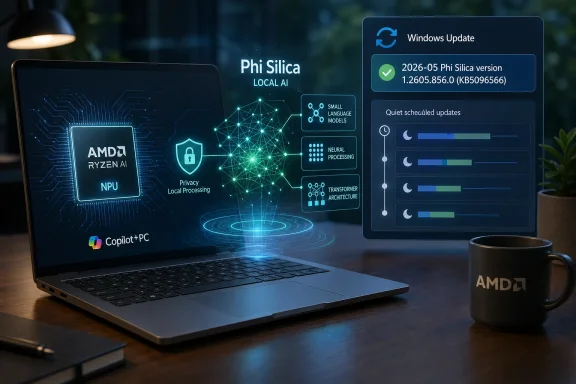
- Users can confirm installation in Windows Update history, where the package appears as the May 2026 Phi Silica J32 update for Qualcomm-powered systems.
- Developers should treat Windows AI APIs as promising but hardware-dependent, with fallbacks still necessary for the broader Windows 11 population.
- IT teams should begin tracking AI component versions with the same seriousness they already apply to drivers, firmware, and runtime dependencies.
References
- Primary source: Microsoft Support
Published: Tue, 26 May 2026 21:02:28 Z
- Related coverage: windowscentral.com
- Related coverage: pcworld.com
Microsoft debuts Phi Silica, AI specifically for Copilot+ PCs
Microsoft is moving from big, powerful AI LLM chatbots to SLMs, or AI that can squeeze into the constraints of a PC. Its first effort is Phi Silica for Copilot+ PCs.
www.pcworld.com
- Official source: learn.microsoft.com
Windows processor requirements Windows 11, version 26H1 supported processors
This specification details the processors that can be used with Windows 11, version 26H1 customer systems that include Windows products, including custom images.learn.microsoft.com - Related coverage: qualcomm.com
Windows AI Foundry & Windows ML on Qualcomm NPU
Starting early 2025, Qualcomm Technologies has collaborated closely with Microsoft to develop and optimize WCR based AI models and applications on Qualcomm NPU using Qualcomm Neural Network Execution Provider (NNEP).www.qualcomm.com
- Related coverage: tomshardware.com
Microsoft confirms Windows 11 26H1 will be for Arm devices only at launch — Snapdragon X2-powered devices officially shipping with 26H1
It's 24H2 all over again, but with the caveat that 26H1 will only support specific hardware for its entire lifecycle. Devices running 26H1 will not be able to upgrade to 26H2.www.tomshardware.com
- Official source: blogs.windows.com
Phi Silica, small but mighty on-device SLM
Introduction This blog is the first installment in a new series of technical content designed to provide insights into the AI innovation on Windows. Today we will share how the Applied Sci
blogs.windows.com
- Related coverage: techradar.com
- Official source: microsoft.com
- Official source: news.microsoft.com
- Related coverage: na.ingrammicro.com