

Microsoft’s July 14, 2026 security updates fix a Recycle Bin defect that could make a routine permanent-delete prompt look far more alarming than it was. As reported by Neowin and confirmed in Microsoft’s update documentation, the dialog sometimes displayed Windows’ internal Recycle Bin filename—such as
The bug arrived with the June 9 security updates. It affected the confirmation dialog shown when permanently deleting a single item from the Recycle Bin. The Recycle Bin’s file list continued to show the proper filename, and restored files retained their original names, so this was a UI problem rather than a deletion, recovery, or data-integrity failure.
The fix is present in the July 14 updates for several Windows releases. For Windows 11 version 23H2, that update is KB5099414, bringing the OS to build 22631.7376. Microsoft’s notes explicitly list the Recycle Bin confirmation-dialog problem as resolved.
The situation is slightly more fragmented than a headline about “the latest update” suggests. Windows 11 versions 24H2 and 25H2 received a fix earlier, through KB5095093 on June 23. Windows 10’s July 14 servicing resolves the issue in updates such as KB5099539. Microsoft also lists the correction in current July updates for Windows Server releases including Server 2022 and Server 2025.
Older supported servicing branches may have different update package numbers. Microsoft’s release notes remain the authority for the relevant build rather than KB5099414 specifically, which applies to Windows 11 23H2.
That behavior was confusing, especially for administrators or users deleting a sensitive item and attempting to confirm they had selected the correct file. But Microsoft states that the issue was isolated to the dialog: no files were renamed, no restores used the internal name, and the Recycle Bin listing remained accurate.
The practical fix is simply to keep affected systems current through Windows Update, WSUS, or the organization’s normal update-management platform.
$Rxxxxx.ext—rather than the file’s original name.The bug arrived with the June 9 security updates. It affected the confirmation dialog shown when permanently deleting a single item from the Recycle Bin. The Recycle Bin’s file list continued to show the proper filename, and restored files retained their original names, so this was a UI problem rather than a deletion, recovery, or data-integrity failure.
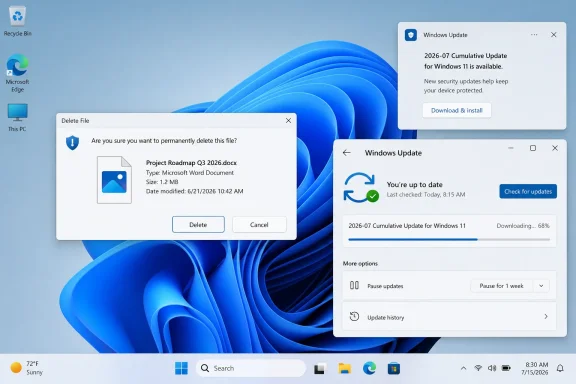 Fixed, but not by one universal KB
The fix is present in the July 14 updates for several Windows releases. For Windows 11 version 23H2, that update is KB5099414, bringing the OS to build 22631.7376. Microsoft’s notes explicitly list the Recycle Bin confirmation-dialog problem as resolved.The situation is slightly more fragmented than a headline about “the latest update” suggests. Windows 11 versions 24H2 and 25H2 received a fix earlier, through KB5095093 on June 23. Windows 10’s July 14 servicing resolves the issue in updates such as KB5099539. Microsoft also lists the correction in current July updates for Windows Server releases including Server 2022 and Server 2025.
Older supported servicing branches may have different update package numbers. Microsoft’s release notes remain the authority for the relevant build rather than KB5099414 specifically, which applies to Windows 11 23H2.
Why it happened
Windows stores deleted files under internal names inside the Recycle Bin. Normally, Explorer maps that internal entry back to the original filename in the user interface. After June’s patches, the permanent-delete confirmation dialog occasionally exposed the internal$R... filename instead.That behavior was confusing, especially for administrators or users deleting a sensitive item and attempting to confirm they had selected the correct file. But Microsoft states that the issue was isolated to the dialog: no files were renamed, no restores used the internal name, and the Recycle Bin listing remained accurate.
What to do
No special recovery action or Group Policy workaround is needed once the appropriate cumulative update is installed. For managed fleets, admins should verify that devices have received the July 14 update for their Windows branch—or, for Windows 11 24H2 and 25H2, the June 23 or later cumulative update.The practical fix is simply to keep affected systems current through Windows Update, WSUS, or the organization’s normal update-management platform.
References
- Primary source: Neowin
Published: 2026-07-15T17:22:01+00:00
Microsoft fixes a confusing Recycle Bin bug in Windows with the latest update - Neowin
A strange bug with the Recycle Bin in Windows was confusing users. Microsoft has delivered a fix for it. www.neowin.net
- Official source: support.microsoft.com
July 14, 2026—KB5099414 (OS Build 22631.7376) | Microsoft Support
July 14, 2026—KB5099414 (OS Build 22631.7376)support.microsoft.com - Official source: learn.microsoft.com
Windows 10, version 22H2 known issues and notifications | Microsoft Learn
View announcements and review known issues and fixes for Windows 10, version 22H2learn.microsoft.com
