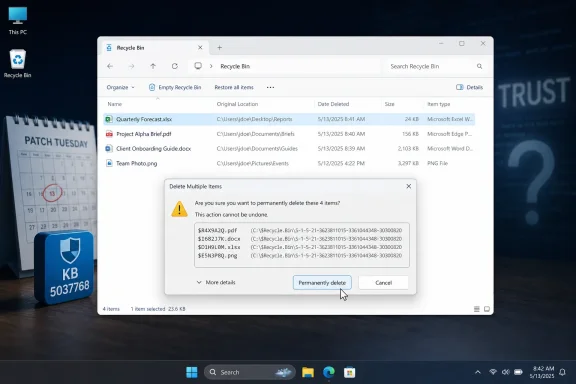
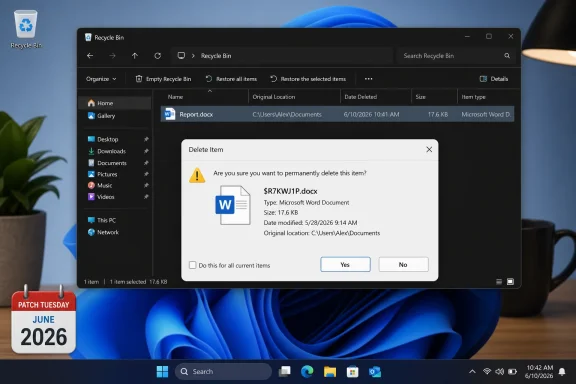
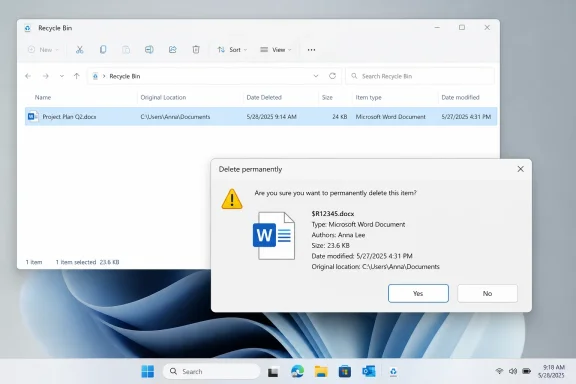
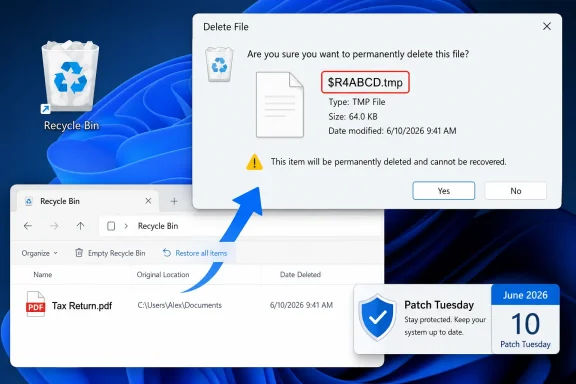
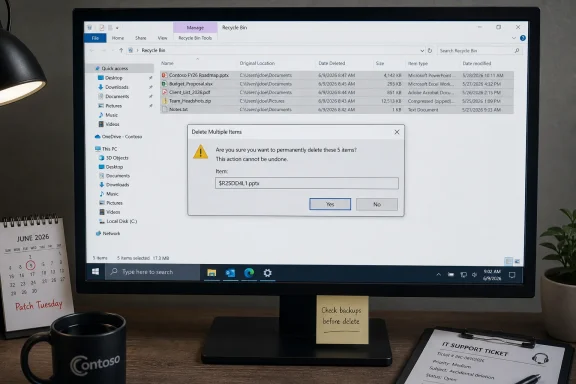
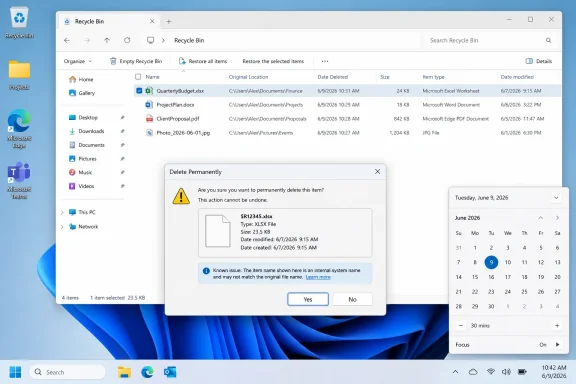
Microsoft confirmed on June 18, 2026, that Windows security updates released on June 9 can cause the Recycle Bin’s delete confirmation dialog to show an internal
The mistake is almost comic in its specificity. A file called
That makes this more than a cosmetic oddity. Windows is built on layers of compatibility and abstraction, and the Recycle Bin is one of the oldest visible examples of that bargain: the system renames, tracks, and preserves discarded files while presenting a familiar desktop metaphor. When that metaphor slips, even harmlessly, it exposes how much of Windows still depends on ancient plumbing behaving politely.
The confirmed issue affects an unusually wide span of supported Windows releases. Microsoft lists Windows 11 version 26H1, 25H2, 24H2, and 23H2; Windows 10 version 22H2; Windows 10 Enterprise LTSC 2021; Windows 10 Enterprise LTSC 2019; and Windows 10 Enterprise LTSB 2016 on the client side. On servers, the affected platforms include Windows Server 2025, 2022, 2019, 2016, 2012 R2, and 2012.
That breadth matters. A bug that crosses current Windows 11 builds, late-life Windows 10 deployments, LTSC estates, and older supported server platforms is unlikely to be a one-off UI typo in a single modern component. It points instead to shared shell behavior, shared servicing payloads, or a common change that reached deep into Windows’ legacy file-management stack.
Microsoft’s wording is careful. The problem occurs when permanently deleting a single item from the Recycle Bin, and it is limited to the confirmation dialog. The Recycle Bin itself still displays the original filename, and restoring the item also restores it with the original filename.
That is the good news. The bad news is that Microsoft’s own acknowledgement arrived after the update had already been broadly deployed through Patch Tuesday. For managed fleets, the bug is another reminder that “known issue” often means “known after production exposure.”
Those
The confirmed bug appears to be a failure in that translation at precisely one moment: the confirmation prompt before permanent deletion. The list view gets the friendly name right. The restore operation gets the friendly name right. The dialog box, however, leaks the name Windows uses under the hood.
That is why the issue is both minor and revealing. It does not mean the Recycle Bin has forgotten what the file was. It means one UI path is asking the wrong layer of the system for the label it should show the user.
That trade-off is familiar to every Windows administrator. What is less comfortable is the cumulative nature of the risk. A given Patch Tuesday can include security fixes, quality improvements, kernel changes, shell changes, compatibility changes, and servicing-stack behavior that varies by version. The user experiences one update, but the system absorbs a bundle of changes.
The Recycle Bin bug is not the scariest thing users have associated with June’s update cycle. Reports circulating in Windows communities have described OneDrive and Dropbox access problems, BitLocker recovery prompts, blue screens, Start menu trouble, and installation failures. Microsoft has not acknowledged all of those reports as confirmed known issues, so they should be treated differently from the Recycle Bin problem.
That distinction is important. A confirmed Release Health issue carries Microsoft’s imprimatur. Community reports are signals, not verdicts. But the combination creates a familiar pattern: a confirmed small bug becomes the visible tip of user anxiety around a broader patch cycle.
Instead, the company is gating the mitigation through business support. That may mean the workaround requires configuration Microsoft does not want broadly copied, applies only to managed environments, or carries enough risk that support wants to validate the target estate first. It may also simply reflect the way Microsoft handles certain Known Issue Rollback or enterprise mitigation paths.
For home users, the practical advice is therefore boring but sensible: do not panic, and do not start uninstalling security updates solely because the Recycle Bin dialog shows an odd filename. The bug is annoying, but Microsoft says the file list and restore behavior remain correct. Unless the affected dialog creates a genuine operational problem, removing a security update is likely to be a worse trade.
For administrators, the calculus is slightly different. A cosmetic Recycle Bin bug is not usually grounds for emergency action, but it can create help-desk noise, user confusion, and audit awkwardness in environments where file deletion workflows are sensitive. If the issue affects a managed fleet, Microsoft’s business-support route is the only officially described mitigation path for now.
That should surprise no one who has administered Windows at scale. Enterprises do not move in lockstep with Microsoft’s preferred upgrade cadence. Industrial systems, medical devices, point-of-sale terminals, lab equipment, and regulated environments often remain on long-lived Windows builds because the surrounding software stack is harder to certify than the operating system is to install.
The upside of Microsoft’s servicing model is that these systems can still receive security fixes. The downside is that a bug in a shared component can follow the support matrix wherever it goes. A Recycle Bin dialog regression landing on both modern Windows 11 and older server platforms is the price of keeping a giant compatibility ecosystem patched.
This is the quiet burden of Windows. Microsoft is not just maintaining the newest desktop shell. It is maintaining a decades-long contract with applications, workflows, and administrators who expect even mundane behaviors to remain stable.
But interface trust is not measured only by data loss. Users rely on confirmation dialogs precisely because they are moments of consequence. A prompt that asks whether you want to permanently delete
In consumer contexts, that may be a shrug. In business contexts, it can matter more. Users cleaning up shared workstations, administrative profiles, redirected folders, or remote desktop sessions may hesitate when Windows presents an unfamiliar internal name. Help desks then inherit the question: “Is this safe to delete?”
This is where “cosmetic” becomes an insufficient category. The bug may not damage data, but it degrades confidence at a point where Windows is asking the user to confirm irreversible action.
That transparency should be credited. It is better than leaving administrators to triangulate Reddit threads, vendor forums, and support tickets. It also helps separate confirmed bugs from anecdotal reports that may have different causes.
Still, the timing exposes a structural limitation. The June updates shipped on June 9, and Microsoft opened the Recycle Bin issue on June 18. That nine-day gap is not unusual, but it matters. By the time an issue is confirmed, many machines have already installed the patch, users have already seen the behavior, and support teams have already spent time determining whether the problem is local or widespread.
The dashboard is a rear-view mirror as much as a warning system. It helps organizations respond, but it rarely prevents the first wave of confusion.
Out-of-band fixes are expensive. They must be built, validated, shipped, and communicated outside the normal rhythm. Microsoft generally reserves that treatment for issues with security implications, serious operational breakage, or broad business disruption.
A misleading Recycle Bin confirmation dialog probably does not meet that threshold. The more likely path is a fix folded into a later cumulative update, with business customers using Microsoft Support if the issue is painful enough to justify intervention before then. That will frustrate some affected users, but it is consistent with how Microsoft prioritizes servicing risk.
The company’s challenge is that users do not experience bugs in isolation. A small confirmed bug landing amid reports of larger update problems can feel like part of a messy release even if Microsoft has validated only one component. Perception, in patch management, is its own operational variable.
The best operational move is often the least dramatic one. Help desks should know that
Where deletion workflows are sensitive, administrators may want to test whether the bug affects specific user groups, remote sessions, redirected folders, or file types differently. Microsoft describes the issue around permanently deleting a single item from the Recycle Bin, which gives support teams a narrow reproduction path. That narrowness is useful: it helps separate this confirmed bug from unrelated Explorer, storage, or profile problems.
The key is not to overcorrect. Uninstalling security updates, disabling Recycle Bin behavior, or pushing undocumented fixes across a fleet would be disproportionate unless Microsoft Support advises it for a specific managed environment.
$Rxxxxx filename instead of the user-facing filename across supported Windows client and server releases. The bug is small in consequence but large in reach. It does not corrupt files, block deletion, or break restore behavior, yet it is exactly the sort of low-level shell regression that reminds administrators how broad the blast radius of a monthly cumulative update can be.The mistake is almost comic in its specificity. A file called
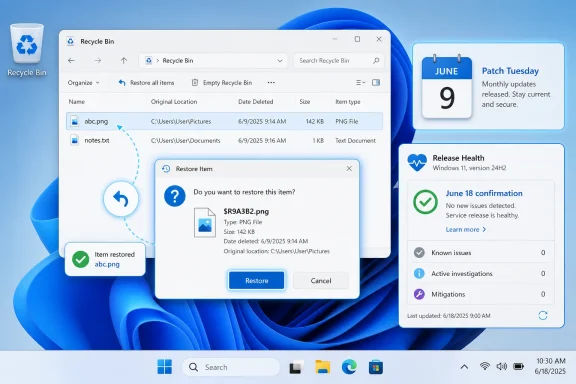
abc.png still appears as abc.png in the Recycle Bin list, and if restored, it comes back under its expected name. But when a user tries to permanently delete that single item, Windows may ask for confirmation using the Recycle Bin’s internal storage name — the kind of implementation detail the shell has spent decades hiding from ordinary users.That makes this more than a cosmetic oddity. Windows is built on layers of compatibility and abstraction, and the Recycle Bin is one of the oldest visible examples of that bargain: the system renames, tracks, and preserves discarded files while presenting a familiar desktop metaphor. When that metaphor slips, even harmlessly, it exposes how much of Windows still depends on ancient plumbing behaving politely.
 A Tiny Dialog Box Becomes a Platform-Wide Admission
The confirmed issue affects an unusually wide span of supported Windows releases. Microsoft lists Windows 11 version 26H1, 25H2, 24H2, and 23H2; Windows 10 version 22H2; Windows 10 Enterprise LTSC 2021; Windows 10 Enterprise LTSC 2019; and Windows 10 Enterprise LTSB 2016 on the client side. On servers, the affected platforms include Windows Server 2025, 2022, 2019, 2016, 2012 R2, and 2012.That breadth matters. A bug that crosses current Windows 11 builds, late-life Windows 10 deployments, LTSC estates, and older supported server platforms is unlikely to be a one-off UI typo in a single modern component. It points instead to shared shell behavior, shared servicing payloads, or a common change that reached deep into Windows’ legacy file-management stack.
Microsoft’s wording is careful. The problem occurs when permanently deleting a single item from the Recycle Bin, and it is limited to the confirmation dialog. The Recycle Bin itself still displays the original filename, and restoring the item also restores it with the original filename.
That is the good news. The bad news is that Microsoft’s own acknowledgement arrived after the update had already been broadly deployed through Patch Tuesday. For managed fleets, the bug is another reminder that “known issue” often means “known after production exposure.”
The Recycle Bin Is a Shell Feature, Not a Trash Folder
To understand why this particular bug looks strange, it helps to remember that the Recycle Bin is not merely a folder named “Trash.” When Windows moves a deleted file into the Recycle Bin, it stores the item using internal names and metadata that allow it to track where the file came from, what it was originally called, and how to restore it.Those
$R-style filenames are not new. They are part of the machinery behind the illusion. Users are not supposed to see them because Explorer translates the internal representation back into the friendly filename and original path.The confirmed bug appears to be a failure in that translation at precisely one moment: the confirmation prompt before permanent deletion. The list view gets the friendly name right. The restore operation gets the friendly name right. The dialog box, however, leaks the name Windows uses under the hood.
That is why the issue is both minor and revealing. It does not mean the Recycle Bin has forgotten what the file was. It means one UI path is asking the wrong layer of the system for the label it should show the user.
Patch Tuesday’s Real Risk Is Accumulation
The June 9 security updates were not optional niceties. They were part of Microsoft’s monthly security servicing cycle, which is why most consumers and many managed environments will take them automatically or on an established deployment schedule. Security fixes carry a different operational weight than feature updates; delaying them can leave systems exposed, but deploying them can introduce regressions.That trade-off is familiar to every Windows administrator. What is less comfortable is the cumulative nature of the risk. A given Patch Tuesday can include security fixes, quality improvements, kernel changes, shell changes, compatibility changes, and servicing-stack behavior that varies by version. The user experiences one update, but the system absorbs a bundle of changes.
The Recycle Bin bug is not the scariest thing users have associated with June’s update cycle. Reports circulating in Windows communities have described OneDrive and Dropbox access problems, BitLocker recovery prompts, blue screens, Start menu trouble, and installation failures. Microsoft has not acknowledged all of those reports as confirmed known issues, so they should be treated differently from the Recycle Bin problem.
That distinction is important. A confirmed Release Health issue carries Microsoft’s imprimatur. Community reports are signals, not verdicts. But the combination creates a familiar pattern: a confirmed small bug becomes the visible tip of user anxiety around a broader patch cycle.
Microsoft’s Workaround Is for Businesses, Not Home Users
Microsoft says a workaround is available for affected devices, but commercial customers must contact Microsoft Support for Business to apply it. That detail tells its own story. If the workaround were a simple registry toggle, documented PowerShell command, or uninstall guidance, Microsoft could publish it directly.Instead, the company is gating the mitigation through business support. That may mean the workaround requires configuration Microsoft does not want broadly copied, applies only to managed environments, or carries enough risk that support wants to validate the target estate first. It may also simply reflect the way Microsoft handles certain Known Issue Rollback or enterprise mitigation paths.
For home users, the practical advice is therefore boring but sensible: do not panic, and do not start uninstalling security updates solely because the Recycle Bin dialog shows an odd filename. The bug is annoying, but Microsoft says the file list and restore behavior remain correct. Unless the affected dialog creates a genuine operational problem, removing a security update is likely to be a worse trade.
For administrators, the calculus is slightly different. A cosmetic Recycle Bin bug is not usually grounds for emergency action, but it can create help-desk noise, user confusion, and audit awkwardness in environments where file deletion workflows are sensitive. If the issue affects a managed fleet, Microsoft’s business-support route is the only officially described mitigation path for now.
Old Windows Versions Still Share New Pain
One of the more striking parts of Microsoft’s acknowledgement is the inclusion of older server platforms and long-term servicing releases. Windows Server 2012 and 2012 R2 are not where Microsoft’s marketing energy lives in 2026, yet they appear in the affected-platform list. So do Windows 10 Enterprise LTSB 2016 and multiple LTSC releases.That should surprise no one who has administered Windows at scale. Enterprises do not move in lockstep with Microsoft’s preferred upgrade cadence. Industrial systems, medical devices, point-of-sale terminals, lab equipment, and regulated environments often remain on long-lived Windows builds because the surrounding software stack is harder to certify than the operating system is to install.
The upside of Microsoft’s servicing model is that these systems can still receive security fixes. The downside is that a bug in a shared component can follow the support matrix wherever it goes. A Recycle Bin dialog regression landing on both modern Windows 11 and older server platforms is the price of keeping a giant compatibility ecosystem patched.
This is the quiet burden of Windows. Microsoft is not just maintaining the newest desktop shell. It is maintaining a decades-long contract with applications, workflows, and administrators who expect even mundane behaviors to remain stable.
The Bug Is Harmless Until It Breaks Trust
On paper, this is an easy bug to dismiss. The wrong name appears in one confirmation dialog. The file is still the file. Restore still works. The Recycle Bin list still shows the right thing.But interface trust is not measured only by data loss. Users rely on confirmation dialogs precisely because they are moments of consequence. A prompt that asks whether you want to permanently delete
$R9A3B2.png instead of Quarterly_Report.png is not just ugly; it interrupts the user’s ability to verify the action they are about to take.In consumer contexts, that may be a shrug. In business contexts, it can matter more. Users cleaning up shared workstations, administrative profiles, redirected folders, or remote desktop sessions may hesitate when Windows presents an unfamiliar internal name. Help desks then inherit the question: “Is this safe to delete?”
This is where “cosmetic” becomes an insufficient category. The bug may not damage data, but it degrades confidence at a point where Windows is asking the user to confirm irreversible action.
Release Health Is Doing Its Job, But Late
Microsoft’s Windows Release Health Dashboard is one of the company’s better transparency mechanisms. It gives users and administrators a centralized place to see confirmed issues, affected versions, status, workarounds, and expected next steps. In this case, it clearly identifies the originating June 9 security update and states that a fix is planned for a future Windows update.That transparency should be credited. It is better than leaving administrators to triangulate Reddit threads, vendor forums, and support tickets. It also helps separate confirmed bugs from anecdotal reports that may have different causes.
Still, the timing exposes a structural limitation. The June updates shipped on June 9, and Microsoft opened the Recycle Bin issue on June 18. That nine-day gap is not unusual, but it matters. By the time an issue is confirmed, many machines have already installed the patch, users have already seen the behavior, and support teams have already spent time determining whether the problem is local or widespread.
The dashboard is a rear-view mirror as much as a warning system. It helps organizations respond, but it rarely prevents the first wave of confusion.
The OOB Question Is Really a Severity Question
Microsoft says it is working on a resolution for a future Windows update. That leaves open whether the fix arrives in the next Patch Tuesday, an optional preview release, a Known Issue Rollback-style mitigation, or an out-of-band update. For this bug, an emergency public out-of-band patch would be surprising.Out-of-band fixes are expensive. They must be built, validated, shipped, and communicated outside the normal rhythm. Microsoft generally reserves that treatment for issues with security implications, serious operational breakage, or broad business disruption.
A misleading Recycle Bin confirmation dialog probably does not meet that threshold. The more likely path is a fix folded into a later cumulative update, with business customers using Microsoft Support if the issue is painful enough to justify intervention before then. That will frustrate some affected users, but it is consistent with how Microsoft prioritizes servicing risk.
The company’s challenge is that users do not experience bugs in isolation. A small confirmed bug landing amid reports of larger update problems can feel like part of a messy release even if Microsoft has validated only one component. Perception, in patch management, is its own operational variable.
Administrators Should Treat This as Noise With a Paper Trail
For IT departments, the immediate response should be proportionate. This is not a reason to halt all June security patching by itself. It is a reason to document the behavior, warn support staff, and update internal known-issue notes so users are not told to rebuild profiles or run unnecessary repair commands.The best operational move is often the least dramatic one. Help desks should know that
$Rxxxxx.ext in the Recycle Bin confirmation dialog is a known Microsoft issue after the June 9 security updates. They should also know that the visible Recycle Bin list and restore behavior are expected to remain correct.Where deletion workflows are sensitive, administrators may want to test whether the bug affects specific user groups, remote sessions, redirected folders, or file types differently. Microsoft describes the issue around permanently deleting a single item from the Recycle Bin, which gives support teams a narrow reproduction path. That narrowness is useful: it helps separate this confirmed bug from unrelated Explorer, storage, or profile problems.
The key is not to overcorrect. Uninstalling security updates, disabling Recycle Bin behavior, or pushing undocumented fixes across a fleet would be disproportionate unless Microsoft Support advises it for a specific managed environment.
The June Patch Leaves a Small Crack in a Familiar Metaphor
This is the rare Windows bug that is easy to explain to nontechnical users and still interesting to administrators. It takes a familiar action — emptying something from the Recycle Bin — and exposes the implementation detail behind it. The lesson is not that Windows is suddenly unsafe to use; it is that even the oldest desktop assumptions can be disturbed by modern servicing.- Microsoft confirmed the Recycle Bin dialog bug on June 18, 2026, after the June 9 Windows security updates.
- The issue can show an internal
$Rxxxxx.extfilename when permanently deleting a single item from the Recycle Bin. - Microsoft says the Recycle Bin list view still shows the original filename and restored files return with the correct name.
- The affected platforms span current Windows 11 releases, Windows 10 22H2, LTSC and LTSB clients, and multiple Windows Server versions.
- Commercial customers have an available workaround through Microsoft Support for Business, while a general fix is planned for a future Windows update.
- The bug is not a strong reason by itself to uninstall June security updates, but it is worth documenting for help desks and managed fleets.
References
- Primary source: Neowin
Published: 2026-06-19T05:24:10.309862
Microsoft confirms Recycle Bin bug across all versions of Windows - Neowin
Windows Patch Tuesday keeps causing headaches, and Microsoft has now acknowledged another odd issue affecting users. www.neowin.net
- Related coverage: allthings.how
KB5094126 for Windows 11 (June 2026): Builds 26200.8655 and 26100.8655
The June Patch Tuesday update brings the Low Latency Profile, Shared Audio, multi-app camera streaming, and the Secure Boot certificate push.allthings.how - Related coverage: windowslatest.com
Windows 11 KB5094126 out with CPU boost for performance, direct download links for offline installer (.msu)
Windows 11 KB5094126 is now rolling out with Low Latency Profile, Shared audio, Secure Boot certificate update, and more. www.windowslatest.com
- Related coverage: windowsreport.com
Windows 11 KB5094126 & KB5093998 June 2026 Patch Tuesday Updates Released
Microsoft has officially released June 2026 Patch Tuesday update KB5094126 for Windows 11 version 24H2 and 25H2. windowsreport.com
- Official source: support.microsoft.com
- Related coverage: techtimes.com
Windows 11 June 2026 Update Kills Folder Icons: 23-Year-Old Shell Bug Finally Closed
Windows 11 desktop.ini update June 2026 breaks custom folder icons on network drives — but it is intentional. KB5094126 closes an unchecked-buffer code execution risk in Windows Shell folder parsingwww.techtimes.com

- Official source: learn.microsoft.com
Windows release health | Microsoft Learn
Quickly find official information on Windows updates and servicing milestones. Access resources, tools, and news about known issues and safeguards to help you plan your next update. Want the latest Windows release health updates? Follow @WindowsUpdate on X.learn.microsoft.com