

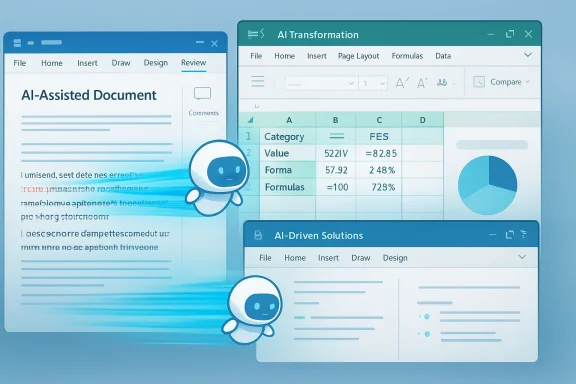
Microsoft’s Copilot has crossed an important threshold: it is no longer just an assistant that answers questions, but a working collaborator that can act inside Word, Excel, and PowerPoint by default. Microsoft says the new agentic experience is now generally available and is becoming the default for Microsoft 365 Copilot and Microsoft 365 Premium subscribers, while also extending to Personal and Family plans. In practical terms, that means Copilot is moving from chat-first help toward in-app execution, where it can reshape documents, transform data, and refine presentations without users having to micromanage every step. Microsoft is also backing the shift with its own usage data, which shows sharply higher engagement and satisfaction in key apps.
For years, the promise of productivity AI has been simple to state and hard to deliver: describe the outcome, and the software should do the work. In the first wave of Copilot, Microsoft offered a powerful conversational layer, but it still behaved much like a smart side panel. It could explain, draft, and suggest, but the gap between suggesting and doing remained the biggest limitation in everyday work.
This latest rollout suggests Microsoft believes that gap has finally narrowed enough to matter. The company says recent model improvements in instruction following, reasoning, and overall quality now let Copilot handle multi-step edits reliably without losing the user’s intent. That is a crucial distinction, because real work in Office rarely happens in one clean command. It happens through sequences: adjust a spreadsheet, verify a chart, rewrite the narrative, then update the slide deck to match.
Microsoft is not merely changing a feature flag. It is redefining what a default productivity interface should look like. Instead of treating AI as a helper that sits outside the document, the company is embedding it more deeply into the canvas itself. That makes Copilot less like a search box and more like an operational layer over Microsoft 365. That is the strategic shift competitors have been chasing for the last two years.
The timing also matters. Microsoft has spent the past year steadily broadening Copilot’s footprint, first by making consumer access more available and later by tying its broader “wave” releases to agentic workflows and enterprise governance. The April 22 announcement is best understood as the latest step in that larger campaign: make AI feel native, make it useful often enough to become habitual, and then make that habit hard to leave.
Microsoft’s framing is also revealing. The company repeatedly emphasizes that Copilot can take “multi-step, app-native actions” directly in a document, worksheet, or presentation. That wording signals a clear break from the old chatbot mental model. In Microsoft’s view, the AI is no longer merely describing work; it is participating in the work surface itself.
At the same time, Microsoft is trying to preserve human oversight. The company says users stay in control and can preview or fine-tune changes. That is not a footnote; it is the product design decision that determines whether agentic AI feels trustworthy or alarming. Useful autonomy is only useful if it remains legible.
Key implications include:
That shift helps explain why Microsoft has been talking so much about “human-agent collaboration,” “frontier transformation,” and agent readiness across the stack. The company is trying to make a case that the next phase of productivity software is not a bigger chat window, but a smarter operating model where agents understand context, policy, and action boundaries. That is a much broader ambition than a simple feature launch.
This matters because software vendors often ship automation before the automation is truly stable, then spend years adding guardrails. Microsoft appears to be taking the opposite path here, at least in public messaging: wait for better model quality, then elevate agentic behavior to the default. If that holds up in real-world use, it could prove more durable than a rushed launch.
That said, Word is also where trust will be tested most immediately. Document work often contains legal, financial, or reputational nuance. A chatbot that offers three ways to phrase a sentence is one thing; an agent that rewrites a policy memo or client brief is something else entirely. Microsoft explicitly says it is prioritizing deeper, more reliable editing for high-stakes work, which shows the company understands the risk profile.
Microsoft’s own early data shows Word engagement up 52%, new user retention up 11%, and satisfaction up 21%. Those are not trivial numbers, especially in a mature application where behavior changes are usually incremental rather than dramatic. They suggest users are finding reasons to return, not just reasons to experiment.
The company’s own metrics show the strongest gains here. Microsoft reports 67% higher engagement in Excel, 50% higher new-user retention, and 65% higher satisfaction. That is the clearest signal in the announcement that the agentic model is resonating where it may be most valuable: structured, repetitive, decision-oriented work that benefits from fast iteration.
At the same time, Excel is the place where incorrect automation can become dangerous quickly. A bad formula, a misread dataset, or a misleading chart can spread downstream into planning, reporting, or financial decisions. That is why Microsoft’s emphasis on “staying in control” matters so much; the benefit of agentic Excel depends entirely on whether users can verify what the system changed and why. The more useful the agent becomes, the more important the audit trail becomes too.
That combination is important because presentations are often where work gets repackaged for executives, clients, and colleagues. If Copilot can intelligently revise slides so the narrative stays aligned with the latest figures, then the value goes beyond convenience. It reduces the lag between analysis and communication, which is a classic enterprise productivity bottleneck.
Microsoft’s data here is more modest than Excel’s but still notable: engagement is up 11%, retention up 36%, and satisfaction up 25%. Those figures suggest that while presentations may not produce the same volume of daily interaction as spreadsheets, users who try the new experience may be finding enough value to keep coming back.
This is strategically significant because it reduces the chance that agentic AI in Office becomes perceived as an enterprise-only luxury. Microsoft has been steadily building toward a world where consumer and commercial Copilot experiences reinforce each other, and this rollout pushes them further together. The company has already been expanding consumer access to Copilot in Microsoft 365, so this is less a pivot than an acceleration.
Consumers, by contrast, will likely care about simplicity and perceived value. Personal and Family users do not need enterprise-grade dashboards to feel the benefit of a better draft or a cleaner presentation. But they may be less forgiving if the system feels confusing, overreaching, or inconsistent. One audience demands control; the other demands ease. Microsoft now has to satisfy both.
That does not mean Microsoft has solved the market. Google, standalone AI startups, and workflow vendors are all pushing toward their own agentic experiences. But Microsoft’s approach is especially potent because it combines AI, productivity software, security, and administrative controls in one ecosystem. That matters in enterprise procurement, where convenience alone rarely wins.
There is also a lock-in effect here, though Microsoft would call it integration. If Copilot becomes the easiest way to complete routine work in Office, then the product becomes more valuable precisely because it is embedded. That raises the switching cost for competitors that can match AI quality but cannot match Office’s installed base. This is as much a platform move as a feature release.
For enterprises, this is not cosmetic. It determines whether Copilot can be deployed at scale in regulated environments, in finance teams, in legal work, or in operational reporting. Microsoft’s broader messaging around secure agentic AI and observability suggests it knows that the next stage of adoption will depend as much on policy as on model quality.
There is also a subtle cultural issue at play. If users start to rely on Copilot to do first-pass work automatically, they may spend less time learning the underlying tools. That could create a generation of users who are highly productive in the short term but less capable of troubleshooting when the AI gets something wrong. Convenience can become dependency faster than vendors admit.
The company says the data comes from the last month, so these are early signals rather than long-term performance indicators. Early user satisfaction can be inflated by novelty, by curiosity, or by the simple relief of seeing AI do something visibly useful. The real test will be whether those numbers hold once the novelty fades and users start pushing the system harder.
Still, even imperfect usage data can be valuable. It helps explain where the system is gaining traction and where the workflows are still too brittle. In that sense, the numbers are less a victory lap than a map of where Microsoft should keep investing.
What matters next is not just whether Microsoft can keep improving the model, but whether it can make the experience feel dependable in the messy reality of daily office work. In spreadsheets, reports, decks, and documents, usefulness is measured by outcomes, not demos. If Copilot can keep its current momentum while expanding reliability, transparency, and cross-app coherence, it could become the productivity collaborator Microsoft has been promising for years. If it cannot, the market will treat this as another impressive AI layer that still stops short of real agency.
Source: XDA Microsoft's Copilot just became the productivity collaborator it was promised to be
 Overview
For years, the promise of productivity AI has been simple to state and hard to deliver: describe the outcome, and the software should do the work. In the first wave of Copilot, Microsoft offered a powerful conversational layer, but it still behaved much like a smart side panel. It could explain, draft, and suggest, but the gap between suggesting and doing remained the biggest limitation in everyday work.This latest rollout suggests Microsoft believes that gap has finally narrowed enough to matter. The company says recent model improvements in instruction following, reasoning, and overall quality now let Copilot handle multi-step edits reliably without losing the user’s intent. That is a crucial distinction, because real work in Office rarely happens in one clean command. It happens through sequences: adjust a spreadsheet, verify a chart, rewrite the narrative, then update the slide deck to match.
Microsoft is not merely changing a feature flag. It is redefining what a default productivity interface should look like. Instead of treating AI as a helper that sits outside the document, the company is embedding it more deeply into the canvas itself. That makes Copilot less like a search box and more like an operational layer over Microsoft 365. That is the strategic shift competitors have been chasing for the last two years.
The timing also matters. Microsoft has spent the past year steadily broadening Copilot’s footprint, first by making consumer access more available and later by tying its broader “wave” releases to agentic workflows and enterprise governance. The April 22 announcement is best understood as the latest step in that larger campaign: make AI feel native, make it useful often enough to become habitual, and then make that habit hard to leave.
How Microsoft Is Reframing Copilot
The most important thing Microsoft did this week was not add another experimental toggle. It normalized agentic behavior as the expected Copilot experience in its core Office apps. That matters because defaults shape adoption. If users have to discover and enable a mode, they may test it once; if it is the standard flow, it becomes part of everyday work.Microsoft’s framing is also revealing. The company repeatedly emphasizes that Copilot can take “multi-step, app-native actions” directly in a document, worksheet, or presentation. That wording signals a clear break from the old chatbot mental model. In Microsoft’s view, the AI is no longer merely describing work; it is participating in the work surface itself.
From conversation to execution
The transition from chat to execution is not just a technical upgrade. It changes the economics of time spent on routine work. If Copilot can reliably format a report, build a chart, or update a deck from live data, then the value of each interaction increases dramatically. That is especially true for users who are already fluent in Office but not necessarily expert in formulas, design logic, or presentation structure.At the same time, Microsoft is trying to preserve human oversight. The company says users stay in control and can preview or fine-tune changes. That is not a footnote; it is the product design decision that determines whether agentic AI feels trustworthy or alarming. Useful autonomy is only useful if it remains legible.
Key implications include:
- Less prompting, more doing
- More value from each Copilot session
- Fewer repetitive formatting chores
- Stronger fit for multi-step office tasks
- Higher stakes for correctness and transparency
Why the Timing Matters Now
Microsoft’s move arrives at a moment when the AI market is shifting away from novelty toward utility. The first generation of chatbots proved that large language models could be broadly useful, but they also exposed the limits of passive interaction. Now the competitive question is no longer whether an AI can talk; it is whether it can actually complete work inside the software people already use.That shift helps explain why Microsoft has been talking so much about “human-agent collaboration,” “frontier transformation,” and agent readiness across the stack. The company is trying to make a case that the next phase of productivity software is not a bigger chat window, but a smarter operating model where agents understand context, policy, and action boundaries. That is a much broader ambition than a simple feature launch.
A response to model maturity
Microsoft’s explanation for the rollout is straightforward: the models are finally good enough. In its own words, the foundation models available when Copilot first shipped were not strong enough to command applications directly, but recent leaps in instruction-following and reasoning now make multi-step edits viable. That is a telling admission, because it suggests Microsoft has been waiting not for a new product idea, but for the underlying AI to become dependable enough for mainstream business use.This matters because software vendors often ship automation before the automation is truly stable, then spend years adding guardrails. Microsoft appears to be taking the opposite path here, at least in public messaging: wait for better model quality, then elevate agentic behavior to the default. If that holds up in real-world use, it could prove more durable than a rushed launch.
What Changes in Word
Word is where Microsoft’s message may be easiest for ordinary users to understand. Most people already know the pain of staring at a half-finished draft and needing help with tone, structure, or clarity. Copilot’s new behavior is designed to move beyond suggestions and into actual document editing, allowing it to rewrite, restructure, and polish content in place.That said, Word is also where trust will be tested most immediately. Document work often contains legal, financial, or reputational nuance. A chatbot that offers three ways to phrase a sentence is one thing; an agent that rewrites a policy memo or client brief is something else entirely. Microsoft explicitly says it is prioritizing deeper, more reliable editing for high-stakes work, which shows the company understands the risk profile.
The productivity case for drafting and rewriting
The upside is obvious. For many users, the hardest part of writing is not generating text but shaping it into something that sounds coherent, polished, and audience-appropriate. If Copilot can reliably take a rough draft and move it closer to a final version, the time savings can be meaningful even before you count the reduction in formatting friction.Microsoft’s own early data shows Word engagement up 52%, new user retention up 11%, and satisfaction up 21%. Those are not trivial numbers, especially in a mature application where behavior changes are usually incremental rather than dramatic. They suggest users are finding reasons to return, not just reasons to experiment.
What Changes in Excel
Excel is where Microsoft’s pitch becomes almost seductive. Spreadsheet work is notorious for being both powerful and tedious, and it is full of tasks that are conceptually simple but operationally annoying. Copilot’s ability to build formulas, explain analysis, and make changes directly in the workbook is designed to compress the gap between a question and an answer.The company’s own metrics show the strongest gains here. Microsoft reports 67% higher engagement in Excel, 50% higher new-user retention, and 65% higher satisfaction. That is the clearest signal in the announcement that the agentic model is resonating where it may be most valuable: structured, repetitive, decision-oriented work that benefits from fast iteration.
Why Excel could become the flagship use case
Excel is also the application where small improvements can have outsized impact. A user who can ask Copilot to identify trends, generate formulas, or transform tables may avoid hours of manual cleanup. For knowledge workers who live in spreadsheets but are not power users, that can feel transformational rather than merely convenient.At the same time, Excel is the place where incorrect automation can become dangerous quickly. A bad formula, a misread dataset, or a misleading chart can spread downstream into planning, reporting, or financial decisions. That is why Microsoft’s emphasis on “staying in control” matters so much; the benefit of agentic Excel depends entirely on whether users can verify what the system changed and why. The more useful the agent becomes, the more important the audit trail becomes too.
What Changes in PowerPoint
PowerPoint may be the most visible demonstration of the new Copilot philosophy, even if it is not always the most technically demanding. Presentations are a blend of content, narrative, and visual consistency, and that makes them well suited to AI that can work across multiple steps. Microsoft says Copilot can now update existing decks with talking points, incorporate data, and respect company templates.That combination is important because presentations are often where work gets repackaged for executives, clients, and colleagues. If Copilot can intelligently revise slides so the narrative stays aligned with the latest figures, then the value goes beyond convenience. It reduces the lag between analysis and communication, which is a classic enterprise productivity bottleneck.
Presentation work is about more than slides
The agentic value in PowerPoint is not simply “make me a deck.” It is “turn this evolving idea into a presentation that still looks and feels like our organization.” That means the AI has to handle structure, design continuity, and data freshness at the same time. In other words, PowerPoint is a stress test for whether Copilot can act like a collaborator rather than a content spinner.Microsoft’s data here is more modest than Excel’s but still notable: engagement is up 11%, retention up 36%, and satisfaction up 25%. Those figures suggest that while presentations may not produce the same volume of daily interaction as spreadsheets, users who try the new experience may be finding enough value to keep coming back.
Enterprise and Consumer Impact
One of the more interesting aspects of the rollout is that Microsoft is not limiting the agentic experience to the enterprise tier. The default experience is available for Microsoft 365 Copilot and Microsoft 365 Premium subscribers, and it is also available to users on Microsoft 365 Personal and Family plans. That broadens the market from business productivity to everyday household productivity.This is strategically significant because it reduces the chance that agentic AI in Office becomes perceived as an enterprise-only luxury. Microsoft has been steadily building toward a world where consumer and commercial Copilot experiences reinforce each other, and this rollout pushes them further together. The company has already been expanding consumer access to Copilot in Microsoft 365, so this is less a pivot than an acceleration.
Different expectations, different risks
The enterprise market will judge Copilot on governance, compliance, and control. Businesses care less about whether the AI feels magical and more about whether it can be monitored, restricted, and audited. Microsoft has been speaking increasingly about identity, policy, observability, and secure agent actions for exactly that reason.Consumers, by contrast, will likely care about simplicity and perceived value. Personal and Family users do not need enterprise-grade dashboards to feel the benefit of a better draft or a cleaner presentation. But they may be less forgiving if the system feels confusing, overreaching, or inconsistent. One audience demands control; the other demands ease. Microsoft now has to satisfy both.
Microsoft’s Competitive Position
This launch also strengthens Microsoft’s competitive posture in the AI productivity race. Rivals can build chat interfaces and task bots, but Microsoft owns the distribution layer where the work already happens. Word, Excel, and PowerPoint are not just applications; they are institutional habits. Embedding agentic AI into those habits gives Microsoft an advantage that is hard for point solutions to match.That does not mean Microsoft has solved the market. Google, standalone AI startups, and workflow vendors are all pushing toward their own agentic experiences. But Microsoft’s approach is especially potent because it combines AI, productivity software, security, and administrative controls in one ecosystem. That matters in enterprise procurement, where convenience alone rarely wins.
The distribution advantage is real
Microsoft can ship capability directly into tools people already pay for, already install, and already trust to a degree. That lowers adoption friction dramatically. Even when users are skeptical of AI in the abstract, they are more willing to try it if it appears in a familiar ribbon, sidebar, or command surface.There is also a lock-in effect here, though Microsoft would call it integration. If Copilot becomes the easiest way to complete routine work in Office, then the product becomes more valuable precisely because it is embedded. That raises the switching cost for competitors that can match AI quality but cannot match Office’s installed base. This is as much a platform move as a feature release.
The Trust and Governance Question
Agentic AI is only as credible as its guardrails. Once a model can edit documents and manipulate workbook structures, the stakes rise from “bad suggestion” to “bad action.” That is why Microsoft keeps emphasizing preview, transparency, and user control in its announcement. It is trying to make autonomy feel bounded rather than opaque.For enterprises, this is not cosmetic. It determines whether Copilot can be deployed at scale in regulated environments, in finance teams, in legal work, or in operational reporting. Microsoft’s broader messaging around secure agentic AI and observability suggests it knows that the next stage of adoption will depend as much on policy as on model quality.
Control is part of the product
A useful agent must still feel inspectable. Users need to see what changed, why it changed, and how to roll it back if needed. Microsoft says it is investing in more transparency and more reliable editing, which is exactly the right direction for a product that is moving from suggestion toward execution.There is also a subtle cultural issue at play. If users start to rely on Copilot to do first-pass work automatically, they may spend less time learning the underlying tools. That could create a generation of users who are highly productive in the short term but less capable of troubleshooting when the AI gets something wrong. Convenience can become dependency faster than vendors admit.
Why the Metrics Matter, and Why They Don’t Tell the Whole Story
Microsoft’s numbers are impressive on their face, especially the Excel results. But engagement and thumbs-up rates are not the same as verified business outcomes, and they do not prove that users are completing complex work more accurately. They do, however, show that the new experience is interesting enough to change behavior, which is usually the first hurdle for any AI feature.The company says the data comes from the last month, so these are early signals rather than long-term performance indicators. Early user satisfaction can be inflated by novelty, by curiosity, or by the simple relief of seeing AI do something visibly useful. The real test will be whether those numbers hold once the novelty fades and users start pushing the system harder.
Early adoption is not the same as durable adoption
The best case is that users quickly discover recurring workflows Copilot genuinely improves. The worst case is that they try it often at first, but revert to manual editing when edge cases, formatting quirks, or reliability issues slow them down. Microsoft’s own language suggests it understands this tension, which is why it keeps promising deeper editing and more seamless integration.Still, even imperfect usage data can be valuable. It helps explain where the system is gaining traction and where the workflows are still too brittle. In that sense, the numbers are less a victory lap than a map of where Microsoft should keep investing.
Strengths and Opportunities
Microsoft has a legitimate opportunity to make Copilot the most natural AI layer in mainstream office software, not because it is the flashiest, but because it lives where work already happens. The new agentic defaults make the product easier to discover, easier to use, and potentially much more valuable in daily routines. If Microsoft executes well, this could become one of the clearest examples yet of AI moving from novelty to necessity.- Native in-app actions reduce friction and make Copilot feel more useful.
- Strong Excel gains point to immediate value in data-heavy workflows.
- Broader consumer availability expands the addressable market.
- Better model quality gives the product a more durable foundation.
- Preview and control features can build trust over time.
- Office distribution advantage gives Microsoft a major competitive edge.
- Cross-app consistency could make Copilot easier to learn and adopt.
- Enterprise governance messaging may ease security concerns.
Risks and Concerns
Microsoft’s biggest risk is that the product becomes powerful faster than it becomes predictable. Agentic AI inside Office creates obvious gains, but it also raises the cost of mistakes. If Copilot edits incorrectly, misunderstands context, or behaves inconsistently across apps, users may retreat to manual workflows just when Microsoft wants them to lean in.- Incorrect edits could undermine trust in high-stakes work.
- Overreliance on automation may reduce user skill over time.
- Governance complexity may slow enterprise deployment.
- Consumer confusion could arise if the experience feels too autonomous.
- Data sensitivity concerns will remain acute in regulated sectors.
- Model drift or inconsistency could damage adoption momentum.
- Feature fragmentation across plans may confuse buyers.
- “Agentic” expectations may outpace what the product can reliably do today.
Looking Ahead
The next few months will tell us whether Microsoft has truly solved the hard part of productivity AI or simply advanced to the next stage of the problem. The company is clearly positioning Copilot as more than a companion, and the strategic logic is strong: if the AI can execute inside the tool, users get less interruption and more flow. But the same qualities that make agentic AI exciting also make it easier to break trust if the system is wrong, overconfident, or hard to inspect.What matters next is not just whether Microsoft can keep improving the model, but whether it can make the experience feel dependable in the messy reality of daily office work. In spreadsheets, reports, decks, and documents, usefulness is measured by outcomes, not demos. If Copilot can keep its current momentum while expanding reliability, transparency, and cross-app coherence, it could become the productivity collaborator Microsoft has been promising for years. If it cannot, the market will treat this as another impressive AI layer that still stops short of real agency.
- Reliability improvements in complex editing workflows
- Clearer change previews and better rollback confidence
- Expanded in-app actions across more Office surfaces
- Enterprise policy tools to support broader rollouts
- Consumer usage trends that show whether the feature sticks
Source: XDA Microsoft's Copilot just became the productivity collaborator it was promised to be
