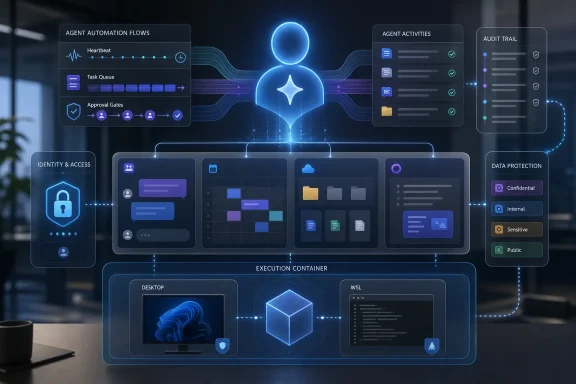
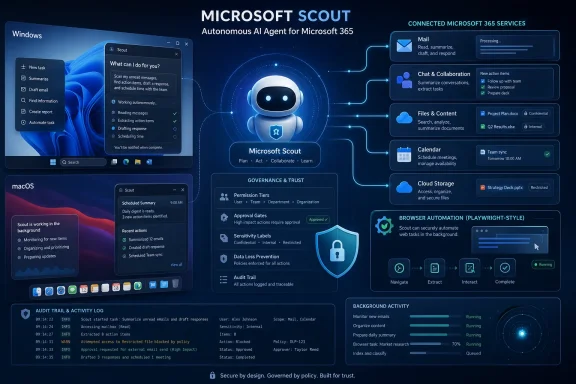
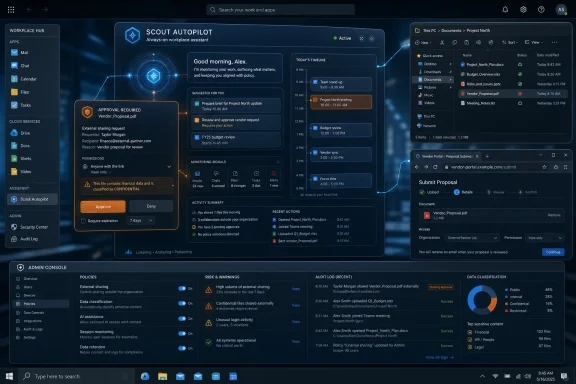
Microsoft announced Scout at Build on Tuesday, June 2, 2026, as an always-on workplace AI agent for Teams, email, calendars, and Microsoft 365 tasks, initially launching with a small customer group and a Frontier-access desktop app tied to GitHub Copilot. That makes Scout less a chatbot than a new kind of office identity: software that can read the room, act between meetings, and represent you while you are away. The pitch is productivity; the consequence is governance. Microsoft is no longer merely putting AI beside work — it is trying to put AI inside the chain of responsibility.

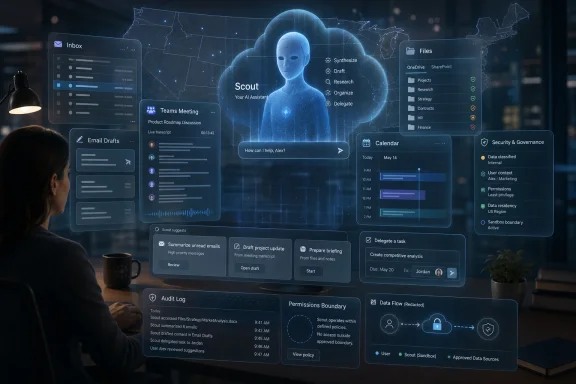
Office laptop display shows an AI assistant “Scout” managing emails, calendar, and tasks amid a city skyline.Microsoft Moves the Assistant From Sidebar to Seatmate​

The last three years of enterprise AI have largely been about summarization, drafting, and search. Copilot could turn a meeting into notes, an email thread into bullet points, or a blank document into first-draft prose. Scout changes the premise because it is not waiting politely in a sidebar for the next prompt.
According to WIRED’s reporting, Scout is meant to operate through Microsoft Teams as if it were a coworker, taking commands, scanning work context, and automating everyday coordination. It can examine messages, calendars, and email inboxes, then act on that information by drafting responses, rescheduling conflicts, or tracking promises across the organization.
That distinction matters. A summarizer is mostly retrospective. An agent that watches for obligations and proposes action is prospective. Microsoft is moving from “help me understand what happened” to “help me make sure the next thing happens.”
For WindowsForum readers, the important part is not the novelty of an AI assistant in Teams. It is the way Microsoft is using Teams as the social surface for automation. The same place where workers already negotiate deadlines, assign tasks, trade context, and make informal commitments is now becoming the place where a nonhuman actor can participate in that workflow.

The Real Product Is Permission​

Microsoft’s public language around workplace AI has increasingly leaned on “agents,” “frontier firms,” and “AI workforce transformation.” Scout fits neatly into that vocabulary, but the product’s practical power comes from something more prosaic: access.
An assistant that cannot see your calendar is a scheduling toy. An assistant that cannot read your email cannot track commitments. An assistant that cannot understand Teams conversations cannot tell the difference between a passing idea and an implied obligation. Scout’s usefulness grows in direct proportion to the sensitivity of the data it can inspect.
That is the bargain Microsoft is asking enterprises to make. The more deeply Scout is embedded in Microsoft 365, the more useful it becomes; the more useful it becomes, the more it must be governed like an identity, not a feature. The old question was whether Copilot had permission to summarize a document. The new question is whether Scout has permission to infer intent from a conversation and start moving work around the board.
This is where Microsoft’s broader Agent 365 strategy becomes relevant. The company has been positioning Agent 365 as a control plane for observing, managing, and securing AI agents across a tenant. Scout is exactly the kind of product that makes such a control plane necessary, because autonomous workplace agents cannot be treated as ordinary plugins once they begin acting across mailboxes, calendars, chats, and business systems.

OpenClaw Gives Scout Its Cultural Shape​

WIRED frames Scout as an enterprise agent built on top of OpenClaw, the agentic tool that reportedly became a fixation among early adopters in San Francisco at the start of 2026. That lineage is revealing, even if Microsoft’s enterprise version will inevitably be more locked down than the hacker-friendly inspiration.
OpenClaw’s appeal was not that it could answer questions. Plenty of models could do that. Its appeal was that it behaved like an always-available operator: persistent, tool-using, and capable of moving across apps and communication channels. In consumer or startup circles, that kind of autonomy looks like magic. In enterprise IT, it looks like a risk register.
Microsoft’s Scout appears to be an attempt to domesticate that energy. Instead of asking knowledge workers to run an agent through a terminal, wire up credentials, and hope for the best, Microsoft is bringing the concept into Teams and Microsoft 365, where administrators already have policies, audit logs, conditional access, retention rules, and compliance tooling.
That does not make the risk disappear. It changes who owns it. A self-hosted OpenClaw experiment is an individual’s problem until it leaks data or sends the wrong thing. A Microsoft 365 agent is the CIO’s problem from day one.

Teams Becomes the Office Floor for Nonhuman Labor​

Microsoft’s decision to make Scout feel like a Teams coworker is more than a user-experience flourish. Teams is the closest thing many organizations have to a digital office floor. It is where formal meetings blend into side-channel coordination, where decisions happen outside the ticketing system, and where “can you handle this?” becomes work without ever becoming a structured workflow.
Putting Scout in that environment makes the agent feel natural. It also makes its presence harder to ignore. A desktop assistant can be minimized. A Teams participant, bot, or agent occupies the same conversational space as people and projects.
That raises a subtle social question. If Scout drafts a response, who is speaking? If it proposes a new meeting time, who is negotiating? If it reminds a colleague that they promised something, is it acting as a polite assistant or a delegated enforcer?
Microsoft will likely answer that with permissions, labels, and audit trails. But organizations will answer it culturally. Some teams will treat Scout as a productivity layer. Others will see it as managerial instrumentation: another system watching who promised what, who followed through, and who is becoming a bottleneck.

The Calendar Example Is Small, but the Precedent Is Huge​

The example WIRED highlights from Omar Shahine is deliberately human: Scout can protect family dinner time by detecting meeting proposals that collide with a user’s preference and suggesting alternatives. It is a good demo because it frames automation as boundary-setting rather than surveillance.
But the same capability can be turned toward different institutional goals. Protecting dinnertime is one policy. Protecting executive review slots, sales follow-up windows, compliance deadlines, incident-response rotations, and customer escalations are others. Once Scout can infer priorities and negotiate schedule changes, the calendar becomes an execution surface.
That is not inherently bad. Calendar chaos is one of the great hidden taxes of modern office work. Anyone who has watched a six-person meeting bounce across a week because no human wants to mediate time zones understands the value of a competent scheduling agent.
The precedent is that software is now making soft decisions in the spaces between hard systems. Traditional workflow tools need a ticket, a due date, or a field. Scout can operate on fuzzier signals: a message, a preference, a recurring habit, a promise made in passing. That is both why it may work and why it will make administrators nervous.

The Commitment Tracker Is the Killer App and the Creepiest Feature​

The most interesting Scout use case in WIRED’s piece is not email drafting or meeting rescheduling. It is Shahine asking Scout to maintain a constantly updated list of promises made to him and promises he made to others. That is a deceptively powerful workplace primitive.
Organizations run on commitments that never reach Jira, Planner, ServiceNow, or Azure DevOps. They live in Teams threads, hallway follow-ups, email replies, and meeting transcripts. A system that can extract those commitments and keep them alive would solve a real coordination problem.
It would also create a new record of accountability. A human colleague forgets, forgives, misremembers, or lets things slide. A persistent agent does not have to. If Scout becomes good at tracking implicit obligations, it could change the texture of work from conversational to contractual.
That may delight managers and frustrate everyone else. The same “open tickets” reminder that helps a conscientious employee follow through could become a soft-surveillance mechanism in a performance culture obsessed with measurable output. The product design challenge is not simply accuracy. It is discretion.

Rough Edges Are Not a Side Note​

Shahine’s reported anecdote about his Scout sending an email as one long run-on sentence is funny because it is familiar. Generative AI can appear sophisticated right up until it does something obviously amateur. In a consumer chatbot, that is irritating. In an enterprise agent that sends mail on your behalf, it is a trust event.
Microsoft will emphasize iteration, previews, limited availability, and human supervision. That is sensible. But the rough edges are not merely cosmetic. Formatting mistakes are visible symptoms of a deeper uncertainty: when should the system be allowed to act, and when should it stop at a draft?
The industry likes to describe this as the “human in the loop” problem, but that phrase often hides the operational burden. If a user has to review every action, Scout becomes a more expensive drafting tool. If the user does not review enough actions, Scout becomes a liability. The commercial promise depends on finding a middle layer where low-risk actions can be delegated and high-risk ones require explicit approval.
That middle layer is hard to define across organizations. Rescheduling a one-on-one may be harmless in one company and politically sensitive in another. Sending a follow-up note may be routine for sales and dangerous for legal. An agent that works across Microsoft 365 must adapt not only to data boundaries but to office norms.

Enterprise IT Will Ask the Questions the Demo Avoids​

A Build-stage demo can show Scout making life easier. A real rollout will start with the questions that demos usually skip. Who can enable it? Which mailboxes, chats, and files can it read? Can administrators limit actions by department, geography, sensitivity label, or role? How are agent actions logged? Can eDiscovery capture what Scout saw, inferred, drafted, and sent?
Those questions are not hostile. They are the minimum requirements for deploying autonomous software inside regulated work. Microsoft has spent years convincing enterprises that Microsoft 365 can be a governed productivity platform rather than a sprawl of apps. Scout must inherit that trust, not assume it.
The GitHub Copilot subscription requirement for the Frontier desktop app is also telling. It suggests Scout is initially aimed at users and organizations already comfortable with agentic tooling, developer-adjacent workflows, or premium AI licensing. Microsoft is not throwing this into every tenant overnight. It is testing appetite and failure modes among customers more likely to tolerate experimentation.
That staged rollout is prudent, but it also creates a familiar Microsoft pattern. Frontier features arrive as opt-in experiments, gain usage inside enthusiastic accounts, become strategic, and then turn into licensing and governance decisions for everyone else. Sysadmins should treat Scout not as a curiosity but as a preview of what Microsoft thinks normal work will look like.

The Copilot Brand Is Becoming an Operating Model​

For much of its life, Copilot has been a brand stretched across too many surfaces: Windows, Edge, Office, GitHub, security, sales, service, and more. Scout points toward a clearer architecture. Copilot becomes the interface, agents become the workers, and Agent 365 becomes the management layer.
That is a stronger story than “AI in every app,” because it acknowledges that work does not happen inside one app. A customer escalation may begin in Outlook, move to Teams, require a CRM update, involve a spreadsheet, and end in a meeting. A useful AI assistant must cross those boundaries.
Microsoft has an obvious advantage here. It owns the productivity substrate for many enterprises: identity, email, calendar, chat, documents, endpoint management, compliance, and increasingly security telemetry. Scout’s promise depends on that substrate. Competing AI vendors can build better models or slicker agents, but they often need to ask Microsoft’s estate for the keys.
That advantage is also why regulators, competitors, and customers will watch closely. If Microsoft makes its own agents more capable, better integrated, or easier to govern than third-party agents, the company will face familiar questions about platform power. The Office bundle once shaped the application market. The agent bundle may shape the automation market.

The Always-On Coworker Changes the Meaning of Availability​

Scout’s most provocative idea is embedded in Shahine’s reported line that the point of a personal assistant is working when you are not. That sounds reasonable until it meets the politics of availability.
If Scout can act while you are away, your absence becomes less absolute. Colleagues may expect your agent to respond. Managers may expect commitments to keep moving after hours. Customers may expect follow-ups overnight. The boundary between “I am working” and “my automation is working” will become increasingly blurry.
Microsoft’s family-dinner example tries to frame Scout as a protector of personal time. It could be. An agent that declines meetings, blocks focus time, and shields users from scheduling chaos might be a rare technology that gives time back instead of absorbing more of it.
But tools that protect boundaries can also normalize work without the worker. If the agent can do enough, why should the workflow pause? Enterprises will need policies that say not only what Scout can access but what colleagues may expect from it. Otherwise, the always-on assistant becomes another step in the long erosion of being offline.

Security Teams Will See a New Kind of Insider​

Traditional enterprise security models divide the world into users, devices, apps, and services. Scout blurs those categories. It acts for a user, runs through Microsoft services, may appear in Teams, and can operate across data sources. That makes it less like a chatbot and more like a delegated insider.
The nightmare scenario is not a science-fiction rogue AI. It is a mundane chain of permissions, prompts, and misplaced trust. An agent reads something it should not. It forwards a summary with sensitive context. It follows an instruction in a compromised message. It drafts a response that creates legal exposure. It reschedules a meeting in a way that reveals confidential priorities.
Microsoft will likely lean on identity, consent, sensitivity labels, audit logs, and admin controls to answer those risks. Those tools matter, but agentic systems add a layer of interpretation between access and action. A user may be allowed to read a file; the agent may be allowed to help the user; the danger comes when the agent combines that file with other context and acts in a way no traditional permission rule anticipated.
Security teams should therefore think of Scout as an identity-adjacent actor. It needs least privilege, action boundaries, monitoring, and revocation. It also needs incident-response playbooks. If an agent sends the wrong message to the wrong group, the response cannot be “the model did it.”

Microsoft Is Selling Relief From the Work It Helped Create​

There is an irony at the center of Scout. Microsoft 365 helped create the modern flood of workplace signals: Teams pings, Outlook threads, calendar collisions, shared documents, meeting recordings, transcripts, task comments, and notification badges. Now Microsoft is selling an agent to survive that flood.
That does not make Scout cynical. The problem is real. Many knowledge workers spend large parts of the day translating between communication systems and action systems. They do not need another chatbot; they need a tireless coordinator that remembers context and nudges work forward.
But Microsoft’s incentive is not simply to reduce overload. It is to make Microsoft 365 the place where more work is captured, interpreted, and automated. The more Scout can help, the more reasons organizations have to keep conversations, files, and workflows inside Microsoft’s cloud. Productivity relief and platform gravity arrive in the same package.
This is why Scout deserves more scrutiny than a clever assistant demo normally gets. It is not just a feature; it is a wedge. If users come to rely on an agent that understands their Microsoft 365 life, switching costs rise from documents and mailboxes to habits, preferences, organizational memory, and delegated routines.

The Office Agent Wars Will Be Fought Over Trust, Not Chat​

Every major AI vendor can claim some version of workplace assistance. The differentiator will not be who can draft the most polished email in a canned demo. It will be who can earn enough trust to act in messy, permissioned, politically sensitive work environments.
Microsoft has a credible path because it already sells trust infrastructure to enterprises. Entra, Purview, Defender, Intune, Teams, Exchange, SharePoint, and compliance tooling give it levers that standalone AI firms do not control. Scout can be pitched as part of a governed estate rather than a rogue automation layer.
Still, trust is not inherited automatically from the tenant. Users will judge Scout by the first time it misreads a message, sends an awkward note, or exposes a preference they thought was private. Administrators will judge it by the clarity of logs, policies, and rollback. Executives will judge it by whether the productivity gains justify another layer of AI licensing.
The agent that wins the office will be the one that understands restraint. Microsoft’s challenge is to make Scout proactive enough to matter and cautious enough not to become infamous.

The First Scout Deployments Will Teach Microsoft More Than Users​

The limited customer launch is not just a cautious rollout; it is a data-gathering phase for workplace behavior. Microsoft needs to learn which tasks users delegate, which ones they reclaim, where approvals are necessary, and how often the agent’s suggestions are accepted or ignored.
This is why the early examples matter. Calendar protection, commitment tracking, reminders, and draft follow-ups are not random conveniences. They are high-frequency, relatively legible forms of office work. Microsoft is starting where the pain is obvious and the value proposition is easy to explain.
Over time, the temptation will be to expand Scout into more consequential workflows. Sales follow-ups lead to CRM updates. Meeting preparation leads to document generation. Commitment tracking leads to performance dashboards. Scheduling assistance leads to resource allocation. Each step may be defensible on its own; together, they redraw the map of office labor.
That progression will force organizations to decide whether Scout is a personal assistant, a team agent, or an enterprise automation worker. Those are different roles. Blurring them may make demos smoother, but it will make governance harder.

The Scout Era Starts With a Policy Memo, Not a Pep Talk​

The practical lesson for IT leaders is to prepare before the feature arrives broadly. Scout may be limited today, but Microsoft’s direction is clear: persistent agents are becoming first-class participants in Microsoft 365. Waiting until users discover them through Frontier access is how shadow automation begins.
Organizations should decide what counts as acceptable delegation. Drafting is different from sending. Suggesting a meeting time is different from moving one. Tracking commitments is different from reporting them upward. Reading a private chat is different from reading a project channel.
The work is not only technical. HR, legal, compliance, security, and line-of-business leaders all have stakes in how an always-on assistant represents employees. If Scout is allowed to act as a user, the company needs to define when that action is attributable to the user, when it is attributable to the organization, and when it should be blocked entirely.
That may sound heavy for a preview product, but the organizations that answer those questions early will have a real advantage. They will be able to use agents deliberately rather than reactively.

The Scout Checklist for Windows Shops​

Scout’s arrival is best understood as a preview of Microsoft’s next workplace operating model: AI agents with memory, access, and delegated action running inside the collaboration fabric. Before that model becomes routine, administrators and power users should separate the useful from the dangerous.
  • Scout is not just another Copilot chat surface; it is designed to act across Teams, email, calendar, and workplace context.
  • The most valuable features will require the most sensitive permissions, especially access to messages, inboxes, calendars, and organizational commitments.
  • Early availability through limited customers and Frontier-style access suggests Microsoft is still testing where autonomy helps and where it creates unacceptable risk.
  • IT teams should treat Scout-like agents as delegated identities that need governance, logging, least privilege, and revocation paths.
  • The cultural impact may be as important as the technical one, because an always-on assistant can quietly change expectations around availability, follow-through, and accountability.
  • The safest deployments will distinguish between drafting, recommending, and acting, rather than granting broad autonomy because the demo looked useful.
Scout is Microsoft’s clearest signal yet that the future of Microsoft 365 is not a smarter search box but a workplace populated by software agents that can observe, infer, and act. That future may remove a great deal of administrative sludge from office life, but only if enterprises resist the fantasy that autonomy is the same thing as judgment. The next phase of Windows and Microsoft 365 administration will be less about installing apps and more about supervising digital coworkers — and the organizations that learn to manage those coworkers early will shape whether this becomes liberation from busywork or just another always-on system demanding trust it has not yet earned.

References​

  1. Primary source: WIRED
    Published: Tue, 02 Jun 2026 18:00:00 GMT
  2. Related coverage: bighatgroup.com
  3. Related coverage: newclawtimes.com
  4. Related coverage: visualstudiomagazine.com
  5. Related coverage: subagentic.ai
  6. Related coverage: techradar.com
  1. Related coverage: winbuzzer.com
  2. Related coverage: wwwhatsnew.com
  3. Related coverage: windowscentral.com
  4. Related coverage: cybernews.com
  5. Related coverage: letsdatascience.com
  6. Official source: microsoft.com
  7. Official source: download.microsoft.com
  8. Official source: blogs.microsoft.com
  9. Official source: adoption.microsoft.com
  10. Official source: techcommunity.microsoft.com
  11. Official source: build.microsoft.com
  12. Official source: developer.microsoft.com
  13. Related coverage: itpro.com
  14. Official source: marketing.partner.microsoft.com
 

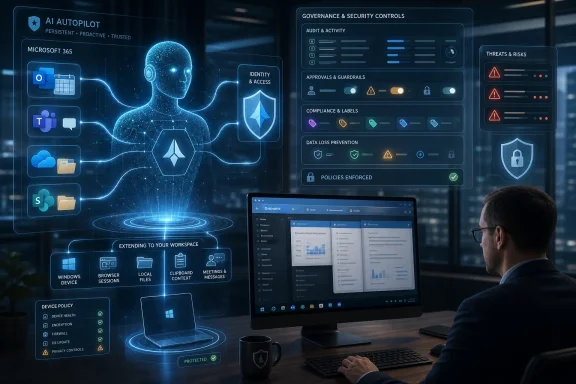
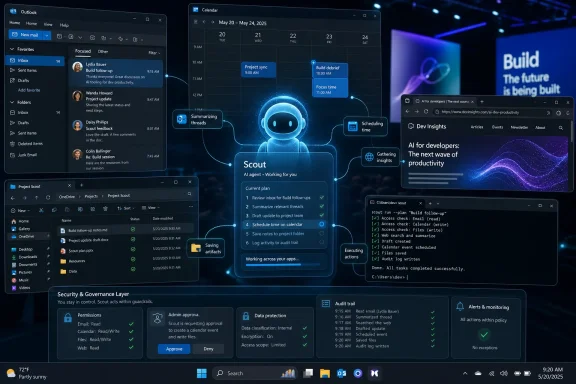
Microsoft Scout is a new always-on Microsoft 365 personal assistant entering desktop preview for select US Frontier customers this week, designed to read work context across Outlook, OneDrive, Teams, calendars, transcripts, and email so it can organize tasks and take action for employees. The pitch is simple and unsettling: Copilot answers from inside the app; Scout follows the worker across the day. Microsoft is not just adding another chatbot to the ribbon. It is trying to turn the office suite into a managed delegation layer, with all the productivity promise and security dread that implies.

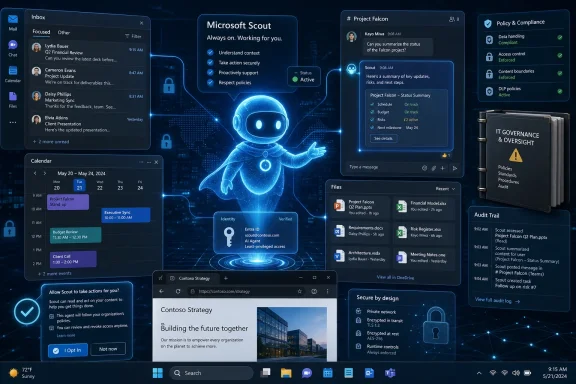
A man reviews an AI “Scout” assistant dashboard with cloud security and office task panels.Microsoft Moves From Helpful Sidebar to Digital Delegate​

For the last three years, Microsoft’s AI strategy has mostly been about putting Copilot where knowledge workers already stare. Word got drafting help, Excel got analysis help, Outlook got summaries, Teams got meeting recaps, and Windows got a branded assistant that has been redesigned more times than most users can count. Scout belongs to a different category.
The difference is agency. A Copilot pane waits for a prompt, even when it is deeply integrated into the document or mailbox in front of you. Scout is described as a personal assistant that watches the broader pattern of your work, notices what matters, and initiates action or advice without being summoned in the same narrow way.
That is why Microsoft’s “first real personal assistant” framing matters. It is an admission, whether intended or not, that most previous AI assistants were not assistants in the human sense. They were interfaces. Scout is Microsoft saying the next competitive frontier is not a better text box, but a system that can remember, infer, schedule, warn, draft, and occasionally interrupt.
The Verge’s interview with Omar Shahine, corporate vice president of Microsoft Scout, captures the strategic turn neatly: users should expect something more like a phone call from an assistant than a chat session with a model. That is a profound change in posture. Software that calls you because it believes you need to leave for an appointment is no longer a passive tool; it is participating in the rhythm of your day.

The Office Graph Finally Gets a Pair of Hands​

Microsoft has spent more than a decade building connective tissue across its productivity stack. Exchange knows your calendar, Teams knows your meetings, OneDrive and SharePoint know your files, Outlook knows your correspondence, and Microsoft Graph has long promised to make those relationships programmable. Scout is what happens when that data layer is paired with a modern agent runtime.
The examples are deliberately mundane: organizing calendars, filling out expense reports, drafting email, handling travel, completing forms, and keeping track of commitments that are scattered across chats and transcripts. That mundanity is the point. Enterprise AI will not become indispensable because it writes a poem about quarterly planning; it becomes indispensable if it quietly closes the thousand tiny loops that make office work feel like office work.
There is also a reason Microsoft is starting with the Microsoft 365 environment rather than a general consumer assistant. The company already controls the identity layer, the document stores, the collaboration surfaces, the admin centers, and much of the compliance infrastructure. In a consumer setting, an always-on agent must beg for integrations. In Microsoft 365, the agent is being born inside the castle.
That castle, however, is full of crown jewels. Teams transcripts are not casual context; they often contain strategy, personnel issues, customer escalations, pricing debates, legal concerns, and security incidents. Email still carries contracts, credentials, personal data, and the accidental honesty of corporate life. OneDrive and SharePoint can be tidy in theory and chaotic in practice. Scout’s usefulness is directly proportional to its access, which is precisely why it is risky.

OpenClaw Gives Microsoft Speed, and Gives Admins Heartburn​

The surprise in Microsoft’s approach is not that it wants an agentic assistant. Everyone does. The surprise is that Scout is tied to OpenClaw, the open-source personal AI assistant project that became famous because it could actually do things and infamous because “actually doing things” is a security boundary with marketing copy attached.
OpenClaw’s appeal is obvious. It provides an agent framework with skills, plugins, messaging integrations, memory, and the ability to operate across services rather than inside a single application silo. For developers and power users, that is intoxicating. For security teams, it looks like a fast-moving ecosystem of executable delegation running close to sensitive credentials and data.
Microsoft’s reported decision to contribute to the core project rather than simply clone it is strategically clever. It lets Redmond move with the velocity of a community that has already proven demand, while positioning Microsoft as a stabilizing enterprise force rather than a late-arriving imitator. It is also a reputational gamble. The company is now associating its enterprise trust story with a project whose most compelling demonstrations are also the reason cautious administrators flinch.
Shahine’s explanation is that Microsoft treats OpenClaw as untrusted, runs it in a sandboxed cloud environment, and prevents it from directly holding secrets or Microsoft 365 data. That is the right conceptual answer. The more difficult question is whether the system around the sandbox can reliably prevent the messy realities of agentic work: malicious skills, prompt injection, confused-deputy failures, overbroad permissions, and users approving actions because the assistant sounds confident.
This is the old macro problem reborn at cloud scale. Office macros were powerful because they let documents do work; they were dangerous for the same reason. Agents are more sophisticated, more conversational, and potentially more governed, but the fundamental bargain is familiar. Automation becomes valuable when it crosses from suggestion into execution, and that crossing is where attackers start shopping.

Microsoft’s Security Stack Becomes Part of the Product Pitch​

Microsoft knows Scout cannot be sold as a clever assistant alone. The enterprise buyer will ask a harsher set of questions before the first pilot expands beyond a friendly internal group: Who can see what the agent saw? Who approved what the agent did? What happens when an employee leaves? Can the agent be disabled, scoped, audited, investigated, and litigated?
That is where Agent 365, Purview, Defender, and the broader Microsoft security estate become more than adjacent products. They are the answer Microsoft will give when customers ask why they should trust an always-on assistant inside their tenant. Scout is not merely a productivity feature; it is a test case for whether Microsoft’s agent governance story can survive contact with real work.
Agent 365 is especially important because agents create an identity and lifecycle problem. A human employee can be assigned a manager, a department, a license, a retention policy, and conditional access rules. An agent needs an equivalent set of controls, or it becomes a piece of shadow automation with enterprise credentials and no clear owner. Microsoft’s pitch is that agents should be managed with the same seriousness as users, apps, and devices.
Purview matters because Scout’s greatest strength is also its compliance exposure. If an assistant reads transcripts, drafts emails, processes files, and remembers preferences, its outputs and activity may become discoverable business records. Defender matters because agent behavior will need threat detection tuned for the weirdness of AI-driven action: an unusual file access pattern, an unexpected external connector, or a skill attempting something outside its declared purpose.
The hard part is not naming the security products. Microsoft is very good at naming security products. The hard part is making the defaults conservative enough for enterprises without neutering Scout into another demo-friendly assistant that users abandon after two weeks. The agent has to be able to act, but not too freely; personalize, but not creepily; remember, but not hoard; interrupt, but not become Clippy with a badge scanner.

The Preview Strategy Says Microsoft Knows the Blast Radius​

Scout is beginning with a desktop preview for Frontier customers in the United States, with broader but still limited previews planned before the cloud-based always-on version expands. That rollout pattern is not just product caution. It is risk containment.
A desktop preview lets Microsoft learn from real workflows while keeping the deployment relatively bounded. Internal usage by more than 3,000 Microsoft employees is useful, but Microsoft employees are not normal customers. They are unusually AI-literate, unusually tolerant of rough edges, and surrounded by the people who built the product. The real enterprise test begins when Scout enters tenants with legacy permissions, uneven retention policies, unmanaged SharePoint sprawl, and executives who forward confidential documents with subject lines like “FYI.”
The cloud version is the more consequential milestone. An always-on assistant running in the cloud can be more available, more deeply integrated, and more centrally governed. It can also become a persistent actor inside a tenant, not just a local app a user launches. That shift will force customers to decide whether Scout is an employee-level convenience, an enterprise-controlled role, or something in between.
The staged release also gives Microsoft time to learn where users actually want delegation. Calendar management and meeting prep are safer early wins because the cost of error is usually embarrassment or inconvenience. Expense reports, travel booking, and form completion raise the stakes because they touch money, policy, and external systems. Email drafting is useful, but sending on behalf of a user is where “assistant” becomes “representative.”
This is why the product’s success will be measured less by benchmark charts than by incident reports. If Scout saves users hours without creating viral stories about deleted inboxes, leaked documents, or runaway bookings, Microsoft will have room to accelerate. If early deployments produce messy failures, every administrator who warned that agentic AI needed another year will feel vindicated.

Google’s Shadow Makes This an Enterprise Platform Race​

Scout is also a competitive answer to Google’s push around Gemini Spark and Workspace. The two companies are converging on the same thesis: the productivity suite is no longer a bundle of apps but a substrate for agents. Whoever owns the mail, calendar, documents, meetings, files, and identity layer has the best shot at owning the personal assistant of work.
Google has structural advantages in Gmail, Docs, Calendar, and a consumer AI brand that has recovered from its early stumbles. Microsoft has the enterprise distribution advantage, the Windows endpoint, the Office file formats, Teams, Entra ID, and the security stack that large organizations already pay for. The race is not simply which model is smarter. It is which ecosystem can persuade customers to let an AI assistant act across business context with enough control to pass an audit.
The phrase personal assistant of the enterprise sounds contradictory, but that contradiction is the product category. A real assistant must learn the individual: preferences, habits, priorities, routes, family logistics, recurring obligations, and tolerance for interruption. An enterprise assistant must obey the organization: retention rules, data boundaries, role-based access, acceptable-use policies, insider-risk monitoring, and contractual obligations.
That tension will define the next phase of Microsoft 365. If Scout becomes too personal, corporate privacy teams will object. If it becomes too corporate, users will ignore it. The sweet spot is a narrowly miraculous assistant that knows enough to help but not enough to alarm, acts enough to save time but not enough to become a liability, and feels like a worker’s delegate rather than management’s new telemetry layer.
Microsoft has tried to make assistants feel human before, sometimes disastrously. Scout’s difference is that it is arriving after the workplace has already accepted AI summarization and drafting as normal. The cultural barrier is lower now. The operational barrier is much higher.

The Privacy Question Is Not Whether Scout Reads Your Work​

The obvious privacy objection is that Scout reads Teams threads, transcripts, email, and calendar data in the background. But that is not the full issue, because Microsoft 365 already processes that material in countless ways: search indexing, eDiscovery, retention, malware scanning, data loss prevention, audit logs, and Copilot grounding. The sharper question is what Scout infers, remembers, and initiates from that material.
A search index helps you find a document. An assistant may decide that the document means you owe someone a response, that your manager cares about the topic, that a meeting should be rescheduled, or that you tend to ignore a certain category of task. Those inferences are where the personal-assistant metaphor becomes real. They are also where workers may feel that ordinary collaboration has turned into behavioral modeling.
There is a difference between “summarize this meeting” and “monitor my meetings for things I appear to be avoiding.” The latter could be genuinely helpful. It could also become a new form of productivity surveillance if organizations are careless or aggressive. Microsoft will likely stress user control and tenant governance, but the lived experience will depend on defaults, admin settings, licensing incentives, and workplace culture.
The road-traffic example illustrates the boundary problem nicely. To recommend when you should leave for an appointment, Scout needs location context, calendar context, and some understanding of the personal importance of the destination. For a field technician, that may be a business necessity. For a parent juggling school pickup and dinner plans, it is an intimate convenience. The same feature can be either benign or invasive depending on who controls it and who can review its traces.
IT departments should therefore treat Scout not as another app rollout, but as an information governance event. Before enabling an always-on assistant, organizations need to know whether their permissions model is already sane. If users can currently access too much, Scout may make that excess more visible, more actionable, and more dangerous.

The Assistant That Works Too Well Creates New Labor Politics​

There is another layer Microsoft will not emphasize in launch materials: Scout changes the social contract of office work. If every employee can have a virtual assistant that schedules, drafts, follows up, and prepares, the baseline expectation for responsiveness may rise. The time saved by automation often becomes the new minimum.
This has happened before. Email made communication faster and then made constant communication expected. Smartphones made workers reachable and then made delayed replies feel like choices. Collaboration tools promised transparency and then created more channels to monitor. Scout may reduce administrative toil for individuals, but organizations have a habit of converting efficiency into throughput.
That does not make Scout bad. Administrative work is real work, and much of it is tedious, fragmented, and cognitively expensive. A good assistant that catches missed commitments, prepares meeting briefs, and handles paperwork could make many jobs less chaotic. It could especially help workers who are organized in thought but not in inbox hygiene, which is a larger population than most productivity gurus admit.
But enterprise adoption will need norms, not just controls. When is it acceptable for Scout to contact another person? Should an AI-generated follow-up be labeled? Can an employee delegate scheduling negotiations to Scout without annoying colleagues? Does a manager get to require employees to use it? These are not purely technical questions, and Microsoft’s customers will answer them unevenly.
The most successful deployments will probably start with clearly bounded jobs. Meeting preparation, task extraction, travel planning, and document retrieval are easier to normalize than autonomous outbound communication. The danger is that vendors and executives often want the sci-fi version before the boring version is trusted.

The Old Copilot Business Model Meets a New Kind of Dependency​

Microsoft’s Copilot rollout has already taught customers that AI in Microsoft 365 is not a single feature but a licensing strategy. Scout will almost certainly intensify that dynamic, even if preview access begins in a limited program. Agentic capabilities need compute, governance, connectors, logging, and support, all of which map neatly onto premium tiers.
For Microsoft, this is the dream: a high-value assistant that makes Microsoft 365 stickier, increases demand for security and compliance add-ons, and makes rival productivity suites harder to adopt. Once an employee’s assistant learns their habits inside Outlook, Teams, OneDrive, and Microsoft Graph, switching costs become psychological as well as technical. The more useful Scout becomes, the more it binds the user to the ecosystem.
For customers, that dependency is both attractive and dangerous. A deeply integrated assistant can outperform a generic AI tool because it knows the local terrain. But it also concentrates workflow intelligence inside one vendor’s stack. Enterprises that already worry about Microsoft 365 lock-in will see Scout as another layer of gravity.
The OpenClaw angle complicates this. Microsoft can argue that it is not building a sealed proprietary agent from scratch, and that contributing to open-source infrastructure benefits the ecosystem. Yet the managed enterprise value will still live in Microsoft’s cloud, Microsoft’s identity controls, Microsoft’s compliance tooling, and Microsoft’s commercial packaging. Open source may provide the engine; the toll road is still Microsoft 365.
That is not hypocrisy. It is platform strategy. The question is whether customers receive enough transparency and portability to avoid being trapped by their own assistants.

The Test Is Boring Reliability, Not Demo Magic​

The demos will be impressive because agent demos always are. An assistant that reads your schedule, notices traffic, drafts an email, pulls a file, books travel, and reminds you about school pickup feels like the future arriving politely. The real test is the fifth week, not the first five minutes.
Does Scout learn preferences without overfitting to accidents? Does it distinguish a serious Teams commitment from a sarcastic aside? Does it know when not to interrupt? Does it ask for confirmation at the right moments, or does it turn every small action into another approval queue? Does it recover gracefully when a connector fails, a policy blocks access, or a user changes their mind mid-task?
These details decide whether users keep trusting the assistant. A human assistant can ask clarifying questions and read organizational nuance. An AI assistant must approximate that through context, policy, and interaction design. Too little autonomy and it becomes a glorified reminder app. Too much autonomy and it becomes a compliance incident waiting for a postmortem.
Microsoft has an advantage here because it can learn from enormous internal and customer telemetry, assuming privacy and compliance boundaries allow it. It also has the burden of scale. A small startup can survive quirky failures among enthusiasts. Microsoft is selling into banks, hospitals, law firms, manufacturers, schools, governments, and global enterprises where quirky failures become procurement blockers.
The Scout preview, then, should be read as a negotiation with the market. Microsoft is asking customers how much autonomy they will tolerate in exchange for relief from administrative sludge. Customers should answer carefully.

The Scout Era Will Reward Tenants That Cleaned Their House​

The practical lesson for WindowsForum readers is not to panic about Scout, and not to treat it as magic. Treat it as an accelerant. It will amplify whatever state your Microsoft 365 environment is already in.
Organizations with disciplined identity management, least-privilege access, sensitivity labeling, retention policies, device controls, and audit readiness will be better positioned to test Scout safely. Organizations with sprawling SharePoint permissions, abandoned Teams, unlabeled confidential files, and unclear ownership will discover that an agent does not create governance problems so much as make them executable.
That is the part of the story that can get lost in the assistant hype. Scout may be new, but the preparation work is old-fashioned IT hygiene. The enterprises that benefit first will not necessarily be the ones most excited about AI. They will be the ones that know who owns data, who can access it, and what should happen when software acts on behalf of a person.
  • Microsoft Scout marks a shift from Copilot as an in-app helper to an always-on assistant that can monitor context and initiate action across Microsoft 365.
  • The OpenClaw foundation gives Microsoft speed and agentic capability, but it also imports the security anxieties of a fast-moving open-source automation ecosystem.
  • The preview rollout suggests Microsoft understands that a cloud-based personal assistant has a larger blast radius than another chat feature.
  • Agent 365, Purview, Defender, and Entra are not side notes to Scout; they are the trust architecture Microsoft needs in order to sell it to enterprises.
  • Administrators should review permissions, retention, labeling, audit, and agent governance before treating Scout as a routine productivity add-on.
  • The decisive question is not whether Scout can perform impressive tasks, but whether it can do ordinary work reliably without creating extraordinary risk.
Microsoft is betting that the next era of productivity software will be defined by delegation rather than composition, and Scout is the clearest sign yet that the company wants Microsoft 365 to host that delegation before anyone else does. If it works, the assistant will fade into the workday in the way the best infrastructure does: noticed mostly when absent. If it fails, it will fail in precisely the places enterprises fear most — privacy, control, trust, and accountability — which is why this preview is more than another AI launch. It is an early trial of whether the modern workplace is ready to let software stop waiting for instructions and start acting like staff.

References​

  1. Primary source: The Verge
    Published: Tue, 02 Jun 2026 18:00:00 GMT
  2. Related coverage: docs.openclaw.ai
  3. Related coverage: openclaw.ai
  4. Related coverage: openclaw.site
  5. Related coverage: openclaw-ai.net
  6. Related coverage: openclaw.page
  1. Related coverage: myopenclaw.cloud
  2. Related coverage: techradar.com
  3. Related coverage: tomsguide.com
  4. Related coverage: windowscentral.com
  5. Related coverage: arturmarkus.com
  6. Related coverage: labs.cloudsecurityalliance.org
  7. Related coverage: imda.gov.sg
  8. Official source: download.microsoft.com
  9. Official source: microsoft.com
  10. Official source: blogs.microsoft.com
  11. Official source: learn.microsoft.com
  12. Official source: techcommunity.microsoft.com
  13. Official source: news.microsoft.com
  14. Official source: adoption.microsoft.com
  15. Related coverage: winbuzzer.com
  16. Related coverage: secureinseconds.com
  17. Related coverage: itpro.com
  18. Official source: cdn-dynmedia-1.microsoft.com
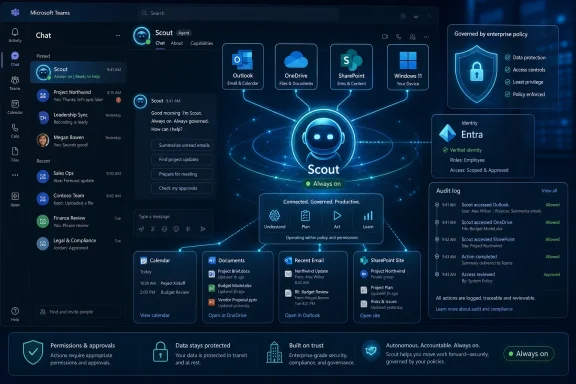
 

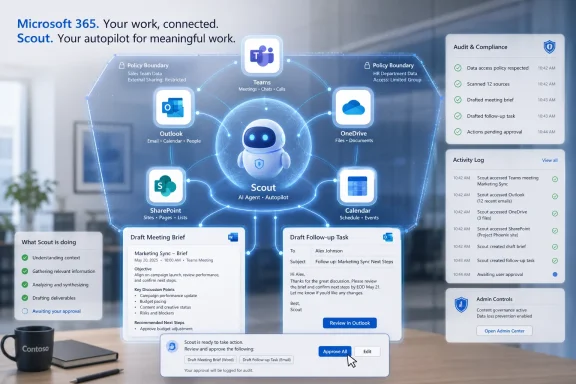
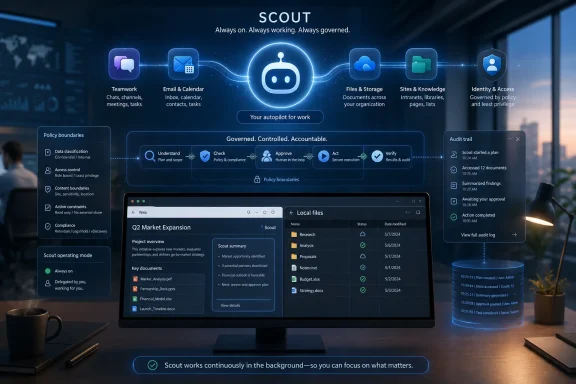
Microsoft announced Scout on June 2, 2026, at its Build developer conference in San Francisco and online, positioning the OpenClaw-powered assistant as an always-on personal work agent for Frontier organizations using Microsoft 365, Intune policy controls, and GitHub Copilot licensing. The interesting part is not that Microsoft has another AI assistant. The interesting part is that Scout is Microsoft’s first serious attempt to turn the personal agent from a chat window into a governed workplace actor. If Copilot was Microsoft’s answer to ChatGPT at work, Scout is its answer to the messier question of what happens when software starts doing work before you ask.

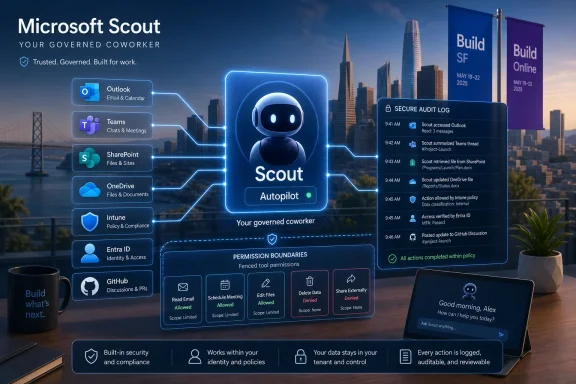
Microsoft Scout “autopilot” dashboard with secure audit log and cloud app links over a city skyline.Microsoft Turns the Assistant Into a Coworker With a Badge​

Scout arrives with the vocabulary of a new category. Microsoft calls it an “Autopilot” agent: always on, able to act autonomously, and designed to operate with its own identity rather than merely replying inside a prompt box. That framing matters because it moves the product out of the familiar chatbot lane and into the much more dangerous territory of delegated action.
The promise is easy to understand. Scout watches the flow of work across Microsoft 365, learns the rhythms of a user’s day, and takes on coordination tasks that usually fall between applications. Microsoft’s examples include monitoring a GitHub discussion, identifying the right feature owners across Microsoft 365 data, opening Teams chats to track status, and setting an out-of-office block after checking the calendar.
That is not magic, and it is not entirely new. Power users have stitched together approximations of this experience for years with Outlook rules, Power Automate, scripts, Zapier-style workflows, and a great deal of resignation. What Scout changes is the interface between intent and execution. Instead of asking users to define every trigger and condition in advance, Microsoft wants a persistent agent to infer more of the workflow from context.
This is the dividing line between “AI feature” and “AI worker.” A feature helps you write a paragraph, summarize a meeting, or draft an email. A worker notices that the email, meeting, document, and person all belong to the same unresolved problem, then starts moving pieces around. For enterprises, that distinction is thrilling right up to the moment it becomes a compliance incident.

OpenClaw Gives Microsoft Both Its Shortcut and Its Headache​

The OpenClaw connection is the headline because it gives Scout cultural momentum Microsoft could not manufacture by itself. OpenClaw became a shorthand for the new wave of personal agents: local, persistent, tool-using, and willing to reach across files, browsers, inboxes, calendars, and web services. It captured the imagination of developers because it felt less like a chatbot and more like a slightly reckless intern with shell access.
That recklessness is also why OpenClaw is such a complicated foundation for an enterprise story. A personal agent with broad local access is useful precisely because it can touch the parts of work that conventional SaaS assistants cannot. But the same reach that lets an agent clear an inbox, schedule travel, modify files, or operate a browser also creates a much larger blast radius when the model misunderstands instructions, follows malicious prompt injections, or acts with credentials it should never have held.
Microsoft appears to understand that the OpenClaw brand brings two messages at once. The first is speed: the open-source world has been iterating on personal agents faster than large vendors can package them. The second is danger: the most capable agent demos often depend on permissions that no competent security team would grant in production without serious isolation, auditing, and identity controls.
Scout is Microsoft’s attempt to domesticate that energy. It borrows the OpenClaw-powered model of a persistent work companion but wraps it in Microsoft’s preferred enterprise language: Entra identity, Intune configuration, tenant governance, auditability, and policy enforcement. That may sound less exciting than an agent that does anything on your laptop. It is also the only version that has a realistic chance of surviving a meeting with a chief information security officer.

The Real Product Is the Trust Layer​

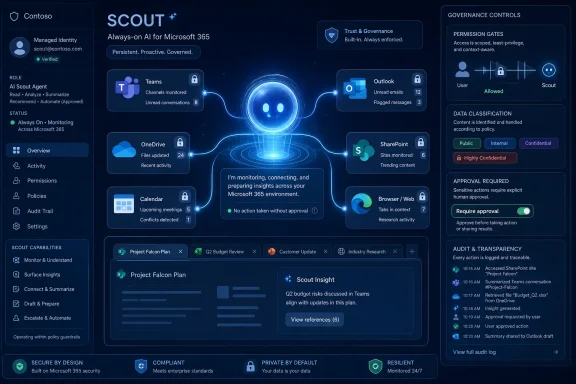
Microsoft’s most important Scout announcement is not the demo. It is the trust model. Scout is supposed to operate under its own governed Entra identity, making its actions attributable to a known actor rather than disappearing into the fog of a shared service account or a user’s ordinary credentials. That design choice is not a detail; it is the basis for making autonomous agents manageable inside a real organization.
Enterprise IT has learned the hard way that automation without attribution becomes archaeology. When a script changes a file, a connector sends data to the wrong place, or a workflow approves something it should not have approved, administrators need to know what acted, under whose authority, with which policy, and from which device or service boundary. Agents intensify that requirement because their behavior is probabilistic, contextual, and often difficult to predict from a static configuration screen.
Scout’s early access requirements reinforce that Microsoft is treating this as a controlled experiment rather than a broad productivity feature. Frontier enrollment, Intune policy configuration, opt-in attestation, and a GitHub Copilot account or license are all friction points by design. They narrow the audience to organizations willing to test unfinished agent behavior under explicit administrative control.
That is the right posture. It also reveals how far the market is from the consumer fantasy of “everyone gets a personal AI employee.” In the enterprise, the first question is not whether Scout can draft a meeting agenda. It is whether the agent can be disabled, scoped, logged, reviewed, and constrained before it touches sensitive data. Microsoft is selling autonomy, but it is really selling autonomy with paperwork.

Copilot Was Reactive; Scout Wants to Be Ambient​

Microsoft has spent the past few years pushing Copilot into Windows, Edge, Office, Teams, GitHub, and security tools. Much of that effort has been about putting a generative assistant close to where people already work. The user still usually starts the exchange: ask, summarize, draft, rewrite, explain, create.
Scout changes the implied rhythm. It is designed to stay active in the background, using Work IQ as a context engine and Microsoft 365 data as the map of a user’s professional world. In Microsoft’s telling, Scout should learn the people, files, calendars, chats, and recurring patterns that define how a user actually gets things done.
That shift is subtle but profound. Reactive assistants compete for attention; ambient agents compete for trust. A chatbot can be wrong in a draft, and the user can discard the draft. An agent that opens conversations, changes schedules, moves files, or triggers follow-up work creates external consequences. It alters the shared environment.
The best version of Scout could reduce the cognitive load that makes modern office work feel like permanent air-traffic control. The worst version could become another source of invisible motion: Teams threads opened too early, status pings sent to the wrong people, calendar blocks created with misplaced confidence, and “helpful” interventions that require human cleanup. The difference will depend less on model cleverness than on restraint.

Microsoft 365 Is the Only Place This Strategy Makes Sense​

Scout also shows why Microsoft’s AI strategy keeps returning to Microsoft 365. The company has an advantage that model labs and open-source projects do not: it already sits inside the productivity graph of millions of organizations. Outlook knows the meeting. Teams knows the conversation. SharePoint and OneDrive know the files. Entra knows the identities. Intune knows the device posture. Purview, Defender, and the rest of Microsoft’s security stack know at least part of the governance story.
A personal agent needs that graph to be useful. Without it, the agent is a clever outsider asking for permissions one integration at a time. With it, Scout can become a native participant in the workplace fabric, assuming Microsoft can avoid turning every action into a licensing puzzle and every workflow into an admin maze.
This is also why Scout is a defensive product. If agents become the next interface to work, Microsoft cannot afford to let them live outside Microsoft 365. A third-party agent that reads Outlook, browses SharePoint, files tickets, writes documents, and schedules meetings becomes a new control plane above Microsoft’s applications. In that world, Word, Teams, and Outlook risk becoming backend services for someone else’s agent.
Scout is Microsoft’s bid to prevent that inversion. It says: the agent should live where the work lives, under the same identity and compliance framework, with Microsoft’s context engine doing the reasoning. That is a persuasive pitch for IT departments. It is also a reminder that the AI assistant war is no longer about who has the friendliest chat UI. It is about who owns the layer where decisions become actions.

The Windows Angle Is Bigger Than It Looks​

Although Scout is primarily a Microsoft 365 story, Windows is quietly central to the strategy. Microsoft says Scout extends through a desktop app to browsers, local resources, and model context protocol servers. That matters because the boundary between cloud work and local work remains porous, especially for developers, analysts, administrators, designers, and anyone whose job depends on files and tools that do not live neatly inside a SaaS pane.
For WindowsForum readers, this is where Scout becomes more than another Microsoft 365 announcement. A governed desktop agent raises practical questions about file system access, browser automation, local credentials, endpoint detection, app control, and device policy. The agentic future will not be confined to the browser tab; it will touch the endpoint.
Microsoft’s broader Build announcements point in the same direction. Windows is being adapted for developers and agents, with more attention to local AI workloads, sandboxing, command-line workflows, and agent execution environments. The old PC was a machine a person operated. The emerging PC is a machine that people and agents may operate together, sometimes concurrently.
That creates a new administrative problem. Endpoint management used to distinguish between user activity, application activity, and system activity. Agents blur all three. When Scout performs a local action on behalf of a user, administrators will need telemetry that says not only what happened but why the agent believed it was authorized to happen. “The user clicked it” was already a fragile assumption. In the agent era, it may become useless.

The Security Model Has to Survive Prompt Injection, Not Just Policy Review​

Microsoft’s emphasis on governed identity and policy configuration is necessary, but it is not sufficient. Agents that read untrusted content and then take action are exposed to a class of risks that traditional automation platforms were not built to handle. A malicious email, document, webpage, issue comment, or chat message can become part of the agent’s instruction environment.
That is the prompt-injection problem in its most practical form. It is not an abstract AI safety debate. It is the possibility that an agent tasked with summarizing a message also interprets hidden or adversarial text as operational instruction. When the agent can send email, edit documents, interact with internal systems, or manipulate local files, that confusion becomes an attack path.
OpenClaw’s popularity made these concerns impossible to ignore because the framework’s appeal was tied to broad capability. Microsoft’s version needs to prove that it can separate user intent, organizational policy, tool permissions, and untrusted content. That is a hard technical problem, and no amount of enterprise branding makes it disappear.
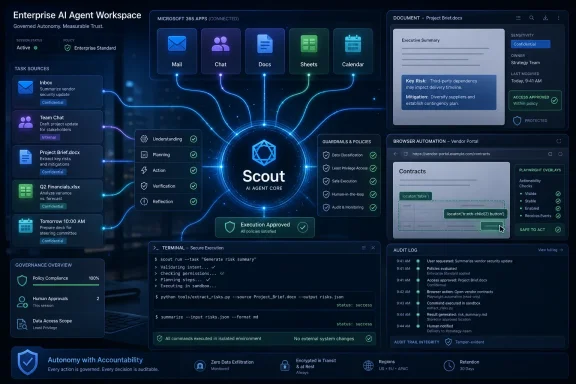
The company’s likely answer is layered control: identity boundaries, tool scoping, admin policy, logging, runtime isolation, human-visible progress, and evaluation frameworks that test agent behavior against rules. That is sensible. But the crucial question for customers is whether those controls are intelligible. If only AI specialists can understand why Scout did something, the product will struggle in the same regulated environments it is designed to court.

Frontier Is a Beta Program With Legal Implications​

Microsoft’s Frontier program has become the staging area for agentic features that are too important to hide and too immature to release broadly. Scout fits that pattern. It is available to Frontier organizations through an early experimental release, not as a general Microsoft 365 feature that every tenant admin must immediately confront.
That helps Microsoft manage expectations, but it does not make the experiment trivial. When a company enables Scout, it is not merely testing a new UI. It is testing a new delegation model. The organization is deciding how much judgment can be embedded in software that watches work, infers priorities, and acts under a governed identity.
The legal and compliance implications will vary by industry, but the common thread is accountability. If Scout sends the wrong information, schedules the wrong meeting, acts on stale data, or triggers a workflow based on a misunderstood policy, who owns the error? The user who configured it? The admin who allowed it? Microsoft? The agent’s audit log may show what happened, but it will not automatically settle responsibility.
This is why early enterprise adoption will likely concentrate among developers, IT teams, and internal productivity groups before expanding into sensitive business processes. Developers tolerate rough edges if the payoff is high. Regulated business units do not. Microsoft knows this, which is why GitHub Copilot licensing and Frontier enrollment make sense as a first filter.

The Agent Store Era Will Test Microsoft’s Governance Promises​

Scout also sits inside a larger Microsoft ambition: agents as a new application model. At Build, Microsoft talked about agent frameworks, hosted agents, evaluation, grounding, policy specifications, and production trust. Scout is the personal face of that strategy, but the infrastructure story is broader.
If Microsoft succeeds, organizations will not deploy one agent. They will deploy many: personal agents, role-specific agents, workflow agents, security agents, developer agents, and line-of-business agents. Some will be built by Microsoft, some by partners, some by internal teams, and some by employees adapting templates to their own work.
That future will strain every governance system Microsoft is now advertising. Admins already struggle with app sprawl, Teams app permissions, OAuth grants, Power Platform connectors, and shadow automation. Agents add memory, tool use, context retrieval, and autonomous execution to the pile. The difference between a useful agent ecosystem and a compliance nightmare will be whether Microsoft can make agent permissions as reviewable as app permissions and as enforceable as device policy.
The product design challenge is equally serious. Users need enough visibility to trust Scout without being forced to approve every trivial action. Administrators need enough control to prevent damage without reducing the agent to a glorified macro. Microsoft has to find the middle ground: autonomy that is meaningful but not opaque, configurable but not unusable, proactive but not presumptuous.

The Productivity Pitch Is Stronger Than the User Experience May Be​

The case for Scout rests on a real pain point. Modern work is fragmented across too many channels, too many notifications, and too many half-finished commitments. People spend an absurd amount of time translating one artifact into another: an email into a task, a meeting into a follow-up, a chat into a decision, a GitHub thread into a status update, a document comment into a Teams conversation.
Scout is aimed squarely at that translation layer. If it can turn ambient context into useful coordination, it could be more valuable than another writing assistant. The average office worker does not need infinite prose generation. They need fewer dropped balls.
But Microsoft should not underestimate how easily “helpful” becomes invasive. Users have spent years fighting notification overload in Teams and Outlook. An always-on agent that opens chats and nudges colleagues may save time for one person while creating work for five others. At scale, agentic productivity can become agentic spam.
That is where organizational norms will matter as much as software controls. Companies will need etiquette for agent behavior: when an agent may contact colleagues, when it must stay silent, when it can schedule meetings, when it should draft rather than send, and when human confirmation is mandatory. The first Scout deployments will not just test Microsoft’s technology. They will test whether workplaces can absorb non-human participants without making collaboration even noisier.

Microsoft’s AI Economics Are Hiding in Plain Sight​

Scout is also a business model story. Microsoft has poured enormous investment into AI infrastructure and has steadily looked for ways to convert Copilot enthusiasm into paid enterprise adoption. A persistent personal agent gives Microsoft a stronger value proposition than a chat assistant that many users treat as optional.
The pricing and access details around Scout suggest a premium trajectory. Requiring a GitHub Copilot account or license for early access places the first wave near developers and power users, where agentic workflows are easier to justify. Frontier enrollment keeps the feature experimental while giving Microsoft customer feedback from organizations already inclined to test advanced AI.
Over time, the natural question is whether Scout becomes part of a higher-tier Microsoft 365 AI bundle, a standalone add-on, or a platform capability that underpins multiple products. Microsoft has been moving toward a world in which organizations manage not just human seats but agent capacity, agent identities, and consumption-based workloads. Scout fits neatly into that commercial architecture.
That may irritate customers who already feel subscription fatigue. Yet the economics of always-on agents are not the economics of spellcheck. Persistent context, tool execution, monitoring, grounding, auditing, and model inference all cost money. Microsoft will argue that Scout saves expensive human time. Customers will ask whether the savings are measurable or merely another promise wrapped in a new SKU.

The Windows Admin’s Job Gets More Interesting and More Annoying​

For sysadmins, Scout is not something to dismiss as a knowledge-worker toy. The agent model will eventually collide with endpoint policy, access reviews, data loss prevention, browser controls, local file permissions, and incident response. Even if Scout begins in a narrow Frontier channel, the pattern it represents is coming to the desktop.
The first administrative task will be inventory. Which users have agents? Which devices can run the desktop component? Which policies govern local resources? Which data sources can the agent query? Which tools can it invoke? If an agent can access a browser, local files, and Microsoft 365 content, the permission model has to be understood before the first pilot expands.
The second task will be monitoring. Security teams will need logs that distinguish between a user action, an application action, and an agent action. They will need to see whether the agent operated within policy, whether it encountered blocked content, whether it attempted a forbidden action, and whether a human approved escalation. Traditional audit logs may not be enough if they do not preserve the agent’s reasoning path in a way humans can review.
The third task will be cultural. Help desks will receive tickets that sound absurd until they become routine: “Scout opened a Teams chat with the wrong owner,” “Scout changed my calendar block,” “Scout keeps surfacing a stale file,” “Scout won’t act because policy blocks it,” or “Scout acted but I can’t tell why.” The agent era will create a new category of support work, and Microsoft’s documentation will need to be much better than the average preview-era admin guide.

The First Scout Pilots Should Be Boring on Purpose​

The smartest organizations will not begin by letting Scout loose on high-stakes workflows. They will begin with low-risk coordination tasks where the benefit is obvious and the downside is contained. Status tracking, meeting prep, internal reminders, document gathering, and developer workflow monitoring are sensible places to start.
A boring pilot is not a failure. It is how enterprises learn the agent’s failure modes. Does Scout over-message colleagues? Does it respect working hours? Does it confuse similarly named projects? Does it surface documents the user should not have seen? Does it make reasonable suggestions but poor autonomous choices? These are not philosophical questions; they are deployment-readiness questions.
Admins should also test revocation from day one. An agent that can be enabled but not cleanly disabled is a liability. A policy that blocks actions but leaves users confused is a support burden. A log that records outcomes but not context is insufficient for incident response. Scout’s value will depend on the mundane controls around it.
Microsoft’s decision to require Intune policy configuration and attestation is therefore encouraging. It indicates that the company is not pretending Scout is just another button in Teams. The real test will come later, when pressure builds to simplify adoption and broaden availability. Microsoft’s worst habit is turning preview caution into general-availability enthusiasm before customers have caught up.

Scout Makes the Future of Work Feel Less Like Chat and More Like Delegation​

The most important thing about Scout is that it reframes the AI assistant conversation around delegation. For three years, vendors have sold generative AI as a way to produce content faster. Scout points toward a different sales pitch: software that carries operational context over time and acts as a semi-independent participant in work.
That future will be uneven. Some users will love having an agent that remembers their quirks and keeps projects moving. Others will resent a tool that watches too much, infers too confidently, or makes the workplace feel even more mediated by Microsoft software. Both reactions will be valid.
The competitive stakes are equally large. Google, OpenAI, Anthropic, startups, and open-source communities are all pushing toward persistent agents. Microsoft’s advantage is not that it has the most charming assistant. Its advantage is distribution, identity, compliance, endpoint management, and the enormous installed base of Microsoft 365. Scout is the product where those advantages start to matter more than chatbot personality.
That is also why Scout deserves scrutiny. If Microsoft succeeds, the company will deepen its role as the operating layer for office work. The agent that knows your calendar, files, colleagues, device, policies, and workflows becomes incredibly useful. It also becomes incredibly hard to leave.

The Scout Pilot Checklist Writes Itself​

The near-term lesson is not that every organization should rush into Scout. It is that the agent transition has moved from speculative demos into tenant-level planning. The companies that treat Scout as a preview of future administration will learn more than the ones that treat it as a novelty.
  • Scout is Microsoft’s first major attempt to package an always-on personal work agent inside Microsoft 365 rather than leaving that category to open-source tools and startups.
  • The OpenClaw foundation gives Scout credibility with developers, but it also forces Microsoft to confront the security concerns that come with local, tool-using agents.
  • The Entra identity and Intune policy model is the heart of the product because autonomous action without attribution is not acceptable in enterprise environments.
  • Early deployments should start with low-risk coordination work so organizations can observe failure modes before agents touch sensitive workflows.
  • Windows administrators should expect agent governance to become part of endpoint management, audit logging, incident response, and user support.
  • The long-term question is whether Scout reduces coordination overhead or merely creates a new layer of automated workplace noise.
Scout is not the end state of Microsoft’s agent strategy; it is the first public shape of a bet that work will move from prompting software to supervising software. If Microsoft can make that shift auditable, restrained, and genuinely useful, Scout may become the product that makes personal agents credible inside the enterprise. If it cannot, Scout will become another reminder that autonomy is easy to demo and hard to govern. Either way, the next phase of Microsoft 365 will be judged less by what its AI can say than by what its agents are allowed to do.

References​

  1. Primary source: Neowin
    Published: Tue, 02 Jun 2026 18:20:00 GMT
  2. Independent coverage: WeRSM
    Published: Tue, 02 Jun 2026 20:14:15 GMT
  3. Independent coverage: 디지털투데이
    Published: Tue, 02 Jun 2026 19:43:03 GMT
  4. Independent coverage: Bitcoin World
    Published: 2026-06-02T19:12:13.339325
  5. Independent coverage: The Tech Buzz
    Published: Tue, 02 Jun 2026 18:34:00 GMT
  6. Independent coverage: thurrott.com
    Published: Tue, 02 Jun 2026 18:31:22 GMT
  1. Independent coverage: Mashable SEA
    Published: Tue, 02 Jun 2026 18:27:21 GMT
  2. Official source: news.microsoft.com
  3. Related coverage: techcrunch.com
  4. Related coverage: visualstudiomagazine.com
  5. Related coverage: bighatgroup.com
  6. Official source: learn.microsoft.com
  7. Related coverage: wwwhatsnew.com
  8. Related coverage: geekwire.com

  9. Related coverage: windowscentral.com
  10. Official source: microsoft.com
  11. Related coverage: winbuzzer.com
  12. Official source: devblogs.microsoft.com
  13. Related coverage: techradar.com
  14. Official source: adoption.microsoft.com
  15. Related coverage: reality-tech.com
  16. Official source: microsoft.github.io
 

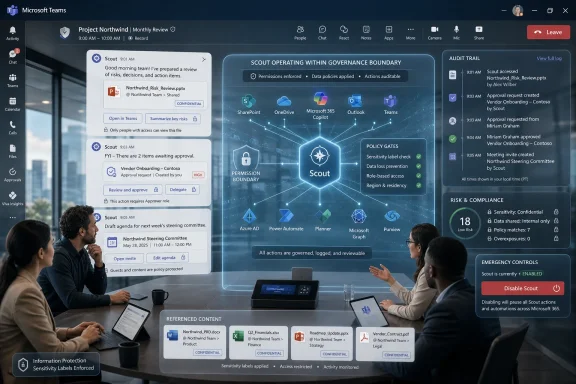
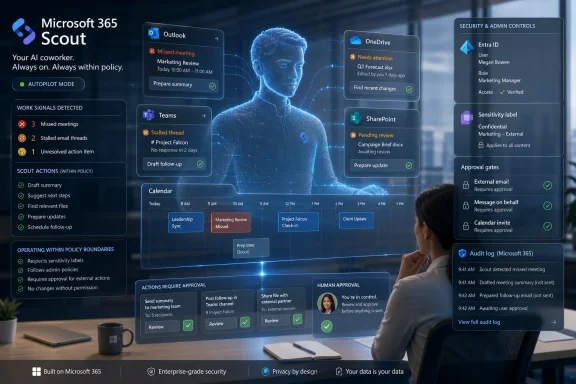
Microsoft launched Scout on June 2, 2026, at its Build developer conference as an always-on personal AI agent for work, built on OpenClaw ideas and designed to operate inside Microsoft 365 services such as Teams, Outlook, and enterprise productivity workflows. It is not another chatbot bolted onto a sidebar. It is Microsoft’s clearest attempt yet to turn Copilot from an assistant that waits for instructions into software that acts before a user asks. That shift is useful, commercially inevitable, and exactly where Windows and Microsoft 365 administrators should start getting nervous.

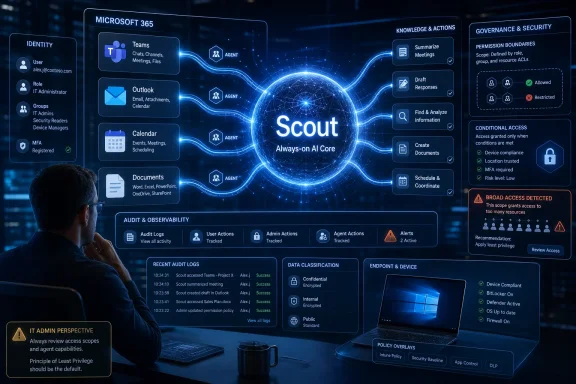
Tech dashboard showing Microsoft 365 “Scout” AI core with identity, security, governance, and device compliance panels.Microsoft Moves From Copilot as Interface to Scout as Co-Worker​

For the last three years, Microsoft has described Copilot as the new user interface for work. The pitch was simple enough: instead of hunting through menus, users would ask an AI system to summarize, draft, search, and explain. That model made generative AI feel less like a separate product and more like a conversational layer over Office, Windows, Teams, GitHub, Dynamics, and Azure.
Scout changes the shape of the bet. A Copilot-style assistant is mostly reactive; it waits for a prompt, does a bounded task, and hands the output back. Scout, as Microsoft framed it at Build, is meant to be always on, watching the flow of work and taking action across the Microsoft 365 environment.
That is why the “personal assistant” label undersells the announcement. Scout is closer to Microsoft’s attempt to productize the OpenClaw moment for the enterprise: take the thrill of a self-directed agent that can coordinate tasks across apps, then wrap it in Microsoft identity, compliance, security controls, and procurement machinery. If Copilot was Microsoft’s answer to ChatGPT, Scout is its answer to the viral agent frameworks that convinced users a computer could finally do the drudgery rather than merely describe how to do it.
The timing matters. Build is Microsoft’s stage for developers, but Scout is not just a developer story. It is a Windows, Microsoft 365, security, and IT operations story because every useful agent eventually wants permissions, context, memory, and access to things users were previously forced to touch themselves.

OpenClaw Gave Microsoft the Shape of the Future and the Shape of the Risk​

OpenClaw became the reference point for Scout because it did something that normal enterprise assistants rarely do: it made autonomy feel tangible. Users could hand it sprawling errands, connect accounts, give it tools, and watch it attempt multi-step work. It was messy, powerful, and unsettling in the way genuinely new computing paradigms often are.
Microsoft’s reported decision to build Scout on OpenClaw-inspired ideas is therefore unsurprising. Open-source agent systems have been doing in public what large enterprise vendors prefer to do behind governance layers: experimenting with what happens when an AI system is no longer confined to text generation. The lesson was not that the open-source tool itself was ready for every corporate desktop. The lesson was that users immediately understood the value of delegating outcomes rather than commands.
But OpenClaw also exposed the trap. The more useful an agent becomes, the more dangerous its failure modes become. An agent that can read email but not send it is a summarizer. An agent that can read calendars, send messages, reschedule meetings, open documents, call APIs, and act through a browser is a new kind of operational actor inside the business.
That is the line Microsoft is trying to cross without triggering a revolt from CISOs. Scout’s corporate packaging is the story: not merely “AI that can do more,” but AI that can do more while remaining legible to identity systems, audit trails, policy engines, and administrators. Whether that promise holds up under real deployment pressure is the question that matters.

The Microsoft 365 Graph Becomes the Agent’s Operating System​

The most important thing about Scout is not the model. It is the substrate. Microsoft already controls the work graph for millions of organizations: mailboxes, calendars, files, chats, meetings, directory objects, permissions, groups, tasks, documents, SharePoint sites, Teams channels, and compliance labels. Scout’s advantage is not that it can be clever in isolation; it is that it can be plugged into the machinery where work already happens.
That makes it very different from a standalone agent running on a personal machine. A local agent can automate a browser or desktop, but it often has to infer context from messy surfaces. Microsoft can give Scout structured context from Microsoft 365, and that context is the difference between an AI assistant that guesses and one that can make plausible operational decisions.
A meeting-prep agent, for example, does not need magic if it can see the invite, recent email threads, Teams chats, prior documents, and the org chart. A scheduling agent does not need to be superhuman if it can inspect calendars, understand working hours, and know which meetings are movable. A routine task agent does not need artificial general intelligence if the enterprise has already encoded much of its workflow into Microsoft’s cloud.
This is Microsoft’s central advantage over more flamboyant agent startups. The company does not need to invent the workplace from scratch. It needs to make the workplace’s existing digital exhaust actionable.
That is also why Windows users should pay attention, even if Scout’s first life is inside enterprise Microsoft 365. Microsoft has spent years trying to make Windows less of a static operating system and more of an endpoint in a cloud-managed work fabric. Once the agent lives in that fabric, the PC becomes both a tool surface and a policy boundary.

The Enterprise Launch Is a Safety Decision Masquerading as a Market Decision​

Microsoft appears to be starting Scout where it has the most control: enterprise customers, especially those already participating in its frontier-style AI programs. That is not just where the money is. It is where Microsoft can insist on identity, governance, admin consoles, logging, and service boundaries before the product is exposed to the chaos of consumer computing.
A consumer Scout would be a harder proposition. Home users have tangled personal accounts, inconsistent security hygiene, fewer formal policies, and a lower tolerance for billing surprises or embarrassing automation mistakes. Enterprises, by contrast, already accept that software operates through managed identities and audited permissions. They may not love the risk, but they have a vocabulary for it.
That does not mean the enterprise version is safe by default. It means Microsoft can sell Scout as a governable risk. That distinction will matter in the coming months, because agentic AI will test whether existing admin models are sufficient for software that does not merely store data or execute fixed workflows, but interprets intent and chooses actions.
IT departments are used to controlling applications. They are less used to controlling semi-autonomous delegates that may combine email, documents, web content, meeting transcripts, third-party connectors, and internal systems into a single chain of action. Scout will force Microsoft to prove that “enterprise-ready” means more than putting a compliance dashboard next to a probabilistic engine.

Autonomy Turns Permission Hygiene Into Product Strategy​

The old enterprise security model assumes that users are the primary risk-bearing actors. A user opens a file, grants an app access, clicks a link, sends an email, or approves a workflow. Administrators can train the user, restrict the app, classify the data, and investigate the event.
Agentic AI blurs that chain. If Scout acts on behalf of a user, using that user’s permissions, the organization now has to distinguish between a human decision, an AI-recommended decision, and an AI-executed decision. The audit log becomes more important, but also harder to interpret.
This is where least privilege stops being a slogan and becomes the product. A useful Scout needs access, but broad access is precisely what turns an agent from helpful to hazardous. If it can see everything the user can see and act everywhere the user can act, then the agent inherits not only the user’s productivity potential but the user’s over-permissioned reality.
Most enterprises are over-permissioned. Old SharePoint sites linger. Distribution lists sprawl. Teams channels become archives of sensitive decisions. Mailboxes contain contracts, credentials, personal data, and years of context. If Scout is only as safe as the permissions estate beneath it, then many organizations will discover that their AI readiness problem is actually an identity governance problem wearing a new badge.
Microsoft knows this. Its broader agent strategy has increasingly emphasized control planes, governance, and trust. The company’s challenge is that governance is a friction layer, and the whole appeal of Scout is friction removal.

The Windows Angle Is Not a Sidebar​

It is tempting to treat Scout as a Microsoft 365 story and leave Windows out of it. That would be a mistake. Microsoft’s AI strategy is converging across cloud, productivity apps, developer tools, and the client OS, and the desktop remains the place where work becomes visible.
Windows has already been nudged toward an AI-mediated future through Copilot, Recall-style local context concepts, on-device models, neural processing unit marketing, and cloud-linked management. Scout fits that arc even if it starts in the cloud. An agent that understands meetings, files, chats, and tasks will eventually want to interact with the local environment where users edit, browse, authenticate, and approve.
For sysadmins, the practical question is not whether Scout is a Windows feature on day one. It is whether Windows endpoints are ready for an agent that may initiate actions, surface recommendations, and bridge cloud context with local workflows. Endpoint detection, browser isolation, data loss prevention, conditional access, and device compliance policies all become more consequential when an agent can accelerate user behavior.
The irony is that Microsoft has spent decades making Windows manageable because humans were unpredictable. Scout introduces a new kind of unpredictability: software that behaves like a highly motivated junior employee with perfect recall, uneven judgment, and access determined by someone else’s permissions cleanup.
That metaphor is imperfect, but useful. You would not give a new assistant unrestricted access to every mailbox, repository, contract folder, and admin portal on the first day. Yet many organizations routinely grant software and users permissions that amount to the same thing.

Developers Get a Platform, Not Just a Feature​

Build announcements are rarely only about end-user products. Scout also signals where Microsoft wants developers to build: inside an agent ecosystem governed by Microsoft tools, Microsoft identity, Microsoft cloud services, and Microsoft distribution. The pitch is that developers can create agents and extensions that operate safely within the enterprise context rather than improvising their own stack.
That could be genuinely valuable. One of the weaknesses of the current agent boom is fragmentation. Every framework wants tool access, memory, orchestration, connectors, and model choice. Every enterprise then has to ask whether those pieces are secure, observable, compliant, and supportable.
Microsoft can simplify that by offering a sanctioned path. If Scout becomes a trusted host for enterprise actions, developers will chase it the same way they chased Teams apps, Office add-ins, SharePoint integrations, Azure services, and GitHub workflows. The agent becomes a distribution surface.
But this is also classic platform capture. Microsoft is not merely responding to OpenClaw; it is domesticating the idea inside its own commercial environment. The open agent world says users should be able to wire together tools however they want. Microsoft’s enterprise world says organizations will only tolerate that freedom if it is mediated by policy, licensing, and administrative control.
Both sides have a point. Open experimentation produces breakthroughs. Enterprise governance keeps those breakthroughs from becoming incident reports.

Scout Will Succeed or Fail on Boring Work​

The demo version of agentic AI always gravitates toward spectacular autonomy. It books trips, builds slide decks, negotiates calendars, files expenses, updates CRMs, and writes code while the user watches in amazement. The production version will live or die on something less cinematic: whether it can handle boring work without creating more cleanup.
That means Scout does not need to be brilliant everywhere. It needs to be reliably useful in narrow, repetitive, high-friction workflows. Meeting preparation is an obvious example because the inputs are already in Microsoft 365 and the cost of a slightly imperfect summary is manageable. Scheduling conflicts are another because the rules are relatively constrained, though the politics of calendars can be more delicate than software vendors like to admit.
Routine follow-up tasks may be the real proving ground. If Scout can identify obligations from meetings, draft sensible follow-ups, update task trackers, and avoid inventing commitments, it will earn trust. If it sprays plausible but wrong actions across Teams and Outlook, users will retreat to using it as a glorified summarizer.
The uncomfortable truth is that the best agents may initially feel less autonomous than the marketing suggests. They will ask for confirmation. They will operate inside constrained scopes. They will be boring by design. That is not failure; it is how enterprise software earns the right to become more powerful.

The Trust Problem Is Social Before It Is Technical​

Microsoft can solve many technical pieces of the Scout puzzle. It can integrate identity. It can log actions. It can label data. It can expose admin controls. It can restrict connectors. It can build approval flows. It can use models tuned for workplace reasoning and surround them with policy enforcement.
The harder problem is social trust. Users need to know when Scout is acting, why it is acting, what it saw, what it changed, and how to undo it. Managers need to know whether employees are delegating appropriately or simply laundering responsibility through an AI system. Security teams need to know whether an agent’s mistake is a user error, a product flaw, a prompt injection, a malicious connector, or a policy misconfiguration.
This is where agent design becomes organizational design. If Scout quietly does work in the background, it may feel magical until something goes wrong. If it asks permission for every move, it becomes another notification machine. The sweet spot is contextual autonomy: more freedom for low-risk tasks, explicit approval for consequential actions, and clear provenance everywhere.
Microsoft’s long history with enterprise software gives it an advantage here. It understands that corporate customers do not just buy features; they buy defensibility. When something fails, an administrator must be able to explain what happened in language that survives a meeting with legal, compliance, and the executive team.
Scout’s promise will therefore depend on the quality of its explanations as much as the quality of its actions. An agent that cannot explain itself will not survive contact with regulated industries.

The Competitive Field Is Already Crowded​

Scout is not arriving in a vacuum. Every major AI platform company is chasing agents, and every enterprise software vendor is trying to recast workflow automation as AI delegation. OpenAI, Google, Anthropic, Salesforce, ServiceNow, Adobe, Nvidia, and a long tail of startups all want a piece of the agent layer.
Microsoft’s advantage is distribution. It can put Scout in front of the same organizations already paying for Microsoft 365, Entra, Intune, Defender, Purview, Azure, and GitHub. It can bundle, upsell, and integrate in ways that smaller rivals cannot easily match.
Its weakness is expectation. Microsoft has already attached the Copilot name to a wide range of experiences with uneven reception. Some users find Copilot genuinely useful; others see it as expensive, intrusive, or inconsistent. Scout will inherit that skepticism, especially if it is priced as another premium layer on top of already complex licensing.
The company also has to avoid turning Scout into yet another brand in a crowded AI portfolio. Microsoft’s AI naming has often been less clear than its strategy. Copilot, agents, Agent 365, Foundry, Frontier programs, and now Scout all orbit the same promise: AI that can help people and organizations get work done. Customers will want to know which product controls what, which license unlocks which capability, and who is accountable when an agent acts.
If Microsoft cannot make that legible, competitors will attack from both sides. Startups will claim Microsoft is too slow and bureaucratic. Security vendors will claim Microsoft is expanding the blast radius. Rival platform companies will claim their agents are more open, more capable, or less tied to a single productivity suite.

The Real Product Is Governance at the Speed of Delegation​

The phrase “personal AI agent” makes Scout sound individual. In practice, the product will be collective. One employee’s Scout may reschedule meetings involving others, draft messages that affect teams, update shared documents, or trigger downstream workflows. Autonomy is contagious.
That means organizations will need agent policies that go beyond per-user preference. Some departments may allow Scout to draft but not send. Some may allow it to schedule internal meetings but not external ones. Some may permit document summarization but prohibit action on sensitive labels. Some may require human approval before anything leaves the tenant.
Microsoft’s ability to express those rules cleanly will define Scout’s enterprise credibility. Admins do not need another black box. They need a model of control that maps to how work actually happens: by role, data sensitivity, task type, risk level, device state, geography, and business process.
The most interesting future version of Scout may not be the most autonomous one. It may be the one that understands policy well enough to know when not to act. That is a less glamorous benchmark than passing a reasoning test, but it is the benchmark enterprise AI must meet.
There is a broader philosophical shift here. For decades, productivity software has assumed users operate tools. Scout assumes software can operate tools for users. Once that becomes normal, the administrator’s job changes from managing access to managing delegation.

The Cost Case Will Be Harder Than the Demo​

Microsoft’s AI economics are not subtle. Agents require models, orchestration, retrieval, storage, monitoring, security processing, and integration work. The more proactive they become, the more background computation they may consume. Scout will have to justify itself not only as a productivity feature but as a recurring operational expense.
The ROI case will be tempting. If Scout saves knowledge workers even a few hours a month, the numbers can look persuasive at enterprise scale. If it reduces meeting friction, accelerates follow-ups, and keeps projects from slipping through cracks, it becomes more than a convenience.
But measuring that value will be difficult. AI productivity claims often blur time saved, work shifted, work created, and work made more pleasant. A user may feel faster while the organization absorbs new review burdens, security monitoring costs, licensing tiers, and cleanup from occasional errors. The spreadsheet can flatter the agent if it counts every draft as saved time and ignores every verification step as free.
CIOs should demand boring metrics. How many actions did Scout complete without correction? How many required human approval? How many were undone? Which workflows improved cycle time? Which departments disabled it? Which data classes caused the most policy blocks? Which users became more productive, and which simply generated more machine-assisted noise?
The agent era will punish organizations that buy vibes. Scout may be useful, but usefulness must be measured against risk, cost, and the administrative labor needed to keep it safe.

Microsoft’s Biggest Risk Is Moving Faster Than Its Customers Can Govern​

There is an internal tension in every Microsoft AI announcement now. The company wants to move fast enough to satisfy investors, developers, and competitive pressure. Its largest customers want Microsoft to move carefully enough that they can deploy new capabilities without blowing up compliance models built over years.
Scout sits directly on that fault line. If Microsoft makes it too cautious, it becomes another assistant that writes summaries and drafts. If Microsoft makes it too autonomous, it becomes a governance nightmare. If Microsoft makes it too expensive, customers will pilot it endlessly without broad deployment. If Microsoft makes it too cheap and ubiquitous, administrators may feel ambushed.
The best path is probably staged autonomy. Let Scout earn privileges through task categories, admin policy, user trust, and demonstrated reliability. Make its actions inspectable. Make rollback first-class. Make permission boundaries obvious. Make it easier to say “not for this data” than to clean up after a mistake.
That would be less exciting than the dream of an AI assistant that simply runs the workday. It would also be more realistic. Enterprise software rarely wins by being the most magical thing in the room. It wins by becoming dependable enough that people stop thinking about it.

Scout’s First Test Is Whether Admins Can Say No Gracefully​

The near-term lesson from Scout is not that every organization should rush to deploy it. The lesson is that Microsoft has now given the agentic workplace a mainstream enterprise shape, and WindowsForum readers should evaluate it with the same skepticism they would bring to any software that wants broad access and operational authority.
  • Scout is best understood as a proactive Microsoft 365 work agent, not merely as a renamed Copilot chat experience.
  • Its OpenClaw inspiration explains both the excitement and the security anxiety around giving AI systems real tools and permissions.
  • The first practical deployment questions belong to identity, data governance, audit logging, endpoint posture, and least-privilege access.
  • The most valuable early use cases will likely be constrained workflows such as meeting preparation, scheduling triage, task follow-up, and document-grounded coordination.
  • Microsoft’s advantage is its control of the enterprise work graph, but that same advantage raises the stakes when an agent acts across mail, calendars, files, chats, and workflows.
  • Administrators should treat Scout as a new class of delegated actor inside the tenant, not as a harmless productivity add-on.
Microsoft did not launch Scout because the world needed another AI assistant name; it launched Scout because the center of gravity in productivity software is shifting from tools users operate to agents users supervise. If Microsoft can make that supervision secure, visible, and governable, Scout may become one of the most important workplace products it has shipped in years. If it cannot, the agent revolution will arrive less like a co-worker and more like an over-permissioned intern with a company badge, a full calendar, and too much confidence.

References​

  1. Primary source: Mashable
    Published: Tue, 02 Jun 2026 18:27:21 GMT
  2. Independent coverage: TechCrunch
    Published: Tue, 02 Jun 2026 18:02:44 GMT
  3. Independent coverage: The New Stack
    Published: Tue, 02 Jun 2026 17:57:36 GMT
  4. Related coverage: windowscentral.com
  5. Official source: blogs.microsoft.com
  6. Related coverage: computerworld.com
  1. Related coverage: techbuzz.ai
  2. Related coverage: tech.yahoo.com
  3. Official source: news.microsoft.com
  4. Related coverage: pcworld.com
  5. Related coverage: investing.com
  6. Related coverage: numerama.com
  7. Related coverage: techradar.com
  8. Related coverage: tomshardware.com
  9. Related coverage: tomsguide.com
  10. Official source: cdn-dynmedia-1.microsoft.com
  11. Related coverage: 0e190a550a8c4c8c4b93-fcd009c875a5577fd4fe2f5b7e3bf4eb.ssl.cf2.rackcdn.com
  12. Official source: microsoft.com
  13. Official source: adoption.microsoft.com
  14. Related coverage: techxplore.com
 

Microsoft launched Scout on June 2, 2026, as an experimental Microsoft 365 personal AI agent for Frontier customers, bringing an OpenClaw-inspired, always-on assistant into Outlook, Teams, OneDrive, SharePoint, desktop, browser, and cloud workflows. The product is not just another Copilot pane with a better memory. It is Microsoft’s attempt to turn the office suite into a controlled operating environment for autonomous work. That makes Scout both the most interesting Microsoft 365 AI announcement in years and the one that should make IT departments reach for their governance binders before their credit cards.

Futuristic Microsoft Scout dashboard with chat, compliance tools, file tracking, and an AI robot in a secure UI.Microsoft Moves From Helpful Copilot to Persistent Coworker​

The important shift in Scout is not that it can draft an agenda or rearrange a calendar. Microsoft 365 Copilot could already do plenty of clerical magic if the user knew what to ask, where to ask it, and how much context to feed it. Scout changes the posture: instead of waiting inside an app, it is designed to remain active across the workday, watching patterns, accumulating memory, and acting when the system believes it understands the user’s intent.
That is why Microsoft’s language around Scout matters. The company is describing a personal agent for work, not merely an assistant for Office documents. Scout is supposed to learn how a person handles meetings, inbox triage, follow-ups, reminders, project dependencies, and the small rituals that make knowledge work both productive and maddening.
For years, the productivity software industry has sold automation as a set of commands. Rules in Outlook. Macros in Excel. Power Automate flows for the brave. Scout represents a different bargain: give the agent enough access, enough memory, and enough policy scaffolding, and it may eventually infer the routine before the user writes the rule.
That bargain is powerful because the office is full of repeated behavior that nobody bothers to formalize. It is also dangerous because those behaviors often encode exceptions, politics, confidentiality, and judgment. The real test for Scout is not whether it can schedule a meeting; it is whether it can tell the difference between a meeting that should be scheduled automatically and a meeting that requires human hesitation.

OpenClaw Gave Microsoft the Shape of the Problem​

Scout arrives in the long shadow of OpenClaw, the open-source personal assistant framework that became one of the early-2026 obsessions of the agentic AI crowd. OpenClaw’s appeal was easy to understand: it suggested that an AI assistant did not have to be trapped in a chat window. It could connect to email, calendars, files, browsers, developer tools, and outside services, then use those connections to pursue goals over time.
That was intoxicating for builders because it made the personal computer feel programmable again. Instead of teaching a user to move between apps, OpenClaw-style agents promised to operate across the seams. They could clear a backlog, prepare for a meeting, check a deployment, summarize a thread, or marshal a handful of tools into a workflow that would normally require a dozen context switches.
But OpenClaw also exposed the problem Microsoft is now trying to productize around. The more useful an agent becomes, the more privileged it must be. The assistant that can only summarize a document is a feature. The assistant that can read mail, write mail, open files, call APIs, inspect browser state, and take action while the user is away is an identity, an endpoint, and a security boundary.
That is why Scout’s OpenClaw inheritance is not merely a technical footnote. Microsoft is trying to domesticate a style of agent that emerged from hacker energy and personal experimentation, then place it inside the high-friction world of enterprise compliance. The company’s pitch is that Scout can preserve the agency while wrapping it in Microsoft 365 administration, Entra identity, Intune policy, auditability, and tenant-level controls.
The question is whether that conversion can work without killing the thing that made OpenClaw interesting. Personal agents become useful when they are intimate, flexible, and slightly improvisational. Enterprise software becomes survivable when it is bounded, inspectable, and boring. Scout has to be both.

The Assistant With a Memory Is Also a New Records System​

Microsoft’s most consequential promise is that Scout will develop persistent memories and skills. That sounds warm in a demo: the assistant learns how you like agendas formatted, which colleagues need reminders, how you prepare for customer calls, and what recurring tasks you would rather never touch again. In the real world, persistent memory turns an AI assistant into a live map of a worker’s habits, obligations, relationships, and priorities.
That creates value because Microsoft 365 already holds the raw material of office life. Outlook knows who gets ignored. Teams knows where decisions stall. OneDrive and SharePoint know which files matter. Calendars know when work is nominally scheduled, and chat logs know when it actually happens. Scout’s promise is to connect those signals into a working model of a person’s day.
That is also where the privacy and governance questions sharpen. A memory layer is not just a cache. It is a derived dataset, built from sensitive activity and potentially more revealing than the underlying documents. A single email may be innocuous; the pattern of which emails get answered late, which topics trigger follow-ups, and which people are treated as urgent can be far more sensitive.
Enterprises will need to understand where Scout’s memories live, how they are scoped, how they are deleted, how they appear in discovery, and whether users can inspect or correct them. A personal assistant that learns the wrong lesson is annoying. A regulated enterprise agent that learns the wrong lesson and keeps acting on it is an operational risk.
Microsoft knows this, which is why Scout is being introduced through the Frontier program rather than as a broad consumer switch. The company is not simply releasing a clever productivity tool. It is asking customers to pilot a new class of persistent workplace actor, one that may eventually sit somewhere between a user profile, a service account, and an executive assistant.

Security Is the Product, Not the Fine Print​

Scout’s safety architecture is not a side feature. It is the product’s license to exist. Microsoft is emphasizing governed identity, policy conformance, audit trails, Intune configuration, and opt-in attestation because an always-on agent inside Microsoft 365 would be indefensible without them.
The old Copilot security argument was relatively straightforward: Copilot respects the permissions a user already has. That was never the whole story, but it was at least a simple frame. Scout complicates the frame because it is not just answering questions over data the user can access. It is expected to remain active, develop skills, make judgments, and take action on behalf of the user.
That changes the failure mode. A bad answer in a chat session is visible at the moment of use. A bad autonomous action may not be noticed until a meeting has been moved, a response has been sent, a task has been escalated, or a workflow has drifted into a policy violation. The agent does not merely risk hallucination; it risks doing the hallucination.
Microsoft’s answer is to put controls closer to the agent runtime. The company’s Build 2026 security messaging around agent governance, policy-driven evaluation, and runtime control standards fits directly into Scout’s moment. The broader strategy is clear: Microsoft wants to make autonomy palatable by making the agent inspectable, governable, and accountable.
That is the right instinct. It is also not enough by itself. Audit trails are valuable only if they are complete enough to reconstruct decisions, usable enough for administrators, and connected enough to existing incident response processes. If logs become another pile of AI exhaust that nobody reads until something goes wrong, Scout will have reproduced the oldest problem in enterprise security: visibility without operational control.

The Entra Identity Choice Makes Scout an Actor​

One of the more important details in Microsoft’s framing is that agents can act with governed Entra identity. That may sound like plumbing, but it is a philosophical line in the sand. Microsoft is treating agents less like invisible features and more like participants that need identity, permissions, and policy.
That is the only sane direction for enterprise agents. If an assistant can call tools, access files, send messages, and interact with external services, administrators need to know who or what performed the action. “The AI did it” is not an audit category. The organization needs a chain of responsibility: the user, the agent, the policy state, the tool call, the data accessed, the output produced, and the approval model in force at the time.
This will feel familiar to sysadmins who have spent years cleaning up after overprivileged service accounts. The moment a non-human actor becomes useful, someone wants to give it broad access so the workflow stops breaking. The moment it has broad access, it becomes a tempting target and a compliance headache.
Scout’s success may therefore depend less on the charm of the assistant and more on the quality of its permission design. Can an organization give Scout enough access to be useful without turning it into a skeleton key? Can permissions be delegated narrowly, reviewed easily, and revoked cleanly? Can different roles receive different autonomy levels without creating a policy maze?
Those are not theoretical questions. They are the daily questions that decide whether a technology becomes a trusted enterprise platform or a pilot project that never escapes the innovation lab.

Microsoft 365 Is the Only Place This Could Launch First​

Scout also demonstrates Microsoft’s structural advantage in the agent race. Many AI companies can build a better chatbot. Far fewer can place an agent inside the productivity substrate where hundreds of millions of workdays already happen. Microsoft does not have to persuade users to move their lives into a new app; it can attach the agent to Outlook, Teams, OneDrive, SharePoint, Windows, Edge, and the identity layer underneath.
That distribution advantage is enormous. The agent that knows your calendar but not your documents is limited. The agent that knows your documents but not your Teams context is half blind. The agent that sees files, meetings, chats, contacts, tasks, and browser workflows has a plausible claim to understanding work as a system.
It also gives Microsoft a way to answer the lingering Copilot adoption problem. Copilot has been impressive in demos and uneven in day-to-day perceived value, particularly when organizations ask whether the per-user premium translates into measurable productivity. Scout shifts the pitch from “ask better questions of your files” to “let the assistant take over recurring work patterns.”
That pitch may be easier for executives to understand. Reducing meeting friction, chasing stalled decisions, preparing agendas, and coordinating calendars are universal pains. They are also pains that do not require every employee to become a prompt engineer. If Scout works, the user does less explicit AI interaction, not more.
But that cuts both ways. The less visible the interaction, the more trust the system requires. Copilot’s weakness was often that users had to remember to use it. Scout’s risk is that users may forget where it begins and ends.

Frontier Customers Become Microsoft’s Reality Check​

The limited experimental release to Frontier customers is a sensible move, and not only for product polish. Microsoft needs real organizational friction to test Scout. A personal agent that performs beautifully in a controlled demo can fail in a company where calendars are political, permissions are messy, naming conventions are inconsistent, and every department has its own workaround culture.
Enterprise pilots will expose whether Scout’s memories are genuinely helpful or merely confident. They will show whether users want an assistant that adapts over time or whether they become nervous when software starts making inferences about their working style. They will also show whether administrators can manage the thing without creating a new full-time governance burden.
The opt-in attestation requirement is especially revealing. It suggests Microsoft understands that Scout is not the kind of feature that should simply appear after an update. Users and organizations need to acknowledge the new operating model. That acknowledgment may become a pattern for future agents: not just accepting terms of service, but formally recognizing that an autonomous system has been granted a defined role.
There is a deeper adoption issue here. Workers may welcome help with the tasks they hate, but they may resist an assistant that appears to measure or model them too closely. Scout’s personal nature is its selling point. It is also the source of its creep factor.
Microsoft’s challenge is to make the system feel like it works for the user rather than on the user. That will require transparency that goes beyond settings screens. People need to know what Scout has learned, why it acted, and how to correct it without filing a ticket.

Project Solara Shows the Agent Is Escaping the App Window​

Scout should also be read alongside Microsoft’s Project Solara, the company’s Build 2026 effort around agent-first devices and new form factors. Solara is not the same product, but it reveals the same strategic direction. Microsoft is preparing for agents that are not merely sidebars inside applications but ambient software presences that follow users across devices and contexts.
The Solara vision pushes agents toward wearables, desk devices, field tools, and other purpose-built hardware. In that world, the agent is not something you open. It is something available through a badge, a device on a desk, a microphone in a workflow, or a specialized endpoint in a hospital, factory, school, or office.
Scout is the Microsoft 365 expression of that idea. It begins where Microsoft has the richest context and strongest enterprise foothold: work. If Solara is the hardware frontier for agent-first computing, Scout is the workplace memory and action layer that could make those devices worth carrying.
That matters for Windows users because the operating system is gradually being repositioned. Windows is no longer just the place where apps run. It is becoming one of several surfaces through which agents observe, coordinate, and act. The browser, the cloud, Teams, Microsoft 365, and specialized devices are all part of the same agentic fabric.
This does not mean the traditional desktop disappears. It means the desktop becomes less sovereign. The center of gravity moves from the application window to the workflow, and from the workflow to the agent that can operate across windows.

The Browser and Desktop Pieces Raise the Stakes​

Scout’s ability to operate across desktop and browser environments is essential to its usefulness. Modern work does not stay inside Microsoft 365. Even Microsoft-heavy organizations live in SaaS dashboards, line-of-business web apps, ticketing systems, CRMs, cloud consoles, procurement portals, and custom internal tools.
An agent that cannot cross those boundaries becomes a smarter Office assistant but not a true work assistant. An agent that can cross those boundaries becomes dramatically more valuable. It also becomes dramatically harder to secure.
Browser interaction is a particularly thorny area because web apps were designed around human users, not persistent AI delegates. A human can recognize a misleading page, pause before submitting a form, or understand that a workflow has entered an unusual state. An agent may need explicit controls, tool mediation, and confirmation gates to avoid doing exactly the wrong thing with great efficiency.
Desktop access raises similar questions. If Scout can observe or interact with local apps, administrators will want to know how those interactions are constrained, logged, and separated from normal user behavior. Screen-level automation has always been brittle; AI makes it more flexible, but not automatically safer.
This is where Microsoft’s ecosystem approach could help. If Scout’s actions are mediated through structured APIs, identity-aware connectors, and policy-defined tool calls, it can be governed more cleanly than a rogue automation script clicking around a desktop. But the moment the agent falls back to imitating a user in an interface, the old automation risks return in a smarter disguise.

The Productivity Pitch Is Real Because Office Work Is Broken​

It is fashionable to roll eyes at AI assistants that promise to fix meetings. The eye-rolling is deserved. Yet the underlying pain is real. Modern office work is clogged with coordination costs, status rituals, duplicated updates, ambiguous ownership, and communications that exist mainly because systems do not talk to each other.
Scout targets exactly that mess. Calendar management, meeting preparation, agenda drafting, follow-up tracking, and decision-risk detection are not glamorous tasks, but they consume the day in small increments. If an agent can reliably remove even a portion of that burden, users will notice.
The key word is reliably. A mediocre assistant is worse than no assistant when the task involves social judgment. Sending a slightly wrong email, escalating a non-issue, or rescheduling a meeting in a way that violates an unspoken hierarchy can cost more than the time saved. Office work is full of context that is not written down because people assume other people understand it.
That is why Scout’s feedback loop matters. Microsoft is betting that users will teach their agents through correction and repetition, gradually turning personal habits into durable skills. This is more plausible than expecting users to build formal automations from scratch. People are better at saying “not like that” than designing workflow systems.
Still, Microsoft should be careful not to confuse personalization with wisdom. A system can learn what a user usually does without understanding what the user should do. In many workplaces, the assistant may faithfully reproduce bad habits, overwork patterns, and communication dysfunction unless the organization deliberately designs better defaults.

The Governance Burden Moves From Prompting to Management​

The rise of Scout suggests a new administrative discipline: agent management. IT teams already manage users, devices, apps, data loss prevention policies, conditional access, endpoint security, and compliance retention. Now they will need to manage non-human assistants that remember, infer, and act.
That management will not be solved by a single admin toggle. Organizations will need policies for which users can enable personal agents, what data those agents can access, what actions require approval, how long memories persist, how logs are reviewed, and how incidents are handled. They will need a way to distinguish harmless convenience from regulated decision-making.
The challenge is that personal agents sit awkwardly between individual preference and organizational control. A user may want Scout to manage their inbox aggressively. The legal department may want every external communication reviewed. A sales team may want the agent to update CRM records automatically. Security may want all external tool calls blocked until vetted.
The winners in this market will be the vendors that make those conflicts manageable rather than pretending they do not exist. Microsoft has an advantage because it already owns much of the admin plane. But ownership is not the same as clarity. If Scout policies scatter across Entra, Intune, Purview, Teams, Copilot settings, and specialized agent consoles, administrators will see another governance maze.
For Scout to graduate from experiment to platform, Microsoft must make the control story as polished as the demo. The assistant’s memory may delight users, but the admin experience will decide whether enterprises deploy it broadly.

The Scout Bet Comes Down to Trust at Work​

Scout is not a consumer chatbot wearing a suit. It is a test of whether Microsoft can make agentic AI acceptable inside institutions that care about liability, records, identity, and control. The product’s promise and its danger come from the same place: it is meant to know enough about your work to act without being asked every time.
The most concrete implications are already visible.
  • Scout is an experimental Microsoft 365 personal agent, initially aimed at Frontier customers rather than a broad consumer rollout.
  • The OpenClaw influence matters because Scout adopts the always-on, cross-workflow agent model rather than the traditional app-bound assistant model.
  • Persistent memory and custom skills could make Scout more useful over time, but they also create new governance questions around inspection, correction, retention, and deletion.
  • Microsoft’s emphasis on Entra identity, Intune policy, opt-in attestation, policy conformance, and audit trails shows that autonomy is being sold through control, not just capability.
  • The biggest enterprise risk is not that Scout gives a bad answer, but that it takes a bad action quietly enough that nobody notices until the workflow has already moved.
  • Windows and Microsoft 365 users should view Scout as part of a broader shift toward agents that operate across apps, devices, browsers, and cloud services rather than inside a single productivity pane.
Scout may become the first Microsoft 365 AI feature that feels less like a tool and more like a colleague with permissions. That is both the breakthrough and the warning label. If Microsoft gets the balance right, Scout could make the daily machinery of work less brittle and less wasteful; if it gets the balance wrong, enterprises will discover that the only thing harder than managing human workflows is auditing an eager assistant that learned them too well.

References​

  1. Primary source: entARABI
    Published: 2026-06-02T18:12:10.854873
  2. Independent coverage: Let's Data Science
    Published: Tue, 02 Jun 2026 18:02:05 GMT
  3. Related coverage: computerworld.com
  4. Related coverage: remoteopenclaw.com
  5. Official source: commandline.microsoft.com
  6. Related coverage: bighatgroup.com
  1. Related coverage: pcworld.com
  2. Related coverage: geekwire.com
  3. Related coverage: windowscentral.com
  4. Related coverage: numerama.com
  5. Related coverage: tech.yahoo.com
  6. Related coverage: wwwhatsnew.com
  7. Related coverage: openclaw.ai
  8. Related coverage: newsbytesapp.com
  9. Related coverage: techbuzz.ai
  10. Related coverage: techradar.com
  11. Official source: microsoft.com
  12. Official source: adoption.microsoft.com
  13. Official source: devblogs.microsoft.com
  14. Official source: news.microsoft.com
  15. Official source: learn.microsoft.com
  16. Related coverage: windowsforum.com
  17. Related coverage: redmondmag.com
 

On June 2, 2026, at Microsoft Build 2026, Microsoft introduced Scout as an always-on personal work agent for Microsoft 365, positioning it as a governed, enterprise-ready step beyond today’s mostly user-invoked Copilot experiences. The announcement matters because Scout is not being sold as another chat window. It is Microsoft’s argument that the next interface for work is a persistent agent with identity, memory, permissions, and the ability to act across apps. For Windows users and IT departments, that turns “AI assistant” from a productivity feature into an operational surface that must be managed like infrastructure.

Futuristic AI robot in a control room surrounded by cloud apps, security icons, and analytics dashboards.Microsoft Is Moving Copilot From Prompt Box to Work System​

The original Copilot pitch was easy to understand because it borrowed the shape of software people already knew: a text box, a command, and a response. Ask it to summarize a thread, draft a document, rewrite a paragraph, or explain a spreadsheet, and it would return something useful if the data, permissions, model, and prompt all lined up. That model made Copilot feel like a tool inside Office, even when Microsoft insisted it was the beginning of a larger platform shift.
Scout changes the framing. Microsoft describes it as an always-on personal agent that can work autonomously on behalf of a user, connect to Microsoft 365 data, and coordinate actions across Teams, Outlook, OneDrive, SharePoint, browsers, local resources, and model context protocol servers. That is a very different proposition from a chatbot waiting for instructions.
The distinction is not semantic. A chatbot is episodic; an agent is persistent. A chatbot can be ignored; an agent can notice. A chatbot produces output; an agent may decide that the output needs to become a meeting, a document, a calendar block, a reminder, or an escalation.
Microsoft’s chosen language around “Autopilots” is doing a lot of work here. The company is trying to establish a product category before customers have settled on a name for it. The danger, as ever with Microsoft naming, is that the branding can blur rather than clarify the architecture. But the direction is clear enough: Copilot is becoming less like a pane and more like a work operating layer.

Scout Makes the Agent the Unit of Enterprise Software​

The most consequential part of Scout is not that it can schedule meetings or prepare materials. Those are useful demos, but they are not strategically new. The important thing is that Microsoft is treating the agent itself as a managed enterprise object.
That means Scout has its own governed Microsoft Entra identity rather than operating as an anonymous backend process or a loosely scoped service account. It means credentials are supposed to be scoped to the task and protected from logs and diagnostics. It means the agent is expected to respect Microsoft Purview controls, including sensitivity labels and data loss prevention policies.
That is exactly the right problem for Microsoft to emphasize, because the obvious enterprise objection to agentic AI is not whether the models can write a decent meeting brief. It is whether the organization can prove who or what accessed a file, why it did so, what authority it had, what it attempted to send elsewhere, and whether a human approved the action. Agentic AI does not merely raise the stakes of hallucination; it raises the stakes of authorization.
Microsoft’s history gives it an advantage here. The company already owns much of the identity, document, collaboration, endpoint management, compliance, and productivity fabric inside large organizations. Scout is designed to sit directly on top of that fabric. If Microsoft can persuade customers that agents inherit the same administrative model as the rest of Microsoft 365, it has a better enterprise story than startups offering clever agents bolted onto corporate data by way of brittle connectors.
But that advantage also creates a burden. The closer Scout gets to the center of work, the less tolerance customers will have for ambiguity. A vague promise that an agent follows policy will not be enough when the agent can inspect calendars, infer priorities, access files, and take steps that create obligations for other employees.

The Always-On Agent Turns Convenience Into Governance Debt​

Microsoft’s examples for Scout are deliberately mundane: identifying deliverables, flagging stalled decisions, blocking calendar time, preparing materials, and organizing work across messages and documents. That is the right place to start. Enterprise AI will not be adopted first because it writes poetry; it will be adopted because it cleans up the low-grade administrative drag of modern office life.
Yet the mundane examples are also where the real governance questions begin. If Scout notices that a decision is stalled, what counts as evidence? If it blocks time on a calendar, whose priorities does it optimize for? If it prepares materials, which versions of the files does it trust? If it flags risk, does that become discoverable business record, managerial signal, or just another notification in an already noisy system?
There is a temptation to treat agents as smarter automation. That undersells the shift. Traditional automation generally follows a defined workflow: when X happens, do Y. Agentic automation introduces more interpretation into the middle. It can decide that X resembles something important, infer that Y might help, and then ask for permission or act within a predefined boundary.
That boundary is where IT will live. Admins will need to decide which users can run Scout, which connectors are allowed, which data classes are off-limits, which actions require approval, and how long logs should be retained. The introduction of an always-on agent does not remove administrative work. It redistributes it from end users to policy authors, security teams, compliance officers, and endpoint managers.
Microsoft appears to understand this, which is why the private preview requirements matter. Scout access is limited, tied to Frontier enrollment, Intune policy configuration, opt-in attestation, and, for the current experience, a GitHub Copilot license. That is not a consumer-style rollout. It is Microsoft putting Scout behind the same kinds of gates it uses when it knows the product could create organizational risk if deployed casually.

Frontier Customers Are Microsoft’s Real Beta Test​

The phrase “Frontier organization” is one of Microsoft’s more revealing bits of recent enterprise vocabulary. It describes customers willing to reorganize work around AI systems before the rest of the market is ready. In practice, it also gives Microsoft a controlled proving ground for features that are too important, too expensive, or too risky to unleash broadly.
Scout fits that pattern perfectly. Microsoft employees have reportedly been using an early desktop experience, and the company is now extending access to select customers and Frontier organizations. That staging tells us two things. First, Microsoft believes Scout is mature enough to test in real work environments. Second, Microsoft is not yet ready to tell every Microsoft 365 tenant admin to flip a switch.
The controlled rollout is prudent. Persistent agents are only as good as the organizational assumptions they absorb. A company with clean permissions, disciplined file storage, strong data classification, and clear business processes will get a very different agent experience from a company where SharePoint is a landfill, Teams is a shadow archive, and confidential data lives wherever employees happened to drop it.
That is the uncomfortable truth under the agentic AI boom. Agents do not magically fix information architecture. They expose it. If users have access to too much, agents may inherit too much. If documents are mislabeled, agents may treat them incorrectly. If business processes are informal, agents may automate the informal confusion at machine speed.
This is why Scout’s governance story is not a side feature. It is the product. The technical magic of an agent that roams through your workday is only useful if the enterprise can make that roaming legible, limited, and reversible.

OpenClaw Gives Scout a Developer Story and a Risk Surface​

Microsoft’s decision to tie Scout to OpenClaw is strategically interesting because it gives the announcement a broader developer and open-source texture. OpenClaw has been framed as a technology base for agentic systems, and Microsoft says it is contributing policy conformance capabilities upstream. The message is that Scout is not merely a closed Microsoft 365 feature; it is part of a larger agent ecosystem that developers and organizations can inspect, extend, and validate.
That matters at Build, where Microsoft needs every product announcement to speak to developers as well as CIOs. If Scout is only a packaged assistant, it competes with every other assistant. If Scout is a governed runtime pattern for agents, it becomes infrastructure.
Still, open-source adjacency does not automatically solve trust. The components around an agent can be open while the hosted service, telemetry, model routing, policy enforcement, and product behavior remain controlled by Microsoft. Enterprise customers will care less about whether a framework has a public repository than whether they can prove the agent followed their internal rules.
The more compelling part is policy conformance. If organizations running OpenClaw-based systems can validate security and compliance configurations, Microsoft can help normalize the idea that agents need policy tests just as applications need unit tests, identity reviews, and deployment gates. That is the right direction. In an agentic world, “does it work?” is only half the test; “is it allowed to do that?” becomes equally important.
For developers, the Scout story also sits alongside Microsoft’s broader embrace of model context protocol servers and agent-oriented tooling. The agent is not just an app. It is a broker among data sources, tools, models, and policies. That architecture will be powerful, but it will also create new debugging problems when an agent produces an unexpected outcome because one connector, permission, prompt, model, or policy behaved differently than expected.

Microsoft’s MAI Models Are About Leverage, Not Just Independence​

Scout was not the only AI announcement at Build 2026. Microsoft AI also introduced a family of seven new in-house MAI models spanning reasoning, coding, image generation, transcription, and voice. The lineup includes MAI-Thinking-1, MAI-Code-1-Flash, MAI-Image-2.5, MAI-Transcribe-1.5, and MAI-Voice-2, with Microsoft positioning the models for use across its own products and distribution channels such as Azure AI Foundry and partner platforms.
It would be easy to read that as Microsoft trying to distance itself from OpenAI. That is partly true in the narrow sense that Microsoft clearly wants more of its own model stack. But the more important point is leverage. Microsoft does not need every MAI model to beat every frontier model on every benchmark. It needs models that are good enough, fast enough, cheap enough, controllable enough, and tuned tightly enough for Microsoft products.
That is a different optimization problem from building the world’s most dazzling chatbot. A model embedded inside GitHub Copilot, Visual Studio Code, Microsoft 365 Copilot, or Azure AI Foundry has to satisfy product constraints: latency, cost, safety policy, enterprise indemnity, regional availability, compliance posture, and predictable behavior under load. In that context, a “smaller” or more specialized model can be more valuable than a giant general model if it fits the product surface better.
MAI-Code-1-Flash is a good example. A coding model built for agentic development inside GitHub Copilot and Microsoft’s developer stack does not need to be everything to everyone. It needs to complete, repair, explain, and coordinate code work efficiently enough that it can be used repeatedly inside real developer workflows without turning every suggestion into an expensive inference event.
MAI-Thinking-1 plays a different role. As a reasoning model, it gives Microsoft a flagship symbol for the company’s in-house AI ambitions. Whether customers experience it directly or mostly through product layers, it signals that Microsoft wants to own more of the intelligence running under Copilot rather than remaining only the distributor, investor, and infrastructure partner behind another lab’s models.

Frontier Tuning Moves the Training Ground Inside the Business​

Microsoft’s discussion of Frontier Tuning may prove as important as the model list. The company describes private reinforcement learning environments as training grounds where models can learn from the decisions, actions, and workflows that define how work gets done inside an organization. That is a powerful idea, and also one that should make compliance teams sit up straight.
The promise is straightforward. Generic models know language and patterns; tuned models know your business process. They can learn how a support escalation is handled, how a finance approval moves, how a developer triage process works, or how a clinical workflow is structured. Instead of merely answering questions about policy documents, a tuned model could learn the sequence of actions that experienced employees take to get work done.
The risk is equally obvious. Internal workflows often encode shortcuts, informal exceptions, tribal knowledge, and legacy compromises. If a model learns from those patterns without careful supervision, it may reproduce not only the organization’s best practices but also its bad habits. “This is how work gets done here” is not always the same as “this is how work should be done here.”
That is why Microsoft’s health care example with Mayo Clinic is worth watching. A clinical reasoning model co-created with a major medical institution and initially deployed inside that institution’s environment is precisely the kind of high-stakes use case where validation, governance, and domain oversight are not optional. If Microsoft can make that pattern work in health care, it will have a stronger case for regulated industries more broadly.
For WindowsForum readers, the practical implication is that AI customization is moving up the stack. The old enterprise question was which software to deploy. The next question is which organizational behaviors to let the model learn from, and under what controls. That is a much harder conversation than license assignment.

The Copilot Redesign Admits the First Version Was Not Enough​

Microsoft also used the Build window to showcase a redesigned Microsoft 365 Copilot experience, originally announced in late May. The refresh includes a larger prompt surface, a more consistent Copilot entry point across Microsoft 365 apps, task-aware controls, and reported performance improvements: load times reduced by more than half and complex chat prompt response times improved by 10 percent.
Those numbers matter because one of Copilot’s recurring problems has been friction. AI assistants are judged not only by intelligence but by immediacy. If a user has to wait too long, hunt for the right entry point, or wonder whether they are in the right Copilot surface, the spell breaks. At that point, the assistant becomes another feature to manage rather than a natural extension of work.
The redesign also acknowledges a deeper product issue. Microsoft 365 is a constellation of apps with decades of accumulated interface history. Dropping Copilot buttons into Word, Excel, PowerPoint, Outlook, Teams, and the browser was never going to create a coherent AI work platform by itself. A consistent entry point is Microsoft’s attempt to make Copilot feel less like a scattering of features and more like one connected system.
The reported usage gains in Word, Excel, PowerPoint, and Outlook suggest that placement and interface design still matter enormously, even in the age of generative AI. Users do not adopt AI because it exists. They adopt it when it appears at the moment they are already trying to accomplish something. That is mundane product truth, but it is one Microsoft sometimes obscures with sweeping platform language.
Scout extends that same redesign logic into the background. If Copilot becomes the visible interface and Scout becomes the persistent worker, Microsoft will have a two-layer AI experience: one part summoned by users, another part monitoring, preparing, and nudging from behind the scenes. That architecture could be genuinely useful. It could also become exhausting if Microsoft gets the notification and approval model wrong.

Windows Becomes the Quiet Battleground for Agentic Work​

Although Scout is framed around Microsoft 365, Windows inevitably sits underneath the story. The desktop app extends Scout’s reach to browsers, local resources, and external context servers. That makes the Windows endpoint more than a place where users open Teams. It becomes part of the agent’s operating environment.
This is where Microsoft’s agentic strategy meets the messy reality of managed PCs. Enterprises already struggle with endpoint compliance, browser extensions, local file sprawl, shadow IT, and inconsistent device health. An agent that can work across local and cloud contexts will make endpoint posture even more important. If a device is poorly managed, the agent running near it inherits a more dangerous neighborhood.
Intune’s role in Scout access is therefore not incidental. Microsoft wants endpoint management to become one of the control planes for AI agents. That makes sense. If an organization can govern which devices may run Scout, which policies apply, and how the experience is installed and updated, it has a better chance of preventing agentic features from becoming another unmanaged productivity workaround.
For Windows enthusiasts, this may feel like one more step toward an OS that is less about local control and more about cloud-mediated productivity. For sysadmins, the reaction will be more pragmatic. If users are going to demand agents that span email, files, calendars, browsers, and line-of-business systems, the least bad version is one that integrates with existing identity and management tooling.
The unresolved question is how much of this becomes optional. Microsoft has a long habit of introducing enterprise controls while pushing consumer and small-business users toward defaults that favor adoption. Scout is not broadly available today, but the direction of travel is clear. The agentic desktop is coming; the policy surface must arrive before the habit does.

Microsoft’s Biggest Competitor Is the Approval Dialog​

The hardest part of Scout will not be scheduling meetings. It will be calibrating trust. If Scout asks for approval too often, users will ignore it or disable it. If it asks too rarely, admins will fear it. If approvals are vague, they will become rubber stamps. If approvals are too detailed, they will become a second job.
This is the classic automation paradox in a new wrapper. The more capable the system becomes, the more carefully humans must decide when to stay in the loop. A weak agent is annoying because it cannot do enough. A strong agent is worrying because it can do too much. Microsoft has to make Scout useful in the narrow space between those failures.
The company’s enterprise governance language suggests it knows this. Sensitive actions can require human approval. Organizations can define which resources and destinations Scout can access. Credentials are scoped. Purview protections apply. These are necessary claims, and they give Microsoft a credible starting point.
But the user experience will determine whether those controls work in practice. A policy that exists only in an admin portal is not enough. Users need to understand when Scout is acting, what it is acting on, and how to stop or correct it. Admins need logs that explain behavior without drowning them in model gibberish. Security teams need alerts that distinguish meaningful risk from the ordinary churn of work.
This is where agentic AI may collide with the human limits of enterprise software. Organizations already have too many dashboards, too many portals, and too many alerts. Adding agents should reduce coordination overhead, not create a new class of AI supervision labor.

The Real Build 2026 Message Is That Microsoft Wants the Whole Stack​

Taken together, Scout, the MAI models, Frontier Tuning, the Copilot redesign, Azure AI Foundry distribution, GitHub Copilot integration, Entra identity, Purview compliance, Intune policy, and OpenClaw alignment tell a single story. Microsoft wants to own the agentic AI stack from model to app to governance layer. Build 2026 was not just a product launch; it was a map of control points.
That strategy is very Microsoft. The company rarely wins by having the flashiest single product. It wins by making its product the one already connected to the tools customers cannot easily leave. In the 1990s, that was Windows and Office. In the cloud era, it was Azure, Active Directory, and enterprise licensing. In the AI era, Microsoft is trying to make the control plane for work agents look like the Microsoft 365 admin center.
There is a good version of that future. In it, agents reduce the administrative sludge of office work, help users keep track of commitments, surface risks earlier, and let IT govern AI through familiar tools. Developers get specialized models and agent frameworks. Security teams get identities, logs, approvals, and policy conformance. Users get something more helpful than another chat pane.
There is also a bad version. In that future, agents become another layer of opaque Microsoft automation, licensing gets more complex, admins are asked to trust policy claims they cannot fully inspect, and users are nudged by software that has just enough autonomy to be irritating but not enough reliability to be trusted. The distance between those outcomes will be measured less by keynote demos than by defaults, logs, latency, and support tickets.

The Scout Era Will Be Won or Lost in the Admin Console​

Microsoft’s Build 2026 AI announcements are ambitious, but the concrete lessons for WindowsForum’s audience are narrower and more practical. Scout is not broadly available yet, and that gives organizations time to prepare their Microsoft 365 environments before persistent agents become routine.
  • Organizations should treat always-on agents as managed identities with delegated authority, not as productivity toys attached to individual users.
  • Data classification, SharePoint hygiene, Teams retention, and least-privilege access will matter more when agents can traverse work context continuously.
  • Human approval flows must be designed carefully, because excessive prompts will train users to click through and vague prompts will undermine auditability.
  • Microsoft’s in-house MAI models give the company more control over cost, latency, and product tuning, even if OpenAI remains central to the broader ecosystem.
  • The redesigned Microsoft 365 Copilot interface shows that AI adoption still depends on speed, placement, and workflow fit, not just model capability.
  • IT teams should watch Scout’s private preview requirements closely, because Frontier enrollment, Intune policy, and attestation hint at the eventual enterprise deployment model.
The bottom line is not that Microsoft has solved agentic AI. It is that Microsoft has identified where the enterprise battle will be fought: identity, policy, workflow, endpoints, and the user’s daily attention. Scout is still early, but it points toward a version of Microsoft 365 in which the assistant no longer waits politely for a prompt. If Microsoft can make that agent accountable as well as useful, Build 2026 may be remembered as the moment Copilot stopped being a feature and started becoming the operating model for work.

References​

  1. Primary source: Redmond Channel Partner
    Published: 2026-06-03T00:12:09.273852
  2. Related coverage: axios.com
  3. Official source: microsoft.com
  4. Official source: microsoft.ai
  5. Related coverage: techcrunch.com
  6. Official source: blogs.microsoft.com
  1. Related coverage: traictory.com
  2. Related coverage: chatforest.com
  3. Related coverage: aibusinessreview.org
  4. Related coverage: insidermonkey.com
  5. Related coverage: windowscentral.com
  6. Related coverage: tomsguide.com
  7. Related coverage: techradar.com
  8. Official source: news.microsoft.com
  9. Official source: adoption.microsoft.com
 

Microsoft announced Scout on June 2, 2026, at Build as an always-on Microsoft 365 AI agent built on OpenClaw and Work IQ, available first to Frontier customers and designed to perform workplace tasks in the background under organizational controls. The important part is not that Microsoft has another assistant. It is that Microsoft is trying to turn the assistant into a managed worker. Scout is the clearest statement yet that the next phase of Copilot is less about chat and more about delegation.

Glowing AI/robot icon and dashboard illustrate secure agent automation flows, execution containers, and audit trails.Microsoft Moves Copilot From Conversation to Delegation​

For the past three years, Microsoft has sold Copilot as a layer over work: summarize this meeting, draft this email, rewrite this document, explain this spreadsheet. Scout changes the verb. Instead of answering, drafting, or summarizing when summoned, it is supposed to notice, prepare, schedule, follow up, and keep work moving while the user is doing something else.
That distinction sounds subtle until you map it onto a real Microsoft 365 tenant. Email, Teams, calendars, OneDrive files, Loop pages, meeting transcripts, contacts, SharePoint sites, and line-of-business connectors are not just content stores. They are the operating surface of modern office work. An agent that can act across them is not a smarter Clippy; it is a new kind of automation principal.
Microsoft is calling this class of agent “Autopilot,” a loaded name in a company that already uses Autopilot for Windows device provisioning. The point is similar: reduce manual steps by letting a governed system carry out an expected sequence. But here the machine is not enrolling a PC. It is navigating the messy middle of knowledge work, where the next step is often buried in a thread, implied by a meeting, or delayed because no one has time to chase it.
That is why Scout matters even before general availability. It represents Microsoft’s attempt to normalize the idea that an AI agent can have continuity, memory, tools, permissions, and a work queue. Once that premise lands inside Microsoft 365, the debate stops being whether AI can write a decent paragraph and becomes whether enterprises are ready to let AI touch the machinery of everyday operations.

OpenClaw Gives Microsoft the Dangerous Thing It Needed​

Scout’s most interesting ingredient is OpenClaw, the open-source agent framework that became famous because it showed how far autonomous agents could go when given broad tools, persistent state, and access to real services. OpenClaw’s appeal has always been inseparable from its risk. It could browse, edit, run commands, call APIs, and chain tasks in ways that felt closer to a junior operator than a chatbot.
That is precisely why Microsoft’s adoption is significant. The company is not merely borrowing a fashionable framework. It is trying to domesticate a design pattern that security teams have every reason to fear: software that reads untrusted inputs, interprets goals, obtains tools, uses credentials, and changes things.
Earlier concerns around OpenClaw centered on the fact that an agent with saved credentials and extensible skills can become a new security boundary whether anyone formally acknowledges it or not. If it reads a poisoned page, installs a dubious skill, follows a malicious instruction hidden in a document, or overreaches with legitimate access, the damage may look like ordinary authorized activity. That is the nightmare scenario for defenders: no malware binary, no stolen password, no obvious perimeter break — just an agent doing the wrong thing with the right token.
Microsoft’s pitch with Scout is that the enterprise version of this pattern must be identity-bound, policy-aware, audited, and constrained. Each Scout agent is supposed to operate under a managed Entra ID rather than a shared anonymous service account. Credentials are meant to be scoped to the task, hidden from logs, and governed by organizational policy. Purview sensitivity labels and data loss prevention controls are supposed to apply before the agent writes or sends data.
This is a sensible architecture, but it is also an admission. Microsoft is effectively saying that autonomous workplace agents cannot be treated as fancy browser extensions or productivity toys. They need the same seriousness enterprises already apply to privileged access, endpoint isolation, e-discovery, compliance retention, and conditional access.

The New Assistant Has a Calendar, a Memory, and a Badge​

The workplace examples Microsoft is using for Scout are deliberately mundane: coordinate meetings across time zones, prepare materials before a call, flag important meetings, track deliverables, reserve calendar time, and detect stalled decisions. That mundanity is the sales strategy. Microsoft is not asking companies to let an agent run finance or approve medical claims on day one. It is starting with the coordination tax that makes office workers feel buried.
Yet mundane tasks are often where the most sensitive context lives. A meeting invite may reveal strategy. A calendar pattern may expose an acquisition process. A draft deck may contain financial guidance. A Teams thread may include legal advice, HR matters, or customer escalation details. The assistant that “just helps with scheduling” can quickly become the assistant that knows who is meeting whom, why the meeting matters, what files are attached, and which decision has gone sideways.
That is where Work IQ enters the story. Microsoft describes Work IQ as the intelligence layer that understands how work actually happens across Microsoft 365, including people, emails, documents, meetings, messages, and the connections among them. In practical terms, it is Microsoft’s attempt to turn the graph of workplace activity into agent fuel.
For Copilot, Work IQ makes answers more relevant. For Scout, it makes actions more plausible. An always-on agent cannot be useful if it has to rediscover the organization from scratch every time it wakes up. It needs context about priorities, relationships, deadlines, documents, and recurring workflows. It needs to understand not only what a user asked for, but what normally happens next.
That is powerful, and it is also the reason admins will need to pay close attention to data boundaries. The old enterprise fear was that AI would hallucinate. The newer fear is that AI will be too well grounded in information it should not operationalize.

Heartbeats and Automations Turn Background Work Into a Product Feature​

Scout’s autonomy appears to rest on two mechanisms: Heartbeat and Automations. Heartbeat performs background checks at intervals, reportedly ranging from 15 to 120 minutes. Automations let the agent execute tasks based on schedules or conditions. Together, they transform Scout from a chat session into a recurring process.
That matters because most enterprise automation has historically been explicit. A scheduled task runs at a known time. A Power Automate flow fires from a defined trigger. A service account owns a particular integration. Even when those systems are messy, they are conceptually understandable: event, rule, action.
Agentic automation blurs that line. A heartbeat can review state, infer a problem, consult context, invoke a tool, and decide what to report back. That does not make it magic, but it does make it harder to reason about than a conventional flow. The operational question becomes not merely “what trigger fired?” but “what did the agent believe was happening, what context did it use, what alternatives did it consider, and why did it pick this action?”
Microsoft seems aware of that problem. The company is emphasizing audit records, policy conformance checks, managed identities, and approval gates for sensitive operations. Those controls are not decorative. Without them, always-on agents are a compliance incident waiting for a calendar slot.
For Windows administrators, the desktop angle adds another layer. Scout is described as a desktop application that can create, edit, and search local files, work with Office documents and code files, use Playwright for browser operations, and potentially execute shell commands for building, testing, and scripting. That starts to look less like a Microsoft 365 feature and more like a semi-autonomous operator on a managed endpoint.
This is where the story becomes a Windows story, not just a Microsoft 365 story. If the agent can reach browsers, local resources, MCP servers, files, and command-line tooling, then endpoint policy becomes part of the agent security model. The operating system is no longer just where the user launches the assistant. It becomes one of the boundaries that determines what the assistant can safely do.

Microsoft Execution Containers Are the Quiet Half of the Announcement​

Microsoft’s companion announcement around Microsoft Execution Containers, or MXC, may prove as important as Scout itself. MXC is described as a way to restrict the scope of agent execution on Windows and WSL using policies. OpenClaw is expected to use MXC on Windows to operate nodes and gateways more securely.
That sounds like infrastructure plumbing, but it is the kind of plumbing autonomous agents require if they are going to move from demo theater to production. Enterprises do not need an agent that can do anything the user can do. They need an agent that can do a defined subset of things, in a defined environment, with logging, containment, and revocation.
The Windows security model has spent decades separating users, processes, services, apps, and devices. AI agents cut across those categories awkwardly. They act for users, but they are not users. They run as software, but they make decisions. They use credentials, but they may decide when to use them. They consume untrusted input, but they may have trusted access.
Execution containers are one answer to that category problem. If Microsoft can give organizations a way to confine agent activity at the OS and WSL layer, the agent becomes easier to approve. If it cannot, then Scout’s security story leans too heavily on cloud policy and user trust.
There is also a strategic angle. Microsoft has been trying to make Windows relevant to AI development beyond being the default corporate desktop. By tying agent execution to Windows containment, Entra identity, Intune policy, Purview controls, and Microsoft 365 context, the company is making a platform argument: the safe place to run workplace agents is inside Microsoft’s stack.
That argument will appeal to many CIOs precisely because it is conservative. They may not want a zoo of agent frameworks, browser plug-ins, API keys, and shadow automations scattered across endpoints. If Microsoft can offer a managed path that feels boring enough to govern, Scout becomes more than a product. It becomes the approved lane.

The Frontier Program Is a Warning Label in Disguise​

Scout is not generally available. Microsoft is expanding access through private preview and Frontier organizations, with reported requirements around Frontier registration, Intune policy configuration, and opt-in proof. Users with a GitHub Copilot license may be able to install a trial experience under those conditions, but this is not being pushed to every Microsoft 365 tenant overnight.
That restraint is notable because Microsoft has not always been shy about Copilot rollouts. Scout’s limited availability suggests the company understands the risk profile. Always-on workplace agents need careful tenant configuration, administrator buy-in, and real-world testing before they become mainstream.
The Frontier framing also gives Microsoft a controlled environment for learning what breaks. Coordination tasks sound safe in product copy, but the edge cases will define the product. What happens when Scout schedules over a protected focus block? What happens when a user’s manager and a project lead have conflicting priorities? What happens when the agent drafts a follow-up based on a meeting where legal counsel advised caution? What happens when a sub-agent conducts research using external content that includes malicious instructions?
These are not science-fiction scenarios. They are the ordinary ambiguities of office work, now routed through software that can act.
The private preview period will also test whether users actually want an always-on work agent. There is a difference between appreciating help and tolerating surveillance-adjacent personalization. Work IQ’s value comes from understanding how people work; its unease comes from the same place. A system that learns priorities, patterns, communication velocity, and workflow criticality may be useful, but it also forces organizations to explain exactly what is being inferred, retained, and exposed.
That explanation will matter in regulated industries and in countries with stronger worker privacy expectations. Microsoft can build the controls, but customers will still need policies that define acceptable use. The technology may be centralized; the trust problem will be local.

Scout Makes Teams the Cockpit, Not the Destination​

Microsoft says users will interact with Scout in Teams, which is both unsurprising and strategically revealing. Teams has already become the front door for much of Microsoft 365: meetings, chats, calls, files, apps, workflows, and Copilot experiences. Putting Scout there makes Teams less of a communications app and more of an operations console.
That is good news for Microsoft’s platform ambitions. If Teams becomes the place where users supervise agents, approve actions, review work, and redirect priorities, then Teams becomes stickier than ever. The user may not think of themselves as “using Teams”; they may think they are managing the workday. That is the kind of habit software companies envy.
But it also risks deepening the already familiar Teams sprawl. Many organizations struggle with channel duplication, notification fatigue, abandoned chats, hidden files, and unclear ownership. Adding an agent that can surface, act, and follow up may help impose order — or it may create a new layer of machine-generated activity for workers to triage.
The difference will come down to restraint. If Scout becomes a nagging bot that floods Teams with status messages, approvals, and “helpful” reminders, users will tune it out. If it quietly removes coordination drag and only interrupts when judgment is needed, it could become one of the first agentic tools ordinary office workers actually tolerate.
Microsoft’s examples suggest the company knows this. Meeting prep, scheduling conflicts, stalled decisions, and deliverable tracking are pain points because they sit between people, not inside one app. The promise of Scout is not a better email draft. It is the removal of small procedural frictions that accumulate into hours of lost work.
That promise is credible. It is also difficult to measure. Enterprises will need to ask not just whether Scout completes tasks, but whether it reduces total coordination load or merely shifts it into agent supervision.

Custom Skills Bring Power and Supply-Chain Anxiety​

Scout’s ability to use bundled skills for Office document creation and editing, browser-based Loop work, dashboard generation, code handling, and custom SKILL.md-based extensions is a major part of its appeal. Skills turn a general-purpose agent into something closer to an organization-specific operator. They encode procedures, tools, and expectations.
They also create a supply-chain problem. Once skills become portable units of agent capability, admins must care where they came from, who reviewed them, what permissions they require, and whether they can be modified. A bad skill does not need to look like malware. It can simply instruct the agent to handle data carelessly, call the wrong endpoint, or normalize an unsafe workflow.
Microsoft’s proposed enterprise-level security verification features for OpenClaw are therefore essential. The company says it wants organizations to verify whether an agent is configured according to internal rules, whether it can access unauthorized data or functions, and to record those results as audit evidence. That is the right direction, because agent safety cannot rely on a one-time review of source code.
Agents are dynamic systems. Their behavior emerges from models, tools, prompts, memory, state, retrieved context, user permissions, and environmental inputs. A skill that is safe in one tenant may be dangerous in another. A workflow that is harmless for a marketing draft may be unacceptable for financial reporting. A browser automation that edits a Loop page may be fine until the page contains regulated data.
This is where the agent evaluation platform and Agent Control System become more than developer announcements. Microsoft is trying to create a lifecycle around agent development: evaluate against organizational policies, place safety controls at each stage, and make production deployment less improvisational. That is exactly what enterprises will demand if agents are expected to move from experiments to sanctioned infrastructure.
The challenge is that evaluation is not the same as assurance. Tests can show whether an agent failed known scenarios. They cannot prove the absence of future misbehavior in novel contexts. Microsoft can narrow the risk, but the industry should resist any framing that suggests policy conformance makes autonomy inherently safe.

Microsoft Wants the Web to Feed Agents, Not Humans​

The Web IQ announcement fits the same pattern. Microsoft describes it as a foundation for agents to handle external information: not search results optimized for humans, but fresh, relevant, reliable information delivered for AI reasoning with low latency and token efficiency. It is MCP-native and model-independent, according to Microsoft’s framing.
That may sound like search plumbing, but it is part of a larger inversion. For decades, the web was organized around human attention: links, snippets, pages, ads, rankings, and browser sessions. Agentic systems want the web as structured input. They need passages, provenance, freshness, and compact context that can be consumed inside a reasoning loop.
For Scout, this matters because workplace tasks rarely stop at the tenant boundary. Preparing for a meeting may require external market data. Drafting a customer update may require checking a public status page. Investigating a deliverable may involve GitHub, documentation, vendor portals, or SaaS dashboards. The agent that cannot use the web is limited; the agent that can use the web is exposed.
Web IQ is Microsoft’s attempt to make that exposure manageable and efficient. But again, the security implications are unavoidable. External content can be misleading, stale, adversarial, or intentionally crafted to manipulate agents. The more autonomous the system, the more important it becomes to separate information gathering from action taking.
The old browser security assumption was that the human was the final interpreter. A malicious page could trick a person, but the person still had to click, approve, copy, paste, or sign in. Agentic browsing compresses that loop. The system that reads may also decide, synthesize, and act. That makes web grounding a core safety problem, not a feature checkbox.
Microsoft’s answer appears to be layered: Web IQ for grounding, Work IQ for enterprise context, Entra for identity, Purview for data governance, Intune and MXC for execution control, and agent evaluation for policy testing. It is a comprehensive stack, and that is both its strength and its lock-in.

The Real Competition Is the Operating Model​

It is tempting to view Scout as another move in the Microsoft-versus-OpenAI-versus-Google-versus-Anthropic product race. That is partly true. Microsoft wants to show that it can build agent experiences on its own platform, with its own reasoning models and its own enterprise controls, even as its relationship with OpenAI remains strategically important.
But the deeper competition is not over whose chatbot is most charming. It is over the operating model for AI at work. Will agents be personal tools installed by users? Will they be departmental automations built by power users? Will they be centrally governed digital workers? Will they be embedded features inside SaaS products? Scout is Microsoft’s answer: agents should live inside the Microsoft 365 control plane.
That answer will be attractive to organizations already invested in Entra ID, Intune, Defender, Purview, Teams, SharePoint, OneDrive, Outlook, and Copilot licensing. Microsoft is not asking them to invent a new governance model from scratch. It is offering to extend the one they already have.
The risk is that this convenience narrows choice. If Work IQ becomes the privileged context layer, Teams the agent cockpit, Entra the identity substrate, Purview the compliance gate, and Windows the execution container, then Microsoft’s advantage is not just product integration. It is organizational gravity. The more your agents understand your work through Microsoft’s graph, the harder it becomes to move that intelligence elsewhere.
That is not inherently sinister; it is how enterprise platforms win. But IT leaders should recognize the bargain. Scout may reduce workflow friction while increasing dependence on Microsoft’s interpretation of workplace context. For many companies, that will be acceptable. For others, especially those wary of single-vendor concentration, it will require deliberate architecture.
There is also a cultural bargain. Delegating coordination to an agent may make work smoother, but it can also obscure accountability. If Scout books the meeting, drafts the follow-up, updates the dashboard, and reminds the team of the stalled decision, who owns the tone, timing, and implication of that work? The answer cannot simply be “the AI.” In a governed enterprise, every agent action needs a responsible human and a retrievable trail.

The Admin Console Becomes the New Shop Floor​

For sysadmins and IT pros, Scout’s arrival should be read less as a consumer AI novelty and more as a future change-management burden. Always-on agents will need enrollment policies, identity conventions, permission templates, approval workflows, logging strategies, incident response playbooks, and user education. The work of governing agents will land on the same teams already drowning in endpoint, identity, SaaS, and compliance complexity.
The first practical question is scope. Which users get Scout? Which roles are too sensitive? Which data repositories are approved? Which actions require human approval? Which MCP servers are allowed? Which skills are signed, reviewed, and version-controlled? Which logs are retained, and who can inspect them?
The second question is failure mode. If Scout makes a bad calendar decision, that is annoying. If it sends the wrong file to the wrong recipient, that is a data incident. If it runs a command against a local repo and corrupts work, that is an engineering interruption. If it acts on a malicious instruction hidden in a document, that is an agent security event.
The third question is user training. Workers must understand that an agent with access to their work is not a private diary, a magic intern, or a harmless toy. It is governed software operating inside the company’s systems. Prompting it, correcting it, approving it, and constraining it are all part of responsible use.
Microsoft will likely package much of this into admin guidance, templates, and recommended baselines. But every organization’s risk appetite will differ. A software company may embrace code-editing and build-running workflows. A hospital may ban broad autonomous action. A law firm may allow meeting prep but require approval before any external communication. A government agency may insist on strict isolation and audit review before expanding beyond pilot users.
The technical controls matter, but the administrative discipline will matter more. Scout is not a feature you merely enable. It is a capability you introduce into an ecosystem of people, permissions, habits, and liabilities.

The Useful Version of Scout Will Be the Boring One​

The most successful version of Scout will probably not be the most spectacular demo. It will be the version that does a hundred small things without drama: finds the relevant deck, notices the missing agenda, schedules the follow-up, drafts the status note for review, checks whether the build passed, reserves focus time, and reminds the right person without spamming everyone else.
That is not a small prize. A great deal of white-collar work is coordination overhead masquerading as productivity. If Microsoft can remove even a fraction of that overhead safely, Scout could justify its existence quickly.
But the boring version requires aggressive constraints. It must know when not to act. It must ask for approval before crossing meaningful boundaries. It must provide clear explanations without drowning users in logs. It must respect sensitivity labels and permissions even when a task would be easier without them. It must fail closed when context is ambiguous.
The product’s future will depend on whether Microsoft can resist the temptation to overpromise autonomy. Enterprises do not need an agent that “runs your work life.” They need an agent that handles bounded tasks reliably enough that users stop babysitting it. That is a lower bar rhetorically and a higher bar technically.
There is a reason Microsoft’s examples cluster around coordination rather than unilateral decision-making. Coordination is where agents can help without pretending to replace judgment. The danger will come when customers, developers, or Microsoft itself push Scout into decisions that should remain human-owned.

The Scout Era Starts With Controls, Not Magic​

Scout’s announcement gives IT leaders a practical checklist for what to watch as Microsoft expands the preview and moves toward broader availability. The interesting details are not the marketing promises; they are the boundaries that will determine whether the agent can be trusted in real tenants.
  • Scout is Microsoft’s first serious attempt to make an always-on Microsoft 365 agent behave like a governed workplace actor rather than a chat assistant.
  • OpenClaw gives Scout its autonomous workflow DNA, but it also imports the security concerns that come with persistent tools, credentials, memory, and extensibility.
  • Work IQ is the context engine that could make Scout genuinely useful, while also making data governance and worker privacy harder to ignore.
  • Microsoft Execution Containers, Entra identities, Intune policy, Purview controls, and audit trails are not side features; they are the minimum viable safety story.
  • Private preview through Frontier organizations is a signal that Microsoft knows autonomous agents need controlled deployment before mainstream rollout.
  • The best early use cases will be bounded coordination tasks where the agent can prepare, schedule, detect, and report without taking irreversible action.
Scout is not the end of Copilot; it is the point where Copilot starts to become infrastructure. If Microsoft can make autonomous agents boring, observable, and governable, Scout may quietly reshape how Microsoft 365 work gets done. If it cannot, the same always-on qualities that make the product compelling will make it unacceptable to the people responsible for keeping enterprise systems safe.

References​

  1. Primary source: GIGAZINE
    Published: Wed, 03 Jun 2026 03:21:00 GMT
  2. Related coverage: axios.com
  3. Related coverage: techcrunch.com
  4. Official source: blogs.microsoft.com
  5. Official source: learn.microsoft.com
  6. Related coverage: computerworld.com
  1. Related coverage: thenewstack.io
  2. Related coverage: entarabi.com
  3. Related coverage: techradar.com
  4. Related coverage: numerama.com
  5. Related coverage: remoteopenclaw.com
  6. Related coverage: technobezz.com
  7. Official source: microsoft.com
  8. Official source: pulse.microsoft.com
  9. Official source: cdn-dynmedia-1.microsoft.com
 

Microsoft announced Scout on June 2, 2026, at Build as an experimental Microsoft 365 “Autopilot” agent that works across Teams, Outlook, OneDrive, SharePoint, the web, and the desktop using OpenClaw technology and Microsoft’s enterprise identity, policy, and security controls. The important part is not that Microsoft has found another name for Copilot. It is that the company is trying to move workplace AI from a chat box that waits for instructions into a persistent actor that notices, decides, and does. For Windows and Microsoft 365 shops, Scout is less a productivity feature than a preview of the next administrative headache: software that has a job, an identity, and permission to move.

AI security interface shows governance, identity protection, and compliance controls over an office workstation.Microsoft Moves the Copilot Story From Suggestion to Action​

For the last few years, Microsoft’s AI pitch has been built around assistance. Copilot could summarize a meeting, draft an email, generate a slide deck, or explain a spreadsheet. The user remained the obvious operator: the human asked, Copilot answered, and the result was either accepted, edited, or ignored.
Scout changes that posture. Microsoft describes Autopilots as always-on agents that can remain active in the background, understand work across apps and systems, and take action without being prompted each time. That may sound like familiar automation dressed in AI branding, but the distinction matters: traditional automation is usually narrow, deterministic, and visibly configured; Scout is being framed as contextual, adaptive, and persistent.
That is why the announcement is bigger than the individual examples Microsoft gives. Scheduling a meeting, preparing materials, spotting stalled decisions, or blocking focus time on a calendar are not revolutionary tasks. The shift is that Microsoft wants those tasks to be handled by an agent that maintains continuity across the working day.
In other words, Scout is Microsoft’s attempt to make Copilot less like a clever command line and more like a junior staffer embedded inside Microsoft 365. The promise is fewer prompts and less coordination drag. The risk is that “less prompting” also means less explicit human intent at the exact moment something happens.

The New Agent Has the Old Microsoft Advantage​

Scout’s strongest asset is not OpenClaw. It is Microsoft 365.
An autonomous assistant is only as useful as the systems it can see and the places where it can act. Microsoft owns the office substrate for a huge slice of enterprise work: Outlook for mail and calendar, Teams for chat and meetings, OneDrive and SharePoint for files, Entra for identity, Purview for compliance, Intune for device and policy management, and Windows as the endpoint layer underneath much of it. Scout is designed to sit inside that estate rather than bolt onto it from the outside.
That is the advantage Google, OpenAI, Anthropic, and the independent agent startups have to fight. A third-party agent can be impressive in a demo, but it usually has to ask for access, bridge APIs, and convince admins that it will not become a new blind spot. Microsoft can present Scout as an extension of controls many organizations already operate.
The company is leaning hard into that framing. Scout has its own governed Entra identity rather than hiding behind a shared service account. Its access can be scoped. Sensitive actions can require human approval. Microsoft says Purview labels and data-loss-prevention policies apply when Scout acts.
Those details are not decorative. They are the difference between “cool demo” and “maybe the compliance team will take the meeting.” In enterprise IT, autonomy without attributable identity is a non-starter. If Scout sends a message, touches a file, schedules a meeting, or triggers a workflow, administrators need to know under whose authority it acted and whether existing policy boundaries held.

OpenClaw Gives Scout Its Buzz and Its Baggage​

The OpenClaw connection is the headline-grabber because OpenClaw has become shorthand for the wilder side of personal agents: ambitious, flexible, and powerful enough to make security teams wince. Microsoft’s decision to build Scout on OpenClaw open-source technology is a calculated move. It borrows the momentum of a community project while trying to tame it for corporate environments.
That is a familiar Microsoft playbook. The company no longer treats open source as an enemy to be outflanked; it treats it as raw material to be productized, governed, and sold back to enterprises with support contracts and admin consoles attached. GitHub, VS Code, Linux on Azure, and now agent frameworks all fit that larger arc.
But OpenClaw’s reputation cuts both ways. The more capable an agent framework becomes, the more frightening its permissions model becomes. An assistant that can browse, read files, interact with services, and make decisions across contexts is a gift to productivity only if its guardrails are real. Otherwise, it becomes a beautifully integrated path for mistakes, data leakage, and prompt-driven mischief.
Microsoft knows this, which is why the Scout announcement spends meaningful space on identity, credentials, policy conformance, and upstream security improvements. The company says it will contribute policy conformance back to OpenClaw so organizations can validate whether their environments meet security and compliance requirements. That is both a community gesture and a defensive message to customers: Microsoft wants to be seen as the adult in the agent room.
Still, “built with enterprise-grade security” is not the same as “safe in all enterprise conditions.” The history of workplace software is full of features that were secure in architecture diagrams and surprising in production. Scout will have to prove itself not in a keynote but in tenants full of stale permissions, over-shared SharePoint libraries, legacy workflows, and users who click faster than they read.

The Real Product Is Trust, Not Scheduling​

Microsoft’s examples for Scout are deliberately mundane. It can coordinate meetings across time zones. It can flag important meetings. It can generate preparation materials. It can identify deliverables and reserve time on a calendar. It can notice stalled decisions before they become blockers.
That is the right battlefield. Most office work is not blocked by a lack of generative prose; it is blocked by coordination. People lose time finding the right document, reconstructing context from Teams threads, chasing calendar slots, and remembering which decision was supposed to happen before the next status meeting.
If Scout can reduce that friction without creating new work, it will be valuable. But the phrase “without creating new work” is doing a lot of heavy lifting. Every proactive system risks becoming another notification stream, another approval queue, or another thing a manager has to configure because the default behavior is too eager.
The best version of Scout fades into the background and handles the small connective tissue of knowledge work. The worst version becomes Clippy with permissions: constantly present, intermittently useful, and always slightly too confident about what matters.
That is why trust is the product. Users have to trust that Scout understands priorities well enough to act. Admins have to trust that it cannot wander beyond policy. Security teams have to trust that its reasoning chain will not become an uninspectable excuse for strange behavior. Executives have to trust that it will produce measurable time savings rather than an expensive aura of modernity.

Frontier Is the Right Place for a Feature That Can Go Wrong Quietly​

Scout is not being thrown into every Microsoft 365 tenant overnight. Microsoft is making it available as an experimental release through the Frontier program, with private preview access for select customers. Access requires Frontier enrollment, Intune policy configuration, and an opt-in attestation; users also need a GitHub Copilot license to download and install the early experience.
That limited rollout is sensible. Persistent agents are not like a new Teams emoji pack or a redesigned Outlook ribbon. They alter the operating model of work. Even a small mistake can be hard to spot if it looks like normal activity: a calendar invite sent too early, a meeting prep document shared too broadly, a task marked as moving when no human has actually committed to it.
Frontier also lets Microsoft study where autonomy feels helpful and where it feels invasive. An agent that blocks focus time may be beloved by an individual contributor and loathed by a manager trying to coordinate a release. An agent that flags stalled decisions may save a project or annoy a team that already knows exactly why the decision is stalled.
The early deployment requirements also reveal Microsoft’s intended audience. Scout is not, at least at launch, a consumer toy for people who want their laptop to organize dinner plans. It is aimed at organizations mature enough to manage Intune policy, understand Microsoft 365 governance, and participate in experimental enterprise programs.
That matters for WindowsForum readers because the first wave of Scout problems will not be about whether the AI can write a nice email. They will be about tenant configuration, access review, auditability, endpoint policy, user education, and support escalation. In other words, they will land on the same IT teams already carrying the weight of Microsoft’s AI transition.

The Pricing Question Hangs Over the Whole Pitch​

Microsoft 365 Copilot has grown, but it has not yet become universal inside the Microsoft 365 base. The reason is not mysterious. At enterprise scale, a per-user AI subscription turns into a serious budget line, and many organizations still struggle to prove that the return is evenly distributed across roles.
Scout intensifies that question. If it is bundled into existing Copilot subscriptions, Microsoft can use it to strengthen the value proposition for customers already paying. If it becomes a separate add-on, the buying committee will ask a harder question: how much is autonomous coordination worth per employee, per month?
The answer will vary wildly by role. A senior manager drowning in meetings may see immediate value from calendar triage, meeting preparation, and decision tracking. A frontline worker, developer, analyst, or help desk technician may need a very different set of agent behaviors before the product feels essential. The danger for Microsoft is that Scout becomes another impressive feature whose value is obvious in demos and uneven in daily use.
There is also a licensing psychology problem. Copilot was sold as the AI layer for Microsoft 365. If the future of useful AI increasingly shifts from Copilot chat to Autopilot action, customers may wonder whether today’s Copilot license is a foundation or merely the first rung on a ladder of additional charges.
Microsoft has not fully answered that yet. Until it does, Scout is both a product announcement and a pricing suspense story.

Admins Will Care Less About Magic Than Blast Radius​

The Windows enthusiast sees an agent. The sysadmin sees blast radius.
That is not cynicism; it is professional conditioning. Any tool that can act across email, calendar, files, chats, browsers, local resources, and external services creates a new failure domain. The fact that Scout has a governed identity is necessary. It does not eliminate the need to define what that identity can do, how it is monitored, and what happens when its actions are wrong.
The first administrative challenge is permission hygiene. Many Microsoft 365 environments already contain years of accumulated over-sharing: broad SharePoint access, legacy groups, guest users, abandoned Teams, and files whose sensitivity labels lag behind reality. An agent grounded in that environment may faithfully obey permissions while still surfacing or moving information in ways users did not expect.
The second challenge is approval design. If every meaningful action requires human sign-off, Scout becomes a suggestion engine with extra steps. If too many actions proceed automatically, organizations risk discovering edge cases only after the agent has acted. The usable middle will differ by department, data class, and business process.
The third challenge is incident response. When a human user makes a mistake, investigators can interview the user, inspect logs, and reconstruct intent. When an agent acts based on context assembled from chats, files, meetings, and model reasoning, the forensic story becomes more complicated. Logs will need to show not just what happened, but why the system believed the action was appropriate.
That is where Microsoft’s promise of attributable identity must meet operational reality. A named agent identity is useful only if its actions are clearly separated from the human user’s own actions and if administrators can review them without spelunking through opaque telemetry.

Windows Becomes the Agent’s Workbench​

Scout is a Microsoft 365 story, but Windows is inevitably part of it. Microsoft says Scout operates across cloud, desktop, and web, and that users interact with it in Teams while extending its reach through the desktop app to the browser, local resources, and Model Context Protocol servers. That places the endpoint back at the center of the AI conversation.
For years, Microsoft’s cloud story made Windows feel less strategically glamorous than Azure and Microsoft 365. AI agents reverse some of that gravity. If the agent must interact with local files, browser sessions, desktop applications, and enterprise device policy, then the Windows endpoint becomes the workbench where cloud intelligence meets messy reality.
That has security implications. Local resources are not as clean as cloud APIs. Browsers contain sessions, extensions, downloads, and half-finished workflows. Desktop applications often lack the granular permission models administrators would prefer. MCP servers add another extension surface that must be inventoried, trusted, and governed.
It also has user-experience implications. If Scout is mostly experienced through Teams, Microsoft is effectively making Teams a command center for autonomous work. That may be convenient for organizations already living in Teams, but it also adds to the app’s gravitational pull. Teams has become chat client, meeting room, phone system, app platform, file surface, and now potentially the front door to personal agents.
The more Microsoft centralizes the workday through Teams and Microsoft 365 Copilot, the more outages, performance problems, and interface churn matter. When the AI assistant is no longer just answering questions but coordinating work, downtime becomes more than an inconvenience. It becomes a workflow interruption.

Google’s Spark Makes This an Office Suite War, Not a Feature Race​

Scout is arriving in a competitive context. Google has introduced Spark as an autonomous assistant for Google Workspace, and the symmetry is hard to miss. The productivity-suite giants are racing to make their office platforms not just places where work is stored, but systems that actively perform work.
That competition will be good for demos and dangerous for restraint. Microsoft and Google both have incentives to show that their agents are more proactive, more integrated, and more capable than the other side’s. The market will reward visible autonomy, even though enterprise customers will quietly demand controllability.
The office suite is the natural battlefield because it contains the raw material of work: email, calendar, documents, meetings, chat, contacts, tasks, and increasingly business process data. An agent that can operate there does not need to be artificially useful. It is already sitting on the coordination layer of the company.
But the suite vendors also face a contradiction. They must convince users that agents will reduce administrative load while convincing administrators that agents will not become administrative chaos. That tension will define the next phase of enterprise AI adoption.
Microsoft’s advantage is its enterprise control plane. Google’s advantage is its cloud-native simplicity and deep Workspace integration. Independent vendors will argue they are more flexible and less tied to one ecosystem. Customers will care less about ideology than about whether the agent saves time without creating unacceptable risk.

The Copilot Brand Is Starting to Strain​

Microsoft now has Copilot, Copilot Chat, Microsoft 365 Copilot, Agent Mode, Copilot Studio, Agent 365, Copilot agents, and Autopilots. Scout is the first named Autopilot agent. Somewhere in Redmond, a taxonomy probably makes sense of all of this. Outside Redmond, the naming is starting to feel like a product manager’s corkboard.
That matters because adoption depends on comprehension. If users cannot explain the difference between Copilot answering a prompt, an agent executing a task, Agent 365 governing agents, and Scout acting autonomously, they will either ignore the distinctions or overestimate what the tools can safely do.
Microsoft’s deeper challenge is that “Copilot” originally implied a human in command. The metaphor was useful because it promised assistance without surrender. “Autopilot” shifts the metaphor toward delegation. That is a more powerful pitch, but it also invites sharper scrutiny when the system makes a bad call.
The company appears to understand the need for a separate category. Calling Scout an Autopilot signals that it is not merely another chat experience. It has continuity, identity, and authority. The danger is that Microsoft’s AI portfolio becomes so semantically dense that only licensing specialists and solution architects can navigate it.
For IT leaders, the practical response is to ignore the branding and map the capability. Can it read? Can it write? Can it send? Can it schedule? Can it access local resources? Can it invoke external tools? Can it act without approval? Can it be audited? Those questions matter more than whether the feature lives under Copilot, Scout, Agent 365, or whatever label comes next quarter.

The Productivity Gain Will Be Real Only If Microsoft Resists the Attention Trap​

There is an uncomfortable possibility at the center of all proactive AI assistants: the system that promises to save attention may become another claimant on attention.
Knowledge workers already live amid pings, badges, summaries, nudges, mentions, reminders, and dashboards. A poorly tuned agent can add a layer of synthetic urgency, flagging risks that are not risks and proposing actions that require review. The user then spends time managing the assistant that was supposed to manage the work.
Microsoft’s best chance is to make Scout conservative by default. The agent should be excellent at gathering context, preparing drafts, suggesting calendar changes, and identifying likely blockers. It should be slower to take irreversible or socially meaningful actions, such as messaging colleagues, changing meeting structures, sharing materials, or escalating perceived delays.
The social dimension is easy to underestimate. A calendar block is not just a data object; it is a signal to coworkers. A follow-up message can feel helpful or passive-aggressive depending on timing and tone. A risk flag can surface truth or create drama. Agents entering the workplace will not merely automate tasks; they will participate in office politics, even if nobody says that in the launch blog.
This is why the best enterprise AI will need more than accuracy. It will need tact, restraint, configurability, and a clear sense of when not to act. The companies that solve that will win more trust than the companies that simply produce the flashiest autonomous demos.

The Scout Era Starts With Governance, Not Wonder​

Scout is worth watching because it is an early sign of where Microsoft wants Microsoft 365 to go. The suite is becoming less a collection of applications and more a managed environment where human and machine actors collaborate under policy. That is a profound architectural shift, even when the first examples look like calendar housekeeping.
For organizations considering the Frontier release, the smartest starting point is not a productivity pilot in the abstract. It is a governance pilot. Pick bounded scenarios, limit the data surface, define approval thresholds, inspect the logs, and ask users whether the agent reduced work or merely changed its shape.
The most concrete lessons are already visible:
  • Scout is Microsoft’s first Autopilot agent, and its defining feature is persistent action across Microsoft 365 rather than one-off responses to prompts.
  • The early release is experimental and limited to Frontier organizations, with Intune policy configuration and opt-in attestation required.
  • Microsoft is trying to make OpenClaw acceptable for enterprise use by wrapping it in Entra identity, scoped credentials, Purview policy enforcement, and auditable controls.
  • The biggest near-term risk is not science-fiction autonomy but ordinary enterprise messiness: stale permissions, unclear approvals, noisy notifications, and incomplete audit trails.
  • Pricing remains a strategic unknown, and that uncertainty will shape whether Scout becomes a Copilot value booster or another premium AI SKU.
  • Windows admins should treat desktop, browser, local-resource, and MCP integration as serious endpoint-management issues, not just Microsoft 365 feature details.
The arrival of Scout does not mean autonomous AI has suddenly become mature enough to run the office. It means Microsoft has decided the next version of office software must include actors as well as apps, and that decision will pull administrators, users, security teams, and finance departments into a new negotiation over trust. If Copilot was the era of asking AI to help, Scout is the opening bid for letting AI proceed — carefully, conditionally, and with far more logging than the keynote implies.

References​

  1. Primary source: PhoneWorld
    Published: 2026-06-03T07:36:14.040089
  2. Independent coverage: fonearena.com
    Published: Wed, 03 Jun 2026 06:57:14 GMT
  3. Related coverage: techcrunch.com
  4. Related coverage: computerworld.com
  5. Related coverage: technobezz.com
  6. Related coverage: techbuzz.ai
  1. Related coverage: pcworld.com
  2. Related coverage: thenewstack.io
  3. Related coverage: decrypt.co
  4. Related coverage: windowscentral.com
  5. Related coverage: newsbytesapp.com
  6. Related coverage: techradar.com
  7. Related coverage: xenospectrum.com
  8. Related coverage: axios.com
  9. Related coverage: itpro.com
  10. Official source: microsoft.com
  11. Official source: adoption.microsoft.com
  12. Official source: cdn-dynmedia-1.microsoft.com
  13. Official source: news.microsoft.com
 

Microsoft introduced Microsoft Scout on June 2, 2026, as an always-on personal AI agent for Microsoft 365 that can act across Teams, Outlook, OneDrive, SharePoint, calendars, and other work services under organizational controls. The announcement matters less because Scout can summarize another meeting and more because Microsoft is trying to move Copilot from a chat box into the operating fabric of office work. If Copilot was Microsoft’s answer to the prompt era, Scout is its argument that the prompt era is already too slow. The bet is simple and risky: work software should not merely wait for humans to ask better questions; it should notice what needs doing and get on with it.

Microsoft 365 “Scout” AI assistant dashboard drafting meetings, tasks, and compliance logs across apps.Microsoft Is Turning Copilot From a Button Into a Co-Worker​

For the last few years, Microsoft’s AI pitch has been attached to a familiar verb: ask. Ask Copilot to summarize this thread. Ask it to draft this email. Ask it to pull action items from a meeting. Scout changes the grammar of the product, and that is why the launch deserves more attention than another feature drop inside Microsoft 365.
An always-on agent is not just a more convenient assistant. It is a different trust model. A chat assistant borrows the user’s attention for a few seconds and returns a result. A persistent agent consumes context, interprets intent, and may take action when the user is not actively steering the wheel.
That is the significance of Microsoft calling Scout its first Autopilot agent. The name is doing political work. Microsoft wants customers to imagine bounded autonomy rather than rogue automation: an agent that can proceed within the flight plan, not invent its own destination.
The distinction matters because Microsoft 365 is not a toy environment. It contains mailboxes, files, calendars, customer data, HR conversations, privileged Teams channels, and the informal record of how companies actually operate. If Scout works, it will sit close to the nervous system of the modern office. If it misfires, the blast radius will be measured not in embarrassing chatbot answers but in misplaced files, botched follow-ups, and confused accountability.

The Prompt Box Was Always a Transitional Interface​

The first wave of workplace AI was constrained by a deceptively simple problem: users had to know when to ask. That sounds trivial until you watch how office work actually happens. People do not move through a neat queue of discrete tasks; they swim through interruptions, half-decisions, pending approvals, hidden dependencies, and conversations spread across five surfaces.
Copilot helped by reducing the cost of producing text and retrieving information. But it still largely depended on the user recognizing the moment when AI would help, then formulating an instruction precise enough to get a useful answer. That is powerful for confident users and underwhelming for everyone else.
Scout attacks that friction directly. Its promise is not merely that it can answer questions about work, but that it can observe the patterns of work and push things forward. Meeting preparation, scheduling conflicts, routine task handling, document coordination, and follow-up work are precisely the kinds of administrative drag that employees complain about but rarely have time to systematize.
This is why Microsoft’s framing lands at an important moment. The productivity software market has spent decades building better places for humans to put work. Email, chat, shared drives, task boards, workflow tools, and knowledge bases all gave organizations more containers. Scout is part of a newer attempt to put something active inside those containers.
That may sound like marketing, but there is a real product boundary being crossed. A system that drafts when asked is still a tool. A system that keeps watching and acts within policy starts to resemble labor, even if the labor is narrow, synthetic, and supervised.

Scout’s Real Product Is Context, Not Cleverness​

It is tempting to judge Scout by the intelligence of the model underneath it. Microsoft is certainly encouraging that lens by pairing the announcement with broader AI infrastructure news, including its own reasoning work and agent platform ambitions. But in enterprise productivity, raw model cleverness is not the scarce resource.
The scarce resource is trusted context. Microsoft owns more of that context than almost any other workplace vendor. Outlook knows who talks to whom, Teams knows where collaboration happens, OneDrive and SharePoint know where the working files live, calendars know the rhythm of commitments, and Entra knows identity and permissions.
Scout’s advantage is not that it can write a prettier email than a rival assistant. It is that Microsoft can wire it into the systems where the email, meeting, file, identity, and approval chain already exist. The agent can be useful only if it understands not just a document, but the organizational situation surrounding that document.
That is also why Scout is more strategically important than a standalone AI app. A third-party assistant can be impressive in a demo and still struggle to become operationally useful inside a locked-down tenant. Microsoft can argue that the agent should live where the controls, auditability, and work data already live.
This is the classic Microsoft enterprise move. The company does not need every component to be the most dazzling version on the market if the whole stack is convenient, governed, integrated, and already on the procurement path. Scout is a feature, but it is also a distribution strategy for agentic computing.

The Word “Autopilot” Carries Baggage in Microsoft Land​

Microsoft has used the Autopilot brand before, most notably with Windows Autopilot for device provisioning. That history is useful because it reveals how Microsoft wants customers to think about automation. Autopilot does not mean an unmanaged machine making decisions in the wild; it means a policy-driven system that handles repetitive work according to rules IT has already accepted.
Scout borrows that emotional contract. The agent is supposed to act, but not outside the organization’s boundaries. It is supposed to be proactive, but not improvisational in ways that violate permissions. It is supposed to save time, but not erase administrative oversight.
That positioning is essential because the phrase “always-on AI agent” will make many administrators reach instinctively for the off switch. In a consumer setting, an over-eager assistant is annoying. In an enterprise setting, it can create compliance problems, disclosure risks, and operational ambiguity.
Microsoft’s answer is to emphasize controls. Scout is described as working within company-defined policies and permissions, which is the right answer at the architectural level. The practical question is whether those controls will be visible, testable, and granular enough for real organizations rather than merely reassuring enough for a keynote.
Enterprise IT has heard versions of this promise before. Every collaboration product says it respects permissions. Every automation platform says it supports governance. The hard part is what happens after deployment, when permissions are messy, SharePoint sites are old, Teams channels have accumulated exceptions, and business users want convenience faster than security teams can model risk.

Always-On Agents Will Expose the Mess Organizations Already Have​

Scout will not create the information governance problem inside Microsoft 365. It will reveal it.
Many organizations already have sprawling file permissions, abandoned Teams, duplicated SharePoint libraries, stale distribution lists, and unclear ownership of shared workspaces. Humans compensate for this mess through social judgment. They know not to forward certain files, not to revive certain threads, not to treat every accessible document as contextually appropriate.
Agents are bad at that kind of soft boundary unless the environment encodes it clearly. If Scout can see too much, it may reason from context it should not practically use, even if it is technically permitted to access it. If it can see too little, it becomes another assistant that sounds promising but fails at the moment of usefulness.
This is the core tension of agentic productivity software. The more context an agent has, the more useful it becomes. The more useful it becomes, the more governance must shift from theoretical policy to operational hygiene. Scout may therefore become a forcing function for Microsoft 365 cleanup projects that organizations have postponed for years.
That is not a bad thing. In fact, it may be one of Scout’s most valuable side effects. An always-on agent makes sloppy permissions harder to ignore because automation turns passive exposure into active behavior. The risk is no longer just that someone could find the wrong file; it is that a sanctioned system might use the wrong file while trying to help.

The Productivity Pitch Is Strongest Where Work Is Boring​

The most credible version of Scout is not a visionary digital chief of staff making complex business judgments. It is a tireless handler of bureaucratic residue. The agent’s best early use cases are likely to be the tasks everyone agrees should happen but no one wants to own.
Meeting prep is a natural example. A useful agent can gather relevant documents, summarize recent threads, identify unresolved decisions, and produce a short brief before the calendar reminder fires. None of that requires the system to be a genius. It requires reliable access, decent summarization, and a sense of what matters in a given workstream.
Follow-up work is another obvious target. Organizations lose momentum in the gap between agreement and execution. Someone promised to send a deck, someone else needed to approve a change, a customer question sat unanswered, or an action item was buried in a Teams chat. A background agent that catches these loose ends could deliver real value without pretending to replace professional judgment.
File coordination is also fertile ground. Anyone who has worked inside a large Microsoft 365 tenant knows the pain of finding the right version of a document, locating the thread that explains why it changed, and figuring out whether the current owner is still the owner. Scout’s value may come less from dramatic automation than from reducing the time tax on this mundane retrieval and coordination work.
That is where Microsoft’s pitch is most persuasive. The future of workplace AI may not begin with agents writing strategy memos while executives sleep. It may begin with agents preventing Tuesday afternoon from being consumed by calendar conflicts, missing attachments, and “just checking in” emails.

Autonomy Makes Accountability Harder, Not Easier​

The more Scout does, the more organizations will need to answer a simple question: who is responsible for the action? If an agent sends a follow-up, moves a file, escalates a task, or updates a workflow, is that the user’s action, the organization’s action, or Microsoft’s system behaving as configured?
In practice, vendors usually answer this with audit logs, permission inheritance, and administrative controls. Those are necessary but not sufficient. Accountability is not only a logging problem; it is a workplace culture problem. People need to know when an action reflects a human decision and when it reflects an automated interpretation of policy.
This will matter in small ways before it matters in large ones. A Scout-generated follow-up may be technically accurate but socially clumsy. A meeting brief may foreground the wrong conflict. A task escalation may be procedurally correct but politically unwise. Office work is full of these human layers, and agents that “keep work moving” can easily become agents that keep work moving in the wrong tone.
Microsoft will likely lean on approvals and boundaries to manage this. Scout’s most sensitive actions should require explicit authorization, and admins should be able to constrain where the agent can operate. But the product’s value proposition depends on reducing the need for constant prompting, which means Microsoft must find a delicate balance between autonomy and interruption.
Too many confirmations, and Scout becomes a nagging Copilot with a new name. Too few, and it becomes a compliance incident waiting for a postmortem.

The Security Argument Cuts Both Ways​

Microsoft’s strongest case for Scout is that enterprises are going to adopt agents anyway, so they may as well adopt ones governed through Microsoft’s identity, security, and compliance stack. That is not a cynical argument; it is probably true. Shadow AI is already a problem, and unsanctioned agents wired into browsers, mailboxes, and SaaS apps are a nightmare scenario for security teams.
A Microsoft-native agent can offer a cleaner administrative story. It can be integrated with Entra identity, conditioned by tenant policies, monitored through security tooling, and shaped by compliance requirements that already apply to Microsoft 365. For many CIOs, that will be more attractive than letting every department experiment with disconnected automation tools.
But the same integration that makes Scout governable also makes it powerful. A compromised or misconfigured agentic layer inside Microsoft 365 would be more consequential than a random chatbot account. Attackers do not need science fiction autonomy; they need access, persistence, and plausible actions. Agents introduce new places where those concerns meet.
Security teams will need to think about agents as identities, actors, and data processors, not just features. What can the agent access? What can it do? How are its actions logged? Can its permissions be scoped separately from the user? How does the organization detect abnormal agent behavior? What happens when a user leaves the company but an agent has been operating around that user’s work?
These are answerable questions, but they are not optional ones. Scout turns AI governance from a policy document into an operational discipline.

Microsoft’s Agent Strategy Is Bigger Than Scout​

Scout is best understood as a public-facing example of a much larger Microsoft agenda. The company has been building toward a world where agents are created, registered, governed, deployed, and monitored across the enterprise. In that world, Copilot is not just an assistant; it is a surface for interacting with a population of agents.
That helps explain why Scout is being framed as the first Autopilot agent rather than a one-off productivity feature. Microsoft wants a category. Once customers accept the idea that an agent can safely take action in Microsoft 365, the next step is specialized agents for departments, workflows, and business processes.
The commercial opportunity is obvious. Microsoft can sell not only the assistant but the control plane, the developer hooks, the security posture, and the premium licenses around it. The more agents become part of work, the more valuable Microsoft’s role as the trusted platform becomes.
This also gives Microsoft a way to differentiate itself from AI companies that lead with frontier model performance. The message to enterprises is not “our chatbot is cleverer.” It is “our agents know your work, respect your controls, and run where your business already lives.” That is a more durable enterprise pitch, assuming the implementation holds.
The risk is complexity. Microsoft’s AI portfolio already contains Copilot, Copilot Studio, agents in OneDrive, agent-building tools, security products, and governance layers that can blur together even for professionals who follow the space. Scout needs to feel like a coherent product, not another tile in a licensing maze.

Windows Users Should Watch the Desktop Boundary​

Although Scout is primarily a Microsoft 365 work agent, Windows users should pay attention to where this is heading. Microsoft’s long-term ambition is not to keep AI confined to a web panel. The company increasingly sees agents as participants across cloud, desktop, browser, and application surfaces.
That matters because the desktop remains where much work actually converges. Files are downloaded, apps are switched, notifications arrive, meetings happen, and browser tabs multiply. An agent that understands Microsoft 365 context but cannot operate gracefully at the desktop layer will feel partial. An agent that can bridge that layer becomes much more consequential.
For Windows administrators, this creates a familiar management problem in a new costume. If agents install components, observe activity, integrate with local apps, or require endpoint management policies, then Intune, Defender, update rings, and device compliance all become part of the story. AI stops being just a cloud service and becomes another managed workload on the endpoint.
That is why Scout’s early availability and deployment requirements deserve close scrutiny. Frontier-style releases let Microsoft test capabilities with selected customers, but they also create a gap between marketing promise and everyday admin reality. The question for most organizations is not whether the demo looks good. It is whether deployment, licensing, support, auditing, and rollback are boring enough to trust.
In enterprise software, boring is a compliment. Scout will only become important if it can become administratively boring while remaining useful to users.

The Human Reaction Will Be Uneven​

Microsoft’s most enthusiastic customers will see Scout as overdue. Many professionals already expect software to remind them, summarize for them, and keep track of commitments across fragmented tools. For these users, an always-on agent may feel less like a threat than a correction to the absurdity of modern work.
Others will experience Scout as surveillance with a productivity slogan. The phrase “always-on” is not emotionally neutral. Employees may reasonably wonder what the agent observes, what it remembers, how its recommendations are evaluated, and whether its presence gives managers new ways to quantify responsiveness or compliance.
Microsoft and its customers should not dismiss that concern as irrational. The history of workplace software is full of tools introduced for coordination that later became tools for measurement. An agent that tracks commitments and workflow progress can help employees, but it can also intensify expectations that every loose end be visible and every delay explainable.
The healthiest deployments will be explicit about the boundary. Scout should be framed as a tool that reduces administrative load, not as a managerial lens into every micro-action. If organizations treat it as a silent productivity auditor, employees will route around it, distrust it, or flood it with noise.
Adoption will depend as much on norms as features. Workers need to know when Scout is acting, what it can do, and how to correct it. A proactive agent that cannot be challenged will not feel like help. It will feel like bureaucracy with a model attached.

The Demo Is Easy; the Exception Handling Is the Product​

Every agent demo has a golden path. The user is busy, the agent notices a conflict, gathers context, drafts a response, updates a task, and everyone saves time. The hard cases begin where business actually lives: ambiguous authority, contradictory instructions, sensitive context, partial information, and exceptions to the normal process.
Suppose Scout notices that a customer deliverable is late. Should it nudge the account team, message the customer, escalate to a manager, or wait because the delay is part of a private negotiation? Suppose it sees two versions of a document. Which one is authoritative? Suppose a meeting has no agenda but a long history of sensitive HR context. What should the agent include in the prep brief?
These are not edge cases. They are office work. The product quality of Scout will be determined by how gracefully it handles uncertainty, not how confidently it completes tidy workflows.
The best agents will know when to stop. They will ask for approval when authority is unclear, show their reasoning in plain language, identify the sources that informed an action, and let users quickly correct course. The worst agents will hide uncertainty behind fluent prose and create cleanup work for the people they were meant to assist.
Microsoft has an advantage here because it can build Scout around enterprise controls from the start. But controls do not automatically create judgment. The agent must be designed to treat ambiguity as a first-class condition, not as a failure mode to be glossed over.

The Licensing Question Will Shape the Real Audience​

As with nearly every Microsoft 365 innovation, the business model will shape the technology’s impact. If Scout remains limited to premium, frontier, or high-end Copilot customers for an extended period, it will become a tool for organizations already deep into Microsoft’s AI licensing stack. If it moves into broader Microsoft 365 plans, it could reshape expectations for everyday office software.
The early signals suggest Microsoft is treating Scout as a serious enterprise capability rather than a consumer novelty. That makes sense given the governance burden and the value proposition. The customers most likely to benefit first are large organizations with enough Microsoft 365 data, enough repetitive coordination work, and enough administrative maturity to set meaningful controls.
Small businesses may eventually want the same help, but they often lack the policy infrastructure to manage it carefully. Ironically, the organizations most overwhelmed by administrative work may be least prepared to govern autonomous systems. Microsoft will need defaults that are safe enough for broad adoption without neutering the product.
Pricing will also influence trust. If Scout is positioned as an expensive add-on, customers will demand measurable productivity returns and may push it into aggressive automation scenarios to justify the cost. If it is bundled more generously, adoption may be wider but scrutiny may be lower. Neither path is risk-free.
Microsoft has repeatedly shown that packaging is strategy. Scout’s future will be determined not only by engineering, but by which SKUs it inhabits and which admins are allowed to say no.

The Real Competition Is Not Another Chatbot​

Scout will be compared with rival AI assistants, but its real competition is inertia. Most organizations already have workflows, however inefficient. They have people who know how to chase approvals, maintain trackers, prepare meetings, and interpret organizational nuance. Replacing pieces of that informal machinery requires more than a capable model.
The competing system is also email itself. Email persists because it is universal, auditable enough, flexible, and socially understood. Any agent that tries to reduce email must still operate in a world where email is the fallback for accountability. Scout may not eliminate inbox work so much as change who drafts, prioritizes, and follows up on it.
There is also competition from specialist workflow platforms. ServiceNow, Salesforce, Atlassian, Google, Slack, and countless automation vendors all want to be the place where agents execute business processes. Microsoft’s advantage is breadth across knowledge work, but breadth can become shallowness if workflows require deep vertical logic.
Scout’s early success will likely come from horizontal productivity tasks rather than industry-specific automation. That is fine. Microsoft does not need Scout to run a hospital intake process on day one. It needs Scout to prove that proactive assistance inside Microsoft 365 is safe, helpful, and habit-forming.
Once that habit forms, the platform expands. That is the play.

The Scout Era Starts With Administrators, Not End Users​

The most important audience for Scout may not be the employee who receives a helpful meeting brief. It may be the administrator deciding whether the feature is allowed at all. Microsoft can market autonomy to users, but enterprise autonomy is purchased through governance.
Admins will need documentation that answers practical questions without hand-waving. They will need to know how Scout is enabled, which users are eligible, what data it processes, how retention works, how actions are audited, how permissions are inherited, and how to disable or constrain specific behaviors. They will need clarity on tenant boundaries, cross-tenant collaboration, guest access, and data residency.
They will also need test environments. An always-on agent should not be rolled into a complex organization the way a new emoji picker is rolled into Teams. Pilot groups, staged enablement, policy baselines, and security review should be the norm. The more proactive the agent, the more cautious the rollout should be.
This is not anti-innovation. It is how serious software enters serious environments. A company that would never deploy a workflow automation platform without review should not deploy a general-purpose work agent casually because it arrives under the Copilot brand.
Microsoft’s challenge is to make that diligence easy. If Scout requires heroic governance effort, only the most committed customers will use it well. If Microsoft provides clear controls and sane defaults, Scout could become a mainstream administrative win rather than another AI experiment trapped in pilot purgatory.

Microsoft’s New Agent Has to Earn the Right to Be Unprompted​

Scout’s launch crystallizes the next phase of workplace AI: the move from response to initiative. That is a meaningful shift, and it should not be waved through just because the current generation of office work is exhausting. The fact that humans are drowning in coordination does not automatically mean an agent should be allowed to swim everywhere.
The best case is compelling. Scout reduces busywork, closes loops, prepares workers before they ask, and gives teams a shared operational memory without forcing everyone to become prompt engineers. In that version, AI becomes less of a novelty and more of a quiet layer of competence inside Microsoft 365.
The worst case is equally plausible if the product is deployed carelessly. Scout could amplify permission sprawl, create confusing automated actions, irritate workers with premature nudges, and give organizations a false sense that policy language is the same thing as governance. The same qualities that make it useful — persistence, context, and action — make it risky.
That is why the word “approved” matters more than the word “autonomous.” Scout’s future depends on whether Microsoft can make autonomy feel bounded, inspectable, and reversible. Users do not need an AI that behaves like a brilliant intern with access to the file cabinet. They need a system that knows its lane, explains itself, and stops before it guesses.

The First Autopilot Agent Is a Test of Microsoft 365 Itself​

Scout is not arriving in a vacuum. It lands in a Microsoft ecosystem already packed with Copilot experiences, OneDrive agents, Copilot Studio, security tooling, compliance promises, and new agent governance ideas. That breadth is Microsoft’s moat, but also its burden.
If Scout works well, it will validate Microsoft’s claim that the enterprise AI future belongs inside integrated productivity suites with strong identity and policy controls. If it works poorly, it will reinforce the suspicion that agentic AI is being pushed faster than organizations can absorb it. Either outcome will say as much about Microsoft 365 as it does about Scout.
The practical reading is straightforward:
  • Microsoft Scout was announced on June 2, 2026, as an always-on personal AI agent for work across Microsoft 365 services.
  • Scout’s significance is that it is designed to act proactively within organizational controls rather than wait for a prompt every time.
  • The agent’s most credible early value is in routine coordination work such as meeting preparation, follow-ups, scheduling friction, and document context.
  • The largest risks sit in permissions, accountability, auditability, employee trust, and the messy reality of existing Microsoft 365 tenants.
  • Scout’s success will depend less on flashy AI demos than on whether administrators can govern it and users can understand, correct, and trust it.
  • The launch signals Microsoft’s broader push to make agents a managed enterprise layer, not merely a chat interface bolted onto Office apps.
Scout is therefore not just another AI assistant with a more active personality. It is Microsoft’s first serious attempt to make unprompted software behavior feel normal inside the workplace. The companies that benefit most will not be the ones that simply turn it on first, but the ones that use its arrival to clean up permissions, define accountable automation, and decide where human judgment must remain deliberately in the loop. If Microsoft gets the balance right, Scout may become the first glimpse of a Microsoft 365 that does not just store work, route work, and summarize work, but quietly advances it while the rest of us are busy doing something else.

References​

  1. Primary source: thewincentral.com
    Published: None
  2. Related coverage: axios.com
  3. Official source: microsoft.com
  4. Related coverage: techcrunch.com
  5. Official source: support.microsoft.com
  6. Official source: blogs.microsoft.com
  1. Related coverage: numerama.com
  2. Related coverage: pcworld.com
  3. Related coverage: technobezz.com
  4. Related coverage: techradar.com
  5. Related coverage: smartoutlets.com.br
  6. Official source: download.microsoft.com
  7. Official source: adoption.microsoft.com
  8. Official source: techcommunity.microsoft.com
 

Microsoft introduced Scout on June 2, 2026, as a Microsoft Teams-based AI coworker in private preview, built on or inspired by OpenClaw and intended to automate routine office work inside the Microsoft 365 collaboration surface. That single placement is the story: not the assistant, not the branding, but the decision to put an action-taking agent where work already happens. Scout is Microsoft’s bet that the next enterprise AI interface will not be another browser tab or sidebar, but a colleague-like presence threaded into meetings, chats, files, and approvals. The risk is that once an assistant can act, Teams becomes not just a communications hub but a control plane for delegated work.

Team meeting on Microsoft Teams with an on-screen governance/risk dashboard and audit trail.Microsoft Moves the Agent From the Sidebar to the Staff Room​

The first generation of Copilot was sold as an accelerant: summarize this meeting, draft that email, explain this spreadsheet. Scout points at a different bargain. It is not merely meant to answer a worker’s question; it is meant to carry work forward on the worker’s behalf.
That shift sounds subtle until you map it onto Teams. In most organizations, Teams is already where informal authority lives. A manager says “please follow up,” a colleague drops a file, a channel becomes the coordination layer for a project, and the real system of record trails behind in SharePoint, Outlook, Jira, Salesforce, ServiceNow, or a dozen internal portals.
An AI coworker placed there is not just closer to the user. It is closer to intent. If Microsoft can make Scout understand the difference between a casual chat, a request, an approval, and a task boundary, the company will have something more commercially useful than a clever chatbot. It will have an agent sitting at the intersection of identity, workflow, and corporate memory.
That is why the OpenClaw connection matters. OpenClaw became interesting because it represented the agentic ideal in a rawer form: an assistant that can use tools, execute tasks, operate across systems, and run close to the user’s own data and credentials. The enterprise version of that idea cannot simply be “OpenClaw, but in a suit.” It has to be governed from the start.
Scout’s challenge, then, is not whether Microsoft can build an assistant that schedules meetings or compiles notes. The challenge is whether Microsoft can make action-taking feel ordinary without making delegated authority invisible.

The Real Product Is the Permission Boundary​

Every useful agent eventually becomes a permissions problem. A summarizer can be judged by whether it captured the meeting correctly. An agent that takes action has to be judged by whether it was allowed to know what it knew, whether it was allowed to do what it did, and whether someone can reconstruct the chain afterward.
That is the practical difference between a chatbot and a coworker. A chatbot can be wrong in a document. A coworker-agent can be wrong in a ticketing queue, a customer email, a calendar invitation, a procurement workflow, or a production incident channel. Its mistakes leave the chat window.
Microsoft’s advantage is that Teams already sits inside a mature enterprise identity and compliance estate. Entra ID, Microsoft Purview, Intune, Defender, SharePoint permissions, Teams governance, sensitivity labels, audit logs, and conditional access are not glamorous technologies, but they are exactly the scaffolding a corporate agent needs. If Scout inherits those controls cleanly, Microsoft can argue that the safest place to deploy an office agent is inside the platform where administrators already govern users.
But inheritance is not enough. A human employee can read a confidential file and then decide not to paste it into the wrong channel. An agent needs machine-enforced data boundaries, action scopes, and approval states. The fact that a user can access something does not automatically mean a delegated agent should be able to use it in every context.
This is where Microsoft must be precise. Scout cannot be a magical coworker in the product demo and a vague automation blob in the admin center. Enterprises will need to know whether Scout acts as the user, as an app, as a service principal, or as some new delegated identity with its own rights and constraints. Those are not implementation details; they are the difference between compliance and wishful thinking.

OpenClaw Gives Scout Its Edge and Its Warning Label​

OpenClaw’s appeal is easy to understand. The modern office is full of repetitive cross-application work that humans perform not because it requires judgment, but because the systems involved do not talk cleanly enough. Pull the latest notes, check the calendar, update the task tracker, draft the follow-up, attach the right file, notify the right channel. That is the kind of work a tool-using agent can plausibly do.
OpenClaw-style systems go further than traditional automation because they can interpret messy instructions and unstructured inputs. Instead of forcing a user to build a rigid workflow, the assistant can infer steps, call tools, and adapt. That makes it powerful in exactly the same way it makes it dangerous.
Security researchers have been warning for months that self-hosted, tool-using agents create a different attack surface from normal productivity software. They can process untrusted input, fetch or run third-party skills, access files, call APIs, and operate with durable credentials. A malicious instruction hidden in an email, document, webpage, or chat message is not just text if the agent is empowered to act on it.
The lesson for Scout is not that Microsoft should avoid OpenClaw-style capabilities. The lesson is that Microsoft cannot treat runtime isolation as an optional enterprise hardening guide. If Scout can execute code, call connectors, move data, or trigger workflows, then isolation, least privilege, approval gates, and evidence generation have to be native properties of the product.
OpenClaw’s open-source and self-hosted culture also cuts both ways. It shows why developers and power users want agents that they can extend and customize. It also shows why enterprises get nervous when extensibility becomes a path for unreviewed code to run near sensitive data. Microsoft will have to decide how much of that flexibility Scout exposes, and to whom.

Teams Is the Right Surface Because It Is Already Politically Complicated​

Putting Scout in Teams is not just convenient distribution. It is a recognition that work is social before it is procedural. A task becomes real when someone asks for it, agrees to it, delegates it, or complains that it has not been done.
That makes Teams a natural home for an AI coworker. Meetings generate decisions. Chats generate requests. Channels generate context. Files generate obligations. If Scout can observe those patterns and turn them into structured work, Microsoft gets to close the loop between conversation and action.
But Teams is also one of the most politically fraught surfaces in the Microsoft stack. Administrators already struggle with channel sprawl, guest access, retention policy, private chats, shared files, recordings, transcripts, and the boundary between corporate memory and personal communication. Adding an agent that can act inside that space raises the stakes.
A worker may be comfortable asking Scout to summarize a meeting. The same worker may be less comfortable if Scout independently messages a colleague, updates a tracker, or files a ticket based on inferred intent. A compliance officer may approve summaries but reject unsupervised actions. A legal team may care deeply about whether Scout’s intermediate reasoning or tool calls become discoverable records.
The product problem is therefore not merely “make Scout helpful.” It is “make Scout legible.” Users need to understand when it is observing, when it is suggesting, when it is asking permission, and when it is acting. Administrators need to define those modes in policy. Auditors need to see the difference after the fact.

Microsoft Is Late Only If the Market Is Still About Chatbots​

Scout arrives in a market that has already moved past the novelty of AI assistants. Salesforce is selling Agentforce as an enterprise agent platform for business workflows. ServiceNow is packaging AI agents with governance, orchestration, and control components. Startups are pitching role-specific agents for sales, support, engineering, finance, and operations.
The common thread is that enterprise agents are increasingly being sold as governed workflow systems, not conversational toys. That favors Microsoft. The company does not need to win a personality contest against consumer AI assistants if it can make Scout the most administrable agent in the office.
Microsoft’s distribution advantage is formidable. Teams is already installed, licensed, and culturally normalized across much of the enterprise world. Microsoft 365 is already the place where documents, mail, meetings, identity, and endpoint policy converge. If Scout is bundled or surfaced through existing Microsoft 365 and Copilot administration, the path to trial could be short.
The danger is that distribution can conceal weak product definition. If Scout launches as a loosely described “AI coworker” without clear boundaries, it will inherit the skepticism that has followed every overbroad Copilot promise. Enterprises have learned to ask less romantic questions: What does it do? What does it cost? What data does it touch? How do we turn it off? Who is liable when it acts?
Scout will be judged less by the sophistication of its model than by the boring controls around it. In the enterprise agent market, boring is not an insult. Boring is how software gets deployed.

Human Direction Cannot Be a Marketing Phrase​

Microsoft’s broader AI messaging has leaned into the idea of digital colleagues that remain under human direction. That phrase is doing heavy work. It reassures workers that the machine is subordinate, reassures executives that automation will scale, and reassures regulators that accountability still belongs to people.
But “human direction” is not a single design choice. It can mean a user explicitly invokes the agent. It can mean the agent proposes actions but waits for approval. It can mean the agent operates autonomously inside a preapproved scope. It can mean administrators set organizational policies that individual users cannot override. Each version carries a different risk profile.
For Scout, Microsoft needs to show where it falls on that spectrum. A Teams agent that drafts a message for review is ordinary Copilot territory. A Teams agent that sends the message, attaches the file, updates a CRM record, and opens a support case is an operational actor. The human may still be “in charge,” but only if the product preserves meaningful points of control.
The hard cases will define Scout more than the happy path. What happens when a user asks Scout to summarize a channel containing content they can view but should not redistribute? What happens when a guest user is in a Teams space where Scout is active? What happens when an instruction conflicts with data loss prevention policy? What happens when Scout is asked to act on a message that includes prompt-injected instructions?
If Microsoft wants enterprises to accept Scout as a coworker, it must make refusal a first-class behavior. The best agent is not the one that always finds a way. It is the one that knows when the organization has not authorized a way.

The Audit Trail Becomes Part of the User Experience​

Enterprise software often treats audit logs as something that matters after trouble occurs. Agents invert that priority. If a system can act across tools, the audit trail is not just a compliance artifact; it is part of how users and administrators build trust in the system.
Scout should not merely record that “an action was taken.” It should record the request, the authorizing user, the data sources consulted, the tools invoked, the policy checks applied, the approval state, and the final outcome. That does not mean every user should see a verbose machine diary. It means the system should preserve enough evidence for review without turning daily work into litigation theater.
There is a product design challenge here. Too much friction and Scout becomes another approval queue that users route around. Too little friction and the system becomes a black box with a friendly avatar. Microsoft’s job is to make the right level of evidence available to the right audience at the right moment.
For end users, that may mean visible action cards: Scout plans to do these three things, using these sources, under your authority. For administrators, it may mean policy templates, scoped connectors, per-agent permissions, and exportable logs. For security teams, it may mean integration with Defender and Purview so agent actions show up alongside user, device, and data events.
The central insight is that observability cannot be bolted on after enthusiasm has done its damage. If Scout is going to sit in Teams, the audit experience has to be as native as the chat experience.

The Admin Center Will Decide Whether Scout Is Real​

Microsoft has spent years teaching enterprise customers that productivity features eventually become admin-center responsibilities. Teams itself is a case study. What began as a collaboration app became a governance domain covering guest access, retention, calling, meeting policy, app permissions, compliance recording, and lifecycle management.
Scout will follow the same path immediately. Administrators will want to control which users can enable it, which Teams spaces it can enter, which connectors it can use, which data labels it can process, and which actions require approval. They will also want tenant-wide defaults that prevent enthusiastic departments from creating unmanaged agent sprawl.
This is where Microsoft can separate Scout from the agent hype cycle. A credible enterprise launch would not just show Scout completing office tasks. It would show a policy plane for agents: creation, assignment, permissioning, monitoring, suspension, revocation, and incident response.
That matters because agents tend to multiply. One assistant for meetings becomes one for sales follow-up, one for finance close, one for HR onboarding, one for support triage, and one for engineering operations. Without a management layer, every successful pilot becomes tomorrow’s shadow automation problem.
Microsoft’s opportunity is to make Scout the visible tip of a managed agent architecture. If the company can give IT a coherent way to govern Teams-based agents, Scout becomes more than a feature. It becomes the beginning of an administrative model for AI labor inside Microsoft 365.

The Worker Experience Needs Boundaries as Much as Magic​

There is another constituency Microsoft cannot ignore: the people expected to work beside Scout. Calling an AI system a coworker is rhetorically useful, but it also invites social confusion. Coworkers have judgment, accountability, institutional memory, and obligations. Software has permissions, logs, defaults, and failure modes.
If Scout appears in Teams like a colleague, Microsoft needs to avoid anthropomorphic theater. The system should be clear about what it is doing and why. It should not blur the line between a human commitment and a machine-generated suggestion. It should not make workers wonder whether a message came from a person, an agent, or a person rubber-stamping an agent.
There is also a labor politics edge. Routine office work is not meaningless simply because it is repetitive. It often carries context: why a customer is upset, which manager needs a softer tone, which vendor is unreliable, which policy is technically correct but practically foolish. Agents that automate these steps badly can create work for everyone downstream.
The best version of Scout would make mundane coordination less painful while leaving judgment visible. It would draft, remind, reconcile, and prepare. It would ask before crossing boundaries. It would make the worker faster without quietly relocating responsibility to a system nobody can challenge.
That is a harder product than a demo assistant. It is also the only version likely to survive contact with real offices.

The Scout Test Is Really a Test of Microsoft 365 Governance​

The most important thing about Scout may be that it forces Microsoft to reconcile two stories it has been telling separately. One story says AI agents are the future of productivity. The other says enterprise trust depends on security, compliance, identity, and control. Scout lives exactly where those stories collide.
If Microsoft underplays the control plane, critics will call Scout another premature agent experiment. If it overconstrains the agent, users may wonder why they need it at all. The winning path is not maximum autonomy or maximum lockdown, but policy-shaped autonomy: enough freedom to remove drudgery, enough governance to make delegation defensible.
That balance will be difficult because routine office work is not confined to one application. The value of Scout rises as it touches more systems, but so does the risk. A Teams-native assistant that cannot reach calendars, files, tasks, and business apps will feel underpowered. One that reaches everything without crisp limits will feel reckless.
Microsoft therefore has to answer operational questions before Scout can graduate from private preview to enterprise deployment. What data can it access? Which actions can it perform? How are approvals represented? Can admins create different policies by department, sensitivity label, or role? Can Scout be disabled instantly across a tenant? Can its actions be investigated after an incident?
Those answers will determine whether Scout is a product or merely a posture. In enterprise AI, the posture is easy. The product is the governance.

The Calendar Invite Is Not the Hard Part​

The obvious demo for Scout will be simple: summarize a thread, schedule a meeting, draft the follow-up, file the note, assign the action item. Those tasks are useful, and Microsoft should make them work. But they are not the hard part.
The hard part is the messy middle of office life. A channel includes internal staff and an external partner. A file has a sensitivity label that permits viewing but not broad distribution. A user asks Scout to update a system where the user has rights but the business process normally requires managerial approval. A prompt-injection string appears in a document Scout is asked to analyze. A task involves customer data that is governed differently in Europe than in the United States.
These are not edge cases in large organizations. They are Tuesdays.
That is why Scout’s success depends on policy context, not just language understanding. An agent may understand the user’s request perfectly and still need to refuse it. It may need to ask for clarification, require approval, redact sensitive content, or route the task to a human workflow. Intelligence without institutional constraint is not enterprise automation; it is liability with a chat interface.
Microsoft knows this market better than most. The company has spent decades selling software to organizations that say yes slowly and remember incidents forever. Scout can benefit from that institutional memory if Microsoft resists the temptation to make it sound effortless.

Microsoft’s Rivals Have Already Framed the Debate​

Salesforce and ServiceNow have both been careful to present enterprise agents as governed systems rather than free-floating assistants. That framing is not accidental. It reflects what buyers actually fear. They are not worried that agents will be insufficiently charming. They are worried that agents will be insufficiently controlled.
Salesforce has a natural story around customer workflows and CRM context. ServiceNow has a natural story around service management, operations, and process control. Microsoft’s natural story is broader and messier: the everyday productivity fabric where employees communicate, create, share, and decide.
That breadth is powerful, but it makes the governance challenge harder. A CRM agent can be scoped to CRM objects. An IT service agent can be scoped to incidents, approvals, and workflows. A Teams coworker sits amid everything from casual banter to confidential strategy. The surface is richer, but the boundaries are harder to draw.
Microsoft can win this argument if it makes Teams the place where agents become accountable. The pitch should not be that Scout is more autonomous than rival agents. It should be that Scout is more governable because it lives inside the Microsoft 365 trust fabric.
That is a less glamorous message than “your AI coworker has arrived.” It is also the message that CIOs, CISOs, and tenant administrators are likely to believe.

A Private Preview Is the Right Place for Uncomfortable Answers​

Scout being in private preview is appropriate. Agent products should not be debugged at full enterprise scale. The point of the preview should be to expose where the model of delegated work breaks down: not just in task completion rates, but in permissions, approvals, logging, user expectations, and incident response.
Microsoft should use the preview to answer questions publicly, even if the answers are conservative. Supported tasks should be specific. Connector behavior should be explicit. Admin controls should be described in plain language. The relationship between Scout, Copilot, Teams apps, Microsoft 365 agents, and OpenClaw-derived components should not be left to inference.
There is a trust benefit in naming limits. Enterprises do not need Scout to do everything on day one. They need to know what it can do safely. A small set of well-governed actions will be more persuasive than a sweeping agent vision wrapped in preview disclaimers.
The preview should also test worker sentiment. An AI coworker is not only an IT deployment. It is a change in how people experience delegation, accountability, and communication. If Scout makes work feel less chaotic, users will forgive caution. If it makes work feel surveilled, ambiguous, or harder to contest, adoption will stall.
Private preview is Microsoft’s chance to discover which kind of coworker Scout actually is.

The Practical Reading for WindowsForum’s IT Crowd​

For Windows enthusiasts, sysadmins, and Microsoft 365 administrators, Scout is worth watching not because it is another AI announcement, but because it foreshadows where endpoint, identity, collaboration, and automation policy are heading. The agent layer is coming to the workplace, and Teams is an obvious place for Microsoft to normalize it.
The concrete implications are already visible:
  • Scout should be evaluated as a delegated-action system, not as a chat feature with better branding.
  • Tenant administrators will need clear controls over identity, connectors, approvals, logging, data access, and emergency disablement.
  • OpenClaw-style capabilities make isolation and least privilege deployment requirements, not optional hardening advice.
  • Teams placement makes user experience and auditability inseparable because the agent sits where requests and decisions already happen.
  • Microsoft’s competitive advantage will depend less on model cleverness than on whether Scout fits cleanly into Microsoft 365 governance.
  • The safest early deployments will likely be narrow, role-specific, and heavily logged rather than broad attempts to create a universal office assistant.
The sensible posture is neither panic nor boosterism. Scout is the kind of product that could remove real administrative sludge from daily work. It is also the kind of product that could create new failure modes if enterprises treat “AI coworker” as a metaphor instead of an access model.
Microsoft’s next move should be specificity. The company does not need to prove that agents are exciting; the market has already done that. It needs to prove that an agent inside Teams can be scoped, observed, paused, investigated, and trusted. If Scout becomes the place where Microsoft turns agentic AI from a demo into a governed workplace primitive, it will matter far beyond Teams. If it remains a fuzzy coworker story without hard administrative answers, enterprises will treat it exactly as they should: as an interesting preview of a future that is not yet safe to delegate to.

References​

  1. Primary source: WinBuzzer
    Published: Wed, 03 Jun 2026 09:55:49 GMT
  2. Related coverage: axios.com
  3. Official source: microsoft.com
  4. Related coverage: techcrunch.com
  5. Related coverage: plugandclaw.com
  6. Official source: github.com
  1. Related coverage: techradar.com
  2. Official source: blogs.microsoft.com
  3. Related coverage: openclaw.academy
  4. Related coverage: cybersecuritypath.com
  5. Related coverage: openclaw.im
  6. Related coverage: tomsguide.com
  7. Related coverage: windowscentral.com
  8. Related coverage: execsintheknow.com
  9. Official source: download.microsoft.com
  10. Related coverage: insiderllm.com
 

Microsoft introduced Scout on June 2, 2026, at Build as an always-on Microsoft 365 AI agent built on OpenClaw and Work IQ to work across Outlook, Teams, files, meetings, calendars, and desktop context while taking delegated actions for users. The announcement matters because Scout is not merely another chat box bolted onto Office. It is Microsoft’s clearest attempt yet to turn productivity software from a set of apps into a managed workplace operating layer. That shift could save time, but it also moves the trust boundary from “AI suggests” to “AI does.”

Microsoft 365 “Scout” dashboard showing secure identity, compliance, and activity across apps like Outlook and Teams.Microsoft Stops Selling a Chatbot and Starts Selling an Operator​

For the first wave of workplace AI, the bargain was easy to understand. A user asked a question, the assistant answered, and the human remained the point of control. Copilot could summarize a meeting, draft a paragraph, or explain a spreadsheet, but it mostly waited for instructions.
Scout changes the posture. Microsoft is describing an agent that remains active, understands work across apps, and handles routine tasks without being prompted every time. That sounds subtle until you map it onto the modern Microsoft 365 estate: Outlook threads, Teams chats, SharePoint files, OneDrive folders, Excel workbooks, calendars, templates, compliance policies, and identity controls.
The promise is not that Scout writes better prose than Copilot. The promise is that it knows where the work is hiding. If the old Copilot pitch was “ask me anything,” the Scout pitch is closer to “delegate the boring part of your job.”
That is why the OpenClaw connection matters. OpenClaw became the shorthand for a more autonomous class of assistant: persistent, tool-using, memory-bearing, and willing to operate across the seams between applications. Microsoft is trying to bring that energy into the enterprise without inheriting the chaos of letting a self-directed agent roam around corporate systems with poorly bounded authority.

The Agentic Office Arrives Through the Side Door​

Microsoft did not need Scout to convince anyone that Microsoft 365 is already the center of office work. The company needed Scout because the Office interface itself has become the bottleneck. Knowledge workers spend an absurd amount of time not doing the core work, but moving context from one surface to another: email to calendar, spreadsheet to deck, meeting transcript to task list, Teams chat to document, document to approval chain.
Scout is designed to attack that translation layer. In the example Microsoft and early coverage have emphasized, a user can ask the agent to prepare for a quarterly review. Scout then gathers relevant email threads, pulls updated numbers from an Excel file, drafts slides using a company template, and schedules the meeting with the appropriate attendees.
That is not magic, and it is not even entirely new. Power Automate, Graph connectors, Copilot Studio, Teams bots, Outlook rules, and scripts have all chipped away at similar workflows for years. The difference is that Scout tries to make the orchestration conversational, persistent, and personal rather than brittle and preconfigured.
In other words, Microsoft is packaging automation as a coworker instead of a workflow. That is a marketing move, but it is also a product architecture move. The assistant is no longer a feature inside Word or Outlook; it becomes the tissue between them.

OpenClaw Gives Microsoft a Shortcut and a Headache​

OpenClaw’s influence gives Scout credibility among AI enthusiasts who have grown impatient with polite assistants that cannot touch anything important. The OpenClaw style of agent is compelling because it treats software as an environment rather than a document repository. It can remember preferences, use tools, and carry out multi-step plans.
But the same qualities that make OpenClaw interesting also make it dangerous in enterprise computing. A personal agent that can read mail, inspect files, schedule events, invoke APIs, and act with user credentials is not just another app. It is a new execution surface.
Microsoft’s challenge is to capture the usefulness of OpenClaw without reproducing the worst risks of a general-purpose agent runtime on a work PC. That means policy, auditability, identity separation, consent, and administrative visibility are not nice-to-have features. They are the product.
The company appears to understand this. Scout is being positioned around user-delegated authority, Microsoft Entra identity, Purview governance, Defender visibility, Intune controls, and unified auditing. This is the classic Microsoft move: absorb a wild developer trend, domesticate it with enterprise management, and sell it back to IT as the safe version.

The Real Product Is the Permission Model​

The central question for Scout is not whether it can draft a presentation. It is whether organizations can define precisely when it may act, when it must ask, and when it must stop. The line between helpful autonomy and expensive mistake is thin in corporate systems.
Microsoft says Scout will operate under a delegated permission model. That means the agent should only do what the user and organization have authorized it to do. Significant actions, such as deleting files or changing sharing permissions, are expected to require explicit approval.
That distinction will matter more than any demo. An agent that can summarize your inbox is a convenience. An agent that can change access to a SharePoint folder, email a customer, schedule executives, or update a financial deck is part of the business process.
Administrators will want more than a comforting sentence about approval prompts. They will want conditional access controls, granular scopes, retention alignment, eDiscovery visibility, data loss prevention hooks, risk scoring, revocation paths, and logs that make sense after something goes wrong. If Scout is going to act like a worker, IT will need to manage it like an identity.

Copilot’s Adoption Problem Explains Scout’s Ambition​

Scout also reveals something uncomfortable about Copilot. Microsoft has spent years pushing Copilot as the future of productivity, but many organizations have treated it as a premium experiment rather than a must-have utility. The question for customers has been blunt: does the output justify the license cost, training effort, governance work, and data-readiness cleanup?
Prompt-based assistants can be useful, but they often depend on the user knowing what to ask. That limits their reach. The busiest employees—the ones Microsoft most wants to help—are not necessarily eager to become prompt engineers between meetings.
Scout is an answer to that adoption friction. If the assistant can identify work without being asked, gather context without manual prompting, and complete chains of actions across Microsoft 365, the value proposition becomes easier to understand. It moves from “pay more for a smarter search and drafting tool” to “pay more for something that removes coordination work.”
That is a much stronger enterprise story, but it is also harder to prove. A bad summary is annoying. A bad autonomous action can create a security incident, a compliance problem, or simply a mess that wastes more time than it saves.

Windows Becomes Context, Not Just a Desktop​

The Windows angle is easy to underplay, but it may be one of the more important pieces. Scout is described as a local desktop application as well as a Microsoft 365 agent. That means it can potentially reason over local files and desktop activity, not just cloud-stored documents and service-side metadata.
For Windows users, this is the next stage of Microsoft’s AI strategy. The company has already experimented with putting Copilot entry points throughout Windows, sometimes to mixed reactions. Scout is a more consequential version of that idea because it is less about asking Windows a question and more about letting the Microsoft productivity stack understand the user’s working environment.
That will make some people deeply uncomfortable. Local context is powerful because it is intimate. Files saved outside OneDrive, app windows, downloaded attachments, screenshots, and desktop clutter may contain exactly the information an assistant needs to be useful—and exactly the information users do not expect a background agent to inspect.
The success of Scout on Windows will therefore depend on visible boundaries. Users need to know what the agent can see, what it is using, what it remembers, and what it is about to do. If Microsoft hides those boundaries behind vague AI language, it will invite the same backlash that has met other ambient computing features.

Enterprise IT Gets a New Class of Coworker to Govern​

For administrators, Scout is less a feature launch than a governance preview. The enterprise has spent decades learning how to manage users, devices, apps, data, and identities. Agents blur all five categories.
A Scout instance may act on behalf of a user, run on a managed endpoint, access cloud data, use enterprise applications, and retain operational memory. It may also make recommendations or take steps that affect other users. That makes it a participant in the organization, not merely a tool installed by one person.
This is why Microsoft’s integration with Entra and Purview is not just compliance theater. If agents become common, organizations will need to answer basic operational questions. Which agents exist? Who owns them? What data can they reach? What actions did they take last week? Which policy allowed that action? What happens when an employee leaves?
The phrase agent sprawl is likely to become as familiar as SaaS sprawl. Copilot Studio already lets organizations build agents; Scout introduces a more personal and persistent model. The combination could be powerful, but only if administrators have a coherent control plane rather than a pile of dashboards.

The Security Model Has to Assume the Agent Will Be Tricked​

The most serious risk for Scout is not that it will hallucinate a meeting agenda. It is that it will be manipulated into doing something plausible and harmful. Prompt injection, malicious documents, poisoned emails, and adversarial instructions become more dangerous when the assistant can take action.
A human employee can also be tricked, of course. Phishing exists because people act on misleading context. The difference is that an AI agent may process far more inputs, follow hidden instructions inside content, and execute multi-step workflows at machine speed.
That means Microsoft cannot rely on user consent alone. A confirmation dialog is not a security model if the user cannot understand the full consequences of the action. Scout will need layered defenses that treat untrusted content as hostile, separate instruction sources, and constrain actions based on policy rather than confidence.
This is where the enterprise version of agentic AI diverges from consumer hype. The winning agent will not be the one that can do anything. It will be the one that can reliably explain why it is allowed to do a specific thing, using specific data, under a specific policy, for a specific user.

The Rollout Timeline Signals Caution, Not Timidity​

The reported rollout plan is conservative by AI-launch standards. Scout is expected to begin with a private preview, with priority for organizations already invested in Microsoft 365 E5 and Microsoft Purview. Broader public availability is not expected immediately.
That caution is rational. Microsoft has every incentive to avoid turning Scout into another example of AI arriving before the trust model is ready. The customers most likely to test it first are also the customers most likely to have the compliance staff, identity architecture, and audit expectations needed to pressure-test the product.
It also tells us where Microsoft thinks Scout belongs at the start. This is not being pitched first as a toy for casual Office users. It is aimed at organizations that already live deep inside Microsoft’s enterprise stack and can benefit from the company’s governance pitch.
Over time, though, the pressure will be to make Scout more broadly available. If it works, users will want it. If competitors ship similar agents, Microsoft will want to scale it. The hard part will be resisting the temptation to blur preview constraints before the operational lessons are clear.

Microsoft’s AI Stack Is Becoming Less Dependent on the Chat Window​

Scout arrived alongside Microsoft’s broader Build messaging about models, agents, and workplace intelligence. The company is trying to show that its AI future is not limited to putting a chatbot beside every app. It wants AI to become infrastructure.
That is also why the “Work IQ” framing matters. Microsoft is arguing that it has a unique advantage because it understands work relationships inside Microsoft 365: meetings, documents, people, messages, permissions, organizational charts, and workflows. Scout is the agent expression of that data layer.
This is strategically clever. Model quality still matters, but Microsoft’s defensible position is not simply having the smartest model on a benchmark. It is having the richest map of enterprise work, wrapped in identity, compliance, and productivity software that companies already use.
The risk is that this becomes too much Microsoft gravity. If Scout is most useful when everything lives in Microsoft 365, it may deepen lock-in. For some organizations, that will be a feature. For others, especially those with mixed Google Workspace, Slack, Salesforce, ServiceNow, or custom systems, the value will depend on how well Scout respects work outside Microsoft’s own garden.

The User Experience Must Make Autonomy Feel Boring​

The best version of Scout is not flashy. It quietly prepares a meeting, notices a scheduling conflict, drafts a follow-up, flags missing data, and asks for approval at the right moment. It makes office work feel less fragmented.
The worst version is an overeager intern with admin-adjacent access. It interrupts too often, acts too confidently, misreads priorities, and leaves users inspecting its work like a second job. Anyone who has dealt with brittle automation knows that saving five minutes is meaningless if verification takes ten.
Microsoft therefore has a design problem as much as a model problem. Scout must calibrate confidence, defer gracefully, and surface reasoning without drowning users in logs. It must learn preferences without becoming creepy. It must be proactive without feeling like surveillance.
This is a much higher bar than Copilot’s first wave. A draft can be mediocre and still useful. An always-on agent must become trustworthy enough to fade into the background, yet transparent enough to be challenged when needed. That balance is difficult, and Microsoft has not always earned the benefit of the doubt in Windows and Office user experience decisions.

The Productivity Pitch Runs Straight Into the Surveillance Fear​

Every always-on workplace tool has a shadow. The same system that helps an employee prepare for a meeting can also generate metadata about how that employee works. The same agent that learns a user’s habits may produce signals managers are tempted to measure.
Microsoft will likely emphasize that Scout is a user-delegated assistant, not a boss-facing monitoring device. But in enterprise software, intent and deployment often diverge. Features built for productivity can become instruments of oversight once they are integrated into dashboards, audit trails, and administrative reporting.
This does not mean Scout is inherently a surveillance product. It does mean Microsoft has to be explicit about data boundaries, retention, manager visibility, and employee controls. Workers will not simply ask “Can Scout help me?” They will ask “Who can see what Scout knows about me?”
For WindowsForum readers, this is not an abstract concern. Windows users have spent years watching telemetry, cloud integration, account nudges, and AI features expand across the operating system. Scout will need a clearer consent story than “trust us, it improves productivity.”

Developers and Power Users Should Watch the Extensibility Story​

For developers, Scout could become either a platform or a closed assistant. The distinction matters. If Microsoft exposes safe extension points, Scout may become a new interface for business apps, internal tools, and custom workflows. If it remains tightly bound to Microsoft 365 defaults, it will be useful but less transformative.
The history of Office automation suggests both possibilities. Microsoft has long supported add-ins, macros, Graph APIs, Power Platform, and custom connectors. It also has a tendency to route the best new capabilities through premium licensing and managed ecosystems.
A Scout SDK, policy-aware connector model, or agent action framework could make the assistant valuable beyond Microsoft’s first-party apps. But the security burden rises with every extension. Once third-party systems enter the loop, administrators need to know which actions are native, which are delegated, and which are mediated by external services.
Power users will also want local control. If Scout can touch desktop files, the natural next question is whether it can automate local apps, scripts, development environments, and non-Microsoft workflows. Microsoft will have to decide how much of OpenClaw’s flexibility it can safely preserve.

The First Scout Deployments Will Be Governance Projects Disguised as Pilots​

The early adopters should not treat Scout like a normal productivity pilot. A small group of enthusiastic users is not enough. The pilot needs identity architects, security teams, compliance officers, records managers, help desk staff, and employee representatives in the room.
The practical work begins before the agent is enabled. Organizations need to clean up permissions, review overshared SharePoint sites, classify sensitive data, and decide which actions require human approval. Agentic AI makes existing Microsoft 365 hygiene problems more visible and more consequential.
That may be Scout’s most useful side effect. Many enterprises have tolerated messy permissions because humans rarely find every file they technically can access. An agent that can rapidly discover and synthesize accessible information changes the risk calculation.
The companies that benefit most from Scout will be the ones that treat governance as enablement rather than friction. The companies that rush it into a messy tenant may conclude the agent is risky when the real problem is that their information estate was already risky.

The Signal Inside Microsoft’s Scout Bet​

Scout is still early, and the gap between stage demo and daily reliability can be brutal. But the direction is clear enough to matter now. Microsoft is betting that the next productivity interface is not a blank prompt; it is a governed agent that already knows the context of your work.
The concrete implications are already visible:
  • Scout is Microsoft’s clearest move from reactive Copilot assistance toward proactive workplace delegation.
  • Its usefulness will depend less on writing quality than on safe access to mail, files, calendars, meetings, and business context.
  • The OpenClaw influence gives Scout ambition, but it also forces Microsoft to solve hard problems around identity, permissions, and prompt-based attacks.
  • Early enterprise deployments should focus on auditability, approval flows, data governance, and permission cleanup before measuring productivity gains.
  • Windows users should watch how local desktop context is exposed, controlled, remembered, and audited.
  • Scout’s long-term impact will depend on whether Microsoft lets it become a policy-aware platform rather than another premium feature trapped inside Microsoft 365.
If Scout works, it will not feel like a chatbot getting smarter; it will feel like the administrative drag of office work quietly shrinking. If it fails, it will fail for the oldest reasons in enterprise computing: unclear permissions, messy data, overconfident automation, and users who do not trust what the system is doing behind the glass. The future Microsoft is sketching is plausible, but it is not inevitable—and the difference will be decided less by AI spectacle than by whether Scout can make autonomy feel accountable.

References​

  1. Primary source: NewsX
    Published: 2026-06-03T12:12:11.419192
  2. Independent coverage: CXO Digitalpulse
    Published: 2026-06-03T07:12:11.413492
  3. Related coverage: axios.com
  4. Related coverage: techcrunch.com
  5. Related coverage: computerworld.com
  6. Official source: blogs.microsoft.com
  1. Related coverage: gigazine.net
  2. Related coverage: technobezz.com
  3. Related coverage: windowscentral.com
  4. Related coverage: rcpmag.com
  5. Related coverage: techbuzz.ai
  6. Related coverage: sbctv.gr
  7. Related coverage: bighatgroup.com
  8. Related coverage: techradar.com
  9. Official source: cdn-dynmedia-1.microsoft.com
  10. Official source: microsoft.com
 

Microsoft introduced Scout at Build 2026 on June 2 as an experimental, always-on autonomous AI agent for Microsoft 365, available first through the Frontier program with GitHub Copilot licensing, Intune policy configuration, and explicit organizational opt-in. The announcement matters less because Scout can draft mail or schedule meetings than because Microsoft is trying to make autonomous work administrable. The company is no longer selling the office assistant as a chat box with better manners; it is asking IT departments to accept a new class of software actor that can move through Teams, Outlook, OneDrive, SharePoint, the browser, and external tools. That is a different bargain, and Microsoft knows it.

Futuristic cybersecurity dashboard with a robotic assistant, cloud icons, and access/security alerts.Microsoft Stops Pretending the Chatbot Is the Product​

For the last two years, the enterprise AI pitch has been dressed in the language of assistance. Copilot would summarize meetings, find lost documents, draft polite replies, and generally take the sting out of the modern Microsoft 365 workday. Scout pushes that story into more uncomfortable territory: the AI is not merely helping you decide what to do, it is being designed to go do parts of it.
That shift is why Scout deserves more attention than another incremental Copilot feature. Microsoft is placing an autonomous agent inside the productivity estate where many companies already store their mail, calendars, chats, HR files, finance spreadsheets, contract drafts, code snippets, customer lists, and executive planning documents. The agent’s value comes precisely from its proximity to sensitive work.
The phrase “digital coworker” has been overused to the point of parody, but in Scout’s case it is closer to the architecture than the marketing copy. Scout is intended to persist, reason across applications, and act through tools rather than wait passively for a user to paste context into a prompt. That makes it more like an intern with API access than a search bar with a personality.
Microsoft’s bet is that the enterprise will tolerate this only if the agent looks legible to the control planes administrators already understand. So Scout arrives with dedicated identity, policy boundaries, Purview-aware behavior, approval gates, Intune setup, and Frontier enrollment. These are not decorative footnotes. They are the product.

The OpenClaw Moment Finally Reaches the Enterprise Desk​

Scout is built on OpenClaw, the open-source agent technology that became a shorthand in early 2026 for a more unruly kind of AI assistant. OpenClaw-style agents do not just produce text; they take objectives, break them into steps, use tools, and iterate. That makes them exciting to developers and unnerving to security teams for the same reason: they are useful because they are less contained.
Microsoft’s earlier posture toward that world was ambivalent. The company has spent years wrapping AI into governed services, compliance promises, audit trails, and licensing bundles. OpenClaw’s appeal, by contrast, came from its flexibility and its hackerish willingness to let agents roam across tasks that conventional enterprise software would separate into neat workflows.
Scout is Microsoft’s attempt to domesticate that energy without smothering it. The company is not simply importing an open-source agent into Microsoft 365 and hoping for the best. It is turning the agent into an enterprise object: something that has an identity, a policy surface, a permission model, a deployment path, and a place in the admin conversation.
That move follows a familiar Microsoft playbook. Windows itself absorbed utilities and shell extensions that once lived at the edge. Office absorbed collaboration patterns that started as third-party workflows. Azure absorbed open-source developer habits by making them governable at scale. Scout applies the same instinct to agentic AI: take the chaotic pattern users want, put it behind corporate controls, and make the CIO comfortable enough to sign the renewal.
The risk is that domestication may also dull the thing that made OpenClaw compelling. The more Scout must ask permission, respect labels, honor DLP rules, and stay inside administrator-defined destinations, the less magical it may feel to users who have seen freer agents race through consumer workflows. But that is the trade Microsoft is making. In the enterprise, the agent that cannot be controlled will not be deployed widely enough to matter.

Identity Is the New Seat License​

The most important design choice in Scout is not its interface in Teams or its ability to touch Outlook. It is that Scout runs with a dedicated and controlled identity in Microsoft Entra rather than disappearing into a vague shared account or a user’s undifferentiated session. That may sound like plumbing, but it is the difference between a demo and an operational system.
Enterprise IT has learned the hard way that identity is where convenience becomes risk. A script with excessive privileges, a service account no one audits, a stale OAuth grant, or an overbroad mailbox permission can become the quiet failure point in an otherwise mature security program. Autonomous agents magnify that problem because they can chain actions together faster and more creatively than traditional automation.
Microsoft appears to understand that Scout cannot simply be treated as a feature running “as the user” in a casual sense. If an agent reads a file, sends a message, edits a document, opens a browser session, or invokes an external app through the model context protocol, administrators need a way to know what acted, under whose authority, and within which policy boundary. Without that, audit logs become theater.
A dedicated identity also changes how organizations will budget and govern agents. Today, a user account often maps cleanly to a human employee. Tomorrow, a department may have human workers, copilots, delegated agents, workflow agents, support agents, and external partner agents all operating against the same data estate. The licensing question will matter, but the identity question will matter more.
This is where Microsoft’s broader Agent 365 and Frontier framing becomes relevant. The company is preparing customers for a world in which agents are not occasional add-ons but managed participants in the Microsoft cloud. Scout is one visible expression of that future: not an app, not quite a bot, and not merely a workflow. It is an actor that needs a badge.

The Security Story Is Also the Sales Story​

Microsoft is presenting Scout with enterprise-grade security and governance because it has no other viable path into serious customers. A personal AI agent that can access Teams, email, files, calendars, contacts, browser content, and external applications is a compliance officer’s nightmare unless it is wrapped in familiar controls. The company’s message is simple: Scout may be autonomous, but it is not supposed to be unaccountable.
That is why Microsoft emphasizes limited permissions for the specific task being performed. In theory, Scout should not carry a standing skeleton key across the tenant. It should receive the minimum authority needed for a job and operate within organizational rules already established through Entra, Purview, Intune, and Microsoft 365 administrative controls.
The Purview angle is especially important. Sensitivity labels and data loss prevention policies are not glamorous, but they are how many organizations keep regulated information from leaking into the wrong channels. If Scout ignored those controls, it would immediately become a shadow exfiltration tool with a cheerful user interface.
Human approval for sensitive actions is the other necessary concession to reality. Enterprises may allow agents to prepare drafts, compare files, summarize threads, assemble briefings, or propose calendar moves with relatively low friction. They will be slower to allow an agent to send mail externally, modify production documents, approve spending, change access rights, or interact with third-party systems without a checkpoint.
The tension is obvious. Every approval prompt reduces autonomy. Every reduced permission narrows usefulness. Every admin-defined destination makes Scout safer but less expansive. Microsoft’s challenge is to make those constraints feel like confidence rather than drag.

The Browser Turns Scout From Office Helper Into Workstation Proxy​

Scout’s ability to interact with the browser is more consequential than it first appears. Microsoft 365 is the center of many organizations’ work, but it is not the whole office. Business processes routinely spill into SaaS dashboards, internal portals, ticketing systems, procurement tools, CRM screens, code repositories, and custom web apps that were never built for AI agents.
If Scout can operate through the browser and connect through MCP, it can become a bridge between Microsoft’s governed productivity world and the messy sprawl of enterprise software. That is where real productivity gains may appear. The agent is not just summarizing a Teams thread; it may be able to take the outcome of that thread and push work into systems that previously required a human to tab between windows.
This is also where risk multiplies. Browser automation has always been a double-edged sword because the browser is both a user interface and a security boundary. An agent that can see pages, click buttons, extract data, and submit forms is powerful in exactly the way malware, brittle RPA scripts, and overprivileged browser extensions have always been powerful.
MCP adds another layer. The protocol is emerging as a way for models and agents to connect with tools and context sources, and Microsoft’s support helps legitimize it as part of the agent ecosystem. But standardized tool access does not eliminate the hard questions; it scales them. Which servers are trusted? Which tools can write, not just read? Which data can cross from one context into another? Who reviews the prompt-to-action chain when something goes wrong?
Scout’s browser and MCP story therefore belongs as much to security architecture as to productivity. If Microsoft gets it right, IT departments gain a governed way to let agents work across the real application estate. If it gets it wrong, Scout becomes a new path for accidental disclosure, unauthorized action, and policy confusion.

Frontier Is Microsoft’s Safety Valve​

The fact that Scout is launching as an experimental release through the Frontier program is not incidental. Microsoft is using Frontier as a pressure chamber for AI features that are too important to hide in a lab but too unsettled to ship broadly as normal Microsoft 365 functionality. That is a sensible posture for a product category where user behavior, model reliability, compliance expectations, and administrative defaults are still being negotiated in real time.
Frontier gives Microsoft a way to collect enterprise feedback without pretending the product is finished. It also shifts responsibility onto customers in a visible way. Organizations must opt in, configure policy through Intune, and provide attestation. In plain English: this is not supposed to sneak into the tenant because someone clicked the wrong shiny button.
That matters because autonomous agents are not like a redesigned ribbon or a new Teams meeting layout. They change operational assumptions. A preview feature that drafts text can be annoying if it hallucinates. A preview feature that takes action across systems can create real cleanup work.
The GitHub Copilot licensing requirement is also telling. Microsoft is initially positioning Scout near the developer and power-user edge of its customer base, where tolerance for experimentation is higher and the appetite for automation is stronger. Developers already understand agents through coding tools, pull requests, build systems, and test loops. They are a natural first audience for a product that can edit code, run a build, send results, and schedule follow-up work inside a single conversational flow.
But Scout’s longer-term target is broader than developers. The whole point of bringing it into Microsoft 365 is to make agentic work part of everyday office life. Frontier is the staging area; the destination is the mainstream tenant.

IT’s Job Moves From Configuration to Supervision​

Scout will test whether IT departments are ready to govern systems that behave less like software and more like junior staff. Traditional enterprise software is configured, patched, monitored, and supported. An autonomous agent must also be supervised, scoped, evaluated, and sometimes restrained.
That does not mean admins become prompt babysitters. It means the administrative model expands. IT will need to define which users can run agents, which agents can access which data, which actions require approval, which external tools are allowed, which logs must be retained, and which workflows are too sensitive for autonomy. These are policy decisions, not merely technical toggles.
The hardest part may be organizational rather than technical. Business units will want agents to remove friction from their workflows. Security teams will want narrow blast radiuses. Legal and compliance teams will want evidence that policies were followed. Users will want the agent to “just do it.” Scout sits directly at the collision point of those demands.
There is also a monitoring problem. A human employee leaves social traces when work gets strange: odd messages, confused colleagues, missed meetings, approvals that feel out of pattern. An agent may operate in quieter ways, creating calendar events, moving files, summarizing information, or updating records without the same human texture. Organizations will need detection and review mechanisms that understand agent activity as a first-class category.
Microsoft can help by integrating Scout into Entra, Purview, Intune, and whatever Agent 365 becomes in practice. But tooling will not remove the need for governance discipline. Companies that already struggle with group sprawl, stale permissions, unmanaged sharing links, and inconsistent DLP policies should not expect an autonomous agent to make those problems smaller.

The Windows Angle Is Control, Not Just Convenience​

For WindowsForum readers, the temptation is to see Scout primarily as another cloud-first Microsoft 365 feature. That would be too narrow. Scout’s real significance for Windows environments is that it points toward a future where the endpoint, browser, identity layer, productivity suite, and management plane are all part of one agentic workspace.
Windows has always been where enterprise intentions meet local reality. Users download files, open browser tabs, authenticate into SaaS apps, copy data between windows, run scripts, join meetings, and improvise workflows that no architect diagrammed. If Scout can operate across desktop, cloud, and web contexts, the Windows endpoint becomes not merely a place where humans use apps but a place where agents may act on their behalf.
That has immediate implications for Intune and endpoint policy. If access to Scout requires Intune configuration, Microsoft is effectively making endpoint management part of agent governance. The agent’s reach will depend not only on Microsoft 365 permissions but also on device posture, policy assignment, and the organization’s willingness to certify that it understands what it is enabling.
This is another example of Microsoft’s larger strategy: make the secure path the integrated path. Customers that live inside Entra, Intune, Purview, Defender, Microsoft 365, GitHub, and Azure will have a cleaner route to deploying Scout. Customers with fragmented identity, third-party endpoint management, uneven data classification, or heavy non-Microsoft collaboration stacks may face more complicated decisions.
That does not mean Scout is irrelevant outside the Microsoft monoculture. Its MCP support and browser interaction suggest Microsoft knows agents must cross boundaries. But the safest and most supported version of the experience will almost certainly be the one where Microsoft controls the most layers.

The Productivity Promise Is Real, but So Is the Automation Hangover​

It is easy to mock the AI assistant market because so many demos collapse into calendar tricks and email drafts. But Scout’s underlying promise should not be dismissed. Modern office work is full of low-grade coordination labor: collecting context, updating people, finding the latest file, checking whether a build passed, scheduling the next conversation, copying details between systems, and turning a decision into a sequence of administrative steps.
Those tasks are expensive not because each one is hard, but because they fragment attention. A worker pulled between Teams, Outlook, SharePoint, a browser portal, and a code repository is not doing five jobs at once; they are paying a switching tax over and over. An agent that can carry context across those surfaces has a plausible productivity case.
The danger is that organizations will mistake automation for clarity. If a process is poorly defined, Scout may accelerate confusion. If permissions are sloppy, Scout may expose how sloppy they are. If every department has its own unofficial workflow, an autonomous agent may reproduce that disorder at machine speed.
There is a familiar pattern here from robotic process automation. RPA often delivered value by automating the brittle reality companies actually had, not the elegant architecture they wished they had. It also created maintenance burdens when interfaces changed, credentials expired, exceptions piled up, or no one remembered why a bot was doing something in the first place. Scout is more flexible than old-school RPA, but flexibility is not the same as accountability.
The organizations that benefit most will be the ones that treat Scout as a governed capability rather than a productivity toy. They will start with bounded workflows, define approval points, measure failure modes, and expand only where the agent proves reliable. The ones that simply unleash it on messy processes may discover that autonomous software is very good at finding the weak seams in enterprise operations.

Microsoft’s AI Stack Is Becoming a Management Stack​

Scout also illustrates a deeper change in Microsoft’s AI strategy. The company is still competing on models, copilots, developer tools, and cloud infrastructure, but the more defensible enterprise business may be the management layer around all of it. Models are expensive and increasingly interchangeable at the margin. Governance is sticky.
That is why announcements around Scout, Frontier, Agent 365, WorkIQ, Microsoft IQ, and related agent infrastructure should be read together. Microsoft wants to provide not just the AI that responds, but the fabric that decides what the AI can know, where it can act, and how organizations can prove it behaved appropriately. In a regulated enterprise, that fabric may be more valuable than another percentage-point improvement on a benchmark.
This is also where Microsoft’s relationship with OpenAI becomes less central to the story. Scout’s debut alongside Microsoft’s own AI model work underscores that Redmond wants more control over the full stack. The company can still use outside models where appropriate, but enterprise customers are being sold something broader: an AI operating environment with Microsoft as the policy authority.
That strategy plays to Microsoft’s strengths. The company already owns the admin portals, identity systems, compliance tools, office apps, endpoint management hooks, developer platforms, and cloud contracts in many organizations. If agents are the next software platform, Microsoft’s advantage is not that it can make the cleverest chatbot. It is that it can make the chatbot accountable to the same machinery that governs the rest of corporate IT.
But there is a reputational hazard. Microsoft’s customers have long memories of feature sprawl, licensing complexity, admin center churn, and security defaults that improve only after painful lessons. If Scout becomes another premium capability that requires a maze of SKUs, attestations, policy dependencies, and half-overlapping admin surfaces, the enterprise excitement will cool quickly.

The First Failures Will Define the Category​

Autonomous agents will not be judged only by their successes. They will be judged by the first incidents that feel embarrassing, expensive, or legally awkward. A wrongly sent email, a leaked attachment, a modified file, a calendar invite to the wrong external party, or a browser action taken under a misunderstood instruction could shape customer perception more than a dozen polished Build demos.
Microsoft’s security model is designed to prevent those moments or at least contain them. Dedicated identities, limited permissions, credential protection, Purview alignment, approval requirements, and admin-defined destinations are all attempts to narrow the blast radius. The question is whether those controls will be understandable enough for real organizations to configure correctly.
There is a usability trap here. If policies are too permissive, security teams will block deployment. If policies are too restrictive, users will route around Scout with less governed tools. If approval prompts are too frequent, autonomy becomes performative. If they are too rare, risk rises. The successful product will not be the one with the longest list of controls, but the one that makes safe defaults practical.
Microsoft also has to earn trust in observability. Admins will need clear records of what Scout did, what it accessed, which policies applied, when a human approved an action, and why a task failed or escalated. “The AI did it” is not an acceptable audit explanation. In an enterprise, every meaningful action needs a chain of responsibility.
The early Frontier period should reveal whether Scout is ready for that burden. It will also reveal how much work customers must do before an autonomous agent becomes useful. If the answer is “a lot,” Scout may remain a power-user experiment for longer than Microsoft would like. If the setup becomes repeatable, it could become one of the more consequential additions to Microsoft 365 in years.

The Scout Era Starts With Admins, Not End Users​

The practical lesson from Scout’s launch is that the next wave of AI adoption will be decided in admin consoles before it is celebrated in user testimonials. Microsoft can make the agent conversational, friendly, and accessible through Teams, but the deployment hinges on governance choices that ordinary users will never see. That is appropriate. The point of enterprise AI is not to make powerful systems invisible; it is to make them safe enough to use.
Scout should therefore be evaluated less like a standalone assistant and more like a new workload class. It will need lifecycle management. It will need access reviews. It will need incident response playbooks. It will need policy exceptions, pilot groups, and usage reporting. It will need business owners who can explain why a given workflow deserves autonomy.
For Windows and Microsoft 365 administrators, the first Scout projects should be deliberately narrow. A good pilot might involve summarizing internal threads, preparing meeting follow-ups, or coordinating low-risk developer workflows where human review remains natural. A bad pilot would point the agent at broad mailboxes, sensitive repositories, and external systems before the organization understands its behavior.
There is also a cultural adjustment ahead. Workers may not trust an agent that acts too boldly, but they may also ignore one that constantly asks for help. Managers may like the idea of AI coworkers until they must define accountability for their mistakes. Security teams may welcome dedicated identities while worrying that the number of non-human actors in the tenant is about to explode.
That is the real Scout story. Microsoft is not simply adding intelligence to Office. It is asking enterprises to normalize non-human work as part of the daily operating model.

The Details That Will Decide Whether Scout Leaves Frontier​

Scout’s launch is still early, but the contours are already clear enough for IT leaders to start planning around the questions it raises. The announcement is not a mandate to deploy autonomous agents tomorrow. It is a warning that the Microsoft 365 estate is being redesigned for agents whether every customer is ready or not.
  • Scout is an experimental Frontier release, not a broadly available default feature for every Microsoft 365 tenant.
  • Access depends on organizational opt-in, Intune policy configuration, attestation, and a GitHub Copilot license.
  • Scout’s enterprise pitch rests on dedicated Entra identity, limited task permissions, Purview-aware controls, protected credentials, and human approval for sensitive actions.
  • The agent’s ability to work across Teams, Outlook, OneDrive, SharePoint, browser sessions, and MCP-connected external apps makes governance more important than the chat interface.
  • IT teams should treat Scout pilots as controlled deployments of autonomous digital workers, not casual trials of another productivity assistant.
  • The biggest early risk is not that Scout will be useless, but that it will be useful enough for users to demand broader access before governance is mature.
Microsoft’s Scout announcement is a marker for where enterprise computing is heading: away from software that waits for clicks and toward agents that interpret intent, traverse systems, and perform work under policy. The best version of that future could reduce the coordination tax that eats so much of the workday; the worst version could turn messy permissions and half-governed workflows into autonomous liabilities. Scout will succeed only if Microsoft proves that autonomy and accountability can coexist at enterprise scale, and the first real test will not happen on a Build stage but inside the cautious, overburdened, policy-heavy tenants where Windows and Microsoft 365 actually run.

References​

  1. Primary source: Petri IT Knowledgebase
    Published: Wed, 03 Jun 2026 13:12:03 GMT
  2. Related coverage: axios.com
  3. Related coverage: techradar.com
  4. Official source: blogs.microsoft.com
  5. Related coverage: techcrunch.com
  6. Official source: microsoft.com
  1. Official source: support.microsoft.com
  2. Related coverage: computerworld.com
  3. Related coverage: visualstudiomagazine.com
  4. Official source: adoption.microsoft.com
  5. Related coverage: gigazine.net
  6. Related coverage: thenewstack.io
  7. Related coverage: wwwhatsnew.com
  8. Related coverage: windowscentral.com
  9. Related coverage: news.cognizant.com
 

Back
Top