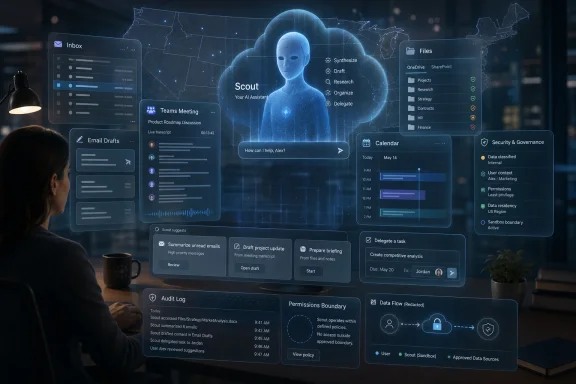
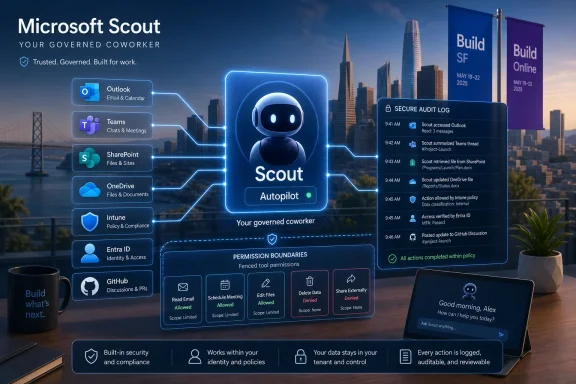
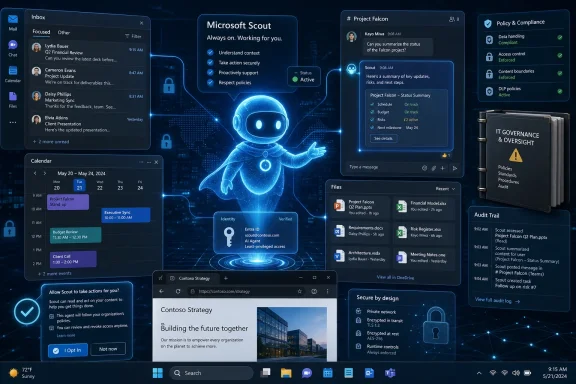
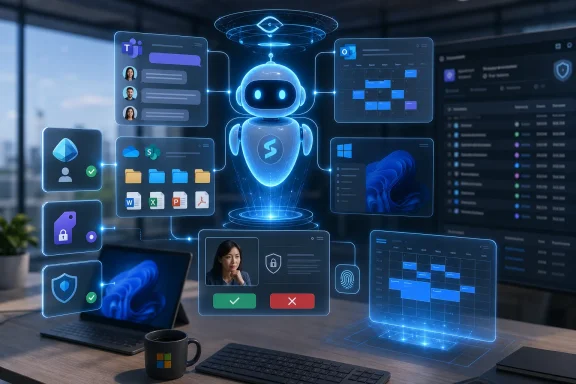
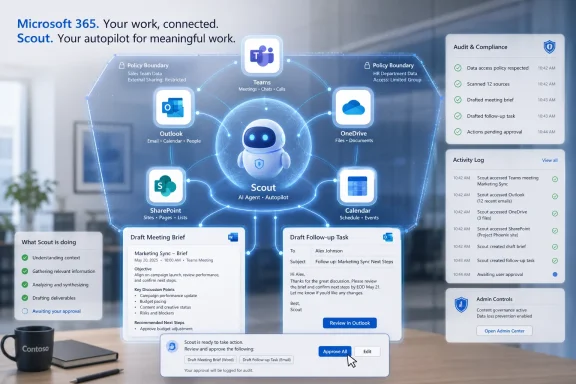
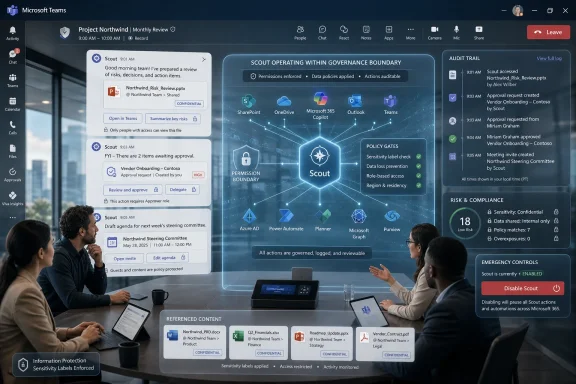
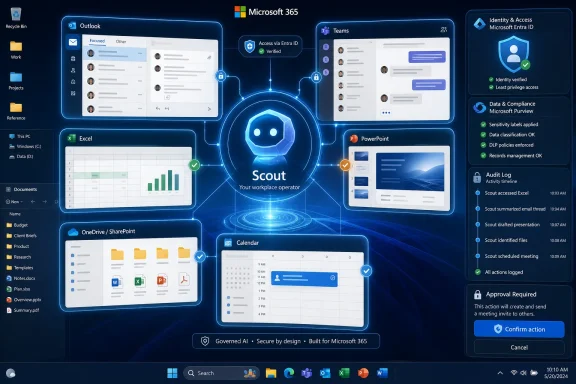
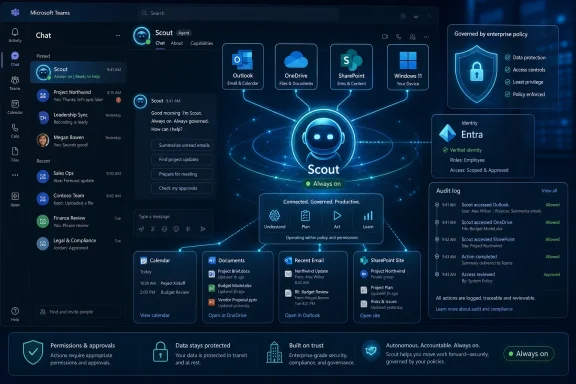
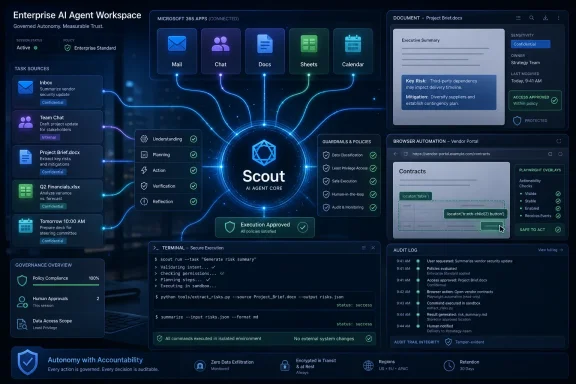
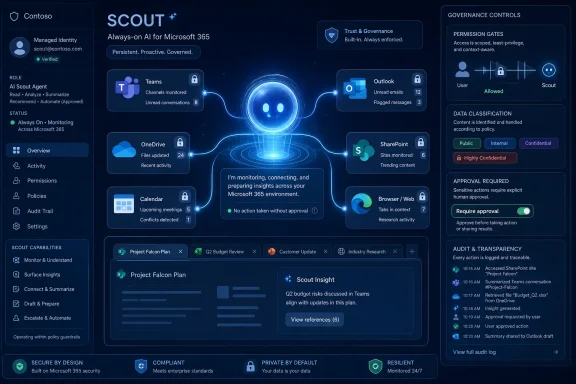
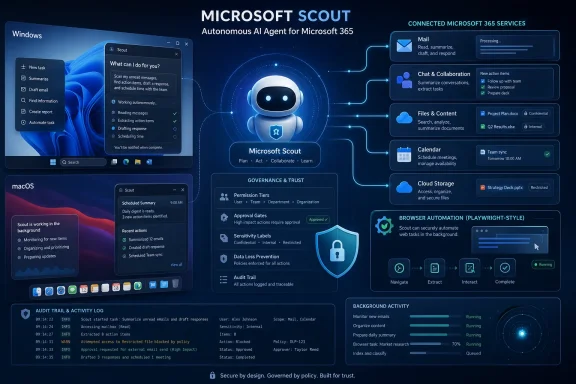
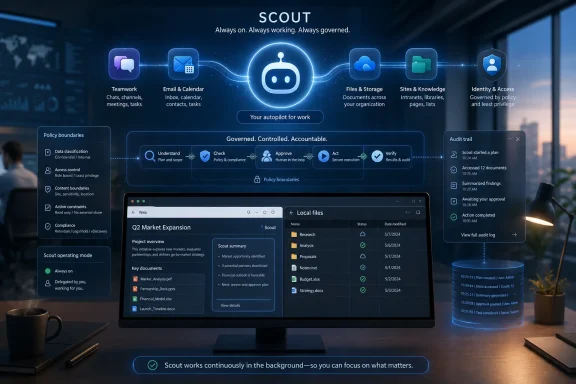
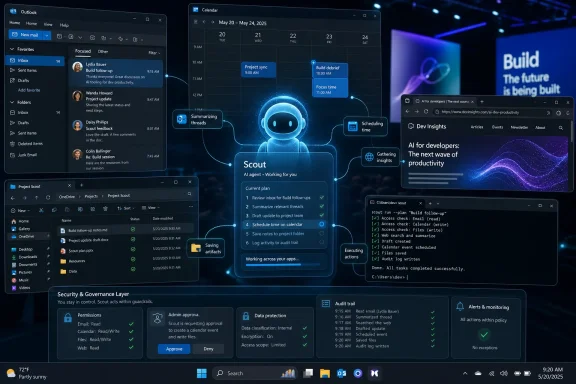
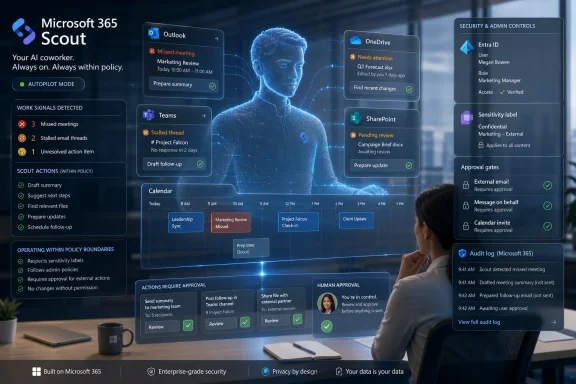
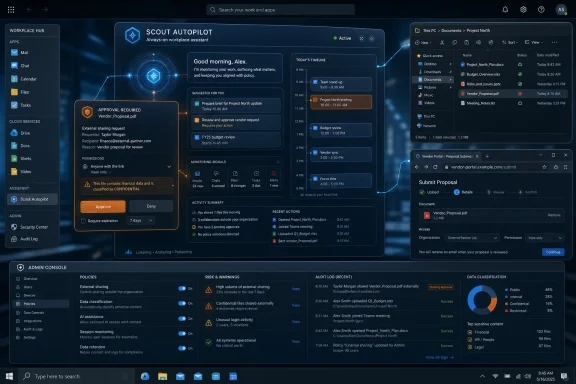
Microsoft announced Scout at Build on Tuesday, June 2, 2026, as an always-on workplace AI agent for Teams, email, calendars, and Microsoft 365 tasks, initially launching with a small customer group and a Frontier-access desktop app tied to GitHub Copilot. That makes Scout less a chatbot than a new kind of office identity: software that can read the room, act between meetings, and represent you while you are away. The pitch is productivity; the consequence is governance. Microsoft is no longer merely putting AI beside work — it is trying to put AI inside the chain of responsibility.
The last three years of enterprise AI have largely been about summarization, drafting, and search. Copilot could turn a meeting into notes, an email thread into bullet points, or a blank document into first-draft prose. Scout changes the premise because it is not waiting politely in a sidebar for the next prompt.
According to WIRED’s reporting, Scout is meant to operate through Microsoft Teams as if it were a coworker, taking commands, scanning work context, and automating everyday coordination. It can examine messages, calendars, and email inboxes, then act on that information by drafting responses, rescheduling conflicts, or tracking promises across the organization.
That distinction matters. A summarizer is mostly retrospective. An agent that watches for obligations and proposes action is prospective. Microsoft is moving from “help me understand what happened” to “help me make sure the next thing happens.”
For WindowsForum readers, the important part is not the novelty of an AI assistant in Teams. It is the way Microsoft is using Teams as the social surface for automation. The same place where workers already negotiate deadlines, assign tasks, trade context, and make informal commitments is now becoming the place where a nonhuman actor can participate in that workflow.
An assistant that cannot see your calendar is a scheduling toy. An assistant that cannot read your email cannot track commitments. An assistant that cannot understand Teams conversations cannot tell the difference between a passing idea and an implied obligation. Scout’s usefulness grows in direct proportion to the sensitivity of the data it can inspect.
That is the bargain Microsoft is asking enterprises to make. The more deeply Scout is embedded in Microsoft 365, the more useful it becomes; the more useful it becomes, the more it must be governed like an identity, not a feature. The old question was whether Copilot had permission to summarize a document. The new question is whether Scout has permission to infer intent from a conversation and start moving work around the board.
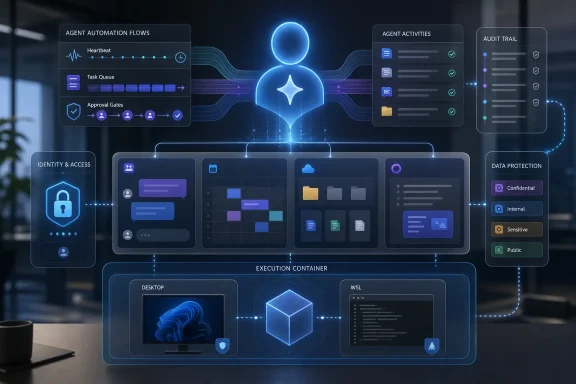
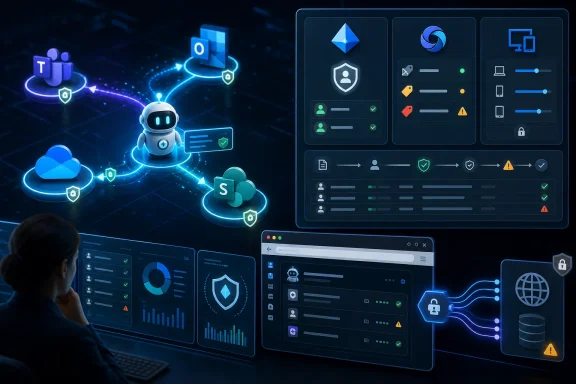
This is where Microsoft’s broader Agent 365 strategy becomes relevant. The company has been positioning Agent 365 as a control plane for observing, managing, and securing AI agents across a tenant. Scout is exactly the kind of product that makes such a control plane necessary, because autonomous workplace agents cannot be treated as ordinary plugins once they begin acting across mailboxes, calendars, chats, and business systems.
OpenClaw’s appeal was not that it could answer questions. Plenty of models could do that. Its appeal was that it behaved like an always-available operator: persistent, tool-using, and capable of moving across apps and communication channels. In consumer or startup circles, that kind of autonomy looks like magic. In enterprise IT, it looks like a risk register.
Microsoft’s Scout appears to be an attempt to domesticate that energy. Instead of asking knowledge workers to run an agent through a terminal, wire up credentials, and hope for the best, Microsoft is bringing the concept into Teams and Microsoft 365, where administrators already have policies, audit logs, conditional access, retention rules, and compliance tooling.
That does not make the risk disappear. It changes who owns it. A self-hosted OpenClaw experiment is an individual’s problem until it leaks data or sends the wrong thing. A Microsoft 365 agent is the CIO’s problem from day one.
Putting Scout in that environment makes the agent feel natural. It also makes its presence harder to ignore. A desktop assistant can be minimized. A Teams participant, bot, or agent occupies the same conversational space as people and projects.
That raises a subtle social question. If Scout drafts a response, who is speaking? If it proposes a new meeting time, who is negotiating? If it reminds a colleague that they promised something, is it acting as a polite assistant or a delegated enforcer?
Microsoft will likely answer that with permissions, labels, and audit trails. But organizations will answer it culturally. Some teams will treat Scout as a productivity layer. Others will see it as managerial instrumentation: another system watching who promised what, who followed through, and who is becoming a bottleneck.
But the same capability can be turned toward different institutional goals. Protecting dinnertime is one policy. Protecting executive review slots, sales follow-up windows, compliance deadlines, incident-response rotations, and customer escalations are others. Once Scout can infer priorities and negotiate schedule changes, the calendar becomes an execution surface.
That is not inherently bad. Calendar chaos is one of the great hidden taxes of modern office work. Anyone who has watched a six-person meeting bounce across a week because no human wants to mediate time zones understands the value of a competent scheduling agent.
The precedent is that software is now making soft decisions in the spaces between hard systems. Traditional workflow tools need a ticket, a due date, or a field. Scout can operate on fuzzier signals: a message, a preference, a recurring habit, a promise made in passing. That is both why it may work and why it will make administrators nervous.
Organizations run on commitments that never reach Jira, Planner, ServiceNow, or Azure DevOps. They live in Teams threads, hallway follow-ups, email replies, and meeting transcripts. A system that can extract those commitments and keep them alive would solve a real coordination problem.
It would also create a new record of accountability. A human colleague forgets, forgives, misremembers, or lets things slide. A persistent agent does not have to. If Scout becomes good at tracking implicit obligations, it could change the texture of work from conversational to contractual.
That may delight managers and frustrate everyone else. The same “open tickets” reminder that helps a conscientious employee follow through could become a soft-surveillance mechanism in a performance culture obsessed with measurable output. The product design challenge is not simply accuracy. It is discretion.
Microsoft will emphasize iteration, previews, limited availability, and human supervision. That is sensible. But the rough edges are not merely cosmetic. Formatting mistakes are visible symptoms of a deeper uncertainty: when should the system be allowed to act, and when should it stop at a draft?
The industry likes to describe this as the “human in the loop” problem, but that phrase often hides the operational burden. If a user has to review every action, Scout becomes a more expensive drafting tool. If the user does not review enough actions, Scout becomes a liability. The commercial promise depends on finding a middle layer where low-risk actions can be delegated and high-risk ones require explicit approval.
That middle layer is hard to define across organizations. Rescheduling a one-on-one may be harmless in one company and politically sensitive in another. Sending a follow-up note may be routine for sales and dangerous for legal. An agent that works across Microsoft 365 must adapt not only to data boundaries but to office norms.
Those questions are not hostile. They are the minimum requirements for deploying autonomous software inside regulated work. Microsoft has spent years convincing enterprises that Microsoft 365 can be a governed productivity platform rather than a sprawl of apps. Scout must inherit that trust, not assume it.
The GitHub Copilot subscription requirement for the Frontier desktop app is also telling. It suggests Scout is initially aimed at users and organizations already comfortable with agentic tooling, developer-adjacent workflows, or premium AI licensing. Microsoft is not throwing this into every tenant overnight. It is testing appetite and failure modes among customers more likely to tolerate experimentation.
That staged rollout is prudent, but it also creates a familiar Microsoft pattern. Frontier features arrive as opt-in experiments, gain usage inside enthusiastic accounts, become strategic, and then turn into licensing and governance decisions for everyone else. Sysadmins should treat Scout not as a curiosity but as a preview of what Microsoft thinks normal work will look like.
That is a stronger story than “AI in every app,” because it acknowledges that work does not happen inside one app. A customer escalation may begin in Outlook, move to Teams, require a CRM update, involve a spreadsheet, and end in a meeting. A useful AI assistant must cross those boundaries.
Microsoft has an obvious advantage here. It owns the productivity substrate for many enterprises: identity, email, calendar, chat, documents, endpoint management, compliance, and increasingly security telemetry. Scout’s promise depends on that substrate. Competing AI vendors can build better models or slicker agents, but they often need to ask Microsoft’s estate for the keys.
That advantage is also why regulators, competitors, and customers will watch closely. If Microsoft makes its own agents more capable, better integrated, or easier to govern than third-party agents, the company will face familiar questions about platform power. The Office bundle once shaped the application market. The agent bundle may shape the automation market.
If Scout can act while you are away, your absence becomes less absolute. Colleagues may expect your agent to respond. Managers may expect commitments to keep moving after hours. Customers may expect follow-ups overnight. The boundary between “I am working” and “my automation is working” will become increasingly blurry.
Microsoft’s family-dinner example tries to frame Scout as a protector of personal time. It could be. An agent that declines meetings, blocks focus time, and shields users from scheduling chaos might be a rare technology that gives time back instead of absorbing more of it.
But tools that protect boundaries can also normalize work without the worker. If the agent can do enough, why should the workflow pause? Enterprises will need policies that say not only what Scout can access but what colleagues may expect from it. Otherwise, the always-on assistant becomes another step in the long erosion of being offline.
The nightmare scenario is not a science-fiction rogue AI. It is a mundane chain of permissions, prompts, and misplaced trust. An agent reads something it should not. It forwards a summary with sensitive context. It follows an instruction in a compromised message. It drafts a response that creates legal exposure. It reschedules a meeting in a way that reveals confidential priorities.
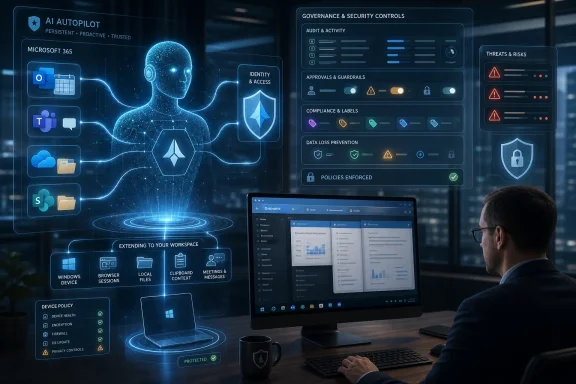
Microsoft will likely lean on identity, consent, sensitivity labels, audit logs, and admin controls to answer those risks. Those tools matter, but agentic systems add a layer of interpretation between access and action. A user may be allowed to read a file; the agent may be allowed to help the user; the danger comes when the agent combines that file with other context and acts in a way no traditional permission rule anticipated.
Security teams should therefore think of Scout as an identity-adjacent actor. It needs least privilege, action boundaries, monitoring, and revocation. It also needs incident-response playbooks. If an agent sends the wrong message to the wrong group, the response cannot be “the model did it.”
That does not make Scout cynical. The problem is real. Many knowledge workers spend large parts of the day translating between communication systems and action systems. They do not need another chatbot; they need a tireless coordinator that remembers context and nudges work forward.
But Microsoft’s incentive is not simply to reduce overload. It is to make Microsoft 365 the place where more work is captured, interpreted, and automated. The more Scout can help, the more reasons organizations have to keep conversations, files, and workflows inside Microsoft’s cloud. Productivity relief and platform gravity arrive in the same package.
This is why Scout deserves more scrutiny than a clever assistant demo normally gets. It is not just a feature; it is a wedge. If users come to rely on an agent that understands their Microsoft 365 life, switching costs rise from documents and mailboxes to habits, preferences, organizational memory, and delegated routines.
Microsoft has a credible path because it already sells trust infrastructure to enterprises. Entra, Purview, Defender, Intune, Teams, Exchange, SharePoint, and compliance tooling give it levers that standalone AI firms do not control. Scout can be pitched as part of a governed estate rather than a rogue automation layer.
Still, trust is not inherited automatically from the tenant. Users will judge Scout by the first time it misreads a message, sends an awkward note, or exposes a preference they thought was private. Administrators will judge it by the clarity of logs, policies, and rollback. Executives will judge it by whether the productivity gains justify another layer of AI licensing.
The agent that wins the office will be the one that understands restraint. Microsoft’s challenge is to make Scout proactive enough to matter and cautious enough not to become infamous.
This is why the early examples matter. Calendar protection, commitment tracking, reminders, and draft follow-ups are not random conveniences. They are high-frequency, relatively legible forms of office work. Microsoft is starting where the pain is obvious and the value proposition is easy to explain.
Over time, the temptation will be to expand Scout into more consequential workflows. Sales follow-ups lead to CRM updates. Meeting preparation leads to document generation. Commitment tracking leads to performance dashboards. Scheduling assistance leads to resource allocation. Each step may be defensible on its own; together, they redraw the map of office labor.
That progression will force organizations to decide whether Scout is a personal assistant, a team agent, or an enterprise automation worker. Those are different roles. Blurring them may make demos smoother, but it will make governance harder.
Organizations should decide what counts as acceptable delegation. Drafting is different from sending. Suggesting a meeting time is different from moving one. Tracking commitments is different from reporting them upward. Reading a private chat is different from reading a project channel.
The work is not only technical. HR, legal, compliance, security, and line-of-business leaders all have stakes in how an always-on assistant represents employees. If Scout is allowed to act as a user, the company needs to define when that action is attributable to the user, when it is attributable to the organization, and when it should be blocked entirely.
That may sound heavy for a preview product, but the organizations that answer those questions early will have a real advantage. They will be able to use agents deliberately rather than reactively.
 Microsoft Moves the Assistant From Sidebar to Seatmate
The last three years of enterprise AI have largely been about summarization, drafting, and search. Copilot could turn a meeting into notes, an email thread into bullet points, or a blank document into first-draft prose. Scout changes the premise because it is not waiting politely in a sidebar for the next prompt.According to WIRED’s reporting, Scout is meant to operate through Microsoft Teams as if it were a coworker, taking commands, scanning work context, and automating everyday coordination. It can examine messages, calendars, and email inboxes, then act on that information by drafting responses, rescheduling conflicts, or tracking promises across the organization.
That distinction matters. A summarizer is mostly retrospective. An agent that watches for obligations and proposes action is prospective. Microsoft is moving from “help me understand what happened” to “help me make sure the next thing happens.”
For WindowsForum readers, the important part is not the novelty of an AI assistant in Teams. It is the way Microsoft is using Teams as the social surface for automation. The same place where workers already negotiate deadlines, assign tasks, trade context, and make informal commitments is now becoming the place where a nonhuman actor can participate in that workflow.
The Real Product Is Permission
Microsoft’s public language around workplace AI has increasingly leaned on “agents,” “frontier firms,” and “AI workforce transformation.” Scout fits neatly into that vocabulary, but the product’s practical power comes from something more prosaic: access.An assistant that cannot see your calendar is a scheduling toy. An assistant that cannot read your email cannot track commitments. An assistant that cannot understand Teams conversations cannot tell the difference between a passing idea and an implied obligation. Scout’s usefulness grows in direct proportion to the sensitivity of the data it can inspect.
That is the bargain Microsoft is asking enterprises to make. The more deeply Scout is embedded in Microsoft 365, the more useful it becomes; the more useful it becomes, the more it must be governed like an identity, not a feature. The old question was whether Copilot had permission to summarize a document. The new question is whether Scout has permission to infer intent from a conversation and start moving work around the board.
This is where Microsoft’s broader Agent 365 strategy becomes relevant. The company has been positioning Agent 365 as a control plane for observing, managing, and securing AI agents across a tenant. Scout is exactly the kind of product that makes such a control plane necessary, because autonomous workplace agents cannot be treated as ordinary plugins once they begin acting across mailboxes, calendars, chats, and business systems.
OpenClaw Gives Scout Its Cultural Shape
WIRED frames Scout as an enterprise agent built on top of OpenClaw, the agentic tool that reportedly became a fixation among early adopters in San Francisco at the start of 2026. That lineage is revealing, even if Microsoft’s enterprise version will inevitably be more locked down than the hacker-friendly inspiration.OpenClaw’s appeal was not that it could answer questions. Plenty of models could do that. Its appeal was that it behaved like an always-available operator: persistent, tool-using, and capable of moving across apps and communication channels. In consumer or startup circles, that kind of autonomy looks like magic. In enterprise IT, it looks like a risk register.
Microsoft’s Scout appears to be an attempt to domesticate that energy. Instead of asking knowledge workers to run an agent through a terminal, wire up credentials, and hope for the best, Microsoft is bringing the concept into Teams and Microsoft 365, where administrators already have policies, audit logs, conditional access, retention rules, and compliance tooling.
That does not make the risk disappear. It changes who owns it. A self-hosted OpenClaw experiment is an individual’s problem until it leaks data or sends the wrong thing. A Microsoft 365 agent is the CIO’s problem from day one.
Teams Becomes the Office Floor for Nonhuman Labor
Microsoft’s decision to make Scout feel like a Teams coworker is more than a user-experience flourish. Teams is the closest thing many organizations have to a digital office floor. It is where formal meetings blend into side-channel coordination, where decisions happen outside the ticketing system, and where “can you handle this?” becomes work without ever becoming a structured workflow.Putting Scout in that environment makes the agent feel natural. It also makes its presence harder to ignore. A desktop assistant can be minimized. A Teams participant, bot, or agent occupies the same conversational space as people and projects.
That raises a subtle social question. If Scout drafts a response, who is speaking? If it proposes a new meeting time, who is negotiating? If it reminds a colleague that they promised something, is it acting as a polite assistant or a delegated enforcer?
Microsoft will likely answer that with permissions, labels, and audit trails. But organizations will answer it culturally. Some teams will treat Scout as a productivity layer. Others will see it as managerial instrumentation: another system watching who promised what, who followed through, and who is becoming a bottleneck.
The Calendar Example Is Small, but the Precedent Is Huge
The example WIRED highlights from Omar Shahine is deliberately human: Scout can protect family dinner time by detecting meeting proposals that collide with a user’s preference and suggesting alternatives. It is a good demo because it frames automation as boundary-setting rather than surveillance.But the same capability can be turned toward different institutional goals. Protecting dinnertime is one policy. Protecting executive review slots, sales follow-up windows, compliance deadlines, incident-response rotations, and customer escalations are others. Once Scout can infer priorities and negotiate schedule changes, the calendar becomes an execution surface.
That is not inherently bad. Calendar chaos is one of the great hidden taxes of modern office work. Anyone who has watched a six-person meeting bounce across a week because no human wants to mediate time zones understands the value of a competent scheduling agent.
The precedent is that software is now making soft decisions in the spaces between hard systems. Traditional workflow tools need a ticket, a due date, or a field. Scout can operate on fuzzier signals: a message, a preference, a recurring habit, a promise made in passing. That is both why it may work and why it will make administrators nervous.
The Commitment Tracker Is the Killer App and the Creepiest Feature
The most interesting Scout use case in WIRED’s piece is not email drafting or meeting rescheduling. It is Shahine asking Scout to maintain a constantly updated list of promises made to him and promises he made to others. That is a deceptively powerful workplace primitive.Organizations run on commitments that never reach Jira, Planner, ServiceNow, or Azure DevOps. They live in Teams threads, hallway follow-ups, email replies, and meeting transcripts. A system that can extract those commitments and keep them alive would solve a real coordination problem.
It would also create a new record of accountability. A human colleague forgets, forgives, misremembers, or lets things slide. A persistent agent does not have to. If Scout becomes good at tracking implicit obligations, it could change the texture of work from conversational to contractual.
That may delight managers and frustrate everyone else. The same “open tickets” reminder that helps a conscientious employee follow through could become a soft-surveillance mechanism in a performance culture obsessed with measurable output. The product design challenge is not simply accuracy. It is discretion.
Rough Edges Are Not a Side Note
Shahine’s reported anecdote about his Scout sending an email as one long run-on sentence is funny because it is familiar. Generative AI can appear sophisticated right up until it does something obviously amateur. In a consumer chatbot, that is irritating. In an enterprise agent that sends mail on your behalf, it is a trust event.Microsoft will emphasize iteration, previews, limited availability, and human supervision. That is sensible. But the rough edges are not merely cosmetic. Formatting mistakes are visible symptoms of a deeper uncertainty: when should the system be allowed to act, and when should it stop at a draft?
The industry likes to describe this as the “human in the loop” problem, but that phrase often hides the operational burden. If a user has to review every action, Scout becomes a more expensive drafting tool. If the user does not review enough actions, Scout becomes a liability. The commercial promise depends on finding a middle layer where low-risk actions can be delegated and high-risk ones require explicit approval.
That middle layer is hard to define across organizations. Rescheduling a one-on-one may be harmless in one company and politically sensitive in another. Sending a follow-up note may be routine for sales and dangerous for legal. An agent that works across Microsoft 365 must adapt not only to data boundaries but to office norms.
Enterprise IT Will Ask the Questions the Demo Avoids
A Build-stage demo can show Scout making life easier. A real rollout will start with the questions that demos usually skip. Who can enable it? Which mailboxes, chats, and files can it read? Can administrators limit actions by department, geography, sensitivity label, or role? How are agent actions logged? Can eDiscovery capture what Scout saw, inferred, drafted, and sent?Those questions are not hostile. They are the minimum requirements for deploying autonomous software inside regulated work. Microsoft has spent years convincing enterprises that Microsoft 365 can be a governed productivity platform rather than a sprawl of apps. Scout must inherit that trust, not assume it.
The GitHub Copilot subscription requirement for the Frontier desktop app is also telling. It suggests Scout is initially aimed at users and organizations already comfortable with agentic tooling, developer-adjacent workflows, or premium AI licensing. Microsoft is not throwing this into every tenant overnight. It is testing appetite and failure modes among customers more likely to tolerate experimentation.
That staged rollout is prudent, but it also creates a familiar Microsoft pattern. Frontier features arrive as opt-in experiments, gain usage inside enthusiastic accounts, become strategic, and then turn into licensing and governance decisions for everyone else. Sysadmins should treat Scout not as a curiosity but as a preview of what Microsoft thinks normal work will look like.
The Copilot Brand Is Becoming an Operating Model
For much of its life, Copilot has been a brand stretched across too many surfaces: Windows, Edge, Office, GitHub, security, sales, service, and more. Scout points toward a clearer architecture. Copilot becomes the interface, agents become the workers, and Agent 365 becomes the management layer.That is a stronger story than “AI in every app,” because it acknowledges that work does not happen inside one app. A customer escalation may begin in Outlook, move to Teams, require a CRM update, involve a spreadsheet, and end in a meeting. A useful AI assistant must cross those boundaries.
Microsoft has an obvious advantage here. It owns the productivity substrate for many enterprises: identity, email, calendar, chat, documents, endpoint management, compliance, and increasingly security telemetry. Scout’s promise depends on that substrate. Competing AI vendors can build better models or slicker agents, but they often need to ask Microsoft’s estate for the keys.
That advantage is also why regulators, competitors, and customers will watch closely. If Microsoft makes its own agents more capable, better integrated, or easier to govern than third-party agents, the company will face familiar questions about platform power. The Office bundle once shaped the application market. The agent bundle may shape the automation market.
The Always-On Coworker Changes the Meaning of Availability
Scout’s most provocative idea is embedded in Shahine’s reported line that the point of a personal assistant is working when you are not. That sounds reasonable until it meets the politics of availability.If Scout can act while you are away, your absence becomes less absolute. Colleagues may expect your agent to respond. Managers may expect commitments to keep moving after hours. Customers may expect follow-ups overnight. The boundary between “I am working” and “my automation is working” will become increasingly blurry.
Microsoft’s family-dinner example tries to frame Scout as a protector of personal time. It could be. An agent that declines meetings, blocks focus time, and shields users from scheduling chaos might be a rare technology that gives time back instead of absorbing more of it.
But tools that protect boundaries can also normalize work without the worker. If the agent can do enough, why should the workflow pause? Enterprises will need policies that say not only what Scout can access but what colleagues may expect from it. Otherwise, the always-on assistant becomes another step in the long erosion of being offline.
Security Teams Will See a New Kind of Insider
Traditional enterprise security models divide the world into users, devices, apps, and services. Scout blurs those categories. It acts for a user, runs through Microsoft services, may appear in Teams, and can operate across data sources. That makes it less like a chatbot and more like a delegated insider.The nightmare scenario is not a science-fiction rogue AI. It is a mundane chain of permissions, prompts, and misplaced trust. An agent reads something it should not. It forwards a summary with sensitive context. It follows an instruction in a compromised message. It drafts a response that creates legal exposure. It reschedules a meeting in a way that reveals confidential priorities.
Microsoft will likely lean on identity, consent, sensitivity labels, audit logs, and admin controls to answer those risks. Those tools matter, but agentic systems add a layer of interpretation between access and action. A user may be allowed to read a file; the agent may be allowed to help the user; the danger comes when the agent combines that file with other context and acts in a way no traditional permission rule anticipated.
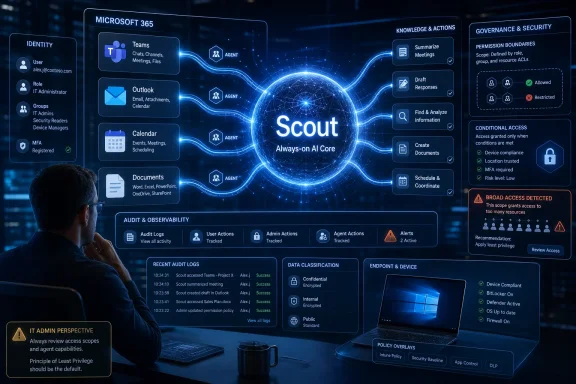
Security teams should therefore think of Scout as an identity-adjacent actor. It needs least privilege, action boundaries, monitoring, and revocation. It also needs incident-response playbooks. If an agent sends the wrong message to the wrong group, the response cannot be “the model did it.”
Microsoft Is Selling Relief From the Work It Helped Create
There is an irony at the center of Scout. Microsoft 365 helped create the modern flood of workplace signals: Teams pings, Outlook threads, calendar collisions, shared documents, meeting recordings, transcripts, task comments, and notification badges. Now Microsoft is selling an agent to survive that flood.That does not make Scout cynical. The problem is real. Many knowledge workers spend large parts of the day translating between communication systems and action systems. They do not need another chatbot; they need a tireless coordinator that remembers context and nudges work forward.
But Microsoft’s incentive is not simply to reduce overload. It is to make Microsoft 365 the place where more work is captured, interpreted, and automated. The more Scout can help, the more reasons organizations have to keep conversations, files, and workflows inside Microsoft’s cloud. Productivity relief and platform gravity arrive in the same package.
This is why Scout deserves more scrutiny than a clever assistant demo normally gets. It is not just a feature; it is a wedge. If users come to rely on an agent that understands their Microsoft 365 life, switching costs rise from documents and mailboxes to habits, preferences, organizational memory, and delegated routines.
The Office Agent Wars Will Be Fought Over Trust, Not Chat
Every major AI vendor can claim some version of workplace assistance. The differentiator will not be who can draft the most polished email in a canned demo. It will be who can earn enough trust to act in messy, permissioned, politically sensitive work environments.Microsoft has a credible path because it already sells trust infrastructure to enterprises. Entra, Purview, Defender, Intune, Teams, Exchange, SharePoint, and compliance tooling give it levers that standalone AI firms do not control. Scout can be pitched as part of a governed estate rather than a rogue automation layer.
Still, trust is not inherited automatically from the tenant. Users will judge Scout by the first time it misreads a message, sends an awkward note, or exposes a preference they thought was private. Administrators will judge it by the clarity of logs, policies, and rollback. Executives will judge it by whether the productivity gains justify another layer of AI licensing.
The agent that wins the office will be the one that understands restraint. Microsoft’s challenge is to make Scout proactive enough to matter and cautious enough not to become infamous.
The First Scout Deployments Will Teach Microsoft More Than Users
The limited customer launch is not just a cautious rollout; it is a data-gathering phase for workplace behavior. Microsoft needs to learn which tasks users delegate, which ones they reclaim, where approvals are necessary, and how often the agent’s suggestions are accepted or ignored.This is why the early examples matter. Calendar protection, commitment tracking, reminders, and draft follow-ups are not random conveniences. They are high-frequency, relatively legible forms of office work. Microsoft is starting where the pain is obvious and the value proposition is easy to explain.
Over time, the temptation will be to expand Scout into more consequential workflows. Sales follow-ups lead to CRM updates. Meeting preparation leads to document generation. Commitment tracking leads to performance dashboards. Scheduling assistance leads to resource allocation. Each step may be defensible on its own; together, they redraw the map of office labor.
That progression will force organizations to decide whether Scout is a personal assistant, a team agent, or an enterprise automation worker. Those are different roles. Blurring them may make demos smoother, but it will make governance harder.
The Scout Era Starts With a Policy Memo, Not a Pep Talk
The practical lesson for IT leaders is to prepare before the feature arrives broadly. Scout may be limited today, but Microsoft’s direction is clear: persistent agents are becoming first-class participants in Microsoft 365. Waiting until users discover them through Frontier access is how shadow automation begins.Organizations should decide what counts as acceptable delegation. Drafting is different from sending. Suggesting a meeting time is different from moving one. Tracking commitments is different from reporting them upward. Reading a private chat is different from reading a project channel.
The work is not only technical. HR, legal, compliance, security, and line-of-business leaders all have stakes in how an always-on assistant represents employees. If Scout is allowed to act as a user, the company needs to define when that action is attributable to the user, when it is attributable to the organization, and when it should be blocked entirely.
That may sound heavy for a preview product, but the organizations that answer those questions early will have a real advantage. They will be able to use agents deliberately rather than reactively.
The Scout Checklist for Windows Shops
Scout’s arrival is best understood as a preview of Microsoft’s next workplace operating model: AI agents with memory, access, and delegated action running inside the collaboration fabric. Before that model becomes routine, administrators and power users should separate the useful from the dangerous.- Scout is not just another Copilot chat surface; it is designed to act across Teams, email, calendar, and workplace context.
- The most valuable features will require the most sensitive permissions, especially access to messages, inboxes, calendars, and organizational commitments.
- Early availability through limited customers and Frontier-style access suggests Microsoft is still testing where autonomy helps and where it creates unacceptable risk.
- IT teams should treat Scout-like agents as delegated identities that need governance, logging, least privilege, and revocation paths.
- The cultural impact may be as important as the technical one, because an always-on assistant can quietly change expectations around availability, follow-through, and accountability.
- The safest deployments will distinguish between drafting, recommending, and acting, rather than granting broad autonomy because the demo looked useful.
References
- Primary source: WIRED
Published: Tue, 02 Jun 2026 18:00:00 GMT
Meet Microsoft Scout, Your AI Coworker That Never Logs Off | WIRED
Microsoft’s OpenClaw-style agent appears in Teams, just like a human colleague, and automates your dull office tasks.www.wired.com - Related coverage: bighatgroup.com
Microsoft Copilot Autonomous Agents: What the Ocean 11 Team Means for Enterprise IT | Big Hat Group Inc.
Microsoft's Ocean 11 team is building OpenClaw-style autonomous agents into M365 Copilot. Build 2026 preview expected June 2. Here's what enterprise IT admins need to prepare for.www.bighatgroup.com - Related coverage: newclawtimes.com
Microsoft Hires Omar Shahine to Bring OpenClaw Personal AI Agents Into Microsoft 365
Microsoft hires Omar Shahine to integrate OpenClaw personal AI agents into Microsoft 365, starting with a Teams plugin.newclawtimes.com - Related coverage: visualstudiomagazine.com
OpenClaw Gets a Microsoft 365 Champion While VS Code Tooling Stays Nascent -- Visual Studio Magazine
Omar Shahine's new Microsoft role focused on bringing OpenClaw and personal agents to Microsoft 365 adds weight to the workplace-assistant story for the open-source AI framework, even as its current VS Code tooling remains early, gateway-centric, and only lightly connected to Microsoft's primary...visualstudiomagazine.com - Related coverage: subagentic.ai
OpenClaw Is Coming to Microsoft 365: What the New Hire Signals for Enterprise AI Agents | subagentic.ai — Agentic AI News
Microsoft hires Omar Shahine to bring OpenClaw into M365, while simultaneously warning enterprises it's not deployment-ready — a compelling contradiction.subagentic.ai
- Related coverage: techradar.com
Microsoft warns OpenClaw could quietly turn your everyday workstation into a high-risk automation gateway | TechRadar
OpenClaw uses legitimate API calls in ways that may leak sensitive datawww.techradar.com
- Related coverage: winbuzzer.com
Microsoft Taps OpenClaw Playbook for New Copilot AI Agents
Microsoft has created a team under VP Omar Shahine to build persistent, OpenClaw-inspired AI agents for Copilot as Anthropic embeds Claude across Office. winbuzzer.com
- Related coverage: wwwhatsnew.com
Microsoft ficha a Omar Shahine para llevar OpenClaw a Microsoft 365: la apuesta agentic más ambiciosa de la compañía llega al correo de 400 millones de trabajadores
Microsoft ha creado un nuevo equipo liderado por Omar Shahine, antiguo responsable de Microsoft Word, con un mandato concreto: integrar OpenClaw (el framework de agentes open source con más de 354.000 estrellas en GitHub) dentro de Microsoft 365 Copilot. Shahine lo anunció en X el 31 de marzo de... wwwhatsnew.com
- Related coverage: windowscentral.com
Microsoft 365 will soon have helpers that take actions for you — here’s what that means | Windows Central
Microsoft’s new OpenClaw system introduces personal AI agents to Microsoft 365, designed to automate tasks, take actions, and help users get work done faster.www.windowscentral.com - Related coverage: cybernews.com
Microsoft warns OpenClaw unsafe on PCs | Cybernews
Microsoft warns OpenClaw AI puts PCs at risk as 50,000 instances exposed to remote code execution cybernews.com
- Related coverage: letsdatascience.com
Microsoft OpenClaw team experiments with personal assistant prototype | Let's Data Science
Commstrader reports that an internal Microsoft team led by Corporate Vice President Omar Shahine is developing an open-source framework called OpenClaw and a desktop prototype named "Project Lobster." According to Commstrader, by May 1 over **3,000** Microsoft employees were daily... letsdatascience.com
- Official source: microsoft.com
Scouts: Improving the Diagnosis Process Through Domain-customized Incident Routing
PDF documentwww.microsoft.com
- Official source: download.microsoft.com
- Official source: blogs.microsoft.com
Introducing the First Frontier Suite built on Intelligence + Trust - The Official Microsoft Blog
Today Microsoft is announcing: Wave 3 of Microsoft 365 Copilot Expanded model diversity with Claude and next-gen OpenAI models available today General availability of Agent 365 on May 1 for $15 per user General availability of the new Microsoft 365 E7: The Frontier Suite on May 1 for $99 per...blogs.microsoft.com - Official source: adoption.microsoft.com
Explore AI Early Access in Microsoft 365 | Microsoft Frontier
Explore emerging AI capabilities in Microsoft 365 with Frontier. Join the early-access program to experiment with and influence experimental features.adoption.microsoft.com
- Official source: techcommunity.microsoft.com
Microsoft Frontier Program expands to individual Microsoft subscribers | Microsoft Community Hub
The Frontier program that gives commercial Microsoft 365 Copilot customers early access to exciting, cutting-edge capabilities is now coming to individuals... techcommunity.microsoft.com
- Official source: build.microsoft.com
Your home for Microsoft Build
Go deep on real code and real systems with the teams building and scaling AI at Microsoft Build, June 2–3, 2026, in San Francisco and online.build.microsoft.com - Official source: developer.microsoft.com
Microsoft Teams Platform | Build agents
With Microsoft Teams, you can build agents that make communication seamless, connected, and intelligent.developer.microsoft.com - Related coverage: itpro.com
Microsoft is rolling out Copilot Cowork to more customers | IT Pro
Microsoft has announced that Copilot Cowork will now be available for customers via the tech giant’s Frontier program.www.itpro.com - Official source: marketing.partner.microsoft.com
Slide 1: Use the Teams AI Library to build your own Copilot Sample high-level architecture
PDF documentmarketing.partner.microsoft.com