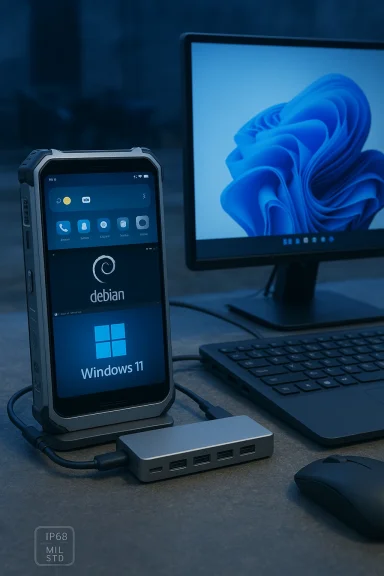
NexPhone arrives promising something few phones have attempted in earnest in the past decade: a single pocketable device that can run Android, a full Debian Linux desktop, and a native Windows 11 on Arm installation — with built‑in docking support to turn the handset into a usable desktop replacement. Early product pages and hands‑on coverage position the NexPhone as a rugged, midrange device built around Qualcomm’s QCM6490 platform, shipping with 12 GB RAM, 256 GB storage, a 6.58‑inch 120 Hz display and a 5,000 mAh battery — and offered on a refundable reservation model to secure an advertised $549 early price. (nexphone.com)
This article unpacks what NexPhone claims to deliver, verifies the most important technical and commercial particulars against independent sources, evaluates the engineering tradeoffs, and lays out practical guidance for professionals and enthusiasts considering a preorder. I flag vendor claims that are currently unverified and identify the real execution risks that will determine whether NexPhone is an intriguing demo or a dependable single‑device workstation.
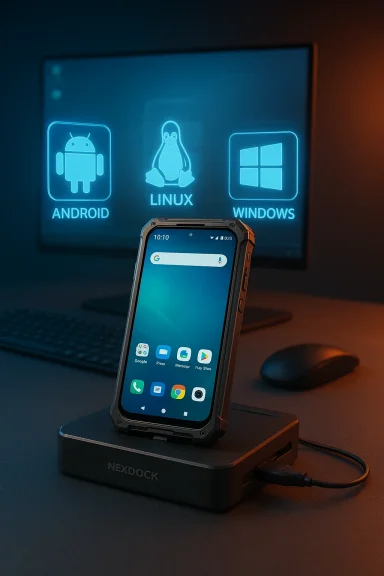
Nex Computer — the company behind the NexDock laptop shell accessories — has shifted from being an accessory maker to releasing a complete handset that intentionally targets the long‑running “phone as PC” ambition. The company calls its firmware stack NexOS, which manages a tri‑OS approach: Android 16 as the daily driver, a GPU‑accelerated Debian desktop that runs as a containerized app, and an optional, separately bootable Windows 11 partition that requires a reboot to enter Windows mode. The vendor emphasizes dock‑first workflows: plug the phone into a monitor, keyboard and mouse (or the bundled USB‑C hub / lapdock) and get a desktop experience.
Independeets including Windows Central, Android Authority, The Verge and other mainstream tech press corroborates the core claims about the device’s tri‑OS architecture and headline specifications, while also flagging the practical engineering questions that remain.
That said, consumer adoption depends on reliability, predictable software servicing, and sensible pricing. The most important metric will be how NexPhone behaves in retail hands over months of updates, not merely the initial demos. Many earlier convergence efforts offered impressive demos but stumbled on the unspectacular engineering work required to maintain drivers, updates, and carrier relationships at scale.
But real‑world buyers should treat the NexPhone as an exciting prototype in commercial form rather than a proven single‑device replacement for both primary smartphone duties and heavy Windows laptop workloads. Key unknowns — Windows update/driver management, telephony behavior while booted into Windows, thermal and battery behavior under sustained desktop loads, and long‑term driver/firmware support — remain and will determine whether NexPhone is a practical daily driver or a clever niche device.
If you are an early adopter, developer, or IT pro intrigued by the idea of a pocketable Linux + Windows workstation, the $199 refundable reservation reduces risk while supporting the product’s launch. If you need ironclad Windows servicing guarantees, uninterrupted telephony in all modes, or laptop‑class sustained performance today, wait for retail units and independent long‑term reviews.
NexPhone reopens a conversation that has quietly animated mobile and PC engineering teams for more than a decade: what matters more — the convenience of a single form factor, or the guarantees of a mature desktop ecosystem? NexPhone’s answer is bold and technically plausible; whether it becomes the practical, dependable answer many hope for depends on the unglamorous engineering work of device integration, driver stewardship, and long‑term servicing. For now, take the demos seriously, treat the preorder as a bet on execution, and watch for the first full retail reviews before committing the device as your one and only workstation.
Source: Qoo10.co.id Smartphone with Multiboot: Run Android, Linux, and Windows 11 Seamlessly in One Device
This article unpacks what NexPhone claims to deliver, verifies the most important technical and commercial particulars against independent sources, evaluates the engineering tradeoffs, and lays out practical guidance for professionals and enthusiasts considering a preorder. I flag vendor claims that are currently unverified and identify the real execution risks that will determine whether NexPhone is an intriguing demo or a dependable single‑device workstation.
 Background / Overview
Nex Computer — the company behind the NexDock laptop shell accessories — has shifted from being an accessory maker to releasing a complete handset that intentionally targets the long‑running “phone as PC” ambition. The company calls its firmware stack NexOS, which manages a tri‑OS approach: Android 16 as the daily driver, a GPU‑accelerated Debian desktop that runs as a containerized app, and an optional, separately bootable Windows 11 partition that requires a reboot to enter Windows mode. The vendor emphasizes dock‑first workflows: plug the phone into a monitor, keyboard and mouse (or the bundled USB‑C hub / lapdock) and get a desktop experience. Independeets including Windows Central, Android Authority, The Verge and other mainstream tech press corroborates the core claims about the device’s tri‑OS architecture and headline specifications, while also flagging the practical engineering questions that remain.
What NexPhone is claiming — the essentials
- Three operating environments:
- Android 16 as the always‑on phone OS and primary mobile interface.
- A Debian Linux desktop available antainer with GPU acceleration for developer workflows.
- A separately bootable Windows 11 on Arm partition for true legacy Windows desktop apps; switching requires a reboot.
- Key hardware highlights the vendor and early press list:
- Qualcomm QCM6490 platform (a “Dragonwing” family SOC targeted at enterprise/edge / long life).
- 12 GB RAM, 256 GB UFS storage (microSD expansion reported).
- 6.58‑inch, 120 Hz FHD+ display; 64 MP main camera; 5,000 mAh battery (some prelaunch materials show variance on battery numbers).
- Ruggedization claims (MIL‑STD‑810H; IP68/IP69K).
- Bundled USB‑C hub intended to make docking easier; NexDock compatibility emphasized.
Why the hardware choice matters: QCM6490 and Windows on Arm feasibility
At the center of NexPhone’s multi‑OS promise is a practical engineering decision: use an x86‑like desktop‑capable software stack by building on an ARM‑class SoC that Microsoft will allow Windows 11 to run on in certified scenarios.- Microsoft’s support lists for Windows on Arm (Windows 11 and Windows 11 IoT Enterprise variants) include Qualcomm’s QCM6490 / QCS6490 family in the table of “supported Qualcomm processors” used for IoT/enterprise devices. That listing establishes a credible technical pathway for an on‑device Windows 11 image — but it does not automatically mean full consumer Windows servicing will work identically to a laptop. (learn.microsoft.com
- The QCM/QCS family is positioned as enterprise/IoT silicon with multi‑OS compatibility and extended support life. Third‑party component pages and module vendors document Linux and Windows compatibility on evaluation modules that use QCS/QCM variants; that’s the same family NexPhone uses. Those references corroborate that Windows 11 on Arm can run on the chipset class, but the final integration (drivers, modem/telephony, Windows Update behavior) depends on vendor engineering.
How NexPhone implements multiboot (vendor description vs. practical reality)
Nex Computer’s messaging explains a layered approach:- Android runs as the day‑to‑day environment; it also hosts the Linux desktop as an accelerated container/VM so Linux is immediately available without reboot.
- Windows 11 is described as an optional, separate partition that requires a reboot to switch into — this isolation is a pragmatic choice that reduces the attack surface and keeps update/driver management boundaries clear, but it introduces friction for workflows that need rapid OS switching.
Real‑world use cases NexPhone targets
NexPhone’s pitch is focused and deliberately niche. Typical target profiles include:- Developers who need SSH, containers, editors and small builds on‑the‑go and occasional Windows compatibility testing. (nexphone.com)
- IT professionals and field engineers who want a single device for communications and light admin work.
- Enthusiasts and tinkerers who value multi‑OS experimentation and hardware flexibility.
- Enterprise deployments where a ruggedized, long‑life device that can run Linux and Windows IoT variants is attractive — with the caveat that corporate procurement will insist on driver and update SLAs.
Notable strengths — where NexPhone plausibly delivers real value
- True desktop‑class environments: offering a real Debian desktop and a true Windows 11 image (not just a desktop shell) is materially different from Android desktop modes and useful for many productivity tasks.
- Hardware choice aligns with multi‑OS goals: the QCM6490 family’s documented support for Linux and Windows in enterprise/IoT scenarios gives NexPhone legitimate technical headroom to ship a tri‑OS product.
- Docking ecosystem experience: NexDock’s prior work on lapdocks and the inclusion of a USB‑C hub make the docking story more believable operationally; practical accessories are a solved part of the experience.
- Rugged design and battery: MIL‑STD and high ingress protection ratings help the device appeal to field work where a laptop is inconvenient. If battery life claims hold up, the device could be a reliable all‑day tool for light desktop tasks.
Real risks and unanswered questions
The where execution matters — and where buyers should remain cautious.- Windows servicing and driver updates: Microsoft’s platform compatibility list consumer‑grade update behavior. Who will manage Windows Update, driver signing, and monthly servicing on a phone that ships Windows as an optional pdocumented update policy to reassure buyers. Until Nex publishes explicit Windows servicing docs, treat this as an open question.
- Telephony in Windows: multiple early writeups note that telephony/voice/SMS behavior while booted into Windows is unclear. If cellular modem control is not integrated into the Windows partition (or if driver support is limited), users may lose phone functionality while using Windows — a critical limitation for anyone expecting the device to be a single‑device replacement. Confirm witn and independent reviews.
- Thermals and sustained performance: smartphone SoCs are engineered for bursty workloads; sustained desktop loads (multiple heavy Windows apps, long builds, video exports) will stress thermals and likely throttle performr‑midrange for mobile workloads, not a laptop CPU. Expect solid mobile performance but modest sustained throughput compared with laptop silicon.
- Batte loads: running a desktop OS with external displays and peripherals places a different power profile on the device. Vendor battery claims should be verified with independent tests that measure docked workloads. Early marketing numbers are useful guideposts but not substitutes for hands‑on battery and thermal reviews.
- Software and driver availability: peripheral drivers (GPU, Wi‑Fi, Bluetooth, audio) for Windows on Arm require vendor support. A working Windows image in demos is encouraging, but full driver parity across updates will be an ongoing operational responsibility. Enterprises will ask for written driver support commitments.
- Price vs. value calculus: $549 is competitiv with desktop claims; nevertheless, buyers must balance the cost against the risk that Windows support and long‑term servicing lag behind consumer laptop standards. The refundable reservation model (a $199 deposit) reduces financial exposure, but buyers must read the preorder terms closely.
A practical checklist for buyers and IT teams
Before placing a reservation or deploying NexPhone widely, confirm the following items with Nex (or wait for independent retailer reviews):- Confirm the final, shipped hardware spec sheet (battery capacity, RAM, storage, modem bands).
- Request a written Windows servicing and update policy: how will Windows Update operate, which edition(s) of Windows 11 are supported, and who will sign drivers?
- Verify telephony behavior while in each OS (does Windows support voice and SMS on the device’s modem?).
- Ask for a list of drivers and kernel modules Nex will maintain for Windows and Linux, and a promise for security patches and firmware updates.
- If you’re an enterprise buyer, obtain SLAs or support agreements covering device replacement, fix windows for patches, and warranty terms.
- Wait for independent thermal and battery tests before committing the device as a single‑device replacement for heavy desktop workloads.
Security, manageability and enterprise implications
From a corporate IT point of view, a multi‑OS phone that can run Windows 11 raises interesting possibilities — and nontrivial management questions.- Security posture: with three separate environments there are three separate update and security models to manage. How does NexPhone handle secure boot, attestation, and OS isolation? Enterprises will want documented support for hardware root of trust, TPM/SE integration, and a clear update chain for each OS.
- Endpoint management: if Windows 11 on the phone is intended for corporate use, can it be enrolled in existing Microsoft Endpoint Manager (Intune) or other MDM systems? Does NexPhone provide automated provisioning and imaging for bulk deployments? These operational integrations will determine whether the device is viable for corporate fleets.
- Data partitioning and encryption: how are files shared across Android and Linux partitions, and how are corporate data and credentials protected when switching between OSes? Enterprises must confirm encryption, key storage, and data separation strategies.
How NexPhone fits in the device convergence trend
NexPhone takes the device‑convergence conversation beyond incremental “desktop mode” implementations (Samsung DeX, Motorola Ready For) by offering true, native OS choices on the same hardware. That transition — from a single mobile OS with a desktop skin to genuine multi‑OS capability — is an important technical watershed. If Nex can reliably ship a stable Windows partition with sustained update support, others will follow, and device convergence will move closer to a one‑device computing model.That said, consumer adoption depends on reliability, predictable software servicing, and sensible pricing. The most important metric will be how NexPhone behaves in retail hands over months of updates, not merely the initial demos. Many earlier convergence efforts offered impressive demos but stumbled on the unspectacular engineering work required to maintain drivers, updates, and carrier relationships at scale.
Final verdict and recommendations
NexPhone is one of the most compelling “phone as PC” attempts to appear in years: the combination of a QCM6490 SoC, a Debian container for on‑device Linux, and a separately bootable Windows 11 partition is a technically credible path to a pocketable multi‑OS workstation. Early independent reporting and vendor materials align on core specs and the preorder model, lending credibility to the product pitch.But real‑world buyers should treat the NexPhone as an exciting prototype in commercial form rather than a proven single‑device replacement for both primary smartphone duties and heavy Windows laptop workloads. Key unknowns — Windows update/driver management, telephony behavior while booted into Windows, thermal and battery behavior under sustained desktop loads, and long‑term driver/firmware support — remain and will determine whether NexPhone is a practical daily driver or a clever niche device.
If you are an early adopter, developer, or IT pro intrigued by the idea of a pocketable Linux + Windows workstation, the $199 refundable reservation reduces risk while supporting the product’s launch. If you need ironclad Windows servicing guarantees, uninterrupted telephony in all modes, or laptop‑class sustained performance today, wait for retail units and independent long‑term reviews.
NexPhone reopens a conversation that has quietly animated mobile and PC engineering teams for more than a decade: what matters more — the convenience of a single form factor, or the guarantees of a mature desktop ecosystem? NexPhone’s answer is bold and technically plausible; whether it becomes the practical, dependable answer many hope for depends on the unglamorous engineering work of device integration, driver stewardship, and long‑term servicing. For now, take the demos seriously, treat the preorder as a bet on execution, and watch for the first full retail reviews before committing the device as your one and only workstation.
Source: Qoo10.co.id Smartphone with Multiboot: Run Android, Linux, and Windows 11 Seamlessly in One Device