Windows 7 Problem when trying to run System Health Check

cgrim29588

New Member
Joined
Mar 27, 2010
Messages
224
I press Windows key + R typed perfmon /report and pressed enter and when I did I got this message:

Error:
An error occured while attempting to generate the report.
The system cannot find the path specified.
 

Solution
Then I will have to assume your version of Win 7 is not able to make such reports. Maybe if you really need the reports there is a third party utility that could make such a report.

Could you tell us what information you are trying to obtain?

Josephur

Windows Forum Admin
Staff member
Premium Supporter
Microsoft Certified Professional
Joined
Aug 3, 2010
Messages
1,289
Can you try running perfmon /report again, and after it fails look through Event Viewer and paste any errors that it generates?
 

Saltgrass

Excellent Member
Microsoft Community Contributor
Joined
Oct 16, 2009
Messages
15,155
Does Home Premium run the .msc utlities? You might try some others, like lusrmgr.msc to see if it runs. Maybe even type perfmon.msc to see if it starts.
 

cgrim29588

New Member
Joined
Mar 27, 2010
Messages
224
Josephur: perfmon /report doesn't work and what do I need to look for in the event viewer?
Saltgrass: lusrmgr.msc won't work for my version of windows and perfmon.msc doesn't work.
 

Saltgrass

Excellent Member
Microsoft Community Contributor
Joined
Oct 16, 2009
Messages
15,155
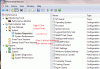
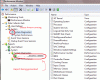
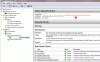
You should still be able to get to the Performance Monitor, but I cannot check. In the Start Menu search box, start to type Performance Monitor and it should show up at the top of the menu. Or you can go to the Start Menu Control Panel and Admin Tools. Select Performance Monitor from there.

See the attachments and make a report yourself. If you do not show some of the items, you may have to create new using a default template. Anyway, play with it and let us know if you need something different.
 

Attachments

  • Prefmon Report.GIF
    Prefmon Report.GIF
    43.7 KB · Views: 992
  • Prefmon Report2.GIF
    Prefmon Report2.GIF
    47.6 KB · Views: 932
  • Prefmon Report3.GIF
    Prefmon Report3.GIF
    82.3 KB · Views: 732

Elmer

Extraordinary Member
Joined
Mar 5, 2010
Messages
3,864
Further to the other excellent replies, I too have Home Premium.

I've never managed to run perfmon /report, even with a brand new, not buggered about by me install.
I can however run perfmon. As Salty (:)) suggests if you want a report you'll have to knock one up yourself.

HTH.
 

cgrim29588

New Member
Joined
Mar 27, 2010
Messages
224
You should still be able to get to the Performance Monitor, but I cannot check. In the Start Menu search box, start to type Performance Monitor and it should show up at the top of the menu. Or you can go to the Start Menu Control Panel and Admin Tools. Select Performance Monitor from there.

See the attachments and make a report yourself. If you do not show some of the items, you may have to create new using a default template. Anyway, play with it and let us know if you need something different.

I did what you showed in the attachments by I still get this message:
When attempting to start data collector set the following error occurred: The system cannot find the path specified.
 

Last edited:

Saltgrass

Excellent Member
Microsoft Community Contributor
Joined
Oct 16, 2009
Messages
15,155
Then I will have to assume your version of Win 7 is not able to make such reports. Maybe if you really need the reports there is a third party utility that could make such a report.

Could you tell us what information you are trying to obtain?
 

Solution
Back
Top