

Microsoft’s Chromium-based Edge browser first became generally available on January 15, 2020, for Windows and macOS, replacing Microsoft’s original EdgeHTML gamble with a browser built on the same open-source engine family that powers Google Chrome. That “new Edge” is no longer new in 2026, but the decision still defines Microsoft’s browser strategy: compatibility first, differentiation second, and Windows integration always. The important update for today’s users is not that Edge has suddenly been reborn, but that the browser has matured into Microsoft’s default cross-platform web client — and installing it now means joining a fast-moving Chromium release train rather than trying an experimental replacement.
The original Microsoft Edge arrived with Windows 10 in 2015 carrying a familiar burden: it had to be both a better browser and an apology for Internet Explorer. Microsoft’s EdgeHTML engine was cleaner, faster, and more standards-minded than IE’s legacy stack, but it entered a web already optimized around Chrome. Developers tested against Chromium because users were on Chromium; users stayed on Chromium because websites worked better there.
That loop is brutal in browser markets. A technically respectable engine can still lose if it lacks developer gravity. By the late 2010s, EdgeHTML was good enough to be defensible and not good enough to reverse Chrome’s dominance.
Microsoft’s move to Chromium was therefore less a surrender than a strategic retreat. The company gave up on owning the rendering engine so it could compete on identity, management, security, sync, enterprise controls, PDF handling, shopping features, vertical tabs, Copilot integration, and Windows defaults. It stopped asking users to tolerate web incompatibility in exchange for Microsoft purity.
That was the correct call. The browser had become too important to be a standards crusade with a broken daily experience. Edge’s relaunch acknowledged what users had already decided: compatibility is not a feature; it is the price of admission.
That mattered especially for Windows users who never wanted to install Chrome but often felt forced to. Edge could now offer the same broad compatibility profile while remaining tied into Windows account sync, Microsoft Defender SmartScreen, Microsoft 365, Entra-managed enterprise policies, and Windows Update channels. For many users, that made Edge the path of least resistance rather than the browser they removed after first boot.
The extension story was equally important. Chromium Edge supports extensions from Microsoft’s own add-ons store and, if the user allows it, extensions from the Chrome Web Store. That single change erased one of the old Edge’s most visible weaknesses.
There is a catch, of course. Compatibility with Chrome extensions also means inheriting much of Chromium’s extension security model, performance overhead, and privacy complexity. But users overwhelmingly prefer a browser that lets them choose a risky extension over one that cannot run their workflow at all.
On macOS, Edge installs like a conventional third-party browser. Microsoft also offers Edge for Linux, iOS, iPadOS, and Android, though feature parity varies by platform because Apple and Google impose different browser-engine and store rules on mobile devices.
The old claim that Chromium Edge supports Windows 7, Windows 8, and Windows 8.1 is historically true but practically obsolete. Edge version 109 was the final Edge release for those operating systems, and Microsoft ended support for Edge on Windows 7, Windows 8, and Windows 8.1 in January 2023. If you are still running one of those systems in 2026, installing an old Edge build is not a security strategy; it is a warning sign.
The same applies to browser advice more broadly. A browser is now one of the most exposed applications on a PC, and running an unsupported browser on an unsupported OS is a stacked risk. If the machine cannot move to a supported Windows release, it belongs in a constrained role, behind compensating controls, or off the general web.
The browser also asks users to choose a new tab page style. “Focused” keeps the page sparse, “Inspirational” leans into imagery, and “Informational” fills the screen with news, widgets, and Microsoft content. That choice looks cosmetic, but it reflects the larger Edge tension: Microsoft wants the browser to be both a clean web tool and a distribution surface for its services.
Sync is the other major fork in the setup road. Users who sign in with a Microsoft account can synchronize favorites, passwords, history, open tabs, extensions, and settings across devices. In business environments, that experience is shaped by organizational policy and identity controls.
For home users, sync is convenience. For enterprises, it is governance. The same browser that imports Chrome bookmarks on a home laptop can become a managed endpoint for conditional access, data-loss prevention, profile separation, and extension allowlists in a corporate fleet.
Some of those additions are genuinely useful. Sleeping tabs can reduce memory pressure. Vertical tabs are beloved by people who live with dozens of open pages. Collections, PDF annotation, immersive reader tools, and enterprise profile separation give Edge credible reasons to exist beyond “it came with Windows.”
Other additions are more contentious. Microsoft has repeatedly tested the patience of power users with prompts, shopping features, sidebar integrations, default-browser nudges, and service tie-ins that can make Edge feel less like a neutral browser and more like a Microsoft engagement surface. The browser is good enough that these annoyances stand out.
That is the paradox of modern Edge. Microsoft solved the fundamental technical problem, then created a trust problem around restraint. Users rarely complain that Edge cannot render the web; they complain that Microsoft will not stop trying to monetize or redirect the experience around the web.
That gives organizations a practical alternative to unmanaged Chrome sprawl. IT teams can define extension policies, control update channels, configure site lists, separate work and personal profiles, manage legacy compatibility through Internet Explorer mode where required, and apply security baselines across fleets. Edge is not merely a browser in that context; it is part of the Windows management plane.
This is where Microsoft’s decision to adopt Chromium looks especially pragmatic. Enterprises want compatibility with modern web apps but also want governance. Chrome offered the former; Microsoft could argue Edge offered both.
The remaining challenge is cadence. Chromium browsers move quickly, and Microsoft has been accelerating Edge’s release rhythm. Faster updates are good for security and web compatibility, but they compress testing windows for organizations with brittle internal apps. The browser wars may be over for consumers, but enterprise change management never ends.
But extension compatibility is not a free lunch. Extensions can observe browsing activity, inject scripts, alter pages, and create new attack surfaces. A browser with a rich extension ecosystem is powerful precisely because extensions can do meaningful things.
That is why Edge’s extension story should be treated differently at home and at work. Individual users should install fewer extensions than they think they need, remove abandoned ones, and prefer publishers they recognize. Organizations should use explicit allowlists, not vibes.
The Chromium transition made Edge more useful. It also made Edge inherit the same extension hygiene problems that security teams already knew from Chrome. Microsoft did not eliminate that risk; it made it manageable through policy.
If Edge is missing, damaged, or outdated, the safest route is Microsoft’s official installer. After installation, Edge should update itself automatically, and users can verify the installed version from the browser’s About page. That page also triggers an update check, which is the simplest troubleshooting step when a site complains about an unsupported browser.
New users should be deliberate during setup. Importing everything from Chrome is convenient, but it is also an opportunity to carry over years of cruft. Passwords, extensions, permissions, and autofill data deserve a quick audit before they become part of a new synced profile.
Mac users have a slightly different calculation. Edge is not the system browser on macOS, and Safari remains deeply optimized for Apple’s platform. But Edge makes sense for users who live in Microsoft 365, need profile separation, prefer Chromium compatibility, or want the same browser across Windows workstations and Apple laptops.
Windows 7 and Windows 8.1 are not merely “older versions” in the way a familiar chair is older. They are platforms outside normal consumer security support. Pairing them with an outdated Edge build does not recreate the 2020 launch experience; it creates a high-risk endpoint with a modern-looking icon.
This matters because browsers are now document viewers, app runtimes, video clients, password managers, authentication brokers, and payment surfaces. The browser is where phishing lands, where malicious scripts execute, where credentials are entered, and where corporate SaaS sessions live. Treating it as a cosmetic app is obsolete thinking.
Edge’s Chromium shift helped Microsoft bring Windows users back to a supported mainstream browser. But that promise only holds if the operating system and browser remain inside their support windows. Compatibility without updates is just delayed exposure.
This is why Edge debates become emotional. Users are not only judging rendering speed or memory usage; they are reacting to the feeling that Windows keeps steering them toward Microsoft’s preferred services. A technically strong browser can still alienate users if the operating system treats choice as an obstacle to be overcome.
Microsoft’s challenge is discipline. The company has the browser it needed: fast, compatible, secure enough for enterprise use, and broadly cross-platform. What it risks is making Edge feel like a negotiation every time users set a default, dismiss a sidebar, decline personalization, or avoid a promotional prompt.
The best version of Edge is the one that trusts its own merits. When Microsoft lets the browser stand on performance, compatibility, management, and thoughtful features, it is genuinely competitive. When it leans too hard on Windows leverage, it revives the very browser resentment it spent years escaping.
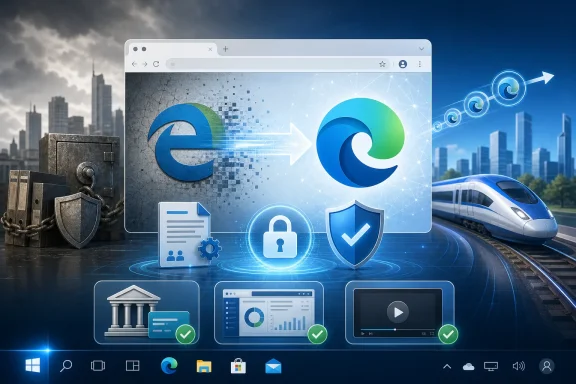 Microsoft Lost the Engine War and Won a Seat at the Table
The original Microsoft Edge arrived with Windows 10 in 2015 carrying a familiar burden: it had to be both a better browser and an apology for Internet Explorer. Microsoft’s EdgeHTML engine was cleaner, faster, and more standards-minded than IE’s legacy stack, but it entered a web already optimized around Chrome. Developers tested against Chromium because users were on Chromium; users stayed on Chromium because websites worked better there.That loop is brutal in browser markets. A technically respectable engine can still lose if it lacks developer gravity. By the late 2010s, EdgeHTML was good enough to be defensible and not good enough to reverse Chrome’s dominance.
Microsoft’s move to Chromium was therefore less a surrender than a strategic retreat. The company gave up on owning the rendering engine so it could compete on identity, management, security, sync, enterprise controls, PDF handling, shopping features, vertical tabs, Copilot integration, and Windows defaults. It stopped asking users to tolerate web incompatibility in exchange for Microsoft purity.
That was the correct call. The browser had become too important to be a standards crusade with a broken daily experience. Edge’s relaunch acknowledged what users had already decided: compatibility is not a feature; it is the price of admission.
Chromium Edge Made the Web Boring Again, Which Was the Point
The biggest improvement in Chromium Edge was not a flashy interface change. It was the quiet disappearance of “this site works best in Chrome” friction. Banking portals, corporate dashboards, media players, JavaScript-heavy web apps, and extension-dependent workflows suddenly had fewer reasons to reject Microsoft’s browser out of hand.That mattered especially for Windows users who never wanted to install Chrome but often felt forced to. Edge could now offer the same broad compatibility profile while remaining tied into Windows account sync, Microsoft Defender SmartScreen, Microsoft 365, Entra-managed enterprise policies, and Windows Update channels. For many users, that made Edge the path of least resistance rather than the browser they removed after first boot.
The extension story was equally important. Chromium Edge supports extensions from Microsoft’s own add-ons store and, if the user allows it, extensions from the Chrome Web Store. That single change erased one of the old Edge’s most visible weaknesses.
There is a catch, of course. Compatibility with Chrome extensions also means inheriting much of Chromium’s extension security model, performance overhead, and privacy complexity. But users overwhelmingly prefer a browser that lets them choose a risky extension over one that cannot run their workflow at all.
Installation Is Simple, but the Platform Story Has Changed
Installing Edge today is straightforward on supported systems. Windows 10 and Windows 11 users generally already have it, because Edge is built into the modern Windows experience. Users who need a fresh copy can download the installer from Microsoft’s Edge download page, run it, and let the browser update itself after installation.On macOS, Edge installs like a conventional third-party browser. Microsoft also offers Edge for Linux, iOS, iPadOS, and Android, though feature parity varies by platform because Apple and Google impose different browser-engine and store rules on mobile devices.
The old claim that Chromium Edge supports Windows 7, Windows 8, and Windows 8.1 is historically true but practically obsolete. Edge version 109 was the final Edge release for those operating systems, and Microsoft ended support for Edge on Windows 7, Windows 8, and Windows 8.1 in January 2023. If you are still running one of those systems in 2026, installing an old Edge build is not a security strategy; it is a warning sign.
The same applies to browser advice more broadly. A browser is now one of the most exposed applications on a PC, and running an unsupported browser on an unsupported OS is a stacked risk. If the machine cannot move to a supported Windows release, it belongs in a constrained role, behind compensating controls, or off the general web.
The Setup Wizard Is Really a Migration Funnel
Edge’s first-run experience is designed to make switching feel painless. It can import bookmarks, saved passwords, history, autofill data, payment information, and settings from other browsers, depending on what is available locally and what the user permits. Microsoft knows the hardest part of changing browsers is not downloading the installer; it is recreating the small conveniences accumulated over years.The browser also asks users to choose a new tab page style. “Focused” keeps the page sparse, “Inspirational” leans into imagery, and “Informational” fills the screen with news, widgets, and Microsoft content. That choice looks cosmetic, but it reflects the larger Edge tension: Microsoft wants the browser to be both a clean web tool and a distribution surface for its services.
Sync is the other major fork in the setup road. Users who sign in with a Microsoft account can synchronize favorites, passwords, history, open tabs, extensions, and settings across devices. In business environments, that experience is shaped by organizational policy and identity controls.
For home users, sync is convenience. For enterprises, it is governance. The same browser that imports Chrome bookmarks on a home laptop can become a managed endpoint for conditional access, data-loss prevention, profile separation, and extension allowlists in a corporate fleet.
Edge Is Chrome-Compatible, Not Chrome-Neutral
The lazy description of Edge is “Chrome with a Microsoft logo.” That is understandable, but it misses the point. Edge uses Chromium as a foundation, yet Microsoft has spent years layering its own services, policies, update controls, and user interface bets on top of it.Some of those additions are genuinely useful. Sleeping tabs can reduce memory pressure. Vertical tabs are beloved by people who live with dozens of open pages. Collections, PDF annotation, immersive reader tools, and enterprise profile separation give Edge credible reasons to exist beyond “it came with Windows.”
Other additions are more contentious. Microsoft has repeatedly tested the patience of power users with prompts, shopping features, sidebar integrations, default-browser nudges, and service tie-ins that can make Edge feel less like a neutral browser and more like a Microsoft engagement surface. The browser is good enough that these annoyances stand out.
That is the paradox of modern Edge. Microsoft solved the fundamental technical problem, then created a trust problem around restraint. Users rarely complain that Edge cannot render the web; they complain that Microsoft will not stop trying to monetize or redirect the experience around the web.
Enterprise IT Got the Browser It Actually Needed
For sysadmins, Chromium Edge’s most important feature was never its logo or its new tab page. It was manageability. Microsoft built Edge into the same administrative universe as Windows, Microsoft 365, Intune, Group Policy, Defender, and Entra ID.That gives organizations a practical alternative to unmanaged Chrome sprawl. IT teams can define extension policies, control update channels, configure site lists, separate work and personal profiles, manage legacy compatibility through Internet Explorer mode where required, and apply security baselines across fleets. Edge is not merely a browser in that context; it is part of the Windows management plane.
This is where Microsoft’s decision to adopt Chromium looks especially pragmatic. Enterprises want compatibility with modern web apps but also want governance. Chrome offered the former; Microsoft could argue Edge offered both.
The remaining challenge is cadence. Chromium browsers move quickly, and Microsoft has been accelerating Edge’s release rhythm. Faster updates are good for security and web compatibility, but they compress testing windows for organizations with brittle internal apps. The browser wars may be over for consumers, but enterprise change management never ends.
The Chrome Extension Door Opens Both Ways
The ability to install Chrome Web Store extensions in Edge was a decisive adoption feature. It meant users did not have to wait for developers to republish every tool in Microsoft’s store. Password managers, ad blockers, developer tools, note clippers, grammar checkers, and niche business add-ons could follow users into Edge on day one.But extension compatibility is not a free lunch. Extensions can observe browsing activity, inject scripts, alter pages, and create new attack surfaces. A browser with a rich extension ecosystem is powerful precisely because extensions can do meaningful things.
That is why Edge’s extension story should be treated differently at home and at work. Individual users should install fewer extensions than they think they need, remove abandoned ones, and prefer publishers they recognize. Organizations should use explicit allowlists, not vibes.
The Chromium transition made Edge more useful. It also made Edge inherit the same extension hygiene problems that security teams already knew from Chrome. Microsoft did not eliminate that risk; it made it manageable through policy.
Windows Users Should Install Edge for the Right Reason
If you are on Windows 10 or Windows 11, you probably do not need to “install the new Edge” in the old 2020 sense. It is already there, already Chromium-based, and already updating. What you may need is to check whether it is current, whether sync is configured correctly, and whether your default browser settings match your actual preference.If Edge is missing, damaged, or outdated, the safest route is Microsoft’s official installer. After installation, Edge should update itself automatically, and users can verify the installed version from the browser’s About page. That page also triggers an update check, which is the simplest troubleshooting step when a site complains about an unsupported browser.
New users should be deliberate during setup. Importing everything from Chrome is convenient, but it is also an opportunity to carry over years of cruft. Passwords, extensions, permissions, and autofill data deserve a quick audit before they become part of a new synced profile.
Mac users have a slightly different calculation. Edge is not the system browser on macOS, and Safari remains deeply optimized for Apple’s platform. But Edge makes sense for users who live in Microsoft 365, need profile separation, prefer Chromium compatibility, or want the same browser across Windows workstations and Apple laptops.
The Old Edge Story Is Now a Security Story
There is a nostalgic version of the Edge narrative in which Microsoft bravely reinvented its browser and finally made it compatible with the modern web. That version is true, but incomplete. In 2026, the more important story is that unsupported browser and OS combinations have aged into security liabilities.Windows 7 and Windows 8.1 are not merely “older versions” in the way a familiar chair is older. They are platforms outside normal consumer security support. Pairing them with an outdated Edge build does not recreate the 2020 launch experience; it creates a high-risk endpoint with a modern-looking icon.
This matters because browsers are now document viewers, app runtimes, video clients, password managers, authentication brokers, and payment surfaces. The browser is where phishing lands, where malicious scripts execute, where credentials are entered, and where corporate SaaS sessions live. Treating it as a cosmetic app is obsolete thinking.
Edge’s Chromium shift helped Microsoft bring Windows users back to a supported mainstream browser. But that promise only holds if the operating system and browser remain inside their support windows. Compatibility without updates is just delayed exposure.
Microsoft’s Browser Strategy Is Really About Defaults
Edge has improved enormously, but Microsoft’s most durable browser advantage remains Windows itself. Defaults matter. Taskbar pins matter. Search integration matters. The first-run experience matters. The PDF handler matters. Links opened from widgets, Outlook, Teams, and Windows search matter.This is why Edge debates become emotional. Users are not only judging rendering speed or memory usage; they are reacting to the feeling that Windows keeps steering them toward Microsoft’s preferred services. A technically strong browser can still alienate users if the operating system treats choice as an obstacle to be overcome.
Microsoft’s challenge is discipline. The company has the browser it needed: fast, compatible, secure enough for enterprise use, and broadly cross-platform. What it risks is making Edge feel like a negotiation every time users set a default, dismiss a sidebar, decline personalization, or avoid a promotional prompt.
The best version of Edge is the one that trusts its own merits. When Microsoft lets the browser stand on performance, compatibility, management, and thoughtful features, it is genuinely competitive. When it leans too hard on Windows leverage, it revives the very browser resentment it spent years escaping.
The Practical Edge Upgrade Path in 2026
For most WindowsForum readers, the right Edge advice is refreshingly mundane: use a supported OS, run the current Stable build unless you have a reason not to, and treat extensions as privileged software. The dramatic engine switch happened years ago. The operational work is keeping the browser clean, current, and aligned with how you actually use the web.- Edge is already Chromium-based on supported Windows 10 and Windows 11 installations, so most users do not need a special “new Edge” installer.
- The supported installation path is Microsoft’s official Edge download page or the built-in update mechanism in Edge itself.
- Windows 7, Windows 8, and Windows 8.1 users should not expect current Edge support, because Edge 109 was the last supported version for those operating systems.
- Chrome Web Store extensions can be installed in Edge when enabled, but users and admins should treat extensions as security-sensitive code.
- Enterprise administrators should manage Edge through policy rather than relying on user-by-user browser choices.
- Mac users should consider Edge when they need Microsoft account sync, Chromium compatibility, or consistent work profiles across platforms.
References
- Primary source: gadgetbridge.com
Published: 2026-06-16T14:20:08.231583
Microsoft Edge now has a new and improved version: Everything to know and how to install
Microsoft’s very own Edge browser has a new version and will soon be available for Windows and MacOS users. The Edge browser is now based on an engine similar to the one which powers Google’s Chrome browser. After a year of development, the all-new Microsoft Edge will include compatibility for... www.gadgetbridge.com
- Related coverage: windowscentral.com
Major Microsoft Edge versions will now ship every two weeks: Microsoft confirms plans to ship new Edge features and changes twice a month | Windows Central
Microsoft has announced that Edge will be moving to a two-week release cycle for major versions of the browser, matching Chrome.www.windowscentral.com - Official source: learn.microsoft.com
Microsoft Edge release schedule | Microsoft Learn
Microsoft Edge release schedulelearn.microsoft.com - Related coverage: macrumors.com
Microsoft's Chromium Edge Browser for Mac Officially Launches
Microsoft today announced the first stable launch of its Edge browser built on the Google Chromium open source project. Microsoft Edge can be downloaded on both Windows machines and Macs. A beta version of the Microsoft Edge browser has been available for several months ahead of the official...www.macrumors.com - Official source: microsoft.com
End of support for Windows 10, Windows 8.1, and Windows 7 | Microsoft Windows
Make a smooth transition to Windows 11 from your unsupported operating system with help from Microsoft. Enjoy the benefits of upgrading to a Windows 11 PC.www.microsoft.com - Related coverage: arstechnica.com
Support for Windows 7 and 8 fully ends in January, including Microsoft Edge - Ars Technica
Even businesses that will pay for it won't get new Windows 7 security updates.arstechnica.com
- Related coverage: xda-developers.com
Microsoft Edge will no longer be supported on Windows 7 and Windows 8/8.1 come January 2023
Microsoft Edge version 110 will be the last version of the browser to support Windows 7 and Windows 8.1. It is set to release in January 2023. www.xda-developers.com
- Related coverage: techcrunch.com
Here is the first stable release of Microsoft's new Edge browser | TechCrunch
Right on schedule, Microsoft today released the first stable version of its new Chromium-based Edge browser, just over a year after it first announcedtechcrunch.com - Official source: blogs.windows.com
Faster updates, enterprise-friendly schedule: the new Microsoft Edge release cycle
Microsoft Edge is moving to a two-week release cycle, bringing new features and improvements to users and organizations faster than ever. This is great news for teams that thrive on innovation: instead of waiting a full month for the next update, youblogs.windows.com - Related coverage: windowsblogitalia.com
Terminato il supporto di Edge e Chrome su Windows 7 e 8.1
Google e Microsoft hanno annunciato le date di fine supporto dei loro browser, Chrome e Edge, su Windows 7. www.windowsblogitalia.com
- Related coverage: en.softonic.com
- Related coverage: techradar.com
Microsoft confirms Windows 11 26H1 update won't be coming to your current PC — here's why that's actually great news | TechRadar
It's all about avoiding another 24H2 disaster for existing PCs, which will stay on 25H2 and not get 26H1www.techradar.com - Related coverage: tomshardware.com
Microsoft confirms Windows 11 26H1 will be for Arm devices only at launch — Snapdragon X2-powered devices officially shipping with 26H1 | Tom's Hardware
It's 24H2 all over again, but with the caveat that 26H1 will only support specific hardware for its entire lifecycle. Devices running 26H1 will not be able to upgrade to 26H2.www.tomshardware.com - Official source: support.microsoft.com
Troubleshooting tips for downloading, installing, and updating Microsoft Edge | Microsoft Support
Get troubleshooting tips if you run into problems downloading, installing, or updating Microsoft Edge.support.microsoft.com - Official source: developer.mozilla.org
Microsoft Edge - Glossary | MDN
Edge is a proprietary, cross-platform web browser developed by Microsoft in 2014. Initially known as "Spartan", Edge replaced Internet Explorer, which had been Microsoft's primary browser for over 20 years.developer.mozilla.org
- Official source: developer.microsoft.com

Microsoft Edge Developer
developer.microsoft.com
- Related coverage: betawiki.net
- Related coverage: isc.upenn.edu
Microsoft Edge | Information Systems & Computing
isc.upenn.edu
- Official source: cdn-dynmedia-1.microsoft.com
