

Windows 11’s Widgets panel remained conspicuously absent from Microsoft Build 2026, even as Microsoft used the June developer conference to promote native Windows apps, AI agents, and new developer hardware for the next phase of Windows. That omission matters because Widgets is not a hidden prototype; it is a default, taskbar-adjacent surface shipped to hundreds of millions of PCs. Microsoft has spent years trying to make Windows feel modern again, yet one of its most visible consumer features still feels like a storefront after closing time. The result is a small embarrassment with larger implications: Windows can have an AI future and still fail at the everyday surfaces users actually touch.
Build 2026 was not short on Windows ambition. Microsoft talked up local AI development, agentic apps, developer-optimized Windows environments, and hardware meant to make the PC feel like the next serious platform for on-device intelligence. The Surface RTX Spark Dev Box, positioned as a machine for local AI and agent workloads, gave developers a tangible symbol of that push.
But the Widgets panel sat outside that story. It is not hard to find. Click the weather badge on the Windows 11 taskbar, press Win+W, or hover in the wrong corner depending on your settings, and there it is: a panel that should be a glanceable command center for personal information, app state, and quick interaction.
Instead, it has long carried the reputation of a half-product. For many users, Widgets became synonymous with MSN noise, tabloid-style recommendations, accidental launches, and a sense that Microsoft had once again inserted a content feed where a utility should have been. Recent preview changes that make the panel quieter by default are welcome, but they expose the deeper problem rather than solve it.
Once the feed recedes, the question becomes brutally simple: what is left?
According to the Windows Central report that sparked the latest round of criticism, the Microsoft Store currently lists only 56 widgets. Even if that number fluctuates, the order of magnitude is the scandal. This is not a niche plugin pane inside a professional application. This is a first-party Windows feature sitting one click from the desktop.
The comparison to Windows Phone’s app gap is unkind but useful. Windows Phone did not fail because it lacked an elegant interface or because Microsoft forgot how to build operating systems. It failed because users could not trust that the services, banks, games, smart-home tools, social apps, and everyday utilities they cared about would show up and stay current. Widgets has a smaller job, but it suffers from the same credibility problem.
A widget ecosystem does not need millions of entries. It does need enough obvious, high-quality integrations that opening the panel feels rewarded. Calendar, tasks, system health, package deliveries, music, smart home controls, password manager alerts, battery states, GitHub notifications, Teams presence, OneDrive activity, sports scores, RSS, finance watchlists, and device controls are not exotic ideas. They are the baseline expectations for a desktop glance surface in 2026.
That progress makes the Widgets gap harder to excuse. If the Store were still barren, the Widgets panel could be dismissed as collateral damage. But Windows app distribution is in better shape, and Microsoft has been actively courting developers around native performance, Arm optimization, AI integration, and modern Windows APIs.
The problem is that Widgets does not appear to sit at the center of that courtship. It is technically available to third parties through supported app models, but availability is not the same as momentum. Developers follow incentives, documentation quality, user demand, platform stability, and the likelihood that Microsoft will keep the feature alive long enough to justify the work.
Microsoft’s history gives them reasons to hesitate. Windows has repeatedly flirted with glanceable desktop surfaces: Sidebar gadgets, live tiles, Timeline-adjacent cards, taskbar flyouts, Cortana surfaces, News and Interests, and now Widgets. Some were killed, some were folded into other products, and some simply became irrelevant. Developers have learned that a Windows shell surface can be strategic right up until the next reorg.
Developers already have many places to surface lightweight information. They can use notifications, tray icons, taskbar badges, live tiles on other platforms, web dashboards, browser extensions, phone widgets, Teams apps, Slack integrations, Electron sidebars, and in-app panels. Asking them to build for Windows Widgets means convincing them that this particular surface reaches users in a distinctive and valuable way.
Right now, the panel’s history works against that pitch. If users disabled Widgets because of MSN clutter, developers have less reason to build for it. If developers do not build for it, users have less reason to re-enable it once Microsoft reduces the clutter. That is the classic cold-start problem, and Microsoft should recognize it better than anyone.
The company has solved versions of this before by making the platform unavoidable, financially attractive, or technically delightful. Widgets is none of those yet. It is present by default, but presence alone is not adoption. A feature can be shipped to every PC and still be culturally invisible.
That matters because first impressions harden. Many Windows users formed their opinion of Widgets early: distracting, ad-adjacent, clickbait-prone, not worth customizing. Once a surface earns that reputation, improving it quietly in Insider builds does not automatically win people back. Microsoft can flip defaults, but it cannot flip trust with the same toggle.
The decision to make Widgets quieter by default is therefore necessary but insufficient. It removes the obstacle users complained about most loudly. It does not create the positive reason to return. A clean empty room is better than a messy one, but it is still empty.
Microsoft’s challenge is to stop treating the feed as the protagonist. Widgets should not be a content strategy with some utility cards attached. It should be a utility strategy that can optionally include feeds if users ask for them.
The lesson is not that Microsoft should copy Apple’s layout pixel for pixel. Windows has different constraints, different users, and a much larger legacy application base. The lesson is that widgets work when they are connected to apps people already care about and when they exist in a place where users naturally build habits.
Windows 11’s implementation remains caught between destinations. The panel is not quite the desktop, not quite the notification center, not quite the Start menu, and not quite a dashboard. It is a flyout. That design keeps the desktop clean, but it also means widgets disappear unless summoned.
A good widget surface should make repeated glances feel worthwhile. If the only muscle memory users develop is “turn this off,” the platform has failed before the API can prove itself.
Imagine a managed Widgets board that surfaces service health, Intune compliance, incident alerts, device posture, VPN status, ticket queues, upcoming maintenance windows, training reminders, and approved internal announcements. That would be far more valuable to many organizations than a generic feed or a handful of weather and sports cards. It would also align with Microsoft’s broader enterprise strengths.
The catch is governance. Enterprises do not want another consumer surface leaking distractions into managed desktops. They want policy controls, predictable behavior, privacy clarity, and integration with identity and management tools. Microsoft is uniquely positioned to provide that, but the current cultural perception of Widgets makes the sale harder.
If Widgets is seen as MSN residue, admins will disable it. If it is seen as a manageable shell surface for useful organizational context, some will deploy it. The difference is not cosmetic. It is the difference between a feature that IT removes during imaging and a feature that becomes part of the standard desktop.
A widget is, in many ways, an ideal front door for agentic computing. It is small, glanceable, bounded, and task-specific. A travel widget could watch an itinerary and offer a check-in action. A developer widget could summarize failing builds. A finance widget could flag unusual spending. A device widget could expose battery health or local model usage. A security widget could show whether protected folders, backup, or passkeys need attention.
That does not require turning the desktop into a chatbot. In fact, Widgets could be an antidote to chatbot sprawl by giving agents restrained, inspectable surfaces. The panel could host little pieces of agency where the user understands the scope and can revoke access.
Instead, Microsoft’s AI story is racing toward ambitious developer scenarios while one of the most obvious shell-level canvases remains underfed. That disconnect is not fatal, but it is telling. Microsoft is excellent at announcing the next platform. It is less consistent at tending the small garden that would make the current platform feel alive.
But developers rarely volunteer to save a platform surface out of charity. Microsoft has to make the opportunity obvious. That means promoting Widgets at Build, showcasing successful integrations, reducing friction, publishing clear design guidance, improving Store discovery, and giving developers confidence that the feature will not be abandoned.
It also means Microsoft needs to build exemplary widgets of its own. First-party apps should set the standard. Outlook, To Do, Teams, OneNote, OneDrive, Photos, Xbox, Phone Link, Defender, Family Safety, Dev Home, and Microsoft 365 all have obvious widget scenarios. If Microsoft’s own ecosystem does not treat the panel as prime real estate, why should anyone else?
The company cannot outsource conviction. Developers can fill a marketplace, but Microsoft has to prove the marketplace matters.
That means the winning unit is not “content.” It is state plus action. What is happening, and what can I do about it in one click? A package is arriving. A meeting starts in eight minutes. A laptop battery is failing. A pull request needs review. A smart lock is open. A backup has not run. A subscription price changed. A server is down.
Windows is uniquely suited to this because it sits at the junction of work, personal computing, gaming, development, and administration. The PC is still where many complex workflows converge. A good Widgets panel could reflect that complexity without forcing users to open ten apps.
But that requires discipline. Microsoft must resist the urge to treat every square inch as a growth surface for engagement metrics. If the panel becomes another place to promote articles, shopping, or generic AI suggestions, users will correctly treat it as hostile territory.
That is why Widgets matters more than its current usage may suggest. It is a test of whether Windows can evolve beyond windows. The classic desktop remains powerful, but modern platforms are increasingly defined by peripheral surfaces: notifications, widgets, share sheets, quick settings, command palettes, search, voice, context menus, and ambient dashboards. These surfaces reduce friction when done well and create clutter when done poorly.
Windows has often struggled here because it carries decades of compatibility and multiple design eras at once. The system tray, Start menu, taskbar, notification center, search panel, Copilot entry points, and Widgets all compete for attention. Users sense the overlap even when they cannot name it.
A coherent Widgets strategy would help clarify the shell. The panel should be the place for persistent, glanceable app state. Notifications should be the place for time-sensitive interruption. Quick Settings should be the place for system toggles. Start should be the place for launching and recall. Copilot should be the place for conversational assistance when conversation is actually useful.
A serious relaunch would begin with first-party density. Every major Microsoft app with glanceable state should ship a good widget. Not a token widget. Not a thin promotional card. A useful, configurable, privacy-conscious widget that respects the user’s layout.
Then Microsoft should make discovery feel natural. The Store’s widget section should not feel like a lonely aisle. When users install an app with widget support, Windows should explain the option without nagging. When users open the panel for the first time, they should see a curated set of practical choices based on installed apps, not a generic experience dominated by Microsoft defaults.
Finally, Microsoft should use Build properly. If Windows Widgets is a developer platform, it belongs on the Build stage, in sessions, in samples, in design critiques, and in partner demos. Developers notice what Microsoft celebrates. Silence is a roadmap signal too.
On a consumer PC, that panel might show calendar, weather, deliveries, music, smart home devices, watchlists, reminders, gaming friends, and photos. On a developer workstation, it might show GitHub, Azure, local containers, build status, terminal tasks, package updates, and system telemetry. On a managed corporate laptop, it might show meetings, help desk tickets, compliance state, internal announcements, and security alerts.
The common thread is not the category of information. It is user intent. The panel should answer the question, “What do I need to know right now from the apps and services I already chose?” The current experience too often answers, “What can Microsoft put in front of me?”
That distinction is the whole fight.
The concrete lessons are not complicated:
Windows does not need Widgets to survive, and most power users can happily disable the panel and move on. But that is precisely why Microsoft should care: the best operating-system features become habits, not obligations. If Windows is heading into an AI-heavy, agent-rich future, Microsoft needs to prove it can still execute on the humble surfaces where that future will actually appear. Right now, the Widgets panel is less a showcase for modern Windows than a reminder that even a trillion-dollar platform company can forget to stock the shelf nearest the front door.
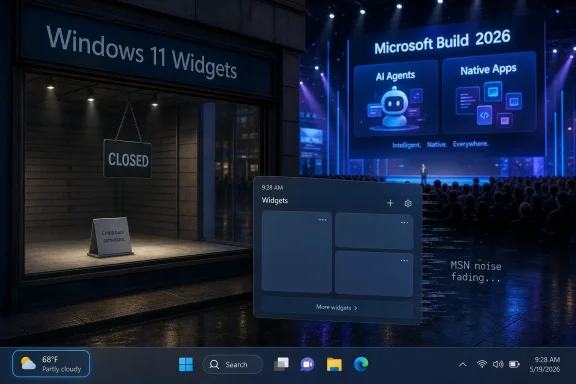 Microsoft Sold the Future While the Weather Button Gathered Dust
Build 2026 was not short on Windows ambition. Microsoft talked up local AI development, agentic apps, developer-optimized Windows environments, and hardware meant to make the PC feel like the next serious platform for on-device intelligence. The Surface RTX Spark Dev Box, positioned as a machine for local AI and agent workloads, gave developers a tangible symbol of that push.But the Widgets panel sat outside that story. It is not hard to find. Click the weather badge on the Windows 11 taskbar, press Win+W, or hover in the wrong corner depending on your settings, and there it is: a panel that should be a glanceable command center for personal information, app state, and quick interaction.
Instead, it has long carried the reputation of a half-product. For many users, Widgets became synonymous with MSN noise, tabloid-style recommendations, accidental launches, and a sense that Microsoft had once again inserted a content feed where a utility should have been. Recent preview changes that make the panel quieter by default are welcome, but they expose the deeper problem rather than solve it.
Once the feed recedes, the question becomes brutally simple: what is left?
The Empty Shelf Is More Damning Than the Bad Feed
The usual complaint about Windows 11 Widgets has been that Microsoft stuffed it with news. That was always the loudest problem, not necessarily the most important one. A noisy feed can be removed, hidden, or redesigned. A weak ecosystem is harder to fix because it requires developers to believe the surface is worth their time.According to the Windows Central report that sparked the latest round of criticism, the Microsoft Store currently lists only 56 widgets. Even if that number fluctuates, the order of magnitude is the scandal. This is not a niche plugin pane inside a professional application. This is a first-party Windows feature sitting one click from the desktop.
The comparison to Windows Phone’s app gap is unkind but useful. Windows Phone did not fail because it lacked an elegant interface or because Microsoft forgot how to build operating systems. It failed because users could not trust that the services, banks, games, smart-home tools, social apps, and everyday utilities they cared about would show up and stay current. Widgets has a smaller job, but it suffers from the same credibility problem.
A widget ecosystem does not need millions of entries. It does need enough obvious, high-quality integrations that opening the panel feels rewarded. Calendar, tasks, system health, package deliveries, music, smart home controls, password manager alerts, battery states, GitHub notifications, Teams presence, OneDrive activity, sports scores, RSS, finance watchlists, and device controls are not exotic ideas. They are the baseline expectations for a desktop glance surface in 2026.
Microsoft Fixed the Store and Forgot the Display Window
The awkward part for Microsoft is that the Store itself is no longer the hopeless punchline it once was. The Microsoft Store has become more permissive, more useful, and better stocked than it was in the Windows 8 and early Windows 10 years. Traditional desktop apps, packaged apps, PWAs, developer tools, browsers, utilities, and subscription services now coexist there in a way that mostly makes sense.That progress makes the Widgets gap harder to excuse. If the Store were still barren, the Widgets panel could be dismissed as collateral damage. But Windows app distribution is in better shape, and Microsoft has been actively courting developers around native performance, Arm optimization, AI integration, and modern Windows APIs.
The problem is that Widgets does not appear to sit at the center of that courtship. It is technically available to third parties through supported app models, but availability is not the same as momentum. Developers follow incentives, documentation quality, user demand, platform stability, and the likelihood that Microsoft will keep the feature alive long enough to justify the work.
Microsoft’s history gives them reasons to hesitate. Windows has repeatedly flirted with glanceable desktop surfaces: Sidebar gadgets, live tiles, Timeline-adjacent cards, taskbar flyouts, Cortana surfaces, News and Interests, and now Widgets. Some were killed, some were folded into other products, and some simply became irrelevant. Developers have learned that a Windows shell surface can be strategic right up until the next reorg.
The Widget Model Still Feels Like an API Looking for a Culture
Windows 11 Widgets are not merely miniature web pages dropped into a panel. Microsoft’s developer model leans on Adaptive Cards and specific provider patterns, with support for packaged Win32 apps and Progressive Web Apps. That can be powerful. It can also be one more layer of platform-specific work for a feature with uncertain payoff.Developers already have many places to surface lightweight information. They can use notifications, tray icons, taskbar badges, live tiles on other platforms, web dashboards, browser extensions, phone widgets, Teams apps, Slack integrations, Electron sidebars, and in-app panels. Asking them to build for Windows Widgets means convincing them that this particular surface reaches users in a distinctive and valuable way.
Right now, the panel’s history works against that pitch. If users disabled Widgets because of MSN clutter, developers have less reason to build for it. If developers do not build for it, users have less reason to re-enable it once Microsoft reduces the clutter. That is the classic cold-start problem, and Microsoft should recognize it better than anyone.
The company has solved versions of this before by making the platform unavoidable, financially attractive, or technically delightful. Widgets is none of those yet. It is present by default, but presence alone is not adoption. A feature can be shipped to every PC and still be culturally invisible.
The MSN Hangover Poisoned the Pitch
The feed problem deserves its own reckoning because it shaped user expectations from the beginning. A panel called Widgets should open to widgets. For too long, Windows 11 made users wade through a Microsoft-controlled content experience that felt less like a productivity surface and more like a portal strategy smuggled into the OS.That matters because first impressions harden. Many Windows users formed their opinion of Widgets early: distracting, ad-adjacent, clickbait-prone, not worth customizing. Once a surface earns that reputation, improving it quietly in Insider builds does not automatically win people back. Microsoft can flip defaults, but it cannot flip trust with the same toggle.
The decision to make Widgets quieter by default is therefore necessary but insufficient. It removes the obstacle users complained about most loudly. It does not create the positive reason to return. A clean empty room is better than a messy one, but it is still empty.
Microsoft’s challenge is to stop treating the feed as the protagonist. Widgets should not be a content strategy with some utility cards attached. It should be a utility strategy that can optionally include feeds if users ask for them.
Apple and Android Show Why This Should Not Be So Hard
The frustration around Windows Widgets is sharpened by the fact that users already understand widgets elsewhere. Android has made widgets part of the home-screen vocabulary for years. iOS turned them into a mainstream feature once Apple decided to embrace them. macOS has brought widgets closer to the desktop experience in a way that makes Windows 11’s panel feel strangely timid.The lesson is not that Microsoft should copy Apple’s layout pixel for pixel. Windows has different constraints, different users, and a much larger legacy application base. The lesson is that widgets work when they are connected to apps people already care about and when they exist in a place where users naturally build habits.
Windows 11’s implementation remains caught between destinations. The panel is not quite the desktop, not quite the notification center, not quite the Start menu, and not quite a dashboard. It is a flyout. That design keeps the desktop clean, but it also means widgets disappear unless summoned.
A good widget surface should make repeated glances feel worthwhile. If the only muscle memory users develop is “turn this off,” the platform has failed before the API can prove itself.
The Enterprise Case Is Stronger Than Microsoft Seems to Admit
It is tempting to frame Widgets as a consumer bauble, but that undersells the opportunity. For IT pros and managed environments, a controlled glance surface could be genuinely useful if Microsoft treated it as infrastructure rather than decoration.Imagine a managed Widgets board that surfaces service health, Intune compliance, incident alerts, device posture, VPN status, ticket queues, upcoming maintenance windows, training reminders, and approved internal announcements. That would be far more valuable to many organizations than a generic feed or a handful of weather and sports cards. It would also align with Microsoft’s broader enterprise strengths.
The catch is governance. Enterprises do not want another consumer surface leaking distractions into managed desktops. They want policy controls, predictable behavior, privacy clarity, and integration with identity and management tools. Microsoft is uniquely positioned to provide that, but the current cultural perception of Widgets makes the sale harder.
If Widgets is seen as MSN residue, admins will disable it. If it is seen as a manageable shell surface for useful organizational context, some will deploy it. The difference is not cosmetic. It is the difference between a feature that IT removes during imaging and a feature that becomes part of the standard desktop.
AI Agents Make the Neglect Look Stranger, Not Smaller
Build’s AI emphasis actually makes the Widgets omission more conspicuous. If Microsoft believes Windows is becoming a platform for agents, lightweight state, contextual actions, and local intelligence, then Widgets should be one of the easiest places to demonstrate that future without asking users to change everything at once.A widget is, in many ways, an ideal front door for agentic computing. It is small, glanceable, bounded, and task-specific. A travel widget could watch an itinerary and offer a check-in action. A developer widget could summarize failing builds. A finance widget could flag unusual spending. A device widget could expose battery health or local model usage. A security widget could show whether protected folders, backup, or passkeys need attention.
That does not require turning the desktop into a chatbot. In fact, Widgets could be an antidote to chatbot sprawl by giving agents restrained, inspectable surfaces. The panel could host little pieces of agency where the user understands the scope and can revoke access.
Instead, Microsoft’s AI story is racing toward ambitious developer scenarios while one of the most obvious shell-level canvases remains underfed. That disconnect is not fatal, but it is telling. Microsoft is excellent at announcing the next platform. It is less consistent at tending the small garden that would make the current platform feel alive.
Third-Party Developers Cannot Rescue a Surface Microsoft Does Not Champion
Windows Central’s argument that third-party developers are the only ones who can really fix the Widgets panel is mostly right, but incomplete. Microsoft cannot personally build every useful widget. A healthy panel needs the apps users already rely on to participate. Spotify, Discord, Notion, Todoist, Slack, WhatsApp, Philips Hue, GitHub, Steam, banks, airlines, delivery services, password managers, weather providers, and monitoring tools would do more for Widgets than another first-party refresh.But developers rarely volunteer to save a platform surface out of charity. Microsoft has to make the opportunity obvious. That means promoting Widgets at Build, showcasing successful integrations, reducing friction, publishing clear design guidance, improving Store discovery, and giving developers confidence that the feature will not be abandoned.
It also means Microsoft needs to build exemplary widgets of its own. First-party apps should set the standard. Outlook, To Do, Teams, OneNote, OneDrive, Photos, Xbox, Phone Link, Defender, Family Safety, Dev Home, and Microsoft 365 all have obvious widget scenarios. If Microsoft’s own ecosystem does not treat the panel as prime real estate, why should anyone else?
The company cannot outsource conviction. Developers can fill a marketplace, but Microsoft has to prove the marketplace matters.
The Best Widgets Are Boring on Purpose
The tech industry often ruins useful ideas by making them too ambitious. Widgets do not need to be immersive. They do not need to become an app launcher, a news portal, or a Copilot billboard. They need to be boring in the best possible way: fast, predictable, glanceable, and relevant.That means the winning unit is not “content.” It is state plus action. What is happening, and what can I do about it in one click? A package is arriving. A meeting starts in eight minutes. A laptop battery is failing. A pull request needs review. A smart lock is open. A backup has not run. A subscription price changed. A server is down.
Windows is uniquely suited to this because it sits at the junction of work, personal computing, gaming, development, and administration. The PC is still where many complex workflows converge. A good Widgets panel could reflect that complexity without forcing users to open ten apps.
But that requires discipline. Microsoft must resist the urge to treat every square inch as a growth surface for engagement metrics. If the panel becomes another place to promote articles, shopping, or generic AI suggestions, users will correctly treat it as hostile territory.
Microsoft’s Real App Gap Has Moved From Apps to Surfaces
The old Windows app gap was about whether the apps existed. The new one is about whether Windows exposes them in modern, useful ways. A desktop operating system can have all the major apps and still feel behind if its shell does not help those apps meet users where they are.That is why Widgets matters more than its current usage may suggest. It is a test of whether Windows can evolve beyond windows. The classic desktop remains powerful, but modern platforms are increasingly defined by peripheral surfaces: notifications, widgets, share sheets, quick settings, command palettes, search, voice, context menus, and ambient dashboards. These surfaces reduce friction when done well and create clutter when done poorly.
Windows has often struggled here because it carries decades of compatibility and multiple design eras at once. The system tray, Start menu, taskbar, notification center, search panel, Copilot entry points, and Widgets all compete for attention. Users sense the overlap even when they cannot name it.
A coherent Widgets strategy would help clarify the shell. The panel should be the place for persistent, glanceable app state. Notifications should be the place for time-sensitive interruption. Quick Settings should be the place for system toggles. Start should be the place for launching and recall. Copilot should be the place for conversational assistance when conversation is actually useful.
The Panel Needs a Relaunch, Not Another Quiet Tweak
Microsoft’s recent quiet-by-default move is a good reset button, but a reset is not a relaunch. The company should treat Widgets as a product that needs to win back users, not as a checkbox in the Windows feature list. That requires visible commitment.A serious relaunch would begin with first-party density. Every major Microsoft app with glanceable state should ship a good widget. Not a token widget. Not a thin promotional card. A useful, configurable, privacy-conscious widget that respects the user’s layout.
Then Microsoft should make discovery feel natural. The Store’s widget section should not feel like a lonely aisle. When users install an app with widget support, Windows should explain the option without nagging. When users open the panel for the first time, they should see a curated set of practical choices based on installed apps, not a generic experience dominated by Microsoft defaults.
Finally, Microsoft should use Build properly. If Windows Widgets is a developer platform, it belongs on the Build stage, in sessions, in samples, in design critiques, and in partner demos. Developers notice what Microsoft celebrates. Silence is a roadmap signal too.
The Weather Button Deserves a Product Strategy
There is still a plausible version of Windows 11 Widgets that works. It is not hard to imagine. The taskbar weather badge opens a clean panel of installed app widgets, arranged by the user, with no feed unless requested. Cards update reliably, respect power and privacy settings, and offer small actions without launching full apps unnecessarily.On a consumer PC, that panel might show calendar, weather, deliveries, music, smart home devices, watchlists, reminders, gaming friends, and photos. On a developer workstation, it might show GitHub, Azure, local containers, build status, terminal tasks, package updates, and system telemetry. On a managed corporate laptop, it might show meetings, help desk tickets, compliance state, internal announcements, and security alerts.
The common thread is not the category of information. It is user intent. The panel should answer the question, “What do I need to know right now from the apps and services I already chose?” The current experience too often answers, “What can Microsoft put in front of me?”
That distinction is the whole fight.
The Small Panel Now Carries a Large Windows Lesson
Microsoft’s neglect of Widgets at Build is not just a missed session topic. It reveals how easily Windows strategy can become top-heavy. The company can articulate a sweeping future of AI agents, local models, accelerated developer hardware, and native app modernization, while a default shell surface remains thin, mistrusted, and underpopulated.The concrete lessons are not complicated:
- Windows 11 Widgets needs developer momentum more than another visual rearrangement.
- Removing or hiding the MSN feed is a prerequisite for trust, not the finish line.
- Microsoft’s own apps should model what excellent widgets look like before the company asks third parties to care.
- The panel should prioritize installed apps, user intent, and small actions rather than generic content.
- Enterprise manageability could turn Widgets from consumer clutter into a useful organizational surface.
- Build silence sends the wrong message to developers deciding whether this platform is worth supporting.
Windows does not need Widgets to survive, and most power users can happily disable the panel and move on. But that is precisely why Microsoft should care: the best operating-system features become habits, not obligations. If Windows is heading into an AI-heavy, agent-rich future, Microsoft needs to prove it can still execute on the humble surfaces where that future will actually appear. Right now, the Widgets panel is less a showcase for modern Windows than a reminder that even a trillion-dollar platform company can forget to stock the shelf nearest the front door.
References
- Primary source: Windows Central
Published: 2026-06-08T18:23:06.572392
Microsoft Build ignored the most barren part of Windows 11, and it's one only third-party developers can fix | Windows Central
Microsoft pushed AI agents and native apps at Build. The Widgets panel received no attention despite being one of Windows 11’s weakest features.www.windowscentral.com - Related coverage: tomshardware.com
Microsoft debuts Surface RTX Spark Dev Box — Nvidia-powered mini-PC helps devs get ready for an agentic Windows | Tom's Hardware
It will have Visual Studio Code and GitHub Copilot preinstalled.www.tomshardware.com - Related coverage: tomsguide.com
Biggest Microsoft Build 2026 announcements — agentic AI, RTX Spark Dev Box, GitHub Copilot app, new MAI models, and more | Tom's Guide
All the big news from Microsoft's AI-focused eventwww.tomsguide.com - Related coverage: techradar.com
Microsoft Build 2026 — all the news and updates as it happened | TechRadar
Everything we saw at Microsoft Build 2026www.techradar.com - Official source: blogs.windows.com
Build 2026: Furthering Windows as the trusted platform for development
Build is one of our favorite moments each year - a chance to connect with the global developer community and share what we’ve been building. Over the past year, we have connected with many developers pushing the boundaries of what’s possible onblogs.windows.com - Related coverage: pureinfotech.com
Windows 11 finally ditches noisy MSN news from Widgets in a long-overdue cleanup - Pureinfotech
Microsoft is ditching the MSN feed in Windows 11 Widgets, making the panel quieter, cleaner, and focused on user-selected widgets instead. pureinfotech.com
- Related coverage: guidingtech.com
Here’s How Microsoft Plans to Fix Distracting Widgets in Windows 11 - Guiding Tech
Windows is cleaning up its widgets menu. We take a look at how Windows 11 widgets are changing for the better.www.guidingtech.com
- Related coverage: berrall.com
Microsoft is finally turning off the MSN feed and ads in Windows 11 Widgets by default - Peer Networks UK
Wales & West leading provider of PC repairs & IT support for home & business. Peer Networks delivers prompt, no fuss, PC repair services to customers.www.berrall.com
- Related coverage: cultura-informatica.com
Microsoft elimina el feed de MSN en los widgets de Windows 11 | Cultura Informática
Microsoft ocultará por defecto el feed de MSN en los widgets de Windows 11. Menos distracciones y más control para el usuario | Cultura Informática cultura-informatica.com
- Official source: news.microsoft.com
Microsoft Build en directo
El lugar donde seguir en tiempo real las últimas noticias a medida que se anuncien desde el Microsoft Build, los días 2 y 3 de junio de 2026.news.microsoft.com - Official source: support.microsoft.com
Mantente al día con widgets en Windows | Microsoft Support
Obtenga más información sobre cómo usar el panel de widgets para realizar un seguimiento de las cosas que le interesan.support.microsoft.com - Related coverage: windowsforum.com
Windows 11 Insider: Widgets board quieter by default—no MSN feed, fewer alerts | Windows Forum
Microsoft confirmed on May 1, 2026, that new Windows 11 Insider Preview builds will make the Widgets board quieter by default, opening first to...windowsforum.com - Related coverage: scscc.club
- Related coverage: fullcirclecomputing.com
What's New in Windows 11 Quick Reference
Handy What's New in Windows 11 with commonly used shortcuts, tips and tricks. Free for personal and professional training.www.fullcirclecomputing.com
- Related coverage: customguide.com
- Official source: learn.microsoft.com
Display a PWA widget in the Windows Widgets Board - Microsoft Edge Developer documentation | Microsoft Learn
How to build lightweight PWA-driven widgets that integrate in the operating system widgets dashboard.learn.microsoft.com - Official source: adaptivecards.microsoft.com
- Official source: techcommunity.microsoft.com
Adaptive Cards, Desktop Bridge and Timeline in Windows 10 | Microsoft Community Hub
First published on MSDN on Mar 13, 2018 Adaptive Cards is a relatively new concept that has been introduced by Microsoft and it’s all about rendering some... techcommunity.microsoft.com
- Official source: microsoft.com
- Related coverage: tutorialr.com
